Disclosure: As an Amazon Associate, kajuandouglas.com earns from qualifying purchases. Links on this page are affiliate links; they cost you nothing extra. Prices and availability change often, so check the current Amazon listing before you buy.
A wooting lekker switches guide has to start with the fact that shapes everything else: Wooting sells its keyboards and its Lekker switches through its own store, and there is no official Wooting listing on Amazon. Two careful verification passes for this guide found other brands’ Hall-effect keyboards and accessories — none of them Wooting products, and none of them presented here as though they were. What Amazon does hold is a single third-party listing for the Lekker L60 switch itself, whose verified title names the L60 exactly; that listing is reviewed below, framed precisely as what it is. Everything else in this guide — the Lekker L45, the Wooting 60HE keyboard the switches were born in, the technology underneath them — is covered in prose, with the direct-store route stated plainly wherever it is the honest way to buy.
That framing settled, the subject deserves its reputation. Lekker switches are Hall-effect switches: they sense the stem’s position magnetically, continuously, rather than waiting for a contact to close. That one difference unlocks the features that made Wooting famous — adjustable actuation set per key in software, rapid trigger resets that follow your finger’s direction instead of a fixed point, and analog input that reads a key like a trigger rather than a button. This guide explains how the technology works, what the L60 and L45 differ in, who the ecosystem suits, how it compares with the contact-switch world the rest of this cluster inhabits, and how to buy into it without being misled by a marketplace that would love to sell you something else under its name.
Readers arriving from the rest of this site should calibrate one expectation before going further: every other switch guide here treats the switch as a self-contained component that any compatible board will host identically. The Lekker inverts that relationship. The board is the sensing instrument, the software is half the product, and the switch is the part of the system your fingers meet — which is why this guide spends as much of itself on channels, compatibility and settings as on the switch’s own character. That is not padding around a small subject; it is the subject, accurately drawn. A Lekker bought without its system is a magnet in a stem. A Lekker bought with it is the sharpest input instrument the hobby currently sells, and the distance between those two purchases is exactly the distance this guide exists to close.
Key Takeaways
- Lekker switches are Hall-effect switches for Wooting’s ecosystem: magnetic, continuous sensing enables adjustable actuation, rapid trigger and analog input.
- There is no official Wooting storefront on Amazon; Wooting sells the 60HE and Lekker switches direct. The one linked listing here is a third-party Lekker L60 listing whose verified title names the switch exactly.
- The L60 is the firmer, standard Lekker; the L45 is its lighter sibling — covered prose-only, as it has no verified listing.
- Lekker switches fit compatible Hall-effect boards, not standard MX hot-swap sockets; the keyboard is part of the purchase decision.
- Rapid trigger is a genuine advantage at high levels of play — and an unnecessary ecosystem cost for everyone below them.
How does a Hall-effect switch actually work?
A conventional switch is a doorbell: the stem travels, two contacts meet, the circuit closes, the press exists. A Hall-effect switch replaces the doorbell with a measuring instrument. A magnet rides in the stem; a sensor on the keyboard’s circuit board reads the magnetic field’s strength as the stem moves, and therefore knows — continuously, at every instant — how far the key has travelled. Software turns that knowledge into behaviour. Actuation becomes a setting: register at a hair’s depth for movement keys, deeper for a key you must never brush. Reset becomes directional: with rapid trigger, the key re-arms the moment the stem begins to rise, so the next press can begin from wherever your finger actually is rather than from a fixed reset height. And travel becomes analog information, which supported games can read the way they read a controller trigger — walk at a half-press, sprint at a full one. None of this is a faster doorbell. It is a different sense organ, and the Lekker line is Wooting’s implementation of it for its own boards.
In this guide
The one verified listing, honestly framed

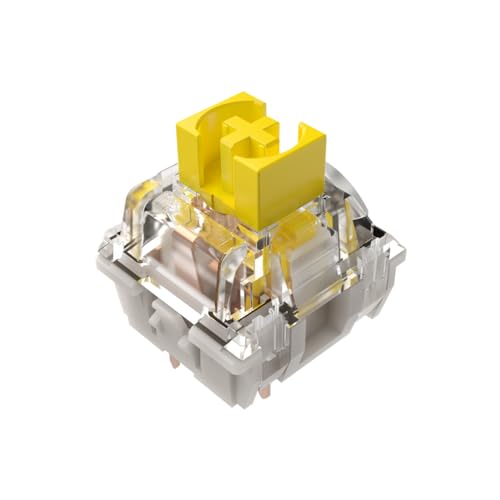
Wooting Lekker L60 — third-party listing for a genuine switch model
Badge: The Lekker for most players — bought with eyes open about the channel.
- Type: Hall-effect linear, magnetic sensing
- Model: Lekker L60, as named in the listing’s verified title
- Seller: third-party (OQATNXUR listing) — Wooting itself sells direct
- Pack: 10 switches
- Requirement: a compatible Hall-effect keyboard
- Character: the standard Lekker — linear, smooth, built for rapid trigger play
Let the framing be exact, because this guide’s credibility is the product here. The listing linked below is sold by a third-party seller, and its fetch-verified title names the product as a Wooting Lekker Switch, Linear L60. It is the only Lekker listing our verification could stand behind — every other result was another brand’s Hall-effect product wearing search-engine proximity to Wooting’s name, and those products are not in this guide. A buyer using this listing should do what buyers of any third-party listing for a branded component should do: confirm the item matches its title on arrival, confirm compatibility with their specific Hall-effect board before ordering, and understand that Wooting’s own store remains the official channel for switches and keyboards alike, with the support relationship that implies.
The switch itself is the ecosystem’s standard-bearer. The L60 is the firmer of the two Lekker weights — the one fitted as the default in Wooting’s boards and the one most players keep — with a linear travel designed to be read precisely by the sensor beneath it. Ten switches is a small pack by MX standards and a rational one here: Hall-effect boards concentrate their hard use in the gaming cluster, and replacement Lekkers are bought the way racing parts are bought, for the positions that work. If you own a compatible board and need L60s, this listing is a verified route; if you are entering the ecosystem, start at Wooting’s store and treat this guide as the map, not the shop.
Strengths
- A verified route to the genuine L60 model
- The standard Lekker weight most players prefer
- Pack size suits the gaming-cluster reality of Hall-effect boards
Trade-offs
- Third-party channel — Wooting’s store is the official one
- Useless without a compatible Hall-effect board
- Ten pieces is a top-up, not a full-board supply
Best for: owners of compatible Hall-effect boards needing L60 switches. Not suited for: MX-board owners, or first-time Wooting buyers who should start at the source.
The Lekker L45: the lighter sibling, in prose
The L45 is the same idea at a lighter weight — the Lekker for players whose fingers prefer less spring, whose games reward the lightest sustainable press, or whose long sessions make the L60’s firmness a tax by the third hour. It shares the family’s sensing, its compatibility and its direct-store reality; it has no verified Amazon listing, so this guide describes it without linking, and the honest route to it is Wooting’s own store, where it is sold alongside the L60 with the keyboards built around both. Choosing between the two is the ecosystem’s version of the oldest question in this cluster — match the spring to the hand — with the twist that Hall-effect players can also tune actuation in software, so the spring’s job narrows to feel and return rather than registration. Players who rest heavily should still choose the L60; the L45 forgives nothing, and its lightness at a hair-trigger actuation setting is the most accident-prone combination in this guide.
The Wooting 60HE: the keyboard the Lekker was born in
No Lekker guide is complete without its home. The 60HE is Wooting’s 60 percent Hall-effect keyboard — the board that carried analog input and rapid trigger from forum concept to competitive standard, and the reason the Lekker exists as a named product rather than an internal component. It is sold through Wooting’s store, not Amazon, and is therefore prose in this guide: know that it is a compact, wired, esports-shaped board whose software — per-key actuation, rapid trigger, analog behaviour, layered key functions — is as much the product as its hardware, and that its switches are the Lekkers this guide exists to explain. Buyers entering the ecosystem are really buying the 60HE’s system, with the Lekker as its replaceable, tunable contact point with the fingers. Later Wooting models have extended the same system to other layouts, and the Lekker compatibility logic in the next section applies across them: the switch belongs to the ecosystem, and the ecosystem is the purchase.
Will Lekker switches fit your keyboard?
Compatibility is the section that saves the most money in this guide, so it is stated without decoration: Lekker switches are Hall-effect components for compatible Hall-effect keyboards — Wooting’s own boards first among them, and the growing number of magnetic boards designed for the same switch format. They do not fit standard MX hot-swap sockets, they cannot be read by a conventional keyboard’s controller, and no adapter changes that, because the sensing happens in the board, not the switch alone. The reverse is equally true: an MX switch in a Hall-effect board is a magnet-less stem over a sensor that cannot see it. Before any Lekker purchase — from the listing above or from Wooting’s store — confirm your exact board model’s stated switch compatibility, because “Hall-effect keyboard” is a category, not a guarantee, and formats within it vary. This is the ecosystem’s honest price of admission, and the rapid-trigger sections that follow are what the admission buys.
What does rapid trigger actually change in play?
Strip the marketing and rapid trigger changes one physical fact: a key’s readiness no longer depends on returning to a fixed height. On a contact switch, a press registers at the actuation point and the key must climb back past its reset point before the next press counts — a small, fixed tax on every repeated input. With rapid trigger, the sensor watches direction: begin to release, and the key resets; begin to press again, from wherever the stem is, and it registers. In play, the difference concentrates where inputs repeat fastest — counter-strafing in shooters, where a movement key’s release timing is a skill; streaming in rhythm games, where alternating keys must clear at tempo, as the best switches for osu examines from that game’s side; and any rapid correction where a half-released key needs to become a press again immediately. Below those tempos, the advantage thins toward zero, which is why this guide keeps asking who the player is: rapid trigger is a real edge with a real address, and the address is high-level, high-tempo play.
Adjustable actuation and analog input, honestly assessed
Adjustable actuation is the feature with the widest honest usefulness in the Lekker system. Setting movement keys shallow and consequence keys deep — a grenade, a push-to-talk, a discard bind — is a quality-of-life improvement any serious player can feel in the first session, and per-key settings mean the board adapts to the game rather than the reverse. Analog input is the feature with the narrowest: reading partial travel like a trigger is transformative in the games that support it and invisible in the many that do not, and buyers should count their own library before weighing it. The Lekker’s sensing serves both features from the same hardware, so nothing is wasted — but a buyer choosing the ecosystem for analog alone, for a library that ignores it, has bought the guide’s most expensive lesson in reading one’s own habits first.
Lekker versus the MX world: which should you choose?
The comparison is not quality against quality but system against components. The MX world — every other guide in this cluster — offers universal switches, hundreds of personalities, pack economics and repairability across any compatible board, at the cost of fixed actuation and reset behaviour. The Lekker ecosystem offers sensing, settings and rapid trigger, at the cost of a specific board, a specific switch format and a direct-store supply chain. The decision rule this guide defends: if your play lives at tempos where reset behaviour is a felt limiter, and you will genuinely tune the settings, the ecosystem earns its constraints. If your play is broad, your budget finite or your pleasure in the hobby is the components themselves, the MX world’s best — the gaming linears ranked in the best switches for gaming, the analog-curious alternative in razer mechanical keyboard switch types — will serve you without asking you to change religions. Neither answer is a compromise; they are different hobbies sharing a desk shape.
How do you set up Lekker switches for play?
Step 1: Fit and confirm before tuning
Seat the switches, confirm every key registers through its full travel, and play one unmodified session. The stock settings are the baseline every later adjustment must beat, and a surprising number of players discover the baseline was already their answer.
Step 2: Set actuation per key group
Shallow for movement and primary action keys, standard for alphas, deep for consequence keys. Change one group at a time and play real matches between changes — actuation is a feel setting wearing a number’s clothing.
Step 3: Enable rapid trigger where repetition lives
Movement keys first, then any key your game presses in bursts. Judge it in your fastest title across a week, because rapid trigger’s benefit is statistical — it appears across hundreds of inputs, not in a single press you can point to.
Step 4: Keep a record and a reserve
Save your settings profile, note the actuation values that survived contact with real play, and keep spare Lekkers for the gaming cluster, whose switches will age first — the same rotation discipline as the MX world, applied to a smaller, harder-working set.
What mistakes do Lekker buyers make?
Buying the switches for an MX board is the first and the most expensive, and the compatibility section exists to prevent it. Buying another brand’s Hall-effect keyboard from a search result while believing it is a Wooting is the second — the framing this guide opened with — and the defence is reading the listing’s actual title and seller. The third is entering the ecosystem for a feature your games do not use, analog above all. The fourth is setting every key to the shallowest actuation on day one and concluding the system is twitchy, when the settings were. And the fifth is treating a third-party listing as though it carried the manufacturer’s own support relationship: buy the listing for what it verifiably is, and Wooting’s store for everything else the ecosystem promises.
Final recommendation
If you play at the level where rapid trigger and per-key actuation are real variables, enter the Lekker ecosystem deliberately — through Wooting’s own store for the keyboard and switches, with this guide’s third-party L60 listing as a verified top-up route for compatible boards. Choose the L60 as the default weight and the L45, from the source, when your hands are light and disciplined. If your play is anything broader or more casual, spend the same money inside the MX world without regret — the Lekker’s advantages are genuine and genuinely addressed to a minority. The guide’s last word is the one it began with: buy Wooting as Wooting, from channels that name it honestly, and let no marketplace blur the difference between the ecosystem and its imitators.
One closing observation, offered because this guide’s honesty about channels might read as ambivalence about the product, and it is not. The Lekker is the most consequential switch design of its decade — the one that moved the keyboard’s sensing from contact to measurement and reset the competitive field around it — and guides like this one exist because consequential products attract imprecise markets. Buy it knowing what it is, where it is sold, and what your own play needs, and it will repay you in the only currency competitive hardware honestly trades in: inputs that arrive exactly when your finger meant them, for years, without wearing out the welcome.
How did Wooting and the Lekker get here?
Wooting began as a small company with an unfashionable conviction: that the keyboard, alone among gaming peripherals, had stopped evolving. Mice gained sensors yearly; keyboards gained lighting. The company’s answer was analog — a keyboard that could read how far a key travelled — and its early boards proved the concept to a sceptical market before the Hall-effect generation, headed by the 60HE, turned the concept into the competitive standard this guide describes. The Lekker switch is the component that conviction crystallised into: named, fittingly, with a Dutch word for something pleasing, and designed as a replaceable, purchasable part rather than a sealed secret of the board. That replaceability matters to this guide’s whole framing — it is why a switch listing can exist at all, why spares and weights and top-ups are a real economy, and why the ecosystem, for all its integration, still respects the hobby’s oldest instinct: the part under the finger is the part the player should be able to choose. Readers comparing philosophies will find the mainstream gaming industry’s version of the same instinct in are razer keyboards worth it, where analog features arrive inside a very different kind of company.
The software half of the Lekker
A Lekker switch without its software is a sensor waiting for instructions, and a complete guide should treat the configuration layer as part of the product. Wooting’s configuration approach — historically delivered through its own utility, increasingly through the browser — is where actuation depths are set per key, rapid trigger is enabled and tuned, analog curves are shaped, and secondary functions are layered onto keys a compact board cannot physically provide. Three practical truths follow. First, the settings are the switch: two players on identical Lekkers with different profiles own, in effect, different instruments, which is why this guide’s setup section insists on baselines and one change at a time. Second, profiles are portable knowledge — save them, export them, note the numbers that survived real play — because a reset board with a lost profile is a stranger. Third, software features evolve faster than hardware, so a Lekker board bought today may gain behaviours tomorrow that its box never promised; that is the ecosystem’s quiet dividend, and the MX world’s fixed-function switches are the control group that proves it.
Are rapid trigger and analog features allowed in competition?
The honest answer is: it depends on the game, the league and the year, and the responsibility is the player’s. Competitive rulesets have spent recent seasons actively deciding where assisted input ends and automation begins — some titles and tournaments restrict or prohibit specific behaviours, particularly features that automate opposing-input handling, while rapid trigger and adjustable actuation have generally been treated as hardware properties akin to a fast switch. The landscape moves, and a guide printed today should not pretend to be a rulebook. The working discipline is simple: before any match that matters, check the current rules of that specific competition for input features, and configure the board to the stricter reading when in doubt. A Lekker’s settings make compliance easy — features are per-profile and reversible — which is one more reason the setup section insists on saved, named profiles: one for your ladder, one for your league, no surprises at the venue.
How do Lekker switches age and how are they maintained?
Hall-effect sensing removes the contact wear that ages conventional switches — there are no leaves to tire, no chatter to develop — and replaces it with a simpler mortality: springs soften, stems and housings accumulate the desk’s grit, and the magnet and sensor simply continue. Maintenance follows that simplicity. Keep the board clean, because debris in a magnetic switch’s travel is a feel flaw rather than an electrical one; expect the gaming cluster to want fresh switches on the same rotation logic as any hard-worked board; and recalibrate after any switch swap, because the software’s knowledge of a key’s travel belongs to the switch it learned on. Owners report the ecosystem’s ageing as unusually graceful — a board that feels the same in year three as in month three, barring the springs’ slow softening — and that grace is part of what the admission price buys. The contrast with contact-switch care in the ultimate guide lube your mechanical keyboard switches is instructive: an entire craft of lubricants and leaf discipline exists for a wear mechanism the Lekker simply does not have.
The wider Hall-effect market — and why this guide names only one switch
Wooting’s success built a category, and the category now contains many brands’ magnetic keyboards and switches, several of them genuinely good. This guide’s refusal to review them is not a judgement but a jurisdiction: its subject is the Lekker, its verification covered the Lekker, and its links must promise what their titles verify. The distinction matters practically because the wider market’s listings are where Wooting confusion breeds — search results that place another brand’s board beside Wooting’s name, accessories described in Wooting’s vocabulary, switches whose compatibility with Wooting boards is implied rather than stated. A buyer shopping the wider category should apply the discipline this guide models: identify the actual maker from the listing’s title, identify the switch format from the board’s stated specification, and treat any product that borrows the Lekker’s name without being one as a different product making an argument it has not earned. The category is worth exploring on its own terms; it is simply not this page’s terms, and conflating the two is how a reader shopping for a Lekker ends up owning an anecdote.
Are Lekker switches any good for typing?
They type perfectly well — a smooth linear is a smooth linear, and the Lekker’s travel is a pleasant one — and the honest assessment is that typing is not what the premium buys. A typist gains little from rapid trigger, nothing from analog sensing, and adjustable actuation only at the margins: a deep setting for a heavy-handed spacebar thumb, perhaps. What a typist does gain is the ecosystem’s consistency and its freedom from contact wear, which are real but available more cheaply elsewhere. The Lekker board on a writer’s desk is usually there because the writer also plays — the hybrid desk again, the recurring character of this whole cluster — and for that desk the calculus is sound: one board, gaming’s best sensing by night, a composed linear by day. Pure typists should spend the same money on the tactile and silent shelves, where their actual hours are the specification.
Three players, three Lekker verdicts
The competitive shooter’s verdict is the ecosystem’s founding document: rapid trigger changed his counter-strafing within a week, the per-key actuation ended his accidental grenades, and he regards the direct-store discipline as a fair tax on the sharpest tool he owns. He buys L60 top-ups without reading guides, including this one. The rhythm player’s verdict is narrower and more interesting: the reset behaviour transformed her fastest maps, the merely-fast ones not at all, and she keeps an MX board for everything below her ceiling — the two-system household this guide keeps describing, arrived at from the performance side. The variety player’s verdict is the guide’s cautionary tale in first person: he bought the ecosystem for its reputation, plays twelve genres a year at no tempo that taxes a contact switch, tunes nothing, and owns, in effect, an excellent linear keyboard whose genius he rents rather than uses. All three verdicts are honest reviews of the same product. The Lekker does not change between them; the players do, which is the entire argument for choosing it by self-knowledge rather than by fame.
The economics of entering the ecosystem
Price the Lekker route as a system, because that is what it is: a compatible board, the switches it ships with, top-ups for the gaming cluster across the years, and the time to learn the software — against which stands a single performance argument and an unusually graceful ageing curve. Priced as a switch purchase beside MX packs, it looks extravagant; priced as a multi-year instrument for a player whose level uses its features, it is merely serious. The MX comparison should also be made whole: a high-end MX board with premium switches across years of rotation is not the budget option it first appears, and the honest gap between the ecosystems is narrower than either’s fans claim. What money cannot settle is the fit question, and this guide returns to it for the last time: features used are worth their price at almost any tier, and features admired are worth nothing at any discount. Count your tempos before you count your currency.
What do Lekker switches sound like?
A magnetic switch has no contact event, so its voice is purely mechanical: stem, spring, housing, keycap, case — the same choir as any linear, minus the faint electrical-era noises contact switches contribute. Lekkers in their native boards sound composed and relatively deep, a consequence of Wooting’s board construction as much as the switch itself, and owners chasing a particular voice should expect the usual levers to work as usual: caps change the pitch, a desk mat eats the landing, case and plate set the resonance. What the Lekker will never give a sound-chaser is a click, a bump’s note, or the scratch of a dry contact switch — its acoustic personality is smoothness, and players who build boards as instruments in the auditory sense will find the MX world’s variety more expressive. For the guide’s core audience the sound question answers itself in one line: your teammates will hear a quiet, competent linear, and your household will hear less than it did.
Troubleshooting Lekker behaviour: calibration and settings
Hall-effect ownership has its own small vocabulary of faults, and they are mostly informational rather than mechanical. A key that registers too eagerly or not at all after a switch swap is usually a calibration matter: the software’s model of that key’s travel belongs to the previous switch, and recalibrating the board restores the truth. A key that behaves differently from its neighbours at identical settings invites the same check before it invites a replacement. Settings surprises — a profile applied globally that was meant for one game, an actuation depth inherited from an experiment — are the ecosystem’s version of the MX world’s bent pin: user-side, reversible, and cured by returning to the saved baseline this guide insisted you keep. Genuine switch failure is rare and shows as a dead or wildly inconsistent key that calibration cannot discipline; that is what the spare top-up pack is for, and the swap-plus-recalibrate sequence is the whole repair. Ownership, in short, trades the MX world’s mechanical fiddliness for a software discipline — different skills, same virtue of keeping notes.
Keycaps and the rest of a Lekker board
The Lekker’s stem accepts the mainstream keycap world, and the ecosystem’s owners modify their boards with the same freedom as any MX owner — with one sensing caveat that deserves emphasis: the switch’s travel is the software’s raw data, so anything that changes travel changes the instrument. Very tall or very heavy caps alter the stem’s dynamics slightly; shine-through caps serve the board’s lighting; the compact 60HE layout means cap sets must cover a 60 percent board’s specific keys, a mundane constraint that has disappointed more than one buyer of a beautiful full-size set. None of this is a warning against customising — Wooting’s community customises enthusiastically — it is the ecosystem’s version of the test-switch rule: change one variable, recalibrate if the board asks, and play the baseline before judging. The switch may be magnetic, but the hobby around it is the same hobby, and its pleasures port over intact.
A second board, or the only board?
Prospective Lekker owners divide into two households, and the guide should bless both. In the first, the Wooting is the gaming board — a dedicated instrument beside an MX board that handles typing, work and experimentation — and its switches live the concentrated life this guide’s rotation advice assumes. In the second, the Wooting is the only board, chosen because its owner plays seriously enough to justify the ecosystem and types happily enough on a linear to need nothing else. The first household spends more and compromises nothing; the second spends once and accepts the linear’s terms for every hour. What neither household should do is buy the ecosystem as a first keyboard on a whim — not because it is fragile or difficult, but because its value is legible only against the experience of the conventional world it improves on. Play the MX game first, even briefly, and the Lekker’s differences will read as answers rather than as features. That sequence — ordinary board, felt limits, magnetic answer — is the path its happiest owners share, and it is the path this guide recommends in closing.
How to verify a Lekker listing before you buy
Because the official channel is a store of Wooting’s own, every marketplace Lekker purchase deserves the verification ritual this guide has modelled, stated here as a checklist. First, the title: it must name the Lekker and its exact model — L60 or L45 — the way the linked listing names the L60, because a listing that says only “magnetic switch” is selling the category, not the switch. Second, the seller: a third party is acceptable with eyes open, and unacceptable disguised as the manufacturer. Third, compatibility: your board’s model must be stated as compatible by its own maker, not inferred from a photograph of a similar switch. Fourth, quantity and purpose: ten switches is a top-up for a working cluster, and a buyer expecting a full board’s worth has misread the pack, not been misled by it. Fifth, on arrival: inspect, fit one switch, calibrate, and confirm the board reads it as a Lekker should be read, before fitting the rest. Run those five and the third-party route is a reasonable tool; skip them and even the official store cannot protect a purchase made on a mistaken board. Verification is this guide’s love language, and the Lekker — the cluster’s most impersonated switch — is where it matters most.
A Lekker glossary for the MX-fluent
Five terms translate the ecosystem for readers arriving from the contact world. Hall effect: sensing by magnetic field, the principle that replaces the contact. Actuation point: not a place in the switch but a value in the software — the travel depth at which a press counts, settable per key. Rapid trigger: reset governed by direction of travel rather than by a fixed height, the ecosystem’s signature behaviour. Deadzone: the small travel at the top or bottom of the stroke the software can be told to ignore, the cure for hair-trigger accidents at either end. Tachyon and prioritisation features, under various names across the industry: logic that decides which of two near-simultaneous opposing inputs wins, powerful in movement play and the feature class that competition rules scrutinise hardest, as the legality section noted. With those five, every Lekker conversation — settings threads, patch notes, tournament rulings — becomes legible to an MX-fluent reader, and the ecosystem stops sounding like a dialect and starts sounding like what it is: the same keyboard, sensed properly.
Lekker settings, game by game
Because the settings are the switch, a guide owes its readers starting points by genre — starting points, offered as baselines to be beaten by your own week of play. Tactical shooters: movement keys shallow with rapid trigger on, alphas at a moderate depth, utility and consequence keys deep; the profile’s whole job is fast feet and safe fingers. Arena and movement shooters: shallow nearly everywhere, rapid trigger everywhere it applies, deadzones trimmed at the top so a resting finger stays innocent. Rhythm games: the streaming cluster shallow and rapid, everything else irrelevant to scoring and set for comfort — and cross-check your instincts against 65 keyboard layout guide if a smaller board enters the plan. Racing and vehicle play, where analog earns its keep: travel mapped long and progressive on the driving keys, digital shallowness elsewhere. Strategy and MOBA titles: depth for safety on the ultimate and the surrender-adjacent keys, because those titles punish the accidental press harder than they reward the fast one. Save each as its own named profile the day you build it; the player you are in six months will thank the archivist you are today.
What a week of testing Lekker settings looks like
Since this guide keeps prescribing trials, here is the trial in full, for a player newly inside the ecosystem. Day one is the baseline: stock settings, your fastest title, no judgements recorded beyond a note of how the board felt. Days two and three change actuation only — movement keys shallower in one session, back and deeper in another — because actuation is the variable your fingers can actually isolate. Days four and five enable rapid trigger on the movement cluster and play the same maps, watching specifically for the moments the old board’s reset tax used to appear: the strafe that felt late, the rhythm stream that felt like wading. Day six is the consequence-key audit: deliberately brush every deep-set key in live play and count the accidents the depth prevented, then set the depth by that evidence rather than by fear. Day seven, save the profile under a name with a date, write three sentences about what changed, and stop tuning for a month. The month matters most: settings tuned weekly chase noise, and the Lekker’s benefits compound only when the instrument holds still long enough for the hands to learn it. That discipline — baseline, single variables, written verdicts, then stillness — is the difference between owning an adjustable keyboard and merely renting its possibilities.
What should an MX owner unlearn before switching to Lekker?
Three habits of mind, mostly. Unlearn the fixed actuation point: on a Lekker there is no bump of truth in the travel, no manufacturer-chosen depth to accept — the depth is yours, which is freedom and homework in the same package. Unlearn the diagnosis reflex that reaches for a replacement switch when a key misbehaves: in this ecosystem the first suspect is calibration and the second is the profile, and the switch itself is a distant third. And unlearn pack thinking: MX switches are bought in dozens and rotated like tyres, while Lekkers are bought as a system set and topped up in tens, because the sensing board concentrates both the performance and the wear into the cluster you actually compete on. Owners who make those three trades report the same sensation — that the keyboard stopped being a collection of parts and became an instrument with settings — and that sensation, more than any single feature, is what the ecosystem’s devotees are describing when they say they cannot go back. Whether you will feel it too is the tempo question one last time, and by now you know your answer.
The Lekker decision, in one sitting
For the reader deciding today, the guide compresses to five honest questions. Is your board — or the board you will buy — a compatible Hall-effect model? If not, the Lekker conversation is a keyboard conversation first, and should be budgeted as one. Does your fastest game press against reset behaviour — strafing, streaming, corrections at tempo? If not, the ecosystem’s signature feature is a solution awaiting your problem. Will you actually tune settings, per key and per game, across the first month? If not, you are buying a fine linear and renting its genius. Can you buy through the channels this guide names — Wooting’s store for the system, the verified third-party listing for L60 top-ups — with the verification checklist run? If yes, proceed with the confidence the checklist buys. And finally: does the L60’s standard weight suit your hands, or does the L45’s lightness call for a direct-store order? Answer those five in order and the purchase makes itself; the Lekker rewards decided buyers exactly as it rewards decided fingers.
Frequently asked questions
Where can I buy Wooting Lekker switches?
Officially, from Wooting’s own store — Wooting sells its keyboards and Lekker switches direct and has no official Amazon storefront. This guide links one third-party Amazon listing whose verified title names the Lekker L60 exactly, framed as a third-party route; other lines, including the L45, are direct-store purchases.
What is the difference between Lekker L60 and L45?
Spring weight and the feel that follows: the L60 is the firmer, standard Lekker fitted by default; the L45 is the lighter sibling for light, disciplined fingers and long sessions. Both share the same Hall-effect sensing and compatibility; choose by hand, as with any switch in this cluster.
Do Lekker switches work in a normal mechanical keyboard?
No. They are Hall-effect components that require a compatible Hall-effect board whose sensors can read them; standard MX sockets and controllers cannot. Confirm your exact board’s stated compatibility before any purchase, from any channel.
Is rapid trigger worth it?
At high tempos in shooters and rhythm games, yes — resetting on direction change removes a fixed mechanical ceiling, and serious players feel it across a match. At ordinary tempos the advantage fades toward zero, and the MX world’s universality is the better buy. The feature is real; its address is specific.
Do Lekker switches need special keycap stems?
No — the stem follows the mainstream cross pattern, so the ordinary keycap world fits, subject to the travel caveat in this guide’s keycap section: caps change the stem’s dynamics, and a recalibration after a significant cap change keeps the software’s model honest. Fit freely, calibrate after, and judge by a baseline session.
Can Lekker switches provide analog input?
The sensing can — the switch reports continuous travel, and Wooting’s system can map partial presses in games that support analog keyboard input. Support is the caveat: count your own library, because in games without it the analog capability simply goes unused.
How many Lekker switches should I keep as spares?
A small reserve matched to your gaming cluster — the handful of keys that take competitive wear — covers the ecosystem’s realistic failure modes, because Hall-effect switches do not chatter or wear their contacts. The 10-piece listing in this guide is sized exactly for that reserve role on a compatible board, which is the purchase this guide recommends it for.
Can I lube Lekker switches?
Lightly, and with different expectations from the MX world: there are no contacts to protect and no leaves to bend, but the stem’s travel is the sensor’s data, so any lubricant must be the thinnest film on the rails only, and recalibration should follow. Many owners never lube at all — the stock stroke is smooth, and the ecosystem’s maintenance is weighted toward cleanliness and calibration rather than grease.
What does Lekker mean and why is the switch called that?
Lekker is a Dutch word — Wooting is a Dutch company — used for things that are pleasing, tasty or just plain nice, and the name is a small statement of intent: the switch as a pleasure, not merely a sensor. It has become the ecosystem’s shorthand, so “Lekkers” in player conversation means these switches and no others, which is precisely why this guide is strict about listings that borrow the word.
Will a Lekker board make me a better player?
It removes specific mechanical ceilings — reset delay, fixed actuation, contact wear — and whether that makes you better depends entirely on whether your play was pressing against those ceilings. Players at high tempos gain measurably; players below them gain a superb linear keyboard. The guide’s advice stands: know your tempo first.
Are there official Wooting keyboards on Amazon?
Our verification found none — the results were other brands’ Hall-effect keyboards, which this guide does not present as Wooting products. The 60HE and Wooting’s other boards are sold through Wooting’s own store, and that is the channel this guide recommends for entering the ecosystem.