Disclosure: As an Amazon Associate, kajuandouglas.com earns from qualifying purchases. Links on this page are affiliate links; they cost you nothing extra. Prices and availability change often, so check the current Amazon listing before you buy.
A silent switches guide has one job: to explain how a mechanical keyboard stops being the loudest object in the room without stopping being a mechanical keyboard. The short answer is that silent switches are ordinary switches with cushioning built into the stem’s travel — small dampers that soften the two moments a normal switch is loudest, the landing at the bottom of the press and the snap back at the top of the release. Everything else about the switch stays familiar: the spring, the contacts, the MX-style stem your keycaps already fit. What changes is the soundtrack, and for anyone who types near a sleeping child, a concentrating colleague or a live microphone, that change is the difference between a board that is welcome and a board that is tolerated.
This guide covers the eight silent switches with verified listings in our inventory — silent linears and silent tactiles from Gateron, Cherry, Akko, Durock, Outemu and Kailh — and then goes beyond the shopping list. You will find how silencing actually works, why some silent switches feel softer than others, how to convert a board step by step, and how to hunt down the noises that are not the switch’s fault at all: stabilisers, hollow cases, thin keycaps and hard desks all contribute, and a switch swap alone will not fix them. Read the picks for what to buy; read the rest so the purchase delivers the quiet you were promised.
Key Takeaways
- Silent switches quiet a board with stem dampers that cushion the bottom-out and the top-out; the feel stays mechanical, the landing gets softer.
- Silent linears (Gateron Silent Red, Cherry MX2A Silent Red, Akko Fairy, Outemu Silent White, Kailh Islet) suit gaming and fast typing; silent tactiles (Akko Penguin, Durock Silent Shrimp, Gateron Aliaz) suit typists who want a bump without a click.
- The switch is only part of the noise: stabilisers, case hollowness, keycaps and desk surface each add their own sound, and the guide covers all of them.
- Pack size and pin count decide whether a conversion is a one-box job — count your board’s keys and check 3-pin versus 5-pin before ordering.
- No silent switch makes a keyboard truly silent; expect a murmur, not a void, and be suspicious of any product that promises otherwise.
How does a silent switch actually silence anything?
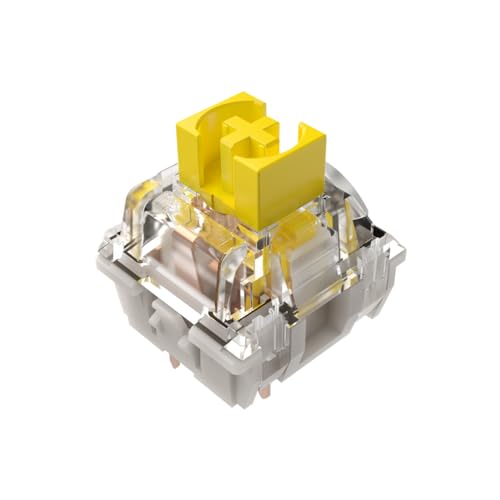
Press a normal switch slowly and listen. There are two distinct sounds: a clack when the stem hits the bottom of the housing, and a lighter tick when it rebounds against the top. A silent switch attacks both with small elastic pads or rails built into the stem, so the plastic never strikes plastic at full hardness. The Kailh Islet in this guide takes the idea further with its own silencing structure, and Durock’s Silent Shrimp uses patented silencing rings around the stem — different engineering routes to the same destination. The spring still springs, the contacts still meet, and the key still registers exactly where it did before; only the collisions are padded.
That padding explains the one honest criticism of silent switches: the landing feels softer, sometimes described as cushioned, occasionally — by people who dislike it — as mushy. How much you notice depends on how hard you type. A light typist who rarely bottoms out may feel almost no difference and simply enjoy the quiet. A heavy typist who drives every key to the floor will feel the cushion on every stroke, and for that person the choice of damper design matters enormously, which is why this guide treats feel as carefully as noise. The quietest switch you hate using is a bad purchase; the goal is the quietest switch you enjoy.
In this guide
Quick picks: eight silent switches compared
| Switch | Type | Pack | Character in one line |
|---|---|---|---|
| Gateron KS-9 2.0 Silent Red | Silent linear | 35 | The balanced all-rounder for a first quiet conversion |
| Cherry MX2A Silent Red | Silent linear | 36 | The reference design in its current generation |
| Akko V3 Penguin | Silent tactile | 45 | A friendly bump that keeps office typing accurate |
| Akko V3 Fairy | Silent linear | 45 | Penguin’s smooth sibling for gaming-leaning desks |
| Durock Silent Shrimp T1 | Silent tactile | 90 | A strong, deliberate bump with serious silencing |
| Outemu Silent White | Silent linear | 20 | The budget way to test whether quiet suits you |
| Kailh Deep Sea Silent Pro Islet | Silent linear | 36 | Engineered silencing with dust and water resistance |
| Gateron Aliaz Silent Pink | Silent tactile | 35 | A heavier 60gf tactile for deliberate typists |

Gateron KS-9 2.0 Silent Red — the balanced first conversion
Badge: Best all-round silent linear for a first quiet board.
- Type: silent linear, pre-lubed from the factory
- Pins: 5-pin
- Pack: 35 switches
- Housing: RGB LED compatible
- Character: light, smooth, hushed at both ends of the stroke
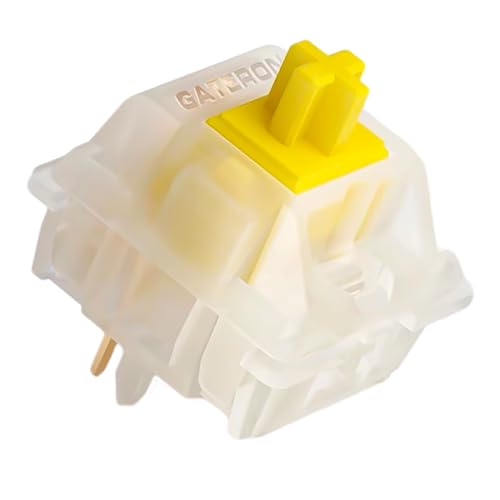
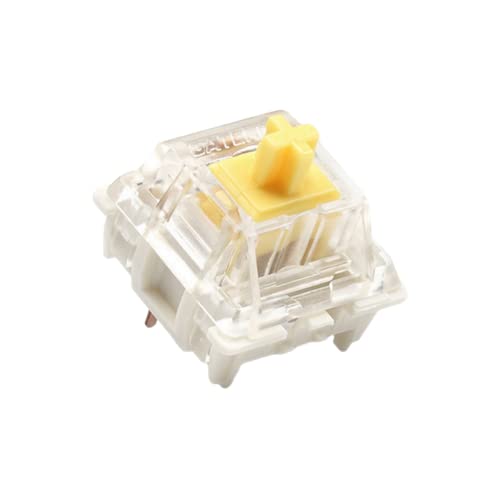
If a friend asked for one silent switch to try first, this is the one most guides would name, and for once the consensus is right. Gateron’s silent red balances the three things a first conversion needs: the silencing is effective without turning the landing into foam, the factory lubrication keeps the stroke free of the scratchiness that makes cheap switches feel cheap, and the light spring suits both gaming and typing without asking your fingers to retrain. In a home office it turns a board from a household event into a background murmur, and on a gaming desk it removes the rattle that leaks into voice chat.
The practical notes are simple. Thirty-five switches cover a 60 or 65 percent board’s core with a few spares, but a tenkeyless or full-size conversion needs a second pack, so count before you order. The 5-pin legs seat securely in PCB sockets; on a plate-mount board designed for 3-pin switches, the two plastic legs can be trimmed, a standard and harmless modification. And because the housing passes light, your board’s backlighting survives the conversion intact.
Strengths
- Well-judged silencing that preserves a recognisably linear feel
- Factory lubrication delivers a smooth stroke out of the box
- Light spring works for gaming and typing alike
Trade-offs
- Pack size means larger boards need two packs
- Light springs invite accidental presses from resting fingers
- The cushioned landing is still perceptible to hard bottom-out typists
Best for: first-time converters, night gamers and home-office typists. Not suited for: heavy-handed typists who want a firm, crisp landing.

Cherry MX2A Silent Red — the reference silent linear, current generation
Badge: Best for buyers who want the category’s original design from its original maker.
- Type: silent linear, no click, smooth and quiet by design
- Generation: MX2A, Cherry’s current switch platform
- Pack: 36-switch kit, RGB version
- Character: consistent, measured, slightly firmer in feel than the Gateron
- Intended uses in the listing: DIY, hot-swap, custom and gaming keyboards
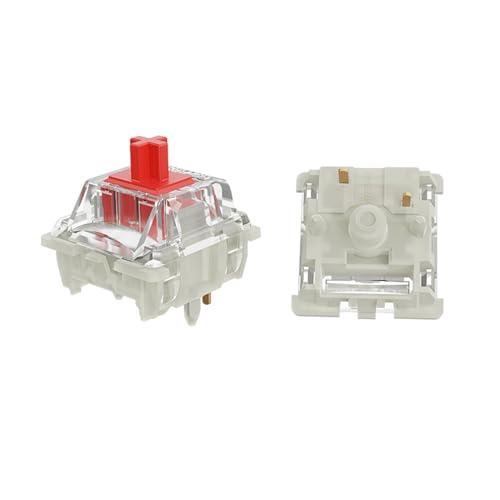
Cherry invented the modern mechanical switch market, and its silent red has been the benchmark other silent linears are measured against for years. The kit sold now is the MX2A generation, which refined the platform’s internals for smoothness and consistency. In the hand it feels a touch more deliberate than the Gateron — a fraction more resistance, a slightly more controlled return — and many long-term Cherry users would not trade that familiarity for anything. Consistency is the real product here: switch after switch in the kit behaves like the one before it, which matters when the whole board must feel like one instrument.
Choose the Cherry if your board or your loyalty already leans Cherry, if you value the platform’s long track record, or if you simply prefer its marginally firmer temperament. Choose the Gateron if you want the softer, lighter stroke. Neither choice is a mistake; they are two well-made answers to the same question, separated by taste rather than quality.
Strengths
- The reference silent linear from the maker that defined the category
- Excellent switch-to-switch consistency across the kit
- MX2A generation brings the platform’s latest refinements
Trade-offs
- A slightly firmer feel that light-touch gamers may not prefer
- 36 pieces still leaves full-size boards one pack short
- Cherry’s tuning prioritises consistency over exotic character
Best for: Cherry loyalists, professionals building a long-term work board, consistency seekers. Not suited for: bargain hunters or players chasing the lightest possible press.

Akko V3 Penguin — silent tactility with manners
Badge: Best silent tactile for office typing.
- Type: silent tactile, pre-lubed
- Force: 50gf as stated in the listing
- Pins: 5-pin, standard MX structure
- Pack: 45 switches
- Character: a clear, friendly bump wrapped in quiet
The Penguin answers the question linear fans never ask and typists always do: can a switch be quiet and still tell your fingers what happened? Its tactile bump survives the silencing intact — you feel the press register, so you can type at speed without hammering every key to the bottom — while the dampers keep that information private between you and the keyboard. For office work this is the sweet spot of the whole silent category: accuracy from the bump, diplomacy from the quiet.
Akko’s V3 generation brings a dustproof-style stem stability and consistent factory lubrication, and the 45-piece pack is generously sized for compact and tenkeyless boards. The 50gf weighting is the middle of the road done well: present enough to feel, light enough for all-day typing. If your days are documents and your evenings are games, the Penguin splits the difference more gracefully than any linear in this guide.
Strengths
- A real tactile bump with genuine silencing — rare and valuable
- 45-piece pack covers most compact and tenkeyless boards
- Pre-lubed and consistent from the factory
Trade-offs
- Purist gamers may still prefer a bump-free linear stroke
- The bump softens slightly compared with a loud tactile equivalent
- 5-pin legs may need trimming for strict 3-pin plates
Best for: office typists, hybrid worker-gamers, shared-desk households. Not suited for: players who find any tactile interruption slows them down.

Akko V3 Fairy — the Penguin’s smooth, quiet sibling
Badge: Best silent linear for gaming-leaning desks that also do paperwork.
- Type: silent linear, pre-lubed
- Force: 50gf as stated in the listing
- Pins: 5-pin, standard MX structure
- Pack: 45 switches
- Character: smooth travel, soft landing, no bump and no click
Every tactile in this guide has a typist’s logic; the Fairy is the linear for people who looked at the Penguin and decided they would rather glide. Its stroke is one uninterrupted motion, cushioned at the landing, with a 50gf spring that gives it a little more substance than the lightest silent reds. That extra substance is its personality: accidental presses are rarer than on featherweight linears, and the keystroke feels deliberate without ever becoming heavy.
Buy the Fairy alongside the Penguin and you own the neatest experiment in this guide — the same board, the same generation, the same silencing, differing only in the bump. Many households end up split exactly along that line, one partner on each switch, both quiet. As a standalone purchase it suits the gamer who types: fast and smooth in play, hushed in the document that follows.
Strengths
- Smooth linear stroke with well-judged 50gf weighting
- Shares the Penguin’s consistent, pre-lubed V3 platform
- 45-piece pack is practical for most board sizes below full-size
Trade-offs
- No tactile confirmation for error-prone typists
- Mid-weight spring is a compromise some specialists will skip
- Less widely stocked than the big two silent reds
Best for: gamers who also write, partners of Penguin owners, mid-weight linear fans. Not suited for: typists who need a bump to keep their error rate down.

Durock Silent Shrimp T1 — the strong, silent tactile
Badge: Best silent switch for typists who want a bump they cannot miss.
- Type: silent tactile, pre-lubed
- Weight: 67g as stated in the listing
- Silencing: patented silencing rings
- Pins: 5-pin MX
- Pack: 90 switches
- Positioning in the listing: quiet office and night gaming
Most silent tactiles whisper their bump; the Silent Shrimp announces it — to your fingers only. Built on Durock’s T1 tactile recipe, it has a pronounced, rounded bump that registers unmistakably even at speed, wrapped in silencing rings that keep the whole event private. At 67g it is the heavyweight of this guide, and that weight is a feature for the right hands: deliberate typists, heavy pressers, and anyone whose complaint about light switches is a trail of accidental keystrokes.
The 90-piece pack is the other half of its appeal. One purchase covers a full-size board with spares left over, which makes the Shrimp the natural choice for converting the big board in a home office rather than a compact gaming deck. It is a specialist’s switch — too strong for some, exactly right for others — and it knows it.
Strengths
- The most assertive tactile bump in the silent category
- 90-piece pack converts a full-size board in one purchase
- Silencing rings keep a strong switch genuinely quiet
Trade-offs
- 67g weight will tire light typists over long days
- The strong bump is wrong for fast, gliding game inputs
- Pre-lubed tuning leans smooth; bump purists should expect a rounded feel
Best for: deliberate typists, full-size board conversions, heavy-handed users. Not suited for: feather-touch typists or competitive gamers.

Outemu Silent White — the low-commitment way to test the quiet life
Badge: Best budget silent linear for a trial conversion.
- Type: silent linear, quiet by design
- Force: 45gf as stated in the listing
- Pins: 3-pin
- Pack: 20 switches
- Character: light, simple, honestly quiet
Not every switch purchase needs to be a marriage. The Silent White’s 20-piece pack exists for the experiment: convert your WASD cluster and the surrounding keys, or the alpha block of a compact board, live with the quiet for a fortnight, and learn whether silent switches are your future before funding a full conversion. Outemu’s tuning is straightforward — a light 45gf linear with effective dampening and no pretensions — and the 3-pin format drops into the widest range of boards without any leg-trimming.
Set expectations the way the price tier invites you to: the stroke is less refined than the Gateron or Cherry above, and a full-size board would need several packs, at which point the arithmetic favours the bigger kits. As a probe, though, it is perfectly judged, and many full conversions in this hobby began exactly this way.
Strengths
- Small pack makes a trial conversion cheap and reversible
- 3-pin format fits the widest range of boards directly
- Light 45gf stroke is easy on the fingers
Trade-offs
- Stroke refinement trails the premium silent linears
- 20 pieces is a sample, not a full-board solution
- Buying several packs erases the value advantage
Best for: the silent-curious, partial conversions, budget experiments. Not suited for: one-purchase full-size conversions or feel purists.

Kailh Deep Sea Silent Pro Islet — engineered quiet with a sealed attitude
Badge: Best silent linear for dusty desks, workshops and spill-adjacent workspaces.
- Type: silent linear, pre-lubed
- Force: 45gf as stated in the listing
- Actuation: 1.8mm as stated in the listing
- Design notes in the listing: dustproof and waterproof positioning, long rated life
- Pack: 36 switches
- Character: smooth, quick, notably hushed
Kailh’s Deep Sea line treats silence as an engineering brief rather than a padding exercise, and the Islet is its showcase: a silent linear whose structure is designed to muffle the stroke while keeping the actuation brisk at a stated 1.8mm. The listing’s dustproof and waterproof positioning makes it the interesting choice for boards that live in real environments — workshops, kitchens, shared family desks — where a conventional open switch collects the room it sits in.
Under the fingers it is a modern light linear: smooth from its factory lubrication, quick to register, and quiet in a way that feels designed rather than damped. If the Gateron and Cherry are the category’s establishment, the Islet is its engineer — the pick for buyers who read design notes and enjoy a switch with a point of view.
Strengths
- Purpose-engineered silencing with a brisk 1.8mm actuation
- Dust and water resistance positioning suits real-world desks
- Smooth, modern linear feel with factory lubrication
Trade-offs
- 36-piece pack still leaves full-size boards short
- Its engineered feel differs from classic MX tuning — sample first if you can
- Less community tuning lore than the Gateron and Cherry standards
Best for: workshop and family desks, design-minded buyers, light linear fans. Not suited for: traditionalists who want the classic Cherry-style stroke.

Gateron Aliaz Silent Pink — the deliberate typist’s silent tactile
Badge: Best silent tactile for writers who press with intent.
- Type: silent tactile
- Operating force: 60gf as stated in the listing
- Spring: black-plated, per the listing
- Pins: 5-pin, RGB LED compatible
- Pack: 35 switches
- Character: a firm, quiet bump for measured typing
The Aliaz occupies the thoughtful end of the silent tactile shelf. Its 60gf weighting sits between the Penguin’s friendly 50gf and the Shrimp’s assertive 67g, and its bump is tuned for the typist rather than the gamer: clear, unhurried, and quiet enough for a library-adjacent desk. Writers who compose at a deliberate pace often prefer exactly this — a switch that confirms each word-part without ever raising its voice, and that resists the accidental brushes a lighter switch would register.
It is the connoisseur’s pick in this guide rather than the crowd-pleaser, and it rewards being chosen on purpose. If your typing is fast and light, the Penguin will make you happier; if your typing is considered and firm, the Aliaz feels like it was specified for you — because, in effect, it was.
Strengths
- Firm 60gf tactile tuning suits deliberate, accurate typing
- Genuinely quiet bump for shared and quiet spaces
- Black-plated spring and tidy Gateron manufacturing
Trade-offs
- Weight will fatigue fast, light typists
- 35-piece pack is sized for compact boards
- Its measured character is wrong for rapid gaming inputs
Best for: writers, deliberate typists, quiet-room workers. Not suited for: speed typists or gamers wanting a featherweight press.
Silent linear or silent tactile: which family should you choose?
The fork is the same one that divides the loud switch world, and your answer there is your answer here. Choose a silent linear if your keys are pressed in anger and at speed — games, rapid data entry, anything where the stroke should disappear beneath the intention. Choose a silent tactile if your accuracy depends on confirmation: long-form writing, coding, and any work where a half-pressed key costs you a retype. The silencing does not change the logic; it only lowers the volume at which the logic operates. If you genuinely do not know, the Penguin-versus-Fairy pairing in this guide is the cheapest honest way to find out, and the broader context in the best switches for gaming shows where silent linears sit among their loud competitors.
Weight is the second decision, and it interacts with the first. Light springs (the 45gf Outemu and Kailh) feel effortless and forgive nothing — resting fingers register. Mid weights around 50gf (Penguin, Fairy, the silent reds) are the population’s centre of gravity for a reason. Heavy tactiles (Shrimp at 67g, Aliaz at 60gf) trade effortlessness for certainty. None of these is a quality ranking; they are fits, like shoe sizes, and the only wrong answer is the one chosen without thinking about your own hands.
How do you convert a keyboard to silent switches?
Step 1: Count your keys and check your pins
Count the switches your board actually needs — a full-size board needs around one hundred and four, a tenkeyless around eighty-seven, a 65 percent board under seventy — and compare that with the pack sizes above before ordering. Then confirm whether your board takes 3-pin or 5-pin switches; 5-pin switches fit 3-pin plates after trimming the two plastic legs, but the reverse is not true.
Step 2: Confirm the board is hot-swappable
A hot-swap board lets you pull switches with a switch puller and press the new ones in. A soldered board makes conversion a desoldering project — possible, but a different afternoon entirely. Check the product page or the socket visible under a pulled switch before assuming.
Step 3: Swap in zones and compare as you go
Work in zones — alphas first, then modifiers, then the rest — and type a paragraph after each zone. The side-by-side comparison against your old switches teaches you more about your own preferences than any review, and if the new feel disappoints, you learn it after ten switches rather than a hundred. The general technique is covered for all board work in five easy modifications to improve your mechanical keyboard.
Step 4: Quiet the stabilisers while the caps are off
The spacebar, enter and shift keys ride on stabilisers, and a rattly stabiliser will out-shout your new silent switches. A thin application of lubricant on the stabiliser wires and contact points — the same family of greases discussed in what lube to use for mechanical keyboard switches — is the standard cure, and the caps are already off.
Step 5: Live with it for a week before judging
The cushioned landing feels strange for the first days simply because it is new. Most typists recalibrate within a week; judge the conversion after that week, in the room and at the hours that motivated it, rather than in the first surprised hour.
What else makes a keyboard loud besides the switches?
Every experienced quiet-board builder learns the same lesson: the switch is the biggest noise source, not the only one. A hollow plastic case acts like a drum, amplifying whatever the switches give it; foam inside the case, or a heavier case altogether, calms that resonance. Thin, lightweight keycaps ring more than thick ones, so a keycap upgrade can lower the pitch and volume of the whole board. The desk itself is an instrument — a keyboard on bare hardwood broadcasts its landing through the surface, while a desk mat absorbs a surprising share of it. Even your typing technique is a volume control: the typist who stops bottoming out hard can halve a board’s noise without buying anything.
This is why honest expectations matter. A silent switch conversion on a hollow board, with thin caps, on a bare desk, will disappoint someone expecting silence; the same switches in a damped case on a mat approach the murmur the marketing imagines. Work through the chain — switches, stabilisers, case, caps, surface, technique — and each link you fix makes the next one easier to hear. The modding path is laid out further in advanced keyboard modding techniques for readers who catch the bug.
What mistakes do people make when buying silent switches?
The first is buying by decibel promises. No honest figure exists for comparing one listing’s quiet against another’s, because the measurement depends on the whole board and room; choose by type, weight and reputation instead. The second is under-ordering: discovering at switch eighty of a full-size conversion that the pack held ninety only in your imagination. Count keys, add spares, then order. The third is converting only some zones and leaving a loud spacebar stabiliser to betray the whole project. The fourth is judging the cushioned landing in the first hour and returning a switch your fingers would have loved by Friday.
A fifth mistake is subtler: assuming silent switches fix a noise problem that is actually a typing problem. If your board is loud because you strike it like it owes you money, technique work — lighter presses, not bottoming out — may deliver half the quiet for free, and it makes any silent switch you later buy perform better. And a sixth: forgetting the return stroke. A switch silenced only at the bottom still ticks on release; every pick in this guide dampens both ends of the travel, which is part of what separates a designed silent switch from a merely soft one.
How do silent switches behave for gaming, calls and streaming?
For gaming, silent linears lose nothing that matters: actuation speed is a property of the contact design, not the volume, and the Fairy, Silent Red and Islet all register as fast as their loud equivalents. What changes is the social layer — teammates stop hearing your movement keys through your microphone, and a sleeping household stops factoring into your session length. For calls, the benefit is professionalism: a silent board under a video meeting sounds like confidence rather than construction. Streamers gain the most subtle advantage, the removal of a noise floor that compression would otherwise pump and swell around their voice.
There is one gaming caveat, and it belongs to tactiles rather than linears. A strong silent tactile like the Shrimp asks for a deliberate press; in titles built on feather-light repeated inputs, that deliberateness can feel like drag. Match the switch to the title you actually play — the genre thinking in the best switches for osu shows how differently rhythm play judges a switch compared with a shooter.
What about dorms, rentals and other people’s houses?
A special word for the typist whose walls are not their own. In dormitories and house shares, keyboard noise is a social negotiation conducted at the worst hours, and silent switches are the rare upgrade that improves a relationship rather than merely a setup. The conversion is also uniquely renter-friendly: it changes nothing permanent, travels with you when you move, and leaves the board ready to be loud again in a future home of your own if you ever miss the sound — most people do not. Students pulling late essay sessions and early-career professionals in thin-walled flats are, quietly, this category’s largest audience, and the mid-weight picks in this guide were effectively designed by their needs.
Final recommendation
For a first conversion, start with the Gateron Silent Red if you lean linear or the Akko Penguin if you lean tactile; both are forgiving, well-made and honestly quiet, and both teach you what you like. Cherry’s MX2A Silent Red is the choice when consistency and pedigree matter most, Kailh’s Islet when your desk is a real environment rather than a studio, and Durock’s Silent Shrimp when your fingers want a bump with authority. Use the Outemu pack to experiment, the Fairy to pair with a Penguin household, and the Aliaz when your typing is deliberate and firm. Then finish the job the switches start: quiet the stabilisers, mat the desk, and give your hands a week. The result is not silence — it is something better, a keyboard that sounds like it belongs in the room it is in.
If you take one idea from this guide, let it be that quiet is a property of a whole setup, and the switch is where that property begins rather than where it ends. Buy the switch that matches your fingers, install it with the stabilisers in mind, and judge the result in the room that asked for it. Do that, and the next time someone in the next room is asleep, on a call or simply reading, your keyboard will be part of the household’s peace instead of an exception to it.
How do the different silencing designs compare?
Not all quiet is built the same way, and the designs in this guide form a small taxonomy worth knowing. The classic approach, used by the silent reds, places soft pads where the stem lands and where it returns, absorbing the two collisions directly. The ring approach, Durock’s patented route in the Silent Shrimp, wraps the silencing material around the stem so the cushioning acts through the stroke rather than only at its ends, which is part of how the Shrimp keeps a strong bump from sounding strong. The engineered approach, Kailh’s Deep Sea design, shapes the switch’s internal structure to muffle sound as a system — the housing, the stem path and the landing all contribute.
For a buyer, the practical differences are feel and firmness. Pad designs are the softest at the landing. Ring designs tend to preserve more of the switch’s original character. Engineered designs often feel the most “normal” of all, because the quiet was designed in rather than added on. None of this makes one design universally best — it makes them different instruments, and it is why sampling, even with a small Outemu pack, teaches more than specifications can.
Which silent switch suits which room?
Match the switch to the room that motivated the purchase. In a nursery-adjacent home office, where the requirement is simply “do not be the thing that wakes the baby,” any pick in this guide succeeds, and the choice can be made on feel alone. In an open-plan office, where the audience is colleagues at conversational distance, the tactiles earn their place — the Penguin and Aliaz keep your accuracy up while keeping your presence down, and accuracy matters because a quiet board full of corrections and backspaces is not actually quieter in spirit. In a shared bedroom used for night gaming, the linears rule: the Fairy and Silent Red under fast fingers produce the least rhythmic noise, and rhythm is what sleeping brains notice.
Recording spaces deserve a sentence of their own. A silent switch removes the click and clack a microphone loves, but a sensitive condenser will still find your keycaps and your stabilisers; treat the switch swap as the first step of a recording-quiet board, not the last, and test with your actual microphone at its actual gain before declaring victory.
How do silent switches age, and how should you care for them?
The dampers that make a switch quiet are also its most mortal parts. Soft materials compress over years of landings, so a very old silent switch may grow slightly louder and slightly firmer than it was — a graceful ageing, not a failure, and one that arrives slowly enough that most owners replace switches for novelty before they replace them for wear. The standard care rules apply with one addition: keep grit out. A grain of desk debris in a normal switch is an annoyance; in a silent switch it can lodge against a damper and create the one scratchy key in a quiet board, which the quiet makes impossible to ignore.
Cleaning follows the usual pattern — pull the cap, brush and blow out the housing area, and resist the urge to flood a switch with anything. If a single key does grow noisy with age, the hot-swap advantage applies: one replacement switch from your spare handful restores the board, which is why this guide keeps insisting on spares. A silent board maintained this way stays quiet for years, and its owner stops thinking about noise entirely — which was, after all, the point of the exercise. Brand-focused readers can see how one maker’s silent models fit its wider range in ttc switches complete guide.
How can you test a board’s quiet honestly before committing?
Manufacturers’ claims cannot be compared, but your own ears can be trusted if you give them a fair test. Record your current board with your phone at a fixed distance, typing the same paragraph at your normal speed and force. Convert a zone of the board — the Outemu pack exists for this — and record the same paragraph from the same distance. Play both back at the same volume. The difference you hear is the difference your household will hear, measured in your room, on your desk, with your hands, which is the only measurement that was ever going to matter. Repeat the test at night, when the house is quiet and your standards are highest, before you fund the full conversion.
Where did silent switches come from?
Quiet mechanical switches are younger than most people assume. For decades the mechanical keyboard’s noise was simply its nature — enthusiasts celebrated the sound and office workers were issued membrane boards instead. Cherry’s first silent models proved a mechanical switch could be damped without being ruined, and the idea spread as open-plan offices, streaming and hybrid work created a mass audience for quiet. The current generation — MX2A Cherry, Gateron’s KS-9 2.0 line, Akko’s V3 silent pair, Durock’s ring-silenced tactiles, Kailh’s engineered Deep Sea series — is the mature form of that idea: silencing designed in from the start, factory lubrication as standard, and a choice of feels wide enough that “silent” now describes a shelf of switches rather than a single compromise. The category’s growth explains this guide’s embarrassment of riches: eight good answers where a decade ago there was barely one.
Do silent switches change how typing feels over a long day?
Many typists report an unexpected benefit beyond the quiet: the cushioned landing is gentler on the fingertips across thousands of repetitions, and the absence of a hard bottom-out encourages a lighter typing style over time. That is a comfort observation, not a medical claim — anyone with persistent pain should seek proper advice rather than a switch recommendation — but as a matter of feel, the soft landing divides people cleanly. Some find it restful; others find it vague and miss the definite end of the stroke. The tactiles in this guide exist partly for the second group: a bump restores the sense of an event happening, even while the landing stays soft. If your hands end the day feeling battered by your keyboard, a silent tactile is the gentlest place in the mechanical world to land.
A silent switch buyer’s checklist
Before ordering, run five checks. One: your board is hot-swappable, or you have accepted the soldering project knowingly. Two: you know your pin format, and whether 5-pin legs will need trimming. Three: you have counted your keys and matched them against a pack size, with spares included. Four: you have chosen linear or tactile from your typing and gaming habits, not from a reviewer’s preference. Five: you have a plan for the stabilisers, because the spacebar will otherwise review your new switches more loudly than anyone. Pass all five and the conversion is a pleasant hour; skip them and it becomes a forum post. Readers planning a board around quiet from the start will also find the layout thinking in the 75 percent keyboard layout guide useful, since smaller boards need fewer switches and cost less to convert.
How does each pick in this guide actually sound?
Descriptions of sound are imperfect, but relative character can be conveyed honestly. The Gateron Silent Red produces a soft, low thock — present in the room, gentle in character, the sound of a well-behaved board. The Cherry MX2A Silent Red is a shade firmer in both feel and tone, a muted tap rather than a thock, consistent from key to key in a way that makes a full board sound unusually unified. The Penguin’s bump adds a faint mid-stroke presence, but the landing stays hushed; its sound signature is “quiet typing” rather than any single note. The Fairy, its linear sibling, is smoother and simpler in tone, a soft rush under fast fingers.
The Silent Shrimp is the surprise of the set: a strong tactile that sounds like a much weaker one, its rings keeping the big bump’s energy out of the room. The Outemu Silent White is light in every sense — a small, soft sound that matches its small pack and light spring. The Kailh Islet has the most engineered voice, a compact, damped tap with little resonance, as though the switch were politely swallowing its own noise. And the Aliaz speaks in the lowest register of the tactiles, a firm, quiet confirmation suited to the library desks it was chosen for. None of these descriptions substitutes for the phone-recording test described earlier; they exist to help you shortlist which switches deserve that test.
Are o-rings and other shortcuts a substitute for silent switches?
The internet’s older quiet tricks deserve an honest audit. Rubber o-rings under the keycaps shorten travel and soften the landing, and they do reduce bottom-out noise — but they do nothing for the release stroke, they change the feel of every key into something slightly truncated, and on some keycap and switch combinations they interfere with backlighting or cap seating. Foam and tape modifications inside the case reduce resonance, which is real but secondary. A desk mat, as covered earlier, is the one shortcut with no downside at all.
The pattern is that shortcuts treat one link of the noise chain, while a silent switch treats the source. If budget forces a choice, the order of operations that serves most people is: desk mat first, stabiliser care second, silent switches third — and at that point the shortcuts have done their part and the switches finish the job. What does not work is expecting any single trick to deliver the whole quiet; the chain metaphor exists because every link is audible until it is addressed.
Should you buy a keyboard with silent switches already fitted?
Some boards ship with silent switches installed, and for a buyer starting from nothing that route has real appeal: no conversion, no pack arithmetic, a warranty that covers the whole instrument. The conversion route in this guide wins on different grounds — it keeps a board you already like, it lets you choose among eight well-differentiated switches rather than the one a manufacturer picked, and it usually costs less than a new keyboard. The deciding question is the state of your current board. If it is hot-swappable and you enjoy everything about it except the noise, convert it; the switches in this guide were made for exactly that job. If your board is soldered, ageing or simply unloved, a factory-quiet replacement may be the wiser purchase, and the switch knowledge you have gained here still applies — you will know which fitted switches to look for, and which marketing words to ignore, when you read its listing.
Either way, the destination is the same: a mechanical keyboard whose sound is a choice rather than a consequence. That is the quiet promise the silent switch category has grown up to keep, and it is why a guide that began with dampers ends with something closer to freedom — the freedom to type at midnight, in a meeting, beside a sleeping child, on a board that still feels like yours.
Frequently asked questions
Are silent switches completely silent?
No. They remove the sharp collisions of the stroke, leaving a soft murmur of keycap, case and desk. In a quiet room you will still hear a silent board; across a wall or under a meeting’s conversation, you effectively will not — which is the practical definition that matters.
Do silent switches feel mushy?
The landing is cushioned by design, and heavy bottom-out typists feel that cushion most. Light typists often notice little difference beyond the quiet. Designs differ — the Islet’s engineered silencing and the Shrimp’s rings feel firmer than basic damper pads — so “silent” is a family of feels, not one feel.
Can I mix silent and normal switches on one board?
Yes, on a hot-swap board you can run silent switches under the alphas and normal switches elsewhere, or the reverse. Many people quiet only the keys they use at night. Just keep pin formats compatible, and expect the sound difference between zones to be obvious.
How many silent switches do I need for my keyboard?
Count your keys: roughly 61 for a 60 percent board, 68 for a 65 percent, 87 for tenkeyless and 104 for full-size, then add a few spares for the switches that will eventually tire. Compare that total against the pack sizes in this guide before ordering.
Are silent switches good for gaming?
Silent linears are excellent for gaming — same registration speed, less noise for teammates and households. Silent tactiles suit slower, deliberate play. The only poor match is a heavy tactile under keys that a fast game wants pressed lightly and repeatedly. Players who compete with voice chat open gain a second benefit: their own keyboard stops competing with their callouts, so the team’s audio stays clean even during frantic inputs, which is a competitive courtesy that quickly becomes a habit.
Do silent switches need lubrication to stay quiet?
Most picks in this guide arrive pre-lubed, and that factory film contributes to both smoothness and quiet by keeping the stroke free of spring and leaf noise. Over years of heavy use a switch can be re-lubricated by hand if it grows scratchy, using the thin switch greases covered in the lube guides, but a silent switch should never be flooded — excess lubricant collects debris, and debris is the enemy of a damper’s clean landing. Treat lubrication as occasional maintenance, not a conversion requirement.
Are silent switches a good choice for a shared family computer?
They are close to ideal for one. A family desk serves homework, work calls and games in the same chair, often with other people in the room for all three, and a silent board offends none of those audiences. Choose a mid-weight pick — the Penguin for typing accuracy or the Silent Red for all-round ease — and the board will suit every user who sits down at it without any of them needing to think about the switches at all.
Will silent switches fit my keyboard?
They use the standard MX stem your keycaps already fit, and come in 3-pin and 5-pin forms. A hot-swap board that accepts your pin type will accept these switches; a soldered board needs desoldering work. When in doubt, check your board’s socket specification first.