Disclosure: As an Amazon Associate, kajuandouglas.com earns from qualifying purchases. Links on this page are affiliate links; they cost you nothing extra. Prices and availability change often, so check the current Amazon listing before you buy.
Choosing the best switches for osu comes down to a demand almost no other game makes: two keys, pressed alternately, hundreds of times per map, at speeds where a stream either flows or falls apart. Everything else about your setup — the tablet, the skin, the monitor — supports that one mechanical act. A switch for osu! must register with little wasted travel, reset fast enough to be ready for the next note in a burst, and stay comfortable when your fingers have been alternating for three minutes without a break. It must also survive being chosen by people who tap with very different techniques, because osu! players divide into single-tappers and alternators, and the switch that flatters one style can fight the other.
This guide ranks six verified options for that job: light linears that dominate the game’s meta, a speed switch for players who want registration as early as possible, the lightest spring in the TTC range for stamina-focused players, a Hall-effect Lekker for the rapid-trigger route, and — deliberately — one tactile keyboard as the reference for players whose timing genuinely improves with feedback. Every pick carries its official image and a verified listing. The technique sections matter as much as the picks: in osu!, how you tap is half the equipment.
Key Takeaways
- osu! rewards light, fast linears: little wasted travel, quick reset, low fatigue across long maps.
- TTC Gold Pink V3 is the lightest-spring option here; Gateron yellows are the proven all-rounders; Kailh Speed Silver registers earliest.
- The Lekker L60 listing opens the Hall-effect rapid-trigger route, which many high-level players now consider the endgame for streaming.
- Technique decides more than hardware: alternating players and single-tappers should choose differently, and both should test on real stream maps.
- The tactile POK3R is included as an honest counterpoint — some players time better with a bump, and their results outrank theory.
What does osu! actually ask of a switch?
Break the game down and three demands repeat. The first is streaming: bursts of notes in rapid alternation, where each key must register and reset in a fraction of the interval between notes, and where any inconsistency in actuation becomes a miss you can feel. The second is stamina: maps run for minutes, jump sections punish hesitation, and a spring that is merely pleasant for thirty seconds can become a wall at minute three. The third is control at low speed — the quiet sections, the sliders’ companion taps, the single notes between bursts — where a switch that is too eager registers the brush you did not mean. A great osu! switch is the one that balances all three for your technique, which is why this guide refuses to crown a single winner and instead maps each pick to the player it serves.
In this guide
Quick picks: switches for osu! at a glance
| Switch | Type | Pack | Choose it for |
|---|---|---|---|
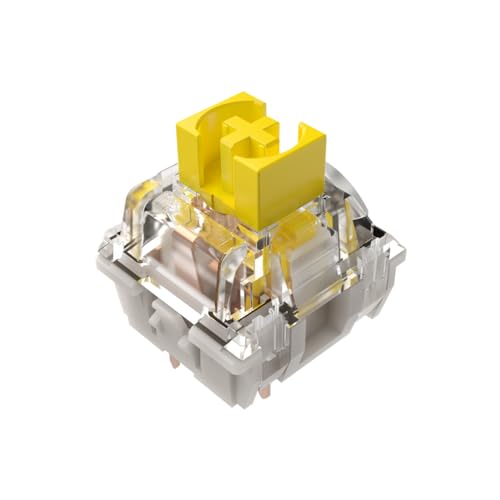
| Gateron G Pro Yellow (Ranked pack) | Linear | 90 | The proven osu! all-rounder in a generous pack |
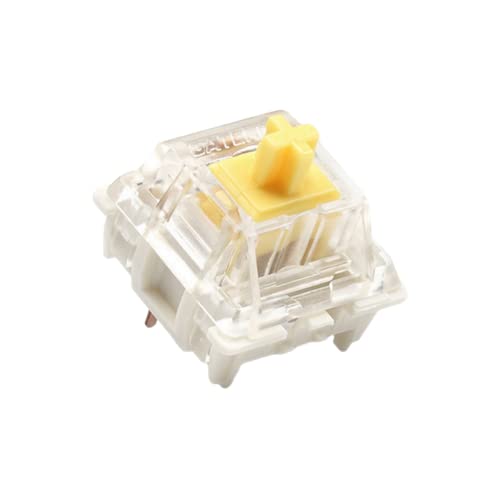
| TTC Gold Pink V3 | Linear, lightest spring | 70 | Stamina and low-effort streaming |
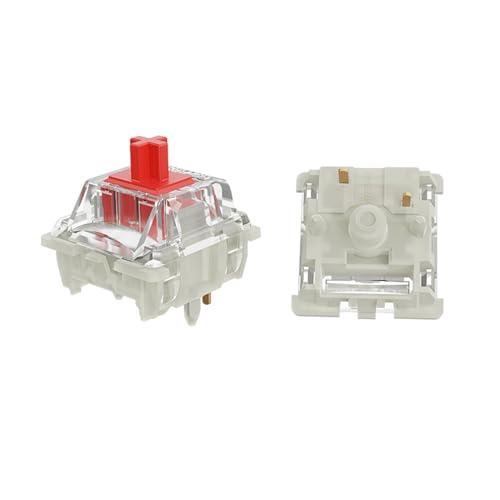
| Kailh Speed Silver | Linear, early actuation | 120 | Earliest registration for speed-focused players |
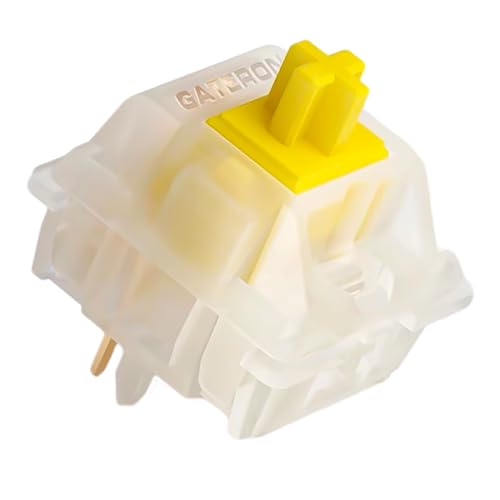
| Gateron Milky Yellow Pro V2 | Linear, 50gf | 72 | Smooth control for mixed maps and jump sections |
| Wooting Lekker L60 (third-party listing) | Hall-effect linear | 10 | Rapid trigger for compatible Hall-effect boards |
| Vortex POK3R (Cherry MX Brown) | Tactile keyboard | Whole board | Feedback for players who time by feel |

Gateron G Pro Yellow — the proven osu! all-rounder
Badge: Best starting point for osu! players converting a board.
- Type: linear, pre-lubed
- Format: plate-mounted pack as described in the listing
- Pack: 90 switches
- Character: smooth, mid-light, utterly predictable
- Listing note: sold as a ranked pack of KS-9 G Pro switches
There is a reason yellow Gaterons appear in so many osu! setups: the formula — a smooth linear stroke, a spring light enough for long streams and present enough to reset crisply — matches the game’s demands with almost suspicious precision. The G Pro generation adds factory lubrication that keeps the stroke consistent from the first note of a session to the last, and consistency is the whole game in streaming, where your fingers calibrate to a switch and then trust it at speeds too fast for conscious correction.
Ninety switches is the other quiet virtue. An osu! player really needs two perfect keys — but a full conversion makes the whole board match, gives you a bench of identical spares for the two keys that will wear first, and lets you rotate fresh switches into the tap positions across a season. For a first dedicated osu! switch, this is the purchase the fewest players regret.
Strengths
- The game’s favourite formula: smooth, mid-light, predictable
- 90-piece pack covers the board and stocks tap-key spares
- Factory lubrication keeps streams consistent across a session
Trade-offs
- Not the lightest option for stamina-limited players
- Standard actuation point — no speed-switch shortcut
- Plate-mount format should be checked against your board
Best for: most osu! players, alternators and single-tappers alike. Not suited for: players specifically chasing the lightest spring or rapid trigger.

TTC Gold Pink V3 — the lightest spring for stamina streaming
Badge: Best for players whose streams fade late in long maps.
- Type: linear, pre-lubed
- Positioning: the lightest spring option in this guide
- Pack: 70 switches
- Maker: TTC, via the Metrickeys listing
- Character: feather-light, smooth, effortless — and unforgiving of sloppy fingers
Ask stamina-limited players what ends their best runs and the answer is rarely aim — it is fingers that slow as a map’s final minute arrives. The Gold Pink V3 attacks exactly that failure: TTC’s light spring asks so little of each press that long streams cost measurably less effort, and the switch’s smooth, pre-lubed stroke keeps that lightness from feeling cheap or scratchy. Players who convert to it often describe the same discovery — maps that used to be endurance tests become technique tests, which is the better problem to have.
The warning is symmetrical. A switch this light registers intentions you have not quite formed: a finger settling onto its key between bursts, a nervous half-press in a quiet section. Single-tappers with a heavy resting style should sample before committing, and everyone should expect an adjustment week in which a few cheap misses teach the new discipline. For the player it suits, no switch in this guide gives more back.
Strengths
- Lightest spring here — long streams cost the least effort
- Smooth TTC stroke keeps the lightness feeling premium
- 70-piece pack suits a full compact conversion
Trade-offs
- Accidental presses punish heavy resting fingers
- An adjustment period is almost guaranteed
- Very light springs divide opinion sharply — test if you can
Best for: stamina-focused streamers and light-touch alternators. Not suited for: heavy-handed single-tappers or players who rest on their keys.

Kailh Speed Silver — earliest registration for speed-focused play
Badge: Best for players who want the press to count as early as physics allows.
- Type: linear, speed design with fast actuation as stated in the listing
- Pins: 3-pin, hot-swappable
- Pack: 120 switches
- Character: immediate, shallow, demanding
- Housing: SMD LED compatible
Speed Silver’s proposition to an osu! player is travel: if the note registers high in the stroke, the finger spends less time in transit on every tap, and across a fast stream those savings stack into a feeling of directness that standard switches cannot quite reproduce. Its reset behaviour suits the same purpose — the key is ready again quickly, which is the mechanical half of clean alternation at high tempo.
The cost is control in the slow sections. The same eagerness that flatters a burst will register the accidental graze during a quiet passage, and jump sections — where each tap is a deliberate, full-bodied event — gain nothing from the shallowness. The Speed Silver is a specialist that rewards players whose maps are dense and whose touch is disciplined; the 120-pack at least ensures the specialist never runs out of fresh switches for the two keys that matter.
Strengths
- Earliest actuation in this guide — direct feel at speed
- Quick reset suits rapid alternation
- 120-piece pack is a generous lifetime supply for tap keys
Trade-offs
- Slow sections punish accidental grazes
- Jump-heavy maps gain little from the design
- Demands a disciplined, light touch
Best for: high-tempo stream players with controlled fingers. Not suited for: jump specialists or heavy, deliberate tappers.

Gateron Milky Yellow Pro V2 — smooth control for mixed maps
Badge: Best for all-round maps where jumps and streams share the chart.
- Type: linear, pre-lubed
- Force: 50gf as stated in the listing
- Pins: 5-pin
- Pack: 72 switches
- Character: smooth, settled, a fraction firmer than the lightest options
Not every map is a stream test. The Milky Yellow Pro’s slightly firmer 50gf spring and famously smooth stroke make it the control pick of this guide: jump sections feel deliberate, single taps land with authority, and the switch never surprises you in a quiet passage. Many players who began on lighter switches migrate here as their map pool widens, trading a little streaming ease for a board that behaves across every pattern the game draws.
It is also the easiest switch in this guide to live with outside the game — the same board types, works and plays everything else without the eagerness of the light and speed options leaking into daily use. For the osu! player whose keyboard is also their keyboard, that dual citizenship is worth real money.
Strengths
- Settled, smooth stroke excels on jumps and mixed maps
- 50gf spring resists accidental taps in quiet sections
- Doubles as an excellent everyday typing switch
Trade-offs
- Slightly more effort across very long streams
- Standard actuation — no early-registration advantage
- Milky housing softens RGB for players who care
Best for: all-round players, jump-heavy map pools, shared gaming-and-work boards. Not suited for: pure stamina streamers chasing the lightest press.

Wooting Lekker L60 — the rapid-trigger route, with honest framing
Badge: Best for Hall-effect players who want rapid trigger on their tap keys.
- Type: Hall-effect linear, magnetic sensing
- Model: Lekker L60 as named in the listing
- Seller note: third-party listing; Wooting sells its own products direct
- Pack: 10 switches
- Requirement: a compatible Hall-effect keyboard — these do not fit MX boards
Rapid trigger changed osu!’s equipment conversation. A Hall-effect switch senses the stem’s position continuously, so a key can reset the instant it begins to rise rather than at a fixed reset point — and in fast alternation, that behaviour is the closest thing the game has to a mechanical upgrade, letting each tap clear sooner for the next note. The Lekker L60 is Wooting’s linear for that ecosystem, and the verified listing here — from a third-party seller, since Wooting sells direct and has no official Amazon storefront — names the L60 exactly.
The framing matters, so let it be plain: buy this listing understanding it is a third-party route to a genuine switch model, check compatibility with your specific Hall-effect board before ordering, and know that ten switches is a tap-key supply, not a board conversion — which, for osu!, is arguably the correct quantity, since two keys do the work and the rest are scenery. The full Lekker story, including the direct-store context, is told in wooting lekker switches guide.
Strengths
- Rapid trigger resets transform fast alternation
- Adjustable actuation lets you tune each tap key’s depth
- 10-piece pack matches osu!’s two-key reality
Trade-offs
- Requires a compatible Hall-effect board — useless in MX sockets
- Third-party listing; Wooting’s own store is the official channel
- Small pack only makes sense because osu! needs few keys
Best for: Hall-effect board owners playing at a level where reset speed matters. Not suited for: MX-board owners, or casual players who will never tune actuation.

Vortex POK3R with Cherry MX Brown — the tactile counterpoint
Badge: Best for players whose timing improves with physical feedback.
- Switches: Cherry MX Brown, tactile without a click
- Format: 60 percent aluminium keyboard, doubleshot PBT caps
- Character: a gentle bump that confirms each tap
- Role: the honest exception in a linear-dominated guide
- Best maps: slower, technical and jump-focused charts
Every osu! guide says linears, and most osu! players should listen — but a stubborn minority times better when each tap announces itself to the finger, and for them a bump is not friction but information. The POK3R is that minority’s respectable option: a serious compact board whose MX Browns confirm every press without a click, in a case and keycap set built to be kept. On technical maps, where taps are deliberate events rather than a stream, the feedback can genuinely stabilise timing.
Be honest about the boundary: at high stream speeds the bump becomes one more thing each finger must negotiate a dozen times a second, and most players feel their ceiling lower. If your map pool is fast and dense, this section is a respectful nod, not a recommendation. If your pool is technical and your current misses feel like uncertainty rather than speed, it deserves a trial.
Strengths
- Per-tap confirmation steadies deliberate, technical play
- A complete, high-quality compact board in one purchase
- No click — safe for shared rooms and calls
Trade-offs
- The bump works against very fast streaming
- A whole keyboard is a bigger commitment than a switch pack
- Most players will ultimately be faster on the linears above
Best for: technical-map players who time by feel. Not suited for: high-tempo stream specialists.
Single-tap or alternate? How technique changes the right switch
osu!’s oldest argument is also its most practical equipment question. Single-tappers drive every note with one dominant finger: their switch takes the full workload of every stream, so stamina and reset consistency dominate the choice — the Gold Pink’s lightness and the G Pro Yellow’s predictability are the natural homes, and the tap finger’s key deserves the freshest switch on the board. Alternators split the work across two fingers, halving each key’s load but doubling the coordination demand; for them, matched switches are sacred, because any difference in weight or actuation between the two tap keys becomes a timing asymmetry the fingers must constantly correct.
Whichever technique is yours, two rules follow. Keep the two tap keys identical — same switch, same age, ideally from the same pack — and replace them together when one tires. And test switches using your real technique on real maps: a switch auditioned with casual two-finger typing tells you nothing about its behaviour at stream speed, which is the only behaviour you are buying. The genre’s wider equipment thinking in the best switches for gaming covers the non-rhythm side of the same hands.
How do you set up a board for osu!?
Step 1: Make the tap keys perfect first
Install your chosen switches under your two tap keys before anything else, and play your benchmark stream maps. Everything else about the setup is negotiable; those two keys are the instrument.
Step 2: Match keycaps on the tap keys
Use identical keycaps on both tap keys — same profile, same weight, same texture — so the only variable your fingers read is the rhythm. A lower profile keeps the perceived travel direct; consistency matters more than the specific choice.
Step 3: Tune the rest of the board around the game
Convert the remaining keys for comfort and coherence, and consider a slightly heavier switch under keys you must never hit mid-map. Angle the board the way you actually play, and keep the tap cluster clear of anything your wrists can strike.
Step 4: Keep a rotation schedule for the tap keys
Tap keys wear years ahead of the board. Rotate fresh switches in every few months of heavy play, retire the old pair to low-use positions, and your streaming feel stays calibrated instead of slowly drifting.
What mistakes do osu! players make when choosing switches?
The first is buying the lightest switch on the market as a first switch, before their technique can control it — the Gold Pink rewards developed fingers and taxes beginners. The second is mismatching the tap pair, whether by mixing switch models or by replacing one worn tap key and leaving its tired partner in place. The third is judging a switch on a typing test or a single slow map; osu! switches must be judged at stream tempo, on the charts that expose them. The fourth is ignoring the board entirely — polling behaviour, keycap profile and even the desk angle all reach the fingers, and a great switch in a board that fights you will feel like a mediocre one. And the fifth, most human mistake: changing switches during a slump, when the honest variable was rest. New switches are a wonderful upgrade and a terrible superstition.
How does rapid trigger change the osu! equation?
It deserves its own short section because it changes a rule the rest of this guide assumes. On a contact switch, reset happens at a fixed point in the travel: the key must climb back past that point before the next press counts, and at extreme stream speeds that fixed point is a genuine ceiling. Rapid trigger removes the fixed point — the key resets as soon as its direction reverses — so the ceiling becomes the player’s own finger speed. That is why the Lekker route tempts serious players despite its ecosystem cost, and why the honest comparison is not “Lekker versus Gateron” but “a tuned Hall-effect board versus the universal MX world.” Most players, most of the time, are better served by the MX world’s price, choice and repairability; the minority chasing the last few percent of reset performance now know exactly what they are buying and why. Players weighing that ecosystem jump will find the brand context in razer mechanical keyboard switch types, where the analog idea appears in a mainstream gaming line.
Final recommendation
Start with the Gateron G Pro Yellow if you want the game’s proven formula in a pack that also stocks your tap-key spares. Move to the TTC Gold Pink V3 when stamina is demonstrably your limiter and your touch is light enough to control it. Choose the Kailh Speed Silver when early registration matches your disciplined, high-tempo style, and the Milky Yellow Pro when your map pool mixes jumps with streams and your board must also live a normal life. Take the Lekker L60 route when you already own — or are deliberately buying into — a Hall-effect board for rapid trigger. And keep the POK3R in mind as the exception that proves the guide’s honesty: technique and feel outrank doctrine, and the best switch for osu! is the one your fingers trust at the speed your maps demand.
Whichever route you take, run the two-week trial before you judge, keep the tap pair matched and fresh, and remember what the experiment log taught: a switch’s greatest value is diagnostic. It shows you which of your limits are made of equipment and which are made of practice, and a player who knows that difference improves faster than a player with any single switch in this guide. Choose deliberately, tap confidently, and let the maps be the judge.
How did osu! equipment thinking evolve to this point?
osu! began as a game most people played on whatever keyboard came with the computer, and its equipment culture grew up around a discovery: at the game’s upper speeds, the keyboard stops being furniture and becomes part of the performance, as surely as a violinist’s bow. Early top players standardised the two-key tapping style that still defines the game, and with it the idea that the tap keys deserve their own equipment logic. Mechanical switches displaced membrane boards because their actuation was consistent and their reset predictable; light linears displaced heavier switches because streams exposed every gram of unnecessary spring. The current era added the magnetic chapter — Hall-effect boards with rapid trigger — and the community’s argument moved from “which switch” to “which sensing technology,” which is precisely the argument this guide’s Lekker section frames.
The lesson inside the history is that each generation’s consensus solved the previous generation’s bottleneck. Membrane inconsistency was solved by mechanical contacts; contact reset ceilings are what magnetic sensing now addresses. A player choosing today is not obliged to buy the newest solution — only to know which bottleneck is actually theirs. For most players the bottleneck is still technique, stamina or consistency, and the MX linears in this guide address all three at a fraction of the ecosystem cost.
What does the full latency chain look like for a tap?
A tap travels a chain before it becomes a judgement: finger to keycap, keycap to stem, stem to actuation, switch signal to keyboard controller, controller to computer, game engine to hit judgement. Switch choice governs the middle links — travel to actuation and reset readiness — and this guide’s speed and Hall-effect picks exist to shorten them. But the chain metaphor disciplines the spending: a switch that saves a fraction of a millisecond cannot rescue a setup whose other links are neglected, and a player whose misses cluster on one pattern type has a technique problem wearing an equipment costume. Audit honestly. If your replays show late hits scattered evenly, equipment may genuinely help; if they show the same burst collapsing every time, practice is the upgrade and the switch is the reward you buy after.
Stamina, technique and the switch: how they interact
Stamina in osu! is partly fitness and partly arithmetic: every press costs force multiplied by travel, and a map multiplies that cost by thousands. This is the physical basis of the Gold Pink’s appeal — reducing the force term reduces the total bill, and the final minute of a long map is where the saving is spent. But arithmetic has a second term players forget: control. A switch so light that your fingers must spend effort not pressing — hovering tensely above keys they dare not rest on — bills you in a different currency, and tense hovering is its own stamina leak. The best stamina switch is therefore the lightest one you can rest on safely, which is a personal threshold no chart can publish. Find it by testing at the end of a session, when your fingers are honest, rather than at the start, when everything feels easy.
Technique drills interact with equipment in one more way worth naming: a new switch resets some of your calibration, and scores dip before they rise. Schedule a switch change away from any goal you care about — not the week you are chasing a milestone — and give the recalibration a fortnight of normal play. Players who change equipment mid-chase often abandon good switches for the crime of arriving at a bad time.
Jump players, tech players, speed players: three equipment profiles
The jump specialist’s maps are made of single, decisive taps separated by aim movement. Her switch must be predictable above all — the same actuation, every time, with enough spring to make each tap a clean event — and the Milky Yellow Pro’s settled character fits her game precisely. She is also the player least served by speed switches, whose eagerness adds risk without adding anything her patterns use.
The technical player’s maps twist: irregular rhythms, changing spacings, patterns that must be read rather than flowed. His equipment need is information — knowing exactly what each finger did — and he is the natural constituency of the guide’s tactile exception, or of a mid-weight linear whose actuation he can feel through the stroke. His misses are interpretive, and his switch should help him interpret.
The speed player’s maps are walls of notes at tempos that turn alternation into a vibration. Her needs are the guide’s headline: minimal force, immediate reset, consistency across thousands of repetitions — the Gold Pink, the G Pro Yellow, or the Lekker’s rapid trigger if her level justifies the ecosystem. Three players, three correct answers, one guide: the map pool is the specification sheet.
Which keycap profiles suit osu! tapping?
The tap keys wear keycaps like a drummer’s sticks wear tips — they are part of the action, not decoration. Lower profiles shorten the finger’s leverage and keep the tap feeling direct, which is why flat and low sculpted profiles populate so many osu! desks; taller profiles add a slight rocking leverage that some single-tappers genuinely prefer for their heavier, committed tap. Surface shape matters at speed: a cap whose top your fingertip can centre on without looking — a gentle dish, a texture with grip — removes a micro-correction from every note. Weight matters least and still matters: identical caps on both tap keys is the rule that outranks every preference, because alternation amplifies any asymmetry into a rhythm error. When you convert switches, convert the tap caps as a matched pair in the same sitting, and keep the removed pair together as your emergency spares.
A two-week trial protocol for a new osu! switch
Week one is calibration, and scores are not evidence yet. Play your normal map pool, but end each session with the same two benchmark maps — one stream-heavy, one jump-heavy — and note where misses cluster and how your fingers feel in the final third. You are collecting the switch’s signature: does it fade late, does it bite in quiet sections, does alternation feel even. Week two is judgement. Return to the benchmark maps fresh, compare the miss clusters against your old switch’s known habits, and ask the only question that matters: on the patterns I actually play, am I more accurate, more enduring, or more comfortable — at least one, ideally two, without losing the third. A switch that passes is kept and its spares stocked; a switch that fails goes back in its box with your thanks, because it taught you your own threshold, which every future purchase will use. This protocol works for every pick in the guide, including the Lekker — whose trial has the extra step of tuning actuation depths in small increments, one variable at a time, across the same two weeks.
osu! switch myths, retired
Myth one: the lightest switch is the fastest player. Lightness removes a cost and adds a control tax; the fastest players are the ones whose switch matches their touch, which is sometimes the lightest and often not. Myth two: rapid trigger is mandatory at high ranks. It is an advantage at the margin, adopted unevenly even among elite players, several of whom set scores on contact switches that this guide’s MX picks match or exceed in quality. Myth three: your tap keys should be different from each other, tuned like a piano. The opposite is true — sameness is the entire point. Myth four: a new switch fixes a plateau. Plateaus are technique, reading and stamina wearing a disguise; a switch can remove a genuine equipment ceiling, and recognising the difference between a ceiling and a plateau is the maturity this hobby eventually teaches. Myth five: what the top player uses is what you should use. Their hands, map pool and practice volume are not yours, and their switch answers their questions — this guide exists so yours can answer your own.
How do you maintain tap keys over a season?
Treat the tap pair as racing parts. Inspect them monthly for developing scratchiness or a softening spring, and swap in the fresh pair from your pack at the first sign of drift rather than after a failed session makes the decision for you. Keep the board’s tap area clean — crumb and dust find the two most-struck switches first — and resist mid-season experiments: a season has a rhythm, and equipment changes belong in its off-weeks. Log the rotation dates somewhere unglamorous; the players who sustain a setup for years are the ones who maintain it like a system rather than rediscovering it like a surprise. When a retired tap pair still works, demote it to the least-used keys rather than the bin — an osu! board run this way effectively never needs a new switch purchase, only the occasional fresh pack to feed the rotation.
What board layout suits an osu! desk?
osu! is played with a tablet beside the keyboard, so desk geometry is equipment too. Compact boards — 60 and 65 percent layouts, compared in the 65 keyboard layout guide — dominate osu! desks because they let the tablet sit close and square to the player’s aim hand, with the tap keys falling naturally under the other. A full-size board pushes the tablet wide or the keyboard off-centre, and either compromise is paid for in aim comfort across every map. The switch packs in this guide are sized with that reality in mind: the compact conversions they cover are the game’s standard, and the spares they leave are the tap-key rotation stock the maintenance section prescribes. If your board must also serve work that needs a number pad, a separate pad beside a compact gaming board serves both lives better than one wide board serving neither. Layout is the quiet half of switch choice: the same switch feels different when your wrist angle changes, so settle the geometry before you finalise the switch verdict.
Playing at night: osu! switches and other people’s sleep
osu! sessions run late, and tapping is rhythmic — the exact quality that carries through walls and wakes households. The linears in this guide are not silent switches, but their sound can be civilised: a desk mat under the board, a heavier keycap on the tap keys, and a typing style that stops short of hammering every note to the housing floor. Players whose hours are truly nocturnal should read this guide alongside silent switches guide and consider whether their tap keys, at least, belong to the silent family — a silent linear under each tap key is a legitimate hybrid that many night players run without feeling their streams suffer. The game’s social contract matters: the best switch for osu! in a shared house is partly the one that lets you keep playing osu! in that house.
How do hand size and finger strength change the answer?
Smaller hands and younger players fatigue differently: a spring an adult finds mid-weight can be a genuine load across a long map for smaller fingers, which shifts the sensible centre of this guide downward — Gold Pink territory — provided the control to handle lightness is there. Stronger, heavier hands invert the logic: they rest with more weight, brush keys with more consequence, and often produce their best streaming on the Milky Yellow’s firmer footing, where a lighter switch would turn their resting pressure into stray inputs. Neither case is an exception to the guide’s method; both are the method working as intended, because the method was never “buy the lightest switch” but “match the spring to the hand that must control it for three minutes at a time.” If you coach or share a setup with a younger player, let their end-of-session fingers vote before yours do.
Where should an osu! player spend first: switch, board or tablet?
Equipment budgets are finite, so the order matters. If your current board is a membrane or a chattering budget mechanical, the switch conversion in this guide is the highest-value step — it changes every tap you make. If your board is already a decent hot-swap mechanical, the honest answer may be that your switch is fine and your money belongs to the aim side of the desk, because aim, not tapping, is where most misses are born. And if you are already deep — good board, good tablet, consistent practice — then the marginal purchases in this guide, the lightest spring or the rapid-trigger route, are exactly the kind of final-percent equipment you are now equipped to judge. Spend in the order of your bottlenecks, and let each purchase earn the next one’s budget by proving the previous bottleneck is gone.
What about osu!mania and the other modes?
The standard mode’s two-key logic does not transfer unchanged to its siblings. osu!mania spreads play across a column of keys — four, seven or more — so the whole hand becomes the instrument and switch choice scales up: matched switches across all play keys, a weight the whole hand can sustain, and none of the tap-pair specialisation this guide prescribes for standard. Mania players should read this guide’s stamina and consistency reasoning and apply it across their layout, favouring the G Pro Yellow and Milky Yellow end of the list. Taiko’s two pairs of keys sit between the worlds — alternation matters, volumes of presses are high, and the same matched-pair discipline applies twice over. Catch and the touchscreen-born modes barely consult the keyboard at all, and their players can choose switches for the rest of their computing life with a clear conscience. The standard mode remains the switch-obsessive one, because it concentrates an entire performance into two keys — and concentration is what turns equipment into a topic worth a guide.
One player’s switch-weight experiment, honestly reported
Consider a mid-ranked alternator who owned three of this guide’s switches across a year and kept notes — a composite of many such logs shared in the community. On the Milky Yellow Pro, her streams were controlled and her jumps were her strength; long maps tired her by the final minute. On the Gold Pink, the same maps stopped tiring her, her stream scores climbed within a month — and her quiet-section accuracy dipped for two weeks until her hovering fingers learned the new lightness, a tax she paid exactly once. On the Speed Silver, her fastest maps felt electric and her technical maps frayed; she kept it for a month and returned to the Gold Pink with a clearer self-knowledge than any review could have given her. The moral is not that the lightest switch won. It is that each switch revealed which of her limits was equipment and which was technique — stamina was equipment, quiet-section control was technique — and that distinction, once learned, directed her practice for the rest of the year. That is the deepest service a switch purchase can perform, and it is available from any honest trial in this guide.
Which board specifications matter alongside the switch?
Three board-level specifications reach an osu! player’s fingers. Key rollover is the first and, for a two-key game, the easiest: any board that registers both tap keys plus modifiers simultaneously is sufficient, which is to say nearly every gaming board ever made — the two-key game is mercifully undemanding here, and mania players with their wider key fields should check rollover more carefully than standard players need to. Polling rate — how often the board reports to the computer — is the second: higher polling shaves the reporting interval, and while the practical difference sits below most players’ perception, a wired connection removes one variable entirely, which is why competitive osu! desks are wired desks. The third is the one nobody lists: socket health. A hot-swap board whose tap-key sockets have loosened through years of swaps can introduce an inconsistency no switch can fix, and the cure is either a fresh board or soldering the tap pair in place — a drastic step some dedicated players genuinely take, trading flexibility for certainty at the two positions where certainty is the entire game. Audit the board before blaming the switch; the chain is only as honest as its weakest link.
Can you build a serious osu! switch setup on a budget?
Yes, and osu! is unusually kind to budget players because its demands are so concentrated. The minimum serious setup is not a full conversion at all: it is a matched pair of good linears under the tap keys of any hot-swap board, which can be achieved from the smallest quantities of the Gateron packs here, with the rest of the board converted later as funds allow — the same staged philosophy recommended in building your first custom keyboard. Spend next on a desk mat and matched tap keycaps — small purchases that stabilise the whole setup — and only then on a full-board conversion for coherence. The premium routes in this guide, the lightest TTC spring and the Hall-effect ecosystem, are refinements to pursue when the basics are proven and your bottleneck analysis says the switch is truly next. A budget spent in that order performs far beyond its size, because every purchase attacks the two keys where the game is actually played.
Wired or wireless for an osu! board?
Serious osu! desks are wired, and the reasoning is less about raw latency figures than about eliminating variables: a cable cannot suffer interference, cannot run down a battery mid-session, and reports at the board’s full polling behaviour without a radio in the chain. Modern wireless boards have closed most of the measurable gap, and a casual player will never find the difference in their scores — but the competitive instinct to remove every removable variable is sound, and a cable is the cheapest variable-removal in the setup. If your board must serve a tidy multi-device desk by day, use its wireless mode for work and plug it in for play; the switch choice in this guide is unaffected either way, and your tap keys will never know the difference — which is, in the end, the highest compliment an osu! setup can earn.
Frequently asked questions
What switch type is best for osu! overall?
Light-to-mid-weight linears are the consensus for good reason: smooth travel, quick reset and low fatigue. The Gateron yellows in this guide are the safest expression of that consensus, with the TTC Gold Pink for players who want the lightest end of it.
Does rapid trigger really help in osu!?
At high stream speeds, yes — resetting on direction change removes a fixed mechanical ceiling, and alternating players feel it first. At casual speeds the advantage is negligible, which is why the guide treats the Hall-effect route as a deliberate ecosystem choice rather than a default.
Are tactile switches bad for osu!?
Not bad — specialised. A bump taxes very fast streaming but can stabilise deliberate, technical play, which is why the POK3R is included. Judge by your map pool: dense and fast argues linear; technical and deliberate leaves the tactile door open.
How many switches do I need for an osu! setup?
Strictly, two — the tap keys do the work. Practically, a full conversion keeps the board coherent and stocks identical spares for the tap pair, which is why the generous packs in this guide suit the game so well. The Lekker’s 10-pack is the exception that fits the two-key reality.
Should my two tap keys use the same switch?
Yes — same model, ideally same pack and same age, replaced together. Any asymmetry between the tap keys becomes a timing correction your fingers must make on every alternating note, and at stream speed that correction is the difference between flow and friction.
How often should I replace my tap-key switches?
Replace on condition, not on a calendar: when a tap key develops chatter, a scratchy stroke or a noticeably softer spring than its partner, the pair is done — replace both together from your spare stock. Heavy players may reach that point in a season; lighter players may take years. The rotation habit described in the maintenance section stretches the interval, and keeping the pack your switches came from stocked is what makes replacement a five-minute event instead of a shopping delay.
Is a mechanical keyboard necessary for osu!?
Not strictly — the game can be played, and has been played well, on membrane boards — but a mechanical switch’s consistent actuation and predictable reset are genuine advantages as speeds rise, and every pick in this guide exists because the community converged on that conclusion over years of collective trial. Treat mechanical as the standard the game grew into, not a gatekeeping rule. If you are moving up from a membrane board, expect the first week to feel strange rather than better: your fingers have calibrated to a mushier, less defined actuation, and the mechanical switch’s precision initially exposes habits the membrane forgave. That recalibration is the sound of the upgrade working, and it resolves into the consistency that made you switch.
Do keycaps matter for osu!?
They matter as consistency: identical caps on both tap keys, a profile your fingers locate without looking, and a texture that holds up when hands warm up. They will not rescue a wrong switch choice, but a mismatched tap pair of caps can quietly undermine a right one.