Affiliate disclosure: this article contains affiliate links. If you buy through a link on kajuandouglas.com, the site may earn a commission at no extra cost to you.
This keyboard layouts qwerty dvorak colemak explainer is about the arrangement of letters themselves — the map your fingers navigate ten thousand times a day, so familiar it feels like a law of nature and so arbitrary it is actually a nineteenth-century compromise that two later inventors tried, with real mathematics, to overthrow. QWERTY, the incumbent, was designed for typewriter mechanics. Dvorak, patented in 1936, was designed for fingers. Colemak, released in 2006, was designed for fingers that already knew QWERTY and had jobs to keep. Each layout embodies a different theory of what typing costs, and choosing among them is a genuine decision with genuine stakes: speed claims, comfort claims, and a retraining bill that arrives in weeks of slowed work.
The explainer proceeds fairly: what each layout is and why it is shaped as it is, what the evidence actually supports about speed and strain (a contested literature this guide reports rather than settles), the true cost and shape of switching, and the modern middle paths — software layouts, programmable boards, and the pragmatic hybrids most switchers actually end up living on. Verified programmable boards that make experimentation cheap are reviewed in the middle. The closing sections give a structured self-experiment, the mistakes that poison switch attempts, and the questions every QWERTY native asks at the border.
Key takeaways
QWERTY optimises for 1870s typewriter jams, not fingers, yet dominates by incumbency. Dvorak puts ~70% of English keystrokes on the home row (vs QWERTY’s ~32%) and minimises finger travel, at the cost of a full relearn and relocated shortcuts. Colemak keeps QWERTY’s shortcut-friendly keys (Z X C V and more) while moving the common letters home — the gentler switch. Evidence for large speed gains is weak; evidence for reduced finger travel is arithmetic. Switch for comfort or curiosity, not for promised velocity.
In this guide
QWERTY: the Incumbent and Its Accidental Logic
QWERTY’s arrangement descends from the typewriters of the 1870s, where letter pairs that commonly occur together in English were separated across the mechanism so their typebars would not jam — a mechanical constraint of a dead technology, inherited by every computer since. The layout that resulted places only about a third of ordinary English keystrokes on the home row, sends fingers on long same-finger journeys for common sequences, and loads the hands unevenly. By the mathematics of finger travel, it is a poor design. By the mathematics of installed base — every school, office, laptop and phone-adjacent habit on earth — it is unassailable, and the tension between those two sentences is the entire subject of this explainer.
Fairness requires QWERTY’s genuine virtues to be entered in evidence. It is the layout of every shared machine, every colleague’s desk, every borrowed laptop and every support call; fluency in it is a portable, universal skill with zero maintenance. Its shortcut geography — the Z X C V cluster under the left hand, learned by every computer user alive — is a second fluency layered on the first, and it is QWERTY’s, not the alphabet’s. And its supposed inefficiency is bounded: the world’s fastest typists perform on it, which proves the ceiling is not the constraint for any realistic ambition. The case against QWERTY is not that it is bad. It is that it costs its users distance — measurable, daily, cumulative finger distance — that a designed layout need not cost.
That cost is what the alternatives priced. When researchers model English text against the layouts, QWERTY’s fingers travel several times the distance of the optimised designs, with the load concentrated in reaches and same-finger repetitions. Whether that distance converts into fatigue, strain or injury is the contested question the evidence section takes up; that it converts into distance is not contested at all, because it is arithmetic performed on letter frequencies. The reader’s decision therefore begins with a prior question: is minimising finger travel worth a retraining season to you? Everything else in this guide is commentary on that question.
Dvorak: the Designed Alternative and Its Century
August Dvorak, a University of Washington professor, patented his layout in 1936 after years of studying typing physiology and letter frequencies, and its principles read like a direct rebuttal of QWERTY’s accidents. The most common letters live on the home row — roughly seventy percent of English keystrokes never leave it. Vowels gather under the left hand and common consonants under the right, so words alternate hands rhythmically rather than chaining on one finger. Digraphs that English loves are placed to roll inward toward the strong fingers. It is, by the travel mathematics, an elegant machine, and its devotees — a small, stable, articulate population — describe typing on it in the language of relief.
Dvorak’s history is also a lesson in how layouts lose. It arrived after QWERTY’s incumbency had compounded through two generations of typing schools; it was promoted with claims (including a famous wartime Navy study) that later scrutiny found methodologically generous; and it asked every convert to abandon not just letter positions but the shortcut geography and the ability to sit at any machine in the world and type. Operating systems have included it for decades — switching is a settings toggle — yet its population remains a devoted fraction. The layout did not fail on its merits as a letter map. It failed on the total cost of defection, which is the quantity this guide keeps insisting switchers calculate honestly.
For the modern reader, Dvorak’s proposition has narrowed and clarified. Its travel advantage over Colemak is modest; its disruption is total. The buyers for whom it remains the right answer are those starting nearly from zero — recovering from injury with a clinician’s guidance toward minimum travel, learning touch-typing fresh, or valuing the layout’s hand-alternation rhythm specifically. Everyone else meets Colemak next, and Colemak was designed, explicitly, for them.
Colemak: the Compromise That Took the Middle
Shai Coleman released Colemak in 2006 with a design brief that reads like a negotiation with reality: keep everything QWERTY users cannot afford to lose, fix everything the mathematics condemns. Seventeen keys change position. The Z X C V shortcut cluster stays, as do most punctuation positions, so a switcher’s software fluency survives the transition. The common letters — E, R, S, T, I, O among them — move to or near the home row, lifting home-row keystrokes to roughly two-thirds of English text and cutting finger travel to a small fraction of QWERTY’s, within sight of Dvorak’s figures. The result is a layout that can be learned in stages (a transitional variant, Tarmak, changes a few keys at a time) and lived on without exile from the world’s machines being quite so total.
Colemak’s honest costs are the family’s costs, reduced but not removed. The first weeks are slow — every switcher, on every alternative layout, pays the retraining bill in the same currency of fumbled words and halved speed. Other people’s computers remain foreign countries. Some software assumes QWERTY positions in ways that leak through (games’ WASD conventions most famously, answered by in-game remapping or a QWERTY layer). And the layout’s benefits, while arithmetically real in travel, translate into speed or comfort only as far as the evidence section’s caution allows. What Colemak uniquely offers is the best ratio in the field: most of the designed layouts’ gains for a fraction of Dvorak’s defection cost, which is why the modern switcher’s default recommendation has settled on it.
The programmable keyboard completes Colemak’s proposition, and the connection matters for readers of this cluster: a QMK board can carry its layout inside itself — Colemak at your desk, on any computer, without touching the host’s settings — and keep a QWERTY layer one key away for games, guests and shared-machine moments. The keyboard firmware QMK VIA guide in this cluster is the manual for that arrangement. Hardware-carried layouts dissolve the historical objection that killed Dvorak’s spread — dependence on every machine’s configuration — and they are the main reason alternative layouts are a live option now rather than a twentieth-century footnote.
Keyboard Layouts Qwerty Dvorak Colemak: The Shortlist
Experimentation needs hardware that holds the layout in the board itself. Three verified programmable boards — at entry, flagship and specialist levels — make the switch testable without touching a single system setting. Every keyboard in this comparison passed through the site’s verified Amazon catalogue records first.
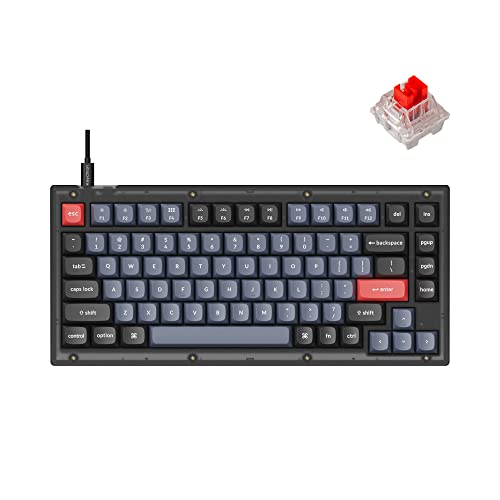
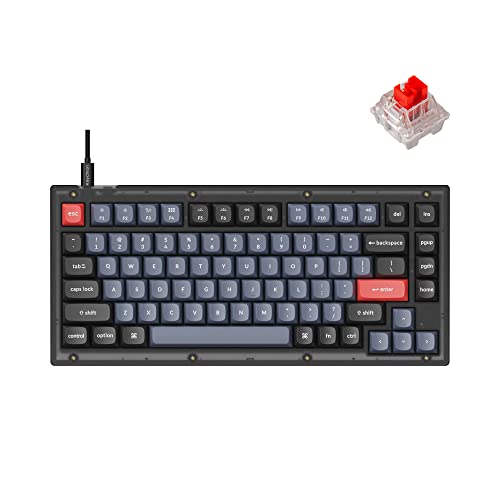
Keychron V1
The experiment platform
- 75 percent, hot-swap
- Full QMK/VIA support
- Layout lives in the board
- Entry-tier price
The V1 is the right laboratory for a layout experiment precisely because it is inexpensive and complete: its QMK firmware implements Dvorak, Colemak or any personal variant as the board’s own behaviour — plug it into any computer and the layout travels with your hands — while a QWERTY layer stays one toggle away for the moments the experiment must pause. VIA’s live remapping makes the staged Colemak transition (Tarmak’s few-keys-at-a-time path) a configurator exercise rather than a flashing project, and the board’s price keeps the whole inquiry cheaper than a month of the wrong certainty.
As a keyboard it is this site’s familiar value benchmark — light case, honest switches, complete layout — and its role here is to lower the cost of curiosity to nearly nothing. Switchers who graduate keep it as their travel board, carrying the layout into hotels and client offices; switchers who retreat keep it as a good QWERTY board with a story. Either outcome justifies the experiment, which cannot be said of learning a layout on a membrane board through operating-system settings alone — the host-dependent route whose frustrations this board exists to bypass.
Strengths
- Layout in hardware, portable everywhere
- VIA makes staged learning easy
- Cheapest honest experiment available
Trade-offs
- Plastic case, modest sound
- Wired focus in the base line
- No printed alternative legends — you learn blind, which is arguably a feature
Best for: Layout experimenters and staged Colemak learners.
Not suited for: Buyers who need legends to match the layout from day one.
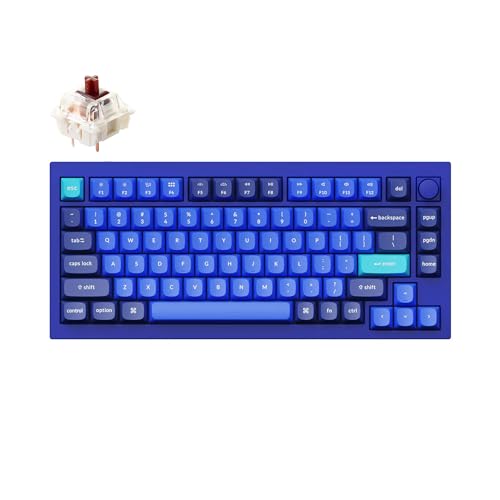
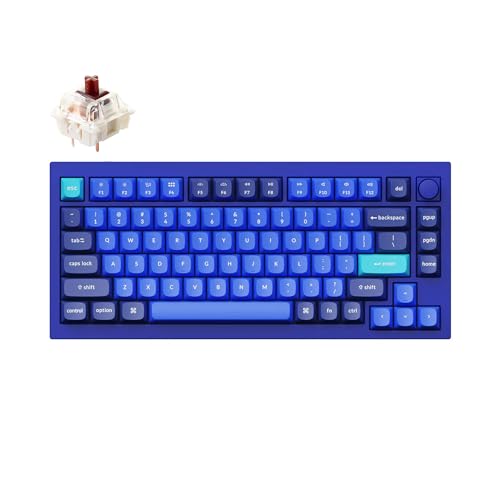
Keychron Q1
The permanent switcher’s board
- 75 percent aluminium, gasket mount
- QMK/VIA firmware
- Hot-swap, knob versions
- Multi-layer layout capacity
For the switcher whose experiment has already succeeded — who types Colemak or Dvorak daily and wants the board the layout deserves — the Q1 is the platform: flagship hardware under the same open firmware, with layer capacity for the mature switcher’s full arrangement (alternative layout base, QWERTY layer for games and guests, application layers above both). The knob, assignable in VIA, becomes whatever the layout’s owner needs a dial to be, and the board’s permanence suits a layout decision that is itself permanent.
Its inclusion here makes the guide’s structural point: layout and hardware are separate decisions that the programmable era lets you take separately, in either order, without repenting of either. Buy the board for its case and switches; carry the layout in its firmware; change either without disturbing the other. The verified listing in the sources file records the generation and configuration to match.
Strengths
- Flagship hardware for a settled layout
- Layers for every mode of a switcher’s life
- Community firmware support at depth
Trade-offs
- Premium price
- Heavy, desk-bound
- Overkill for an undecided experiment
Best for: Committed switchers upgrading their platform.
Not suited for: The merely curious — start with the V1.
Keychron Q5
The data worker’s switchboard
- 96 percent with number pad
- Aluminium, gasket mount
- QMK/VIA firmware
- Hot-swap PCB
Number-pad work is where layout experiments meet their sternest test, because data entry has its own geography that letter layouts do not govern. The Q5 earns its place for switchers whose days are split between prose and figures: the full QMK stack carries the alternative letter layout, while the pad — present, dedicated, on a board barely wider than tenkeyless — keeps numeric fluency untouched by the experiment raging to its left. Several switchers report the pad’s stability is what made the letter transition survivable at work, and the board’s existence in this guide is an acknowledgement that layouts are adopted by whole jobs, not by alphabets.
Buyers weighing the pad’s side should cross-read this cluster’s left handed southpaw keyboards guide, since pad placement and letter layout are the two halves of a data worker’s personal standard. As hardware the Q5 is the flagship formula compressed; as a switch platform it is the one that asks the fewest compromises of a working life, which is what adoption actually runs on.
Strengths
- Pad stability during a letter-layout switch
- Full firmware freedom
- Near-TKL footprint
Trade-offs
- Compressed nav cluster
- Premium price
- Heavier than the experiment boards
Best for: Data-heavy professionals switching layouts.
Not suited for: Pure prose typists, who do not need the pad’s ballast.
The Evidence, Reported Honestly
Speed first, because it is the claim that sells layouts and the one the evidence supports least. Controlled comparisons of trained typists find, at most, small differences between layouts at expert level, and the world speed records sit on QWERTY — not because QWERTY is secretly optimal, but because expert speed is dominated by practice volume, and practice volume is a QWERTY ocean. A switcher’s realistic speed story is a valley and a recovery: weeks below their old pace, a return to parity over months, and thereafter gains that owe as much to the deliberate practice the switch forced as to the layout itself. Anyone promising a switch will make you faster is selling; the arithmetic supports a different promise entirely.
That promise is distance and its plausible consequences. The travel reductions are not studies but computations — home-row share, same-finger bigrams, total finger metres per thousand words — and the designed layouts win them by multiples, not percentages. Whether reduced travel reduces fatigue or injury risk is where honest reporting must slow down: the clinical literature is thin, individual reports are glowing and uncontrolled, and ergonomics as a field attributes strain to posture, force, duration and recovery far more than to letter geography. The ergonomic mechanical keyboards wrist pain guide on this site keeps that hierarchy straight. Switch for the distance, which is real, and for the comfort many switchers report, which is plausible — and involve a clinician, not a layout, if pain is the presenting symptom.
The Switching Season: What the Retraining Actually Feels Like
Week one is humiliation in a specific flavour: the letters you have typed ten thousand times come out wrong in patterns that reveal how much of your fluency was geography rather than knowledge. Speeds halve or worse. The correct instruments for this week are a typing tutor set to the new layout, short daily sessions, and a strict rule against peeking at legends — switchers who print a layout chart for the wall learn faster than those who print keycap legends, because the goal is to move the map into the fingers, and eyes are the enemy of that migration. The programmable board’s QWERTY layer should be rationed like a painkiller: available for the deadline that cannot move, absent for everything else, because every QWERTY hour is borrowed against the new map’s consolidation.
Weeks three to six are the recovery’s long middle, where the new layout becomes usable at work speed for ordinary text and betrays its owner only under pressure — passwords, shortcuts, the sentence that must be typed while thinking about something else. This is also where most abandonments happen, not from inability but from a calendar: a busy month arrives and the layer toggle becomes permanent. The switchers who complete the season share a tactic worth copying: they schedule the switch into a quiet period and pre-commit to a verdict date — eight weeks is the common term — before which quitting is not a decision available to be made on a bad afternoon. Judged at the date, on the evidence of their own typing tests, most do not go back. Judged daily, most would have. The season is survivable precisely to the extent that it is treated as a season.
How Layouts Are Scored: The Metrics Behind the Claims
Every layout comparison quotes numbers, and the numbers come from models whose assumptions decide the verdict before the counting starts — so the models deserve inspection. The classic metric is finger travel: lay the layout over a corpus, simulate an ideal typist, and sum the distance the fingers move. Dvorak and Colemak win this metric against QWERTY by margins that have been stable for decades, because reducing travel is literally what they were designed to do. The second metric is home-row share — the fraction of typing that never leaves the strongest position — and it tells the same story in a different unit. The third family of metrics grades comfort’s components: same-finger bigrams (one finger striking two letters in sequence, the typing equivalent of a stumble), lateral stretches, and the hand alternation rate, where QWERTY’s defenders note, correctly, that its alternation is respectable and its same-finger load is where the modern layouts earn their largest honest margins.
The models’ shared assumption is the ideal typist, and the assumption is where scepticism should concentrate. Real typists have favourite fingers, old injuries, habits from phone keyboards, and corpora that are not the model’s corpus — a programmer’s symbol load, a bilingual typist’s second alphabet, a writer’s pet phrases all re-weight the metrics in ways the published tables cannot know. The honest use of the scores is therefore directional: they establish that the modern layouts are genuinely better designed for the modelled task, by margins too large to be modelling artefacts — and they cannot establish that a given typist will type faster or more comfortably, because the typist is not the model. The main guide’s verdict — fit over theory — is the metrics’ own conclusion, read carefully.
There is also a metric the models omit entirely, and it may be the one that decides real adoptions: the layout’s behaviour at the boundaries of typing — the shortcuts, the passwords, the borrowed machines, the phone that will never change. A layout is not only an arrangement for prose; it is an arrangement for a life lived among other people’s keyboards, and the friction at those boundaries is a daily tax the travel tables never count. This guide counts it, in the sections on switching costs, because a layout decision made on the prose metrics alone is a decision made with the largest recurring cost left off the ledger — the same accounting error as buying a board on its switches alone, at the scale of a whole language.
The Colemak Middle Path, Examined
Colemak’s design brief — change as little as possible while fixing as much as possible — makes it the layout question’s most interesting engineering, and it deserves a closer look than the main guide’s survey gives it. Seventeen keys move. The shortcuts that anchor modern computing — copy, paste, undo, save — stay under the left hand’s learned positions, a concession to reality that Dvorak’s purity refuses and that Colemak’s adopters cite, years later, as the reason their switch survived contact with their working lives. The home row gains the language’s commonest letters in a arrangement that the travel metrics reward nearly at Dvorak’s level. The design reads, a generation on, like a negotiation between the ideal and the installed base, conducted by someone who understood that a layout’s competition is not another layout but the user’s patience.
The variants complicate the story usefully. Colemak-DH moves two letters again to answer the angle problem — the standard keyboard’s staggered rows push the home positions’ centre keys into awkward reaches, and DH’s rearrangement, especially on ortholinear and split boards, is preferred by a majority of recent adopters. The variant’s existence teaches the layout student’s most useful lesson: these systems are living designs, maintained by their communities, and choosing one includes choosing its maintainers’ judgement about questions the original designer never faced. The advanced keyboard modding techniques guide treats layouts as the deepest layer of modding for exactly this reason — a layout is software for the hands, with versions, forks and release notes.
Colemak’s honest debits are Dvorak’s, softened but not removed: the borrowed-machine tax, the password typed on a colleague’s screen, the mobile world’s indifference, the months of the valley. Its credit is the switch’s survivability — the highest completion rate among the modern layouts, anecdotally and by the community’s own surveys — which is a metric the travel tables do not publish and the deciding one for most real humans. A layout abandoned at month two has an efficiency of exactly zero, whatever its model scores; a layout kept for a decade compounds. Colemak is engineered, above all, to be kept.
Dvorak’s Century: What the Evidence Actually Shows
Dvorak carries the heaviest evidentiary baggage of any layout — a famous Navy study, a famous debunking, a century of advocacy — and a guide owes its readers the state of the record rather than either camp’s pamphlet. The strong claims (typists doubling their speed, the layout suppressed by conspiracy) do not survive scrutiny: the mid-century studies were methodologically weak, and the economic-history critique of them, while itself contested, permanently lowered the ceiling on what may be responsibly claimed. The modest claims survive comfortably: the layout’s design measurably reduces travel and same-finger load for English prose; trained Dvorak typists type at speeds fully comparable to trained QWERTY typists; and the comfort reports of its long-term users, while anecdotal, are consistent in a way that pure placebo rarely sustains across decades. The record, in short, supports a good layout with oversold legends — which is, not coincidentally, the record of most good things in this cluster’s territory.
The speed question deserves its own sentence because it is the one buyers ask: no layout has been shown, in controlled conditions with typists trained to plateau on both, to confer a large speed advantage, because typing speed at plateau is governed by the language’s motor chunking more than by the layout’s geometry. What the modern layouts plausibly confer is economy — the same speed at less travel, less same-finger work, less end-of-day accumulation — and economy is a comfort variable, not a stopwatch variable. Buyers shopping for speed should be redirected to practice; buyers shopping for economy are reading the right guide. The distinction is not a downgrade of the modern layouts; it is their actual product description, and products sold under their true descriptions get kept.
And Dvorak’s century teaches a meta-lesson this cluster repeats in every domain: the installed base is a feature. QWERTY’s persistence is not evidence of its superiority, and Dvorak’s marginality is not evidence of its failure — both are evidence that coordination goods obey network laws that quality influences but does not command. The individual typist’s decision is therefore genuinely individual: the network’s costs (borrowed machines, shared desks) are priced per person, and for the solitary worker on their own machines, the network barely taxes at all. Know your network exposure before you let it vote, because for many typists it is a much smaller constituency than its reputation suggests.
The Switching Valley: A Realistic Diary
Every layout switch passes through a valley where the typist is slower than they were and not yet faster than they will be, and the valley’s realistic geography deserves mapping because most abandonments happen at its predictable lowest point. Week one is novelty and ruin in equal measure: speeds fall to a fraction — a fifth is common for touch typists — and the old layout’s ghost possesses the hands whenever attention lapses, producing hybrid text that must be corrected character by character. Week two brings the first competence on the new layout’s common words and a strange split: deliberate typing works, automatic typing betrays. The valley’s floor is usually week three, when the new layout is good enough to use for real work and bad enough to make real work exhausting, and the old layout — still fully installed, one moment of weakness away — offers its treacherous fluency. More switches die at week three than at all other weeks combined, and they die not from difficulty but from a deadline.
The crossing strategies are known and unglamorous. Protect the valley: schedule the switch in a light work season, warn collaborators, and keep the old layout available for the genuinely urgent hour without letting it become the default’s restoration. Practise in deliberate sessions rather than by immersion alone — the tutors that drill the new layout’s bigrams build the chunks that immersion takes months to assemble. Print nothing and label nothing: the hunt-and-peck crutch delays the hands’ education, and the switch’s whole method is to force the geography into the fingers by denying the eyes their vote. And measure weekly, not daily: the trend is the encouragement, the daily noise is the discouragement, and morale in the valley is a resource to be managed like any other.
The far slope repays the mapping with interest. Somewhere in the second month the new layout’s first automatic words appear — whole words typed without supervision, the chunks assembled — and from there the recovery compounds: speed returns along a curve that practice steepens, and the typist begins to collect the economy the metrics promised, in the currency of evenings whose hands feel less spent. The graduates’ consistent report is that the valley was shorter than its reputation and the far side quieter than its promise, which is the signature of a cost honestly paid for a benefit honestly described. This guide’s counsel to the considering reader is therefore not enthusiasm but scheduling: the valley is three weeks deep and a career wide. Cross it when the calendar allows, and cross it once.
Workman, Gallium and the Modern Frontier
Beyond the famous two, the layout frontier continues, and a survey belongs in this guide because the frontier’s existence changes the decision’s shape. Workman rearranges with an explicit critique of Colemak’s centre-column load; Gallium and its kin optimise against modern corpora with computer search, grading finger effort by models finer than any hand-designed layout could apply; a dozen others optimise for specific languages, for split boards, for one-handed use. The frontier’s products are, by their models’ lights, better than Colemak and Dvorak by small margins — and their adoption is smaller by orders of magnitude, because a layout’s value includes its community: its tutors, its firmware defaults, its presence in operating systems, the other typists who speak it. The frontier optimises the layout; the famous two optimise the layout’s world, and worlds win.
The practical consequence is a decision rule for the frontier-curious: adopt a frontier layout only if the self-sufficiency it demands is itself attractive — you will maintain your own keymaps (the keyboard firmware QMK VIA guide skills become load-bearing), build your own practice drills, and type a language spoken, in the limit, by you alone. Some typists choose exactly that, as the ultimate expression of the personal-instrument philosophy this cluster documents, and their satisfaction is real. But it should be chosen as a philosophy, not stumbled into as a shortcut to efficiency, because the efficiency margins over Colemak are small and the solitude is total. The frontier is a country for settlers, not for tourists, and its emigration office should say so.
There is also a lesson the frontier teaches about the famous layouts’ future: layouts are now designed by search algorithms against corpora, and the designs will keep improving on paper while the installed base’s gravity holds the world at QWERTY and its two challengers. The individual’s rational move inside that gravity is the one this guide recommends — choose among the layouts with worlds, by fit and by the valley’s schedule — and let the frontier’s progress be a spectator sport unless settlement calls. A keyboard layout is the longest-lived decision in this entire cluster, outlasting boards, switches and computers. It should be made with the gravity in view.
Layouts for Programmers and Bilingual Typists
Two populations strain the standard layouts in specific ways, and each has developed answers worth recording. Programmers type a symbol dialect that prose layouts place badly: brackets, braces, operators and the backslash cluster sit at the standard layouts’ worst real estate, and the coding population’s responses range from acceptance (the majority, whose editors’ completion has quietly solved the problem) through layer systems (symbols under a held key, arranged by frequency — the firmware answer, and the best one, because it travels with the board) to full symbol-optimised layouts whose prose costs their adopters pay knowingly. The layer answer deserves emphasis because it reframes the layout question: with a programmable board, the base layout and the symbol layout are separate decisions, and most programmers should optimise them separately rather than compromising both in a single arrangement.
Bilingual typists face the second strain: two languages’ frequencies pulling one arrangement in two directions, with the operating system’s layout switching as the standard, clumsy treaty. The populations’ evolved answers are instructive — a base layout chosen for the primary language with the second language’s characters on a layer or a dead-key system; or two full layouts switched by the board itself, with the LED’s colour as the treaty flag. The jis keyboard layout guide documents the civilisation that solved this problem at the hardware level a generation ago, and its thumb-key answer — mode switching under the strongest fingers — is available to any programmable board’s owner as a layer design, whatever their languages. The bilingual’s layout decision is thus really a system design, and it should be made at the system level, with the board’s firmware as a co-author.
Both populations converge on the guide’s closing principle: the layout is the deepest layer of the keyboard’s personalisation, and it should be designed — from the typist’s actual corpus, with the firmware’s help, against the metrics that matter to that corpus — rather than inherited or adopted whole. QWERTY, Colemak and Dvorak are starting points and references, the standard dialects against which a personal arrangement defines itself. The typist who ends, after the valley and the audits, with a layout that is ninety percent Colemak and ten percent their own has not failed to adopt a layout. They have done the thing the layout designers themselves did, at the scale of one life — which is the only scale at which a layout is ever actually used.
Keeping Both Layouts: The Bilingual Brain’s Housekeeping
Many switchers discover that the goal was never replacement but addition — two layouts, kept for two contexts — and the housekeeping of a genuinely bilingual typing brain deserves a section, because it has rules that pure switchers never need. The first rule is context separation: the layouts stay fluent when each owns a territory — one for the work machine, one for the personal; one for prose, one for the shared and borrowed world — because the brain files motor skills by context more reliably than by intention, and the typist who uses both layouts at the same desk in the same hour pays the interference tax at its maximum rate. The second rule is asymmetric maintenance: the less-used layout decays toward a serviceable slowness unless it is deliberately exercised, and its owners keep it the way expatriates keep a language — by scheduled immersion, a document a week written in the other country, rather than by hoping the old fluency is immortal. It is not; it is merely durable, and durability responds to use exactly as fitness does.
The third rule is the honest acceptance of the hierarchy: for nearly every bilingual typist, one layout becomes the native and the other the fluent foreigner, and fighting the hierarchy wastes the energy the bilingualism was bought with. The native is the one the tired hands choose; the foreigner is the one the deliberate mind selects, and both are valuable in their stations — the native for the life’s main work, the foreigner for the machines, contexts and collaborations the native cannot reach. The iso vs ansi keyboard layout guide’s households and this guide’s switchers meet in this rule: fluency in two geographies is a genuine capability with a maintenance price, and the price, like the valley’s, is worth paying exactly when the second geography is genuinely inhabited. Measure the inhabitation honestly, pay for the layouts you actually live in, and let the rest be reading knowledge — which, for the layouts you will never type, is all this guide ever asked of you anyway.
A Structured Eight-Week Switch Experiment
Designed for Colemak via the staged path, adaptable to Dvorak by committing to the full map in week one.
- Baseline first: record your QWERTY speed and accuracy on a standard typing test, three attempts, and save the numbers. The experiment’s verdict will be read against them, not against memory.
- Set up the hardware path: the new layout implemented in the board’s firmware (or the operating system, if hardware is unavailable), with a QWERTY layer or board within reach for genuine emergencies only.
- Weeks one and two: tutor sessions of twenty to thirty minutes daily on the new layout’s home row and first letter groups; no work typing on the new map yet. Expect and forgive speeds that feel absurd.
- Weeks three and four: move ordinary work — email, notes, chat — onto the new layout during your day’s least pressured hours. Keep the tutor sessions. Test weekly and log the numbers beside the baseline.
- Weeks five to eight: full work adoption, with the QWERTY layer reserved for games and shared machines. Introduce the shortcut geography deliberately, application by application, rather than discovering its changes mid-deadline.
- At the verdict date, retest on the same instrument as the baseline and judge by the pre-committed criteria: speed recovered to an agreed fraction, comfort honestly assessed, and the one question that outranks both — do your fingers now reach for the new map when you stop thinking? That reach is the switch’s true completion.
Switching Mistakes That Poison the Experiment
Switching during a deadline season.
The retraining bill is paid in speed, and speed is the one currency a deadline month cannot spare. Every failed switch story that begins ‘I tried it during our busiest quarter’ ends the same way, with the layout blamed for the calendar’s crime. The experiment deserves a quiet season the way a marathon deserves training weather.
Learning by looking at the keycaps.
Legends are training wheels that prevent the very learning they assist: the eyes read, the fingers never memorise, and the switcher’s speed stays capped at reading pace. Blank or stock QWERTY legends, a chart on the wall, and tutor discipline move the map into the hands. Looking down is the one habit the new layout cannot survive.
Judging by speed in week two.
Week two measures the valley, and verdicts formed there are verdicts against retraining itself rather than against the layout. The pre-committed verdict date exists because the switcher’s future self — fluent, at parity, travelling a third of the distance — deserves a vote that the week-two self would deny them. Give the season its term.
Neglecting the shortcut geography until it ambushes you.
Copy, paste, undo and the application’s own commands live at QWERTY addresses in most software’s defaults, and Colemak’s preservation of the cluster is a headline feature precisely because switchers bled there first. Inventory your twenty most-used shortcuts in week one and decide each one’s new home consciously, in the configurator or the application’s settings.
Treating layout as a cure for pain.
If typing hurts, the differential includes posture, force, workload and conditions that layouts do not treat, and the season of retraining adds strain of its own. See the clinician first; let the layout be a comfort project undertaken from health, or one component of a guided plan — never a self-prescribed therapy whose failure then discredits a good idea.
Switching layouts and keyboard in the same month.
Two valleys at once — the hands learning a new geography on an unfamiliar board whose switches, profile and layers are also new — multiply each other’s confusion and make every fault unattributable: is the error the layout, the board, or the layer design? Change one system at a time, let each stabilise, and the switch’s data stays readable. The patience costs a month and buys a diagnosis you can trust for a decade.
Frequently asked questions
How long does it take to learn Colemak or Dvorak?
To workable fluency — ordinary text at a usable pace — most switchers report four to eight weeks of daily use, with full parity against their old speed arriving over the following months. The staged Colemak path softens the first fortnight at the cost of a slightly longer total. Prior touch-typing skill transfers as finger discipline even though the geography changes; hunt-and-peck typists paradoxically adapt fastest, having less automation to unlearn.
Can I keep QWERTY for other people’s computers?
Yes, and most switchers do exactly that — bilingual, as the community calls it, with fluency maintained in both maps at a small ongoing cost in peak speed on each. A programmable board makes the arrangement physical: your layout at your desk, native QWERTY everywhere else, and no settings changed on any host. Maintaining both is easier than the first switch, because the second map is learned against one fluent reference rather than against none.
Do alternative layouts work for programming?
Programmers are among the most satisfied switchers, with two managed caveats: symbol geography matters as much as letters for code, and Colemak’s preservation of QWERTY punctuation positions is a designed answer to exactly that; and editor modal commands (Vim’s hjkl most famously) sit at letter addresses that move — answered by remapping within the editor or by the configurator, and worth deciding in week one rather than discovering in week three.
What about gaming on an alternative layout?
Games bind actions to physical positions, so the practical answers are a QWERTY layer toggled for play — the programmable board’s standard solution — or in-game remapping where the title allows it. Competitive players overwhelmingly keep their game bindings on QWERTY geography regardless of their typing layout, treating the two as separate instruments, which, mechanically, they are.
Are there layouts beyond these three worth considering?
A modern family exists — Workman, Norman, MTGAP and others — each optimising a slightly different model of effort, and the differences among the optimised layouts are far smaller than the difference between any of them and QWERTY. The practical advice is to choose among the majors, where tutors, legends, firmware definitions and community all exist, rather than optimising the last percent with a layout whose ecosystem is a forum thread. Colemak is the switcher’s default for ecosystem reasons as much as ergonomic ones.
Will switching make me faster?
Not on any evidence this guide can honestly offer, and the question deserves the respect of a direct answer: expect parity after the season, bought with less finger travel and, for many, greater comfort. The speed you gain, if any arrives, will likely come from the deliberate practice the switch imposed — which is available without switching, through the unglamorous route of typing drills on the layout you already own. Choose the switch for distance and curiosity; let speed be a possible dividend, never the prospectus.
Will learning Colemak ruin my QWERTY?
Temporarily and partially — the two layouts interfere most during the valley, when the new one is deliberate and the old one keeps ambushing it. Long-term, most switchers retain a serviceable QWERTY at reduced speed, the way bilinguals retain a first language’s accent in reverse: the native layout becomes the slower, effortful one. Typists whose work requires fluent QWERTY on other machines should weigh that tax honestly; typists on their own machines will find the tax mostly theoretical, and the brain, given two layouts with distinct contexts, is better at keeping them apart than the fear suggests.
Are alternative layouts better for avoiding strain?
The honest answer is that the evidence is suggestive and thin: the modern layouts measurably reduce finger travel and same-finger sequences, which are plausible strain contributors, and their long-term users report comfort improvements consistently. That is not a medical finding, and this site does not make medical claims for keyboards or layouts. Readers with pain or diagnosed conditions should treat layout choice as one variable to discuss with a professional, alongside the ergonomic assessment in this site’s comfort guides — not as a therapy with a download link.
QWERTY, Dvorak and Colemak are three theories of the same ten fingers: one inherited from machinery, one derived from physiology, one negotiated between the two. The explainer’s verdict is that the choice is real but narrower than its partisans claim — the designed layouts demonstrably move less of you per word, and just as demonstrably demand a season of your working life to claim that advantage. Whether the trade profits depends on quantities only the reader holds: how much they type, how long they will type it, and how their hands feel at the end of a long day in February.
If the experiment calls, run it properly: a programmable board, a quiet season, a verdict date, and numbers kept honestly. And if it does not — if QWERTY’s universality is worth more to you than the distance — that is not a failure of imagination but a legitimate reading of the same evidence. The layouts will keep. They have, after all, kept for a hundred and fifty years, waiting with varying patience for each typist to decide what their fingers are worth.