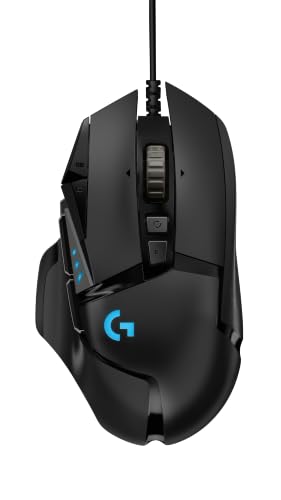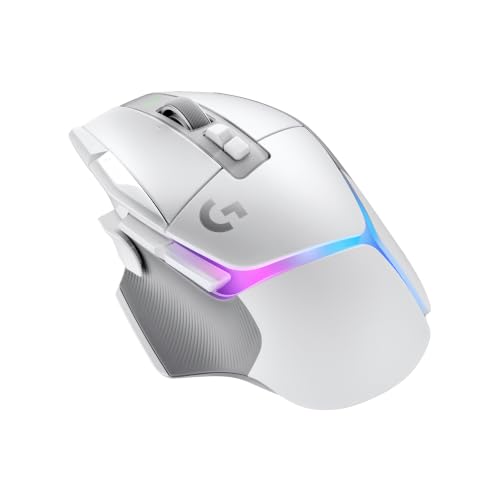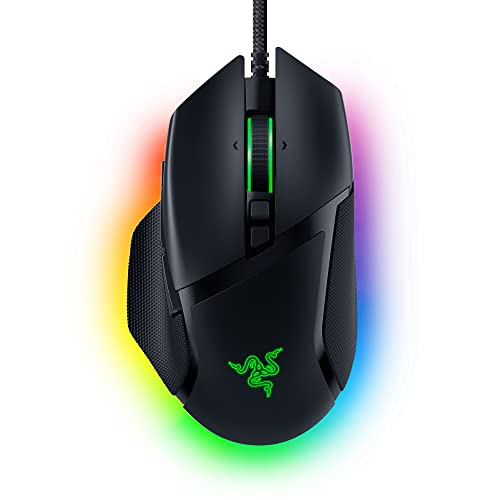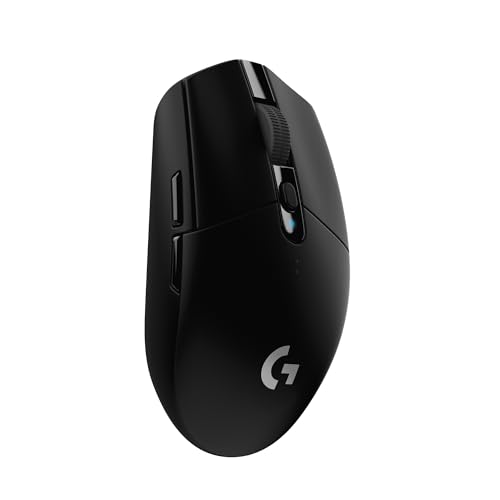
The best gaming mouse that does not look like a gaming mouse is a contradiction that many people want: a mouse with a serious gaming sensor, fast wireless, and programmable buttons, wrapped in a plain body that would not look out of place in an office. Not everyone wants a mouse covered in lights, angles, and aggressive styling, and for work-from-home setups, shared desks, and minimalist battlestations, a quiet-looking mouse is simply the better fit.
Gaming mice earned their reputation honestly, because their sensors track more accurately, their buttons respond faster, and their software allows deep customization. The problem is that most of them advertise those abilities with bright lighting and sharp, toy-like shapes. The mice in this guide keep the performance and drop the costume, so they work as well in a meeting as they do in a match.
What makes a mouse look like a gaming mouse is usually a combination of RGB lighting, honeycomb shells, extreme shapes, and prominent branding. Remove those, and what remains is a clean, ergonomic shape that anyone can use comfortably. The six picks here were judged on how ordinary they look, as well as on sensor quality, weight, battery life, and button layout, because a plain mouse that performs poorly is no bargain.
This guide compares six understated gaming mice, from the Logitech G305 and G703 to the Razer DeathAdder Essential and Orochi V2, plus the lightweight Typehaven G57. Every pick has a genuine gaming sensor and no visible lighting, and each one is comfortable for long sessions. The best choice depends on hand size, grip style, and whether wireless freedom or a wired connection matters more.
In this guide
Quick picks: best gaming mouse that doesnt looking like a gaming mouse
| # | Product | Where to buy |
|---|---|---|
| 1 | Logitech G305 LIGHTSPEED Wireless Gaming Mouse Black | Check on Amazon |
| 2 | Logitech G305 LIGHTSPEED Wireless Gaming Mouse White | Check on Amazon |
| 3 | Razer DeathAdder Essential Ergonomic Gaming Mouse Black | Check on Amazon |
| 4 | Logitech G703 LIGHTSPEED Wireless Gaming Mouse Black | Check on Amazon |
| 5 | Typehaven G57 Wireless Gaming Mouse White | Check on Amazon |
| 6 | Razer Orochi V2 Wireless Gaming Mouse Black | Check on Amazon |
How the Picks Were Chosen
Appearance came first, because it is the point of this guide. A mouse earned a place here only if it looks plain at a glance: no RGB lighting, no honeycomb shell, no extreme angles, and no glowing logo. Each pick could sit on an office desk without drawing a second look, yet each one hides a sensor and switch quality that casual office mice cannot match.
Performance decided the rest. Sensor quality matters most, since a high-DPI optical sensor with accurate tracking is what separates a gaming mouse from a basic one. Weight came next, because lighter mice are easier to move quickly and cause less fatigue. Battery life, button count, and shape rounded out the list, along with wireless reliability for the cordless models and cable quality for the wired ones.
Quick Comparison
| Mouse | Sensor | Connection | Weight and Size | Standout Feature |
|---|---|---|---|---|
| Logitech G305 LIGHTSPEED Black | Hero 12K, 12000 DPI | Wireless LIGHTSPEED | Lightweight | Plain black, 6 buttons |
| Logitech G305 LIGHTSPEED White | Hero 12K, 12000 DPI | Wireless LIGHTSPEED | Lightweight | Clean white finish |
| Razer DeathAdder Essential | 6400 DPI optical | Wired | Ergonomic right-handed | Rubber side grips |
| Logitech G703 LIGHTSPEED | Hero 25K | Wireless LIGHTSPEED | Lightweight | PowerPlay compatible |
| Typehaven G57 White | 8000 DPI | 2.4G, Bluetooth, USB-C | 80 g | Tri-mode, very light |
| Razer Orochi V2 Black | 18K DPI | HyperSpeed, Bluetooth | Compact | 950-hour battery life |
Sensor figures are the maximum DPI stated in the product listings. Most users play and work well below the maximum, and accuracy matters more than the highest number.
1. Logitech G305 LIGHTSPEED Wireless Gaming Mouse Black

The Logitech G305 LIGHTSPEED in black is the classic understated gaming mouse, and it is the pick most people in this guide should start with. Its plain black body has no lighting at all, yet inside is the Hero 12K sensor with up to 12,000 DPI, a fast LIGHTSPEED wireless connection, and six programmable buttons. It is light, comfortable, and completely anonymous on a desk, which is exactly the point.
Key specifications: Hero 12K sensor, 12000 DPI, LIGHTSPEED wireless, 6 programmable buttons, lightweight design, black finish.
Strengths
- The Hero 12K sensor delivers accurate tracking up to 12000 DPI with no smoothing or delay.
- LIGHTSPEED wireless is fast and reliable, with no cable drag and no noticeable lag.
- The plain black body has no lighting, so it looks at home in any office.
Trade-offs
- It runs on a single AA battery, so it needs occasional battery swaps rather than recharging.
- The compact shape suits small and medium hands best, while very large hands may want more size.
- Six buttons cover most needs, but MMO players may want more.
This mouse fits anyone who wants a proven gaming mouse that disappears visually: office workers who game after hours, students with shared desks, and minimalists who dislike glowing peripherals. It is the safest recommendation in this guide.
Best for: office workers and minimalists who want proven gaming performance without the look. Not suited for: players who need a dozen side buttons or a rechargeable battery.
The G305 has survived for years as a favorite because it gets the fundamentals right. The Hero sensor is efficient and accurate, the wireless connection is stable, and the shape works for both palm and claw grips. The lack of lighting is a feature here, not an omission: there is nothing to configure, nothing to distract, and nothing to announce that this is a gaming mouse. It simply works, quietly and well, in any setting.
Battery life is generous for a wireless gaming mouse, and a single AA cell lasts for months of regular use, which removes the daily charging ritual that rechargeable mice demand. Keep a spare battery in the desk drawer and the mouse is always ready. The G305 is also easy to set up: plug in the receiver, install the software once to configure the buttons, and then forget about it. For a shared or work desk, it is the most practical gaming mouse available.
2. Logitech G305 LIGHTSPEED Wireless Gaming Mouse White
Check price on Amazon: Logitech G305 LIGHTSPEED Wireless Gaming Mouse Black

The Logitech G305 LIGHTSPEED in white is the same excellent mouse as the black version, finished in a clean white that suits bright desks and light-colored setups. It shares the Hero 12K sensor, the LIGHTSPEED wireless connection, and the six programmable buttons, and it is equally free of lighting and gamer styling. For a white or light-themed desk, it is the natural choice.
Key specifications: Hero 12K sensor, 12000 DPI, LIGHTSPEED wireless, 6 programmable buttons, lightweight design, white finish.
Strengths
- Same Hero 12K sensor and LIGHTSPEED wireless as the black G305, with identical performance.
- The white finish suits light desks and bright rooms where black peripherals look heavy.
- No lighting and a plain shape keep it discreet in any setting.
Trade-offs
- White plastic shows dirt and wear more readily than black, so it needs occasional cleaning.
- It uses a replaceable AA battery rather than a rechargeable cell.
- The compact shape is less suited to very large hands.
This mouse fits anyone with a white or light-colored setup who wants the G305 performance to match. It is also a good choice for bright offices and home studios where a white mouse looks intentional rather than accidental.
Best for: light-themed desks and bright offices that need a plain white gaming mouse. Not suited for: users who prefer black peripherals or need many side buttons.
Color matters more than it seems on a desk that is seen every day. A white mouse on a white desk looks calm and deliberate, while a black mouse on the same desk draws the eye. The white G305 gives light-setup owners the same sensor, the same wireless performance, and the same plain shape, with a finish that completes the look. Performance is identical to the black version, so the decision is purely about the desk it will live on.
White peripherals do need a little more care, since oils and dust show more easily on a light surface. A quick wipe with a dry cloth once a week keeps the mouse looking fresh, and the smooth plastic cleans easily. Aside from that, ownership is the same as the black model: long battery life, reliable wireless, and a shape that works for hours of use without fatigue. It is the same mouse, in a finish that suits a different desk.
3. Razer DeathAdder Essential Ergonomic Gaming Mouse Black
Check price on Amazon: Logitech G305 LIGHTSPEED Wireless Gaming Mouse White

The Razer DeathAdder Essential is the wired pick in this guide, and it is one of the most comfortable gaming mice ever made. Its ergonomic right-handed shape with rubber side grips fits the hand naturally, and the 6400 DPI optical sensor tracks accurately for gaming and precise work alike. In plain black with no lighting, it looks like an ordinary office mouse, yet it performs far beyond one.
Key specifications: 6400 DPI optical sensor, 5 programmable buttons, rubber side grips, ergonomic right-handed design, wired connection, black finish.
Strengths
- The ergonomic shape with rubber side grips is exceptionally comfortable for long sessions.
- The 6400 DPI optical sensor is accurate and responsive for gaming and precision work.
- A wired connection means no batteries, no charging, and no wireless concerns.
Trade-offs
- The cable can drag on the desk, so a cable holder or tidy routing helps.
- Five buttons are fewer than some gaming mice offer for complex games.
- The right-handed shape does not suit left-handed users.
This mouse fits anyone who wants maximum comfort and zero maintenance: no batteries, no charging, no wireless setup. It suits long workdays, long gaming sessions, and anyone whose hand tires easily with smaller mice.
Best for: long sessions and users who want a comfortable wired mouse with no upkeep. Not suited for: left-handed users or anyone who needs a wireless mouse.
The DeathAdder shape is famous for a reason. It fills the palm, supports the fingers, and lets the hand rest rather than grip, which reduces fatigue over hours of use. The rubber side grips keep the mouse steady during fast movements, and the optical sensor tracks cleanly at 6400 DPI, which is more than enough for most players. The wired connection is a strength for anyone who dislikes charging or replacing batteries, since the mouse is always ready.
Cable management is the only real chore with this mouse. Route the cable so it does not catch on the desk edge, and consider a simple cable holder to keep it floating freely. Once that is done, the DeathAdder Essential is a set-and-forget mouse: plug it in, set the buttons once, and use it for years. It is the most comfortable mouse in this guide, and for many hands it is the most comfortable mouse at any price.
4. Logitech G703 LIGHTSPEED Wireless Gaming Mouse Black
Check price on Amazon: Razer DeathAdder Essential Ergonomic Gaming Mouse Black
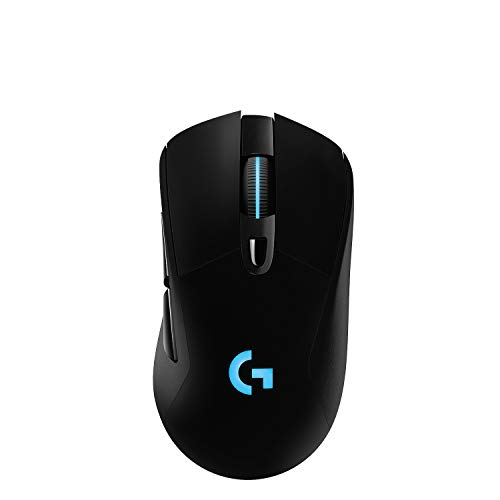
The Logitech G703 LIGHTSPEED is the premium understated pick in this guide, pairing the top-tier Hero 25K sensor with a comfortable ergonomic shape and wireless charging support. In plain black with no lighting, it looks like a standard office mouse, yet it tracks at up to 25K DPI and supports PowerPlay wireless charging, so it can stay charged on a compatible mousepad without ever being plugged in.
Key specifications: Hero 25K sensor, LIGHTSPEED wireless, PowerPlay compatible, lightweight gaming design, black finish.
Strengths
- The Hero 25K sensor is among the most accurate available, with up to 25K DPI.
- PowerPlay compatibility allows wireless charging on a supported mousepad.
- The ergonomic shape is comfortable for long sessions and larger hands.
Trade-offs
- It costs more than the G305, so it suits committed users best.
- PowerPlay charging needs a compatible mousepad, which is a separate purchase.
- The plain design will not appeal to anyone who wants visible lighting.
This mouse fits serious players and professionals who want the best sensor available in a plain body. It suits larger hands and long sessions, and it is a strong choice for anyone who already uses, or plans to use, PowerPlay charging.
Best for: serious players who want a top sensor in a plain, comfortable body. Not suited for: budget buyers or anyone with small hands who prefers a compact mouse.
The Hero 25K sensor is the headline, but the ergonomics are what make the G703 a daily driver. The shape fills the hand without forcing the fingers, and the weight is balanced so the mouse moves smoothly without feeling heavy. PowerPlay compatibility is a quiet luxury: with a compatible mousepad, the mouse charges while it is used, so battery anxiety disappears entirely. Even without it, the rechargeable battery lasts well, and the mouse performs identically wired or wireless.
For a work-and-play desk, the G703 is the most capable plain mouse here. It handles precise design work, fast gaming, and long documents with equal ease, and its plain black body never looks out of place in a meeting. The software allows button customization and DPI profiles, so one mouse can switch between a low-sensitivity setting for precise work and a high-sensitivity setting for gaming. That flexibility, plus the comfort, makes it the premium pick in this guide.
5. Typehaven G57 Wireless Gaming Mouse White
Check price on Amazon: Logitech G703 LIGHTSPEED Wireless Gaming Mouse Black

The Typehaven G57 is the lightest mouse in this guide at just 80 grams, and it is the most versatile in connectivity, offering 2.4G wireless, Bluetooth, and USB-C wired modes in one plain white body. Its 8000 DPI sensor is more than enough for fast gaming, and the low weight makes it effortless to move quickly across a mousepad. With no lighting and a clean shape, it looks like a modern office mouse.
Key specifications: 8000 DPI sensor, 80 g weight, 2.4G wireless, Bluetooth, USB-C connection, rechargeable, white finish.
Strengths
- At 80 grams it is very light, which reduces fatigue and makes fast movements easy.
- Three connection modes cover gaming PCs, laptops, and tablets from one mouse.
- The rechargeable battery removes the need for disposable cells.
Trade-offs
- The brand is less established than Logitech or Razer, so long-term support is less certain.
- The compact shape suits small and medium hands best.
- 8000 DPI is plenty for most users but lower than the flagship sensors here.
This mouse fits travelers and multi-device users who want one light mouse for a laptop, a desktop, and a tablet. It is also a good choice for anyone who values low weight above all else.
Best for: travelers and multi-device users who want a very light, versatile mouse. Not suited for: users who prefer a major brand or a larger, heavier mouse.
Tri-mode connectivity is the practical advantage here. A single mouse that connects by 2.4G to a desktop, by Bluetooth to a laptop, and by USB-C cable when the battery runs low covers every situation without carrying a second mouse. The 80-gram weight is immediately noticeable: the mouse glides with little effort, which matters during long sessions and fast games. The white finish is clean and modern, and the absence of lighting keeps it appropriate for any desk.
Light mice divide opinion, and the G57 is firmly on the light side. Players who like a solid, weighty mouse may find it too feather-light at first, but most adapt quickly and appreciate the reduced wrist strain. The rechargeable battery charges over USB-C, which is the same cable most modern devices use, so charging it is one less cable to carry. For a laptop bag or a hot-desk setup, it is the most flexible mouse in this guide.
6. Razer Orochi V2 Wireless Gaming Mouse Black
Check price on Amazon: Typehaven G57 Wireless Gaming Mouse White

The Razer Orochi V2 is the marathon runner of this guide, with a remarkable 950 hours of battery life on Bluetooth and a compact, plain black body that travels easily. Its 18K DPI optical sensor is a serious gaming sensor, and the dual wireless modes — HyperSpeed for gaming and Bluetooth for everyday use — let one mouse serve a desktop and a laptop. It is small, light, and completely free of gamer styling.
Key specifications: 18K DPI optical sensor, 950-hour battery life, HyperSpeed wireless and Bluetooth, compact design, black finish.
Strengths
- 950 hours of battery life on Bluetooth is exceptional and removes charging worries.
- The 18K DPI sensor is a genuine high-end gaming sensor.
- Dual wireless modes cover both gaming and everyday laptop use from one mouse.
Trade-offs
- The compact shape suits small and medium hands, while large hands may find it cramped.
- It uses a replaceable battery rather than a rechargeable cell.
- The minimalist button layout offers fewer programmable buttons than larger mice.
This mouse fits travelers, laptop users, and anyone who hates charging peripherals. It is also a strong choice for small hands and for players who prefer a compact, agile mouse.
Best for: travelers and laptop users who want huge battery life in a small mouse. Not suited for: large hands or players who need many side buttons.
The 950-hour battery life is the kind of specification that changes ownership. A mouse that runs for months on a single battery is a mouse that never interrupts a session to charge, and it is always ready in a bag. The HyperSpeed mode keeps latency low for gaming, while Bluetooth mode stretches the battery for everyday work. Switching between the two is simple, and the compact body slips into a laptop sleeve without fuss.
Compact mice demand a good grip match, so hand size matters here. Small and medium hands will find the Orochi V2 natural, with the fingers falling easily onto the buttons and the palm resting lightly on the body. Larger hands may prefer the DeathAdder Essential or the G703 instead. For the right hands, though, the Orochi V2 is the most travel-friendly gaming mouse in this guide, combining a top sensor, huge battery life, and a plain look in a genuinely portable package.
Which Plain Gaming Mouse Fits Your Desk
Choose the Logitech G305 if the goal is the best all-around plain gaming mouse. It is proven, affordable, and anonymous on any desk, and the choice between black and white is purely about the setup it will live on. For most buyers, the G305 is the right answer.
Choose the Razer DeathAdder Essential if comfort matters most and a wired connection is acceptable. Its ergonomic shape is the most comfortable here, and it never needs batteries or charging. Choose the Logitech G703 if the budget allows a premium sensor and a larger, comfortable shape with PowerPlay charging support.
Choose the Typehaven G57 for the lightest mouse and the most connection options, or the Razer Orochi V2 for the longest battery life and the smallest travel size. Both are excellent for laptops and travel, and both look completely at home in an office.
Grip style is the final filter. Palm grippers should favor the DeathAdder Essential and the G703, claw grippers should look at the G305 and the Orochi V2, and fingertip grippers will appreciate the light G57. A mouse that fits the hand is a mouse that gets used comfortably for hours.
Budget is the last consideration, and the good news is that plain gaming mice cost no more than flashy ones. The G305 and the DeathAdder Essential are affordable, the G57 and the Orochi V2 sit in the middle, and only the G703 commands a premium for its sensor. Spend the money on the sensor and the shape, not on lighting, and the result is a better mouse for less.
Check price on Amazon: Razer Orochi V2 Wireless Gaming Mouse Black
Buying Guide: Choosing a Gaming Mouse That Does Not Look Like One
Start with the sensor, because it is the part that determines how the mouse actually performs. A modern optical sensor with high DPI and accurate tracking is what makes a gaming mouse feel precise, and all six picks here have one. Do not chase the highest DPI number alone, since most users play well below the maximum; instead, look for a sensor from a proven family, such as the Logitech Hero series or a Razer optical sensor, and check that it tracks cleanly at the sensitivity that will actually be used.
Weight is the next decision, and lighter is usually better for gaming. A light mouse moves faster with less effort and causes less fatigue over long sessions, which is why the 80-gram G57 and the lightweight G305 feel so agile. Heavier mice suit users who like a planted, stable feel, but most players adapt to light mice quickly and never go back. If possible, try the weight in hand before committing.
Grip style shapes the choice more than any specification. Palm grip users need a larger mouse that fills the hand, such as the DeathAdder Essential or the G703. Claw grip users do well with medium mice like the G305, while fingertip grippers need a small, light mouse such as the Orochi V2 or the G57. A mouse that fights the grip will cause discomfort no matter how good its sensor is.
Connection type matters for the desk it will live on. Wireless mice remove cable drag and suit clean desks, but they need batteries or charging. Wired mice are always ready and never need power, but the cable needs managing. Tri-mode mice offer the most flexibility, switching between wireless, Bluetooth, and wired as needed. Choose based on how the mouse will be used most often, not on which connection sounds best in theory.
Finally, count the buttons honestly. Most users need a left and right click, a scroll wheel, and two side buttons, and all six picks provide at least that. Extra buttons help in complex games, but they also add size and weight, and unused buttons are wasted. Programmable buttons are worth having, since they allow the side buttons to be set for common actions in work software as well as in games.
Battery life deserves a final mention for wireless mice. A mouse that lasts months on a cell is a mouse that never interrupts a session, while a mouse that needs weekly charging becomes a chore. Check the rated life for the connection mode that will actually be used, since Bluetooth usually lasts far longer than high-performance wireless, and keep a spare battery or a charging cable handy.
Software support is worth checking before buying, since it controls button programming, DPI profiles, and firmware updates. Logitech and Razer both offer mature software that works well, while smaller brands may offer simpler tools. The software only needs to be used once to set up the mouse, so even basic software is acceptable, but check that it supports the operating system being used.
How to Use and Care for Your Gaming Mouse
Keep the sensor clean, since dust on the sensor lens causes cursor jumps and tracking errors. Wipe the lens gently with a dry cloth or a cotton swab, and clean the mousepad regularly, because a dirty pad wears the mouse feet and degrades tracking. A clean sensor and a clean pad are the two cheapest performance upgrades available.
Replace the mouse feet when they wear smooth, since worn feet drag and scratch. Replacement feet are inexpensive and easy to fit, and fresh feet restore the glide that makes a mouse feel new. Keep the desk surface clean as well, and use a mousepad that suits the sensor, since a rough or reflective surface can confuse optical tracking.
For wireless mice, keep the receiver close to the mouse and away from metal objects and other wireless devices that can interfere. A receiver on a front USB port or an extension cable usually performs better than one buried behind a desktop. Change or recharge batteries before they run flat, and store a spare battery where it can be found quickly.
Update the mouse software occasionally, since manufacturers release firmware that improves tracking and battery life. Back up button profiles before updating, and test the mouse after any update to confirm the settings are intact. A mouse that is kept clean, charged, and updated will serve reliably for years.
Store a travel mouse in a sleeve or a small pouch rather than loose in a bag, since a mouse bouncing against keys and chargers gets scratched and can have its buttons pressed for hours. Remove the battery from a travel mouse that will sit unused for weeks, since a leaking battery can damage the compartment. A little care keeps a travel mouse looking and working like new.
Common Mistakes to Avoid
The most common mistake is choosing a mouse by looks alone, whether that means picking the flashiest gaming mouse or the plainest office mouse. Looks matter, but the shape, weight, and sensor matter more, since a mouse that hurts the hand or tracks poorly will be regretted daily. Try the shape first, then confirm the looks.
A second mistake is ignoring grip style. A large palm-grip mouse is miserable for a fingertip gripper, and a tiny mouse is cramped for a palm gripper. Match the mouse size to the hand and the grip, and remember that a mouse that feels perfect in the first minute may still cause fatigue after an hour, so give it a proper trial.
A third mistake is setting the DPI too high. Very high sensitivity makes the cursor twitchy and hard to control, and most players perform best at a moderate DPI with a comfortable in-game sensitivity. Start low, raise it gradually, and settle on the setting that feels controlled rather than impressive.
A fourth mistake is neglecting the mousepad. A good mouse on a bad surface performs badly, and a worn or dirty pad ruins tracking and wears the feet. Invest in a decent pad, keep it clean, and replace it when it becomes smooth or frayed. The pad is part of the mouse system, not an afterthought.
A fifth mistake is buying a wireless mouse and then leaving the receiver in a poor spot. A receiver buried behind a metal case or far from the mouse causes lag and dropouts that feel like a faulty mouse. Keep the receiver close, use a front port or an extender, and the wireless connection will feel as responsive as a cable.
Final Recommendation
For most buyers, the Logitech G305 LIGHTSPEED is the best gaming mouse that does not look like a gaming mouse, because it combines a proven Hero 12K sensor, reliable wireless, and a plain body that fits any desk. Choose black for a dark setup or white for a light one, and the result is the same: a serious gaming mouse that nobody would identify as one.
Players who want maximum comfort should choose the Razer DeathAdder Essential, while those who want the best sensor should pick the Logitech G703. Travelers will love the Orochi V2 for its battery life and the G57 for its light weight and tri-mode connectivity. Whichever model is chosen, the principle is the same: performance first, appearance second, and a mouse that fits the hand above all else.
Frequently Asked Questions
Does a plain-looking mouse perform as well as a RGB gaming mouse?
Yes, the sensor and switches determine performance, not the lighting. The mice in this guide use the same sensor families as their flashier siblings, so tracking, response, and accuracy are identical. Lighting is cosmetic, and removing it changes nothing about how the mouse plays.
What DPI should I use for gaming?
Most players use between 800 and 1600 DPI for general play, with higher settings for fast games and lower settings for precise aiming. Start at 800 or 1200 DPI, adjust the in-game sensitivity to taste, and raise the DPI only if the cursor feels sluggish. Higher DPI is not automatically better.
Is wireless as good as wired for gaming?
Modern wireless gaming mice use fast connections that match wired mice for latency in practice, and the mice here use proven wireless technologies. The difference is battery management rather than performance. Wired mice are always ready, while wireless mice need occasional battery changes or charging.
How do I know my grip style?
Palm grip means the whole hand rests on the mouse, claw grip means the palm rests while the fingers arch, and fingertip grip means only the fingertips touch the mouse. Check which feels natural during a long session, then choose a mouse size that supports that grip. Larger mice suit palm grips, while smaller, lighter mice suit fingertip grips.
Can I use a gaming mouse for office work?
Yes, and the plain mice in this guide are ideal for it. A gaming sensor makes precise work easier, programmable buttons can be set for common office actions, and the comfortable shapes reduce fatigue during long workdays. The absence of lighting makes them appropriate for any workplace.
How long do gaming mouse batteries last?
It varies widely by model and connection. The Orochi V2 lasts up to 950 hours on Bluetooth, while the G305 lasts for months on a single AA battery. Rechargeable mice need charging every few days to weeks depending on use. Check the rated life for the mode that will actually be used.
Do I need software to use a gaming mouse?
No, all of these mice work immediately as standard mice without software. The software is only needed to customize buttons, DPI levels, and lighting, which these models do not have. Set the mouse up once, save the profile, and the software can be left alone afterward.
Are lightweight mice better?
Lighter mice are easier to move quickly and cause less fatigue, which is why most competitive players prefer them. Heavier mice feel more stable to some users, especially for slow, precise work. Try both if possible, and choose the weight that feels controlled rather than the lightest or heaviest available.
Related reading on Kajuandouglas: Best Gaming Mouse for Palmer, Best Wireless Mouse Gaming Reddit, and Best Gaming Keyboards Under 100 Dollars.