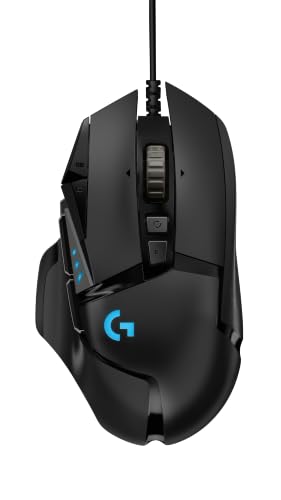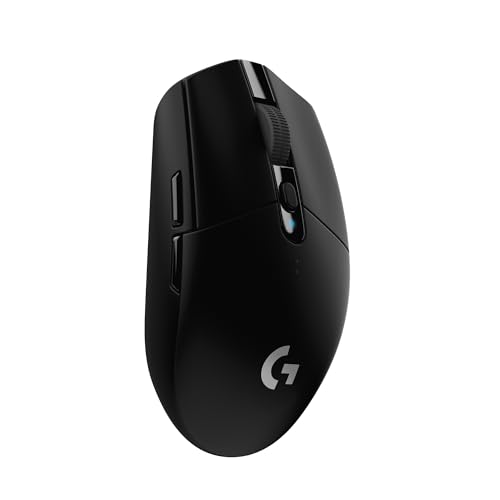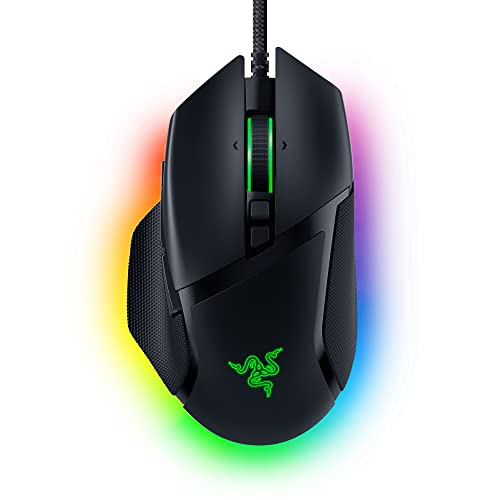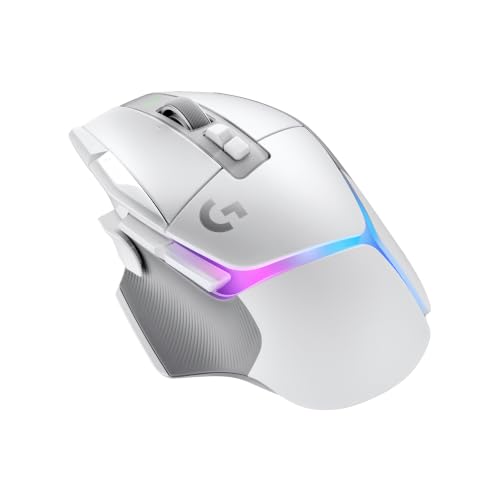
A white gaming mouse with RGB LEDs does two jobs at once: it plays games well and it finishes the look of a white desk setup. The best white gaming mouse with RGB LEDs pairs a clean white shell with lighting that glows through and around the body, so the mouse becomes part of the colour scheme instead of a black box on a white desk. This guide compares six white RGB gaming mice, from flagship wireless models to a budget tri-mode pick, and explains which one suits each kind of player. Every mouse here was checked against the site own product listings for a white finish and RGB lighting, and the notes below call out the differences that matter: sensor quality, switch type, button count, weight and software. Read the buying guide before ordering, because two mice can both be white and RGB while feeling completely different in the hand. The sections below also cover the practical details that decide whether a mouse stays on the desk: how the white finish ages, how the software handles lighting, and how the weight and shape suit different grips. A good white RGB mouse should look as good after a year as it did on the day it arrived, and the picks below were chosen with that long view in mind.
In this guide
Quick picks: best white gaming mouse with rgb leds
| # | Product | Where to buy |
|---|---|---|
| 1 | Logitech G502 X Plus Wireless RGB Gaming Mouse White | Check on Amazon |
| 2 | Razer Basilisk V3 Customizable RGB Wired Gaming Mouse White | Check on Amazon |
| 3 | Razer Cobra Pro Wireless Gaming Mouse White | Check on Amazon |
| 4 | Corsair M75 Wireless RGB Gaming Mouse White | Check on Amazon |
| 5 | Redragon M602 Griffin Wireless RGB Gaming Mouse White | Check on Amazon |
| 6 | Razer Basilisk V3 Pro Wireless Gaming Mouse White | Check on Amazon |
How the picks were chosen
We started with the site own product listings for white RGB gaming mice and kept only models that are genuinely white, genuinely RGB-lit, and sold as gaming mice rather than office mice. That filter removed black mice, white mice without lighting, and RGB office mice that lack the sensor and switches gaming needs. We then ranked the survivors on five things: lighting quality, meaning how even and customisable the RGB glow is on a white shell; sensor and switch performance; connection options, with tri-mode wireless scoring highest; shape and comfort for long sessions; and value. Flagship models lead on sensor and software, mid-range models lead on balance, and the budget pick leads on value. We also weighed the software ecosystem, because RGB lighting is only as good as the software that controls it, and a mouse that syncs with the rest of the desk is worth more than one that glows alone. No mouse here was chosen for its looks alone, and the order below reflects performance for a player who wants a white RGB mouse that also plays well.
The picks at a glance
| Mouse | Connection | RGB | Buttons | Best for |
|---|---|---|---|---|
| Logitech G502 X Plus, White | Wireless | Yes | 13 | Flagship all-rounder |
| Razer Basilisk V3, White | Wired | Chroma | 11 | Wired comfort |
| Razer Cobra Pro, White | Tri-mode | Chroma | 8 | Multi-device use |
| Corsair M75 Wireless, White | Wireless | Yes | Swappable | Competitive FPS |
| Redragon M602 Griffin, White | Tri-mode | Yes | 7 | Best value |
| Razer Basilisk V3 Pro, White | Wireless | Chroma | 11 | Premium wireless |

Logitech G502 X Plus Wireless RGB Gaming Mouse, White
Key specs: LIGHTSPEED wireless | RGB lighting | 13 programmable buttons | Infinite scroll toggle | Optical switches | White finish
The Logitech G502 X Plus in white is the flagship pick in this guide, and it earns the top spot because it combines the features competitive players ask for with the clean white finish and RGB lighting this search is about. The wireless LIGHTSPEED connection keeps latency low enough for fast-paced shooters, the RGB lighting runs through the Logitech G HUB software so the glow can match a white desk setup, and the 13 programmable buttons cover everything from weapon swaps to push-to-talk without reaching for the keyboard. The infinite scroll toggle is the detail that sets the G502 line apart: one click switches the wheel from precise stepped scrolling to free spinning, which is genuinely useful for flying through long documents and inventory lists between matches. Optical switches keep clicks fast and consistent, and the white shell stays looking sharp with the lighting on or off. For a player who wants one white RGB mouse that does everything well, this is the one to buy first.
In daily use the G502 X Plus feels like a mouse built by people who play the games it is sold for. The weight is balanced for long sessions, the thumb rest sits naturally under the hand, and the side buttons fall where the thumb expects them. Battery life is strong for a wireless RGB mouse, and the lighting can be dimmed or switched off to stretch it further on travel days. The white finish shows less dust than a black shell and pairs well with white keyboards, white headsets and light-coloured desk mats, which is the whole point of choosing white in the first place. It is not the lightest mouse in this guide, and players who favour ultra-light fingertip mice may prefer a smaller model, but for palm and claw grips in a white RGB setup, nothing else here matches its combination of buttons, lighting and wireless performance.
The G502 X Plus also works well beyond gaming, which matters for a mouse that sits on the desk all day. The infinite scroll wheel flies through spreadsheets and long web pages, the side buttons can be mapped to copy, paste and browser controls, and the RGB lighting can be set to a calm static colour for work and a brighter effect for play. The white finish suits a light office as well as a gaming room, and the mouse is heavy enough to feel planted during precise work while still light enough for fast games. It is the most versatile mouse in this guide, and the one most likely to satisfy a buyer who is not sure which grip or game style they will settle on.
Strengths
- LIGHTSPEED wireless with low latency for competitive play
- RGB lighting and 13 programmable buttons for a full setup
- Infinite scroll toggle that is useful in games and in everyday work
Trade-offs
- Heavier than ultra-light esports mice
- White shell needs regular cleaning to stay bright
- Full lighting and software features need the Logitech software installed
Who it fits: Players who want a flagship white RGB wireless mouse with plenty of buttons and a proven shape.
Best for: Competitive and everyday players building a white RGB desk setup / Not suited for: Players who want the lightest possible mouse or a minimal button layout
Check price on Amazon: Logitech G502 X Plus Wireless RGB Gaming Mouse White

Razer Basilisk V3 Customizable RGB Wired Gaming Mouse, White
Key specs: Chroma RGB lighting | Wired connection | Ergonomic right-handed shape | Optical mouse switches | Customizable scroll wheel | White finish
The Razer Basilisk V3 in white is the wired pick in this guide, and it is here because it pairs Razer Chroma RGB lighting with one of the most comfortable ergonomic shapes in gaming. The white shell carries the RGB glow beautifully, with the lighting zones along the base and the scroll wheel giving a clean, even effect that photographs well and looks deliberate on a white desk. The wired connection means there is no battery to manage and no wireless latency to think about, which suits players who sit at one desk and never move the mouse. The optical switches are fast and rated for long life, and the customizable scroll wheel can switch between tactile stepped scrolling and free spin, with resistance that can be tuned in software. For a player who wants a white RGB mouse that simply works every time it is plugged in, the Basilisk V3 is the strongest wired choice here.
The Basilisk V3 feels substantial in the hand without being heavy, and the thumb rest and the side buttons are placed for long sessions rather than for show. The Chroma lighting is the most flexible in this guide, with per-zone control and effects that can sync with other Chroma devices, so the mouse can match a keyboard, a headset stand and a desk mat in one colour scheme. The cable is flexible and light, so it does not drag or snag during fast movements, and the mouse tracks cleanly on cloth and hard pads alike. It is a right-handed ergonomic shape, so left-handed players should look elsewhere, and it is larger than the fingertip mice in this guide, which suits palm grips best. For a white wired setup with serious RGB, it is hard to beat.
Strengths
- Chroma RGB lighting with per-zone control and sync across Razer gear
- Comfortable ergonomic shape for long palm-grip sessions
- Wired connection with no battery and no charging to manage
Trade-offs
- Right-handed shape only, so left-handed players cannot use it
- Larger and heavier than ultra-light fingertip mice
- Full lighting control needs Razer Synapse software
Who it fits: Right-handed players who want a comfortable wired white RGB mouse with deep lighting control.
Best for: Palm-grip players building a white Chroma RGB setup / Not suited for: Left-handed players or anyone who wants a wireless mouse
Check price on Amazon: Razer Basilisk V3 Customizable RGB Wired Gaming Mouse White

Razer Cobra Pro Wireless Gaming Mouse, White
Key specs: Chroma RGB lighting | 2.4GHz, Bluetooth and USB-C | 30K optical sensor | Gen-3 optical switches | White finish
The Razer Cobra Pro in white is the versatile wireless pick in this guide, and it stands out because it connects three ways: 2.4GHz wireless for gaming, Bluetooth for a laptop or tablet, and USB-C wired for charging and play. The Chroma RGB lighting is listed clearly in the product name and runs around the base of the mouse, giving a clean white-and-colour look that suits a light desk setup. The 30K optical sensor tracks accurately at high speeds, and the Gen-3 optical switches give a crisp, light click with no double-click issues. The shape is a compact, symmetrical design that works for claw and fingertip grips and for smaller hands, which makes it the most flexible shape in this guide. For a player who moves between a desktop, a laptop and a console, and who wants one white RGB mouse for all of them, the Cobra Pro is the easiest recommendation here.
The three-way connectivity is the feature that matters most in practice. Pair it over Bluetooth to a laptop for work, switch to 2.4GHz for gaming on the desktop, and plug in over USB-C when the battery runs low, all without changing mice or re-pairing. The white shell is smooth and easy to wipe clean, and the RGB zone is bright enough to see in daylight without being distracting in a dark room. Battery life is strong with the lighting dimmed, and the mouse is light enough for fast flicks in shooters while still feeling solid. It has fewer buttons than the G502 X Plus, so MMO players may miss the extra side keys, but for shooters, action games and everyday use, the Cobra Pro covers the essentials with a cleaner, lighter design.
The Cobra Pro is also the best travel mouse in this guide. It is compact enough to slip into a laptop sleeve, the Bluetooth connection pairs with a laptop without a dongle, and the battery lasts through a working day with the lighting dimmed. On a plane or in a hotel room, the white shell and the RGB glow look deliberate rather than flashy, and the mouse is quiet enough for shared spaces. Back at the desk, the 2.4GHz connection and the 30K sensor are ready for serious play, so there is no need to own a separate travel mouse and a separate gaming mouse. That dual role is what justifies its place in this guide.
Strengths
- Three-way connectivity: 2.4GHz, Bluetooth and USB-C
- Chroma RGB lighting on a clean white symmetrical body
- 30K sensor and Gen-3 optical switches for fast, accurate play
Trade-offs
- Fewer programmable buttons than MMO-focused mice
- Symmetrical shape may feel small for large palm-grip hands
- Full lighting control needs Razer Synapse software
Who it fits: Players who switch between desktop, laptop and console and want one white RGB mouse for everything.
Best for: Multi-device players who want wireless freedom and clean RGB / Not suited for: MMO players who need a dozen side buttons
Check price on Amazon: Razer Cobra Pro Wireless Gaming Mouse White

Corsair M75 Wireless RGB Gaming Mouse, White
Key specs: RGB lighting | 26,000 DPI sensor | Swappable side buttons | iCUE compatible | Lightweight FPS design | White finish
The Corsair M75 Wireless in white is the FPS pick in this guide, and it earns that title with a lightweight body, a 26,000 DPI sensor and RGB lighting that ties into the Corsair iCUE ecosystem. The white finish is clean and bright, and the RGB zone gives the mouse a visible glow that matches Corsair keyboards, headsets and fans in the same software. Swappable side buttons are the clever detail: the magnetic side panels can be swapped to change the button layout, so the mouse can be tuned for different games or for left and right-handed use. The sensor tracks fast flicks accurately, and the wireless connection stays stable in busy radio environments. For a competitive FPS player building a white Corsair setup, the M75 is the most focused tool in this guide.
In competitive play the M75 feels quick and precise, with a low weight that makes long flick shots easier and less tiring over a long session. The swappable side buttons are genuinely useful rather than a gimmick: a player can run a minimal layout for shooters and a fuller layout for games that need more keys, without buying a second mouse. The iCUE software controls the RGB lighting, the DPI steps and the button assignments, and it syncs the lighting with other Corsair gear so the whole desk can run one colour scheme. Battery life is reasonable for a wireless RGB mouse, and the mouse charges over USB-C. The shape is best for claw and fingertip grips, and large-handed palm players may find it a little small, but for its target audience it is one of the best white RGB mice available.
Strengths
- Lightweight FPS design with a 26,000 DPI sensor
- Swappable side buttons for a tunable layout
- iCUE RGB sync across a full Corsair desk setup
Trade-offs
- Shape suits claw and fingertip grips more than large palm grips
- Full lighting and tuning need the iCUE software
- Battery life drops with RGB at full brightness
Who it fits: Competitive FPS players who want a light white RGB mouse that syncs with Corsair gear.
Best for: FPS players building a white Corsair iCUE setup / Not suited for: Large-handed palm-grip players or MMO players who need many side buttons
Check price on Amazon: Corsair M75 Wireless RGB Gaming Mouse White

Redragon M602 Griffin Wireless RGB Gaming Mouse, White
Key specs: RGB lighting | Tri-mode: 2.4G, USB-C and Bluetooth | 8,000 DPI | Ergonomic right-handed shape | White finish
The Redragon M602 Griffin in white is the budget pick in this guide, and it proves that a white RGB gaming mouse does not need a flagship price. The tri-mode connection covers 2.4GHz wireless for gaming, Bluetooth for a laptop and USB-C wired for charging and play, which is a generous feature set at this price. The RGB lighting is bright and customisable, and the white shell makes the glow stand out more than it would on a black body. The 8,000 DPI sensor is enough for most games, and the ergonomic right-handed shape with its thumb rest suits long sessions. For a player who wants the white RGB look and solid everyday gaming performance without spending flagship money, the M602 Griffin is the best value in this guide.
The value of the M602 Griffin shows in how much it covers for the money. Tri-mode connectivity is usually found on mice that cost far more, and here it means one mouse can serve a gaming desktop, a work laptop and a tablet without re-pairing. The RGB lighting can be adjusted through the on-board controls and software, and the white finish pairs well with budget white keyboards and headsets. The sensor and switches are not at the level of the Logitech or Razer flagships, and the tracking is best at moderate DPI settings rather than at the extremes, but for casual and mid-level competitive play it is more than enough. It is the mouse to buy when the budget is tight and the look matters as much as the spec sheet.
The M602 Griffin also suits a first gaming setup, where the budget has to cover a keyboard, a headset and a mouse at once. Buying this mouse leaves room for a better keyboard or a larger desk mat, and the white RGB look still delivers the visual impact that makes a first setup feel complete. Younger players and students will appreciate the tri-mode connection most, since the same mouse can pair with a school laptop over Bluetooth and a gaming desktop over 2.4GHz without any extra hardware. It is not a flagship, and it does not pretend to be, but it is the most honest value in this guide, and many buyers will never feel the need to upgrade from it.
Strengths
- Tri-mode connectivity at a budget price
- Bright RGB lighting on a clean white body
- Comfortable ergonomic shape for long sessions
Trade-offs
- Sensor and switches trail the flagship mice in this guide
- Best tracking at moderate DPI rather than at the extremes
- Right-handed shape only
Who it fits: Budget-conscious players who want the white RGB look with tri-mode wireless.
Best for: Players who want white RGB style and solid performance at a low cost / Not suited for: Competitive players who need a top-tier sensor and switches
Check price on Amazon: Redragon M602 Griffin Wireless RGB Gaming Mouse White

Razer Basilisk V3 Pro Wireless Gaming Mouse, White
Key specs: Wireless 2.4GHz with HyperSpeed | Chroma RGB lighting | Gen-3 optical switches | HyperScroll tilt wheel | White finish
The Razer Basilisk V3 Pro in white is the premium wireless pick in this guide, taking the ergonomic shape and Chroma RGB lighting of the wired Basilisk V3 and cutting the cord. The HyperSpeed wireless connection is fast and stable, the Gen-3 optical switches give a light, crisp click, and the HyperScroll tilt wheel switches between stepped and free-spin scrolling with a flick. The Chroma RGB zones light up the white shell with a clean glow, and the lighting syncs with other Razer Chroma devices for a matched desk. Battery life is long for a wireless RGB mouse, and the mouse can charge on a compatible wireless dock. For a player who wants the Basilisk shape and RGB without a cable, this is the top wireless option here.
The V3 Pro feels like a flagship in the hand: the weight is balanced, the thumb rest and the side buttons are exactly where they should be, and the scroll wheel is one of the best in gaming, with tactile steps for weapon selection and free spin for long pages. The white finish is smooth and resists fingerprints well, and the RGB lighting is bright enough to be visible in daylight while staying tasteful in a dark room. It is heavier than the ultra-light mice in this guide, which is the price of the feature set, and the full lighting control needs Razer Synapse, but for palm-grip players who want a premium white RGB wireless mouse, the V3 Pro is the most complete package here. It is the mouse to buy when the budget allows and the desk deserves a flagship.
Strengths
- Flagship ergonomic shape with HyperSpeed wireless
- Chroma RGB lighting with deep customisation
- HyperScroll tilt wheel that switches between stepped and free spin
Trade-offs
- Heavier than ultra-light wireless mice
- Premium price compared with the other wireless picks here
- Full features need Razer Synapse software
Who it fits: Palm-grip players who want a premium white RGB wireless mouse with every feature.
Best for: Players who want the best wireless Basilisk with white RGB styling / Not suited for: Players who want the lightest mouse or the lowest price
Check price on Amazon: Razer Basilisk V3 Pro Wireless Gaming Mouse White
Buying guide
Start with the shape, because it decides comfort more than any specification. Palm-grip players with larger hands suit the ergonomic Basilisk models and the G502 X Plus, while claw and fingertip players suit the lighter, smaller Cobra Pro and M75. If possible, hold the mouse before buying, or at least compare its length and width with a mouse you already like. Next, decide between wired and wireless. Wired mice never need charging and cost less for the same performance, while wireless mice keep the desk clean and are now fast enough for competitive play. Tri-mode mice that add Bluetooth are the most flexible, since one mouse can serve a desktop, a laptop and a tablet. Then look at the sensor and the DPI range. For most players, anything above 8,000 DPI is more than enough, and the sensor quality matters more than the headline number: a good sensor tracks accurately at high speeds without acceleration or jitter. Switches are the next question. Optical switches are faster and last longer than mechanical switches, and they avoid the double-click faults that wear out older mice. Button count follows the games you play: MMO and MOBA players need more side buttons, while FPS players need fewer, better-placed ones. RGB lighting deserves its own check. Look for per-zone control and sync with the rest of your gear, because a mouse that matches the keyboard and the headset looks far better than one that glows alone. Finally, check the weight. Light mice suit fast flick shots, heavier mice suit steady aim, and the right weight is a matter of taste rather than a specification.
A final buying note concerns the white finish itself. White mice show dirt, sweat and wear more than black mice, so the material matters: smooth matte shells wipe clean easily, while glossy shells show fingerprints and textured shells trap grime. Check whether the seller listing shows the exact white model you want, because many gaming mice come in black, white and other colours under similar names, and ordering the wrong colour is the most common mistake with this search. Also check the software situation before buying. Each brand has its own software for RGB control, DPI settings and button mapping, and running two or three different RGB programs at once can cause conflicts and use system resources. If your keyboard and headset already run one ecosystem, a mouse from the same brand will usually give the cleanest lighting sync. And if you are torn between two mice, choose the shape you prefer over the specification you prefer, because comfort decides whether you enjoy the mouse every day.
How to use and care for your pick
A white RGB mouse needs a little more care than a black one, and the care is simple. Wipe the shell once a week with a dry or slightly damp microfibre cloth to keep the white finish bright, and clean the sensor lens with a blower rather than a cloth, since a scratched sensor lens causes tracking faults. Keep food and drinks away from the desk, because crumbs and spills find their way into buttons and scroll wheels faster than most players expect. For wireless mice, charge on a schedule rather than waiting for a low-battery warning mid-match, and dim the RGB lighting when travelling to stretch the battery. Update the mouse firmware and software when the maker releases an update, because tracking, battery and lighting behaviour all improve over time. Store the mouse on a clean desk mat rather than a bare desk, since a mat keeps the feet clean and the glide smooth, and replace worn mouse feet when the glide starts to feel rough. With that care, a good white RGB mouse will look and play well for years.
The RGB lighting itself needs no maintenance, but the settings deserve a backup. Save your lighting profiles, DPI steps and button mappings in the maker software or to the mouse on-board memory, so a reinstall or a new computer does not wipe them out. If the lighting ever behaves oddly, such as one zone going dark or the colours freezing, reinstall the software and check the firmware before assuming the hardware has failed, since software conflicts cause most lighting faults. In hot weather, keep the mouse out of direct sunlight on the desk, because heat can yellow a white shell over time and soften the coating. And when travelling, carry the mouse in a pouch or a padded compartment rather than loose in a bag, where the shell can pick up scuffs and the cable can kink.
Common mistakes to avoid
The most common mistake is buying a white mouse that is not actually RGB, or an RGB mouse that is not actually white. Listings mix colours and lighting features freely, so check the product title and images for both the white finish and the RGB lighting before ordering. The second mistake is choosing by DPI number alone. A 26,000 DPI sensor is not automatically better than an 8,000 DPI sensor, and most players use between 800 and 3,200 DPI in practice. The third mistake is ignoring the software. A mouse with deep RGB control is only useful if you install and learn the software, and a mouse from a different ecosystem than the rest of your desk will never sync its lighting. The fourth mistake is buying a shape that does not suit your grip. An ergonomic palm mouse will cramp a fingertip player, and a small symmetrical mouse will strain a large palm-grip hand. The fifth mistake is running RGB at full brightness all the time on a wireless mouse and then blaming the battery, when dimming the lighting would double the life. Finally, many buyers forget the desk mat. A good mat improves tracking and glide more than a small sensor upgrade, and it protects the white shell from desk grime.
Another common error is assuming all white finishes age the same. Cheap white coatings can yellow in sunlight and stain from hand oils, while better coatings resist both, so the finish quality is worth checking in owner feedback before buying. Buyers also forget to check the cable on wired mice: a stiff, heavy cable drags and ruins the feel of a light mouse, while a flexible paracord-style cable disappears in use. And many players buy a mouse with far more buttons than they will ever use, then accidentally press side buttons mid-match; if you play shooters, fewer well-placed buttons beat a dozen you never touch.
Our final recommendation
For most players, the Logitech G502 X Plus in white is the right buy. It combines flagship wireless performance, 13 programmable buttons, RGB lighting and a proven shape in a white finish, and it suits the widest range of games and grips. If you prefer wired, the Razer Basilisk V3 in white gives the same ergonomic comfort and Chroma RGB without a battery to manage. Multi-device players should buy the Razer Cobra Pro, FPS players should buy the Corsair M75 Wireless, and budget buyers should buy the Redragon M602 Griffin, which covers the white RGB look and tri-mode wireless at the lowest cost here. The Basilisk V3 Pro is the pick when the budget allows and you want the premium wireless Basilisk with everything included. Whichever model you choose, confirm the listing says white and RGB before ordering, because those two words are the whole point of this guide.
Frequently asked questions
What makes a gaming mouse good for RGB setups?
Even, customisable lighting that can sync with the rest of the desk. Per-zone control, software effects and sync across the same brand matter more than the number of LEDs, and a white shell shows the glow better than a black one.
Is wireless fast enough for competitive gaming?
Yes, on modern wireless mice. LIGHTSPEED, HyperSpeed and similar wireless systems are fast enough for competitive play, and many professional players use wireless mice. The difference from wired is now negligible for most players.
Do white gaming mice get dirty quickly?
They show dirt more than black mice, but a weekly wipe with a microfibre cloth keeps the finish bright. Smooth matte shells clean more easily than glossy or heavily textured ones.
How many DPI do I actually need?
Most players use between 800 and 3,200 DPI. A higher maximum DPI is useful for high-resolution displays and fast flick shots, but sensor quality and tracking accuracy matter more than the headline number.
Can I use one RGB mouse across a desktop and a laptop?
Yes, if it supports Bluetooth or tri-mode connectivity. Mice like the Cobra Pro and the M602 Griffin pair with several devices and switch between them, which is ideal for players who move between machines.
Does RGB lighting slow a mouse down or drain the battery?
No, the lighting does not affect tracking speed or latency. It does use battery on wireless mice, so running it at full brightness shortens battery life, while dimming it or switching it off extends it noticeably. Wired mice are unaffected.
What should I check before ordering a white RGB mouse?
Check three things in the listing: the colour should say white, the lighting should say RGB, and the connection should match your setup. Many mice share a name across colours, so the exact listing matters. Also confirm the shape suits your grip, since comfort decides whether you enjoy the mouse every day.