The best gaming allround laptops are the machines that refuse to be only one thing. They run demanding games after dinner, then open a spreadsheet, a lecture video, or a photo editor the next morning without complaint. An all-round gaming laptop is not the most extreme machine in any single category: it is the one that balances graphics power with a screen you can look at all day, a keyboard you can type on for hours, and a body you can actually carry to a lecture hall or a client meeting.
That balance is harder to build than raw speed. A laptop with the fastest graphics card on the market is no help as an all-rounder if its screen washes out in daylight, its fans drown out a video call, or its battery gives up halfway through a train journey. The six laptops below were picked because their listings describe a complete package: a capable graphics card, a sharp high-refresh display, enough memory and storage for real work, and a design that fits in a bag without a second thought.
Every listing behind these picks comes from the site’s own product lookup, and each one was checked in full before it earned a link: the brand and the complete model name had to match exactly, and any listing marked as renewed or used was set aside. The list mixes compact 14-inch machines with larger 15-inch and 16-inch options, so there is an all-rounder here for a buyer who travels light and for one who wants the biggest screen for the money.
In this guide
Quick picks: best gaming allround laptops
| # | Product | Where to buy |
|---|---|---|
| 1 | ASUS ROG Zephyrus G14 | Check on Amazon |
| 2 | Lenovo Legion 5 | Check on Amazon |
| 3 | HP Omen 16 | Check on Amazon |
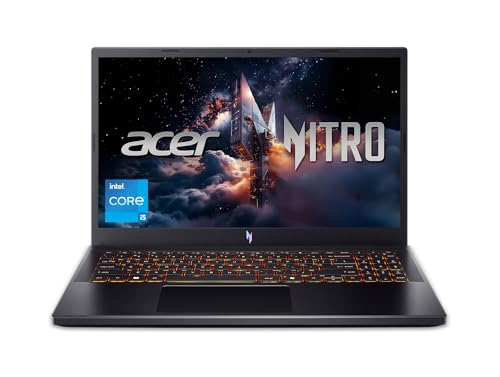
| 4 | Acer Nitro 5 AN515-58-57Y8 | Check on Amazon |
| 5 | MSI Katana 15 B13VEK-277US | Check on Amazon |
| 6 | ASUS TUF Gaming A15 FA507NUR-AS73 | Check on Amazon |
How the picks were chosen
Versatility came first. A laptop earned a place here when its listing described hardware that serves gaming and everyday work equally well: a modern graphics card for games, a high-refresh display that is also sharp enough for documents and video, and enough memory and storage that the machine does not feel cramped the moment a second job is added. Laptops whose listings were only about gaming accessories or replacement parts were not considered, because this article is about complete laptops.
The picks were checked for the whole package, not the graphics card alone. Display quality, memory, storage, connectivity, and the processor all count toward how a laptop behaves on an ordinary working day, so each listing was read in full and weighed as a whole. The list mixes current models with proven earlier designs, and each listing states its display, processor, graphics, memory, and storage plainly so the comparison is honest.
Every listing was verified in full before linking. The brand and the complete model name in the listing had to match the laptop described, including the model code that separates one configuration from another. Listings marked as renewed or used were dropped, and any listing whose title described a different model was set aside even when it looked close at first glance.
Quick comparison
| Product | Standout feature | Best for |
|---|---|---|
| ASUS ROG Zephyrus G14 | Compact 14-inch OLED with 100% DCI-P3 colour | portable all-round use: gaming, study, and work in one small machine |
| Lenovo Legion 5 | 32GB of memory with a 240Hz WQXGA display | heavy multitasking with a fast 240Hz screen |
| HP Omen 16 | RTX 5070 graphics with a 500-nit 100% sRGB display | demanding games plus colour-accurate creative work |
| Acer Nitro 5 AN515-58-57Y8 | Best value route to a 144Hz gaming laptop | affordable all-round gaming, study, and everyday work |
| MSI Katana 15 B13VEK-277US | Evenly matched Core i7 and RTX 4050 pairing | balanced everyday gaming and work without flagship cost |
| ASUS TUF Gaming A15 FA507NUR-AS73 | Tough build with a 100% sRGB 144Hz display | durable daily carry with colour-accurate gaming and work |

ASUS ROG Zephyrus G14
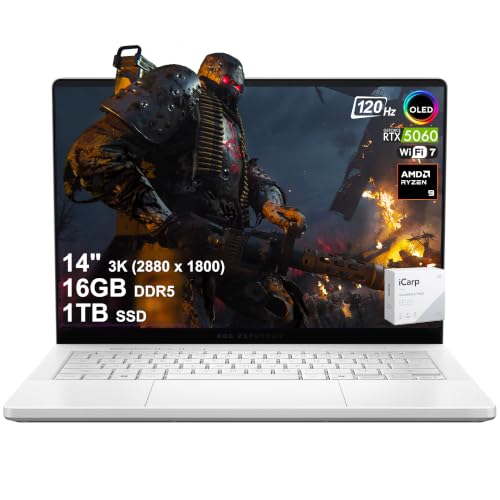
The Zephyrus G14 is the most portable laptop on this list, and its listing makes the case plainly: a 14-inch 3K 120Hz OLED display rated at 500 nits with 100% DCI-P3 colour, an AMD 8-core Ryzen 9 270 processor, 16GB of DDR5 memory, a 1TB SSD, and a GeForce RTX 5060 graphics card, with RGB backlighting, Wi-Fi 7, and Windows 11. A 14-inch machine that carries this much hardware is exactly what an all-rounder should be, because it fits in a small bag and still handles serious games.
The OLED display is the feature that changes how the laptop feels day to day. Deep blacks and wide colour make games look richer, but the same qualities make films, photos, and ordinary documents look better too, and the 120Hz refresh rate keeps scrolling and cursor movement smooth. The 3K resolution gives text a crisp edge that a lower-resolution panel cannot match, which matters when the same screen is used for an essay in the morning and a game in the evening.
For a buyer who wants one laptop to do everything and travel everywhere, the G14 is the natural first pick. It is the smallest and lightest-feeling machine here, yet its processor, graphics, and display are all genuinely strong. The 1TB of storage leaves room for a game library alongside work files, and the 16GB of memory is enough for the multitasking an all-rounder is bought for.
Key specifications: 14-inch 3K 120Hz OLED display, 500 nits, 100% DCI-P3; AMD 8-core Ryzen 9 270; GeForce RTX 5060; 16GB DDR5; 1TB SSD; RGB backlit keyboard; Wi-Fi 7; Windows 11.
This laptop fits a buyer who carries one machine everywhere and wants it to handle games, study, and work without compromise on display quality.
Strengths
- The compact 14-inch body travels easily while carrying strong gaming hardware.
- The OLED display covers 100% DCI-P3, so colours look rich in games and in creative work.
- A 1TB SSD and 16GB of memory cover a game library plus everyday work files.
Trade-offs
- The 14-inch screen is smaller than the 15-inch and 16-inch picks below.
- The compact body leaves less room for cooling than a larger chassis.
- It is a premium compact machine, so it sits above the budget picks on value.
The Zephyrus G14 suits a student, a commuter, or a traveller who wants a genuinely portable laptop that still plays modern games well. It fits anyone whose bag is small but whose expectations are not.
Best for: portable all-round use: gaming, study, and work in one small machine / Not suited for: a buyer who wants the largest screen or the lowest possible cost
Check price on Amazon: ASUS ROG Zephyrus G14

Lenovo Legion 5
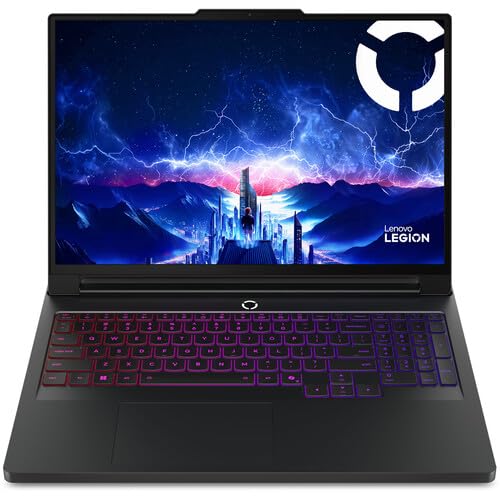
The Legion 5 is the memory and screen champion of this list. Its listing describes a 16-inch WQXGA 240Hz gaming laptop with an Intel Core Ultra 9 275HX processor, a GeForce RTX 5060 graphics card with 8GB of GDDR7 memory, 32GB of DDR5 RAM, a 1TB NVMe SSD, Gigabit LAN, and 2×2 Wi-Fi 7. That combination of a very fast screen and a very generous memory allowance is what makes a laptop feel effortless when many things are open at once.
Thirty-two gigabytes of memory is the detail that separates this machine from most of the list. Games, a browser full of tabs, a chat app, and a document can all stay open together without the laptop slowing down to shuffle data, and the 240Hz display keeps motion looking fluid in fast games and smooth when scrolling through long pages. The 16-inch WQXGA panel gives more room for side-by-side windows than a smaller screen, which is a real advantage for work as well as play.
For a buyer who wants the strongest multitasking machine on this list, the Legion 5 is the pick. The processor and graphics handle demanding games, the memory handles everything else at the same time, and the wired Gigabit LAN plus Wi-Fi 7 cover both a desk setup and a wireless one. It is a full-size laptop, and it should be bought with that in mind, but for all-round use at a desk and around the house it is hard to beat.
Key specifications: 16-inch WQXGA 240Hz display; Intel Core Ultra 9 275HX; GeForce RTX 5060 8GB GDDR7; 32GB DDR5 RAM; 1TB NVMe M.2 SSD; Gigabit LAN; 2×2 Wi-Fi 7.
This laptop fits a buyer who works and plays on the same machine and wants enough memory and screen space to keep everything open at once.
Strengths
- 32GB of memory keeps many apps open at once without slowing down.
- The 240Hz WQXGA display is fast for games and roomy for work.
- Gigabit LAN and Wi-Fi 7 cover both wired desk use and wireless use.
Trade-offs
- The 16-inch body is heavier to carry every day than the 14-inch pick.
- It is a full-size machine, so it needs a larger bag.
- The high-end processor and memory put it above the budget tier.
The Legion 5 suits a buyer who treats the laptop as a desktop replacement that still moves around the house. It fits a multitasker, a student with heavy workloads, or a gamer who streams and chats while playing.
Best for: heavy multitasking with a fast 240Hz screen / Not suited for: a buyer who needs the lightest laptop for daily travel
Check price on Amazon: Lenovo Legion 5

HP Omen 16
The HP Omen 16 is the most powerful graphics pick on this list. Its listing describes a 16-inch WQXGA 240Hz display rated at 500 nits with 100% sRGB colour, an AMD 10-core Ryzen AI 9 365 processor, 32GB of RAM, a 1TB SSD, and a GeForce RTX 5070 graphics card with GDDR7 memory and DLSS 4, plus an RGB backlit keyboard and Windows 11 Pro. That is a serious amount of hardware for a laptop that is also meant to be used for ordinary work.
The RTX 5070 is the detail that lifts this machine above the rest for demanding games, and DLSS 4 support in the listing means the graphics card can lean on upscaling to keep frame rates smooth at the panel’s high resolution. The 100% sRGB display is the work side of the same coin: colours are accurate enough for photo work and design, and the 500-nit brightness keeps the screen readable in bright rooms. Windows 11 Pro adds the management features a work machine benefits from.
For a buyer who wants the strongest graphics on this list without giving up work-day usability, the Omen 16 is the pick. It pairs a high-end graphics card with a bright, colour-accurate screen and a generous 32GB of memory, so it handles the most demanding games and the most demanding workdays with the same ease.
Key specifications: 16-inch WQXGA 240Hz display, 500 nits, 100% sRGB; AMD 10-core Ryzen AI 9 365; GeForce RTX 5070 GDDR7 with DLSS 4; 32GB RAM; 1TB SSD; RGB backlit keyboard; Windows 11 Pro.
This laptop fits a buyer who wants the best graphics available here and a display accurate enough for creative work as well as games.
Strengths
- The RTX 5070 graphics card is the strongest on this list.
- The 500-nit 100% sRGB display is bright and colour-accurate for work and games.
- Windows 11 Pro adds features a work machine benefits from.
Trade-offs
- It is a 16-inch machine, so it is not the lightest option here.
- The high-end graphics and memory put it in the premium tier.
- The large screen and strong hardware ask for a larger bag.
The Omen 16 suits a gamer who also edits photos or video, or a buyer who wants one premium machine for everything. It fits anyone who would rather buy once and buy well.
Best for: demanding games plus colour-accurate creative work / Not suited for: a buyer who wants a small, light laptop or the lowest cost
Check price on Amazon: HP Omen 16

Acer Nitro 5 AN515-58-57Y8
The Acer Nitro 5 is the value pick of this list, and its listing states the hardware plainly: model AN515-58-57Y8, an Intel Core i5-12500H processor, a GeForce RTX 3050 Ti graphics card, a 15.6-inch Full HD 144Hz IPS display, 16GB of DDR4 memory, a 512GB Gen 4 SSD, Killer Wi-Fi 6, and a backlit keyboard. It is an earlier-generation design, and that is exactly why it belongs here: it covers the all-round brief at a tier the newer machines cannot reach.
The 144Hz IPS display is the detail that keeps this laptop feeling like a gaming machine rather than an ordinary office laptop. Motion stays smooth in games, viewing angles are wide enough for sharing the screen, and the backlit keyboard makes late-night sessions practical. The 16GB of memory and the fast Gen 4 SSD mean everyday work, browsing, and study software all run without the hesitation that a smaller memory allowance would cause.
For a buyer who wants a capable all-rounder and would rather keep the budget sensible, the Nitro 5 is the pick. It plays modern games at Full HD, handles study and office work without fuss, and leaves room in the budget for a mouse, a headset, or a bag. The graphics card is a step below the newer picks, so settings may need to be turned down in the most demanding titles, but for everyday gaming and work the package is honest and complete.
Key specifications: Model AN515-58-57Y8; Intel Core i5-12500H; GeForce RTX 3050 Ti; 15.6-inch FHD 144Hz IPS display; 16GB DDR4; 512GB Gen 4 SSD; Killer Wi-Fi 6; backlit keyboard.
This laptop fits a buyer who wants a genuine gaming laptop for everyday play, study, and work, and who would rather spend sensibly than chase the newest hardware.
Strengths
- The earlier-generation design keeps it the most affordable route to a real gaming laptop.
- The 144Hz IPS display keeps games smooth and the screen easy to share.
- 16GB of memory and a fast Gen 4 SSD cover everyday work and study.
Trade-offs
- The RTX 3050 Ti is a step below the newer graphics cards on this list.
- The 512GB SSD fills up faster than the 1TB drives on the other picks.
- It is an earlier design, so it lacks the newest connectivity of the latest models.
The Nitro 5 suits a student or a first-time gaming laptop buyer. It fits anyone who needs a capable all-rounder now and would rather keep money aside for accessories.
Best for: affordable all-round gaming, study, and everyday work / Not suited for: a buyer who wants the newest graphics card or the largest storage
Check price on Amazon: Acer Nitro 5 AN515-58-57Y8

MSI Katana 15 B13VEK-277US
The MSI Katana 15 is the balanced middle of this list. Its listing describes model B13VEK-277US, a 15.6-inch laptop with an Intel Core i7-13620H processor, a GeForce RTX 4050 graphics card, 16GB of DDR5 memory, a 1TB NVMe SSD, a Type-C port, and Windows 11 Home. There is nothing flashy about the specification, and that is the point: every part is current, capable, and matched to the others.
The combination of a Core i7 processor and an RTX 4050 is the detail that defines this machine. The processor handles heavy multitasking and demanding applications, the graphics card handles modern games at the panel’s resolution, and the 1TB SSD means a game library and a work archive can live on the same drive. The 16GB of DDR5 memory is the current standard for a machine that is expected to do several things at once.
For a buyer who wants a straightforward, capable all-rounder without paying for flagship extras, the Katana 15 is the pick. It does not lead the list on any single specification, but it has no weak point either, and that evenness is what an all-round laptop is for. It is a sensible, middle-of-the-road choice in the best sense of the phrase.
Key specifications: Model B13VEK-277US; 15.6-inch display; Intel Core i7-13620H; GeForce RTX 4050; 16GB DDR5; 1TB NVMe SSD; Type-C; Windows 11 Home.
This laptop fits a buyer who wants a capable, evenly matched all-rounder and does not want to pay for flagship extras.
Strengths
- The Core i7 and RTX 4050 pairing handles games and heavy apps alike.
- A 1TB SSD leaves room for games and work files on one drive.
- The specification is evenly matched, with no obvious weak point.
Trade-offs
- The display specification in the listing is less detailed than the other picks.
- It does not lead the list on graphics power or screen quality.
- The design is plain compared with the more distinctive machines here.
The Katana 15 suits a buyer who wants a safe, capable middle choice. It fits a student, a home worker, or a gamer who wants solid performance without overthinking the specification.
Best for: balanced everyday gaming and work without flagship cost / Not suited for: a buyer who wants the brightest display or the fastest graphics
Check price on Amazon: MSI Katana 15 B13VEK-277US

ASUS TUF Gaming A15 FA507NUR-AS73
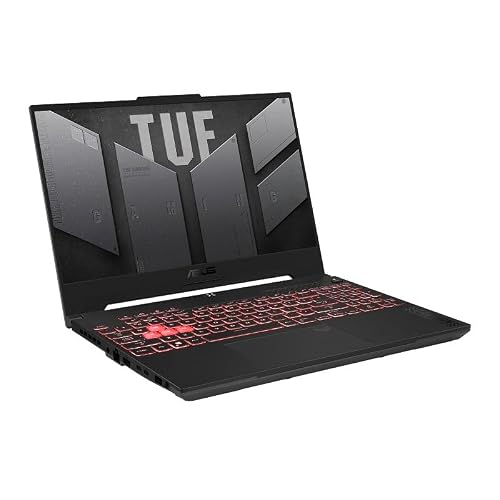
The ASUS TUF Gaming A15 closes this list as the durable, practical pick. Its listing describes model FA507NUR-AS73, a 15.6-inch Full HD 144Hz display with 100% sRGB colour, a GeForce RTX 4050 graphics card, an AMD Ryzen 7 7435HS processor, 16GB of DDR5 memory, a 512GB PCIe SSD, Wi-Fi 6, and Windows 11. The TUF line is built around toughness, and the specification here backs that up with hardware that covers both games and work.
The 100% sRGB display is the detail that lifts this laptop above an ordinary budget machine. Colours are accurate enough for photo work and design, and the 144Hz refresh rate keeps games feeling responsive. The Ryzen 7 processor and RTX 4050 pairing is a proven combination for modern games at Full HD, and the 16GB of DDR5 memory keeps multitasking smooth.
For a buyer who wants a laptop that can take a knock, travel in a bag every day, and still play modern games, the TUF A15 is the pick. It is the most rugged-feeling machine on this list, and its specification is honest: a capable processor, a capable graphics card, a colour-accurate screen, and enough memory and storage for real everyday use.
Key specifications: Model FA507NUR-AS73; 15.6-inch FHD 144Hz display, 100% sRGB; GeForce RTX 4050; AMD Ryzen 7 7435HS; 16GB DDR5; 512GB PCIe SSD; Wi-Fi 6; Windows 11.
This laptop fits a buyer who carries a laptop daily and wants a tough, practical machine that plays games and handles work without fuss.
Strengths
- The 100% sRGB display is colour-accurate for work as well as games.
- The TUF build is made to survive daily travel in a bag.
- The Ryzen 7 and RTX 4050 pairing handles modern games at Full HD.
Trade-offs
- The 512GB SSD is smaller than the 1TB drives on several picks.
- It is a practical design rather than a slim or premium-looking one.
- The graphics card is a step below the higher-end picks on this list.
The TUF A15 suits a student or a commuter who needs a laptop that survives being carried everywhere. It fits anyone who values durability and a colour-accurate screen over slimness.
Best for: durable daily carry with colour-accurate gaming and work / Not suited for: a buyer who needs 1TB of storage or the fastest graphics
Check price on Amazon: ASUS TUF Gaming A15 FA507NUR-AS73
Best gaming allround laptops: what matters most: what matters most
Display quality decides how an all-round laptop feels more than any other single part. A high-refresh screen makes games smoother, but the same panel is also where documents, video calls, and films live, so resolution, brightness, and colour coverage all count. A dim or washed-out screen makes every task harder, while a bright, sharp, colour-accurate panel makes the same laptop feel better at everything it does.
Memory and storage decide whether the laptop stays pleasant as the workload grows. Sixteen gigabytes of memory is the sensible floor for a machine that runs a game, a browser, and a chat app at once, and 32GB is worth having when the work involves large files or many open programs. Storage matters in the same way: a 512GB drive fills quickly once games are installed, so 1TB is the comfortable size for an all-rounder that is also a game library.
The processor and graphics card need to match each other. A very fast graphics card paired with a weak processor wastes its potential, and a strong processor paired with a weak graphics card leaves games struggling. The picks on this list were chosen because their pairings are balanced: each processor is strong enough to feed its graphics card, and each graphics card is strong enough to justify its processor.
Portability is a real specification, not an afterthought. A 14-inch laptop fits in almost any bag and is easy to carry all day, while a 16-inch machine gives more screen room and usually better cooling at the cost of weight. Neither is wrong; the right choice depends on whether the laptop mostly sits on a desk or mostly travels. Battery life follows the same logic, and a buyer who works away from a socket should weigh it alongside raw speed.
Connectivity and the keyboard complete the picture. Wi-Fi 7, a wired LAN port, and a Type-C connection cover the ways a laptop actually gets used, and a backlit keyboard matters more than it sounds when the laptop is used in the evening. These details do not appear on a specification headline, but they are the ones a buyer notices every day.
Buying guide: choosing gaming allround laptops
Start with the screen size, because it decides the laptop’s size, weight, and cooling for its whole life. A 14-inch machine is the traveller’s choice, a 15.6-inch machine is the middle ground, and a 16-inch machine is the desk-first choice with the most screen room. Pick the size first, then compare the hardware inside that size, rather than the other way around.
Check the display specification in the listing before anything else. Look for the resolution, the refresh rate, and the colour coverage: a 144Hz or faster panel, a Full HD or sharper resolution, and a stated 100% sRGB or 100% DCI-P3 figure are the marks of a screen that serves both games and work. A listing that hides these details is a reason to ask questions before buying.
Match the graphics card to the games actually played. A card in the RTX 4050 class handles modern games at Full HD comfortably, while the RTX 5060 and 5070 class gives more headroom for higher resolutions and more demanding titles. There is no need to buy the fastest card available if the games played are lighter, and there is no saving in buying a card that struggles with the games that matter most.
Read the full listing, not just the headline. The model code, the exact processor, the memory size, and the storage size are what separate one configuration from another, and two laptops with the same model name can differ in all of them. Confirm the listing states the configuration wanted, and set aside any listing marked as renewed or used unless that is explicitly what is being bought.
Think about the total package, including the bag and the charger. A larger laptop needs a larger bag, and a more powerful laptop usually comes with a larger power brick. These are small points at the shop and daily realities afterwards, so they are worth a moment of thought before the order is placed.
Using and caring for your gaming allround laptops
Give the laptop air. Gaming laptops move a lot of heat, and a machine used on a soft surface such as a bed or a sofa will run hotter and louder than the same machine on a desk. A flat, hard surface, or a simple stand that lifts the back edge, helps the cooling system do its job and keeps performance steady during long sessions.
Keep the software tidy. A new laptop runs best when the operating system and the graphics drivers are up to date, and when the programs that start with the machine are limited to the ones actually needed. A few minutes of tidying after setup pays off in faster starts and fewer surprises later.
Treat the battery as a working part, not a worry. Modern laptops manage their own charging, so the practical habit is simply to avoid leaving the machine fully flat for long periods and to keep it reasonably cool. A laptop that is mostly used plugged in at a desk does not need special battery routines.
Clean the machine gently and regularly. A soft, dry cloth for the screen and a careful wipe of the keyboard keep the laptop looking and feeling new, and a short burst of compressed air through the vents now and then helps the fans stay quiet. Liquids and harsh cleaners should stay away from the keyboard and the screen.
Common mistakes to avoid
Buying on the graphics card alone is the most common mistake. A fast graphics card in a laptop with a dim screen, too little memory, or a small drive is a worse all-rounder than a balanced machine with a slightly slower card. The screen, the memory, and the storage are used every minute the laptop is on; the graphics card is only used when a game is running.
Ignoring the display specification is the second mistake. Two laptops can share a model name and a graphics card yet have very different screens, and the screen is the part the buyer looks at all day. Check the resolution, the refresh rate, and the colour coverage in the listing before deciding.
Forgetting the size and weight is the third mistake. A 16-inch laptop is a pleasure on a desk and a burden in a small bag, and a buyer who carries a laptop daily will feel the difference within a week. Match the size to the life the laptop will actually lead.
Skipping the full listing check is the fourth mistake. The model code, the exact processor, and the memory and storage figures are what make a configuration, and a listing that does not state them plainly is not a bargain, it is a question mark. Set aside listings marked as renewed or used unless that is the deliberate choice.
Budget and value
An all-round gaming laptop is a long purchase, and the budget should reflect that. The machines on this list range from sensible earlier-generation designs to premium current models, and the right tier is the one that covers the games and the work of the next few years, not just the games of this month.
Spending more buys a better display, more memory, or a faster graphics card, and each of those is worth paying for if it matches a real need. Spending more for a specification that will never be used is money that could have gone to a better bag, a headset, or a mouse. The picks here are ordered so that a buyer can see what each step up actually adds.
The value picks on this list are value picks because their hardware is proven, not because it is weak. An earlier-generation laptop with a 144Hz screen and 16GB of memory is still a capable all-rounder, and for many buyers it is the sensible way to get a real gaming laptop without stretching the budget.
Final recommendation
If one laptop has to be named, it is the ASUS ROG Zephyrus G14. Its compact 14-inch body, its bright OLED display with full DCI-P3 colour, and its balanced processor and graphics pairing make it the most convincing all-rounder here: a machine that travels easily, looks superb, and plays modern games well. For a buyer who wants one laptop for everything, it is the safest recommendation on this list.
Buyers with different priorities should look elsewhere without hesitation. The Legion 5 is the better choice for heavy multitasking, the Omen 16 is the better choice for the most demanding games and creative work, and the Nitro 5 is the better choice for a sensible budget. The TUF A15 is the better choice for daily travel and toughness, and the Katana 15 is the better choice for a balanced middle ground.
Whichever pick is chosen, the rule that matters is the same: buy the balanced machine, check the full listing, and match the size to the life the laptop will lead. An all-round gaming laptop earns its keep every day, not just on game night, and the right one is the one that feels right on an ordinary Tuesday as well as on a Saturday evening.
Frequently asked questions
What makes a gaming laptop an all-rounder?
An all-round gaming laptop balances gaming hardware with everyday usability. It needs a capable graphics card and a fast display for games, plus a sharp, bright screen, enough memory and storage, a usable keyboard, and a body that is practical to carry, so the same machine also handles work, study, and media without compromise.
Is a 14-inch gaming laptop powerful enough?
A modern 14-inch gaming laptop can be very capable, as the Zephyrus G14 on this list shows: a current processor, a modern graphics card, 16GB of memory, and a 1TB SSD in a compact body. The trade-off is a smaller screen and less room for cooling than a larger machine, so the choice depends on whether portability or screen size matters more.
How much memory does an all-round gaming laptop need?
Sixteen gigabytes is the sensible floor for a machine that runs games alongside a browser and other apps, and it covers the everyday work most buyers do. Thirty-two gigabytes is worth having for heavy multitasking, large files, or creative work, and two picks on this list offer it.
Does the display matter as much as the graphics card?
Yes, because the display is used every minute the laptop is on, while the graphics card only matters when a game is running. Resolution, refresh rate, brightness, and colour coverage decide how games, films, documents, and video calls all look, so the display deserves as much attention as the graphics card.
Should I buy an earlier-generation gaming laptop?
An earlier-generation laptop can be a sensible buy when its specification is still capable, as the Nitro 5 on this list shows: a 144Hz display, 16GB of memory, and a fast SSD cover everyday gaming and work well. The key is to check the full listing and make sure the processor, graphics, memory, and storage match the games and work planned.
Best gaming allround laptops for students
Students ask more of one laptop than almost any other buyer. The same machine carries lecture notes, a browser full of research tabs, a chat app, and a game or two, and it has to do all of that while moving between rooms, libraries, and home. For that life, a compact body and a good display matter as much as raw speed, which is why the Zephyrus G14 leads this list for student use.
Memory is the student specification that gets overlooked. A laptop with 16GB of memory can keep a document, a browser, and a lecture video open together without slowing down, and the picks on this list all meet that floor. Storage matters too: lecture recordings, project files, and a few games fill a small drive quickly, so the 1TB options on this list are the comfortable choice for a full academic year.
Durability deserves a thought as well. A laptop that travels in a bag every day will be bumped, squeezed, and set down harder than a desk machine ever is, and the TUF A15 on this list is built with exactly that life in mind. Whichever pick is chosen, a protective sleeve and a habit of careful packing cost little and protect a lot.
Best gaming allround laptops for work from home
Working from home puts a gaming laptop to a different test. Video calls need a clear screen and a quiet machine, documents need a sharp display and a comfortable keyboard, and the laptop needs to stay cool and quiet through a long working day before turning to games in the evening. The larger picks on this list, with their roomy screens and generous memory, suit that rhythm well.
The Legion 5 and the Omen 16 are the natural work-from-home picks here. Their 16-inch screens give room for side-by-side windows, their 32GB of memory keeps many work apps open at once, and their processors handle video calls, spreadsheets, and creative tools without strain. A second monitor and a separate keyboard can turn either into a full desk setup, with the laptop itself still free to travel.
The practical details matter for home working too. A backlit keyboard helps in a dim room, good Wi-Fi keeps video calls stable, and a wired LAN port is a useful fallback when the wireless connection falters. All six picks on this list cover those basics, so the choice comes down to size, screen, and budget rather than any missing feature.
More guides from KajuanDouglas
mid-range gaming laptops gaming laptops that stay cool gaming laptops for video editing how to choose a gaming laptop