The best gaming laptops for 500 1000 are the machines that prove a real gaming laptop does not need a flagship budget. Between five hundred and one thousand dollars sits the most competitive ground in the whole laptop market: graphics cards strong enough for modern games, screens fast enough to feel like gaming screens, and memory and storage that cover real everyday use. The laptops below were picked because their listings describe that balance plainly, with no missing piece.
This band has a clear floor and a clear ceiling, and both matter. Below it, laptops start to lose the graphics power or the screen quality that makes a machine a gaming laptop at all; above it, the gains are real but smaller, and the cost climbs quickly. Inside the band, the differences that count are the graphics card, the display, the memory, and the storage, and the six picks below were compared on exactly those points.
Every listing behind these picks comes from the site’s own product lookup, and each one was checked in full before it earned a link: the brand and the complete model name had to match exactly, and any listing marked as renewed or used was set aside. The list covers five brands and a range of designs, so there is a budget pick here for a buyer who wants the most graphics for the money and for one who wants the best screen or the most storage.
In this guide
Quick picks: best gaming laptops for 500 1000
| # | Product | Where to buy |
|---|---|---|
| 1 | Acer Nitro V ANV15-52-586Z | Check on Amazon |
| 2 | Lenovo LOQ | Check on Amazon |
| 3 | HP Victus | Check on Amazon |
| 4 | ASUS TUF Gaming A15 FA507NUR-AS73 | Check on Amazon |
| 5 | MSI Katana 15 B13VEK-277US | Check on Amazon |
| 6 | Acer Nitro 16 AN16-41-R148 | Check on Amazon |
How the picks were chosen
Budget-class hardware came first. A laptop earned a place here when its listing described a genuine gaming configuration: a dedicated graphics card in the RTX 4050 class, a high-refresh display, at least enough memory for games and everyday apps together, and a solid-state drive. Laptops whose listings were only about accessories, replacement parts, or non-gaming machines were not considered, because this article is about complete gaming laptops.
The picks were checked for the whole package, not the graphics card alone. Display quality, memory size, storage size, processor strength, and connectivity all count toward how a budget laptop behaves day to day, so each listing was read in full and weighed as a whole. The list mixes current budget models with proven earlier designs, and each listing states its display, processor, graphics, memory, and storage plainly so the comparison is honest.
Every listing was verified in full before linking. The brand and the complete model name in the listing had to match the laptop described, including the model code that separates one configuration from another. Listings marked as renewed or used were dropped, and any listing whose title described a different model was set aside even when it looked close at first glance.
Quick comparison
| Product | Standout feature | Best for |
|---|---|---|
| Acer Nitro V ANV15-52-586Z | 165Hz display with RTX 4050 graphics | straightforward budget gaming, study, and everyday work |
| Lenovo LOQ | 16GB of memory with full desk connectivity | balanced budget gaming with room to multitask |
| HP Victus | RTX 4050 with 6GB graphics memory | proven budget gaming from a major brand |
| ASUS TUF Gaming A15 FA507NUR-AS73 | Tough build with a 100% sRGB 144Hz display | durable daily carry with colour-accurate gaming and work |
| MSI Katana 15 B13VEK-277US | Core i7 processor with 1TB of storage | strong processor and large storage for the long term |
| Acer Nitro 16 AN16-41-R148 | 16-inch WQXGA 165Hz display | big sharp screen for games and films on a budget |

Acer Nitro V ANV15-52-586Z
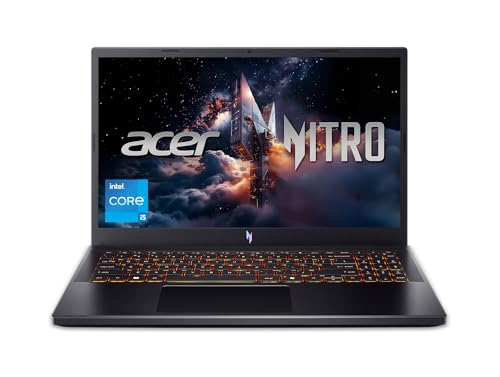
The Acer Nitro V opens this list as the straightforward budget pick. Its listing describes model ANV15-52-586Z, an Intel Core i5-13420H processor, a GeForce RTX 4050 graphics card, a 15.6-inch Full HD IPS display running at 165Hz, 8GB of DDR5 memory, a 512GB Gen 4 SSD, Wi-Fi 6, and a backlit keyboard. There is nothing fancy about the specification, and that is the point: every part is the right part for the band.
The 165Hz display is the detail that lifts this laptop above an ordinary budget machine. A fast refresh rate makes games feel responsive and scrolling feel smooth, and the IPS panel keeps colours consistent from wide viewing angles. The RTX 4050 handles modern games at Full HD, and the Gen 4 SSD keeps loading times short and the machine feeling quick from the moment it starts.
For a buyer who wants a capable gaming laptop and would rather keep the budget firmly in the lower half of this band, the Nitro V is the pick. The 8GB of memory is the one compromise to note: it covers games and everyday apps, but a buyer who multitasks heavily should consider the 16GB picks below. For straightforward gaming, study, and work, the package is honest and complete.
Key specifications: Model ANV15-52-586Z; Intel Core i5-13420H; GeForce RTX 4050; 15.6-inch FHD IPS 165Hz display; 8GB DDR5; 512GB Gen 4 SSD; Wi-Fi 6; backlit keyboard.
This laptop fits a buyer who wants a genuine gaming laptop at the sensible end of the budget band, for games, study, and everyday work.
Strengths
- The 165Hz IPS display is fast and consistent for games and everyday use.
- The RTX 4050 handles modern games at Full HD comfortably.
- A fast Gen 4 SSD keeps loading times short and starts quick.
Trade-offs
- The 8GB of memory is the smallest allowance on this list.
- The 512GB SSD fills up faster than the 1TB drives on the other picks.
- It is a plain budget design rather than a premium-looking machine.
The Nitro V suits a first-time gaming laptop buyer or a student on a firm budget. It fits anyone who wants real gaming hardware without paying for more memory than they will use.
Best for: straightforward budget gaming, study, and everyday work / Not suited for: a buyer who multitasks heavily and needs 16GB of memory
Check price on Amazon: Acer Nitro V ANV15-52-586Z

Lenovo LOQ
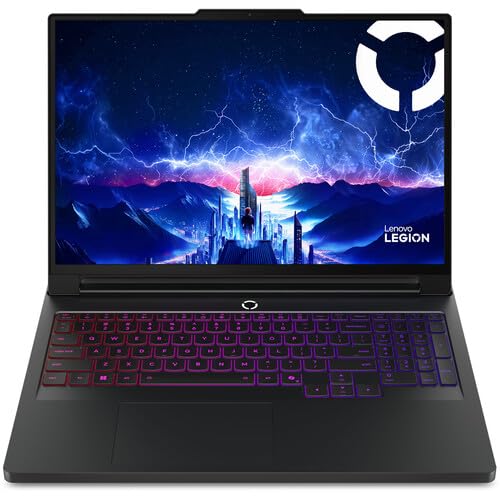
The Lenovo LOQ is the balanced middle of this list. Its listing describes a GeForce RTX 4050 graphics card, an AMD Ryzen 5 7235HS processor, a 15.6-inch 144Hz Full HD display, 16GB of DDR5 memory, a 512GB SSD, Wi-Fi 6, Ethernet, USB-C, HDMI, a backlit keyboard, and Windows 11 Home. The 16GB of memory is the detail that separates it from the 8GB picks: it covers games and multitasking together without compromise.
Connectivity is the quiet strength of this machine. An Ethernet port, a USB-C port, and an HDMI port cover a wired desk setup, a second monitor, and a wired network connection, so the laptop works as a desktop replacement as well as a portable machine. The 144Hz display keeps games feeling responsive, and the Ryzen 5 processor handles everyday work and study software without strain.
For a buyer who wants a balanced budget laptop with enough memory for real multitasking, the LOQ is the pick. It does not lead the list on any single specification, but it has no weak point either, and that evenness is what a budget all-rounder is for. It is a sensible, middle-of-the-road choice in the best sense of the phrase.
Key specifications: GeForce RTX 4050; AMD Ryzen 5 7235HS; 15.6-inch 144Hz FHD display; 16GB DDR5; 512GB SSD; Wi-Fi 6; Ethernet; USB-C; HDMI; backlit keyboard; Windows 11 Home.
This laptop fits a buyer who wants a balanced budget laptop with enough memory for multitasking and the ports for a desk setup.
Strengths
- 16GB of memory covers games and multitasking together.
- Ethernet, USB-C, and HDMI cover a full desk setup.
- The 144Hz display keeps games feeling responsive.
Trade-offs
- The 512GB SSD is smaller than the 1TB drives on several picks.
- It is a practical design rather than a slim or premium-looking one.
- The display specification is less detailed than the sharper panels here.
The LOQ suits a student or a home worker who wants one laptop for games, study, and work. It fits anyone who values balance over any single headline specification.
Best for: balanced budget gaming with room to multitask / Not suited for: a buyer who needs 1TB of storage or the fastest display
Check price on Amazon: Lenovo LOQ

HP Victus
The HP Victus is the most widely available budget design on this list, and its listing states the hardware plainly: a 15.6-inch Full HD 144Hz gaming laptop with an Intel Core i5-13420H processor, a GeForce RTX 4050 graphics card with 6GB of memory, 16GB of DDR4 memory, a 512GB SSD, in Mica Silver as a 2024 model. The Victus line is HP’s budget gaming range, and this configuration is the one that defines it.
The 6GB of graphics memory is the detail that defines this machine for games. It gives the RTX 4050 room to handle modern titles at Full HD with texture settings that a smaller graphics memory would struggle with, and the 144Hz display keeps motion smooth while the card works. The 16GB of system memory covers everyday multitasking, and the Mica Silver finish is a quiet, understated look that suits a laptop used for work as well as games.
For a buyer who wants a proven budget gaming laptop from a major brand, the Victus is the pick. It is a 2024 design, and that is exactly why it belongs here: the hardware is proven, the configuration is honest, and the specification covers games, study, and work without asking for flagship money.
Key specifications: 15.6-inch FHD 144Hz display; Intel Core i5-13420H; GeForce RTX 4050 6GB; 16GB DDR4; 512GB SSD; Mica Silver; 2024 model.
This laptop fits a buyer who wants a proven budget gaming laptop from a major brand, for games, study, and work.
Strengths
- The 6GB of graphics memory gives the RTX 4050 room for modern games.
- 16GB of memory covers everyday multitasking alongside games.
- The understated design suits a laptop used for work as well as play.
Trade-offs
- It is a 2024 design, so it lacks the newest connectivity of the latest models.
- The 512GB SSD fills up faster than the 1TB drives on the other picks.
- DDR4 memory is a step behind the DDR5 on the newer picks.
The Victus suits a buyer who wants a safe, familiar choice. It fits a student, a first-time buyer, or anyone who prefers a proven design to the newest hardware.
Best for: proven budget gaming from a major brand / Not suited for: a buyer who wants the newest hardware or 1TB of storage
Check price on Amazon: HP Victus

ASUS TUF Gaming A15 FA507NUR-AS73
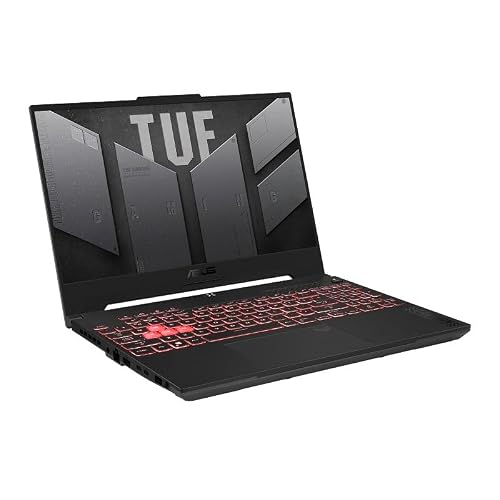
The ASUS TUF Gaming A15 is the durable, colour-accurate pick of this list. Its listing describes model FA507NUR-AS73, a 15.6-inch Full HD 144Hz display with 100% sRGB colour, a GeForce RTX 4050 graphics card, an AMD Ryzen 7 7435HS processor, 16GB of DDR5 memory, a 512GB PCIe SSD, Wi-Fi 6, and Windows 11. The TUF line is built around toughness, and the specification here backs that up with hardware that covers both games and work.
The 100% sRGB display is the detail that lifts this laptop above an ordinary budget machine. Colours are accurate enough for photo work and design, and the 144Hz refresh rate keeps games feeling responsive. The Ryzen 7 processor is the strongest processor on this list alongside the Core i7 in the Katana below, and it handles demanding applications as well as games.
For a buyer who wants a laptop that can take a knock, travel in a bag every day, and still play modern games on a colour-accurate screen, the TUF A15 is the pick. It is the most rugged-feeling machine on this list, and its specification is honest: a capable processor, a capable graphics card, a colour-accurate screen, and enough memory and storage for real everyday use.
Key specifications: Model FA507NUR-AS73; 15.6-inch FHD 144Hz display, 100% sRGB; GeForce RTX 4050; AMD Ryzen 7 7435HS; 16GB DDR5; 512GB PCIe SSD; Wi-Fi 6; Windows 11.
This laptop fits a buyer who carries a laptop daily and wants a tough, practical machine with a colour-accurate screen.
Strengths
- The 100% sRGB display is colour-accurate for work as well as games.
- The TUF build is made to survive daily travel in a bag.
- The Ryzen 7 processor is one of the strongest on this list.
Trade-offs
- The 512GB SSD is smaller than the 1TB drives on several picks.
- It is a practical design rather than a slim or premium-looking one.
- The graphics card is a step below the higher-end picks on the site.
The TUF A15 suits a student or a commuter who needs a laptop that survives being carried everywhere. It fits anyone who values durability and accurate colour over slimness.
Best for: durable daily carry with colour-accurate gaming and work / Not suited for: a buyer who needs 1TB of storage or the largest screen
Check price on Amazon: ASUS TUF Gaming A15 FA507NUR-AS73

MSI Katana 15 B13VEK-277US
The MSI Katana 15 is the strongest processor pick on this list. Its listing describes model B13VEK-277US, a 15.6-inch laptop with an Intel Core i7-13620H processor, a GeForce RTX 4050 graphics card, 16GB of DDR5 memory, a 1TB NVMe SSD, a Type-C port, and Windows 11 Home. The Core i7 is the detail that defines it: a processor with real headroom for demanding applications, paired with a capable graphics card.
The 1TB SSD is the detail that makes this laptop easy to live with. Games, work files, and media all fit on one drive without the constant tidying a 512GB drive forces, and the 16GB of DDR5 memory keeps multitasking smooth. The Core i7 handles heavy applications, video work, and demanding games alike, so the laptop stays useful as the workload grows.
For a buyer who wants the strongest processor and the largest storage in this band, the Katana 15 is the pick. It pairs a Core i7 with 1TB of storage and a capable graphics card, and that combination is the one that ages best: the processor and the storage are the parts that decide how a laptop feels in its second and third year.
Key specifications: Model B13VEK-277US; 15.6-inch display; Intel Core i7-13620H; GeForce RTX 4050; 16GB DDR5; 1TB NVMe SSD; Type-C; Windows 11 Home.
This laptop fits a buyer who wants the strongest processor and the largest storage in this band, for games and demanding work alike.
Strengths
- The Core i7 processor is the strongest on this list.
- A 1TB SSD leaves room for games and work files on one drive.
- 16GB of DDR5 memory keeps multitasking smooth.
Trade-offs
- The display specification in the listing is less detailed than the other picks.
- It does not lead the list on display quality or refresh rate.
- The design is plain compared with the more distinctive machines here.
The Katana 15 suits a buyer who wants a machine that ages well. It fits a student with heavy workloads, a home worker, or a gamer who wants headroom for the future.
Best for: strong processor and large storage for the long term / Not suited for: a buyer who wants the best display or the most detailed screen specification
Check price on Amazon: MSI Katana 15 B13VEK-277US

Acer Nitro 16 AN16-41-R148
The Acer Nitro 16 closes this list as the big-screen budget pick. Its listing describes model AN16-41-R148, an AMD Ryzen 5 7640HS hexa-core processor, a GeForce RTX 4050 graphics card, a 16-inch WQXGA 165Hz IPS display, 8GB of DDR5 memory, a 512GB Gen 4 SSD, Wi-Fi 6E, and an RGB backlit keyboard. A 16-inch WQXGA panel at this tier is the point: more screen room and sharper detail than the Full HD picks.
The WQXGA display is the detail that defines this laptop. The higher resolution shows more detail in games and more room for side-by-side windows in work, and the 165Hz refresh rate keeps motion smooth. Wi-Fi 6E is the connectivity detail that matches it: a newer wireless standard for a laptop that will spend its life on a home network.
For a buyer who wants the largest, sharpest screen in this band, the Nitro 16 is the pick. The 8GB of memory is the one compromise to note, as with the Nitro V above, and a buyer who multitasks heavily should weigh the 16GB picks instead. For games, films, and everyday work on a big, sharp screen, the package is honest and complete.
Key specifications: Model AN16-41-R148; AMD Ryzen 5 7640HS hexa-core; GeForce RTX 4050; 16-inch WQXGA 165Hz IPS display; 8GB DDR5; 512GB Gen 4 SSD; Wi-Fi 6E; RGB backlit keyboard.
This laptop fits a buyer who wants the largest, sharpest screen in this band, for games, films, and everyday work.
Strengths
- The 16-inch WQXGA display is the sharpest screen in this band.
- The 165Hz refresh rate keeps games and scrolling smooth.
- Wi-Fi 6E is the newest wireless standard on this list.
Trade-offs
- The 8GB of memory is the smallest allowance on this list.
- The 512GB SSD fills up faster than the 1TB drives on the other picks.
- The 16-inch body is heavier than the 15.6-inch picks.
The Nitro 16 suits a buyer who values screen size and sharpness above all. It fits a home gamer, a film watcher, or anyone who wants the most display for the money.
Best for: big sharp screen for games and films on a budget / Not suited for: a buyer who multitasks heavily and needs 16GB of memory
Check price on Amazon: Acer Nitro 16 AN16-41-R148
Best gaming laptops for 500 1000: what matters most: what matters most
The graphics card decides what games the laptop can play, and in this band the RTX 4050 is the card that defines the range. Every pick on this list carries it, and that is no accident: it is the card that handles modern games at Full HD with settings that look good, without pushing the laptop into the next tier. A buyer comparing budget laptops should treat the graphics card as the first filter, and the RTX 4050 as the mark of a genuine gaming machine in this band.
Memory is the specification that most often gets overlooked in this band, and it matters more than it looks. Eight gigabytes covers games and everyday apps, but it leaves little room for heavy multitasking, while 16GB covers a game, a browser full of tabs, and a chat app together without slowing down. The picks on this list split across that line, so a buyer who multitasks should weigh the 16GB options first.
The display decides how the laptop feels every minute it is on. A 144Hz or faster panel, a Full HD or sharper resolution, and an IPS screen with consistent colour are the marks of a display that serves games and work alike, and the picks here all meet them. The differences that remain are size, resolution, and colour coverage, and the TUF A15’s stated 100% sRGB figure is the standout for buyers who also work with photos.
Storage is a practical limit, not a technical one. A 512GB drive fills quickly once games are installed, so the 1TB option on the Katana 15 is worth weighing for a buyer who keeps a large game library. The other picks manage with 512GB, and that is fine for a buyer who plays a few games at a time and keeps media elsewhere, but it is a limit that should be chosen deliberately.
The processor should match the graphics card. A weak processor wastes a capable graphics card, and the picks here were chosen because their pairings are balanced: Core i5 and Ryzen 5 processors with the RTX 4050, and the stronger Core i7 and Ryzen 7 options where the laptop is meant to handle heavier work as well as games.
Buying guide: choosing gaming laptops for 500 1000
Start with the memory, because it is the hardest part to change later. A laptop with 8GB of memory is fine for straightforward gaming, but a buyer who multitasks, studies with many tabs open, or works with large files should choose a 16GB pick from the start. Memory is the specification that decides how the laptop feels in its second year, and it is worth getting right at the start.
Check the display specification in the listing before anything else. Look for the resolution, the refresh rate, and the panel type: a 144Hz or faster panel, a Full HD or sharper resolution, and an IPS display are the marks of a screen that serves both games and work. A listing that hides these details is a reason to ask questions before buying.
Match the graphics card to the games actually played. The RTX 4050 handles modern games at Full HD comfortably, which is what this band is built around, and there is no need to stretch beyond the band for lighter games. For the most demanding titles, settings may need to be turned down, and that is a fair trade for a laptop in this range.
Read the full listing, not just the headline. The model code, the exact processor, the memory size, and the storage size are what separate one configuration from another, and two laptops with the same model name can differ in all of them. Confirm the listing states the configuration wanted, and set aside any listing marked as renewed or used unless that is explicitly what is being bought.
Think about the total package, including the bag and the charger. A 16-inch laptop needs a larger bag than a 15.6-inch one, and a more powerful laptop usually comes with a larger power brick. These are small points at the shop and daily realities afterwards, so they are worth a moment of thought before the order is placed.
Using and caring for your gaming laptops for 500 1000
Give the laptop air. Budget gaming laptops move a lot of heat, and a machine used on a soft surface such as a bed or a sofa will run hotter and louder than the same machine on a desk. A flat, hard surface, or a simple stand that lifts the back edge, helps the cooling system do its job and keeps performance steady during long sessions.
Keep the software tidy. A new laptop runs best when the operating system and the graphics drivers are up to date, and when the programs that start with the machine are limited to the ones actually needed. A few minutes of tidying after setup pays off in faster starts and fewer surprises later.
Manage the storage deliberately. A 512GB drive fills quickly with games, so uninstalling finished games and keeping media on an external drive or in cloud storage keeps the machine feeling fast. The 1TB Katana pick has more room, but even it benefits from the same habit.
Clean the machine gently and regularly. A soft, dry cloth for the screen and a careful wipe of the keyboard keep the laptop looking and feeling new, and a short burst of compressed air through the vents now and then helps the fans stay quiet. Liquids and harsh cleaners should stay away from the keyboard and the screen.
Common mistakes to avoid
Buying on the graphics card alone is the most common mistake. A fast graphics card in a laptop with a dim screen, too little memory, or a small drive is a worse budget laptop than a balanced machine with the same card and a better screen. The screen, the memory, and the storage are used every minute the laptop is on; the graphics card is only used when a game is running.
Ignoring the memory size is the second mistake. Eight gigabytes is enough for straightforward gaming, but a buyer who multitasks heavily will feel the limit within months, and memory is the hardest part to fix later. Choose 16GB from the start if the laptop will run many things at once.
Forgetting the storage limit is the third mistake. A 512GB drive holds a handful of modern games, and a buyer who installs freely will run out of room sooner than expected. Plan for it: keep a short list of installed games, or choose the 1TB pick.
Skipping the full listing check is the fourth mistake. The model code, the exact processor, and the memory and storage figures are what make a configuration, and a listing that does not state them plainly is not a bargain, it is a question mark. Set aside listings marked as renewed or used unless that is the deliberate choice.
Budget and value
This band is the sweet spot for value, and the budget should be spent where it shows. The step from a non-gaming laptop to a genuine RTX 4050 machine changes what the laptop can do entirely, while the step beyond this band buys smaller gains for more money. For most buyers, the right tier is inside this range, not above it.
The differences inside the band are real but modest: more memory, a sharper display, a larger drive, a stronger processor. Each is worth paying for if it matches a real need, and none is worth paying for on its own. The picks here are ordered so that a buyer can see what each step up actually adds.
The value picks on this list are value picks because their hardware is proven, not because it is weak. A budget laptop with a 144Hz screen and an RTX 4050 is still a capable gaming machine, and for many buyers it is the sensible way to get a real gaming laptop without stretching the budget.
Final recommendation
If one laptop has to be named, it is the MSI Katana 15 B13VEK-277US. Its Core i7 processor, its 1TB SSD, and its 16GB of memory make it the most complete machine in this band: the strongest processor, the largest storage, and enough memory for real multitasking, all with a capable RTX 4050 graphics card. For a buyer who wants one budget laptop to last, it is the safest recommendation on this list.
Buyers with different priorities should look elsewhere without hesitation. The Nitro V is the better choice for the firmest budget, the Nitro 16 is the better choice for the largest and sharpest screen, the TUF A15 is the better choice for durability and colour-accurate work, and the LOQ and Victus are the better choices for balanced, proven everyday use.
Whichever pick is chosen, the rule that matters is the same: buy the balanced machine, check the full listing, and match the memory to the multitasking planned. A budget gaming laptop earns its keep every day, not just on game night, and the right one is the one that feels right on an ordinary Tuesday as well as on a Saturday evening.
Frequently asked questions
Can a gaming laptop in this range play modern games?
Yes. Every pick on this list carries an RTX 4050 graphics card, which handles modern games at Full HD with settings that look good. The most demanding titles may need settings turned down, but for the games most people actually play, this band is genuinely capable.
Is 8GB of memory enough for a budget gaming laptop?
Eight gigabytes covers games and everyday apps, and two picks on this list use it. For heavy multitasking, many browser tabs, or large files, 16GB is the better choice, and the LOQ, Victus, TUF A15, and Katana picks all offer it. Memory is the hardest part to change later, so it is worth choosing carefully at the start.
Is 512GB of storage enough?
A 512GB drive holds a handful of modern games alongside work files, and it is enough for a buyer who plays a few games at a time. A buyer who keeps a large library should choose the 1TB Katana pick, or plan to uninstall finished games and keep media elsewhere.
Does the display matter on a budget laptop?
Yes, because the display is used every minute the laptop is on. A 144Hz or faster panel, a Full HD or sharper resolution, and an IPS screen make games, films, and work all look and feel better, and the picks here all meet that standard. The Nitro 16 adds a sharper WQXGA panel, and the TUF A15 adds stated 100% sRGB colour.
Should I buy an earlier-generation budget laptop?
An earlier-generation laptop can be a sensible buy when its specification is still capable, as the Victus on this list shows: an RTX 4050, 16GB of memory, and a 144Hz display cover everyday gaming and work well. The key is to check the full listing and make sure the processor, graphics, memory, and storage match the games and work planned.
Best gaming laptops for 500 1000 for students
Students are the natural buyers for this band. The same laptop carries lecture notes, a browser full of research tabs, and a game or two, and it has to do all of that on a budget that is usually tight. For that life, the balance of this band is exactly right: real gaming hardware, a fast display, and enough memory for study, without flagship cost.
Memory is the student specification that gets overlooked. A laptop with 16GB of memory can keep a document, a browser, and a lecture video open together without slowing down, and four of the six picks on this list meet that floor. Storage matters too: lecture recordings and project files fill a small drive quickly, so the 1TB Katana pick is the comfortable choice for a full academic year.
Durability deserves a thought as well. A laptop that travels in a bag every day will be bumped and squeezed, and the TUF A15 on this list is built with exactly that life in mind. Whichever pick is chosen, a protective sleeve and a habit of careful packing cost little and protect a lot.
Best gaming laptops for 500 1000 for first-time buyers
A first gaming laptop is a big purchase, and this band is the right place to start. The machines here are genuine gaming laptops, not office laptops with a gaming badge, so a first-time buyer gets the real experience: a fast display, a dedicated graphics card, and a backlit keyboard, without the risk of overspending on hardware that will not be used.
The sensible first buy is a balanced one. The LOQ and the Victus are the natural first picks here: proven designs, 16GB of memory, capable graphics, and fast displays, with nothing exotic to go wrong. The Nitro V is the right first buy for the firmest budget, and the Katana is the right first buy for a buyer who wants the machine to last the longest.
The practical advice for a first buyer is simple: check the full listing, confirm the model code and the memory and storage figures, and set aside any listing marked as renewed or used. A new laptop in this band, bought carefully, is a machine that will serve for years.
More guides from KajuanDouglas
gaming laptops under 1000 gaming laptops for 500 affordable gaming laptops under 1000 gaming laptops under 800