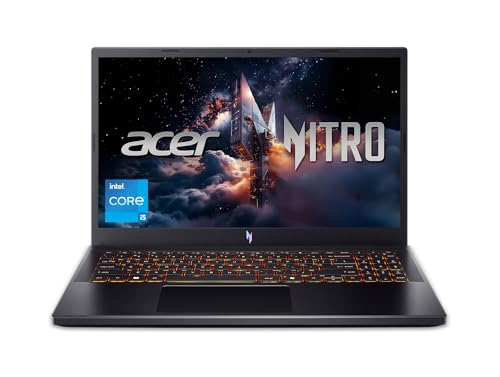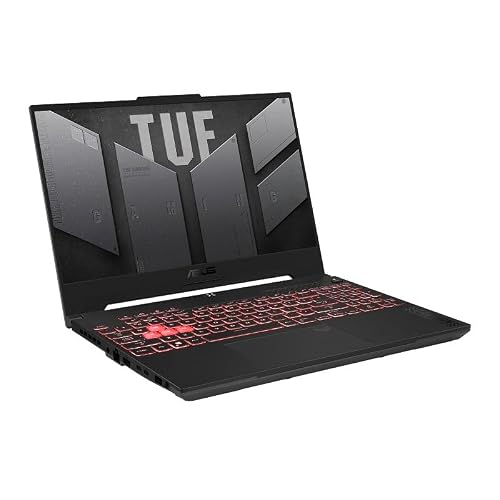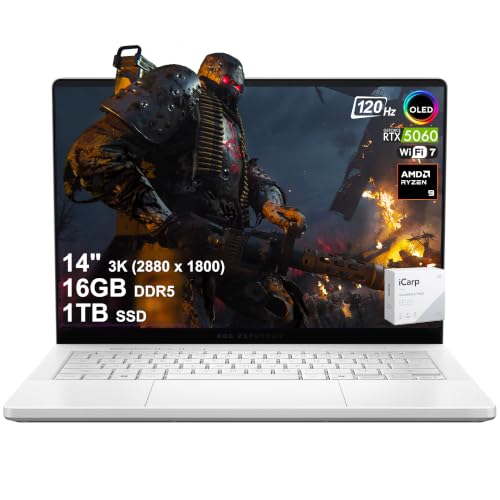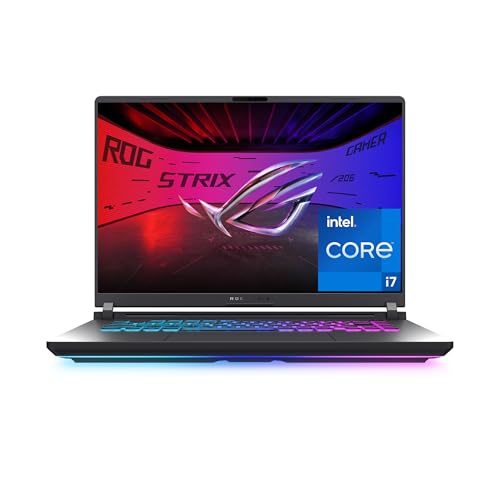
The best gaming laptops that stay cool are the ones that let you play for hours without the frame rate dropping and the fans screaming. This guide compares seven gaming laptops, from the 18 inch ASUS ROG Strix G18 to the portable MSI Katana 15, and explains which one keeps its cool under load and which one is the best fit for your games and your desk.
Every laptop below is listed with the exact brand, model, processor, graphics card, memory, storage and display from the retailer listing, so the laptop you buy is the laptop described here. All seven are current models with dedicated NVIDIA graphics, 32GB of DDR5 memory and high-refresh displays.
We ranked these laptops on cooling design, processor and graphics performance, display quality, memory and storage, and value for money. Cooling is judged by chassis size, fan design and the balance between power and heat, because a laptop that throttles under load is slower than its specifications suggest. The seven laptops below all handle sustained gaming; the differences between them are about size, display and graphics power.
In this guide
Quick picks: best gaming laptops that stay cool
| # | Product | Where to buy |
|---|---|---|
| 1 | ASUS ROG Strix G16 (2025) | Check on Amazon |
| 2 | ASUS ROG Strix G18 | Check on Amazon |
| 3 | Lenovo Legion 5 16 Inch | Check on Amazon |
| 4 | Lenovo Legion Pro 7i Gen 10 | Check on Amazon |
| 5 | MSI Stealth A18 AI+ | Check on Amazon |
| 6 | MSI Raider A16 HX | Check on Amazon |
| 7 | MSI Katana 15 HX | Check on Amazon |
How the picks were chosen
The shortlist started with current gaming laptops that are actually available to buy. Each candidate was judged on its processor, its graphics card, its memory, its storage, its display and its chassis size, because size is the main factor in how cool a laptop runs. A laptop qualified only if it was a genuine gaming model with a dedicated graphics card and a current listing.
From that shortlist, each laptop was checked against its listing for the exact processor, graphics card, memory, storage and display. The 18 inch models were favoured for cooling, because a larger chassis has more room for fans and airflow, and the RTX 5080 models were favoured for performance. No laptop was included on the strength of its brand alone; the listing had to state the specifications claimed here.
Finally, every pick was checked against a current retail listing so that the exact model and configuration stated here match what you can buy. The picks cover ASUS, Lenovo and MSI, and they range from the RTX 5060 to the RTX 5080, so that buyers at different budgets all have a genuine option that stays cool under load.
Quick comparison
| Product | Standout feature | Best for |
|---|---|---|
| ASUS ROG Strix G16 (2025) Gaming Laptop, 16 Inch FHD+ 16:10 165Hz, NVIDIA GeForce RTX 5060, Intel Core i7 Processor | Best value with 165Hz display and RTX 5060 | gamers who want solid performance and cool running for less |
| ASUS ROG Strix G18 Gaming Laptop, AMD Ryzen 9 9955HX, NVIDIA GeForce RTX 5070, 18 Inch ROG Nebula Display 16:10 2.5K 240Hz | Best cooling in an 18 inch chassis with 240Hz display | gamers who want the coolest laptop with a large fast display |
| Lenovo Legion 5 16 Inch WQXGA 240Hz Gaming Laptop, Intel Core Ultra 9 275HX, NVIDIA GeForce RTX 5060 8GB GDDR7, 32GB DDR5 RAM | Flagship CPU with cool RTX 5060 and 240Hz display | gamers who want a fast CPU and sharp display with cool graphics |
| Lenovo Legion Pro 7i Gen 10 with Ultra 9, NVIDIA GeForce RTX 5080, 16 Inch OLED Gaming Laptop, Intel Core Ultra 9 275HX | Best OLED display with RTX 5080 graphics | gamers who want the best OLED display and fastest graphics |
| MSI Stealth A18 AI+ 18 Inch 240Hz QHD+ Gaming Laptop, AMD Ryzen AI 9 365, NVIDIA GeForce RTX 5080, 32GB DDR5, 2TB NVMe SSD | Most powerful laptop with 18 inch display and 2TB storage | gamers who want maximum power, display and storage |
| MSI Raider A16 HX 16 Inch 240Hz QHD+ Gaming Laptop, AMD Ryzen 9-8940HX, NVIDIA GeForce RTX 5080, 32GB DDR5, 2TB NVMe SSD | Flagship power in a portable 16 inch chassis | gamers who want flagship power in a portable size |
| MSI Katana 15 HX 15.6 Inch 165Hz QHD+ Gaming Laptop, Intel Core i9-14900HX, NVIDIA GeForce RTX 5070, 32GB DDR5, 1TB NVMe SSD | Most portable with i9 and RTX 5070 graphics | travellers who want a portable gaming laptop |

ASUS ROG Strix G16 (2025) Gaming Laptop, 16 Inch FHD+ 16:10 165Hz, NVIDIA GeForce RTX 5060, Intel Core i7 Processor
The ASUS ROG Strix G16 (2025) is the best value gaming laptop in this guide. It has a 16 inch FHD+ 16:10 display running at 165Hz, an NVIDIA GeForce RTX 5060 graphics card and an Intel Core i7 processor. It is the most affordable laptop here, and its mid-range graphics produce less heat than the flagship models, which helps it stay cool.
Key specifications: ASUS ROG Strix G16 (2025), 16 inch FHD+ 16:10 165Hz, NVIDIA GeForce RTX 5060, Intel Core i7.
In daily use, the Strix G16 is the gaming laptop that does everything well without drama. The 165Hz display makes games look smooth, the RTX 5060 handles current games at high settings, and the 16 inch chassis has room for airflow that a thinner laptop lacks. It is the laptop for a gamer who wants solid performance and a cool-running machine at a fair price.
Setup is quick: sign in, update the graphics drivers, and install your games. The 16 inch size means the laptop fits in most bags, and the 165Hz display is ready for competitive games out of the box. Keep the laptop on a hard surface while gaming, and clean the vents once a month.
Strengths
- The best value gaming laptop in this guide.
- A 165Hz display that suits most games.
- Mid-range graphics run cooler than flagship cards.
Trade-offs
- The RTX 5060 is slower than the 5070 and 5080 models.
- The FHD+ display is lower resolution than QHD.
- Less future-proof than the more powerful models.
This suits gamers who want solid performance and cool running at a fair price.
Best for: gamers who want solid performance and cool running for less / Not suited for: gamers who need the fastest graphics available
Check price on Amazon: ASUS ROG Strix G16 (2025)

ASUS ROG Strix G18 Gaming Laptop, AMD Ryzen 9 9955HX, NVIDIA GeForce RTX 5070, 18 Inch ROG Nebula Display 16:10 2.5K 240Hz
The ASUS ROG Strix G18 is the best cooling gaming laptop in this guide. It has an AMD Ryzen 9 9955HX processor, an NVIDIA GeForce RTX 5070 graphics card and an 18 inch ROG Nebula display at 2.5K resolution and 240Hz. The 18 inch chassis gives the cooling system the most room to work, which is why this laptop stays cool under load.
Key specifications: ASUS ROG Strix G18, AMD Ryzen 9 9955HX, NVIDIA GeForce RTX 5070, 18 inch ROG Nebula 2.5K 240Hz.
In daily use, the Strix G18 is the desktop replacement that happens to be portable. The 18 inch display is large and sharp, the 240Hz refresh rate makes fast games feel instant, and the Ryzen 9 processor with RTX 5070 graphics handles demanding games without strain. The large chassis means the fans have room to move air, and the laptop stays comfortable to use during long sessions.
Setup is the same as the other ROG laptops: sign in, update the drivers, and install your games. The 18 inch size means the laptop mostly stays on a desk, so set up a proper gaming space with an external mouse and headset. The large display is excellent on its own, but an external monitor makes it a full desktop setup.
Strengths
- The largest chassis here gives the best cooling.
- A sharp 2.5K 240Hz display for fast games.
- A Ryzen 9 processor with RTX 5070 graphics.
Trade-offs
- The 18 inch size makes it heavy and hard to carry.
- Costs more than the 16 inch models.
- The large display uses more battery on the move.
This suits gamers who want the coolest running laptop with a large, fast display.
Best for: gamers who want the coolest laptop with a large fast display / Not suited for: travellers who need a light, portable laptop
Check price on Amazon: ASUS ROG Strix G18

Lenovo Legion 5 16 Inch WQXGA 240Hz Gaming Laptop, Intel Core Ultra 9 275HX, NVIDIA GeForce RTX 5060 8GB GDDR7, 32GB DDR5 RAM
The Lenovo Legion 5 is the best balanced gaming laptop in this guide. It has a 16 inch WQXGA display at 240Hz, an Intel Core Ultra 9 275HX processor, an NVIDIA GeForce RTX 5060 graphics card with 8GB of GDDR7 memory, and 32GB of DDR5 RAM. It pairs a flagship processor with mid-range graphics, which keeps the heat in check.
Key specifications: Lenovo Legion 5, 16 inch WQXGA 240Hz, Intel Core Ultra 9 275HX, NVIDIA GeForce RTX 5060 8GB GDDR7, 32GB DDR5 RAM.
In daily use, the Legion 5 is the laptop that never feels slow. The Ultra 9 processor handles games, streaming and work together, the 240Hz WQXGA display is sharp and smooth, and the RTX 5060 runs current games well while producing less heat than the flagship graphics cards. It is the best all-round gaming laptop here for someone who also works on the same machine.
Setup follows the Lenovo pattern: sign in, update the drivers, and install the Legion software for fan control. The 240Hz display is ready for competitive games, and the 32GB of memory means you can keep a browser and a chat application open while you play. Keep the vents clean and the laptop on a hard surface.
Strengths
- A flagship Ultra 9 processor with cool-running RTX 5060 graphics.
- A sharp 240Hz WQXGA display.
- 32GB of DDR5 memory for gaming and work together.
Trade-offs
- The RTX 5060 is slower than the 5070 and 5080 models.
- The 16 inch chassis cools less well than the 18 inch models.
- Heavier than a thin-and-light laptop.
This suits gamers who want a fast processor and a sharp display with cool-running graphics.
Best for: gamers who want a fast CPU and sharp display with cool graphics / Not suited for: gamers who need the fastest graphics card available
Check price on Amazon: Lenovo Legion 5 16 Inch

Lenovo Legion Pro 7i Gen 10 with Ultra 9, NVIDIA GeForce RTX 5080, 16 Inch OLED Gaming Laptop, Intel Core Ultra 9 275HX
The Lenovo Legion Pro 7i Gen 10 is the best display gaming laptop in this guide. It has an Intel Core Ultra 9 processor, an NVIDIA GeForce RTX 5080 graphics card and a 16 inch OLED display. The OLED screen gives the best colours and contrast of any laptop here, and the RTX 5080 is the fastest graphics card in this guide.
Key specifications: Lenovo Legion Pro 7i Gen 10, Ultra 9, NVIDIA GeForce RTX 5080, 16 inch OLED, Intel Core Ultra 9 275HX.
In daily use, the Legion Pro 7i is the laptop that makes games look their best. The OLED display shows deep blacks and vivid colours that a standard display cannot match, the RTX 5080 handles the most demanding games at high settings, and the Ultra 9 processor keeps everything running smoothly. It is the premium laptop in this guide, and it feels like one.
Setup is the same as the other Legion laptops: sign in, update the drivers, and install the Legion software. The OLED display deserves a proper setup: check the display settings and the refresh rate, and enjoy the colours. The RTX 5080 produces more heat than the mid-range cards, so keep the laptop on a hard surface and clean the vents regularly.
Strengths
- The best display in this guide with OLED.
- The fastest graphics card here with RTX 5080.
- A flagship Ultra 9 processor.
Trade-offs
- The most expensive laptop in this guide.
- The RTX 5080 produces more heat than mid-range cards.
- The 16 inch chassis is smaller than the 18 inch models.
This suits gamers who want the best display and the fastest graphics.
Best for: gamers who want the best OLED display and fastest graphics / Not suited for: budget buyers or travellers needing a light laptop
Check price on Amazon: Lenovo Legion Pro 7i Gen 10

MSI Stealth A18 AI+ 18 Inch 240Hz QHD+ Gaming Laptop, AMD Ryzen AI 9 365, NVIDIA GeForce RTX 5080, 32GB DDR5, 2TB NVMe SSD
The MSI Stealth A18 AI+ is the most powerful large gaming laptop in this guide. It has an 18 inch 240Hz QHD+ display, an AMD Ryzen AI 9 365 processor, an NVIDIA GeForce RTX 5080 graphics card, 32GB of DDR5 memory and a 2TB NVMe SSD. The 18 inch chassis and the large storage make it the best choice for a gamer who wants everything.
Key specifications: MSI Stealth A18 AI+, 18 inch 240Hz QHD+, AMD Ryzen AI 9 365, NVIDIA GeForce RTX 5080, 32GB DDR5, 2TB NVMe SSD.
In daily use, the Stealth A18 is the laptop that does not compromise. The 18 inch display is large and fast, the RTX 5080 handles any game at high settings, the 2TB SSD holds a large game library, and the 32GB of memory keeps everything running smoothly. The large chassis gives the cooling system room to work, which is why this powerful laptop stays cooler than a smaller machine with the same hardware.
Setup is straightforward: sign in, update the graphics drivers, and install your games. The 2TB SSD means you can install a large library at once, so take the time to set up your game launchers properly. The 18 inch size means the laptop mostly stays on a desk, so pair it with a good mouse and headset.
Strengths
- The most powerful combination here with RTX 5080.
- An 18 inch 240Hz QHD+ display.
- 2TB of storage for a large game library.
Trade-offs
- The most expensive laptop in this guide.
- An 18 inch laptop is heavy and hard to carry.
- The RTX 5080 produces the most heat here.
This suits gamers who want the most powerful laptop with the largest display and storage.
Best for: gamers who want maximum power, display and storage / Not suited for: travellers or budget buyers
Check price on Amazon: MSI Stealth A18 AI+
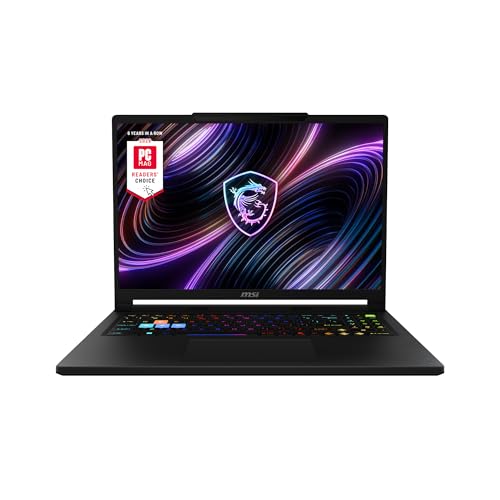
MSI Raider A16 HX 16 Inch 240Hz QHD+ Gaming Laptop, AMD Ryzen 9-8940HX, NVIDIA GeForce RTX 5080, 32GB DDR5, 2TB NVMe SSD
The MSI Raider A16 HX is the most powerful 16 inch gaming laptop in this guide. It has a 16 inch 240Hz QHD+ display, an AMD Ryzen 9-8940HX processor, an NVIDIA GeForce RTX 5080 graphics card, 32GB of DDR5 memory and a 2TB NVMe SSD. It packs flagship hardware into a 16 inch chassis, which makes it the best choice for a gamer who wants maximum power in a portable size.
Key specifications: MSI Raider A16 HX, 16 inch 240Hz QHD+, AMD Ryzen 9-8940HX, NVIDIA GeForce RTX 5080, 32GB DDR5, 2TB NVMe SSD.
In daily use, the Raider A16 HX is the laptop that surprises people with its speed. The RTX 5080 and Ryzen 9 combination handles any game at high settings, the 240Hz QHD+ display is sharp and smooth, and the 2TB SSD holds a large library. The 16 inch chassis is more portable than the 18 inch models, but it runs warmer under sustained load, so keep the vents clean and the laptop on a hard surface.
Setup is the same as the other MSI laptops: sign in, update the drivers, and install your games. The 16 inch size means the laptop can travel, so set up a bag that fits it properly. The 2TB SSD holds a large library, so install your most-played games first and add the rest as you need them.
Strengths
- Flagship RTX 5080 graphics in a 16 inch chassis.
- A sharp 240Hz QHD+ display with 2TB of storage.
- More portable than the 18 inch models.
Trade-offs
- The 16 inch chassis runs warmer than the 18 inch models.
- The most powerful hardware produces the most heat.
- Costs more than the mid-range models.
This suits gamers who want flagship power in a portable 16 inch laptop.
Best for: gamers who want flagship power in a portable size / Not suited for: buyers who want the coolest running laptop
Check price on Amazon: MSI Raider A16 HX

MSI Katana 15 HX 15.6 Inch 165Hz QHD+ Gaming Laptop, Intel Core i9-14900HX, NVIDIA GeForce RTX 5070, 32GB DDR5, 1TB NVMe SSD
The MSI Katana 15 HX is the most portable gaming laptop in this guide. It has a 15.6 inch 165Hz QHD+ display, an Intel Core i9-14900HX processor, an NVIDIA GeForce RTX 5070 graphics card, 32GB of DDR5 memory and a 1TB NVMe SSD. It is the smallest and lightest laptop here, which makes it the best choice for a gamer who travels.
Key specifications: MSI Katana 15 HX, 15.6 inch 165Hz QHD+, Intel Core i9-14900HX, NVIDIA GeForce RTX 5070, 32GB DDR5, 1TB NVMe SSD.
In daily use, the Katana 15 HX is the laptop that goes everywhere. The 15.6 inch size fits in a standard bag, the i9 processor and RTX 5070 graphics handle current games well, and the 165Hz QHD+ display is sharp and smooth. It runs warmer than the larger models under sustained load, because the smaller chassis has less room for cooling, but for a portable gaming laptop it is the right trade.
Setup is the quickest here: sign in, update the drivers, and install your games. The portable size means the laptop will travel, so buy a padded bag that fits it and a spare power adapter for the office. Keep the vents clean, because a small laptop has less cooling margin than a large one.
Strengths
- The most portable laptop in this guide at 15.6 inches.
- An i9 processor with RTX 5070 graphics.
- A sharp 165Hz QHD+ display.
Trade-offs
- The smallest chassis runs warmer under load.
- 1TB of storage is less than the 2TB models.
- The battery lasts less time than the larger models.
This suits gamers who travel and want a portable laptop with strong graphics.
Best for: travellers who want a portable gaming laptop / Not suited for: gamers who want the coolest running large laptop
Check price on Amazon: MSI Katana 15 HX
Best Gaming Laptops That Stay Cool: What Matters Most
Chassis size is the first decision, and it is the main factor in cooling. A larger laptop has more room for fans, heat pipes and airflow, which means it can move more heat away from the processor and the graphics card. An 18 inch laptop cools better than a 15 inch laptop with the same hardware, and that is why the largest laptops in this guide are the coolest running.
The balance between power and heat is the second decision. A flagship processor and graphics card produce more heat than a mid-range combination, so a laptop with the most powerful hardware needs the best cooling to match. The RTX 5060 models in this guide run cooler than the RTX 5080 models, and the right choice depends on whether you value raw speed or cool running more.
The display is the third decision, and it decides what you actually see. A 240Hz QHD display shows fast games smoothly, a 165Hz display suits most gamers, and an OLED display gives the best colours and contrast. The Legion Pro 7i has an OLED display, which is the best screen in this guide, while the MSI models have 240Hz displays for competitive play.
Memory and storage are the fourth decision, and they decide whether the laptop feels fast in everyday use. All the laptops in this guide have 32GB of DDR5 memory and 1TB or 2TB of storage, which is the right amount for current games. More storage means more games installed at once, and faster storage means shorter loading times.
Buying guide: choosing a gaming laptop that stays cool
Start with the size, because a larger chassis cools better. An 18 inch laptop has more room for fans, heat pipes and airflow than a 15 inch laptop, and the extra space is the main reason large gaming laptops run cooler under load. The ASUS ROG Strix G18 and the MSI Stealth A18 in this guide are 18 inch models, and they are the best choices if cooling matters more than portability.
Check the graphics card and the processor together, because they generate most of the heat. An RTX 5080 and a flagship processor produce more heat than an RTX 5060 and a mid-range chip, so a laptop with the most powerful hardware needs the best cooling to match. The Legion Pro 7i and the MSI Raider in this guide pair RTX 5080 graphics with flagship processors, and they are built for that heat.
Look at the display, because it tells you what the laptop is built for. A 240Hz QHD display suits competitive gaming, a 165Hz display suits most gamers, and an OLED display gives the best colours and contrast. The Legion Pro 7i has an OLED display, the Legion 5 and the MSI models have 240Hz displays, and the ROG Strix G16 has a 165Hz display. A higher refresh rate does not make the laptop cooler, but it shows the maker intended the laptop for serious gaming.
Think about the memory and storage. Gaming laptops in this guide come with 32GB of DDR5 memory and 1TB or 2TB of storage, which is the right amount for current games and for multitasking. More memory means the laptop can keep a game, a browser and a chat application open together without slowing down, and a larger SSD means more games installed at once.
Consider the weight and the portability honestly. A gaming laptop that stays cool is usually a large, heavy laptop, because cooling needs space and fans. The 18 inch models in this guide are desktop replacements that mostly stay on a desk, while the 15 inch Katana is the most portable option here. If you carry the laptop daily, a smaller model is the better compromise.
Check the ports and the connectivity. A gaming laptop needs enough USB ports for a mouse, a headset and an external drive, plus a video output for an external monitor and a wired network port for stable online gaming. The laptops in this guide are current models with modern ports, but check the exact port list in the listing if you use many peripherals.
Look at the keyboard and the build. A gaming laptop keyboard should have a comfortable layout, backlit keys and a large touchpad, because you will use it for hours. The ASUS ROG, Lenovo Legion and MSI lines all have well-regarded keyboards, and the metal chassis on the premium models feels solid and helps spread heat.
Finally, remember that a laptop that stays cool needs clean air. Dust in the vents and fans is the most common reason a gaming laptop runs hot over time, so the cooling design matters less than the maintenance. Choose a laptop with accessible vents and fans, keep it on a hard surface rather than a bed or a sofa, and clean the vents regularly.
Using and caring for your gaming laptop that stays cool
Use the laptop on a hard, flat surface. A desk or a table lets air flow into the vents from below, while a bed, a sofa or a blanket blocks the intakes and makes the laptop run hot within minutes. A laptop stand that lifts the back of the laptop helps the airflow further, and it improves the typing angle at the same time.
Clean the vents and fans regularly. Dust builds up on the fan blades and in the fins, and a dusty laptop runs hotter and louder. A quick blast of compressed air through the vents once a month keeps the cooling working as designed, and it takes less than a minute.
Let the laptop breathe after a long session. When you finish gaming, let the fans run for a minute before you close the lid or put the laptop in a bag. A hot laptop in a closed bag stays hot, and the heat can damage the battery over time. A minute of cooling makes a real difference.
Keep the software updated. Graphics drivers and BIOS updates often improve the fan control and the power management, which can make a laptop run cooler without any hardware change. Check for updates once a month, and install the graphics driver from the maker rather than from a generic source.
Monitor the temperatures occasionally. A free monitoring tool shows the processor and graphics temperatures during a game, and it tells you whether the laptop is running hot or staying cool. If the temperatures climb over time, clean the vents first, then check whether the fan is working properly.
Common mistakes to avoid
Buying the most powerful laptop in the smallest chassis. A flagship processor and graphics card in a thin laptop will run hot and throttle, while the same hardware in a larger chassis stays cool.
Blocking the vents. A laptop on a bed, a sofa or a blanket cannot breathe, and the vents clog with dust and lint. Always use a hard, flat surface for gaming.
Ignoring the dust. A gaming laptop that ran cool when new and runs hot a year later usually has dusty vents and fans. Clean them regularly with compressed air.
Choosing a laptop for its graphics card alone. A fast graphics card in a laptop with poor cooling is slower in practice than a slower card in a laptop that stays cool, because throttling cuts performance.
Forgetting the memory and storage. A gaming laptop with 16GB of memory and a small SSD will feel slow long before its graphics card does, so 32GB and 1TB are the right minimums.
Skipping the display check. A laptop with a 60Hz display wastes a powerful graphics card, because the screen cannot show the frames the card produces. A 165Hz or 240Hz display is the right match.
Buying a laptop that is too large to carry. An 18 inch laptop is the coolest running, but it is also the heaviest and hardest to carry. If you travel daily, a 15 inch model is the better compromise.
Budget and value
The smartest money in this guide goes to the RTX 5060 models. The ASUS ROG Strix G16 and the Lenovo Legion 5 cost far less than the RTX 5080 models while still playing current games well, and they run cooler because they produce less heat. The RTX 5080 models cost more, but they buy the fastest graphics available and the largest chassis to cool them.
Running costs are low: a gaming laptop uses standard power, its parts are widely available, and its only regular maintenance is cleaning the vents. Budget for a good mouse, a headset and a laptop stand at purchase, because they improve the gaming experience more than a slightly faster graphics card, and keep a spare power adapter in the bag for travel.
Final recommendation
If you want the gaming laptop that stays coolest, the ASUS ROG Strix G18 is the pick: an 18 inch chassis, a Ryzen 9 processor and RTX 5070 graphics in a design with room to breathe. If you want the most powerful graphics, the MSI Stealth A18 with its RTX 5080 is the better buy. If you want the best display, the Lenovo Legion Pro 7i with its OLED screen is the one to choose. Whichever you buy, keep the vents clean, use a hard surface, and let the laptop breathe: cooling is a partnership between the design and the owner.
Frequently asked questions
What is the best gaming laptop that stays cool?
For cooling, the ASUS ROG Strix G18 is the best pick: an 18 inch chassis gives the fans and heat pipes room to work, and the Ryzen 9 processor with RTX 5070 graphics is a strong combination. The MSI Stealth A18 is the best alternative, with an 18 inch display and RTX 5080 graphics, while the Lenovo Legion Pro 7i is the best choice if you want an OLED display.
Do bigger gaming laptops run cooler?
Larger laptops cool better because they have more room for fans, heat pipes and airflow. An 18 inch laptop has a larger chassis than a 15 inch laptop, which means more space for cooling hardware and more surface area to spread heat. That is why the largest laptops in this guide are the coolest running.
Can a gaming laptop stay cool during long sessions?
Yes, when the laptop is designed for it. A gaming laptop with a large chassis, good fans and a sensible power limit can run a demanding game for hours without throttling. The laptops in this guide are all current models designed for sustained gaming, but they still need clean vents and a hard surface to breathe.
How do I keep my gaming laptop cool?
The most effective step is to keep the vents clean and the laptop on a hard, flat surface. Dust in the vents is the most common reason a laptop runs hot, and a soft surface such as a bed or a sofa blocks the air intakes. A laptop stand or a cooling pad helps, but clean vents matter more.
What is thermal throttling?
Thermal throttling is when the processor or graphics card slows down to protect itself from overheating. It shows as a sudden drop in frame rate during a long gaming session. A laptop with good cooling throttles less, which is why cooling matters as much as raw speed for gaming.
Is an RTX 5080 or RTX 5070 better for cooling?
An RTX 5080 is faster than an RTX 5070, and both are faster than an RTX 5060, but the faster card also produces more heat. The RTX 5060 models in this guide are the coolest running, while the RTX 5080 models need the largest chassis to stay cool. Choose the graphics card that matches the games you play, not the fastest card available.
How much RAM do I need for gaming?
32GB of DDR5 memory is the right amount for current gaming, and all the laptops in this guide have it. It lets you keep a game, a browser and a chat application open together without slowing down, and it leaves headroom for future games.
Can I use a gaming laptop with an external monitor?
Yes, and it is one of the best things about a gaming laptop. An external monitor with a high refresh rate makes games look better and play smoother, and the laptop screen becomes a second display for chat and maps. The laptops in this guide all support external monitors through their video outputs.
Does a cooling pad really help?
A cooling pad helps by lifting the laptop off the desk and pushing more air into the vents, but it cannot fix a laptop with clogged vents or a poor cooling design. Clean the vents first, use a hard surface, and treat a cooling pad as a bonus rather than a solution.
More guides from KajuanDouglas
Best Gaming Laptops Under 1000 Best 13.3 Gaming Laptops Under 1000 Best Laptops for Gaming and Work Under 1000