Learning how to choose a gaming laptop starts with a simple truth: the graphics chip decides most of your experience, and everything else either supports it or holds it back. Shoppers get distracted by processor core counts, RGB keyboards and storage sizes, yet frame rates in modern games come first from the GPU, second from the cooling that lets it sustain its speed, and third from the screen that has to display those frames. This guide walks through each decision in the order it actually matters, so you can compare machines on evidence instead of marketing order. By the end you will know how to read a spec sheet, which numbers are ceilings and which are floors, and how to match a machine to the games, resolution and lifespan you genuinely expect from it.
Disclosure: As an Amazon Associate, kajuandouglas.com earns from qualifying purchases. Links to Amazon on this page are affiliate links; they cost you nothing extra. Listing details such as price and availability change often, so check the current Amazon listing before you buy.
How To Choose A Gaming Laptop: What Matters Most
Start with the graphics chip and its power range, then check the display refresh rate and resolution, then confirm at least 16GB of memory in two sticks and a fast solid-state drive of 1TB if you can manage it. Cooling quality and a MUX switch separate good machines from spec-sheet twins. Portability, battery and noise come last, because a gaming laptop you cannot play well on fails its main job.
In this guide
What You Need
- A short list of the games you actually play and the settings you expect
- Your target resolution: the built-in screen, or an external monitor
- A realistic lifespan goal, usually three to five years
- Access to full spec sheets, including GPU power range, not just model names
- Reviews that test sustained performance after 30 minutes, not just launch benchmarks
Step by Step: How To Choose A Gaming Laptop
Step 1: Set your resolution and frame-rate target first
Decide whether you will play on the built-in display at 1080p or 1440p, or dock to an external monitor. That single choice sizes everything else: 1080p high-refresh play is far less demanding than 1440p, and a GPU that is generous for one is marginal for the other. Write the target down and judge every later spec against it, because drifting upward mid-search is how budgets quietly double.
Step 2: Choose the graphics chip, then verify its power range
Pick the GPU tier that meets your target with headroom, then find the configured wattage in the full specifications or a teardown review. The same chip at a low power limit can trail its high-power version by a wide margin. Prefer the higher-power implementation in a chassis with dual fans and heat pipes to match, and treat missing wattage information as a warning sign rather than a detail.
Step 3: Match the processor to the GPU, not the other way round
A modern mid-range processor from either major brand feeds a mid-range GPU without drama. Step up the CPU only for strategy games, simulation titles, streaming while playing, or high-refresh esports where the processor becomes the limit. Money saved here funds the GPU tier, memory or storage, all of which you will feel more. Check that the cooling is shared sensibly, since an oversized CPU can steal thermal headroom from the GPU.
Step 4: Demand 16GB of memory in dual channel
Sixteen gigabytes across two sticks is the sensible floor for new purchases; it keeps games, voice chat and a browser coexisting without stutter. Confirm whether the memory is upgradeable or soldered, because soldered 8GB configurations age badly and cannot be rescued later. Speed and timings matter less than capacity and dual-channel operation at this level, so do not pay premiums for exotic memory while skimping on the GPU.
Step 5: Size storage for a modern game library
Game installs routinely exceed 100GB, so 512GB fills alarmingly fast once the operating system and two or three big titles land. One terabyte is the comfortable choice, and a second drive bay or an accessible slot makes future expansion painless. Check the drive type is a modern NVMe solid-state drive; beyond that, storage speed differences are hard to feel in play, so prioritise capacity and expandability.
Step 6: Judge the display as part of performance
Match refresh rate to the frame rates your GPU can actually produce: 144Hz or higher suits esports, while a bright, colour-accurate 1440p panel suits story-driven games. Check brightness for rooms with daylight, response behaviour in reviews, and whether a MUX switch or Advanced Optimus lets the GPU drive the panel directly for a small but real performance gain. A dull screen will annoy you every single day, long after benchmark differences are forgotten.
Step 7: Weigh cooling, noise and the ownership details
Read reviews for fan noise under load, surface temperatures and whether performance holds after half an hour. Check port selection for your monitor, headset and drives, confirm the warranty terms in your country, and lift the total weight including the power brick if you will carry it. These details decide whether a powerful machine is pleasant to live with or a fast disappointment.
How Heat, Power and Performance Connect
A gaming laptop is a small box that has to do two contradictory jobs at once: run a processor and a graphics chip at full speed, and move the heat those chips produce out through vents that are only a few millimetres tall. When either chip passes its temperature limit, firmware quietly lowers its clock speed, a behaviour called thermal throttling, and frame rates fall even though nothing in the game has changed. Power limits matter just as much: the same graphics chip can be configured by different brands at very different wattages, which is why two laptops with identical spec sheets can perform noticeably differently. Understanding this triangle of heat, power and clock speed explains almost every behaviour owners describe as mysterious, from fans that surge during loading screens to performance that is excellent for ten minutes and mediocre after an hour. Any fix, upgrade or purchase decision that ignores thermals is treating a symptom. Start with airflow, dust, surface and fan behaviour, then look at software, and only then consider hardware changes.
Reading Gaming Laptop Specs Without the Marketing
Spec sheets reward careful reading. The graphics chip model is only the start: its configured power range, the memory it carries and whether the laptop has a MUX switch or Advanced Optimus to route frames directly to the display all change real performance. Processor core counts look dramatic, but most games still lean on a handful of fast cores, so sustained clock speed under load matters more than the headline number. Memory should be judged on capacity, speed and whether it runs in dual-channel mode with two matched sticks, because a single stick can quietly cost measurable frame rate in CPU-limited scenes. Storage speed affects loading and texture streaming more than raw frame rate, yet a nearly full drive slows everything through background maintenance. Finally, the display is part of the performance chain: a fast panel cannot show frames the GPU never renders, and a powerful GPU is wasted on a dim, slow screen. Judge the machine as a system, not a list.
Battery, Noise and the Real Cost of Portable Power
Every gaming laptop is a compromise between a desktop replacement and a machine you can actually carry. Expect modest battery life away from the wall when gaming, because the discrete graphics chip alone can draw more than a whole ultraportable laptop uses. Fan noise follows the same physics: smaller fans must spin faster to move the same air, so thin machines are louder under load, and a headset or a sensible fan curve is part of the ownership experience rather than an afterthought. Weight figures also hide the power brick, which on high-wattage models can add a substantial chunk to your bag. None of this makes gaming laptops a bad choice; it makes them a specialised one. Buyers who mostly play at one desk should weigh that honestly against a desktop, while buyers who move between rooms, campuses or work trips get something no desktop can offer. Matching the machine to the real usage pattern is the single highest-value decision in this category.
Software Settings That Quietly Decide Your Frame Rate
Long before hardware limits appear, software decides how a gaming laptop behaves. The graphics driver control panel chooses which GPU renders each game, and laptops left on automatic sometimes run demanding titles on the integrated graphics. Windows power mode, the brand control centre performance profile and the in-game resolution scale are three separate levers that stack, so a machine can feel slow simply because one of them is set to a quiet or battery profile. Background software matters too: overlays, capture tools, cloud sync and launchers updating other games all compete for the same processor time. A clean baseline, with drivers current, one performance profile chosen deliberately and background apps trimmed, solves a surprising share of complaints that get blamed on hardware. Change one setting at a time and test in the same game scene, otherwise you will never know which lever actually helped, and you may undo a good change while chasing a bad one.
The GPU Power Trap, Explained Plainly
Two laptops can list the identical graphics chip and deliver clearly different frame rates, and the reason is the power limit each brand sets. Graphics chips scale performance with the watts they are allowed to draw, up to a ceiling, and slim chassis often choose a lower limit to control heat and noise. Manufacturers must publish the range, but it often hides in full specification PDFs rather than the shop page. Your defence is simple: search the exact model name plus its GPU power figure, check a review that measures sustained performance, and compare like with like. A higher-power implementation of a lower chip can match or beat a starved higher chip, which is why the tier printed on the box is a starting point, not a verdict. Combine this with cooling design, because watts the chassis cannot shed become throttling within minutes.
When you are ready to compare complete machines rather than individual settings, start with our roundup of the best gaming laptops for under 1000 usd and keep our roundup of the best laptops for light gaming under 800 open in a second tab. Reading a settings guide and a buying roundup side by side stops the most common mistake in this whole topic: changing software or hardware in isolation, without checking whether the rest of the machine actually supports the change you have in mind.
Gear for This Guide

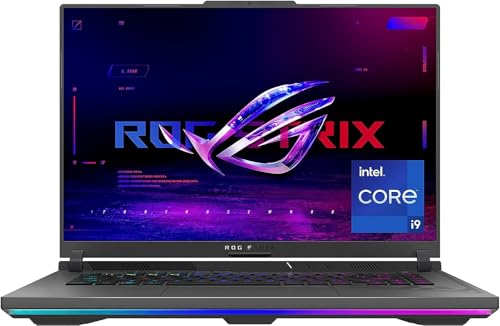
ASUS ROG Strix G16 (2023) Gaming Laptop — ASUS ROG Strix G16 (2023) Gaming Laptop, 16” 16:10 FHD 165Hz, GeForce RTX 4070, Intel Core i9-13980HX, 16GB DDR5, 1TB PCIe SSD, Wi-Fi 6E, Windows 11, G614JI-AS94, Eclipse Gray. Check price on Amazon before you decide, because configurations and availability change often.

ASUS TUF Gaming F15 (2023) Gaming Laptop — ASUS TUF Gaming F15 (2023) Gaming Laptop, 15.6†FHD 144Hz, 100% sRGB Display, GeForce RTX 4050, Intel Core i5-13500H, 16GB DDR4, 512GB PCIe SSD Gen 4, Wi-Fi 6, Windows 11, FX507VU-ES53. Check price on Amazon before you decide, because configurations and availability change often.

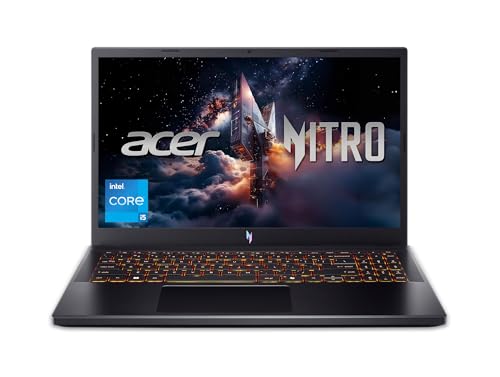
Acer Nitro 5 Gaming Laptop — Acer Nitro 5 Gaming Laptop | AMD Ryzen 7 6800H | GeForce RTX 3070 Ti GPU |15.6″ QHD 165Hz IPS Display | 16 GB DDR5 RAM | 1 TB PCIe SSD | Killer Wi-Fi 6 | 4-Zone RGB Backlit Keyboard. Check price on Amazon before you decide, because configurations and availability change often.
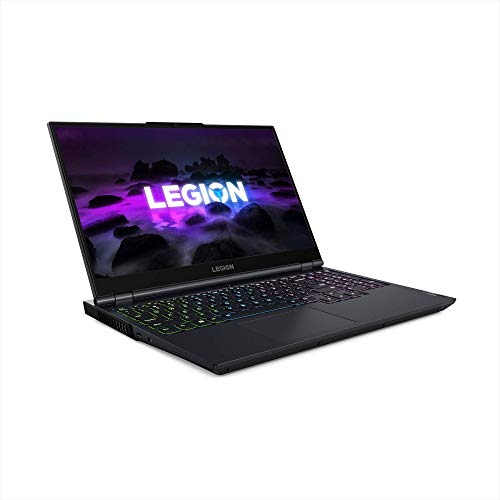
Lenovo Legion 5 Gaming Laptop — Lenovo Legion 5 Gaming Laptop, 15.6″ FHD Display, AMD Ryzen 7 5800H, 16GB RAM, 512GB Storage, NVIDIA GeForce RTX 3050Ti, Windows 10H, Phantom Blue. Check price on Amazon before you decide, because configurations and availability change often.
Common Mistakes
- Buying the processor first and the graphics chip second, which inverts what games actually use.
- Comparing GPU model names without checking each machine’s configured power range.
- Choosing a 4K built-in display, then playing everything upscaled or at low settings because the GPU cannot drive it natively.
- Ignoring whether memory and storage can be upgraded, then hitting a wall in year two.
Pro Tips
- Buy the GPU tier for the games you will play in two years, not only today’s favourites; graphics demands only move one way.
- A previous-generation machine at a clear discount often beats a new entry model on cooling, screen and power limits.
- If you play docked most of the time, spend on the GPU and screen rather than thinness you will never use.
- Keep the packaging and test thermals and noise in the first week, while returns are still simple.
A Worked Example, From Start to Finish
Imagine the process applied to one ordinary owner rather than a test bench. They begin by writing down what success looks like in one sentence, work through the steps in order without skipping the preparation that feels skippable, and pause at the verification stage instead of declaring victory at the first encouraging sign. Two adjustments are usually needed: one step takes longer than expected, and one assumption made at the start turns out to be wrong in a small, correctable way. That is not failure; that is the normal texture of doing this properly, and it is why the guide separates preparation, execution and verification so deliberately. By the end, the result is checked rather than hoped for, the notes exist for next time, and the owner understands their own machine measurably better than when they started. Every reader’s details will differ from this example, but the shape of a good outcome rarely does: prepare honestly, change one thing at a time, verify under real conditions, and write down what you learned while it is still fresh enough to be accurate.
Putting It All Together
Work through the steps in order, test the result in your real routine for a few days, and adjust the one or two choices that your own use proves wrong rather than restarting the whole process. The guidance in this guide reflects how these machines behave across years of ownership, not just on day one, which is why the unglamorous details, placement, profiles, backups and habits, carry as much weight as the headline specifications. Keep your receipts, your notes and your original parts where parts were changed, revisit the related guides when your needs shift, and remember that a well-matched, well-kept laptop of any tier serves its owner better than a flagship that fights its owner’s life. That fit, more than any single feature, is what you were really choosing.
Reading a Gaming Laptop Specification Like an Engineer
Specification sheets are written to sell, which means the impressive numbers are printed large and the decisive ones are printed small or not at all. Learning to read past the headline trio of processor, graphics card and memory size is what separates a good purchase from an expensive lesson.
The graphics card’s power limit is the hidden headline
Two laptops can carry graphics chips with identical names and deliver meaningfully different frame rates, because laptop graphics run at a power limit set by each manufacturer, and that limit varies widely between a thin chassis and a thick one. The figure to hunt for is the graphics power in watts, including any dynamic boost allowance, published in detailed specifications or independent reviews. A higher-power version of a nominally lesser chip can match or beat a starved version of a greater one. This single number explains most “same specs, different performance” mysteries, and any manufacturer who hides it is telling you something.
Processor tiers and the cores you actually use
Games lean on a handful of fast cores more than on core count, while streaming, recording and content creation use the rest. For a pure gaming machine, a modern mid-tier processor with strong single-core performance is rarely the bottleneck; the graphics card gives up first. Step up the processor when your life includes compiling, rendering, virtual machines or heavy multitasking alongside games — or when the higher processor tier is the only route to the screen or graphics option you actually want, which is how manufacturers bundle their ranges. Buy cores for your workload, not for the spec sheet’s symmetry.
Memory channels and storage speeds, in plain terms
Memory capacity gets the headline, but configuration matters at the margins: two matched memory modules running in dual channel feed the processor and any integrated graphics better than a single module of the same total size, and some laptops ship single-channel to save cost. Storage speed affects loading times and open-world streaming smoothness; a modern solid-state drive is the baseline expectation, and capacity is usually the wiser place to spend than exotic speed, because games are large and libraries grow. Check whether storage can be expanded with a second drive bay — that single feature can double a machine’s useful life for the price of a later drive.
The Screen Decision, Taken Properly
Resolution versus frame rate: the real trade
A laptop screen is small enough that resolution and refresh rate trade against each other and against the graphics card’s workload. At typical laptop sizes and viewing distances, a high-refresh panel at the machine’s native mid resolution gives fluid motion that most players feel immediately, while a very high resolution panel demands the graphics card render far more pixels, cutting frame rates or forcing upscaling. Competitive players should buy refresh rate first; players of slow, beautiful single-player games in a docked setup with an external monitor should care less about the built-in panel’s resolution and more about its colour quality for the times it is used on its own.
Panel quality beyond the numbers
Response time decides whether a high refresh rate is real or smeared; colour coverage decides whether games and films look rich or washed; brightness decides whether the machine is usable near windows or in bright rooms and venues. A multiplexer switch — which lets the dedicated graphics card drive the screen directly instead of routing through the integrated graphics — can add a worthwhile performance margin and reduce latency, and its presence is worth checking on any model you shortlist. None of these appear in the big print; all of them appear in good reviews, which is why one detailed review of your exact configuration is worth more than ten listicles.
Size, weight and the journey test
Be honest about the machine’s travel life. A large, heavy laptop with an equally heavy power brick is portable in the legal sense and stationary in practice; it moves between desks, not to cafés and trains. A slimmer machine with a modest graphics power limit is the reverse. Neither is wrong — but buying the heavy machine for a travelling life, or the thin machine expecting desktop frame rates, are the two classic regrets in this category. Weigh the whole travelling kit, charger included, and carry that weight around your home for an evening before deciding it is fine.
Thermals, Noise and the Room You Play In
Why cooling design outranks spec-sheet peaks
A gaming laptop’s sustained performance is set by how much heat it can shed, not by what its chips can do for ninety seconds. Thick chassis with large vents, vapour chambers and fans that move serious air will hold their frame rates through a three-hour session; thin designs throttle quietly down. Reviews that test with long gaming sessions, and that report surface temperatures and fan noise under load, are describing the machine you will actually own. Short benchmark bursts describe the machine in the advertisement.
Noise is a household feature
Under load, gaming laptops are audible in a way desktops in another corner are not. If the machine will live in a shared room, a bedroom where someone sleeps, or be used for calls between games, fan character matters: a steady whoosh disappears, a fluctuating whine does not. Headphones solve it for the player and nobody else. Check noise measurements in reviews, look for models with a genuinely usable quiet mode for light games and desktop work, and remember the power brick’s size and heat are part of the same daily reality.
Battery truth for gaming laptops
Serious gaming happens plugged in; on battery, performance is deliberately limited and a demanding game can drain a full charge startlingly fast. Judge battery life by light-use figures — browsing, documents, video — for the days the machine doubles as your everyday laptop, and expect a few hours, not a working day, from most performance-focused models. If your life needs all-day unplugged work plus evening gaming, that combination points to specific efficient models and honest compromises on graphics power, and it should be decided deliberately rather than discovered.
Ports, Upgrades and the Three-Year View
- Ports: enough USB for mouse, headset and drives; an HDMI or DisplayPort output that supports your monitor’s resolution and refresh rate; wired networking or a dock plan if your gaming is competitive online.
- Upgrade paths: accessible memory slots and a second storage bay are worth real money over a three-to-five-year life; soldered memory means buying your future capacity today.
- Keyboard and trackpad: you will type on it daily; key travel, layout oddities around the arrow keys, and a trackpad you do not hate matter more than lighting effects.
- Warranty and support: gaming laptops run hot and travel; the quality of the maker’s support in your country is a specification too.
- The dock question: if the laptop will drive a desk setup, confirm the port selection and charging behaviour support a one-cable life before purchase, not after.
Choose in the order this section implies: decide the life first, then the graphics power and screen that serve it, then the chassis that can cool them, and only then compare prices within the shortlist that survives. A gaming laptop chosen that way tends to be loved for years; one chosen by headline specs tends to be explained, with excuses, for just as long.
Worked Choices: Three Buyers, Three Right Answers
Abstract criteria become clear when they meet actual buyers. These three composites — drawn from the commonest patterns of regret and satisfaction in this category — show the decision process landing differently each time, correctly.
The competitive player who travels to events
Her games are shooters played at low settings for maximum frame rate; she travels monthly and plays in hotel rooms and event halls. Her correct specification surprises spec-sheet shoppers: a mid-tier graphics card at a healthy power limit in a durable chassis, the fastest high-refresh screen in the shortlist with excellent response times, a keyboard with proper key rollover, and weight kept sane because the machine flies. The flagship graphics tier would buy her frames her games discard and weight her bag resents. Her money’s best work is the screen and the chassis — the parts that touch every session — and her satisfaction two years later will be about reliability and the panel, not about a benchmark she never needed.
The single-player enthusiast at a desk
He plays cinematic releases, docked to a large external monitor, in one room, for years at a time. His priorities invert hers: graphics power and its cooling first, because his games punish both and his sessions are long; the built-in screen matters only for occasional sofa use, so a merely good panel is acceptable; memory and storage capacity deserve real budget because his library is vast and his upgrade intentions are nil. He should also weigh the desktop question honestly — his usage is the desktop’s home turf — and choose the laptop only for the sofa-and-travel minority of his gaming, knowingly paying the laptop premium for it.
The student creator
She games, streams a little, edits video for coursework and carries the machine daily. Her deciding specifications are the ones no gaming headline mentions: all-day battery for lectures in light use, a screen with accurate colour for her editing, a webcam and microphone that do not embarrass her in seminars, and enough memory for editing timelines open beside her games. A slightly lower graphics tier inside a lighter, better-screened machine serves her whole life; the pure gaming choice would serve a third of it brilliantly and the rest adequately at best. Her case is the general rule in miniature: buy for the whole workload, because the laptop does not clock off when the game closes.
Buying Channels, Timing and the Fine Print
Where and when you buy changes what you get
Manufacturer-direct purchases often allow configuration choices — the screen upgrade, the memory configuration — that retail fixed models do not, and those choices are frequently where the value hides. Model years turn over on a rhythm: new graphics generations arrive, and the previous generation’s well-reviewed models become the value picks while their drivers are mature and their flaws are documented. Buying the newest thing on launch day buys unreviewed thermals and early firmware; buying one generation deep buys knowledge. Neither is always right, but the choice should be deliberate, and the review coverage of the exact configuration you buy should exist before your money moves.
Reading reviews like a professional
A useful review tests your configuration, measures sustained gaming performance rather than benchmark bursts, reports temperatures and noise under load, measures the screen rather than quoting it, and states the graphics power limit. A useless one unboxes, admires the lighting and reads the specification sheet aloud. Learn to skim for the measurements and to distrust any verdict — positive or negative — that rests on first impressions, because gaming laptops are machines whose truths emerge at minute forty of a session, not minute four of an unboxing.
Warranty, returns and the first week
Whatever you buy, use the return window as a test lab: run your longest sessions, check for the defects that hide — a fan that rattles at one speed, a key that doubles, a screen with uneven backlight in dark scenes — and confirm temperatures and noise in your room, not the reviewer’s. Gaming laptops are complex, hot and expensive; the first week is your cheapest quality control. Extend the warranty conversation to match your risk: a machine that travels and earns its keep justifies cover that a desk-bound hobby machine may not, and accidental-damage protection is worth pricing honestly against your own history with dropped things.
The Final Checklist Before You Pay
- Graphics power limit confirmed for the exact configuration, from specifications or a measured review.
- Screen measured, not quoted: refresh, response, colour and brightness verified for your games and your room.
- Cooling proven under sustained load in reviews of this chassis, with noise you can live with.
- Memory and storage configuration checked — channels, slots, second bay — against your three-year needs.
- Ports and dock plan tested on paper against your monitor and peripherals.
- Total travelling weight weighed — laptop plus adapter — against your real carrying life.
- Return window planned as a test week, with your longest, hottest sessions scheduled inside it.
A gaming laptop is several purchases wearing one price tag: a games machine, a screen, a keyboard, a battery, a travelling companion. The buyers who love theirs priced all five honestly and let their own calendar referee. Do that, run the checklist, and the machine that arrives will feel less like a gamble and more like what it should be — the obvious choice, made on evidence, that you stop second-guessing the first time you open your favourite game and it simply flies.
Second-Hand and Refurbished: The Other Way to Buy
A used gaming laptop can be the smartest purchase in the category or a lesson in other people’s thermals, and the difference is inspection discipline.
What to test in person
Run a demanding game for at least twenty minutes — short demos hide thermal throttling and dying fans — and watch temperatures, noise character and whether performance sags as heat builds. Check every key, the trackpad’s click, all ports with real cables, the screen for uneven backlight in a dark scene, and the battery’s reported health. Ask why it is being sold and listen for the honest answers (upgraded, unused) versus the evasive ones. A seller who lets you test thoroughly is telling you the most important thing about the machine before you find a single fault.
What ages well and what does not
Storage and memory configurations can be upgraded on friendly models, so a used machine short on those is a negotiation, not a rejection. Graphics, screen and cooling are forever, so those must be right at purchase. Batteries fade and fans wear; both are serviceable on many models and should be priced into your offer rather than discovered in your first month. The previous generation’s flagship, cleaned and verified, is the used market’s perennial sweet spot — its reviews are written, its flaws are known, and its price has taken the depreciation you would otherwise take yourself.
Refurbished channels
Manufacturer-refurbished machines with a real warranty occupy the sensible middle: verified hardware, a return route, and a saving over new. Read what the refurbishment actually included and what the warranty covers, because the word spans everything from a factory renewal to a wipe with a cloth. With the warranty genuine, refurbished is often the rational buyer’s first channel, not the fallback.
The Decision, Revisited After a Week of Research
If you have done the reading this guide prescribes, you now know more about two or three specific laptops than most owners ever learn about theirs. The last step is to stop researching: research has diminishing returns and a rising cost in second-guessing, and the difference between your finalists is smaller than the difference between any of them and the machine you will actually enjoy using daily. Check the checklist once, confirm the return window, buy the one your calendar voted for, and spend the first week testing it against your real life rather than against the finalists you rejected. That is how a specification exercise becomes a good possession — decided by evidence, closed with confidence, and followed by the games it was all for.
The Ecosystem Question: What You Already Own
No laptop is bought into a vacuum. The monitor on your desk, the peripherals you love, the other machines in the household and the ecosystem your games live in all vote on the specification. A laptop whose ports drive your existing monitor at its full resolution and refresh rate saves a monitor purchase; one that cannot quietly adds it. A household already equipped with docks, chargers and spare adapters of one pattern finds real value in matching it. Even your game library’s platform matters — where your friends play, where your saves live, which store your collection sits in. None of these should override the core criteria of graphics power, screen and cooling, but between two finalists they are the honest tiebreakers, because a laptop is not a benchmark with a keyboard; it is a citizen of your existing setup, and citizenship has practical value that specification sheets never price.
Confidence: The Last Specification
Every buyer in this category eventually faces two machines that survive all the analysis, and a residue of doubt that no further research dissolves — because the remaining difference is genuinely small. Recognise that moment as the signal that the research has succeeded, not failed: you have eliminated every bad option, and what remains is a choice between good ones, where the cost of delay exceeds the cost of either decision. Buy the one that fits your calendar and your desk, keep the return window sacred for testing, and let the machine start earning its place in your life. A gaming laptop chosen by evidence and closed with confidence is, in the only sense that finally matters, the right one.
The One-Week Rule and Other Ways to End Research Well
Give the decision a deadline: one week from shortlist to purchase, with the checklist as the week’s work. Research past that point does not improve the machine you get; it improves your fluency in machines you will never own, at the price of the games you are not playing meanwhile. If two finalists remain tied when the deadline arrives, let the tiebreakers in this guide vote in order — the life the machine must fit, the screen you will look at, the cooling you will listen to, the ecosystem you already own — and accept the verdict without a recount. Then spend the return window as a test lab, as prescribed, and if the machine passes your real life, close the subject entirely and unsubscribe from the comparison videos. Satisfaction in this category is not the absence of better machines; it is the presence of a decision you trust, and trust, unlike specifications, cannot be upgraded later.
Related Guides
- our roundup of the best gaming laptops for under 750
- our roundup of the best laptops for gaming and school under 1000
- our roundup of the best laptops for gaming under 2000
- gaming laptop vs gaming pc
- rtx 4060 vs rtx 4070 laptop
Frequently Asked Questions
Is 8GB of memory enough for a gaming laptop in 2026?
For older or light esports titles it can work, but new releases increasingly treat 16GB as the baseline, and background apps compete for the same pool. An 8GB machine that allows an upgrade is a calculated risk; a soldered 8GB machine is a hard limit you will feel within a year or two. If the choice is between a stronger GPU with 8GB upgradeable memory and a weaker GPU with 16GB, take the stronger GPU and upgrade the memory later.
Does the processor brand matter for gaming?
Far less than the graphics chip and cooling. Both major brands offer processors that feed mid and high GPUs well. Differences appear in specific simulation or strategy titles and in battery efficiency, but for most players the GPU tier, its power limit and the display should absorb the budget first. Choose the processor that comes with the GPU and chassis combination you want, rather than shopping the CPU in isolation.
Should I choose 1080p or 1440p on a 15 or 16 inch screen?
At laptop sizes, 1440p looks sharper in strategy interfaces and creative work, and modern upscaling features make it playable on mid GPUs, but 1080p high-refresh remains the value sweet spot for fast, native play. If your favourite titles are competitive shooters, prioritise refresh rate at 1080p. If you play cinematic single-player games and also write or edit on the machine, 1440p earns its keep.
What is a MUX switch and do I need one?
A MUX switch lets the discrete GPU send frames directly to the built-in display instead of routing them through the integrated graphics, which can add a small performance gain, especially at 1080p in CPU-limited games. Advanced Optimus does the same switching automatically. It is a nice advantage rather than a deal-breaker: cooling, GPU power and panel quality matter more, but between two otherwise equal machines, take the one with the switch.
How long should a gaming laptop last?
Plan on three to five years of satisfying play if you buy one GPU tier above your current minimum, keep vents clean and accept gradually lowering settings in the newest releases. Battery health and fans are the usual wear items. Machines with upgradeable memory and storage stretch further, because the two cheapest upgrades answer the two most common ageing complaints: stutter from low memory and a permanently full drive.
Is a gaming laptop a bad idea for school or office use too?
Not at all, but go in with eyes open: it will be heavier, louder under load and shorter on battery than a thin productivity laptop. Many students happily accept that trade for evening gaming. If lectures and library battery life dominate your week, consider whether a lighter machine plus cloud gaming or a console fits better. The deciding factor is which use is daily and which is occasional.
Should I wait for the next generation of gaming laptops?
Only if a launch is genuinely imminent and your current setup still serves you. Generational steps in laptops are usually incremental, and the previous generation’s discounted, well-reviewed models are often the better buy. Waiting has a cost — the games not played — and it should be paid only for a specific, dated reason.
Is a gaming laptop good for school or office work?
Yes, with eyes open about battery life and weight: performance models are heavier and shorter-lived unplugged than ultraportables. If the machine must do both, weight the efficient models and be honest about how many hours a day it will spend away from a socket.
How long should a gaming laptop last?
With sensible specifications — graphics headroom, upgradeable memory and storage, proven cooling — three to five years of satisfying play is a reasonable expectation, with settings gradually easing from high toward medium. Machines bought at the minimum for today’s games age fastest; headroom is longevity.