Max-Q is the design idea that made thin gaming laptops possible: graphics cards tuned for efficiency, so a slim laptop can play real games without sounding like a jet engine or weighing as much as a desktop. The best Max-Q gaming laptops pair those efficient graphics cards with fast screens, solid processors, and enough storage for a real game library, all in bodies that fit in a backpack.
This guide covers six Max-Q laptops built around the GTX 16-series and RTX 20-series Max-Q graphics cards, from a 13-inch ultrabook to a 15-inch flagship with a 300Hz display. Each one was checked against current listings with verified product details, so the models and configurations named here are the ones to look for.
In this guide
Quick picks: best max q gaming laptops
| # | Product | Where to buy |
|---|---|---|
| 1 | ASUS ROG Zephyrus G15 (2020) with GTX 1660 Ti Max-Q | Check on Amazon |
| 2 | Razer Blade 15 Advanced (2020) with RTX 2070 Super Max-Q | Check on Amazon |
| 3 | Razer Blade Stealth 13 with GTX 1650 Max-Q | Check on Amazon |
| 4 | Razer Blade 15 Base (2020) with RTX 2070 Max-Q, 4K OLED | Check on Amazon |
| 5 | MSI GS66 Stealth with RTX 2070 Max-Q | Check on Amazon |
| 6 | Lenovo Legion 7 with RTX 2070 Super Max-Q | Check on Amazon |
How the picks were chosen
We started with laptops whose graphics card is explicitly a Max-Q design, because the Max-Q name is the whole point of this guide. A laptop with a standard mobile graphics card, or a model name that merely contains the letters Max, does not count, and we excluded those even when they looked tempting.
Performance balance came next. A Max-Q laptop needs a processor, memory, and storage that keep up with its graphics card, so we favored 16GB of memory and a fast SSD in every pick, with screens from 144Hz to 300Hz that make the graphics card worth having.
Finally, we balanced size and purpose. The six laptops cover a 13-inch ultrabook, slim 15-inch all-rounders, a 4K OLED creator machine, and a bright-screen Legion, so a student, a traveler, a competitive player, and a creator each have a genuine option.
Quick comparison
| Product | Standout feature | Best for |
|---|---|---|
| ASUS ROG Zephyrus G15 | 1660 Ti Max-Q, 144Hz, 1TB | Portable all-round gaming |
| Razer Blade 15 Advanced | 2070 Super Max-Q, 300Hz | Competitive flagship play |
| Razer Blade Stealth 13 | 1650 Max-Q, 13.3-inch ultrabook | Students and travelers |
| Razer Blade 15 Base 4K OLED | 2070 Max-Q, 4K OLED | Creators and movie lovers |
| MSI GS66 Stealth | 2070 Max-Q, 240Hz, 1TB | Practical all-rounder |
| Lenovo Legion 7 | 2070 Super Max-Q, 500-nit screen | Bright rooms and work |

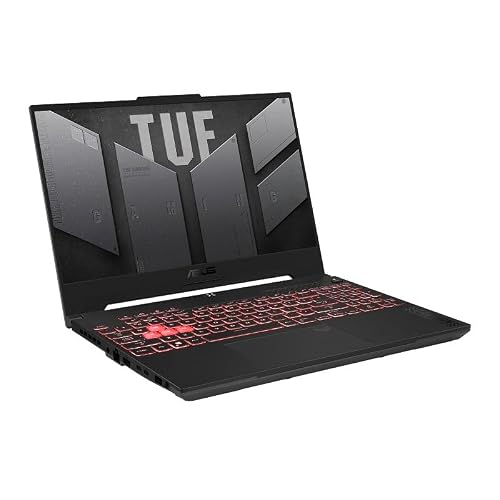
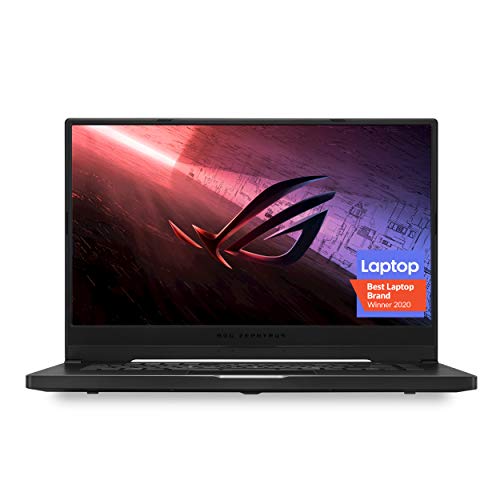
ASUS ROG Zephyrus G15 (2020) with GTX 1660 Ti Max-Q
The ASUS ROG Zephyrus G15 is the Max-Q laptop that proves thin does not have to mean weak. The GTX 1660 Ti Max-Q graphics card pairs with a Ryzen 7 4800HS processor, 16GB of memory, and a 1TB SSD, all in an ultra-slim 15.6-inch body with a 144Hz full HD display. It is the kind of laptop that runs modern games at smooth frame rates and still slips into a backpack without a second thought. The GA502IU-ES76 configuration is the one to look for, with the full 16GB and 1TB storage that keep it useful for years.
Key specifications: 15.6-inch 144Hz full HD display; GeForce GTX 1660 Ti Max-Q; AMD Ryzen 7 4800HS; 16GB DDR4; 1TB PCIe NVMe SSD; Wi-Fi 6; Windows 10 Home; model GA502IU-ES76.
This laptop suits a gamer who travels, studies, or works from different places and wants one machine for everything. The 144Hz screen makes fast games feel responsive, the Ryzen processor handles streaming and multitasking alongside gaming, and the slim body means the laptop does not announce itself as a gaming machine in a classroom or an office.
Set the laptop on a hard, flat surface so the cooling vents stay clear, and update the graphics drivers from the maker before the first long gaming session. A laptop stand improves airflow and screen height at a desk, and a compact mouse beats the trackpad for any serious game. Keep the 1TB drive organized so games load from the fast SSD rather than an external drive.
Strengths
- GTX 1660 Ti Max-Q delivers smooth 1080p gaming in a slim body
- Ryzen 7 4800HS with 16GB and a 1TB SSD handles gaming and work alike
- 144Hz display and Wi-Fi 6 keep games and downloads feeling fast
Trade-offs
- 1660 Ti Max-Q is a step below RTX cards for ray-traced games
- Slim body means fan noise rises under a heavy gaming load
- 2020-era design, so newer models offer faster graphics
A gamer who wants a thin, portable laptop that still plays modern games well will find the Zephyrus G15 hard to beat. It is the best balance of portability and performance here.
Best for: portable gaming with a 144Hz screen and a slim, light body / Not suited for: ray-traced games at maximum settings or 4K gaming
Check price on Amazon: ASUS ROG Zephyrus G15 (2020) with GTX 1660 Ti Max-Q

Razer Blade 15 Advanced (2020) with RTX 2070 Super Max-Q
The Razer Blade 15 Advanced is the flagship Max-Q laptop of this roundup, and it shows in every detail. An Intel Core i7-10875H eight-core processor drives an RTX 2070 Super Max-Q graphics card, feeding a 15.6-inch full HD display running at 300Hz. With 16GB of memory and a 512GB SSD in a CNC aluminum body, it feels like a premium machine the moment you pick it up. Chroma RGB lighting and Thunderbolt 3 round out a laptop built for serious play and serious work.
Key specifications: 15.6-inch full HD 300Hz display; NVIDIA GeForce RTX 2070 Super Max-Q; Intel Core i7-10875H 8-core; 16GB RAM; 512GB SSD; CNC aluminum body; Chroma RGB; Thunderbolt 3.
This laptop is made for a competitive gamer who wants the fastest screen here and the strongest graphics in a thin body. The 300Hz display makes fast shooters feel immediate, the RTX card supports ray tracing and DLSS, and the aluminum body survives daily travel. Thunderbolt 3 adds a docking option for a desk setup with external monitors.
Update the graphics drivers and the system firmware before gaming, then set the display to its full 300Hz refresh rate in the display settings. Use a cooling stand for long sessions, and keep the vents clear of soft surfaces like beds and couches. A Thunderbolt dock turns the Blade into a desktop replacement at home.
Strengths
- RTX 2070 Super Max-Q with a 300Hz display is the fastest combo here
- CNC aluminum body feels premium and travels well
- Thunderbolt 3 and Chroma RGB add docking and customization options
Trade-offs
- 512GB storage fills quickly with large modern games
- Premium build and performance come with a premium feel and weight
- Fan noise is noticeable under sustained heavy load
A competitive gamer who wants the best screen and the strongest Max-Q graphics in a thin laptop will choose the Blade 15 Advanced. It is the performance pick of this list.
Best for: competitive gaming with a 300Hz screen and RTX graphics / Not suited for: players who need a large storage drive for a huge game library
Check price on Amazon: Razer Blade 15 Advanced (2020) with RTX 2070 Super Max-Q
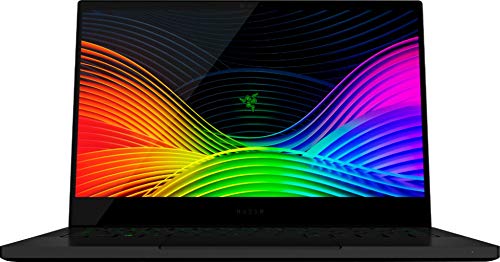
Razer Blade Stealth 13 with GTX 1650 Max-Q
The Razer Blade Stealth 13 is the smallest Max-Q laptop here, and that is the whole point. A 13.3-inch ultrabook body hides a GTX 1650 Max-Q graphics card, an Intel Core i7-1065G7 processor, 16GB of memory, and a 512GB SSD, with a full HD 1080p display and Thunderbolt 3. It is a laptop you can carry all day, open in a lecture hall, and then use for a proper gaming session in the evening. The CNC aluminum build keeps it rigid despite the tiny footprint.
Key specifications: 13.3-inch full HD 1080p 60Hz display; NVIDIA GeForce GTX 1650 Max-Q; Intel Core i7-1065G7; 16GB RAM; 512GB SSD; CNC aluminum; Chroma RGB; Thunderbolt 3.
This laptop suits a student or a frequent traveler who needs a genuinely portable machine that can still game. The 13-inch size fits in small bags and on crowded desks, the battery-friendly design stretches further than a full-size gaming laptop, and the GTX 1650 Max-Q handles popular games at 1080p without drama.
Keep the laptop on a hard surface for gaming so the slim cooling system can breathe, and lower demanding game settings to medium for the smoothest frame rates. Update the graphics drivers regularly, and use Thunderbolt 3 for an external monitor or a dock at a desk.
Strengths
- 13.3-inch ultrabook size is genuinely portable for daily carry
- GTX 1650 Max-Q plays popular games well at 1080p
- CNC aluminum body and Thunderbolt 3 add durability and docking
Trade-offs
- 1650 Max-Q is the least powerful graphics card in this roundup
- 60Hz display is slower than the 144Hz and 300Hz screens here
- Slim body limits cooling, so sustained loads throttle sooner
A student or traveler who wants the smallest real gaming laptop will love the Blade Stealth 13. It trades raw power for portability, and for many players that is the right trade.
Best for: students and travelers who need a 13-inch laptop that can game / Not suited for: players who want maximum graphics power or a high-refresh screen
Check price on Amazon: Razer Blade Stealth 13 with GTX 1650 Max-Q
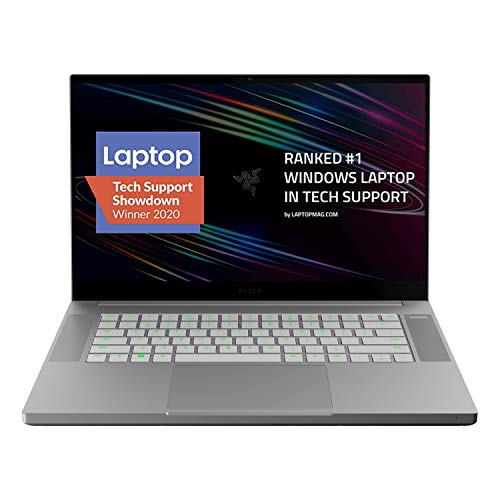
Razer Blade 15 Base (2020) with RTX 2070 Max-Q, 4K OLED
The Razer Blade 15 Base stands out for one reason: its 15.6-inch 4K OLED display. Paired with an RTX 2070 Max-Q graphics card, an Intel Core i7-10750H processor, 16GB of memory, and a 512GB SSD, it is a laptop built for players and creators who care about image quality above all else. The Mercury White finish and CNC aluminum body give it a distinctive look, and the Creator Ready branding signals that it is as comfortable editing video as it is running games.
Key specifications: 15.6-inch 4K OLED display; NVIDIA GeForce RTX 2070 Max-Q; Intel Core i7-10750H; 16GB RAM; 512GB SSD; CNC aluminum; Chroma RGB; Thunderbolt 3; Mercury White.
This laptop suits a gamer who also edits photos or video, or anyone who watches a lot of movies on their laptop. The OLED panel delivers deep blacks and vivid color that a standard IPS screen cannot match, and the RTX card handles both games and GPU-accelerated creative work. It is a dual-purpose machine for a desk that does everything.
Set the display scaling to a comfortable level for the 4K panel, since native 4K text can be small, and update the graphics drivers before creative work. Use a cooling stand for long gaming sessions, and calibrate the display if color accuracy matters for photo or video work.
Strengths
- 4K OLED display offers the best image quality in this roundup
- RTX 2070 Max-Q handles games and creative work alike
- Mercury White aluminum body looks distinctive and premium
Trade-offs
- 4K gaming at high settings is demanding for a Max-Q card
- 512GB storage is tight for large games and media libraries
- OLED panels need care to avoid static image retention
A gamer-creator who values screen quality above all else will choose this Blade 15 Base. It is the best-looking screen here by a clear margin.
Best for: creators and movie lovers who want a 4K OLED laptop that games / Not suited for: players who prioritize frame rates over resolution
Check price on Amazon: Razer Blade 15 Base (2020) with RTX 2070 Max-Q, 4K OLED

MSI GS66 Stealth with RTX 2070 Max-Q
The MSI GS66 Stealth is the quiet achiever of this list: a thin and light 15.6-inch gaming laptop with an RTX 2070 Max-Q graphics card, an Intel Core i7-10750H processor, 16GB of memory, and a 1TB SSD. The 240Hz display sits between the 144Hz and 300Hz screens here, giving fast games a smooth feel without the battery cost of the fastest panel. The model number to look for is 10SF-683, which is the configuration with the RTX 2070 Max-Q and the full 1TB of storage.
Key specifications: 15.6-inch 240Hz 3ms display; NVIDIA GeForce RTX 2070 Max-Q; Intel Core i7-10750H; 16GB RAM; 1TB NVMe SSD; Windows 10; VR Ready; model 10SF-683.
This laptop fits a gamer who wants a fast screen, a full terabyte of storage, and a laptop that does not scream gaming laptop in a meeting. The 240Hz panel is a sweet spot for competitive play, the 1TB drive holds a large game library, and the thin body travels well. VR Ready support adds an option for a headset when you are home.
Update the graphics drivers and set the display to 240Hz before competitive play. Keep the laptop ventilated during long sessions, and use the 1TB SSD for your most-played games so they load quickly. A compact gaming mouse and a headset complete the setup.
Strengths
- 240Hz display is a sweet spot for competitive gaming
- 1TB SSD holds a large game library without an external drive
- Thin and light body with RTX 2070 Max-Q power
Trade-offs
- Design is more understated, so it lacks the premium feel of the Razer models
- Battery life drops quickly at 240Hz under load
- Fan noise rises during sustained gaming
A gamer who wants a fast screen and a big drive in a discreet thin laptop will pick the GS66 Stealth. It is the most practical all-rounder here.
Best for: competitive players who want 240Hz and a 1TB drive in a thin laptop / Not suited for: players who want a standout design or a 4K display
Check price on Amazon: MSI GS66 Stealth with RTX 2070 Max-Q

Lenovo Legion 7 with RTX 2070 Super Max-Q
The Lenovo Legion 7 closes this roundup with a strong all-round package: an RTX 2070 Super Max-Q graphics card, an Intel Core i7-10750H processor, 16GB of memory, and a 1TB SSD, behind a 15.6-inch full HD 144Hz IPS display rated at 500 nits. That bright panel is the standout feature, because it stays readable in a bright room or near a window where dimmer laptop screens wash out. The Legion design is clean and professional, with the performance to back it up.
Key specifications: 15.6-inch full HD 144Hz 500-nit IPS display; NVIDIA RTX 2070 Super Max-Q; Intel Core i7-10750H; 16GB RAM; 1TB SSD.
This laptop suits a gamer who plays in a bright room, a dorm with big windows, or a shared space where the screen competes with daylight. The 500-nit display is genuinely useful, the RTX 2070 Super Max-Q handles modern games at 1080p with high settings, and the 1TB drive keeps a good library installed. It also works well as a work laptop, since the Legion styling is restrained.
Set the display brightness to suit the room rather than leaving it at maximum, which saves battery and reduces eye strain. Update the graphics drivers, keep the vents clear, and use a stand for long sessions to improve airflow and screen height.
Strengths
- 500-nit 144Hz display stays readable in bright rooms
- RTX 2070 Super Max-Q with 1TB SSD is a strong gaming combo
- Clean Legion styling works for gaming and for work
Trade-offs
- Heavier than the ultraportable models in this roundup
- 144Hz is slower than the 240Hz and 300Hz screens here
- Legion software needs a first-run setup to tame notifications
A gamer in a bright room, or anyone who wants a strong Max-Q laptop that also works as a professional machine, will find the Legion 7 the best fit. The bright screen is a real, daily advantage.
Best for: bright rooms and players who want a laptop for work and gaming / Not suited for: travelers who need the lightest possible laptop
Check price on Amazon: Lenovo Legion 7 with RTX 2070 Super Max-Q
Best max q gaming laptops: what matters most
The graphics card is the heart of a Max-Q laptop, but the Max-Q name covers a range. A GTX 1650 Max-Q plays popular games well at 1080p, a GTX 1660 Ti Max-Q steps up to higher settings, and an RTX 2070 or 2070 Super Max-Q adds ray tracing and the headroom for demanding titles. Match the card to the games you actually play, not to a benchmark chart.
The screen matters as much as the card. A 144Hz display makes fast games feel smoother than a 60Hz panel, a 240Hz or 300Hz display helps competitive players, and a 4K OLED panel suits creators and movie lovers. A fast card behind a slow screen wastes its advantage, so check the refresh rate before you buy.
Cooling and size are the Max-Q trade-off. Thin laptops run warmer and louder under load than thick ones, so a good cooling design, clear vents, and a hard surface matter. The 13-inch models are the most portable and the most limited; the 15-inch models balance power and portability best.
Finally, check memory and storage. 16GB of memory is the right baseline for gaming and multitasking, and a 512GB drive fills fast with modern games, so a 1TB SSD is worth having if you keep a large library installed.
Buying guide: choosing max q gaming laptops
Start with the games you play. Competitive shooters benefit most from a high-refresh screen and a strong RTX card, while story games and indie titles run well on a GTX 1660 Ti or even a GTX 1650 Max-Q. Buying more graphics card than your games need wastes money and battery life.
Choose the screen size by how you travel. A 13-inch laptop fits small bags and crowded desks, while a 15-inch laptop gives a bigger screen and better cooling at the cost of weight. If the laptop mostly stays on a desk, the 15-inch models are the better buy.
Check the exact configuration before ordering. Model numbers like GA502IU-ES76 and 10SF-683 identify the specific graphics card, memory, and storage, and a similar-looking laptop with a different configuration can have a different card or a smaller drive. Verify the configuration in the listing, not just the model family.
Think about the desk setup too. A Max-Q laptop benefits from a cooling stand, an external mouse, and a second monitor at home, and Thunderbolt 3 models can dock with a single cable. Budget for those accessories if the laptop will live on a desk.
Using and caring for your max q gaming laptops
Keep the vents clear and the laptop on a hard surface during gaming, since soft surfaces like beds and couches block airflow and raise temperatures. Clean the vents with compressed air every few months, holding the fan still so it does not spin freely.
Update the graphics drivers regularly, since driver updates often improve performance in new games. Check for system firmware updates from the maker at the same time, and keep the operating system current for security and stability.
Treat the battery kindly by avoiding constant full charges when the laptop stays plugged in, and store the laptop in a padded sleeve when traveling. A thin laptop dents more easily than a thick one, so a sleeve is cheap insurance.
Common mistakes to avoid
The most common mistake is buying a Max-Q laptop for the name alone without checking which Max-Q card it has. A GTX 1650 Max-Q and an RTX 2070 Super Max-Q are very different graphics cards, and the price gap reflects that. Read the full configuration, not just the Max-Q label.
Another mistake is gaming on a soft surface. A thin laptop needs airflow, and a bed or a couch can push temperatures high enough to throttle performance within minutes. Use a hard surface or a stand for any serious session.
Finally, many buyers forget storage. Modern games are large, and a 512GB drive holds only a handful of them. Check the drive size before ordering, and plan for an external drive or a storage upgrade if the library is large.
Budget and value
Max-Q laptops span a wide range, from the affordable 13-inch Stealth to the flagship Blade 15 Advanced. The best value is usually in the middle: a GTX 1660 Ti or RTX 2070 Max-Q with a 144Hz or 240Hz screen and a 1TB drive covers most games well without paying for the fastest panel or the most expensive materials.
Value also comes from longevity. A laptop with 16GB of memory, a 1TB SSD, and a strong graphics card stays useful longer than a cheaper model with a small drive and a weak card. Buy the configuration you will still be happy with in two years, not the cheapest one that runs today's games.
Final recommendation
For most players, the ASUS ROG Zephyrus G15 is the best all-round Max-Q laptop: a strong GTX 1660 Ti Max-Q, a 144Hz screen, and a 1TB drive in a genuinely slim body. Competitive players should look at the Razer Blade 15 Advanced with its 300Hz display, and travelers should look at the Blade Stealth 13.
Creators and movie lovers should choose the Blade 15 Base with its 4K OLED screen, practical players should choose the MSI GS66 Stealth with its 240Hz display and 1TB drive, and anyone gaming in a bright room should choose the Lenovo Legion 7 with its 500-nit panel.
Frequently asked questions
What does Max-Q mean in a gaming laptop?
Max-Q is a design approach for laptop graphics cards that prioritizes efficiency, so the card delivers strong gaming performance in a thin, light laptop with manageable heat and noise. A Max-Q card is tuned to run cooler and quieter than a standard mobile card at a similar performance level.
Is a GTX 1650 Max-Q good enough for gaming?
Yes, a GTX 1650 Max-Q plays popular games well at 1080p with medium settings, and it suits a thin 13-inch laptop where portability matters. For demanding games at high settings, a GTX 1660 Ti Max-Q or an RTX 2070 Max-Q is a better choice.
What refresh rate should a Max-Q gaming laptop have?
A 144Hz display is a good baseline for smooth gaming, while 240Hz and 300Hz displays help competitive players in fast shooters. A 60Hz display is fine for story games and casual play but wastes the advantage of a strong graphics card.
Do Max-Q laptops overheat?
Thin Max-Q laptops run warmer than thick gaming laptops under load, which is the trade-off for portability. Keeping the laptop on a hard surface, cleaning the vents, and using a cooling stand for long sessions keeps temperatures under control.
How much storage does a gaming laptop need?
A 512GB SSD holds a handful of modern games, while a 1TB SSD holds a comfortable library. If you play many large games, favor a 1TB drive or plan for an external drive for less-played titles.
Can a Max-Q laptop run modern games at high settings?
A Max-Q laptop with an RTX 2070 or 2070 Super Max-Q runs modern games well at 1080p with high settings, while a GTX 1650 or 1660 Ti Max-Q suits medium to high settings. For 1440p or ray tracing at maximum settings, a thicker laptop with a full-power card is a better choice.
How long does a Max-Q gaming laptop last?
A Max-Q laptop with 16GB of memory and a 512GB or 1TB SSD typically stays useful for several years of gaming and everyday work. Keeping the drivers updated, the vents clean, and the storage free helps the laptop age well.
Getting the most from a Max-Q laptop
A Max-Q laptop performs best when it is set up properly, and the setup takes less than an hour. Update the graphics drivers from the maker before the first gaming session, since driver updates often add performance in new games and fix bugs that affect frame rates. Set the display to its full refresh rate in the display settings, because a 144Hz or 300Hz panel that is left at 60Hz wastes its main advantage. Check the power plan as well: a performance plan keeps the processor and the graphics card from throttling, while a balanced plan saves battery when you are not gaming.
Cooling is the second part of the setup. A thin Max-Q laptop needs airflow, so always game on a hard, flat surface or a cooling stand, never on a bed or a couch where the vents are blocked. A stand that lifts the back of the laptop improves airflow and raises the screen to a more comfortable height at a desk. Clean the vents with compressed air every few months, holding the fan still so it does not spin freely, since dust buildup is the most common cause of rising temperatures and fan noise.
Storage and settings deserve attention too. Install your most-played games on the fast SSD rather than an external drive, and keep the drive at least twenty percent free so the operating system has room to work. In demanding games, start at medium settings and raise them step by step, watching the frame rate as you go, rather than setting everything to maximum and wondering why the laptop stutters. A Max-Q card plays best at the settings it can sustain, not the settings it can briefly reach.
Max-Q vs standard gaming laptops
The difference between a Max-Q laptop and a standard gaming laptop is a trade-off between portability and raw power. A Max-Q laptop is thinner, lighter, and quieter, with a graphics card tuned for efficiency, so it fits in a backpack and works in a classroom or an office without announcing itself as a gaming machine. A standard gaming laptop is thicker and heavier, with a full-power graphics card and better cooling, so it plays demanding games at higher settings and sustains that performance longer.
Battery life follows the same trade-off. A Max-Q laptop lasts longer away from an outlet than a thick gaming laptop, especially when doing light work, because the efficient graphics card and the smaller cooling system draw less power. A standard gaming laptop drains its battery faster under load and often needs to stay plugged in for serious gaming. If you travel or study away from a desk, the Max-Q design is the more practical choice.
Price and longevity complete the picture. A Max-Q laptop often costs more than a thicker laptop with the same graphics card name, because the thin design and the premium materials cost more to build. But a Max-Q laptop that travels well and works as a daily machine may be used more often and kept longer than a heavy gaming laptop that stays on a desk. Choose the design for the life you actually lead: a traveler and a student will get more from Max-Q, while a desk-bound player who wants maximum performance will get more from a standard gaming laptop.
Choosing between a 13-inch and a 15-inch Max-Q laptop
Screen size is the most visible difference between Max-Q laptops, and it shapes everything else. A 13-inch laptop like the Blade Stealth 13 fits in small bags, on crowded desks, and on airplane tray tables, and it is the easiest laptop here to carry all day. The trade-off is a smaller screen, a smaller keyboard, and a cooling system with less room to breathe, so it throttles sooner under a heavy load and plays demanding games at lower settings.
A 15-inch laptop is the sweet spot for most gamers. The larger screen is more comfortable for long sessions, the keyboard has room for a full layout, and the cooling system has more space to work, so the laptop sustains higher performance for longer. The cost is weight and size: a 15-inch laptop needs a larger bag and a bigger desk, and it is less comfortable to carry for a full day of classes or meetings.
The decision comes down to travel. If the laptop leaves the house daily and rides in a small bag, the 13-inch model is worth the performance trade-off. If the laptop mostly moves between a desk and a couch, or travels in a car rather than on foot, the 15-inch models offer a better screen, better cooling, and better value. Try both sizes in a store if you can, and carry each one in your bag before deciding. Weight is the other half of the size decision, and it matters more than the specification sheet suggests. A 13-inch laptop that weighs under three pounds disappears into a bag, while a 15-inch laptop closer to five pounds is noticeable after a full day of carrying. Try the laptop in your actual bag with your books and charger inside, walk around for a few minutes, and notice how your shoulder feels. A laptop you dread carrying is a laptop you will leave at home.
Buying a Max-Q laptop second hand
Many Max-Q laptops in this guide are from 2020, which means second-hand listings are common and often good value. A used Max-Q laptop can cost far less than a new machine with similar performance, but it needs a careful check before money changes hands. Ask for the exact model number and configuration, since a similar-looking laptop can have a different graphics card, less memory, or a smaller drive, and verify the battery health, the screen for dead pixels, and the keyboard for worn or sticky keys.
Test before you buy whenever possible. Boot the laptop, run a demanding game for fifteen minutes, and watch the temperatures and the fan noise, since a laptop that overheats or shuts down under load has a cooling problem. Check every port, the Wi-Fi, the Bluetooth, and the webcam, and confirm the charger is the original or a suitable replacement. A seller who refuses a test is a warning sign, and a laptop with a swollen battery or a cracked screen is not a bargain at any price.
After buying, a fresh start helps. Reinstall the operating system or reset it to factory settings, update the drivers and the firmware, and replace the thermal paste if the laptop runs hot and you are comfortable opening it. A new SSD or a memory upgrade can extend the life of a used laptop significantly, and a clean install removes the previous owner's software and settings. A used Max-Q laptop that is checked and cleaned can serve for years.
More guides from KajuanDouglas
Best Mid-Range Gaming Laptops Best Laptops for College Student Business Major Best Low Cost Laptops