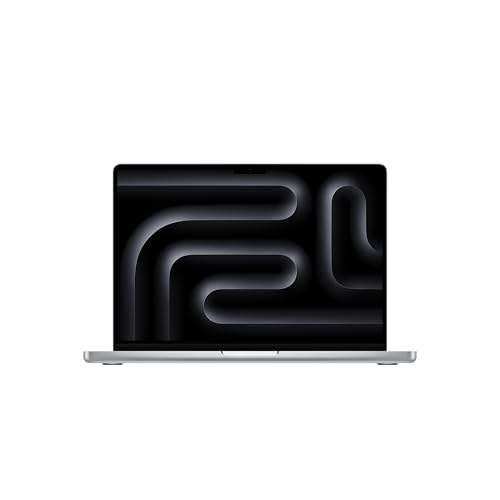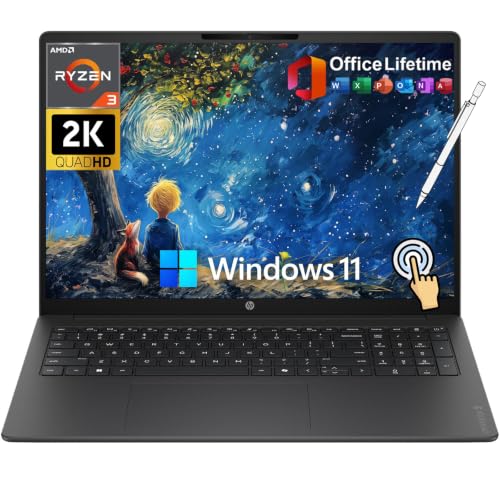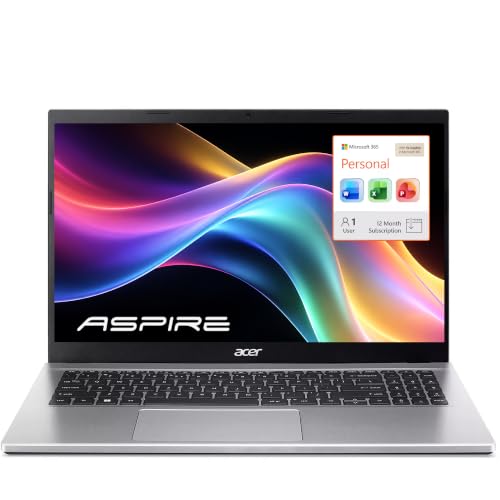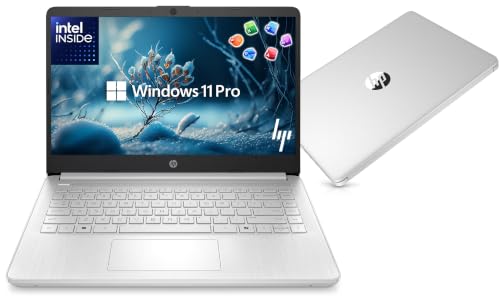
The best laptops for college student business major coursework balance three things that rarely arrive in the same machine: enough power for spreadsheets and presentations, a light body that survives a full day of lectures, and a price that leaves room in a student budget. Business majors live in Excel models, slide decks, research papers, video calls, and group projects, so the laptop has to handle all of that without slowing down at the worst moment. This guide compares six laptops that fit that brief, each one bundled with Microsoft Office and running Windows 11, so the software a business student needs is ready from the first day of class.
A business major does not need a gaming graphics card or a workstation processor. What matters far more is a comfortable keyboard for long writing sessions, a screen that stays readable in a bright lecture hall, battery life that covers back-to-back classes, and enough memory and storage to keep dozens of browser tabs, documents, and lecture recordings open at once. The six picks below were chosen with exactly that workload in mind. They range from ultra-portable 14-inch models that disappear into a backpack to larger 15.6-inch machines with more screen space for split-screen research and spreadsheet work.
Every laptop in this guide ships with a version of Microsoft Office included, which removes one of the most common hidden costs of starting college. Each one also runs Windows 11, so it works with the software most business schools standardize on, from Excel and PowerPoint to the video conferencing tools used for group work and remote lectures. Read through the comparison table first, then the detailed reviews, and use the buying guide at the end to match a machine to the way you actually study.
In this guide
Quick picks: best laptops for college student business major
| # | Product | Where to buy |
|---|---|---|
| 1 | HP 14-Inch Ultra-Portable Laptop | Check on Amazon |
| 2 | HP Stream 14-Inch HD Laptop | Check on Amazon |
| 3 | HP 14-Inch Productivity Laptop | Check on Amazon |
| 4 | HP 15.6-Inch Business and Student Laptop | Check on Amazon |
| 5 | SAGAWHALE 15.6-Inch Windows 11 Pro Laptop | Check on Amazon |
| 6 | THEYETI 15.6-Inch Laptop | Check on Amazon |
How the Picks Were Chosen
Each laptop on this list was selected against the daily routine of a business major rather than against a benchmark chart. The first filter was software: the machine had to include Microsoft Office or Office 365, because a business student who has to buy productivity software separately has already blown part of the budget. The second filter was portability, since a laptop that stays in the dorm because it is too heavy to carry does no good in a lecture hall. The third filter was the keyboard and screen, because business coursework means hours of typing and reading every single day.
Memory and storage came next. Four gigabytes of RAM is the floor for smooth multitasking in this price class, and every pick here meets it, while several offer eight gigabytes or more for students who keep research tabs open alongside Excel and Word. Storage matters too: a mix of fast local storage and bundled cloud storage keeps large slide decks, recorded lectures, and group project files within reach without constant cleanup. Battery life was weighed heavily as well, because outlets are never guaranteed in a crowded lecture hall, and a machine that dies halfway through a finance lecture is a machine that fails the assignment.
Finally, each pick had to be a complete, ready-to-use laptop from a recognizable brand or a well-specified direct model, with a clear statement of its processor, memory, storage, and display. No accessories, no bare components, and no listing that hides its specifications behind vague marketing language made the cut. The result is six machines that cover the main ways business students actually work: the ultra-portable note-taker, the all-day battery companion, the big-screen spreadsheet machine, and the balanced all-rounder.
Quick Comparison
| Laptop | Screen | Memory and Storage | Office Included | Standout Feature |
|---|---|---|---|---|
| HP 14-Inch Ultra-Portable Laptop | 14-inch | 4GB RAM, 628GB storage | Yes | Copilot AI and ultra-portable design |
| HP Stream 14-Inch Laptop | 14-inch HD | 4GB RAM, 128GB plus 1TB cloud | Yes | 1TB cloud storage included |
| HP 14-Inch Productivity Laptop | 14-inch | 4GB RAM, 628GB storage | Yes | Windows 11 Pro and Copilot AI |
| HP 15.6-Inch Business and Student Laptop | 15.6-inch | 4GB RAM, 640GB storage | Yes, 1-year Office 365 | Larger screen for spreadsheets |
| SAGAWHALE 15.6-Inch Windows 11 Pro Laptop | 15.6-inch FHD | 16GB RAM, 256GB SSD | Yes | 16GB RAM for heavy multitasking |
| THEYETI 15.6-Inch Laptop | 15.6-inch FHD IPS | 8GB RAM, 256GB SSD | Yes | Intel Core i3 and IPS display |
1. HP 14-Inch Ultra-Portable Laptop

The HP 14-Inch Ultra-Portable Laptop is the most carry-friendly machine on this list, and it is the easiest recommendation for a business major who walks across campus all day. It pairs a 14-inch display with an Intel 4-core processor, 4GB of RAM, and 628GB of storage, and it arrives with Microsoft Office and Copilot AI ready to go. That combination covers the core business student workload: Excel models, PowerPoint decks, research papers, email, and video calls, all in a body that fits easily in a backpack alongside textbooks.
Portability is the real story here. A 14-inch laptop hits the sweet spot between screen space and weight, and this HP leans into that balance. It is the kind of machine that comes out of the bag in a lecture hall, stays open through a study session in the library, and goes back in the bag without a second thought. The included Copilot AI features add a practical edge for business students, helping with drafting, summarizing, and organizing notes, while the preinstalled Office suite means there is nothing extra to buy or install before the first assignment is due.
Strengths
- Ultra-portable 14-inch design that is easy to carry between classes all day.
- Microsoft Office and Copilot AI included, so coursework software is ready immediately.
- Intel 4-core processor with 628GB of storage handles documents, spreadsheets, and browsing together.
Trade-offs
- 4GB of RAM limits how many heavy applications and browser tabs can run at once.
- The compact screen feels tight when comparing two large spreadsheets side by side.
- Storage is generous but the configuration is fixed, so there is no simple upgrade path later.
Who it fits: the business major who values light weight above all else and works mostly in Office documents, email, and the browser. Best for: students who carry their laptop everywhere and want Office ready on day one. Not suited for: heavy multitaskers who keep dozens of tabs and large Excel models open at the same time.
One detail that matters for business majors is how this laptop handles a typical class day. A morning might start with a statistics lecture, move to a group project meeting over video, and end with two hours of writing in the library. The HP 14-Inch Ultra-Portable keeps up because its processor and memory are matched to exactly that rhythm: Office applications open quickly, switching between a spreadsheet and a slide deck feels instant, and the machine stays quiet enough to use in a silent study area. The 14-inch display is also a good size for lecture hall desks, which are often too narrow for larger machines. Students who take notes by hand on paper beside the keyboard will appreciate that the compact footprint leaves room for a notebook. The included Copilot AI tools can help draft outlines, summarize long readings, and turn rough notes into structured bullet points, which saves real time during exam weeks when every hour counts.
2. HP Stream 14-Inch HD Laptop
Check price on Amazon: HP 14-Inch Ultra-Portable Laptop

The HP Stream 14-Inch HD Laptop is built around a simple idea: a business student should never run out of room for coursework. It combines 128GB of local storage with 1TB of cloud storage, so lecture recordings, group project files, and semester archives all have a place to live. Under the hood sits an Intel N150 processor with 4GB of RAM, and the machine ships with AI Copilot and a full year of Microsoft 365, making it a complete study setup straight out of the box.
The Stream line has always been about value and simplicity, and this model keeps that tradition while adding the AI tools that are quickly becoming part of everyday student work. The 14-inch HD display is large enough for writing and spreadsheet work, and the laptop is light enough to carry without thinking about it. Cloud storage is the feature that matters most here: business majors accumulate files fast, from case study PDFs to recorded lectures and shared group folders, and having a terabyte of cloud space means that archive stays organized and backed up instead of living on a single crowded drive.
Strengths
- 1TB of cloud storage plus 128GB local storage gives coursework plenty of room.
- Microsoft 365 and Copilot AI included for a full year of productivity software.
- Light 14-inch design that works well for lectures, the library, and group study sessions.
Trade-offs
- 128GB of local storage fills quickly if large files are kept on the device instead of the cloud.
- The HD display is functional but less sharp than a Full HD panel for long reading sessions.
- 4GB of RAM keeps multitasking modest, so heavy users should close apps they are not using.
Who it fits: the organized student who works in the cloud and wants every file backed up and reachable from anywhere. Best for: business majors who store lectures, cases, and group files in the cloud. Not suited for: students who need large local storage or a sharper Full HD screen.
The cloud storage bundle is what sets this laptop apart for a business student who works across devices. Lecture slides downloaded on the laptop, a group spreadsheet edited on a library computer, and notes reviewed on a phone all stay in sync through the same cloud account, so there is no version confusion the night before a deadline. The one-year Microsoft 365 subscription covers Word, Excel, PowerPoint, and OneDrive, which is the full toolkit for business coursework. Students should treat the first week of the semester as setup week: sign in to the cloud account, create a folder for each course, and turn on automatic saving in Office so that a crashed application never costs more than a few seconds of work. The HP Stream is not a powerhouse, but it is honest about what it is: a light, simple, connected machine that keeps coursework organized and backed up without demanding attention.
3. HP 14-Inch Productivity Laptop with Windows 11 Pro
Check price on Amazon: HP Stream 14-Inch HD Laptop

The HP 14-Inch Productivity Laptop steps up the software side of the package with Windows 11 Pro, a meaningful upgrade for business students who connect to university networks, use remote desktop tools, or need the extra security and management features that Pro provides. It runs an Intel 4-core processor with 4GB of RAM and 628GB of storage, and it includes Microsoft Office and Copilot AI. For a student who treats the laptop as a professional tool rather than a casual device, the Pro edition of Windows adds real value.
In daily use, this machine feels like the dependable middle of the range: light enough to carry, powerful enough for the full Office suite, and configured with the kind of storage that does not demand constant file management. Windows 11 Pro also matters for internships and part-time work, where employers may require devices that meet stricter security policies. A business major who plans to use the same laptop for classes and for an internship will appreciate not having to work around software limitations.
Strengths
- Windows 11 Pro adds security and connectivity features that Home edition lacks.
- Microsoft Office and Copilot AI included, ready for coursework and internships.
- 628GB of storage leaves generous room for documents, media, and project archives.
Trade-offs
- 4GB of RAM is the limiting factor for heavy multitasking and large spreadsheets.
- The 14-inch screen is compact, so split-screen work with two large documents feels cramped.
- It shares much of its hardware with the other HP 14-inch picks, so the Pro software is the main differentiator.
Who it fits: the business major who wants a professional-grade Windows setup for classes, internships, and university networks. Best for: students who need Windows 11 Pro for school networks or work placements. Not suited for: anyone who needs more than 4GB of RAM for demanding multitasking.
Windows 11 Pro deserves a closer look, because it is the feature that separates this laptop from its near-identical siblings. Pro adds BitLocker device encryption, which protects coursework if the laptop is lost or stolen, and it supports joining a university domain and using Remote Desktop, both of which come up in business school IT environments and internships. For a student who will use the same machine for classes and for a part-time job or summer internship, those features remove friction that Home edition users sometimes hit at the worst moment. The hardware underneath is the same dependable formula as the other HP 14-inch models: a quad-core processor, enough storage for years of documents, and a light body. The decision here is really about software: if Pro features sound useful, this is the pick; if they do not, the standard models cost less for the same daily experience.
4. HP 15.6-Inch Business and Student Laptop
Check price on Amazon: HP 14-Inch Productivity Laptop

The HP 15.6-Inch Business and Student Laptop is the big-screen option for business majors who spend their days in spreadsheets. The larger display makes a genuine difference when a finance model stretches across dozens of columns, or when research notes sit beside a half-written paper. It runs an Intel Quad-Core N150 processor with 4GB of RAM and 640GB of storage, and it includes a full year of Office 365 plus Copilot AI, so the software side is covered for the whole academic year.
Screen size is the defining trade-off in laptop shopping, and this model chooses space over portability. It is still a standard laptop that fits in a normal bag, but it is noticeably larger than the 14-inch picks, and that extra display area pays off every time a student works with two windows open. For accounting, finance, and data-heavy courses, where Excel is open for hours at a time, the 15.6-inch screen reduces scrolling and eye strain in a way that a smaller display simply cannot match.
Strengths
- 15.6-inch display gives spreadsheets and research room to breathe.
- One year of Office 365 and Copilot AI included for coursework and collaboration.
- Intel Quad-Core N150 processor with 640GB of storage handles daily business workloads.
Trade-offs
- The larger body is heavier and less convenient to carry across campus all day.
- 4GB of RAM limits multitasking when many applications run together.
- Battery life tends to be shorter on larger-screen machines under heavy use.
Who it fits: the finance, accounting, or analytics student who lives in Excel and wants the biggest workable screen. Best for: spreadsheet-heavy coursework and split-screen research. Not suited for: students who prioritize the lightest possible bag.
The larger screen changes how spreadsheet work feels, and that is worth emphasizing for finance and accounting majors. On a 14-inch display, a wide financial model forces constant horizontal scrolling, which slows work and invites errors. On this 15.6-inch panel, more columns stay visible at once, and splitting the screen between a model and a set of instructions becomes practical instead of cramped. The one-year Office 365 subscription included here covers the full academic year, and Copilot AI can help with formula explanations, presentation outlines, and summarizing case readings. The trade-off is real: this is the heaviest machine on the list, and students who walk long distances between classes will feel the difference by Friday. A good backpack with a padded laptop compartment makes the weight manageable, and the screen space pays for itself during every long study session.
5. SAGAWHALE 15.6-Inch Windows 11 Pro Laptop
Check price on Amazon: HP 15.6-Inch Business and Student Laptop

The SAGAWHALE 15.6-Inch Windows 11 Pro Laptop is the multitasking pick of this guide, and the reason is simple: 16GB of RAM. That is four times the memory of the other machines here, and it changes how the laptop feels when a business student has Excel, Word, a browser full of research tabs, and a video call open at the same time. The 256GB SSD keeps the system responsive, the 15.6-inch Full HD display gives work room to spread out, and Windows 11 Pro adds the professional features that matter for university networks and internships.
Memory is the single specification that most affects how smooth a laptop feels during a heavy study session, and this is the only pick here that removes memory as a concern entirely. Students who build large financial models, run data analysis tools, or keep thirty tabs open while writing will notice the difference immediately. The trade-off is storage capacity: 256GB is enough for documents and coursework, but students with large media libraries will want to lean on cloud storage or an external drive for overflow.
Strengths
- 16GB of RAM makes heavy multitasking smooth, even with many apps and tabs open.
- 15.6-inch Full HD display is ideal for spreadsheets and side-by-side research.
- Windows 11 Pro and a fast SSD keep the system responsive and professional.
Trade-offs
- 256GB of storage is the smallest capacity on this list, so media libraries need cloud or external storage.
- The SAGAWHALE brand is less established than HP, so long-term support is less certain.
- The larger 15.6-inch body is heavier to carry than the 14-inch ultra-portables.
Who it fits: the power user who runs many applications at once and wants memory to never be the bottleneck. Best for: heavy multitaskers, large Excel models, and research with many open tabs. Not suited for: students who need large local storage or a widely known brand name.
Sixteen gigabytes of RAM is the headline here, and it is worth understanding what that buys in practice. Memory determines how many things a laptop can hold in its working memory at once, and business students routinely run more than they realize: a browser with a dozen research tabs, Excel with a large model, Word with a paper in progress, a PDF reader with a case study, and a video call running in the background. On a 4GB machine, that combination forces the system to shuffle data to storage, which feels like lag. On this SAGAWHALE, everything stays in memory, and switching between applications feels immediate. The 256GB SSD is the compromise: it is fast, but students with large photo or video libraries should plan to use cloud storage or an external drive. For pure coursework, 256GB is plenty, since documents and spreadsheets are small.
6. THEYETI 15.6-Inch Laptop with Intel Core i3
Check price on Amazon: SAGAWHALE 15.6-Inch Windows 11 Pro Laptop

The THEYETI 15.6-Inch Laptop rounds out the list with the most traditional processor here: an Intel Core i3-8130U that reaches up to 3.4GHz, paired with 8GB of RAM and a 256GB SSD. The 15.6-inch Full HD IPS display is the other highlight, offering wider viewing angles and more consistent colors than a standard TN panel, which matters during long reading sessions and group work where several people look at the same screen. Windows 11 comes preinstalled, and the machine is positioned squarely as a business laptop for students.
An IPS display is an underrated feature for a student laptop. Lecture halls and study rooms are rarely lit perfectly, and a screen that stays readable from an angle means a student can share notes with a classmate or work in a cramped library seat without constantly adjusting the lid. The Core i3 processor and 8GB of RAM sit in the comfortable middle of this list: noticeably more capable than the 4GB machines for everyday multitasking, without the premium that a higher-end processor would demand.
Strengths
- Full HD IPS display stays readable from wide angles, which helps in group study.
- Intel Core i3 processor with 8GB of RAM handles everyday multitasking comfortably.
- 256GB SSD and Windows 11 keep startup and file access fast.
Trade-offs
- 256GB of storage requires some file management for students with large media collections.
- THEYETI is a lesser-known brand, so buyers should check warranty terms before ordering.
- The 15.6-inch body is bulkier than the ultra-portable 14-inch models.
Who it fits: the student who wants a sharp, wide-angle screen and solid mid-range performance for business coursework. Best for: group study, long reading sessions, and comfortable everyday multitasking. Not suited for: students who need maximum storage or the lightest possible laptop.
The IPS display on this THEYETI is a feature that is easy to overlook on a specification sheet and hard to give up once experienced. Standard laptop panels wash out when viewed from an angle, which is a daily annoyance in group study: the student sitting beside the laptop sees a faded screen while the owner sees a clear one. An IPS panel keeps colors and contrast consistent from wide angles, so sharing a screen with a classmate actually works. The Core i3 processor is a proven mid-range chip that handles Office, browsing, and video calls without strain, and 8GB of RAM puts this machine ahead of the 4GB picks for multitasking. Students should check the warranty and return policy before ordering, since THEYETI is a less familiar brand than HP, but the hardware itself is a solid match for business coursework.
Buying Guide: Choosing a Laptop for a Business Major
Start with the software. A business major lives in Microsoft Office, and a laptop that includes Office or Office 365 saves both money and setup time. All six picks in this guide include it, but the length of the subscription varies, so check whether the bundle covers one year or longer and budget for renewal if needed. Windows 11 is the standard operating system for business coursework, and the Pro edition adds network and security features that matter for university systems and internships.
Memory is the next decision. Four gigabytes of RAM is workable for documents, email, and browsing, and it keeps the price down, but it becomes a limit when many applications run together. Eight gigabytes is the comfortable middle ground for most students, and sixteen gigabytes, as in the SAGAWHALE pick, removes memory worries entirely for heavy multitaskers. Storage follows the same logic: 128GB is tight without cloud storage, 256GB is enough for coursework with light media use, and 600GB or more means files rarely need attention.
Screen size is a lifestyle choice as much as a specification. A 14-inch laptop is easier to carry and fits on small lecture hall desks, while a 15.6-inch screen makes spreadsheets and split-screen research far more comfortable. If the laptop mostly stays on a desk, choose the bigger screen. If it travels across campus in a backpack every day, choose the lighter machine. Keyboard comfort deserves a hands-on check whenever possible, since business majors type for hours every day, and a cramped or shallow keyboard becomes a daily annoyance.
Battery life should be judged by real use, not by the headline figure. Video calls, bright screens, and many open tabs all drain power faster than light reading. A laptop that lasts a full morning of classes without a charger is the practical minimum, and carrying a compact charger in the bag covers the rest. Finally, think about durability and support: a laptop that survives four years of daily use is worth more than one that saves a little money upfront and fails in year two. A protective sleeve, a good warranty, and a habit of backing up files are cheap insurance for a device that holds an entire degree worth of work.
Think about the full four years, not just the first semester. A laptop bought for a business degree should still feel capable in the final year, when coursework is heavier and internship work is more demanding. That argues for buying a little more memory and storage than the first semester requires, and for choosing a machine with a solid keyboard and hinge, since those are the parts that wear out first. A laptop with 8GB or 16GB of RAM ages far better than one with 4GB, and a solid-state drive keeps the machine feeling fast for years. Budget for accessories too: a sleeve, a mouse for long spreadsheet sessions, and a backup drive or cloud subscription are small costs that protect a much larger investment.
Check price on Amazon: THEYETI 15.6-Inch Laptop
How to Use and Care for Your Laptop
Set the laptop up properly in the first week. Install university software, sign in to cloud storage, and turn on automatic backup before the first assignment is due, not after a scare. Keep the operating system and Office updated, since updates include security fixes that protect coursework and university accounts. Organize files by course and semester from the start: a clear folder structure saves hours when a group project deadline arrives and everyone needs the latest version.
Look after the battery by avoiding constant full discharges and by keeping the laptop out of extreme heat, such as a car in summer. A laptop sleeve protects against the knocks and spills that are part of campus life, and a separate backup, whether cloud or external drive, protects against the one failure that no sleeve can prevent. Clean the keyboard and screen gently and regularly, keep drinks away from the keyboard during study sessions, and shut the laptop down properly instead of forcing it closed mid-update.
Common Mistakes to Avoid
The most common mistake is buying on screen size or processor speed alone while ignoring memory. A fast processor with 4GB of RAM still stutters when too many applications are open, while a modest processor with 8GB or 16GB stays smooth. Another frequent error is skipping the Office question: a laptop without Office looks cheaper until the subscription is added, and a student who discovers that gap during finals week has a problem that could have been avoided in September.
Many students also buy a machine that is too heavy for daily carrying, then leave it in the dorm and try to study from a phone. If the laptop will travel every day, weight matters as much as performance. Finally, do not ignore backups. A single failed drive can erase a semester of work, and the students who lose the most are always the ones who meant to set up backup later. Set it up on day one.
Final Recommendation
For most business majors, the HP 14-Inch Ultra-Portable Laptop is the best starting point: it is light, it includes Office and Copilot AI, and it handles the full business workload without fuss. Students who work with large spreadsheets should step up to the HP 15.6-Inch Business and Student Laptop for the extra screen space, while heavy multitaskers should choose the SAGAWHALE 15.6-Inch model for its 16GB of RAM. The HP Stream 14-Inch is the best fit for students who live in the cloud and want a terabyte of storage for lectures and archives, and the THEYETI 15.6-Inch is the right call for anyone who values a sharp IPS display for group work. Whichever pick fits the way you study, buy the laptop before the semester starts, set up Office and backups on day one, and let the machine disappear into the background while the coursework takes center stage.
Frequently Asked Questions
What laptop specifications matter most for a business major?
Office software, enough memory for multitasking, and a comfortable keyboard matter most. A business major spends the day in Excel, Word, PowerPoint, email, and video calls, so 8GB of RAM is the comfortable target, 256GB of storage is a sensible minimum, and a 14-inch or 15.6-inch screen should be chosen based on how much the laptop travels. A dedicated graphics card is not needed for business coursework.
Is 4GB of RAM enough for college business coursework?
Yes, for typical use. Four gigabytes handles Word, Excel, PowerPoint, email, and browsing without trouble. It becomes a limit only when many applications and browser tabs run at the same time, or when working with very large spreadsheets. Students who multitask heavily should aim for 8GB or 16GB, and the SAGAWHALE pick on this list offers 16GB for exactly that reason.
Should a business major choose a 14-inch or 15.6-inch laptop?
Choose 14 inches for portability and 15.6 inches for screen space. A 14-inch laptop is lighter, fits small lecture desks, and is easier to carry all day. A 15.6-inch laptop makes spreadsheets, research, and split-screen work more comfortable. Students in finance and accounting often prefer the larger screen, while students who walk across a large campus often prefer the lighter machine.
Do business students need Windows 11 Pro?
Not always, but it helps. Windows 11 Home covers everyday coursework, while Pro adds features for university networks, remote desktop access, and stricter security policies used by some schools and employers. Students who plan to use the laptop for internships or part-time work should consider a Pro model, such as the HP 14-Inch Productivity Laptop or the SAGAWHALE 15.6-Inch Laptop on this list.
Is Microsoft Office included with these laptops?
Yes. Every laptop in this guide includes Microsoft Office or Office 365, though the subscription length varies by model. Some include a full year of Office 365, while others include Office as part of the purchase. Check the listing for the exact terms before ordering, and note the renewal date so there are no surprises mid-semester.
How long should a laptop for a business major last?
A good student laptop should last the full four years of a degree. The keys to longevity are enough memory to handle heavier software in later years, a solid-state drive, a sturdy hinge and keyboard, and regular care such as updates, backups, and protection from drops and spills. Machines with 8GB or 16GB of RAM and an SSD generally age better than budget models with minimal memory, and a laptop that is looked after will still feel capable in the final semester.
Related reading on Kajuandouglas: Best Laptops for College Business Students Under 1400, Best Laptops Under 500 for College Students, and Best 10 Laptops Under 1000.