Disclosure: As an Amazon Associate, kajuandouglas.com earns from qualifying purchases. Links on this page are affiliate links; they cost you nothing extra. Prices and availability change often, so check the current Amazon listing before you buy.
The question optical vs mechanical keyboards which is better sounds like it should have a winner, and the honest answer this comparison defends is that it has two, sorted by what your fingers and your games actually need. An optical keyboard registers a press with light, a beam interrupted or measured as the key travels. A mechanical keyboard registers it with a physical contact inside a switch. From that single engineering difference flow all the others: speed characteristics, feel, sound, durability, customisation and the entire shape of each market. This comparison walks them in order, with four verified boards standing as exemplars of each side.
The quick verdict, for readers who will not stay for the evidence: optical boards, in their modern analog form, offer the competitive gamer adjustable actuation and rapid trigger with a clean, consistent stroke, at the cost of a closed switch ecosystem. Mechanical boards offer the universe, hundreds of switches, endless keycaps, hot-swap experimentation and a century of accumulated craft, at the cost of fixed actuation points on traditional models. Gamers chasing the last frames lean optical or magnetic; typists, hobbyists and everyone who values choice lean mechanical; and a large, sensible middle can be happy on either, which is why the criteria matter more than the crown.
Four exemplars carry the argument. On the optical side, the SteelSeries Apex 9 TKL with its hot-swappable optical switches and the Razer Huntsman V3 Pro Mini with analog optical sensing and rapid trigger. On the mechanical side, the Logitech G PRO X TKL Lightspeed and the HyperX Alloy Origins Core, two traditional boards at the top of their craft. They are framed as switch-type exemplars, not as a roundup ranking, because the comparison’s subject is the technology under the keycaps. Readers who need the vocabulary first will find it in the mechanical keyboard glossary.
Key takeaways: Optical sensing wins on adjustable, contact-free actuation and consistency; mechanical switching wins on choice, customisation, feel variety and community depth. Competitive players should audition the optical exemplars; typists and hobbyists should start mechanical and only cross over for a reason they can name.
Optical Vs Mechanical Keyboards Which Is Better: How Each One Actually Works
A mechanical switch is a small machine for closing a circuit. Inside its housing, a spring-loaded stem travels down until two metal leaves meet, and that meeting is the keypress. Everything about the category follows from the physicality: the leaves define a fixed actuation point, the stem’s shape defines the feel, the contact can bounce for a few milliseconds and must be debounced by firmware, and the parts can be lubricated, filmed, swapped and tuned by an owner with a puller and patience. It is nineteenth-century logic, refined for a century, and its maturity is its glory.
An optical switch replaces the meeting with a measurement. A beam of light crosses the switch’s interior, and the stem’s travel interrupts or modulates that beam, so the board knows the key’s position without any electrical contact at the sensing point. Debounce, which exists to forgive contact bounce, becomes nearly unnecessary. Wear at the sensing point disappears, because nothing touches. And in the analog generation of optical switches, the beam reports position continuously, which lets software choose the actuation point per key and reset a press the instant it releases, the rapid-trigger behaviour competitive players reorganised their desks around.
A third technology haunts this comparison and deserves its footnote before the verdicts begin: Hall effect switches sense position with magnets, delivering the same adjustable, rapid-reset behaviour as analog optical by different physics. This article’s question is the classic pairing, optical against mechanical, and it answers that pairing on its merits. But a buyer persuaded by the optical side’s behaviour arguments should know the magnetic boards exist as a third door to the same room, and this series’ Fortnite guide reviews several of them as verified alternatives.
In this guide
Criterion One: Speed and Actuation Control
On raw sensing, optical wins the laboratory argument: light does not bounce, and an analog optical switch can be set to actuate at a whisper of travel and reset on the first hint of release. For competitive play built on counter-strafing and repeated inputs, that configurability is a genuine, usable advantage, and the Huntsman exemplar below exists to deliver exactly it. Traditional mechanical switches actuate where their leaves meet, a fixed point the owner cannot move, and their reset requires travel back past that point, which is the mechanical category’s one true performance ceiling.
The verdict needs its honesty clause. The advantage lives at the margin where elite matches are decided, and most players, in most games, are limited by decisions, aim and practice long before they are limited by a reset point. Polling rates, monitor refresh and the player’s own consistency all queue ahead of switch physics in the average defeat. So the criterion’s verdict is: optical, clearly, for the competitive ceiling; a draw for the broad middle of gaming, where both technologies are faster than the hands using them. Buy the ceiling when you are touching it, not when you admire it.
Criterion Two: Feel, Sound and the Typing Experience
Feel is where the mechanical universe humiliates the optical one, not in quality but in range. Mechanical switches exist in hundreds of varieties: linears smooth as glass, tactiles with bumps shaped like hills or cliffs, clickies with engineered theatre, silent switches damped for bedrooms, springs from featherlight to deliberate, all swappable on a hot-swap board in an afternoon. Optical switches, constrained by their sensing geometry, offer a far narrower menu, typically a couple of linear-feeling options per maker, excellent within their lane and silent about every other lane. A typist shopping for a feel is shopping mechanical, almost by definition.
Sound follows feel’s verdict with a twist. Mechanical boards can be tuned across the whole thock-to-clack spectrum with switches, caps, foam and mounting, which is why the hobby’s sound culture is a mechanical culture. Optical boards sound like what they are: consistent, clean, usually linear strokes in whatever case the maker built, pleasant and largely non-negotiable. Owners who chase a voice should buy mechanical and tune it. Owners who want a voice that simply never becomes a problem will find optical boards admirably well-behaved guests in a shared home.
The daily-typing verdict therefore runs opposite to the speed verdict, and the contrast is the comparison’s heart. Optical optimises the press as an event, fast, configurable, repeatable. Mechanical optimises the press as an experience, chosen, tuned and personal. A writer producing a million words a year lives inside the experience. A competitor producing ten thousand decisive inputs lives inside the event. Neither is wrong, and any guide that crowns one technology for both lives is selling something.
Criterion Three: Durability and Maintenance
Optical’s contact-free sensing removes the mechanical switch’s classic wear story: no leaves to fatigue, no contact to oxidise, no bounce to worsen with age. Switch lifespan claims for optical designs are correspondingly grand, and the physics supports the direction if not every digit of the marketing. Mechanical switches are themselves rated for tens of millions of presses, far beyond most owners’ horizons, and their failures, when they come, arrive one key at a time on boards where that key can often be replaced in minutes. The laboratory verdict favours optical; the lifetime verdict is closer, because both technologies usually outlive the owner’s desire for a new board.
Maintenance inverts the picture slightly. A mechanical board is an open system its owner can service: switches pull, caps wash, stabilisers tune, and a chattering key is a diagnosis with a fix. An optical board is a more sealed proposition, especially where its switches are proprietary; the Apex 9’s hot-swappable optical design is the honourable exception that proves the category can open itself when it chooses. Owners who like repairing their tools lean mechanical. Owners who like never thinking about their tools lean optical, and both are describing durability as they personally experience it, which is the only durability that matters.
Criterion Four: Customisation and Ecosystem
This criterion is a rout, and honesty requires saying so. The mechanical ecosystem is one of the great consumer hobby universes: switches by the hundred, keycaps by the thousand, cases, plates, foams, cables, artisans, group buys, a whole civilisation of choice documented in this series’ communities and building guides. The optical ecosystem is a walled garden by comparison, with switch choice confined to each maker’s own line and keycap compatibility as its main open door. A buyer whose joy is the hobby itself should not even deliberate: mechanical is the hobby, and optical is an appliance philosophy that happens to share the keyboard’s shape.
The rout has one boundary worth marking. Keycaps, the most visible customisation, generally work across both worlds where stems match, so an optical board is not exiled from the keycap universe, only from the switch universe. And the optical makers have begun opening their gardens at the edges, hot-swap optical sockets being the clearest breach. The criterion’s verdict stands for today, mechanical by a distance, with a footnote that the distance is the optical side’s most obvious place to grow, and the industry’s history suggests it will try.
The Four Exemplars, Two per Side
Exemplars follow, framed strictly as representatives: each board was chosen because it embodies its technology’s current mainstream best, not because it defeats the other side’s champion. Read the strengths and trade-offs as the technologies’ own, wearing particular cases, and the comparison will have done its work.

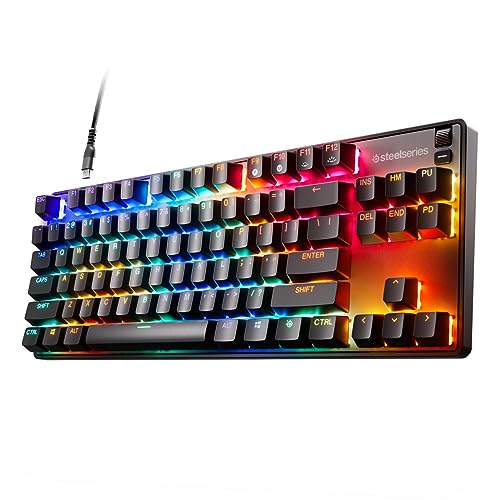
SteelSeries Apex 9 TKL: Optical With the Garden Gate Open
Optical exemplar — hot-swappable optical switches, esports TKL
At a glance: Tenkeyless esports layout, hot-swappable OptiPlex optical switches, adjustable actuation, aluminium alloy frame, double-shot PBT keycaps, RGB customisation.
The Apex 9 is the optical argument with its best manners on: light-sensed switches with adjustable actuation in a tenkeyless aluminium frame, and, unusually for its technology, hot-swappable sockets that let the owner change optical switches like a mechanical owner changes theirs. It demonstrates that optical’s speed story does not require a sealed box, and its PBT caps and esports layout show a maker fluent in the mechanical world’s expectations, importing them across the technological border.
As an exemplar its trade-offs are its side’s: the switch menu, even swappable, is SteelSeries’ optical line and nothing beyond it, the feel is linear-family only, and the sound is the clean, consistent voice optical boards speak with little room for negotiation. A buyer who wants optical speed with maximum openness inside the technology will find this the most hospitable implementation. A buyer who wants the universe will cross back to the mechanical side with this guide’s blessing.
Strengths
- Optical speed with hot-swap openness
- Adjustable actuation for competitive play
- Aluminium frame and PBT caps fitted
Trade-offs
- Switch choice confined to maker’s line
- Linear-family feel only
- Sound offers little tuning range
Best for: competitive players who want optical actuation in an open, quality build. / Not suited for: switch experimenters or sound chasers.

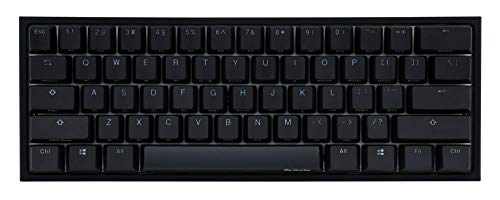
Razer Huntsman V3 Pro Mini: Analog Optical at Full Stretch
Optical exemplar — rapid trigger, analog sensing, sixty percent
At a glance: Sixty percent esports layout, analog optical switches, rapid trigger, adjustable actuation, Snap Tap priority feature, dual-purpose modifier keys, doubleshot PBT keycaps, wired.
The Huntsman V3 Pro Mini is the optical side’s maximal statement: analog sensing exploited to its limits, with rapid trigger for repeated inputs, per-key actuation for shaped control, and input-priority features for the opposing-key chaos of competitive movement, all in the sixty percent shell the pro desk prefers. Where the Apex 9 argues optical can be open, the Huntsman argues optical can be extreme, and between the two arguments the technology’s mainstream case is complete.
Its exemplarity includes its side’s costs in concentrated form: a software ecosystem the owner must live in, a layout that taxes anyone who works at the same desk, and a feel menu of essentially one excellent linear. For the competitive player it was built for, those costs are rounding errors against its purpose. For everyone else, it is the comparison’s clearest illustration that the optical side’s best is a specialist instrument, magnificent inside its specialism and indifferent outside it.
Strengths
- Rapid trigger and analog control complete
- Input-priority features for competitive play
- Pro-sized footprint frees the mouse
Trade-offs
- Software ecosystem is mandatory
- Sixty percent layout taxes work use
- One feel, however excellent
Best for: competitive players who want the optical technology at its fullest stretch. / Not suited for: typists, hobbyists or shared work-and-play desks.

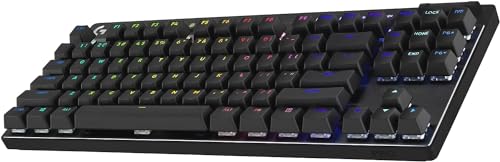
Logitech G PRO X TKL Lightspeed: Mechanical Tradition, Wireless Crown
Mechanical exemplar — tactile tradition at flagship level
At a glance: Tenkeyless layout, Lightspeed wireless with wired fallback, tactile mechanical switches in this listing, PBT keycaps, LIGHTSYNC RGB, compact esports shell.
The PRO X TKL represents the mechanical side at its most decorated: a tactile switch’s defined bump under PBT caps, a wireless link trusted in arenas, and a decade of tournament feedback refined into a compact shell. Its presence in this comparison makes the mechanical case where it is strongest, not on laboratory speed but on completeness: a board that competes seriously while remaining a fully mechanical citizen, with standard caps, a known switch feel and an ecosystem of parts and knowledge around it.
Its trade-offs are its technology’s, worn at flagship level: the actuation point is fixed where the switch’s leaves decide, rapid trigger is not in its vocabulary, and the wireless flagship tier charges for its freedoms. A player whose games have reached the sensing ceiling should cross to the optical exemplars or the magnetic third door. A player whose life is broader than one game’s ceiling will find this board the more complete instrument, which is the mechanical side’s eternal closing argument.
Strengths
- Tactile feel with PBT durability
- Wireless link trusted in competition
- Complete, proven esports package
Trade-offs
- Fixed actuation, no rapid trigger
- Flagship tier pricing in its class
- Battery management is part of ownership
Best for: players and typists who want mechanical feel at flagship completeness. / Not suited for: competitors who need adjustable actuation above all.

HyperX Alloy Origins Core: Mechanical, Mature and Unbothered
Mechanical exemplar — the traditional gaming board perfected
At a glance: Tenkeyless layout, wired connection, linear HyperX Red mechanical switches in this listing, RGB backlighting, aluminium body, software light and macro customisation.
The Alloy Origins Core is the mechanical side’s maturity argument: a metal-bodied tenkeyless board with its maker’s own linear switches, doing the traditional gaming keyboard’s job with a completeness that needs no sensing revolution to justify itself. It represents the vast, satisfied middle of the market, for whom a keyboard is a fast, solid, good-feeling tool rather than a configuration project, and its existence in this comparison disciplines both sides’ rhetoric: optical must beat this board’s whole ownership, not merely its reset point, to win a real desk.
Its limitations are the comparison’s familiar mechanical ones, fixed actuation and a wired connection, plus a traditional design that offers the hobbyist little to modify beyond caps. But its exemplar lesson cuts the other way: maturity is a feature. Every quirk is documented, every accessory exists, and the board’s behaviour in year three is the best-known quantity in this entire article. For buyers who rank certainty above ceiling, that is not a consolation. It is the decision.
Strengths
- Metal body and proven design
- Fast linear switches for gaming
- Certainty: a fully documented product
Trade-offs
- No adjustable actuation features
- Wired only in a wireless era
- Limited modification playground
Best for: gamers who want traditional mechanical quality without projects. / Not suited for: rapid-trigger seekers or wireless desks.
Criterion Five: Cost, Value and the Shape of Each Market
Prices move too fast for figures, so judge the markets’ shapes. Optical boards concentrate in the gaming tiers of a few big makers, priced as performance equipment, with little budget presence and little discount culture. Mechanical boards span every tier from the disposable to the commissioned, with a ferocious value segment where gasket-mounted, hot-swappable boards sell enthusiast features at prices that embarrass flagships. A buyer with a constrained budget and broad needs is served by the mechanical market’s depth almost regardless of their technology preference, because depth is what budget buying eats.
Value over time cuts differently. An optical board’s sealed consistency can mean years of zero maintenance and zero temptation, a real economy for owners who know the upgrade itch’s price. A mechanical board’s openness can mean the same years filled with small, joyful, cumulative spending that its owner would not trade away and should not pretend was free. The honest accounting is personal: price the board, then price the relationship with its ecosystem that you actually intend to have, and compare totals rather than stickers.
Who Should Choose Which: The Decision Guide
Choose optical if your play is competitive enough to touch the sensing ceiling, if you value a consistent, maintenance-free stroke, and if your customisation ambitions end at keycaps. Choose mechanical if you type for a living, if feel variety matters, if the hobby itself attracts you, or if your budget needs the value segment’s depth. Choose either, with this guide’s blessing, if you are the broad middle: a casual-competitive gamer who types plenty, for whom the deciding factors should be the individual board’s quality, layout and software rather than the physics under its caps.
The hybrid answer deserves its sentence: many serious desks end up owning both, a mechanical board for work and the hobby, an optical or magnetic board for the competitive title that rewards it. That is not indecision; it is the technologies’ specialisation made visible in furniture. A reader who can afford one board should apply the criteria in the order their life ranks them, and a reader who cannot decide should buy the mechanical board first, because its ecosystem will teach them, within a season, whether their play truly needs the optical side’s ceiling.
How to Audition Both Sides Before Buying
Feel cannot be photographed and this comparison cannot be completed from a chair. Audition methodically: in a shop, type the same paragraph on both technologies and play the same game scene if the shop allows it, noting actuation confidence, bottom-out character and sound in that room. At a meetup, borrow strangers’ boards across the divide and ask their owners the only question that matters, what would you change? Online, triangulate laboratory measurements for the speed claims, owner threads for the durability claims, and sound recordings for nothing, because recordings lie politely about sound in ways this series has documented before.
Then apply the one-week rule that protects every big keyboard decision: live with the finalist’s layout and connection in simulation first, remapping your current board to its size, unplugging your wireless mouse’s receiver to feel the wired life, before the money moves. The technologies will still be there next week, and the buyer who arrives at the checkout with a week’s evidence owns the decision in a way the headline buyer never does. This comparison’s criteria are the checklist; the audition is the laboratory; both are required, and neither substitutes for the other.
Common Mistakes in This Comparison
The first mistake is buying the laboratory verdict for a typing life: an optical flagship purchased for its reset point by a writer who needed feel variety, now typing a novel on a single linear note. The second is the mirror: a mechanical masterpiece bought by a competitor whose game rewards rapid trigger, its owner blaming their settings for a ceiling built into the physics. The third is assuming the technologies are generations, optical the future and mechanical the past, when the market’s reality is specialisation: both are current, both are developing, and each is the other’s permanent corrective.
A fourth mistake is subtler: comparing a flagship of one side against a budget board of the other and generalising the result into a technology verdict. Case quality, caps, stabilisers and software all confound the sensing comparison, which is why this article chose exemplars of comparable seriousness. A reader conducting their own audition should hold the board’s class constant and vary only the technology, or they will learn, expensively, that expensive boards are nicer, a fact that was never in dispute.
Software and Configuration: Where the Technologies’ Manners Differ
Configuration exposes the philosophies beneath the physics. Optical flagships concentrate their configurability in the sensing layer: actuation points, rapid trigger distances, input priorities, all tuned in the maker’s software, all aimed at performance. Mechanical boards distribute their configurability everywhere else: firmware remapping, layers, macros, lighting, and the physical layer of switches and caps that no software governs. A buyer should notice that each technology configures what it considers important, and the lists barely overlap, which is why cross-shopping them by feature count produces nonsense in both directions.
Software quality is the optical side’s tax and the mechanical side’s lottery. Optical boards live inside their makers’ suites, and a clumsy suite taxes every actuation adjustment for the board’s whole life. Mechanical boards range from open firmware the owner controls outright to proprietary suites as clumsy as any, with the saving grace that a mechanical board’s most important settings, its switches and caps, need no software at all. The criterion’s practical verdict: audition the software before buying either side, because you will live in it longer than you will live in the showroom’s first impression.
Profiles and portability finish the section. A competitive player who carries settings between computers needs them stored on the board or exportable without drama, and both technologies’ flagships now mostly manage this, with varying grace. The mechanical world’s open firmware remains the gold standard for ownership of one’s own configuration, a fact that matters more with each year a board is kept. Software, in the end, is where a keyboard’s manufacturer keeps visiting its owner, and the visits should be welcome ones.
The Latency Chain, Honestly Totalled
Switch sensing is one link in a chain that runs from fingertip to screen: the switch’s travel to its actuation point, the scanning of the keyboard’s matrix, the debounce logic, the connection’s polling, the operating system’s handling, the game’s engine and the display’s refresh. Optical sensing shortens its own links genuinely, no bounce to forgive, actuation as shallow as the owner dares, and in a chain measured in milliseconds those savings are real. They are also, in most setups, smaller than the savings available from a faster monitor or a better-practised hand, which is why this comparison keeps returning competitive buyers to the whole chain rather than to a single heroic link.
The chain’s honesty matters because marketing isolates links. A board advertised on its sensing speed may sit behind a slow connection mode, a conservative firmware or a display that erases its advantage nightly. Buyers should therefore evaluate any speed claim as a claim about a system, and should treat the exemplars in this article, wired esports boards with high polling and shallow actuation, as systems designed to keep every link honest, which is rarer and more valuable than any single link’s heroics.
For typing, the chain argument dissolves entirely, and its dissolution is instructive. No typist in history has been limited by debounce, and the mechanical world’s century of literature was produced on switches slower than anything sold today. Speed is a gaming criterion that wandered into general keyboard discourse and stayed for the marketing. This comparison restores it to its proper place: decisive for the competitive few, interesting for the curious, and irrelevant to everyone else, whose criteria, feel, sound, ecosystem, deserve the attention speed was borrowing.
Genre by Genre: Where Each Side Earns Its Keep
Fast competitive shooters and rhythm titles are the optical side’s home turf, for the reasons the speed criterion established: repeated inputs, counter-movement, decisive frames. Strategy and simulation titles invert the verdict without discussion, because their keyboards are binding surfaces where extra keys, macros and a number pad outrank sensing physics, and the mechanical world’s variety serves them better. MMO and action titles sit between, rewarding whichever board the player’s other life prefers, which is usually the mechanical one they type on all day.
Fighting games deserve their own sentence because their community has conducted this comparison experimentally for years: the verdict there is personal and ferocious, with input priority behaviours prized and every technology represented at high levels, which tells the honest reader that at the top of that genre the player is the variable and the board is the preference. Creative work, coding, writing and data work close the survey with the mechanical side’s home turf, where feel, layout and ecosystem dominate and sensing is a rumour from another department.
The genre survey’s lesson generalises the whole article: technologies do not win categories, matches win categories, between a technology’s strengths and a use’s demands. A buyer who maps their actual genres, honestly weighted by hours rather than by aspiration, will find this comparison’s criteria applying themselves. The player who games an hour a week and types forty should not let the hour outvote the forty, however good the hour’s marketing is.
Professions: The Typing Lives, Taken Seriously
Writers are the mechanical side’s most demanding witnesses, because their instrument is judged across millions of words and their criteria, a defined feel that disappears into the work, a sound the household forgives, caps that stay grippy for years, are exactly the criteria the mechanical universe optimises. Programmers add layout and remapping to the testimony, living on layers and symbols, and their open-firmware loyalty is the mechanical ecosystem’s spine. Data professionals add the number pad and end the discussion, because their board is an input machine for figures and its sensing technology is the least interesting thing about it.
The optical side’s professional testimony is narrower and real: esports professionals, whose profession is the ceiling this article keeps citing, and the streamers and competitors whose desks are their studios. Their adoption matters because it is audited by results in public, weekly. But a complete comparison should note how few professions they are, against the mechanical side’s census of everyone else who touches a keyboard for a living. The better technology, in aggregate, is not a close call. The better technology for a given desk remains, as ever, a match to be made deliberately.
Second-Hand Markets and Long Lives
Used markets are where technologies’ ownership stories get audited by strangers with money. Mechanical boards circulate richly: their parts are standard, their condition is inspectable, their faults are diagnosable, and a used hot-swap board can be re-switched into a new personality by its second owner. Optical boards circulate more thinly, their value concentrated in flagship models whose sealed consistency either works or does not, with less middle ground for a buyer to repair their way into. A buyer who rotates gear often should price that liquidity difference into the original decision, because it is a real component of cost that stickers omit.
Longevity’s final form is the hand-me-down: the board that leaves a desk for a child’s first computer, a partner’s office, a spare room’s duty. Mechanical boards excel there for the same open reasons, every fault fixable, every part replaceable, every quirk documented by a decade of owners. Optical boards hand down as appliances, admirably functional until they are not. Neither story is shameful. They are simply the two philosophies, open and sealed, playing out across a decade, and a buyer choosing between them is choosing which decade they would rather live in.
Fairness, Legality and the Competitive Debate
Any technology that changes what inputs are possible eventually meets the rulebook, and the sensing technologies have: input-priority features and rapid trigger have been debated, and in specific titles and events restricted, because they automate a sliver of what used to be pure finger skill. A complete comparison should report the debate without taking a team’s side. The features are mainstream, retail and openly sold; the rules are per-game and per-event and they change; and the competitive buyer’s duty is to check their own arena’s current position rather than to rely on any guide’s generalities, this one included.
The debate is also philosophically useful to the casual buyer, because it clarifies what the optical side’s advantage actually is. A feature worth arguing about in a rulebook is a feature that does something real, and its reality is the strongest evidence that the sensing ceiling is not marketing fog. Equally, the fact that most play, even most competitive play, proceeds unbothered by the argument tells you the advantage’s size: real enough to regulate, small enough to live with. Both halves of that sentence deserve to survive into your decision.
Mechanical’s position in the fairness debate is the incumbent’s comfort: a century of acceptance, no features to adjudicate, a technology whose every behaviour is a finger’s behaviour amplified by springs. Players who prize never thinking about a rulebook again will find that comfort worth real performance, and tournament travellers, whose events vary in their positions, often keep a mechanical board in the bag as the universal passport. It is not the glamorous argument in this comparison, but in the week of a major event it has settled more stomachs than any specification.
What Reviewers Measure and What Owners Feel
The two technologies divide the review world as they divide the market. Optical boards invite measurement: actuation distances, reset behaviour, latency chains, all quantifiable and all genuinely informative about the technology’s home criteria. Mechanical boards invite description: feel, sound, tuning, the vocabulary of experience that measurements approximate poorly. A reader should match the evidence type to the criterion they care about, demanding numbers for speed claims and owner testimony for feel claims, and distrusting any review that offers only one kind of evidence for a two-kind product.
Owner testimony has its own audit trail worth teaching. For optical boards, read for software complaints and consistency across months, because those are the technology’s lived risks. For mechanical boards, read for stabilisers, switch consistency and the specific feel words owners reach for after the honeymoon, because those are its lived risks. In both cases, the three-month owner post outweighs the launch-week review for every criterion except speed, and a comparison that pretends otherwise is selling the launch week’s excitement back to you at full price.
Repairability and the Environment, Taken Together
The environmental ledger of the two technologies is rarely opened and deserves its page. A repairable mechanical board kept for a decade, re-switched twice and re-capped once, is among the greenest objects in consumer electronics, because its material life is long and its failures are events rather than endings. A sealed optical board’s ledger depends entirely on its lifespan: excellent if its consistency carries it through the same decade untouched, poor if a single unrepairable fault retires it in year two. The technologies’ environmental verdict is therefore the durability criterion wearing a longer clock, and it favours whichever board its owner can keep, which returns the decision, as ever, to fit.
Manufacturers on both sides are beginning to compete on this ledger, with replaceable parts, published spares and take-back gestures appearing in the categories’ marketing. A buyer who cares should reward the behaviour concretely: choose the board whose maker sells the spare switch, stocks the replacement cable, publishes the manual. Those small availabilities are the difference between a philosophy and a slogan, on either side of the light-versus-leaves divide, and they are checkable before purchase in a way that lifespan claims never are.
The Beginner’s Path, Revisited With Both Doors Open
Close the comparison where most readers actually stand: at a first serious purchase, with a budget, a desk and an unformed taste. The mechanical path offers a forgiving curriculum, hot-swap experimentation, a value segment that respects the budget, and a community that will answer questions for years. The optical path offers a narrower, faster curriculum for the beginner whose competitive intent is already proven rather than hoped. Both paths are honourable. The unforgivable purchase is the one made from a headline’s verdict instead of from this article’s criteria, because the headline does not know your genres, your household, your fingers or your desk, and the criteria, applied honestly, know all four.
So the comparison ends with homework rather than a crown: list your hours by use, audition both technologies with the same paragraph and the same game scene, read the three-month owners on both sides, and then buy the board whose philosophy you can inhabit. If the homework feels excessive for a keyboard, remember what the keyboard is: the most-touched tool in your working and playing life, bought for years, used for millions of presses. An evening of criteria is a trivial rent on that tenancy, and it is the entire difference between the readers who keep their boards and the readers who keep shopping.
Deep Dive: Where Each Technology Goes Next
The technologies’ futures are worth a forecast hedged as forecasts deserve. Optical sensing will keep pressing its advantage in competitive lines and will keep trying to open its ecosystem, because its makers can read this comparison’s rout as well as anyone. Mechanical switching will keep deepening its universe and absorbing its rivals’ behaviours wherever physics permits, through better firmware, better switches and the magnetic cousins already inside its tent. The likely destination is not a winner but a permanent specialisation, with the boundary drawn by use rather than by novelty, which is what mature technologies do.
There is a historical rhyme that steadies the forecast: the keyboard world has absorbed revolutions before without the predicted extinctions. Membrane did not kill mechanical; it demoted it to the people who cared, where it thrived. Wireless did not kill wired; it sorted desks by their tolerance for batteries. Optical will not kill mechanical either. It will sort players by their need for its ceiling, and the mechanical universe, vast, tunable and beloved, will continue to be where most of the hobby’s joy is manufactured, one switch at a time.
A reader’s last task in this comparison is to notice their own reaction to the two philosophies, because the reaction is data. If the optical story, clean, fast, sealed, sufficient, feels like relief, your desk is telling you something. If the mechanical story, open, endless, tunable, yours, feels like home, it is telling you the opposite. Specifications can be compared by anyone; philosophies must be recognised by their owner. The best keyboard technology is the one whose philosophy you can live inside for years without itching, and only one person in this comparison knows which that is.
And if the itch persists on both sides, take the hybrid desk as permission rather than failure. The technologies are not faiths, and owning one of each is not hypocrisy but specialisation with a budget. Type on the universe. Compete on the beam of light. Let each board do the job its physics was born for, and let the comparison end, as the best comparisons do, not with a crown but with a clearer map of your own desk.
A note on noise for the shared household, because it decides real purchases that criteria lists forget: optical boards’ linear consistency makes them predictable neighbours, while mechanical boards can be anything from a silent damped whisper to a clicky announcement, depending on choices their owners control. The mechanical side therefore contains both the loudest and the quietest boards in this comparison, and a noise-sensitive buyer should shop its silent corner deliberately rather than fleeing the technology wholesale. Control, once again, is the mechanical argument, and responsibility is its price.
And a note on the environment in which these verdicts will age: both technologies are now cheap enough at their entry points that the comparison is no longer a budget question for most buyers, which purifies it into a preference question. That purification is the market maturing, and it flatters the reader who has done this article’s work, because when price stops deciding, only fit decides, and fit is exactly what the criteria, the auditions and the genre survey above were built to find.
One more worked example, because comparisons live or die by them: a fighting-game player who travels to locals monthly should weigh the Huntsman’s behaviours against the passport comfort of a mechanical board, and many such players, tellingly, own both and choose per event. A novelist with a deadline and a sleeping household should not spend one minute on the sensing criteria and every minute on the mechanical side’s silent, tactile corner. A student with one desk and three lives should buy the mechanical value board now and let the optical question wait for the season their rank makes it real. Three readers, three verdicts, one comparison working as intended.
And the comparison’s genuinely last word is a defence of the question itself. Asking which technology is better, and refusing the headline’s answer long enough to build criteria, is how every durable purchase in this hobby gets made. The technologies will keep developing, the exemplars will be replaced, and the criteria, speed, feel, durability, ecosystem, fit, will still be standing when they are. Learn the criteria once and every future version of this article, whoever writes it, becomes a five-minute read instead of a research project.
Choose the technology your life can defend, audition it with your own hands before the money moves, and the better keyboard, for the only desk whose verdict counts, will be the one already on it.
That is the whole verdict, and it fits every desk it was written for, including yours.
Final Verdict
Optical is better at the press as an event: faster to configure, cleaner to repeat, easier to own without thought. Mechanical is better at the press as an experience: chosen from a universe, tuned to a voice, repaired by its owner and embedded in a hobby that rewards a lifetime of attention. The better technology is therefore the one matched to the life your keyboard actually leads, and this comparison’s criteria, applied honestly and auditioned physically, will match it. Crown neither in the abstract. Crown the one your fingers, your games and your desk vote for, and let the other side’s fans be right about their own desks, as you are about yours.
Related Guides Worth Your Time
- keyboard latency and input lag
- keyboard polling rate explained
- keyboards pro fortnite players use
- how to choose a first board
Optical Vs Mechanical Keyboards Which Is Better: Frequently Asked Questions
Are optical keyboards faster than mechanical keyboards?
At the sensing level, yes in ways that matter to competitive play: optical switches avoid contact bounce and, in their analog form, allow adjustable actuation and rapid trigger resets that traditional mechanical switches cannot match. In ordinary gaming and typing, the difference sits below the thresholds set by your monitor, your connection and your own consistency. The honest summary is that optical owns the ceiling and the two technologies share the room beneath it, which is where most players live.
Do optical switches last longer than mechanical switches?
The physics favours optical, because light sensing removes the metal contact that wears, bounces and oxidises in a mechanical switch, and optical lifespan claims are correspondingly higher. In practice, both technologies are rated far beyond the point where most boards retire for other reasons, cables, batteries, worn caps, changing taste. Treat optical’s durability edge as real but rarely decisive, and weight repairability, where hot-swappable mechanical boards excel, as the practical half of the longevity question.
Can I change the switches in an optical keyboard?
Usually not beyond the maker’s own optical line, and often not at all, which is the optical ecosystem’s defining limitation. The Apex 9 in this comparison is a notable exception, with hot-swappable optical switches, but even there the menu is one maker’s. Mechanical hot-swap boards accept a universe of switches from dozens of makers. If switch experimentation is part of your intended hobby, that single fact may settle the entire comparison before the other criteria are heard.
Are optical keyboards better for typing?
For most typists, no, and the reason is range rather than quality. Optical switches come in few varieties, overwhelmingly linear in feel, while mechanical switches offer tactile, clicky, silent and linear families across every weight, letting a typist find an exact match for their hands. An individual typist may love an optical board’s clean consistency, and some do. But the category that serves typing as a craft, with choices, tuning and sound control, is mechanical, and this comparison’s feel criterion says so without hedging.
What about Hall effect keyboards, are they optical or mechanical?
Neither: Hall effect is a third sensing technology that tracks a magnet’s position, delivering the same family of benefits as analog optical, adjustable actuation and rapid trigger, by different physics. It belongs in this conversation because buyers persuaded by the optical side’s behaviour arguments should know the room has a third door, and this series’ Fortnite guide reviews magnetic boards as verified competitive alternatives. The choice among optical and magnetic is then about boards and software, not about the behaviour, which converges.
Which should a beginner buy first?
A mechanical board, in almost every case. Its ecosystem teaches the hobby’s vocabulary, its hot-swap models forgive switch mistakes, its value segment respects a beginner’s budget, and its feel variety lets an unformed taste discover itself. The exception is the beginner who is already a serious competitive player in a title that rewards rapid trigger; that buyer may go optical or magnetic first with this guide’s blessing. Everyone else should start where the universe is, and cross over later for a reason they can name.