Disclosure: As an Amazon Associate, kajuandouglas.com earns from qualifying purchases. Links on this page are affiliate links; they cost you nothing extra. Prices and availability change often, so check the current Amazon listing before you buy.
Every hobby builds a private language, and this mechanical keyboard glossary translates the one you will meet in listings, build logs and forum threads. The words are not decoration. Each term names a physical part, a measurable behaviour or a community process, and misunderstanding one can mean ordering the wrong switches, misreading a review, or arguing past somebody in a thread where you actually agree. Precision here saves money in a very literal way.
The glossary is organised the way a keyboard is: switches first, then the structure that holds them, then keycaps, then electronics and firmware, then sound, and finally the community and buying vocabulary that surrounds the object. Read it straight through once to build the map, then return to individual entries as real listings force the questions. Cross-references are woven into the definitions, because in this hobby every part touches three others.
A caution before the entries begin: some terms are precise engineering words and some are community slang that hardened into vocabulary, and the glossary marks which is which where it matters. Thock is slang. Actuation force is engineering. Both are useful, and confusing their categories, demanding measurement of the slang or treating the engineering as opinion, is how forum arguments are born. For the social side of the language, the mechanical keyboard communities guide shows where these words are actually spoken.
Key takeaways: Learn switches, structure, keycaps, firmware and sound in that order, and most listings become readable within a week. The buying words at the end, group buy, interest check, kit and barebones, protect your wallet more than any specification, because they describe how money moves in this hobby rather than how keys move.
Mechanical Keyboard Glossary: Switches and How a Press Works
Actuation point and actuation force
The actuation point is the depth in a keystroke at which the keyboard registers the press, somewhere partway down the switch’s total travel rather than at the bottom. Actuation force is the weight, expressed in grams, needed to reach that point, and it shapes how a board feels more than almost any other number: lighter springs feel quick and effortless but invite accidental presses, while heavier springs feel deliberate and can tire fingers across a long day. When a listing quotes a force figure, ask whether it describes actuation or the heavier force at the very bottom of the stroke, because sellers mix the two and the difference is exactly the part your fingers will notice.
Bottoming out, topping out and travel
Travel is the full distance a key can move, and bottoming out is pressing through all of it until the stem meets the housing’s floor. Topping out is the return journey’s end, when the key clicks back to rest. Neither event is a fault: many typists bottom out every stroke and enjoy the solidity, while others float at the actuation point for speed. The sounds of both events, the downstroke’s thock or clack and the upstroke’s lighter tick, compose much of a board’s voice, which is why foams and housings that soften these two impacts dominate sound tuning.
Linear, tactile and clicky
These three words describe the shape of a keystroke’s resistance. A linear switch descends smoothly with no interruption, favoured for rapid repeated presses and quiet rooms. A tactile switch contains a bump partway down, a small hill your finger climbs and falls over, telling you the press registered without needing to bottom out. A clicky switch adds a deliberate sound mechanism to that bump, producing the sharp snap associated with vintage boards. The families are about feedback, not quality, and the same board design can often be bought in any of the three personalities.
Switch, stem, housing and spring
A switch is the complete mechanism under each keycap, and its anatomy explains most modification vocabulary. The stem is the cross-shaped post the keycap grips, moving inside the housing, which is the shell split into top and bottom halves. The spring beneath the stem sets the resistance curve, and the metal leaves inside make electrical contact at the actuation point. When enthusiasts discuss a switch’s wobble, scratch or ping, they are assigning blame to one of these four parts, and every common modification, lubing, filming, spring swapping, targets exactly one of them.
Hot-swappable
A hot-swappable keyboard lets switches be pulled out and replaced with fingers or a simple puller, no soldering required, because the PCB holds sockets rather than soldered joints. The term matters enormously to beginners: it converts switch choice from a permanent factory decision into an experiment you can revise for the price of a switch set. Its limits are worth knowing too. Sockets wear if switches are swapped carelessly or endlessly, and a few switch pin arrangements need a pin clipped before they fit, a small surgery every listing should warn about and many do not.
Lubing, filming and spring swapping
Lubing is applying a whisper of specialist lubricant to a switch’s rails, stem and spring to remove scratchiness and spring noise. Filming is inserting a thin gasket between the housing halves to tighten them and deepen the sound. Spring swapping replaces the factory spring with a lighter, heavier or differently shaped one, including slow and multi-stage springs that change how resistance builds through the stroke. Together these three modifications form the core of switch tuning, and they explain why two boards with identical switches can feel and sound like different species.
In this guide
Structure: PCB, Plate, Case and Mounting
PCB
The PCB, printed circuit board, is the electronic spine of the keyboard: it carries the switch sockets or solder joints, the controller that scans for presses, and the diodes that let many keys register at once. PCB features quietly define a board’s ceiling: hot-swap support, per-key lighting, south-facing or north-facing switch orientation, and compatibility with remapping firmware all live here. When a kit lists several PCB options, you are choosing the board’s future modifiability as much as its present function, a point explored in the keyboard pcbs guide.
Plate
The plate is the rigid sheet, in aluminium, brass, steel, carbon fibre, polycarbonate or softer plastics, that sits above the PCB and holds the switches in alignment. Plate material is a tuning dial disguised as a component: metals give a firm, bright, consistent feel, while softer plastics allow flex and a deeper, quieter voice. Some boards omit the plate entirely and mount switches only to the PCB, which softens the typing further. Because the plate is buried inside the board, its material is one of the most under-read lines in any listing, and one of the most consequential.
Mounting style: tray, top, gasket and integrated
Mounting describes how the plate and PCB assembly attaches to the case, and it governs flex and sound more than any other structural choice. Tray mount screws the assembly down at fixed points, firm and traditional. Top mount hangs it from the case’s upper half. Gasket mount, the modern favourite, suspends the assembly between soft gasket strips so it can flex and bounce slightly, isolating it from the case. Integrated designs machine the plate into the case itself for maximum rigidity. None is universally best; they are settings on a dial between firm and forgiving, bright and deep.
Case, bezel and high-profile versus low-profile
The case is everything you see and lift: its material, usually plastic or aluminium, sets the board’s weight, its resonance and most of its price. The bezel is the border of case surrounding the keys, wide on classic designs and nearly absent on floating-key designs where switches appear exposed. High-profile cases hide the sides of the switches; low-profile cases, and low-profile boards generally, sit flatter with shorter switches. Case vocabulary matters because photographs flatter cases, while weight and profile are what your desk and wrists will actually negotiate with daily.
Stabilisers
Stabilisers, called stabs in every forum on earth, are the wire-and-housing mechanisms that keep wide keys, the spacebar, shift, enter and backspace, level when pressed off-centre. They are the most common source of keyboard misery: a rattly, ticky stabiliser can ruin a premium board’s sound, and fixing one, by lubing, balancing the wire or fitting better housings, is the highest-value modification in the hobby. Mounting styles vary: plate-mount stabilisers clip to the plate, while PCB-mount versions screw or clip to the board beneath, and listings use those exact phrases, so the words are worth owning.
Foam: case foam, plate foam and switch pads
Foam is the collective noun for the soft layers builders place inside a case, under the PCB, between plate and PCB, or as tiny pads beneath individual switches. Its jobs are to absorb hollowness, soften impacts and tune the voice toward the deep end. Materials include Poron, silicone and various EVA blends, each with a different density and lifespan. Foam vocabulary confuses beginners because the same word names five different placements; always ask where a foam sits, not merely whether a board has it. The full taxonomy lives in the keyboard foam types guide.
Keycaps: The Surface You Actually Touch
Keycap profile
Profile is the sculpted shape of a keycap set: how tall the caps are and how each row is angled. Tall sculpted profiles such as SA give a retro, typewriter feel and a deeper sound. Medium profiles such as Cherry and OEM are the mainstream compromise most boards ship with. Uniform low profiles such as DSA and XDA keep every row the same height, which suits unusual layouts and ortholinear boards. Profile changes typing posture and sound as surely as switches do, and it is the cheapest transformation a board can undergo, which is why keycap profiles explained repays reading before a first set is ordered.
PBT and ABS
These are the two plastics of keycap history. PBT is textured, durable and resistant to the shine that develops on heavily used keys; it takes dye-sublimated legends beautifully but is harder to manufacture in some forms. ABS is smoother, takes the vivid colours and crisp double-shot legends of premium sets, and gradually polishes to a shine under fingers, which some owners accept as patina and others cannot forgive. Neither is simply better: the hobby’s most expensive sets are ABS and its most practical sets are PBT, and the argument between their partisans is a permanent feature of the landscape.
Double-shot and dye-sublimation
These terms describe how legends, the letters on the caps, are made. Double-shot moulding injects two plastics so the legend is a physical part of the cap, immune to fading forever, and capable of glowing if the legend plastic is translucent. Dye-sublimation dyes the legend into PBT’s surface, nearly as permanent, and allows elaborate multi-colour artwork that moulding cannot achieve. Pad printing, the budget third method, sits on the surface and wears away. When a listing boasts about its legends, it is using one of these three phrases, and now you know the ranking it is implying.
Shine-through, stem and compatibility
Shine-through keycaps have translucent legends designed to let backlighting glow through the letters, essential for dark rooms and irrelevant in bright ones. The stem is the cross-shaped socket under each cap that grips the switch, and its fit, snug or loose, decides whether caps wobble or crack. Compatibility is the buyer’s homework word: sets must cover your layout’s sizes, especially spacebars and the smaller right-side modifiers on compact boards, and a set described as full or comprehensive is making a claim you should verify against a kit diagram before paying.
Artisan keycaps
Artisans are sculptural, handmade keycaps, cast in resin by individual artists, usually for the escape key or a small cluster of honour. They are jewellery for keyboards: priced by artistry and scarcity rather than material, sold in raffles and small sales because production is a person at a bench, not a factory. Newcomers are often startled by artisan prices until they understand the category; nobody needs one, and that is precisely the point. An artisan is where the hobby admits it was always partly about delight.
Electronics, Firmware and Connection Words
QMK, VIA and layers
QMK is the open-source firmware that powers most enthusiast keyboards, and VIA is its friendly companion application that lets you remap keys and edit layers in real time without reflashing anything. A layer is a second (or third, or tenth) set of key assignments held beneath a modifier, the technology that lets a tiny board without a function row still own one: hold a key, and the number row becomes F-keys. Layers are why layout size stopped being a simple count of capability, and learning to design your own is the moment a small board stops feeling small. The deep version of this entry lives in the keyboard firmware qmk via guide.
N-key rollover and anti-ghosting
Rollover counts how many simultaneous key presses a keyboard can report correctly, and N-key rollover, NKRO, means all of them. Ghosting is the historical failure mode where certain three-key combinations registered a phantom fourth key, and anti-ghosting is the engineering, diodes per switch, that prevents it. Modern mechanical boards are effectively immune, which makes these terms legacy vocabulary: they appear in listings as reassurance rather than information. Their real use is diagnostic, when an old or cheap board misbehaves in games and these words explain why.
Polling rate and latency
Polling rate is how often, in hertz, the keyboard reports its state to the computer, and latency is the total delay between a press and the computer acting on it, a chain that includes scanning, debouncing, the connection and the computer itself. High polling figures are real but diminishing: beyond a point, other links in the chain dominate, and human perception sets the floor. These words matter most in competitive gaming marketing, where they are quoted selectively. The sober treatment, including what you can actually feel, is in keyboard polling rate explained and its companion on input lag.
Debounce and chatter
A mechanical contact does not close cleanly; it bounces, electrically, for a few milliseconds, and debounce is the firmware’s patience in waiting for the signal to settle before believing it. Set that patience too low, or let a switch age badly, and the board develops chatter: single presses registering twice, the fault behind many a doubled letter. Chatter is a diagnosable, often fixable condition, not a personality trait, and the fix paths, from firmware settings to switch replacement, are documented in the keyboard chattering double typing fix.
Hall effect, rapid trigger and optical switches
Three technologies compete to replace the metal contact. Hall effect switches sense a magnet’s position, so the actuation point becomes adjustable in software and can reset the instant the key starts rising, a behaviour called rapid trigger that competitive players prize. Optical switches interrupt a beam of light to register a press, removing contact bounce and debounce delay. Both are genuinely different machines wearing familiar keycaps, and both are covered head-to-head in this cluster’s optical comparison article, a sibling of this glossary in the same series.
Sound Words: The Slang That Became Vocabulary
Thock, clack, marbly and creamy
These are the community’s sound words, slang that hardened into a shared scale. Thock names the deep, low, rounded sound of a well-damped stroke. Clack names its bright, sharp opposite. Marbly describes a smooth, dense, mid-toned sound likened, in the hobby’s favourite metaphor, to marbles in a bag. Creamy blends smoothness of feel with softness of sound. None of these words is measurable, all of them are useful, and every sound argument in the hobby is really a negotiation about where a board sits on the thock-to-clack axis in a particular room, on a particular desk.
Ping, scratch and rattle
The sound vocabulary of faults is more precise. Ping is the metallic ringing of a spring or case after a press, a resonance that lubing a spring often cures. Scratch is the gritty friction of a switch’s stem against its housing, felt in the fingers as much as heard. Rattle belongs to stabilisers and loose parts, a looseness in the sound that mirrors looseness in the mechanism. Diagnosing a board’s voice into these three faults, plus the honest thock or clack underneath, is the entire method of sound tuning, and it begins with vocabulary.
O-rings and sound dampening
O-rings are small rubber rings fitted around keycap stems to cushion the moment a key bottoms out, trading a slightly softer, shorter-feeling stroke for a quieter one. They are the simplest sound modification in the hobby and the most debated, because they change feel to buy silence. The broader term, dampening, covers every material and method, foam, silicone, rings, mats, used to quiet a board, and it should be distinguished from tuning, which aims at a preferred sound rather than merely a quieter one. A bedroom desk at midnight wants dampening; a recording studio for sound tests wants tuning.
Buying and Community Words
Group buy and interest check
A group buy is the hobby’s crowdfunding engine: a design is proposed, orders are collected in a fixed window, production is funded by those orders, and delivery follows months later. The interest check is its first act, a public proposal gathering feedback and measuring demand. These two terms govern more of the enthusiast market than any shop does, and they invert normal buying: you pay first, wait long, and receive something that may never be stocked again. Understanding that inversion, calmly and before participating, is the most valuable lesson in this entire glossary.
Kit, barebones and pre-built
A kit is a keyboard sold as components, case, PCB, plate and stabilisers, sometimes with assembly required, into which you add your own switches and keycaps. Barebones means the same idea as a product category: a complete board minus switches and caps. Pre-built is the opposite pole, a keyboard that types the moment it is unboxed. The words matter because listings blur them, and a delighted bargain can turn into a box that cannot type until two more orders arrive. Always establish which of the three a listing is before comparing its price tier to anything.
Layout percentages and ANSI versus ISO
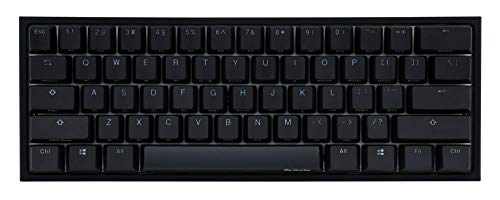
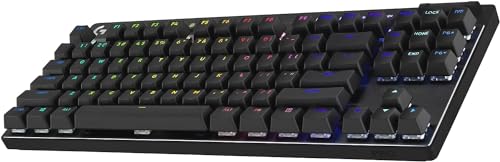
Layouts are named by how much of a full-size board they keep: full-size, then tenkeyless at roughly eighty percent, then seventy-five, sixty-five and sixty percent boards, down to forty percent designs that live on layers. The percentages are approximations with strong conventions, not measurements. ANSI and ISO name the two great regional standards, differing in the enter key’s shape and a few key positions, and compatibility with your language’s keycap legends depends on choosing correctly. A board and a keycap set must agree on both percentage coverage and regional standard before they agree on anything else.
Endgame, rotation and daily driver
The glossary closes with the culture’s affectionate fictions. Endgame is the mythical final keyboard after which buying stops; the community uses the word with a wink, because it never survives contact with the next interest check. A rotation is the small stable of boards a member cycles between, an admission that different days want different keyboards. The daily driver is the board that actually earns its desk space through ordinary weeks, as opposed to the treasures. These words matter because they encode the hobby’s wisdom about itself: satisfaction is a practice, not a purchase.
More Terms: The Second Shelf
North-facing and south-facing switches
These phrases describe which way a switch sits on the PCB, judged by where its LED window points. North-facing switches aim the light at the typist through the top of the keycap, which flatters shine-through legends but can make some tall, sculpted keycap profiles strike the switch housing on the way down, a faint interference experienced owners check for. South-facing switches point the light away, avoid that interference entirely, and light the desk side of the cap instead. Neither orientation is a quality grade; it is a compatibility fact, and knowing it before ordering a sculpted keycap set prevents the hobby’s most avoidable disappointment.
Flex cuts and flex
Flex is the slight give a keyboard’s typing surface has under pressure, and flex cuts are deliberate slots machined into a PCB or plate to increase it. A flexible board feels softer and sounds deeper; a rigid board feels precise and consistent. The vocabulary matters because flex is a spectrum that marketing flattens into a virtue word. Too much flex in the wrong places makes a board feel vague under fast typing, while a board with none can feel harsh across a long day. Your preference is discoverable only by typing, which is why meetups, where strangers’ boards can be tried freely, are treasured.
Daughterboard
A daughterboard is a small secondary circuit board, usually carrying the USB port, connected to the main PCB by a flexible cable. Its presence is a quiet quality signal: the port, the part most stressed by cables and travel, sits on a cheap replaceable board rather than on the main PCB, and it can be positioned precisely in the case. When a kit’s description mentions a daughterboard and a JST cable, it is telling you the designer thought about repairs and alignment, two subjects that separate serious kits from assembled spec sheets.
Knob and encoder
A knob on a keyboard is a rotary encoder: a control that turns endlessly, clicks when pressed, and can be assigned to volume, scrolling, zoom or any stepped function the firmware allows. The vocabulary distinction matters because not every wheel is an encoder; some are simple volume rollers with fixed functions. Owners consistently report the knob becoming the most-touched control on the board after the spacebar, which is why its placement, its detents and its wobble are legitimate review topics rather than garnish, and why boards without one now explain themselves.
Tri-mode and connection vocabulary
Tri-mode describes a board offering three connections: wired, Bluetooth and a 2.4 GHz wireless link with its own receiver. The two wireless modes are not interchangeable: Bluetooth pairs with several devices, sips power and suits work, while the 2.4 GHz link is faster, single-purpose and preferred for gaming. Listings compress all of this into one hyphenated word, and buyers who unfold it avoid the classic error of expecting Bluetooth to behave like the gaming link, or wondering why the fast link needs a dongle the size of a thumbnail.
Pre-lubed and factory lube
Pre-lubed switches arrive with lubricant already applied at the factory, sparing the buyer the hobby’s most time-consuming ritual. The phrase conceals a range: excellent factory lube is consistent and invisible in use, while poor factory lube is uneven, overlubricated on one switch and absent on its neighbour, and can feel worse than none because inconsistency is what fingers actually detect. Reviews that discuss lube quality per switch rather than per board are using the vocabulary correctly, and buyers of pre-lubed switches should expect a distribution, not a uniform result.
Three-pin and five-pin switches
Mechanical switches locate themselves on the PCB with two metal electrical pins and, on five-pin models, two additional plastic legs that grip the board for stability. Three-pin switches were designed for plate-mounted builds where the plate does the aligning; five-pin switches suit plateless builds and sit firmer in hot-swap sockets. The plastic legs can be clipped to convert a five-pin switch for a three-pin board, a thirty-second surgery per switch that listings mention in passing. Knowing the count before ordering prevents the particular frustration of a switch set that will not sit straight.
Tape mod and the modification suffix
The tape mod, applying painter’s tape to the back of a PCB to reflect sound and deepen a board’s voice, is the hobby’s most famous folk modification, and its name became a template: foam mod, tape mod, band-aid mod for stabilisers. The suffix simply means a cheap, reversible material intervention with an outsized effect. These mods matter to the glossary because they demonstrate the culture’s engineering temperament: test with tape before committing to machining, publish the result, and let the community replicate it. Reversibility is the soul of the genre.
Switch tester
A switch tester is a small acrylic frame holding one of each switch in a family, sold so buyers can press candidates before committing to a full set. It is the hobby’s answer to its central problem, that feel cannot be photographed, and it is the highest-value small purchase a beginner can make. Its limitation is equally worth knowing: a switch in a tester is not a switch in your board, under your keycaps, on your desk, so testers rank switches relative to each other rather than predicting the final experience exactly. Ranking is usually enough to avoid the expensive mistakes.
PE foam and the sound-chasing layers
PE foam is a thin, springy foam sheet placed above the PCB, under the switches, that became famous for producing a distinctive concentrated, poppy sound. It is the emblematic sound-chasing layer: cheap, dramatic and divisive, loved by owners chasing a particular recorded voice and removed by owners who find the effect artificial after a week. Its presence in a listing tells you which sound culture the board was tuned for. The broader lesson generalises: every layer in a modern board is a voice decision, and the glossary’s foam entry should be read as a menu of voices, not of virtues.
Keycap shine and wear vocabulary
Shine is the polish that finger oils and friction develop on keycaps, appearing first on the spacebar and home keys, and the vocabulary around it, shiny, polished, worn in, carries judgements that depend on plastic. On ABS, shine is the material’s known destiny, accepted by collectors as patina. On PBT, shine arrives so slowly that its early appearance suggests a mislabelled set. Texture words belong here too: chalky, smooth, textured and grippy describe a cap’s factory surface, and they fade from every discussion once shine rewrites the surface the words described.
Desk mat, wrist rest and the board’s environment
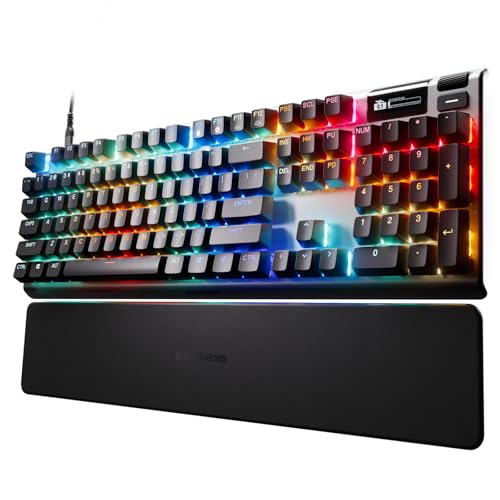
A desk mat is the large soft surface under a keyboard, and it belongs in a keyboard glossary because it audibly changes the board: a mat absorbs case resonance and deepens sound more reliably than many internal modifications. A wrist rest supports the palms during pauses, and its correct use, resting between typing bursts rather than leaning while typing, is a vocabulary distinction with ergonomic consequences. Together these two accessories form the board’s environment, and experienced owners tune the environment before opening the case, because it is cheaper, reversible and surprisingly powerful.
Sound test
A sound test is a recording made to demonstrate a keyboard’s voice, and it is a genre with rules the community enforces: state the microphone, the desk surface, the keycaps and whether any processing was applied. A sound test without those disclosures is advertising; with them, it is evidence. Listeners should compare boards within one creator’s setup rather than across creators, because the room and microphone are instruments in the recording. The term’s presence in a listing or review is a promise about method, and learning to audit that promise is a listening skill this hobby quietly teaches.
Barebones versus kit, revisited in the shop
Because these two words cause more misorders than any others in the glossary, they earn a second, practical entry. Before paying, find the contents list and answer three questions: does it type if I add nothing, does it need switches, does it need keycaps, and does it need assembly with a soldering iron or a screwdriver? A listing that cannot answer those questions in its own text is not ready for your money regardless of its category word. Sellers who answer them plainly deserve the sale, and the habit of asking will serve you in every corner of the hobby.
The Third Shelf: Sizes, Sales and Layout Dialects
Key sizes and the unit system
Keycap sizes are measured in units, written u, where 1u is one standard letter key’s width. A normal spacebar is 6.25u, compact boards use smaller ones, and shift keys shrink in steps that keycap sets must match exactly. This is why compatibility diagrams look like architectural drawings: a set is a promise to cover a map of widths. When a listing says a set supports sixty-five and seventy-five percent boards, it is claiming its box contains the specific shrunken keys those layouts use, and the unit system is how you verify the claim instead of trusting it.
Base kit, child kits and novelties
Keycap sets are sold as a base kit covering standard layouts, plus child kits, smaller add-on boxes for specific needs: a numpad kit, an ortholinear kit, an international kit with regional legends. Novelties are the decorative caps with icons or artwork that give a set its theme. The structure explains both the pricing and the frustration of the hobby: your unusual layout may require three boxes, and the group-buy model exists partly because factories need committed numbers for every child kit separately. Reading a kit diagram is a literacy skill, and this vocabulary is its alphabet.
Homing keys, bars and scoops
The F and J keys carry a marker so touch typists can find home position blind, and sets offer that marker as a raised bar, a deep scoop in the cap’s surface, or both across different keys in the box. It sounds like trivia until a premium set arrives with the wrong style for your fingers and two keys feel lost forever. Kit diagrams mark homing options with the same care as spacebar sizes, and experienced buyers check them before ordering, because a set can be perfect in every dimension except the two keys your index fingers live on.
Per-key RGB, single-colour backlight and underglow
Three lighting phrases that listings blur deserve separation. Per-key RGB means every key has its own colour-programmable light. Single-colour backlight means one colour, usually white, with brightness control, which is lighting as utility rather than theatre. Underglow lights the desk around the board from beneath the case, an effect that needs a translucent case to exist at all. Each phrase implies different hardware, different power draw on wireless boards, and a different relationship with shine-through keycaps, and a listing that uses them interchangeably is telling you something about its own precision.
Pudding keycaps
Pudding caps are a two-part design: an opaque top carrying the legend, fused to a translucent milky body that glows when backlit, resembling the layered dessert they are named for. They exist to maximise a lighting effect, turning a board into a lantern of floating letters. Their vocabulary significance is that they invert normal keycap priorities: the material and legend method serve the light show first. Owners either build a desk around the effect or find it exhausting within a month, and the second-hand market’s steady supply of pudding sets records that distribution honestly.
Split, columnar and splay: ergonomic layout words
Split keyboards divide into two halves so shoulders stay open and wrists stay straight. Columnar layouts arrange keys in columns rather than the typewriter’s staggered rows, matching how fingers actually extend. Splay angles those columns to follow the hand’s natural fan. These three words describe a design philosophy that treats the standard layout as a historical accident, which it demonstrably is, and they connect this glossary to its ortholinear sibling article in the same series, where the philosophy gets a full guide of its own.
Macro
A macro is a recorded sequence, of keystrokes, delays or whole commands, replayed from a single key. Office workers automate greetings and code snippets with them; gamers bind build orders and ability rotations, within the rules of their games. The term matters in listings because macro support can mean three different things: a few keys recordable on the board itself, a full software suite, or firmware-level programming through QMK. Each is a different capability wearing one word, and the follow-up question, where do the macros live, separates them instantly.
In-stock, extras and raffle: availability words
In-stock is the hobby’s most comforting phrase: the product exists in a warehouse and ships like ordinary commerce. Extras are the leftover units from a group buy, sold after fulfilment at the vendor’s discretion, often briefly and at a premium over the original window. A raffle sale allocates scarce items, usually artisan keycaps, by lottery rather than by queue. Together these three words describe the hobby’s availability spectrum, from certain to lottery, and a buyer who reads them accurately can predict both the wait and the odds before spending anything.
MOQ
MOQ, minimum order quantity, is the factory’s threshold: the number of units a design must sell before production is worth starting. In group buys, MOQ decides which child kits live and which are cancelled and refunded, and designers watch kit MOQs the way election watchers watch districts. The term explains behaviours that puzzle newcomers, such as a base set shipping while its ortholinear kit is refunded, and it is why interest-check honesty matters: stated demand that evaporates at the window kills kits that real buyers wanted.
Choc switches and the low-profile families
Choc is the best-known family name among low-profile switches, the short switches that let boards sit nearly as flat as laptop keyboards while keeping a genuinely mechanical action. Low-profile vocabulary multiplies quickly: shorter travel, shorter caps with their own stem spacing, and boards that cannot accept standard switches or caps. When a listing says low-profile, it is quietly announcing an entire parallel ecosystem, and the glossary’s advice is to enter that ecosystem deliberately, for its posture and portability, rather than discovering its incompatibilities one accessory at a time.
How to Use This Glossary Without Drowning
Do not memorise this page. Instead, keep it open beside real listings for your first few purchases, and look up each unfamiliar word at the moment it costs you something to misunderstand. Vocabulary learned at the point of need sticks; vocabulary crammed in advance evaporates. Within a few orders you will find the lookups thinning out, and one day a listing that would have been fog in your first week reads as plainly as a weather report. That day is the glossary’s purpose achieved.
When two sources define a term differently, trust the one describing a mechanism over the one describing a vibe, and trust community databases over shop listings, because shops copy each other’s errors while databases are corrected by owners holding the physical parts. Where this glossary and a forum disagree about slang, the forum wins locally: sound words especially are dialect, and the room you are standing in defines its own thock. Precision is a tool for understanding people, not a weapon for correcting them.
Deep Dive: Words That Will Arrive Next
New vocabulary arrives with each technology cycle, and the pattern of its arrival is worth recognising. A term begins as one maker’s product language, gets adopted by reviewers as shorthand, and hardens into a generic word the whole hobby uses, sometimes fairly and sometimes as a trademark quietly becoming a noun. Rapid trigger travelled exactly that road. When a fresh term appears in listings, the glossary habit to apply is the same as ever: find the mechanism it names, in plain language, before letting it influence a decision.
Some older words are retiring just as quietly. Ghosting survives mainly as a reassurance in listings, and rollover counts are following it into legacy status as diodes became universal. Their retirement is a sign of the hobby’s health: problems so thoroughly solved that their vocabulary becomes ceremonial. A glossary that never pruned would eventually mislead, which is why community-maintained references, updated by owners, outlast any printed list, including, in time, this one.
Regional vocabulary adds one more layer. The same mounting style may carry different shorthand in different language communities, and keycap profiles accumulate nicknames as they travel. Travellers between communities learn to ask rather than assume, and the asking itself is a small courtesy the hobby rewards. If this glossary gives you the confidence to ask what a word means in a room where everyone else seems fluent, it has done the most human part of its job.
Finally, notice how many of these definitions are really about sound and feel rather than function. A keyboard’s job, registering letters, was solved decades ago; the vocabulary exists because the hobby cares about the experience of the solving. That is not frivolity. Tools used for eight hours a day deserve a language for their qualities, and the richness of this one is evidence of attention paid to an everyday object, which is a respectable thing for any culture to do.
Teachers of the hobby develop a private ordering of this glossary, and it is never alphabetical. They teach size first, because it is visible; switches second, because they are felt; mounting third, because it explains the difference between two boards with identical switches; and the buying words last and most carefully, because those are the ones with consequences that cannot be returned. If you teach a friend this hobby, and every member eventually does, you will find your own ordering forming, and it will say a great deal about what the hobby taught you.
There is a humility clause built into every good glossary, this one included: definitions age. A term defined by one generation’s products gets stretched by the next generation’s, and the community argues, productively, about whether the word still fits. Rapid trigger began as a feature and became a category; gasket began as a construction and became a marketing adjective. Reading definitions as reports from a moment, rather than as commandments, keeps a newcomer accurate without making them rigid, which is the exact temperament the forums reward.
One practical exercise closes the distance between reading a glossary and owning it: take the listing of the keyboard you already use, or the one you most want, and annotate every claim in it with the entry from this page that explains it. The exercise takes ten minutes and permanently changes how listings read, because a specification sheet stops being a wall of assertions and becomes a set of checkable statements about mechanisms you can picture. Teachers of the hobby assign versions of this exercise for a reason.
And keep the glossary’s spirit when the hobby invents its next word, as it will within the year. Ask what mechanism the word names, whether it is engineering or dialect, and whose interest the word serves. Those three questions, applied to any term in any listing, will protect your money and your temper more reliably than any memorised definition, including every definition on this page.
Final Word
A glossary is a map of other people’s experience, compressed into definitions. Use this one to enter the conversation, then let the conversation refine it: your first build will teach you what stabiliser rattle really means in a way no paragraph can. The words are the easy part of this hobby. They exist so that the hard parts, choosing, building, tuning and enjoying, can be discussed honestly, and so that a beginner reading a listing at midnight is reading the same language as the person who wrote it.
Mechanical Keyboard Glossary: Frequently Asked Questions
What is the first term a beginner should understand?
Hot-swappable, because it decides whether your first board’s switches are a permanent commitment or a revisable experiment. A close second is layout percentage, because size shapes your desk every day. With those two words understood, most beginner listings become readable, and the rest of this glossary can be absorbed gradually, at the speed your curiosity and your orders demand.
Is gasket mount always better than other mounts?
No, and the glossary’s mounting entry is deliberately neutral for this reason. Gasket mounting gives a softer, more isolated feel that current fashion prefers, but firm mounts offer a consistency and brightness many typists and gamers genuinely like. Mounting is a preference dial, not a progress ladder, and any source that ranks the mounts absolutely is selling you the current taste of one community as if it were physics.
What is the difference between a kit and a barebones board?
In practice the words overlap heavily: both describe a keyboard that needs switches and keycaps before it can type. Kit leans toward products sold as components, sometimes requiring assembly, while barebones leans toward an assembled chassis awaiting your switches and caps. Because sellers use the terms loosely, always verify the exact contents of a listing rather than trusting its category word, and budget for the missing parts before celebrating the headline tier.
Why do keycap sets cost so much in this hobby?
The vocabulary explains it: double-shot moulding requires tooling for every legend, dye-sublimation is a slow printing process, and group-buy economics spread factory setup costs across small production runs. You are paying for manufacturing methods and small batches, not for plastic. Whether a set earns its tier is a judgement about design and method, and the glossary’s keycap entries give you the terms to make that judgement deliberately rather than by sticker shock alone.
What does it mean when a switch is described as scratchy?
Scratch names the gritty friction between a switch’s stem and its housing, felt through the fingertip and sometimes audible in a quiet room. It varies between switch models, between production batches and even between individual switches, which is why enthusiasts buy a few extra and why lubing exists as a practice. Mild scratch in a budget board is normal; pronounced scratch in a premium switch is a legitimate complaint, and now you have the word the community will use for it.
Where should I go after learning the basic vocabulary?
Into the communities where the words are used, with this glossary as your phrasebook, and toward a first decision made slowly: a hot-swappable board in a size your desk can prove it wants. The sibling guides in this series, on communities, on choosing a first board and on building a custom keyboard, assume exactly the vocabulary defined here, so the path from this page is well signposted in every direction.