Disclosure: As an Amazon Associate, kajuandouglas.com earns from qualifying purchases. Links on this page are affiliate links; they cost you nothing extra. Prices and availability change often, so check the current Amazon listing before you buy.
This mechanical keyboards ultimate guide is the long version: the single page to read when you want the whole subject, from what a switch actually does to how a group buy works, arranged so a complete beginner can start at the top and a returning enthusiast can jump to the deep sections. It explains the anatomy, the sizes, the switch families including the new sensing technologies, the keycap sciences, the sound culture, the buying paths and the maintenance habits, and it anchors the theory to six verified keyboards that each exemplify one corner of the modern market.
The guide is built on one conviction: a mechanical keyboard is not a specification sheet but a set of decisions, and every decision is reversible at a price. Size can be changed only by replacing the board, switches can be changed in minutes on a hot-swappable model, keycaps in seconds, and settings in seconds more. Learning which decisions are cheap to revise and which are permanent is the real curriculum, because it tells you where to be careful, where to experiment, and where to simply choose and move on to typing.
Work through it in order the first time. Later visits can raid individual sections: the switch chapter before ordering switches, the layout chapter before choosing a size, the sound chapter before opening a board to modify it. Cross-links lead to this site’s specialised guides, including the mechanical keyboard glossary for vocabulary and the custom mechanical keyboard building guide for the full build path, so this page can serve as the map to a whole library rather than a dead end.
Key takeaways: Choose size by desk, switches by fingers, and construction by how much you intend to modify. Hot-swappable boards forgive beginners their experiments, PBT keycaps forgive them their time, and the new magnetic and optical switches reward gamers who need speed over tradition. Everything else is taste, and taste is allowed to change.
Mechanical Keyboards Ultimate Guide: What a Mechanical Keyboard Actually Is
A mechanical keyboard gives every key its own complete switch: a stem, a spring, a housing and a sensing mechanism dedicated to that one letter. Press the key and the mechanism travels, registers the press partway down, and returns under spring pressure. That individuality is the whole technology, and everything people love about these boards, the defined feel, the sound, the repairability, the decades-long lifespan, follows from it. A membrane keyboard, by contrast, presses a sheet of contacts with rubber domes, which is why it feels uniform and vague: there is no mechanism to have a character.
The consequences compound. A failed switch on a mechanical board is one switch, replaceable on many models in minutes; a failed dome on a membrane board is a keyboard funeral. A mechanical board’s feel can be tuned per key if its owner wishes, because the keys are individuals. And the act of typing gains a small ceremony, a travel, a bottom, a return, that membrane boards skip. Whether that ceremony is worth money is a personal question, but it is the correct question, and it can only be answered by fingers, ideally on a borrowed board or a switch tester before any purchase.
History explains the present market’s shape. Mechanical boards were the original computer keyboards, displaced by cheaper membranes, preserved by gamers and writers who refused the downgrade, and revived by an enthusiast culture that turned them into a craft hobby. The modern market therefore has three layers living side by side: mainstream gaming brands selling performance, office-friendly makers selling comfort and design, and a custom scene selling self-expression through kits and group buys. This guide covers all three, because a buyer in the current market is choosing among all three whether they know it or not.
In this guide
Anatomy: The Parts and What Each One Decides
From the finger downward: the keycap is the surface you touch, its material, shape and legend method deciding grip, sound and looks. Beneath it, the switch decides feel and increasingly, with magnetic and optical designs, behaviour. Switches sit in a plate or directly on the PCB, the circuit board that senses presses and hosts the controller. The case holds everything, contributes weight and resonance, and wears the design. Stabilisers keep the wide keys level, foam layers tune the voice, and firmware decides what every press means. Nine components, each with its own chapter in the hobby’s culture.
The plate and the mounting system deserve emphasis because beginners overlook them and veterans obsess over them. How the typing assembly is held, screwed rigidly to the case, hung from its top, or suspended on gaskets, decides how much the board flexes and how its sound is coloured. Two boards with identical switches and caps can feel like cousins rather than twins because their mounting differs. When a listing mentions gasket mounting, it is making the single most fashionable structural claim in the current market, and the glossary’s mounting entry explains what the claim does and does not promise.
Electronics finish the anatomy. The controller scans the switch matrix, firmware interprets presses into letters, macros and layers, and the connection, wired, Bluetooth or a fast wireless link, carries the result to the computer. Modern boards add screens, knobs and batteries to that skeleton, but the skeleton is constant. Understanding it converts every product page from marketing into a parts list you can interrogate, which is the foundational skill this guide exists to teach.
Layouts and Sizes: The Decision You Cannot Undo Cheaply
Size is the one choice a keyboard cannot be talked out of later, so it gets the guide’s strongest advice: decide it by measuring your desk and your habits, not by admiring photographs. Full-size boards keep the number pad for data work and simulation bindings. Tenkeyless boards remove the pad for mouse room. The seventy-five percent format compresses everything into a tight block, keeping function keys and arrows at the cost of density. Sixty-five percent keeps arrows and surrenders the function row to a layer. Sixty percent surrenders arrows too, and forty percent designs turn the whole board into a layer exercise for the devoted.
Each step down buys desk space with complexity, and the exchange rate is personal. A writer who uses F-keys hourly will feel a sixty percent board as a tax on every hour; a gamer whose left hand never leaves the movement cluster will feel it as liberation. Hybrid workers should count their actual key usage for a week before choosing, because imagined usage flatters small boards and real usage is ruder. The site’s keyboard size guide walks the measurement process properly, and it is the highest-value detour a first-time buyer can take.
Ergonomic layouts form a parallel family: split boards that separate the hands, Alice-style boards that angle the halves inside one case, and ortholinear boards that arrange keys in a grid. They answer wrist and shoulder complaints that size changes cannot, at the cost of relearning. They are covered by their own guides in this series, including the ortholinear complete guide, and the ultimate guide’s position is simple: ordinary layouts serve most people well, and ergonomic layouts serve some people transformatively, and only your body’s feedback can say which person you are.
Switches: Feel Families and the Sensing Revolution
Traditional switches divide by feel into linear, tactile and clicky, and by weight into light, medium and heavy springs, and a beginner could spend a happy year inside that matrix alone. Linear switches descend smoothly and suit fast repetition. Tactile switches bump to confirm the press and suit touch typing. Clicky switches announce themselves and suit private rooms. Around those families orbits a universe of individual switch models, differing in materials, lubrication, spring design and sound, which is why the hobby speaks of switches the way wine culture speaks of grapes.
The revolution of the current generation is sensing. Hall effect switches track a magnet’s position and let software set the actuation point per key, reset a press the instant it releases, and prioritise opposing movement keys, behaviours competitive gamers reorganised their desks around. Optical switches sense with light and remove contact wear from the equation. Neither technology makes traditional switches obsolete; they serve different masters. A writer gains nothing from rapid trigger, and a competitive player gains nothing from a thocky tactile. The ultimate guide’s rule is to match the sensing to the use before falling for any switch’s story.
Practical switch advice compresses to three rules. Buy hot-swappable boards so the choice stays revisable. Test before committing, with a switch tester or a meetup’s worth of strangers’ boards, because feel cannot be photographed. And change one variable at a time: a new switch family and a new weight and a new board in the same week teaches you nothing except confusion, while methodical single changes build the personal knowledge that makes every later purchase cheaper and better aimed.
Six Exemplar Keyboards: The Modern Market in Miniature
Theory needs anchors, so this guide verifies and reviews six boards, each chosen to exemplify one live corner of the market: the wireless esports tenkeyless, the low-profile traveller, the magnetic flagship, the traditional wired gaming board, the gasket-mounted value board with a knob, and the sixty percent classic. Together they form a reference shelf: whatever board you eventually consider, it will resemble one of these six in its promises, and the reviews’ strengths and trade-offs will transfer.

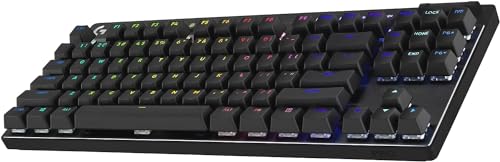
Logitech G PRO X TKL Lightspeed: The Wireless Esports Tenkeyless
Exemplar — competitive wireless, standard height
At a glance: Tenkeyless layout, Lightspeed wireless with wired fallback, tactile switches in this listing, PBT keycaps, LIGHTSYNC RGB, compact travel-ready shell.
As an exemplar, this board teaches what the esports tier actually sells: a trusted wireless link, a compact shell that protects mouse room, PBT caps that survive seasons, and software deep enough for per-game profiles. Nothing on it is decorative except the lighting, and even that is disciplined. It is the reference against which gaming boards that promise competitive credibility should be measured, and its price tier is the reference for what that credibility costs from a major brand.
Its lesson in trade-offs is equally instructive. The flagship wireless tier buys freedom from cables and charges for it in money and in battery management, and it omits the number pad that some buyers’ work requires. A reader who understands why this board costs what it costs, and why a spreadsheet professional should still walk past it, has understood the gaming market’s logic better than most spec-sheet comparisons ever explain.
Strengths
- Wireless link trusted in competition
- PBT caps and travel-ready build
- Deep software for profiles and macros
Trade-offs
- Premium tier within gaming boards
- No number pad for data work
- Battery routine becomes part of ownership
Best for: competitive players wanting one wireless board for desk and travel. / Not suited for: number-pad professionals or cable-and-forget minimalists.

NuPhy Air75 V2: The Low-Profile Traveller
Exemplar — low-profile wireless for laptops and travel
At a glance: Seventy-five percent low-profile layout, tri-mode wireless (Bluetooth, 2.4 GHz, USB-C wired), Gateron Brown tactile switches in this listing, RGB, Windows, macOS and Linux support.
The Air75 V2 exemplifies the low-profile movement: a board barely taller than a laptop’s own keyboard, with real mechanical switches, three connection modes and a design language borrowed from consumer electronics rather than gaming. It slides into a laptop bag, pairs with everything a modern worker carries, and types with a short, confident stroke that makes laptop keyboards feel like apologies. For the growing class of buyers whose desk is wherever the laptop opens, this category is not a niche; it is the main event.
The exemplar’s trade-offs define its category too. Low-profile switches and caps form their own ecosystem, so the standard keycap market mostly does not apply, and the short stroke divides typists raised on full travel. Buyers should choose low-profile as a posture decision, the way they would choose a chair height, and this board is the category’s most persuasive argument that the posture can come with genuine mechanical satisfaction included.
Strengths
- Slim enough for a laptop bag
- Tri-mode connection for every device
- Low posture many wrists prefer
Trade-offs
- Low-profile parts limit cap swapping
- Short travel will not suit everyone
- Compact layout density takes adjustment
Best for: mobile workers and laptop-first setups wanting mechanical feel anywhere. / Not suited for: keycap collectors or deep-travel traditionalists.
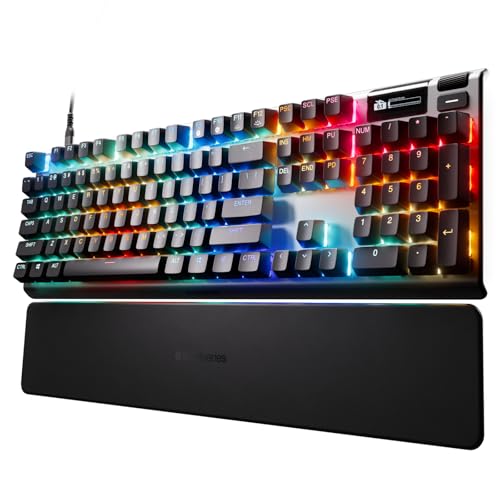
SteelSeries Apex Pro Gen 3: The Magnetic Flagship
Exemplar — adjustable actuation and rapid trigger
At a glance: Full-size layout, OmniPoint 3.0 HyperMagnetic switches, adjustable actuation, rapid trigger, game-ready presets, Protection Mode, OLED display, PBT keycaps, USB-C.
This board exemplifies the sensing revolution at flagship scale: switches that report position continuously, actuation set per key in software, rapid trigger for repeated inputs, and protective features for the chaotic fingers of competitive play. It demonstrates what the new technologies are for, not faster typing in the abstract but shaped input: movement keys hair-triggered, consequential keys guarded, every behaviour deliberate. A reader who grasps this board grasps why an entire market reorganised around sensing.
As an exemplar it also marks the revolution’s costs: flagship money, software that must be learned to be useful, and a full-size footprint that contradicts the small-desk fashion its own technology helped create. The lesson generalises. New technology arrives first in expensive, maximal products, and the buyer’s skill is separating the technology, which may be essential to them, from the maximalism, which usually is not.
Strengths
- Per-key actuation and rapid trigger
- Protective features for competitive play
- Full layout with a useful settings display
Trade-offs
- Flagship tier commitment
- Software learning curve is real
- Full-size footprint limits mouse room
Best for: competitive players who want the sensing flagship without layout compromise. / Not suited for: small desks or buyers who dislike configuration software.

HyperX Alloy Origins Core: The Traditional Wired Gaming Board
Exemplar — classic mechanical gaming, done properly
At a glance: Tenkeyless layout, wired connection, linear HyperX Red switches in this listing, RGB backlighting, compact aluminium-bodied design, software customisation support.
The Alloy Origins Core represents the traditional gaming board at its most honest: a metal body, the maker’s own linear switches tuned for fast play, per-key lighting, and a tenkeyless shell that respects the mouse. It predates the sensing revolution and refutes, by existing, the claim that the revolution made such boards pointless. For the large class of gamers whose games reward consistency over configuration, a board like this delivers everything that matters with a simplicity the configurable flagships cannot match.
Its exemplar lesson is about maturity. Mature product categories reward buyers who can recognise a design that has finished evolving for its purpose: nothing here is missing that its audience uses, and nothing is present that they ignore. In a market addicted to novelty, identifying the mature option, and paying its usually gentler tier with confidence, is one of the most valuable buying skills this guide can teach.
Strengths
- Solid metal body at a sensible tier
- Fast linear switches for gaming
- Simple, proven tenkeyless formula
Trade-offs
- No adjustable actuation features
- Wired only in a wireless era
- Traditional design offers few surprises
Best for: gamers who want proven mechanical performance without configuration projects. / Not suited for: players seeking rapid trigger or wireless freedom.

Redragon K673 PRO: The Gasket Value Board With a Knob
Exemplar — enthusiast features at a value tier
At a glance: Eighty-one key layout near seventy-five percent, gasket-mounted design, tri-mode wireless, scroll knob control wheel, five-layer noise dampening, RGB, hot-swappable.
The K673 PRO exemplifies the great democratisation: features that began in custom keyboards, gasket mounting, layered sound dampening, hot-swappable switches, a control knob, tri-mode wireless, assembled by a value brand at a tier the custom scene cannot approach. Its sound-first design, with dampening layers stacked deliberately, shows how completely the enthusiast vocabulary has conquered the mainstream: a budget board now markets its foam architecture the way flagships market their sensors.
The exemplar’s caution is about polish rather than features. Value boards earn their tier through software that is functional rather than beautiful, documentation that assumes confidence, and quality variance that flagship quality control irons out. For a buyer whose budget is real, those are fair trades, knowingly made. For a buyer who can afford polish and values it, this board’s role is to prove which features matter to them before they pay flagship money for the same list.
Strengths
- Gasket mount and layered dampening
- Knob plus tri-mode wireless included
- Enthusiast feature list at a value tier
Trade-offs
- Software polish trails the flagships
- Documentation assumes a confident owner
- Variance between units is likelier
Best for: budget-conscious buyers who want the modern enthusiast feature set. / Not suited for: buyers who prize software polish and white-glove support.
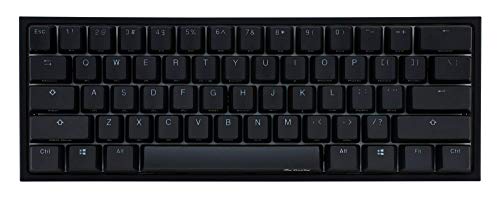
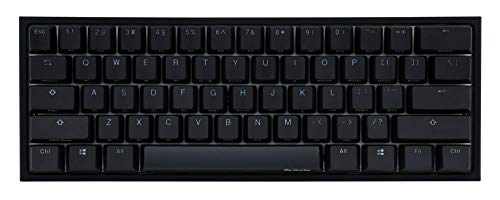
Ducky One 2 Mini: The Sixty Percent Classic
Exemplar — the board that defined a size class
At a glance: Sixty percent layout, wired connection, Cherry MX Silent Red switches in this listing, RGB backlighting, compact bezel design, onboard configuration tradition.
The One 2 Mini is a historical document that still types beautifully: the board that taught a generation of gamers that sixty percent was a serious size, with silent linear switches in this listing, a clean design and a reputation built across years of desks. As an exemplar it represents the enthusiast-gaming crossover before the sensing era, when layout courage and switch quality were the whole argument, and it remains a rational buy for players whose games and desks match its minimalist logic.
Its lesson is about classics generally. A classic board’s value is its provenness: every quirk documented, every accessory available, every problem already solved by somebody in a forum. Its cost is the frontier’s absence: no rapid trigger, no wireless, no gasket theatrics. Buyers who understand that exchange, in either direction, are exactly the readers this ultimate guide was written to produce.
Strengths
- Proven design with years of community knowledge
- Silent switches suit shared spaces
- Minimal footprint frees the whole desk
Trade-offs
- No wireless or sensing-era features
- Layers carry the missing keys
- Wired connection only
Best for: minimalist gaming desks and players who value a proven classic. / Not suited for: feature seekers or function-key dependents.
Keycaps: Material, Profile and the Cheapest Transformation
Keycaps are where a keyboard’s character becomes visible and tactile at once, and they obey two sciences. The material science divides PBT, textured and shine-resistant, from ABS, smooth and capable of the most vivid double-shot legends, with a price and patina argument that has no resolution because both sides are right. The shape science is profile: tall sculpted sets that feel like typewriters, medium sets that disappear under the fingers, and uniform low sets that suit exotic layouts. A board’s sound, posture and personality all shift with a cap change, which is why caps are the hobby’s favourite first modification.
Legends are the third science, and the glossary covers their methods, double-shot, dye-sublimation and printing, in ascending order of permanence. The buying skill is compatibility: a set must cover your board’s exact key sizes, especially the spacebar and the shrunken modifiers of compact layouts, and must match your region’s layout standard. Kit diagrams are the contracts; read them the way you would read a lease. A beautiful set that lacks your spacebar size is not a bargain at any tier, a lesson the second-hand market teaches weekly to somebody.
Spend on caps in the right order. First, replace genuinely poor stock caps, the thin, slippery kind that make a decent board feel cheap. Second, buy for a reason you can state: a profile experiment, a material upgrade, a layout’s missing coverage. Third, and only then, buy for beauty alone, because beauty is a legitimate reason that should still queue behind function. Owners who follow that order build collections that satisfy; owners who reverse it build shelves.
Deep Dive: The Sound of a Keyboard, and Why Everyone Chases It
Sound deserves its reputation as the hobby’s rabbit hole, because it is the quality that specifications cannot describe and recordings can only approximate. A board’s voice emerges from its switches, caps, plate, case, foam, desk and room acting as one instrument, and changing any element retunes the whole. The chase for a particular recorded sound has bankrupted more patience than wallets, and the veterans’ wisdom is consistent: tune for the room you type in, with your own ears as the only microphone that matters, and stop when the board sounds like itself rather than like a video.
The modification ladder, for owners who climb it, runs in a reliable order. A desk mat first, because it is cheap and transforms the sound floor. Stabiliser tuning second, because rattle is the fault with the highest irritation per minute of repair. Switch lubing third, for owners whose board is hot-swappable and whose patience is genuine. Case foam and tape experiments fourth, reversible and instructive. A plate or case change last, because it is a rebuild wearing the costume of a mod. Each rung teaches the board’s anatomy better than any guide, including this one.
Ergonomics is the section this guide refuses to oversell. A mechanical board can support good posture with the right height, angle and layout, and split or ortholinear designs can genuinely change a sufferer’s working life, but no keyboard cures a bad chair, a low monitor or a ten-hour day without breaks. Treat persistent pain as a medical conversation first and a shopping conversation second. The hobby’s comfort claims are at their best when they are modest, and a guide that promises healing from a keycap profile is a guide that has stopped respecting its reader.
There is a social layer to ownership that surprises new buyers: keyboards are conversation pieces in a way mice and monitors are not. A distinctive board on a desk invites questions, loans and arguments, and the communities guide in this series exists because those conversations scale into a culture. Buying a first board is therefore also, quietly, joining a conversation that has been running for decades. That is not a reason to buy, but it is a reliable pleasure that arrives free with the purchase.
Long-term ownership has its own rhythm worth anticipating. The first month is delight and adjustment. The third month brings the first modification itch. The first year usually brings a second board, justified by a logic the owner would not have accepted in month one, and the beginning of a rotation. None of this is failure; it is the hobby’s normal metabolism. Budgeting for it honestly, a board a year rather than a board a month, keeps the pleasure solvent, and the collection that results tells the story of a developing taste rather than a series of impulses.
Finally, the ultimate guide’s last word is about attention. A keyboard is the tool a knowledge worker touches more than any other, thousands of small interactions a day, and improving the quality of those interactions is a disproportionately good use of money and thought. That is the entire case for this category, stated without a single specification: the most-touched object in your working life deserves to be a good one, chosen deliberately, understood properly and maintained with a little pride.
A note on gifts, since keyboards are given constantly and chosen badly just as often: give the sensible tier, hot-swappable and mainstream-sized, unless you know the recipient’s taste in switches the way you know their shoe size. The hobby’s intimacy is in the details, and a gift card toward a board, paired with a switch tester and this guide, respects the recipient’s fingers more than a flagship guessed at random. The best keyboard gift is the one that starts a person’s own choosing, not the one that ends it.
And a note on the second board, because this guide’s readers will buy one: the second board should differ from the first in exactly one major variable, a size, a switch family, a posture, so that ownership becomes an education rather than a repetition. Two boards that differ in everything teach nothing except variety’s price. Two boards that differ in one thing teach you what that thing is worth to you, which is the knowledge every later purchase in this hobby spends.
Worked examples concentrate the mind, so consider three desks. The analyst’s desk, two monitors and a sea of spreadsheets, wants a full-size or ninety-six percent board, tactile switches for long typing, and a number pad treated as infrastructure. The competitive gamer’s desk wants the mouse runway first and a sixty or seventy-five percent board with sensing-era switches second. The writer’s desk, wherever it migrates, wants a low-profile or quiet tactile board that the household forgives. Three desks, three correct keyboards, and not one of them is the other’s board: that is the whole science of choosing, demonstrated.
Consider also the shared family desk, the hardest brief in the category: one board must serve a parent’s work, a teenager’s games and a household’s noise budget. The answer is usually a hot-swappable seventy-five or tenkeyless board with tactile switches and per-user profiles in its software, plus a second cheap board for the teenager’s room by the second year, because sharing a keyboard across generations is a peace treaty with an expiry date. Planning for the expiry is not extravagance; it is the household version of the five questions.
The guide should also say plainly what a keyboard cannot do for a gamer: it cannot aim, decide or practise. The sensing technologies shave real milliseconds and real friction, and at high levels those matter, but the order of investment for a developing player remains time, then coaching or structured practice, then peripherals. A guide that sells equipment as skill would sell more equipment and deserve fewer readers. Buy the board to remove excuses, then enjoy the clarity of knowing the remaining variable is you.
For the office buyer equipping a team, the calculus inverts: standardise on one hot-swappable model in a mainstream size, stock spare switches and cables, and let individuality live in keycap sets employees choose themselves. Support costs fall, replacements become minutes instead of tickets, and the fleet ages gracefully because every unit is repairable by the person sitting at it. Several of this guide’s exemplars suit fleet duty precisely because their categories prize maturity over novelty, which is what a fleet is.
A word on sustainability, since this category can generate waste with unusual enthusiasm: a repairable board kept for a decade is the greenest object in this guide, and a drawer of abandoned impulse purchases is the least. The buying discipline this page teaches, measure, test, choose once, maintain, is also an environmental position, whether or not its holder thinks of it that way. The hobby at its best builds heirlooms and hand-me-downs; at its worst it builds e-waste with excellent stabilisers.
And the guide’s genuinely final word belongs to the beginners standing where its first paragraph found them. The subject looks enormous from outside: hundreds of switches, dozens of layouts, a slang dictionary for sound. From inside, it resolves into a board on a desk that feels right, a few preferences you can name, and a community happy to argue the rest with you for years. Buy the first good board, type the first million words, and the enormity becomes what it secretly always was, which is company.
One more worked example, for the student desk that must be everything in a square metre: lectures by day, essays by night, games between, and a budget with no slack. The value-tier gasket board in this guide’s exemplars was practically designed for that desk, and pairing it with a desk mat and a switch tester covers the whole first year of the hobby for less than a single flagship. Students should hear that the hobby’s pleasures are not rationed by budget; they are rationed by attention, and attention is the one currency students are rich in.
And for the reader who skipped here from the introduction: the shortcut version of this entire guide is four sentences. Size by desk, switches by fingers, construction by curiosity, and path by patience. Everything else in these thousands of words is the long defence of those four sentences, and the six exemplar boards are their illustrations. You now own the shortcut and, if you read the defence, the reasons, which is all any ultimate guide can honestly give you.
Buying Paths: Retail, Value Brands, Kits and Group Buys
Four roads lead to a mechanical keyboard, and this guide’s buying advice begins with knowing which road you are on. Retail flagships offer support, returns and immediacy at premium tiers. Value brands offer the modern feature list at honest tiers with thinner polish. Kits offer authorship: choose the case, switches and caps, assemble the board, and own the result in a way no retail product permits. Group buys offer the frontier, designs that exist because a community funded them, at the cost of months of waiting and a small, real risk that retail never asks you to carry.
The roads suit different buyers at different seasons of the hobby. A first board should almost always be retail or value-brand and hot-swappable, because a beginner’s taste is unformed and reversibility is the beginner’s best friend. A second board can be a kit, once the first has taught its owner what their fingers actually want. Group buys belong to the season after that, when patience and judgement have been trained by ownership. Skipping seasons is possible and occasionally glorious, but the tuition is usually paid in resold equipment.
Final Recommendation
If this guide must compress itself into one paragraph of advice, it is this: buy a hot-swappable board in the size your desk can prove it wants, with switches chosen by your fingers on a tester rather than by a chart, from the buying path that matches your patience, and then type on it for a full season before modifying anything. The exemplars above mark the market’s corners; your board is somewhere inside the fence they form. Everything after that first good decision is refinement, and refinement, in this hobby, is a pleasure that never has to end.
Firmware, Remapping and Layers: The Software Half of the Board
A modern keyboard is two products: the hardware you touch and the firmware that decides what touching means. Remapping lets any key become any other, macros compress sequences into single presses, and layers multiply a small board’s vocabulary by hiding extra key sets beneath a held modifier. Enthusiast firmware such as QMK, configured through friendly tools like VIA, turns these from specifications into a Sunday-afternoon project, and the moment a user designs their first personal layer, their relationship with the board changes from ownership to authorship.
The practical advice is to remap for your actual annoyances rather than for theoretical elegance. Move the key you always miss. Put media control where your left hand already rests. Give the sixty percent board’s missing arrows a home your fingers can find blind. A layout that solves three daily irritations is worth more than a layout that impresses a forum, and because firmware changes are free and reversible, they are the safest experiments in the entire hobby, the correct first resort before any hardware is blamed or bought.
Proprietary software from the big brands covers the same ground with varying grace, adding lighting choreography and game profiles to the remapping core. Judge a brand’s software as you would judge a landlord: you will live in it for years, its update habits will become your weather, and its export options decide whether your configuration is your property or its tenant. Boards whose settings live on the device itself, surviving any computer, hold a quiet advantage that only becomes visible the first time a work laptop refuses to install a gaming suite.
Connections: Wired, Bluetooth and the Fast Wireless Link
Three connection modes divide the modern market, and the ultimate guide’s advice is to choose by failure tolerance. A cable cannot run out of battery, suffer interference or pair with the wrong laptop, and it remains the competitive and the cautious default. Bluetooth serves the multi-device desk, hopping between laptop, tablet and phone with a patience for slight delay that work never notices. The fast proprietary wireless links, sold under various brand names, aim to give gaming the cable’s reliability without the cable, at the cost of a dedicated receiver and a battery to manage.
Tri-mode boards that offer all three have become the pragmatic favourite for hybrid desks, and their premium over wired-only models is one of the few in the market that most buyers actually use daily. The honest counterweight is complexity: mode switches get bumped, receivers get lost, and batteries age. A single-desk, single-computer owner gains nothing from tri-mode but its failure modes, and the wired exemplars in this guide exist partly to honour that owner’s clarity.
Battery behaviour deserves one unglamorous paragraph. Lighting is the dominant drain, and a wireless board run at full brightness can need charging several times as often as the same board dimmed. Owners who treat brightness as a room-dependent setting, bright for a lit office, dim for evening play, find wireless ownership painless. Owners who set maximum and forget it develop opinions about wireless keyboards that are really opinions about their own settings, a confusion this guide is keen to prevent.
A Decision Procedure: Choosing Your Board in Five Questions
Question one: what does your desk measure, and what does your mouse need? That fixes the size range. Question two: what do your fingers already know, and what are they willing to relearn? That fixes the layout family and, roughly, the switch feel to test first. Question three: how many computers, and how much do you hate cables? That fixes the connection. Question four: how much do you intend to modify, honestly, in the next year? That fixes hot-swap, construction and budget tier. Question five: which buying path matches your patience, retail now, a kit this month, or a group buy this year? That fixes where you shop.
Answered in that order, the five questions usually narrow the entire market to a handful of boards, and the exemplars in this guide will likely be among them or near neighbours to them. The order is the insight: each question eliminates more bad purchases than the next, and the questions buyers usually start with, which brand, which switch, which colour, are the ones that eliminate the fewest. A decision procedure that begins with the desk and ends with the badge is this ultimate guide’s single most transferable lesson.
Then, and only then, apply the tiebreakers: the knob you will actually use, the software you can tolerate, the sound your household can live with, the design that will make you happy in month nine. Tiebreakers are not trivial; they decide between good options, which is most of real buying. But they must break ties among boards that already passed the five questions, because a beautiful board in the wrong size is a beautiful mistake, and it will be admired by its next owner after you sell it.
Common Mistakes This Guide Exists to Prevent
The hall of fame begins with buying size by photograph, the sixty percent board that looked clean online and taxes every workday with its missing keys. It continues with switch choices made from sound videos recorded in other people’s rooms, with group buys entered in the first week of enthusiasm by buyers who had not yet learned their own layout preference, and with flagship money spent on a first board whose owner could not yet say what they liked, guaranteeing an expensive education in what they do not.
The quieter mistakes are maintenance-shaped: never cleaning a board until the switches feel gritty, spilling one drink too many beside an unprotected desk, updating firmware the night before it matters, and keeping no record of a configuration that took a month to perfect. Each is cheap to prevent and expensive to reverse, which is the definition of the category. The ultimate guide lists them without mockery, because every veteran reading this page has committed at least two, and the tuition was only wasted if the lesson was not passed on.
Maintenance: The Fifteen-Minute Monthly Habit
Once a month, unplug the board or switch it off, shake out the debris over a bin, brush between the keys, and wipe the caps with a cloth barely dampened with water. A few times a year, pull the keycaps with a proper puller, wash them in lukewarm water with a drop of mild soap, dry them completely, and clean the plate beneath before reseating everything. Check the cable for fraying, the feet for wear, and the configuration backup for existence. Fifteen minutes, monthly, is the entire maintenance budget of a board that will feel new for years.
Repairs follow the same calm logic. A dead switch on a hot-swappable board is a two-minute replacement. A chattering key is often a tired switch or a firmware setting, both diagnosable with the guides on this site. A rattling spacebar is a stabiliser asking for lubricant and patience. The mechanical keyboard’s repairability is not a marketing line; it is the practical consequence of the anatomy chapter at this guide’s start, and owners who internalise it stop fearing faults that membrane-board owners must treat as funerals.
Where the Category Is Going
The sensing revolution is still young: magnetic and optical switches will spread down the price tiers, configuration will grow more capable, and the distinction between a gaming board and a custom board will keep dissolving as each borrows the other’s virtues. Low-profile design is the second current, pulling mechanical feel into the laptop-shaped world. The third current is consolidation of the basics: hot-swap, PBT caps, tri-mode wireless and decent stabilisers are becoming the expected floor at ever lower tiers, which quietly raises the value of simply buying carefully at any tier.
What will not change is the human constant underneath the category: people type for hours every day and prefer the hours to feel good. Every technology in this guide, from the gasket to the Hall sensor, is an attempt to improve the feel or the control of a single repeated gesture. Judged by that standard, the category’s future is healthy, because the gesture is not going anywhere, and neither is the entirely reasonable desire, which this guide exists to serve, to make it feel magnificent.
Related Guides Worth Your Time
- how to choose a first board
- the keyboard firmware guide
- keycap profiles explained
- the 40 percent keyboard guide
- the mechanical keyboard communities guide
Mechanical Keyboards Ultimate Guide: Frequently Asked Questions
Are mechanical keyboards actually better than membrane ones?
They are different in kind, not simply better in degree. A mechanical board offers individual switches with defined feel, long life, repairability and customisation that a membrane board cannot match, at higher cost and usually greater height and noise. For typing feel, gaming control and ownership satisfaction, most people who try a good one do not go back. For a spare computer in a quiet house, a membrane board remains a perfectly rational object, and this guide’s honesty requires saying so.
How much should a first mechanical keyboard cost?
Think in tiers rather than figures, because the market moves. The sensible first tier buys a hot-swappable board from a value brand or a mainstream maker, with decent switches and caps, and leaves budget for a switch tester and a desk mat. The flagship tier buys polish, wireless and sensing features that a beginner cannot yet judge. Money spent at the sensible tier is tuition that transfers; money spent at the flagship tier on day one is usually a guess, and guesses in this hobby get resold.
What size keyboard should I buy first?
The size your desk and your week’s real key usage dictate, measured rather than imagined. Tenkeyless and seventy-five percent boards are the commonest correct answers because they balance mouse room against retained keys. Sixty percent suits gaming-dedicated desks and confident layer users. Full-size remains correct for number-heavy work. If two sizes both seem right, choose the larger for a first board: missing keys are a daily tax, while spare desk space is a one-time observation.
Do I need hot-swappable switches?
For a first board, treat hot-swap as close to essential. It converts your switch choice from a permanent factory decision into an experiment, lets you replace a failed switch in minutes, and keeps the board relevant as your taste develops. The exceptions are deliberate ones: a buyer who has already tested extensively and chosen a soldered board for its design, or a low-profile or specialised board whose ecosystem accepts the trade knowingly. Beginners, by definition, have not tested extensively, so the default stands.
Are expensive switches worth it over standard ones?
Worth is the wrong first frame; difference is real but modest, and it concentrates in consistency, smoothness and sound rather than in any measurable performance. Premium switches feel more uniform across the board and arrive better lubricated, which matters most to owners who type all day or chase a particular sound. For a first board, the stock switches of a good model are entirely sufficient, and switch upgrades belong to the refinement season, when your fingers can actually specify what they are upgrading from and to.
How long will a mechanical keyboard last?
The switches are rated for tens of millions of presses, the electronics are simple, and the realistic lifespan limits are cables, batteries in wireless models, worn keycaps and changing taste. A well-kept mechanical board should serve for many years, and its repairability means failures are usually events, not endings. That longevity is a core part of the category’s value argument: the board is priced like equipment because, unlike most consumer electronics, it ages like equipment.