Affiliate disclosure: this article contains affiliate links. If you buy through a link on kajuandouglas.com, the site may earn a commission at no extra cost to you.
This keyboard accessories guide is a map of everything that gathers around a mechanical keyboard once the board itself is chosen — the rests, mats, cables, cases, tools and small instruments that turn a good keyboard into a complete workstation. Accessories are where keyboard ownership becomes personal, because the board’s fundamentals (size, switches, sound) are shared with thousands of other owners, while the accessory layer is chosen one item at a time, for one pair of hands, one desk and one set of habits. They are also where money leaks quietly, because each item is cheap enough to buy uncritically and numerous enough to add up to a second keyboard’s price in felt and foam.
The guide therefore works as a prioritisation exercise as much as a catalogue. It sorts accessories into the tiers that actually matter — the ergonomic foundations, the acoustic and feel tuners, the maintenance tools that protect the investment, and the transport and styling layer — reviews the verified exemplars of each tier, and closes with a buying sequence, the mistakes that fill the hobby’s drawers with regret, and the questions owners ask once the first parcel arrives. The board you already own is the specification every accessory must fit; this guide’s recurring advice is to let it be exactly that, and nothing vaguer.
Key takeaways
Buy in this order: a desk mat and correct ergonomics first (they affect every hour), maintenance tools second (they protect the board), a cable and wrist rest fitted to your board’s size third, and transport and styling last. Every accessory must match the board’s dimensions and switch ecosystem — a 75 percent board wants a 75 percent case and a rest of its own width. The accessory layer done well costs less than one board upgrade and improves more of your day.
In this guide
Tier One: the Ergonomic Foundations
Accessories earn their keep in proportion to the hours they touch, and nothing touches more hours than the surface your hands work over. The desk mat leads this tier because it does four jobs at once: it defines the keyboard-and-mouse field, damps the board’s sound against the desk, gives the mouse a consistent surface, and protects the desk itself. It is also the accessory with the widest quality spread at the low end — thin, curling mats with raw edges are the category’s false economy — and the one whose size must be measured rather than assumed, since it should extend beyond both the board and the mouse’s full travel. The how to take better photos of your keyboard among other things guide in this cluster adds the mat’s photographic virtues to its ergonomic ones, for desks that serve both masters.
The wrist rest is the tier’s most debated citizen, and the debate is about usage rather than existence. A rest’s proper job is to support the palms during pauses — between sentences, while reading, while thinking — not to anchor the wrists during active typing, which compresses exactly the structures ergonomics wants un-compressed and encourages the planted, reaching finger style that strains hands. Used correctly, a firm rest matched to the board’s height and width is a genuine comfort instrument; the ergonomic mechanical keyboards wrist pain guide on this site gives the full posture picture, including the desk and chair heights that matter more than any purchasable object. Buy the rest after the posture audit, in the board’s exact width, in a material (wood, firm foam, memory foam) chosen by whether your desk runs warm or cool.
Feet, angles and stands complete the foundations quietly. Most boards include flip feet; the accessory versions — risers, angled stands, the occasional easel for a second board — serve split setups, tented arrangements and the flat-versus-angled question that the flat vs angled keyboard for typing comparison examines honestly. This tier’s theme is that comfort is geometry before it is shopping: measure the desk, set the chair, and let accessories close the remaining gap rather than substitute for the audit.
Tier Two: Sound, Feel and the Tuning Accessories
The second tier tunes what the board feels and sounds like, and its citizens are the modding world’s supporting cast: case foams that manage the cavity’s echo, switch films and lubricants that refine each switch’s voice, keycap sets that re-dress the whole instrument, and the coiled cable that changes both the desk’s look and the board’s connection ritual. These are covered as techniques in this cluster’s keyboard foam types guide and how to tempest tape mod your keyboard guides; as accessories, the buying logic is what matters here — tune in the order of reversibility, cheapest first, and keep a recording or a written note at each step, because stacked changes cannot be unstacked by ear.
Keycaps sit at this tier’s expensive end and deserve the census discipline the how to remove replace keyboard keys guide teaches: coverage for your layout, your standard, your spacebar. A switch tester belongs here too, as the tier’s research instrument — a small grid of mounted switches that lets your fingers interview future purchases before a full set is ordered. It is the only accessory whose entire function is preventing other purchases from being wrong, and in a hobby where switches are bought by description and regretted by touch, that function pays for the tester the first time it vetoes a set.
Cables close the tier, in their dual role as utility and jewellery. A quality braided or coiled cable with a metal connector is a functional upgrade (detachable, durable, right-length) and the desk’s most visible accent simultaneously — the custom USB cables for your keyboard guide treats the category with the seriousness its prices demand. The tier’s governing rule, for cables as for all of it: one considered purchase per problem, because the accessory drawer’s tragedy is five solutions to a problem the board never had.
Tier Three and Four: Maintenance and Mobility
Maintenance accessories are the least glamorous and the most protective money in the guide. The wire keycap puller and its sibling switch puller — the pair whose technique fills the how to remove mechanical keyboard keys guide — make cleaning and servicing possible without damage; a brush and a microfibre cloth handle the weekly surface; a small tray corrals the screws and springs of any open-board work. Total cost of the tier: less than a single keycap set. Total value: the board’s entire lifespan, since nearly every maintenance and repair workflow in this cluster begins with these tools on the desk. Buy them with the board, not after the first spill teaches the lesson at retail speed.
Mobility is the final tier, for the growing population whose board travels — to the office, to events, between home desks. A hard carrying case sized to the board is the tier’s centre: it protects switches from bag pressure (a real failure mode — switches held half-pressed for a journey arrive with their springs’ opinions changed), organises the cable, and turns the board into luggage rather than cargo. The keyboard cases guide materials types companion in this cluster is devoted to the category. Soft sleeves suit the careful and the short journey; hard cases suit everyone else, and the size-matching rule is absolute — a case that lets the board rattle has misunderstood its one job.
Woven through all four tiers is the storage question, because accessories accumulate into a small inventory: spare switches, the stock keycaps, cables for other boards, the tools. A single drawer or box, organised once, is the difference between an accessory system and an accessory archaeology. The hobby’s veterans are recognisable by this drawer more than by any board they own.
Keyboard Accessories Guide: The Shortlist
Five verified accessories, one exemplar per buying priority — mat, wrist rest, switch tester, coiled cable and hard case — each traced to a confirmed listing in the Amazon catalogue records this site verified for the sources file. Sizes named are the common ones; match the variant to your board’s dimensions at purchase.
Large Desk Mat
Priority one
- Keyboard-and-mouse field coverage
- Stitched, non-curling edges
- Sound-damping density
- Washable surface
The mat is the accessory this guide would mandate if it could mandate one: it improves the board’s sound, the mouse’s consistency, the desk’s protection and the setup’s appearance in a single purchase, and it does so at a price below every other item reviewed here. The specification that matters is density and edge finishing — a mat with body lies flat, stays flat, and reads as furniture; the flimsy kind reads as a place mat and curls like one. Measure the desk’s working zone and buy the mat that covers the board plus the mouse’s honest travel, no more and no less.
Colour choice is the one aesthetic decision with functional weight: mid-tones hide the evidence of work, dark mats make light boards photograph and present beautifully, and a mat that matches the desk’s tone disappears, which some desks want. Wash it on the schedule the how to hide your keyboard and mice cables system prescribes — quarterly, with the cable reset — and it will serve for years as the foundation everything else sits on, literally.
Strengths
- Four functions in one purchase
- Improves sound measurably
- Protects desk and board alike
Trade-offs
- Cheap versions curl and disappoint
- Needs periodic washing
- Size must be measured, not guessed
Best for: Every board, every desk, immediately.
Not suited for: Desks with fitted leather blotters already serving.
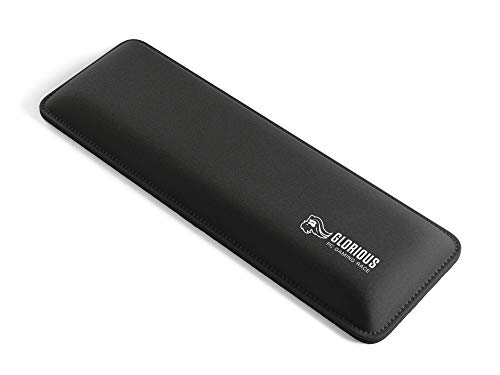
Glorious Compact Keyboard Wrist Rest
The pause supporter
- Widths matched to board sizes
- Firm foam, wood or memory foam
- Height aligned to typical board fronts
- Non-slip base
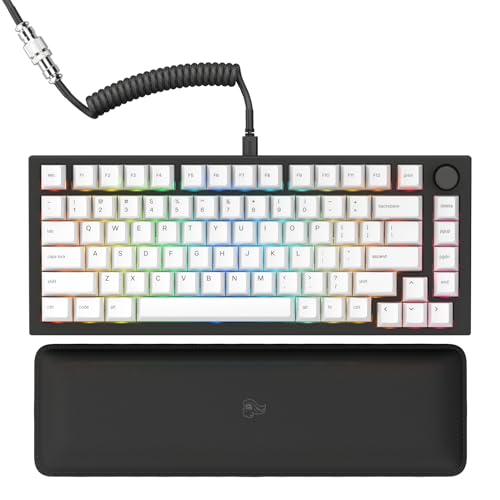
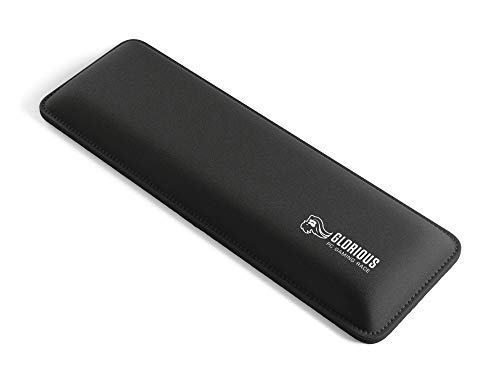
Bought in the board’s exact width and used as a palm rest during pauses, this is the comfort accessory with the strongest case in the guide — and the one whose misuse the ergonomics section above warns against in the same breath. The buying decisions are width (a 75 percent board wants its own size, not a full-size rest overhanging like a pier), height (level with the board’s front edge, so the palm’s support continues the board’s plane), and material: wood for the firm and the cool, memory foam for the soft, firm foam for the majority between. The verified listing represents the mainstream foam form; the category’s logic transfers across materials.
Judge a rest after a week, not an afternoon: the correct one disappears from attention, which is the highest praise furniture earns. If your wrists ache during typing rather than between bursts, the rest is not the prescription — posture and board angle are, and the site’s ergonomics guide is the correct next read. Accessories close gaps; they do not substitute for geometry.
Strengths
- Real comfort during reading and thinking pauses
- Widths exist for every board size
- Materials suit warm and cool desks
Trade-offs
- Misuse as a typing anchor worsens posture
- Foam versions wear over years
- One more dimension to match
Best for: typists whose work is pause-heavy: writers, programmers, readers.
Not suited for: Anyone seeking a cure for typing-time wrist pain.
Acrylic Switch Tester
The research instrument
- Grid of popular mounted switches
- Covers linear, tactile and clicky families
- Keycaps included for realistic feel
- Reference for all future switch purchases
The tester is the accessory that audits the others: a grid of the market’s significant switches, mounted and capped, that converts switch shopping from prose interpretation into direct evidence. Its highest-value moment comes before a switch-set purchase, when twenty minutes of pressing vetoes the set your heart wanted and your fingers did not — a saving measured in full sets not bought, not resold, not regretted. Owners keep it for years as the reference shelf against which every new switch is compared, which makes its cost-per-use the lowest in the entire accessory drawer.
Its honest limit, stated in every guide that recommends it: a tester teaches feel in acrylic, not sound in your case, and it samples stock switches rather than your eventual variants. Within those limits it is the closest thing the hobby has to a fitting room. Buy the grid that covers the families you are actually deciding among, and let your fingers — not the forum’s consensus — cast the deciding vote.
Strengths
- Prevents the hobby’s most common wrong purchase
- Reusable across every future decision
- Teaches the switch families by touch
Trade-offs
- Feel yes, in-board sound no
- Grids age as new switches launch
- Samples are stock, not tuned
Best for: Anyone contemplating a switch-set purchase.
Not suited for: Owners settled for life on their current switches.

EPOMAKER Mix Coiled Aviator Cable
The desk’s accent
- Coiled section with straight tails
- Metal aviator quick-disconnect
- USB-C for modern boards
- Colours matched to keycap sets
The coiled cable is where utility and styling sign a joint tenancy: functionally it is a detachable, right-length, durable lead whose coil manages its own slack; aesthetically it is the single most recognisable object in the enthusiast desk vocabulary, the accent that makes a setup read as composed. The aviator connector’s quick-disconnect earns genuine keep in multi-board households — boards swap at the connector while the routed half stays in the desk’s cable system — and for single-board desks it simply makes the connection point look engineered rather than plugged.
Buy against two measurements: the coil’s resting length versus your desk’s depth (a coil stretched straight is a failed coil), and the connector standard at your board’s end. Colour-match it to the keycap set for the composed look or contrast it deliberately; the how to take better photos of your keyboard among other things guide explains why photographers treat it as a leading line. It is the tier-two purchase that owners report enjoying daily, which is more than most jewellery can claim.
Strengths
- Function and styling in one object
- Quick-disconnect suits multi-board desks
- Coil self-manages slack
Trade-offs
- Costs more than a plain braided cable
- Length must suit the desk
- Wireless boards use it only for charging
Best for: Wired boards and composed desks.
Not suited for: Minimalists whose aesthetic is absence.

Geekria 75% Keyboard Carrying Case
The travel insurance
- Hard shell sized by board class
- Padded interior with cable pocket
- Protects switches from sustained pressure
- Handle and zip closure
A board that travels in a bag without a case is a board whose switches spend the journey half-pressed against luggage, whose keycaps abrade, and whose cable wanders into other objects’ business. The hard case ends all three: a rigid shell that takes the bag’s pressures itself, a padded interior that holds the board without rattle, and a pocket that keeps the cable a citizen of the same luggage. For the commuter, the event-goer and the two-desk worker, it converts the board from cargo into carry-on, and its cost is a fraction of the board it protects.
Sizing is the whole purchase: cases are built by board class (60, 65/75, TKL, full-size), and the correct one admits the board with the cable pocket loaded and no persuasion. A case a size up invites the rattle it exists to prevent. The left handed southpaw keyboards guide and other specialist layouts remind us that unusual boards should be measured individually — length, width and height with caps on — before the class label is trusted.
Strengths
- Protects switches, caps and case in transit
- Organises cable and board as one unit
- Cheap insurance relative to the board
Trade-offs
- Adds bulk to the bag
- Size classes require verification
- Desk-bound boards never need it
Best for: Commuters, event-goers and two-desk workers.
Not suited for: Boards that will never leave their desk.
The Buying Sequence: a Whole Accessory Layer, Budgeted
Sequenced properly, a complete accessory layer assembles over a few months without ever feeling like a splurge, and the sequence is the guide’s practical core. Month one, with the board: the mat and the pullers — the foundation and the tools — because both serve from the first day and neither depends on taste yet. Month two, once the board’s habits are known: the wrist rest if the pauses want it, sized and chosen by the desk’s temperature, and the cable if the stock one’s length or looks offend daily. Month three and beyond, the taste layer: the tester before any switch adventure, the case when travel actually appears on the calendar, keycaps when the census discipline has been learned. Each purchase answers a need the previous month revealed, which is how accessory drawers stay curated instead of archaeological.
The total, bought this way, lands well under the price of the board itself — and the comparison that justifies it is the alternative spending pattern the hobby knows too well: a second board bought to fix what a mat, a rest and a switch set would have fixed on the first. Accessories are the upgrades that stay when boards rotate; the mat, tools and tester will serve your third board as faithfully as your first. That durability across the collection is the layer’s deepest economic argument, and the reason this guide exists at the length it does: the board gets the glory, but the accessories get the years.
Accessories to Skip, or Buy Last
An honest guide names the drawer-fillers. Novelty keycaps beyond one or two beloved artisans are a collection pretending to be an accessory — buy them as art, with art’s budget, or not at all. RGB light bars and ambient desk lighting photograph gloriously and serve typing not at all; they belong to the desk’s theatre budget, knowingly. Switch openers, lube stations and films are excellent tools for a servicing practice you may never adopt — buy them with the first service planned, not in anticipation of a personality change. Extra cables in speculative colours duplicate the one cable the board can wear at a time.
The pattern in every skip is the same: the accessory answers a hypothetical rather than a felt need. The discipline that protects the budget is a single question, asked at each listing — what, this week, does this fix? The accessories in the tiers above all have answers measured in hours of daily use. The drawer-fillers have answers measured in photographs. Both kinds of purchase exist in happy collections; only one kind should be allowed to call itself equipment.
The Accessory Audit: What Your Desk Actually Needs
Accessory buying fails by accumulation — the drawer of almost-used gadgets is the hobby’s universal furniture — and the defence is an audit method rather than a shopping list. For one week, log every friction at the desk that an accessory might claim to solve: the board that slides, the wrist that aches at hour five, the cable that snags, the caps that need pulling, the board that travels unprotected. The log is the audit, and its discipline is that an accessory earns its purchase by matching a logged friction with a frequency attached. The wrist rest bought for an ache that occurs monthly is a different purchase from the one bought for the daily ache — same product, different justification — and the audit is what tells them apart. Accessories bought without a log are décor wearing a function’s clothes.
The audit’s second pass is subtraction: which existing accessories failed their audition? Every desk has them — the rest at the wrong height, the mat of the wrong size, the stand that wobbles — and their failure modes are the specification for their replacements, written in experience rather than in listings. An owner who cannot state why the last wrist rest failed will buy its twin. The how to choose a mechanical keyboard the buyers guide teaches the same method for boards: the diagnosis precedes the purchase, and the purchase that skips it is a lottery ticket with good photography.
And the audit has a budget shape worth copying: accessories should be bought in friction order, not in excitement order, and the total accessory budget for a setup should stay a modest fraction of the board’s price unless the friction log says otherwise — the exceptions being the genuinely ergonomic purchases, where the ergonomic mechanical keyboards wrist pain guide’s counsel outranks arithmetic. A desk whose accessories cost more than its keyboard is not wrong by definition, but it is a desk whose audit should be re-read, because the imbalance usually marks the place where shopping replaced solving.
Wrist Rests, Taken Seriously
The wrist rest is the accessory most often bought casually and used consequentially, so it gets this guide’s most careful expansion. Its correct use is narrower than its name suggests: it is a rest for the pauses — the reading, the thinking, the call — during which the palms may land; during active typing the wrists should float, with the hands’ weight carried by the arms, because a wrist pressed into a rest while typing is a wrist bending upward against a fulcrum, which is the posture the rest was bought to prevent. This is guidance about a product’s use, offered in the comfort register this site keeps for such topics, and readers with actual pain should follow the ergonomic guide’s advice toward proper assessment rather than toward any product in this article.
Material and height are the purchase’s real variables. The rest’s top should meet the board’s front edge at a height that lets the palm land level — neither a step up nor a drop — which makes the rest a matched component of a specific board, not a universal: the rest bought for a low-profile board strands a tall board’s user, and vice versa. Foam conforms and warms; wood stays cool and precise and unforgiving of wrong height; gel splits the difference and ages the worst. Width should match the board’s, because a rest shorter than the board teaches the hands to crowd toward its centre — a posture tax collected invisibly for years. The Glorious rest in the picks is the foam school executed properly; the doctrine matters more than the specimen.
And the rest has a hygiene life that buyers forget: foam and fabric absorb the desk’s year and should be cleaned or replaced on the same calendar as the keycap bath, while wood asks only for a wipe. An accessory that touches skin for eight hours a day is a textile, and textiles have service lives. The owner who replaces a rest because it has flattened and filmed over is not being precious; they are maintaining the one accessory whose condition is quite literally in their hands all day.
Mats and Surfaces: The Desk’s Foundation Layer
The desk mat is the accessory that changes the most physics per unit of money, and its full treatment belongs in any accessories guide that respects evidence. It anchors: a board on a mat does not migrate during heavy typing or gaming, and the migration it prevents was a tax on accuracy the owner had stopped noticing. It damps: the mat is the first and cheapest layer of the sound system the keyboard sound thock clack guide maps, absorbing the desk’s drum contribution before the board’s own tuning is even consulted — owners chasing sound with switches and foam while their board sits on bare laminate are tuning the wrong end of the chain. And it defines the mouse’s territory with a consistency that mixed surfaces never offer, which competitive players feel as aim and typists feel as the pointer simply being where it was left.
Size and material are the decisions. The mat should cover the board and the mouse’s working range with margin — the full-desk mat has won the market because it removes the boundary problem entirely, turning the whole surface into one material with one friction and one sound. Thickness trades damping against the board’s effective height; stitched edges trade a small ridge for a large durability; the surface’s speed — the mouse’s glide — is a gaming variable and a non-issue for typing, and buyers should know which they are. The mat in this guide’s picks is the category’s standard-bearer; the doctrine — one surface, stitched, sized to the desk’s working area — is the purchase.
Maintenance closes the mat’s case: it is the desk’s largest textile and its most neglected, collecting the same archaeology as the keycaps at a hundred times the area. Washable mats should be washed on the keycap calendar; leather and sealed surfaces wiped; and the mat’s replacement, when its surface has polished unevenly, is a legitimate upgrade that owners defer absurdly because the mat is furniture rather than gear. It is both. Treat it as gear and the desk’s whole input chain — sound, aim, anchor — improves for the price of a pizza night.
Tools: The Drawer That Makes Ownership Work
Every craft has a moment when the right small tool converts a dreaded task into a routine one, and keyboard ownership’s moment is the puller drawer. The wire keycap puller and the switch puller are its founding members, and their full case is made in the how to remove mechanical keyboard keys guide: they are the difference between maintenance performed on schedule and maintenance deferred until symptoms force it. The switch opener joins for owners who lube or film; the tweezers join for everyone who has dropped a screw into a case, which is everyone; the small brush and the air blower complete a kit whose total cost is a rounding error against the board it serves, and whose absence is measured in scratches, bent pins and deferred cleanings across the board’s whole life.
The tool drawer has a quality doctrine worth stating: buy the tool in its serious form once. The wire puller with sprung, even loops; the switch puller whose jaws close parallel; the opener that fits your switch family exactly. The bundled free versions of all three are engineered to be included, not to be used, and their failures — the scratched cap, the torn socket — are charged to the owner’s account at the worst moment. Tools are the accessories with the longest service lives in this guide; a puller bought well will serve every board you ever own, which makes its price per use the lowest in the entire article and its purchase the easiest to justify in the audit’s terms.
And the drawer itself is a system: tools stored with the board’s spares — the extra switches, the spare cable, the stabiliser wire — in one place, labelled by the same discipline the cable guide teaches. The maintenance session that begins with a ten-minute search for the puller is a session that happens quarterly instead of monthly, and eventually not at all. Friction is the enemy of every good habit in this cluster’s guides, and the drawer’s organisation is where the friction war is won or lost for the whole maintenance calendar.
Travel and Storage: The Board Away From the Desk
A keyboard’s life includes journeys and shelves, and the accessories that serve them are bought either in advance, cheaply, or in retrospect, at the price of a damaged board. The carrying case is the journey’s instrument, and the keyboard cases guide materials types guide in this cluster gives the category its full treatment — shell, fit, the cable’s separate pocket. This accessories guide adds the ownership frame: the case is also the storage solution, the form in which a rotated-out board waits on the shelf without collecting dust through its switches or lending its keycaps to gravity and sunlight. Owners with two boards and one case discover the rotation discipline it imposes; owners with three boards and one case discover why cases are sold per board.
Storage has a second, quieter accessory: the dust cover, a shaped cloth or acrylic lid that lets a board live on the desk between sessions without drinking the room. It sounds like a fetish object until the household includes a cat, a wood stove or an open window over a street — at which point it becomes the difference between the quarterly clean and the monthly excavation. The cover and the case are the same idea at two distances, and the audit decides which distances your board’s life actually includes. Accessories, again, are frictions answered; a board that never travels and lives in clean air needs neither, and buying them anyway is the drawer beginning its collection.
The travel kit’s final member is the cable discipline: a board that travels wants its own cable, coiled in its case, rather than borrowing the desk’s — because the desk’s cable, unplugged weekly, wears its connectors and tangles the how to hide your keyboard and mice cables system it was routed into. A dedicated travel cable, a small stand for the hotel desk’s wrong height, the dongle in its labelled pocket: the kit assembles itself from the friction log of the first trip taken without it, which is how every item in this section earned its place in the guide.
Lighting and the Desk’s Visual Accessories
The last accessory family is the one that serves the eyes rather than the hands: the monitor light bar, the desk lamp, the bias light behind the screen. They belong in a keyboard accessories guide for a practical reason — they decide whether the board’s own lighting and legends can do their job. A board’s backlighting competes with the room; in a properly lit desk scene, with a light bar washing the work surface evenly, legends are readable by the room’s light and the board’s LEDs become the garnish the photography guide recommends, rather than a necessity straining against glare. The light bar’s asymmetric throw — onto the desk, not into the eyes or the screen — is the category’s one real technology, and it earns its place in the audit of any desk used after dark.
The bias light — the strip behind the monitor — serves the eyes’ comfort by softening the screen’s contrast against the room, a comfort topic this guide notes without medicalising. Its keyboard relevance is aesthetic and real: it is the light in which the board is photographed for the keeping set, the glow that makes evening desk photographs look like the ones that sold a generation on the hobby. Accessories that serve photographs are easy to mock and hard to argue with, in a hobby whose entire market runs on photographs; the honest guide lists them, prices them, and lets the audit decide.
And the visual family’s discipline is the same as every family’s in this guide: one system, deliberately chosen, rather than an accumulation. A desk with a light bar, a lamp and two LED strips competing is a desk lit by committee. Choose the primary light for the work, the accent for the hour, and stop. The accessories that survive the audit are the ones with a job; the ones bought for a mood are replaced by the next mood, and the drawer — that patient archivist of the desk’s intentions — keeps the score.
The Accessory Budget, Set as a Policy
This guide closes with the policy version of its audit, because accessories are where keyboard budgets go to be nibbled, and a policy is the only defence that survives contact with a sale season. The policy has three clauses. First, the fraction: a setup’s accessories should total a modest share of the board’s price — a fifth is a sane ceiling for a typing desk, a third for a gaming desk whose mat and rest are performance parts — and any accessory that would breach the ceiling must displace an existing one in the budget rather than merely add to it, which forces the comparison that accumulation avoids. Second, the friction rule, restated as law: no accessory without a logged friction, a frequency and a failed-or-absent incumbent whose lesson has been read. Third, the drawer rule: an accessory that has not been used in a season is sold, gifted or stored out of the working drawer, because the drawer’s contents are the maintenance system’s working set and its clutter is friction applied to every future session.
The policy’s spirit is not austerity — the guide has praised the right mat, the right rest and the right case at their full prices — but sequence: the board first, the frictions as they are logged, the accessories in the frictions’ order, and the collection never. Owners who run the policy discover that their accessory spending falls by half while their satisfaction with what remains rises, because every object at the desk has a job it was hired for and a review it passed. That is the accessories market’s least advertised outcome, and it is available at any budget, which is more than can be said for most of the objects this guide has catalogued.
Fitting the Accessory Layer to Your Board: a Checklist
Run once per board; the answers become the specifications for every accessory purchase that follows.
- Record the board’s exact dimensions — length, width, height with keycaps — and its layout class. This single line of data sizes the mat’s field, the rest’s width and the case’s class, and prevents the three most common accessory returns.
- Note the switch ecosystem: hot-swap or soldered, MX-style or low-profile or Topre. Pullers, testers, spare switches and keycaps all specify against this line.
- Audit the desk’s geometry: chair and desk height, the board’s angle, where your palms rest during pauses. Let the audit — not the listings — decide whether a wrist rest and risers enter the cart.
- Measure the cable run from board to computer as it will actually be routed, and buy the cable to that length plus a service loop. The coiled cable’s resting length gets the same measurement against the desk’s depth.
- Photograph the setup before and after the first tier lands. The mat-and-tools month changes the desk more than any later purchase will, and the photograph is both the record and the motivation for the sequence’s remainder.
Accessory Mistakes That Fill Drawers
Buying the rest in the wrong width.
A full-size wrist rest under a 65 percent board overhangs into the mouse’s territory and looks wrong every hour it feels almost right. Accessories inherit the board’s dimensions or they do not belong to it — measure once, and let the board’s spec line from the checklist govern every size field on every listing.
Treating the wrist rest as a typing anchor.
Palms planted, fingers reaching — the posture the rest gets blamed for is the posture of its misuse. The rest serves the pauses; typing floats. Owners whose wrists hurt more with a rest have usually bought a device for one job and assigned it the opposite, and the ergonomics guide, not a softer rest, is the correction.
Stocking up on switches before owning a tester.
Full sets bought from descriptions, discovered by fingers, resold at a loss — the hobby’s most reliable money pump. The tester exists to break the cycle at its cheapest point. Any switch purchase larger than a sample that skips the tester is a wager, and the house edge is your own hands’ unpredictability.
Buying a case by the board’s marketing class alone.
’75 percent’ spans real centimetres of variation, and a case that almost fits protects almost nothing. The board’s measured dimensions against the case’s internal dimensions — with keycaps on, with the cable pocket loaded — is the only fit test that counts, and it takes one minute with the checklist’s first line.
Solving cable mess with more cables.
A second lead for the other device, a spare for the drawer, an extension for the awkward run — each addition individually reasonable, the sum a deeper tangle. The cable problem is a routing problem, and its accessories are ties, trays and right lengths, per the cable-management guide. New cables enter a managed system or they enter a mess and enlarge it.
Buying the accessory for the board you want, not the board you own.
The wrist rest at the dream board’s height, the case in the size you plan to upgrade to, the mat for the desk you are saving for — accessories bought for a future setup serve a hypothetical while the actual desk’s frictions go unanswered. The audit is ruthlessly present-tense: fit the desk that exists, and let the future setup’s accessories be bought by the future, which will know its own measurements.
Frequently asked questions
What is the single most worthwhile keyboard accessory?
The desk mat, by the hours-served measure this guide uses throughout: it improves sound, mouse consistency, desk protection and appearance simultaneously, costs the least of the major accessories, and serves every board you will ever own. The pullers run it close on value-per-penny. Everything else in the guide is a refinement of the desk those two establish.
Do I need a wrist rest if my wrists do not hurt?
No — and that is the correct instinct. A rest is a comfort instrument for pause-heavy work, not a prophylactic to be bought on principle. If your posture is sound and your pauses are comfortable, the rest money is better spent on the tester or saved toward keycaps. Buy accessories against felt needs; the guide’s sequence is a priority order for needs you have, not a shopping list to complete.
Are expensive cables worth it over basic braided ones?
Functionally, a sound braided cable and a premium coiled aviator cable carry the same electrons; the premium buys the coil’s slack management, the connector’s disconnect and the object’s styling. For a single wired board on a composed desk, owners consistently report the enjoyment justifies it. For a charging-only cable on a wireless board, it does not — buy the basic lead and spend the difference where your hands can tell.
What accessories does a wireless keyboard still need?
Nearly all of them: the mat, the tools, the rest, the case — wireless removes one cable from the desk, not the desk’s other needs. It adds one accessory of its own, a charging cable kept in a defined parking spot, and it makes the carrying case more valuable, since wireless boards are the ones that travel. The tiers in this guide are connection-agnostic except where they say otherwise.
How do I store spare switches and keycaps properly?
Switches in a closed container, pins protected from bending — the tubs they ship in are designed for it. Keycaps cleaned, dried and stored flat in layout order, ideally in a tray or divided box, out of sunlight. Both belong in the single accessory drawer this guide prescribes, with the tools. Organisation is an accessory too; it is just the only one that cannot be bought, merely decided.
Can accessories make a budget board feel premium?
Substantially, yes — that is the accessory layer’s quiet thesis. A mat transforms its sound, a good cable and rest transform its desk presence, a keycap set transforms its feel and face, and the board’s total cost stays below the premium board it now resembles. What accessories cannot change is the board’s layout, switches’ core character and firmware — the fundamentals stay the fundamentals, which is why the board choice still comes first and this guide comes second.
What is the one accessory every mechanical keyboard owner should buy first?
The wire keycap puller, and it is not close: it is the cheapest item in this guide, it protects the most expensive items (the keycaps themselves) every time it is used, and it unlocks the maintenance calendar on which the board’s whole service life depends. The bundled plastic ring puller that came with the board does not count — it is the scratch risk wearing the tool’s name. After the puller, the audit decides; before it, nothing else in this article matters as much per unit of currency.
Are wrist rests bad for you?
A wrist rest is a tool with a correct use — supporting the palms during pauses — and an incorrect one, pressing the wrists into it while actively typing, which bends the wrist against a fulcrum. Used correctly, it is a comfort accessory many typists value; used incorrectly, it can work against the posture it was bought to help. This guide is not a medical source, and persistent pain is a question for a professional assessment, with the ergonomic guide on this site as the orientation — not for any product’s checkout page.
A keyboard’s accessories are the difference between owning a product and keeping an instrument. The board arrives as the manufacturer’s idea; the mat, the rest, the cable, the tools and the case convert it, month by month, into your workstation — fitted to your desk’s dimensions, your hands’ habits, your ears’ preferences and your bag’s itinerary. Bought in the guide’s order, against the board’s own measurements, the layer costs less than the upgrades it prevents and outlasts the boards it serves. That is a rare combination in any hobby, and it is available for the price of a little sequencing discipline.
Start with the mat and the pullers, let each following purchase answer a need the desk has actually expressed, and keep the drawer honest. The board will get the compliments, as boards do. But the comfort at hour six, the silence at midnight, the switch that survived the commute — those are the accessories’ work, and once you have felt a desk where every one of them is doing it, there is no going back to a keyboard that merely sits there.