Disclosure: As an Amazon Associate, kajuandouglas.com earns from qualifying purchases. Links on this page are affiliate links; they cost you nothing extra. Prices and availability change often, so check the current Amazon listing before you buy.
This ducky keyboards complete guide one 2 one 3 walks the whole Ducky story: the Taiwanese brand that turned limited colour editions, impeccable stock keycaps and Cherry MX fidelity into one of the most loyal followings in keyboards. The One 2 generation made Ducky famous — the Mini above all, a 60 percent board that became a cultural object. The One 3 generation modernised the formula with hot-swap sockets, the Quack Mechanics sound-dampening system, triple-shot PBT keycaps and USB-C throughout. This guide explains the generations, the sizes (Mini, SF, TKL, full-size), the special editions, and the switch philosophy — then reviews five verified listings that span the line, so a buyer can enter the Ducky world at the right door.
Key takeaways: One 2 is the classic generation — beloved Minis, soldered switches on most models, the designs that built the legend. One 3 is the modern generation — hot-swap, Quack Mechanics dampening, triple-shot PBT, better acoustics and the same design confidence. Sizes run Mini (60%), SF (65%), TKL (80%) and full-size (100%), with annual zodiac and colour editions across them. All are wired, Cherry MX at the core, with the One 3 Pro line adding 8K polling and MX2A switches at the performance edge. Buy One 3 for ownership; buy One 2 for the classic object, knowing its switches are fixed.
Ducky Keyboards Complete Guide One 2 One 3: The Generations: What One 2 Built and One 3 Fixed
Ducky’s reputation rests on a simple discipline executed for years: take Cherry MX switches seriously, put genuinely excellent PBT keycaps on them — doubleshot, then tripleshot, with legends that set the industry’s standard — voice the board with internal dampening rather than marketing, and release the result in colour editions that treat a keyboard as a designed object with a yearly rhythm, including the celebrated zodiac limited editions. The One 2 line codified it: the Mini became the default recommendation of its era, the SF added arrows for the pragmatic, and the full sizes served the traditionalists. Its limitation was the era’s: most One 2 boards are soldered, so the switch you buy is the switch you keep. The One 3 line kept every virtue and removed that limitation — hot-swap sockets throughout, the Quack Mechanics package of dampening and case design for a deeper stock sound, USB-C, improved stabilisers, and triple-shot PBT on much of the range. The One 3 Pro tier then pushed the brand toward performance with 8K polling and Cherry’s MX2A generation. A buyer choosing between generations is choosing between the classic object and the modern platform, and this guide’s reviews are arranged to make that choice concrete.
In this guide
Five Listings Across the Line

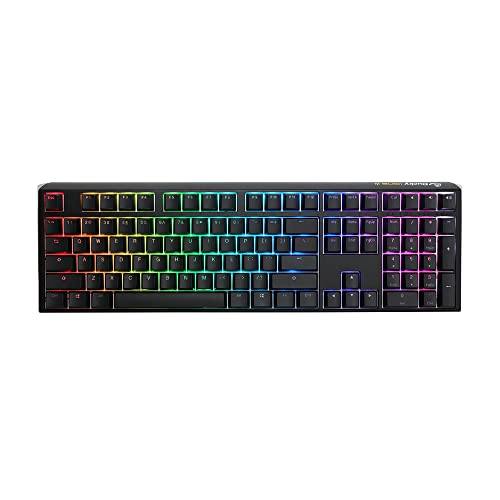
Ducky One 3 (100%) — the full-size modern flagship
Badge: Best Ducky for full-size traditionalists
- Layout: full-size 100 percent
- Switches: Cherry Silent Red (listing), hot-swap
- System: Quack Mechanics dampening
- Keycaps: PBT doubleshot
- Lighting: RGB
The full-size One 3 is the modern formula at the traditional size: hot-swap Cherry switches — Silent Reds in the verified listing, the shared-room choice — Quack Mechanics giving the big board a composed, dampened voice that full-size boards rarely achieve, and Ducky’s keycap quality across all 100-plus keys. For the professional who wants Ducky’s current best without surrendering the numpad, this is the door, and its silence-friendly variant makes it the office-safe flagship of the line.
- Strengths: modern platform at full size
- Strengths: dampened, composed sound
- Strengths: Silent Red variant for shared rooms
- Trade-offs: wired only
- Trade-offs: full-size desk footprint
- Trade-offs: flagship pricing
Best for: full-size professionals wanting modern Ducky. Not suited for: compact or wireless desks.

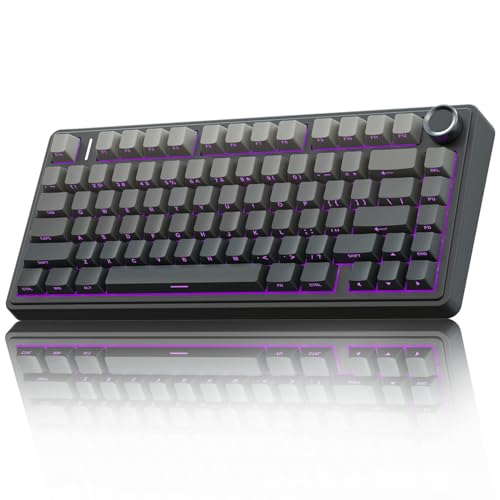
Ducky One 3 Mini — the icon, modernised
Badge: Best Ducky for most enthusiasts
- Layout: 60 percent Mini
- Switches: Cherry MX Red (listing), hot-swap
- System: Quack Mechanics
- Keycaps: PBT tripleshot
- Lighting: RGB
The One 3 Mini is the famous silhouette with the modern platform inside: 60 percent purity, tripleshot PBT, hot-swap Cherry switches and the dampened voice the generation is known for. It remains the line’s centre of gravity — the board the colour editions dress, the size the community’s keycap and case ecosystem serves best, and the Ducky that a newcomer should buy if only one Ducky is being bought. Its layers demand the usual 60 percent apprenticeship, repaid in desk space and mouse freedom.
- Strengths: the iconic Mini, fully modernised
- Strengths: tripleshot PBT quality
- Strengths: deepest edition and accessory ecosystem
- Trade-offs: 60 percent layers to learn
- Trade-offs: wired only
- Trade-offs: premium for its size
Best for: enthusiasts and compact desks. Not suited for: arrow-and-F-row dependents.

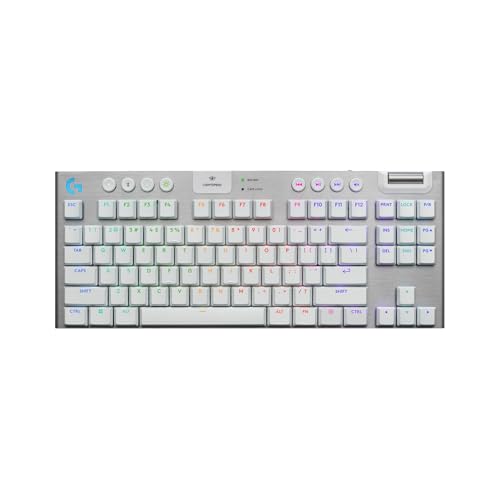
Ducky One 3 SF — the pragmatic 65 percent
Badge: Best Ducky for compact practicality
- Layout: 65 percent SF
- Switches: Cherry MX Red (listing), hot-swap
- System: Quack Mechanics
- Keycaps: PBT tripleshot
- Lighting: RGB
The SF is the Mini’s answer to the arrow-key objection: a 65 percent board that keeps dedicated arrows and a small navigation column inside a frame barely wider than the Mini’s. For typists whose work lives in documents and code — where arrows are hourly tools — it is the Ducky that asks the fewest compromises, and in the current generation it carries the full hot-swap, tripleshot, dampened specification. This guide’s default recommendation for working compact desks wears the SF badge.
- Strengths: arrows retained at 65 percent
- Strengths: full One 3 specification
- Strengths: compact with working practicality
- Trade-offs: function row still layered
- Trade-offs: wired only
- Trade-offs: less iconic than the Mini
Best for: working typists on compact desks. Not suited for: F-row-heavy workflows.

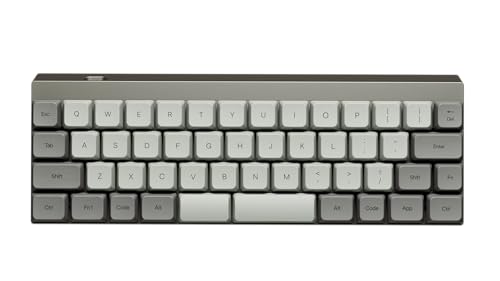
Ducky One 2 Mini Pro — the classic generation’s representative
Badge: Best classic-era Ducky
- Layout: 60 percent Mini
- Switches: Cherry MX Brown (listing)
- Generation: One 2 Pro
- Lighting: RGB LED
- Note: classic fixed-switch design on most One 2 models
The One 2 Mini Pro stands in this guide for the generation that built the legend: the compact board with the era’s design confidence, Cherry MX Browns in the verified listing, and the classic Ducky keycap and case quality. Its honest caveat is the generation’s own — verify the specific model’s switch arrangement before buying, because most One 2 boards are not hot-swappable, and the switch you choose is the switch you keep. Bought knowingly, it is the classic object at a classic’s price, and the collector’s and purist’s door into the line.
- Strengths: the era-defining Mini design
- Strengths: Ducky keycap and build quality
- Strengths: often friendlier pricing than One 3
- Trade-offs: switches fixed on most models
- Trade-offs: older connection and feature set
- Trade-offs: variant research required
Best for: purists and classic-object buyers. Not suited for: switch swappers.

Ducky One 3 Pro Nazca — the performance edge
Badge: Best Ducky for performance seekers
- Layout: full-size Pro line
- Switches: Cherry MX2A Speed Silver (listing), hot-swap
- Polling: 8K
- Keycaps: triple-shot PBT
- Lighting: RGB
The Nazca-line One 3 Pro is Ducky’s answer to the performance era: 8K polling, MX2A Speed Silver switches with their short, fast actuation, triple-shot caps and the generation’s full platform. It repositions the brand — from the design-led traditionalist of the One 2 years toward a house that also contests the speed frontier, without surrendering the keycap and build virtues that made its name. Gamers who love Ducky’s objects and want modern performance numbers no longer have to choose between the two.
- Strengths: 8K polling and MX2A speed
- Strengths: triple-shot PBT
- Strengths: full One 3 platform
- Trade-offs: speed switches divide typists
- Trade-offs: performance-tier pricing
- Trade-offs: wired, as the frontier requires
Best for: gamers loyal to Ducky’s craft. Not suited for: deliberate, heavy-handed typists.
Editions, Colours and the Zodiac Rhythm
No Ducky guide is complete without the editions, because they are the brand’s cultural engine. Beyond the standard colourways — the Pure Whites, the Classic Blacks, the Matcha and Daybreak and Aura variants that stripe the catalogue — Ducky releases annual limited editions keyed to the zodiac year, with bespoke keycaps, cases and artwork that sell as collectibles as much as keyboards. The practical guidance for buyers is threefold. First, the editions are mechanically the boards in this guide — an edition Mini is a Mini — so buy the size and switch on merit and let the edition be the pleasure it is. Second, edition pricing carries a collector’s premium that the standard colourways do not, and the premium is honest when the design is the point. Third, editions hold value unusually well in the second-hand market, because the print runs end. A buyer who wants a keyboard buys a standard colourway; a buyer who wants an object with a year on it buys the edition — and Ducky, alone among the traditionalists, serves both buyers from the same production line. The neighbouring traditionalists take a different view, as the Ducky vs Leopold vs Varmilo comparison explores.
The Keycap Supremacy, Examined
Ducky’s stock keycaps deserve a section of their own, because they are the specification rivals’ owners most often cite with envy. The doubleshot PBT of the classic line set the era’s standard for legend crispness and cap thickness; the tripleshot process on much of the One 3 range — three moulded plastics, allowing multi-colour legends with structural permanence — is a manufacturing flex almost no other production brand attempts, and it connects directly to the legend science in this cluster’s double shot vs dye sub keycaps comparison. The consequence for buyers is practical: a Ducky’s caps are not a placeholder awaiting an upgrade, as stock caps so often are, but a finished layer that many owners keep for the board’s whole life — which quietly changes the boards’ value arithmetic against rivals whose prices assume a keycap purchase in the first season. When a comparison table lists “PBT keycaps” for a Ducky and for a challenger in the same row, the words are the same and the objects are not, and experienced buyers price the difference without needing it spelled out.
Switch Tempers: Reading Ducky’s Cherry Menu
Ducky’s Cherry fidelity means its switch menu is the classic Cherry rainbow, and reading it well is a buyer’s core skill in this line. Red is the linear all-rounder — smooth, quiet-ish, the gaming default and the listed temper in this guide’s Mini and SF. Silent Red is Red with internal dampening, the shared-room and office choice, and the full-size listing’s fit. Brown is the tactile middle — a bump without a click — and the classic One 2 listing’s representative. Blue is the clicky traditionalist, beloved and roommate-tested. Silver / Speed Silver, in the MX2A Pro listing, shortens the actuation for performance play at the cost of forgiveness for heavy typists. Black and Clear serve the heavy-fingered minorities. The menu’s discipline is that every temper is a known quantity with a decade of community evidence behind it — Ducky sells no mystery switches — and the hot-swap One 3 boards forgive a wrong first choice with a thirty-minute swap, while the fixed One 2 boards demand the choice be made with the room and the hands consulted in advance.
Ducky Against the New Wave: The Honest Bout
Ducky’s wired, premium-priced traditionalism now competes against tri-mode gasket boards at half the price, and the bout deserves scoring rather than slogans. The new wave wins connections outright — Ducky’s line is wired in an era that increasingly is not — and wins the stock-softness contest in several matchups, and wins feature theatre with screens and knobs Ducky largely declines. Ducky wins keycaps outright, in a league the challengers do not enter; wins switch pedigree with Cherry’s name and consistency; wins design as an enduring asset, since its editions and colourways hold value the challengers’ cannot yet promise; and wins the long support commons — a decade of community knowledge, parts and keycap ecosystems around its standard layouts. The verdict is the cluster’s recurring one in a new costume: the buyer purchasing features per unit of money should buy the new wave and be happy; the buyer purchasing an object — designed, capped, voiced and collectible — should buy Ducky and be happier longer. Both buyers exist in every reader at different hours, and the guide’s only insistence is that the hour of purchase know which one is shopping.
On-Board Controls and the No-Software Philosophy
Ducky configures its boards the old way — on the board. Dip switches set layout behaviours and operating-system modes, function combinations drive the RGB, the media and the macro recording, and no companion application stands between the owner and the settings. The philosophy divides buyers exactly as it divides the whole cluster: the no-software school counts it a virtue — settings that survive any computer, any reinstall, any company’s server decisions — while the app-native school misses the visual configurator’s convenience. This guide’s position is the pragmatic one: Ducky’s system is fully capable for the settings a keyboard actually needs, its learning curve is an evening’s reading of the manual, and its permanence is a genuine ownership asset of the kind the traditionalist brands keep quietly winning on. Buyers who live in their configurator should note the difference before purchase; buyers who set a board once and type for five years will never think about it again.
Buying Ducky in a Variant Jungle: The Verification Drill
Ducky’s catalogue is the variant jungle at its most luxuriant — generation × size × colourway × edition × switch — and the drill that keeps a purchase honest deserves writing out. One: fix the generation first, because it decides hot-swap; a One 2 price that looks like a One 3 bargain is the jungle’s favourite trap. Two: fix the size by its code — Mini, SF, TKL, full — since photographs scale deceptively. Three: read the switch from the specification block, never the headline image, because listings photograph colourways across switches. Four: name the keycap process — doubleshot or tripleshot — in the listing, because the lines share names across both. Five: on editions, confirm the year and run, since last year’s zodiac at this year’s expectation is a disappointment manufactured entirely by inattention. Five checks, ninety seconds, and the Ducky that arrives is the Ducky that was chosen — the same drill, mutatis mutandis, that this cluster prescribes for every variant-rich brand it covers.
Ducky for Work, Ducky for Play: The Line’s Two Careers
Ducky boards lead double lives, and the guide should certify both. At work, the line’s virtues are the professional set: Cherry reliability, the best stock keycaps under working fingers, dampened voices that respect the room, Mac manners, and sizes that run from the SF’s compact practicality to the full-size console — with the Silent Red variants extending the franchise into the quietest offices. In play, the same boards bring NKRO, low-latency wired response, hot-swap linears for the gaming season, RGB executed with a designer’s restraint, and — at the Pro tier — 8K polling and speed switches that contest the frontier honestly. The double career matters because most desks are double desks now, and a board certified for both halves of the day saves the second purchase the single-career boards eventually force. Ducky’s catalogue, read whole, is best understood as a professional line that games excellently rather than a gaming line that works adequately — a distinction its owners feel daily and its “gaming keyboard” listing language persistently undersells.
Care, Longevity and the Second Life of a Ducky
Ducky ownership ages well, and the housekeeping is the standard PBT-and-Cherry liturgy performed on well-made objects. The caps wash and return without shine or legend wear — the doubleshot and tripleshot construction sees to the legends permanently — the cases wipe clean, and the detachable cables replace on the rare occasions they tire. The One 3 boards’ hot-swap sockets turn switch ageing into a refresh rather than a funeral: a five-year-old Mini with fresh switches is, functionally and acoustically, a new board in a beloved case. The One 2 boards age on their soldered switches’ long Cherry lifespan, which is measured in the tens of millions of keystrokes and in practice outlasts most ownerships. And the second-hand market completes the picture: Duckys sell, at prices that respect the original purchase, to buyers who know exactly what the object is — the liquidity that distinguishes a designed asset from a depreciated appliance, and the final, practical proof of the brand’s whole philosophy.
The Mini Phenomenon: Why the 60 Percent Ducky Mattered
A complete Ducky guide owes its readers the Mini’s cultural history, because the board explains the brand. When the One 2 Mini arrived, the 60 percent layout was an enthusiast eccentricity; the Mini’s design confidence — the two-tone case, the colour editions, the zodiac years, the sheer object-ness of it — carried the layout into gaming culture, streaming desks and eventually the mainstream’s imagination. Streamers typed on it on camera; the limited editions became desk jewellery; and a generation’s first mechanical keyboard was, disproportionately, this one. The consequence lives in today’s catalogue: the Mini remains the line’s centre, its ecosystem the deepest, its resale the strongest, and its silhouette the brand’s logo in all but law. The One 3 Mini inherits that entire estate while fixing the ancestor’s fixed switches — which is why this guide gives it the “most enthusiasts” badge despite the SF’s practicality and the full-size’s completeness. Some boards are bought; the Mini, at its best, is joined.
Ducky and the Custom World: Customer, Rival, Cousin
Ducky’s relationship with the custom hobby is the most interesting in the traditionalist tier, and a complete guide should map it. The custom world is Ducky’s customer — its standard layouts drink from the whole keycap and switch ecosystem, and the hobby’s group-buy sets are disproportionately photographed on Ducky boards. It is also Ducky’s rival — every kit build is a production board unbought. And it is Ducky’s cousin — the brand’s own design language, its tripleshot manufacturing, its edition culture are the production world’s closest approach to the hobby’s values, which is why the hobby treats Ducky with a respect it denies most production brands. For the buyer, the practical meaning is that a Ducky is the production board least likely to be made obsolete by a growing enthusiast education: it accepts the hobby’s parts, honours its aesthetics, and holds its value inside its economy. The reader headed eventually for a full custom build will find a Ducky the ideal education and the ideal resale; the reader who stops at Ducky will find they stopped at a very defensible summit.
The Sound of the Generations
Set a One 2 and a One 3 side by side on the same switch and the generational story becomes audible, which is the most honest way to tell it. The One 2 speaks in the classic production voice — clear, slightly bright, the switch’s own sound with the case’s modest commentary, perfectly respectable and unmistakably of its era. The One 3, through Quack Mechanics’ dampening and case work, speaks lower and more composed: the bottom-out softened, the case’s commentary hushed, the stabilisers’ rattle engineered toward silence. Neither voice is the gasket era’s deep marbly ideal — Ducky’s boards remain plate-era instruments with a firmer, more direct feel than the new wave’s softness — but the distance between the generations is the distance the whole industry travelled in those years, miniaturised into one brand’s catalogue. Buyers whose sound target is the modern creamy depth should shop the gasket guides in this cluster; buyers who want the classic voice at its most refined are listening to the One 3; and buyers who want the classic voice as it originally spoke — the voice a generation learned on — are the One 2’s remaining and honourable constituency.
Who Should Not Buy a Ducky
The complete guide owes its refusals as plainly as its recommendations. The wireless household should not buy Ducky — the line is wired, and no keycap quality compensates a cable the desk cannot accept. The feature-theatre buyer — screens, knobs, rapid trigger, the current frontier’s furniture — is shopping a different catalogue, and Ducky’s restraint will read to them as absence. The softest-sound seeker should buy gasket, per this cluster’s mount comparisons. And the impatient variant-shopper who will not run the verification drill should buy from a simpler catalogue, because Ducky’s jungle punishes the inattentive with the wrong switch in the right colourway. Everyone else — the keycap appreciator, the Cherry loyalist, the design collector, the professional typist, the gamer who values objects — is in the brand’s intended congregation, and the line has a size, a generation and an edition with their name on it, in some cases quite literally, in the zodiac year of their choosing.
The TKL Middle: The Size the Guide Owes a Paragraph
Between the reviewed SF and the full-size flagship sits the TKL — the 80 percent One 3 in Classic and Aura dress — and completeness requires its paragraph even where the review table’s five chairs were filled by its siblings. The TKL is the line’s all-rounder: F-row and navigation cluster present, numpad surrendered, the footprint that two decades of gaming and office desks were built around. Its Aura variant, with tripleshot caps and the generation’s full specification, is for many buyers the actual sweet spot of the entire catalogue — the size that asks nothing, in the generation that fixes everything, wearing the keycaps that shame the industry. A buyer torn between the SF’s compactness and the full-size’s completeness will usually find the argument ends here, and the guide records the TKL as its honourable mention with genuine warmth: in a five-chair review format something must stand, and the TKL stands closest to the chairs.
Price Framing: What the Ducky Premium Buys
Ducky’s prices sit in the premium production tier, and the framing that justifies them is itemisable. The premium buys the keycaps — a finished, top-tier layer most rivals make you purchase separately. It buys the switch pedigree and consistency of Cherry at full menu breadth. It buys the case and design work of a brand whose objects hold value, and the edition culture that turns a purchase into a position in a yearly calendar. And in the One 3 generation it buys the modern platform — hot-swap, dampening, USB-C — executed without surrendering any of the above. What the premium does not buy is wireless, frontier gaming features, or configurator software, and buyers whose value lives there should spend it elsewhere with this guide’s blessing. The One 2 line, priced a step friendlier as the older generation, buys the same keycap and design virtues with the platform virtues deducted — the honest arithmetic that makes it the classic buyer’s rational choice rather than merely the nostalgic one.
A Starter’s Path Through the Line
For the first-time Ducky buyer, the catalogue’s abundance resolves into a short decision path, and the guide will walk it once. Step one: generation. Choose One 3 unless the classic object is the explicit desire — the platform’s forgiveness is worth more to a newcomer than any other single feature. Step two: size. Measure your desk and interrogate your F-row and numpad habits with a week’s honesty; the SF is the default answer for working compact desks, the Mini for the committed minimalist, the TKL for the undecided, the full-size for the numpad-bound. Step three: switch. Red for the all-round default, Silent Red for the shared room, Brown for the tactile traditionalist, and the room’s occupants consulted before Blue is even considered. Step four: colourway. Standard for value, edition for joy — and only after steps one to three are locked, because colourway is the one decision that photographs well and matters least to the hands. Four steps, in that order, and the jungle becomes a garden path.
Ergonomics Across the Ducky Sizes
The sizes carry the bodily bargains this cluster keeps pricing. The Mini and SF pull the mouse hand nearest the centre — the compact layouts’ postural dividend — while asking the layers’ tuition; the TKL restores the function geography at a span’s extra reach; the full-size anchors the numpad hand wide, the accountant’s necessity and the mouse-heavy worker’s tax. All Ducky boards are standard-height instruments whose typing angle should stay gentle, and the brand’s own wrist-rest and desk accessories exist because the pairing is natural for palm-down typists. None is an ergonomic board in the split sense; all are honest rectangles whose comfort is decided by the layout arithmetic and the desk’s discipline — measured, as always in this cluster, over a working week rather than a showroom minute. The buyer whose wrists are the primary concern should read the comfort guidance in this cluster alongside the size decision, and let the SF’s arrows-plus-compactness make its usual strong case.
Troubleshooting the Ducky Way
Ducky faults follow the traditionalist pattern — rare, mechanical, and remediable — and the complete guide closes its practical duties with the short list. A dead key on a One 3 is a switch event: swap the switch with a known-good neighbour and let the fault declare whether it followed the switch or stayed with the socket, per this cluster’s fix keyboard not working troubleshooting guide. The same fault on a One 2 is a service event — the fixed-switch generation’s known cost — and the brand’s support and the community’s repair knowledge are the routes. RGB or mode confusion resolves through the manual’s on-board combinations, because the no-software philosophy means the board itself always holds the reset path. Chattering keys — doubles from one press — yield to the debounce adjustments the firmware provides and, failing that, to a switch swap on the hot-swap line. None of it requires panic, and all of it is documented in a community corpus a decade deep, which remains one of the unglamorous luxuries of buying the established brand.
The Collector’s Shelf: Editions as a Practice
A word for the reader the zodiac editions are really for, because Ducky’s collector culture is a practice with its own etiquette and economics, and the complete guide should induct newcomers honestly. The practice runs on the annual rhythm: a year animal, a design treatment across caps and case, a limited run, and a community that treats the release day as a small festival. The economics follow scarcity plus design quality — the two ingredients of durable collectibility — and the etiquette is to buy the year that means something to you: your birth year, your first Ducky year, the design that stops your scroll. The practice’s trap is completionism, the shelf that must hold every year; the brand will happily supply it, at a festival’s annual price. The healthy collector buys meaning, types on the boards — Ducky editions are instruments, not mint-in-box figurines — and lets the shelf tell a story rather than recite a catalogue. It is, in the end, the friendliest form of the hobby’s collecting instinct, because the objects remain superb keyboards on the days nobody is admiring them.
Ducky in the Office Fleet and the Studio
Two institutional settings certify the line from outside the hobby, and the guide notes them because they answer the reliability question with deployments rather than opinions. In offices that let staff choose their own boards, Ducky’s full-size and TKL models recur with a frequency that purchasing departments notice: the Cherry switches’ rated lifespan, the washable shine-proof caps, the Mac-and-Windows manners and the Silent variants’ meeting-room diplomacy make them the self-purchase that IT never regrets approving. In studios and streaming setups, the Mini’s on-camera design made it set dressing that also happens to be an instrument — a dual career no other traditionalist board has matched — and its colour editions let a set’s palette stay coherent across a rebrand. Institutions buy on total cost and daily friction, and Ducky’s persistence in both settings, across both generations, is the market’s own long review of the brand: unglamorous, repeated, and more persuasive than any single enthusiast’s verdict, including this guide’s.
The One 3 Pro Question: Does Ducky Need 8K?
The Pro tier’s existence raises a fair question the complete guide should answer directly: does a brand built on keycaps and design need a performance line at all? The answer is in the customer the brand was losing. Ducky’s gaming constituency — the Mini’s streaming generation grown competitive — was defecting to magnetic and 8K boards for their ranked play while keeping their Duckys for everything else, and a two-board desk is a brand’s slow leak. The Pro line plugs it in Ducky’s own dialect: Cherry’s MX2A switches rather than magnetic novelty, polling numbers rather than actuation theatre, and the full keycap-and-build specification carried over intact, so the performance buyer sacrifices nothing the brand stands for. Whether the frontier’s last milliseconds matter to a given player is the standing question of this cluster’s gaming guides; what the Pro line settles is that a Ducky loyalist no longer has to leave the house to chase them. Traditionalism that refuses every modern demand becomes a museum; Ducky’s Pro is the sound of a traditionalist choosing, selectively and on its own terms, to remain a contemporary.
What a Ducky Teaches a First-Time Buyer
The guide closes its analysis with the pedagogical point, because Ducky’s deepest effect on its owners is educational. A first Ducky teaches the hands what excellent stock keycaps feel like, and the lesson permanently raises the buyer’s standards — the shine-through thin caps of lesser boards are never acceptable again. It teaches the ear the difference dampening makes, the eye the difference design makes, and the judgement the difference between a specification and an object. Owners educated by a Ducky go on to buy better everything, whether or not the next board is a Ducky — which is why the brand’s alumni populate the custom world’s discerning end, and why the traditionalist comparison elsewhere in this cluster treats Ducky as the school’s most charismatic teacher. A keyboard that improves its buyer’s taste is selling something beyond keystrokes, and the premium analysed earlier is, in no small part, tuition.
The Guide’s Final Ranking, in One Breath
Here is the whole Ducky line in one breath: the One 3 Mini is the line’s heart and the enthusiast’s default; the One 3 SF is the working compact desk’s best answer; the full-size One 3 is the traditionalist’s modern flagship, especially in Silent Red; the TKL stands as the all-rounder honourable mention; the One 3 Pro Nazca serves the performance loyalist; and the One 2 Mini Pro carries the classic generation’s flag for buyers who choose the object knowingly. Generation first, size second, switch third, colourway last — and the verification drill run on whatever the path selects. That is the complete Ducky method, and it has now been stated in every register this guide commands: as history, as reviews, as comparisons and as a checklist. The brand rewards the method with a decade of daily satisfaction, which is the only ranking that finally matters.
Reading a Ducky Listing’s Specification Block Like a Regular
The verification drill has a literacy underneath it, and regulars read Ducky’s specification language fluently in ways worth teaching explicitly. “Quack Mechanics” in a listing certifies the One 3 generation and its dampening — its absence on a board sold as current is a flag. “Tripleshot” names the three-plastic keycap process and appears only where it was actually used; “doubleshot” on a One 3 is not a downgrade but a different colourway’s construction. “Hot-swap” should appear verbatim on every One 3; its absence on a One 2 listing is the generation speaking, not an omission. The switch line names the Cherry temper and, on Pro models, the MX2A generation and polling figure. And the edition names — Matcha, Daybreak, Aura, the zodiac years — describe colourway and artwork, never a different mechanism. A buyer who can parse those five signals can shop the entire catalogue, including the second-hand market where listings are terser, without fear of the jungle. It is a five-word vocabulary, and it is the whole secret of Ducky regulars.
Ducky Ownership in the Community’s Own Terms
The brand’s community speaks a dialect worth translating for the newcomer, because its terms encode the ownership experience. Owners describe boards by generation and size in shorthand — “a One 3 SF” is a complete introduction — and by switch in the Cherry colour code that needs no translation inside the hobby. The editions are referred to by year and animal, and a desk photograph’s Ducky is identified by its colourway the way a watch is identified by its reference. Underneath the dialect sits a shared standard: the community’s troubleshooting, keycap compatibility knowledge and resale etiquette are unusually well documented, because a decade of loyalists wrote everything down. Joining the brand means inheriting that library, and the custom mechanical keyboard building guide in this cluster is where many Ducky owners eventually take the education the brand started. Few production keyboards come with a culture; the complete guide would be incomplete if it did not record that this one does, and that the culture is load-bearing — it is a measurable part of what the premium buys and a practical part of why the boards hold their value.
The Guide’s One Unqualified Recommendation
Guides that compare within a brand usually end in conditionals, and this one has honoured the form — but it owes the reader a single unqualified sentence, and here it is: a first-time buyer with no special constraint should buy the One 3 SF in Cherry Red or Silent Red, because it is the catalogue’s centre of gravity — modern platform, working arrows, compact footprint, the generation’s full keycap and dampening specification — at the size the largest number of desks actually need. Every other recommendation in this guide is a deviation from that centre justified by a specific fact: the Mini for the minimalist, the full-size for the numpad, the TKL for the F-row traditionalist, the Pro for the competitor, the One 2 for the classicist. Deviations are honourable when the fact is real. But a reader who recognises no special fact in their own desk should take the centre and stop shopping, because the SF’s owner satisfaction across the community is the closest thing the brand has to a settled verdict — and the Ducky keyboards guide for accountants’ full-size needs exists for the one constituency whose fact, the numpad, is never in doubt.
Before the Questions: The Ducky Decision in Thirty Seconds
The complete guide has earned a compression, and here it is for the reader whose scroll has outrun their evening. Generation: One 3, unless the classic object is the desire. Size: SF for the working compact desk, Mini for the purist, TKL for the traditional all-rounder, full-size for the numpad-bound. Switch: Red to default, Silent Red for the shared room, Brown for the tactile traditionalist, Silver only for the competitor. Colourway: standard for value, edition for meaning. Verification: generation, size, switch, keycap process, edition year — five checks against the specification block. That is the whole method, and it fits in thirty seconds because the brand, beneath its catalogue’s luxuriance, is built from a small number of honest decisions repeated with unusual care. The questions that follow answer the ones the compression raises; the guide’s work is done when a reader can run the thirty seconds and defend every choice in it.
And Finally: Why This Brand, Stated Plainly
Strip the guide to its skeleton and the Ducky case is four facts. The keycaps are the best fitted to any production keyboard in the class, by processes — doubleshot and tripleshot — that make their legends permanent. The switches are Cherry’s full menu, with the consistency and the decade of evidence that name carries. The current generation is a complete modern platform — hot-swap, dampened, USB-C — that surrenders none of the brand’s design identity to achieve it. And the objects hold their value, in money and in regard, because they were designed as objects from the first sketch. Against those four facts stand the honest debits: wired only, premium priced, a variant catalogue that demands a literate buyer. A reader whose desk can accept the debits and values the facts is holding the shortest possible version of this guide — everything else has been commentary, evidence and the occasional pleasure of the brand’s own story.
Frequently Asked Questions
What is the difference between the Ducky One 2 and One 3?
Modernisation. The One 3 adds hot-swappable switches across the line, the Quack Mechanics dampening system for a deeper stock sound, USB-C, improved stabilisers and triple-shot PBT on much of the range. The One 2 is the classic generation — the designs that built the brand, with fixed switches on most models. Buy One 3 for a platform you can evolve; buy One 2 for the classic object at a friendlier price, with its switch chosen carefully.
Which Ducky size should I buy?
By your keys, not by fashion. The Mini (60%) for maximum desk space and layer fluency; the SF (65%) for compact practicality with arrows; TKL (80%) for the full function row without a numpad; full-size (100%) for numpad work. Ducky executes all four sizes to the same standard, so the layout decision — the skeleton decision of this whole cluster — is the only one that cannot be revised later.
Are Ducky keyboards good for typing?
They are one of the reference answers: Cherry MX switches in every temper, the best stock keycaps in their class, dampened cases that keep long sessions composed, and layouts from the Mini’s purity to the full-size console. Writers and programmers are the brand’s historic constituency for a reason, and the One 3 generation’s acoustics strengthened the case.
Are Ducky keyboards hot-swappable?
The One 3 line is, throughout — that was the generation’s headline change. The One 2 line mostly is not, with exceptions that must be verified per model and listing. Any buyer who values switch freedom should default to One 3 and treat a One 2 purchase as a deliberate, fixed-switch commitment.
Do Ducky keyboards work with Mac?
Yes — Ducky boards have long supported Mac layouts with dip-switch or key-combination toggles and included Mac keycaps in the box on many models, one of the brand’s quiet professional virtues. Verify the specific model’s arrangement in its listing, and expect full manners after the usual brief setup.
What are Quack Mechanics?
Ducky’s name for the One 3 generation’s sound-and-feel engineering: a package of case design, internal dampening and stabiliser tuning that gives the boards their composed, deeper stock voice. It is the brand’s answer to the custom world’s foam-and-gasket era, executed as factory engineering rather than as owner mods — and it is a large part of why One 3 boards sound a generation ahead of One 2 boards on the same switches.
One brand, two great generations, four sizes and a calendar of editions: buy the One 3 for the modern platform, the One 2 for the classic object, the size your work dictates, and the switch your room allows. Do that, and a Ducky will give you what it has given its loyalists for years — the best stock keycaps in the business, a composed voice, and a board that looks like someone designed it on purpose.
A last word on timing, since Ducky’s catalogue rewards the calendar-aware. The standard colourways restock in waves and the editions arrive on their annual schedule, so a buyer whose chosen variant is momentarily scarce is usually waiting weeks, not seasons — and the wait is nearly always preferable to the compromise variant, because a keyboard’s switch and colourway are daily companions while a delivery date is forgotten by the second week. Buyers in a true hurry should take the in-stock sibling size or switch with this guide’s blessing; buyers with any slack should let the catalogue come to them. Patience, in the Ducky market, is a specification like any other — and the brand’s decade of loyalists suggests it is the one most consistently rewarded.