Streaming has changed what a camera needs to do. A camera for streaming is not judged by its still photos, but by its video: clean output without overlays, autofocus that holds a face without hunting, colours that look right without grading, and the ability to run for hours without overheating. A webcam can do some of this, but a mirrorless camera does it with a large sensor, interchangeable lenses, and shallow depth of field that makes a streamer look like a broadcast, not a video call.
The key feature is clean HDMI output: video sent over HDMI with no menus, icons, or focus boxes on screen. Every camera here offers it, which is the minimum requirement for serious streaming. Beyond that, the differences are about autofocus, heat, and lenses. Dual Pixel autofocus from Canon and real-time eye autofocus from Sony keep a moving presenter sharp. Good heat management keeps the camera running through a long stream. And a wide lens selection means the framing can be exactly right, from a tight head-and-shoulders shot to a full desk setup.
The cameras below cover the whole range, from the affordable Canon EOS R100 and Sony a6400 to the cinema-grade Canon EOS R5 C. Some are video-first bodies built for creators, like the Canon EOS R50 V and the Panasonic LUMIX S5IIX. Others are proven all-rounders that happen to stream beautifully. All seven are mirrorless cameras with interchangeable lenses, and all seven will make a stream look dramatically better than a webcam.
One more consideration before the details: a streaming camera is part of a system, and the system includes audio. Viewers forgive a slightly soft picture far more readily than they forgive bad audio. Budget for a good microphone alongside the camera — it matters more to the audience than the difference between any two cameras here.
In this guide
Quick picks: best mirrorless cameras for streaming video
| # | Product | Where to buy |
|---|---|---|
| 1 | Canon EOS R50 V | Check on Amazon |
| 2 | Canon EOS R100 | Check on Amazon |
| 3 | Panasonic LUMIX S5IIX | Check on Amazon |
| 4 | Canon EOS RP | Check on Amazon |
| 5 | Canon EOS R5 C | Check on Amazon |
| 6 | Sony ZV-E10 | Check on Amazon |
| 7 | Sony Alpha a6400 | Check on Amazon |
Quick Comparison
| Product | Key spec | Best for |
|---|---|---|
| Canon EOS R50 V | APS-C, 24.2 MP, vlogging and streaming | Best streaming-first camera |
| Canon EOS R100 | APS-C, 24.1 MP, 4K video, kit lens | Cheapest way into mirrorless streaming |
| Panasonic LUMIX S5IIX | Full frame, hybrid video, open gate | Best full-frame hybrid for video |
| Canon EOS RP | Full frame, RF 24-105mm kit, compact | Cheapest full-frame streaming camera |
| Canon EOS R5 C | 45 MP, cinema camera, RF 24-105mm f/2.8 | Best cinema-grade streaming camera |
| Sony ZV-E10 | APS-C, video-first, creator bundle | Best Sony camera for creators |
| Sony Alpha a6400 | APS-C, 4K video, real-time eye AF | Best proven all-rounder |
A camera is only half the streaming setup. Budget for a capture card or a USB streaming connection, a lens suited to the framing, and lighting — a good light improves the picture more than a more expensive camera body.
Quick Picks
If a short answer is needed, here it is. The Canon EOS R50 V is the best streaming-first camera for most creators, with fast autofocus and a fair price. The Sony ZV-E10 is the best Sony option, with superb eye autofocus and a huge lens system. The Panasonic LUMIX S5IIX is the pick for serious video work, the Canon EOS RP is the cheapest full-frame option, and the Canon EOS R5 C is the cinema-grade flagship. On a budget, the Canon EOS R100 delivers the mirrorless streaming look for the least money, and the Sony a6400 remains the proven all-rounder.
1. Canon EOS R50 V
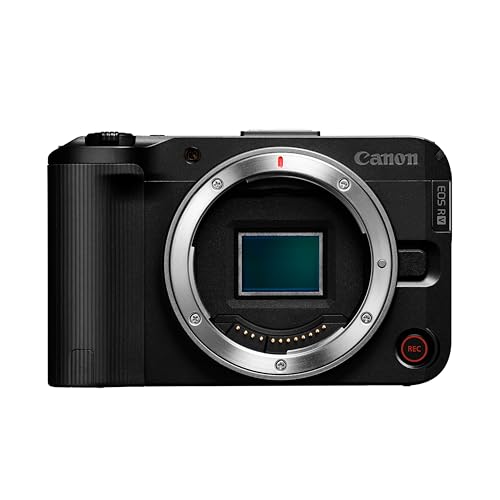
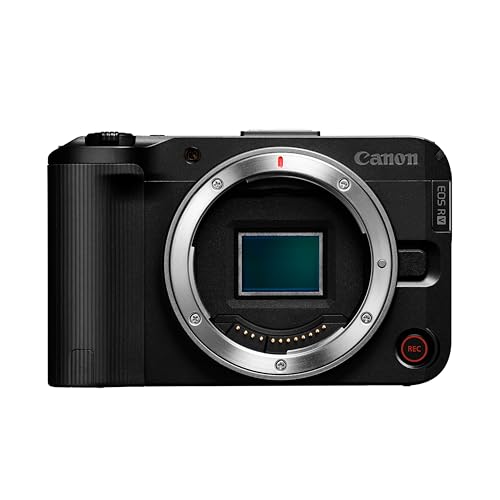
The Canon EOS R50 V is the streaming-first camera in this roundup: an APS-C mirrorless body built for vlogging and video, with fast autofocus, an ultra-wide zoom perspective, and a design that assumes the camera will spend its life on a tripod facing its owner.
Canon built the R50 V for creators, and it shows in every decision. The autofocus is fast and sticky, holding a face even when the presenter moves. The video quality is clean and colourful straight out of the camera, which matters for streaming, where there is no time to grade footage. And the body is compact and affordable, leaving budget for the lens, the light, and the capture setup that actually complete a stream.
The R50 V is at its best on a simple desk rig: camera on a small tripod, a wide lens, a key light at 45 degrees, and a capture card feeding the computer. The autofocus holds the presenter without intervention, the colours look good with no grading, and the compact body does not dominate the desk. For a new streamer building a first proper setup, it is the camera that makes the rest of the rig easy — the camera does its job quietly, and the streamer can focus on the content instead of the equipment.
What stands out:
- Built for video creators: a body designed around vlogging and streaming, not adapted from a stills camera.
- Fast, reliable autofocus: Canon autofocus that holds a face without hunting or pulsing during a stream.
- Affordable entry point: a fair price that leaves budget for lenses, lighting, and a capture card.
Trade-offs to weigh: The APS-C sensor is smaller than the full-frame options here, so low-light performance and background blur are more limited. Serious creators may outgrow it, though most streamers never will.
Who it fits: New streamers and creators who want a camera built for video, with reliable autofocus, at a fair price.
Test the full streaming chain before going live. Connect the camera, the capture card, the microphone, and the lighting, then record a test stream and watch it back. Problems with focus, framing, audio sync, or exposure show up immediately in a recording, while they are easy to miss in the camera display.
Choose the lens before the camera body, if the budget allows only one upgrade. A fast wide lens on a cheaper body produces a better stream than a kit lens on an expensive body, because the lens controls the depth of field, the low-light performance, and the framing. Budget for at least one good lens, and treat the body as the second priority.
Check price on Amazon: Canon EOS R50 V

2. Canon EOS R100
The Canon EOS R100 is the most affordable camera here: a 24.1 megapixel APS-C mirrorless camera with an 18-45mm kit lens, 4K video, and Wi-Fi. It is the entry point to mirrorless streaming, and it is far better than its price suggests.
The R100 proves that streaming does not need an expensive camera. The kit lens covers a useful range for a desk setup, the 4K video is sharp, and the autofocus is dependable for a single presenter. It lacks some of the video-first features of the R50 V, but for a streamer on a budget it delivers the core benefit — a large sensor and a real lens — at the lowest price in this roundup.
The R100 is proof that a streaming setup does not need to be expensive to look good. With the kit lens, a basic light, and a capture card, it produces a picture that is dramatically better than a webcam — shallow depth of field, clean colours, and a real lens. Its limits show up only when the ambitions grow: more complex lighting, multiple angles, or advanced video features. Until then, it is the smartest money a new streamer can spend on a camera.
What stands out:
- Lowest price here: the cheapest route to a mirrorless camera with clean video output.
- Kit lens included: an 18-45mm lens in the box, so the camera is ready to stream immediately.
- 4K video and Wi-Fi: sharp video and wireless connectivity for a flexible setup.
Trade-offs to weigh: It is a basic body, with fewer video controls and a simpler screen than the R50 V. Streamers who want advanced features or a second camera angle will outgrow it sooner.
Who it fits: Budget-conscious streamers who want the mirrorless look — shallow depth of field, clean video — for the least money.
Use external power for long streams. Camera batteries last an hour or two at most, and a stream that dies mid-broadcast is worse than a stream that never started. A dummy battery or a USB power adapter keeps the camera running indefinitely, and it is cheap insurance.
Mind the recording limits. Some cameras limit continuous video recording to 30 minutes, which matters for long streams if the camera is recording internally. Streaming over HDMI usually bypasses the limit, but verify it for the specific model before relying on it — a stream that stops after half an hour is a failed stream.
Check price on Amazon: Canon EOS R100

3. Panasonic LUMIX S5IIX
The Panasonic LUMIX S5IIX is the serious video tool in this roundup: a full-frame hybrid camera with open-gate recording, strong video features, and a sensor that performs beautifully in low light. It is the camera for streamers who also shoot video content and want one body to do both properly.
Panasonic has long been the video-first brand among mirrorless makers, and the S5IIX continues that tradition. Open-gate recording captures the full sensor for flexible framing, the full-frame sensor keeps noise low in dim rooms, and the video feature set — codecs, frame rates, and monitoring tools — is deeper than any other camera here. It is a professional tool that also streams excellently.
The S5IIX rewards creators who use the whole camera, not just its streaming output. The open-gate recording is genuinely useful for edited video, letting the framing be adjusted after the shoot. The full-frame sensor keeps low-light footage clean, which matters for creators who film in real rooms rather than studios. And the video feature set — codecs, frame rates, monitoring — is deep enough for professional work. It is a camera that grows with its owner, from streaming into full video production.
What stands out:
- Full-frame low light: a large sensor that keeps video clean in dim rooms without harsh lighting.
- Open-gate recording: full-sensor capture for flexible framing in edited video as well as live streams.
- Deep video feature set: professional codecs and monitoring tools that other cameras in this price range lack.
Trade-offs to weigh: It is heavier and more complex than the Canon and Sony options, and the autofocus, while improved, is still not quite at Canon or Sony levels. It suits creators who will use its video depth, not beginners.
Who it fits: Creators who shoot video content as well as streaming, and who want full-frame quality with professional video tools.
Keep the camera firmware updated. Makers regularly improve autofocus, add video features, and fix overheating behaviour through firmware. Check for updates when the camera arrives and every few months afterward — a free update can meaningfully improve the camera.
Keep the sensor clean. A dusty sensor shows up as spots in video, and they are far more visible in a stream than in stills. Check the sensor regularly, clean it carefully with the proper tools, and keep the lens cap on when the camera is not in use. A clean sensor is the cheapest image quality upgrade available.
Check price on Amazon: Panasonic LUMIX S5IIX

4. Canon EOS RP
The Canon EOS RP is the most affordable way into full-frame mirrorless: a compact full-frame camera with an RF 24-105mm kit lens, interchangeable lenses, and the clean, colourful video that Canon is known for. It brings the full-frame look to streamers on a budget.
Full frame matters for streaming because of depth of field and low light. The RP sensor blurs backgrounds more pleasingly than any APS-C camera here, and it performs better in dim rooms. The kit lens is versatile, covering wide desk shots and tighter framing, and the body is small and light for a full-frame camera. It is an older model, but its image quality remains excellent for streaming.
The RP is the camera for streamers who care about the look above all else. The full-frame sensor produces the soft, creamy background blur that makes a stream look expensive, and it does so in rooms that are not brightly lit. The RF 24-105mm kit lens covers every framing a streamer needs, from a wide desk shot to a tight portrait. Its autofocus is slower than the newer Canon bodies, but for a single presenter sitting at a desk, it is more than fast enough.
What stands out:
- Full-frame sensor: better background blur and low-light performance than APS-C cameras.
- Versatile kit lens: a 24-105mm lens that covers nearly every streaming framing without a lens change.
- Compact full-frame body: small and light for a full-frame camera, easy to mount on a desk rig.
Trade-offs to weigh: It is an older model with slower autofocus than the newer Canon bodies, and its video features are more basic. It also has a smaller battery, so long streams need external power.
Who it fits: Streamers who want the full-frame look — soft backgrounds, clean low light — at the lowest full-frame price.
Test the full streaming chain before going live. Connect the camera, the capture card, the microphone, and the lighting, then record a test stream and watch it back. Problems with focus, framing, audio sync, or exposure show up immediately in a recording, while they are easy to miss in the camera display.
Choose the lens before the camera body, if the budget allows only one upgrade. A fast wide lens on a cheaper body produces a better stream than a kit lens on an expensive body, because the lens controls the depth of field, the low-light performance, and the framing. Budget for at least one good lens, and treat the body as the second priority.
Check price on Amazon: Canon EOS RP

5. Canon EOS R5 C
The Canon EOS R5 C is the cinema camera in this roundup: a 45 megapixel hybrid with a dedicated cinema mode, bundled with an RF 24-105mm f/2.8 lens. It is the most capable camera here, built for professional video production that also streams beautifully.
The R5 C is really two cameras in one body: a high-resolution stills camera and a full cinema camera with professional video features. For streaming, its clean output, superb autofocus, and excellent colour science produce a picture that looks broadcast-ready with minimal setup. The f/2.8 kit lens is fast enough for dim rooms and blurred backgrounds, and the cinema features are there for creators who also shoot films and commercials.
The R5 C is a professional tool, and it should be bought as one. Its cinema features — professional codecs, colour science, and monitoring — are wasted on streaming alone, but they are invaluable for creators who also shoot films, commercials, or client work. For those creators, the R5 C is two cameras in one body: a cinema camera for production and a superb streaming camera for live work. That dual role is what justifies its price, and buyers who only stream should choose a cheaper body instead.
What stands out:
- Cinema-grade video: professional video features and colour science that produce a broadcast-ready picture.
- 45 megapixel sensor: superb detail for stills as well as video, in a single body.
- Fast f/2.8 kit lens: a bright zoom lens that handles dim rooms and creates strong background blur.
Trade-offs to weigh: It is the most expensive camera here by a wide margin, and most of its cinema features are unnecessary for streaming alone. It is also heavier and more complex than the other options.
Who it fits: Professional creators who need a cinema camera for production work and want it to double as a top-tier streaming camera.
Use external power for long streams. Camera batteries last an hour or two at most, and a stream that dies mid-broadcast is worse than a stream that never started. A dummy battery or a USB power adapter keeps the camera running indefinitely, and it is cheap insurance.
Mind the recording limits. Some cameras limit continuous video recording to 30 minutes, which matters for long streams if the camera is recording internally. Streaming over HDMI usually bypasses the limit, but verify it for the specific model before relying on it — a stream that stops after half an hour is a failed stream.
Check price on Amazon: Canon EOS R5 C

6. Sony ZV-E10
The Sony ZV-E10 is Sony video-first creator camera: an APS-C mirrorless body designed for vlogging and streaming, with real-time eye autofocus, a flip-out screen, and a bundle that includes a card reader and accessories for getting started quickly.
Sony built the ZV-E10 for people who point a camera at themselves, and every feature reflects that. The eye autofocus is superb, locking onto a presenter and staying there. The flip-out screen lets a streamer check framing without a separate monitor. And the E-mount lens system is one of the largest available, with affordable wide lenses that suit desk setups perfectly.
The ZV-E10 is the camera for creators who live in the Sony system. The eye autofocus is the best in this price range, the E-mount lens system offers more affordable wide lenses than any other mount, and the flip-out screen makes solo shooting practical. The lack of in-body stabilisation hardly matters for streaming, where the camera sits on a tripod. For a creator who wants Sony autofocus and Sony lenses at a fair price, it is the obvious choice.
What stands out:
- Superb eye autofocus: real-time eye autofocus that holds a presenter sharp without any intervention.
- Flip-out screen: a screen that faces forward, so framing can be checked without extra monitors.
- Huge lens selection: the E-mount system offers more affordable wide lenses than any other mount here.
Trade-offs to weigh: There is no in-body stabilisation, so handheld use is shaky — though that hardly matters on a tripod for streaming. The bundle accessories are useful but basic, and serious creators will replace them.
Who it fits: Sony shooters and creators who want the best autofocus in this price range, with a huge lens system to grow into.
Keep the camera firmware updated. Makers regularly improve autofocus, add video features, and fix overheating behaviour through firmware. Check for updates when the camera arrives and every few months afterward — a free update can meaningfully improve the camera.
Keep the sensor clean. A dusty sensor shows up as spots in video, and they are far more visible in a stream than in stills. Check the sensor regularly, clean it carefully with the proper tools, and keep the lens cap on when the camera is not in use. A clean sensor is the cheapest image quality upgrade available.
Check price on Amazon: Sony ZV-E10
7. Sony Alpha a6400
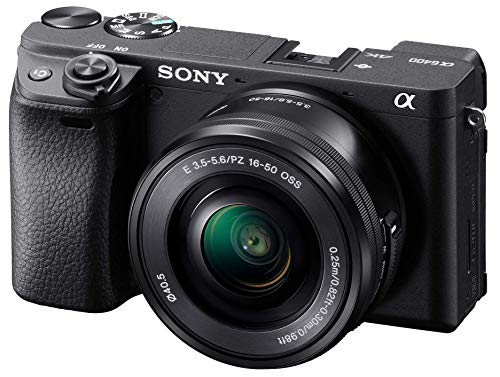
The Sony Alpha a6400 is the proven all-rounder of this roundup: a compact APS-C mirrorless camera with 4K video, real-time eye autofocus, and a long track record as both a stills camera and a streaming camera. It is the safe, dependable choice.
The a6400 has been recommended for years for good reason. Its autofocus is fast and reliable, its 4K video is sharp, and its compact body fits easily on a desk rig. It lacks the video-first features of the ZV-E10 and the R50 V, but it makes up for it with stills quality and a proven, dependable design. For streamers who also take photos, it is the most versatile camera here.
The a6400 has earned its reputation through years of reliable service, and it remains a sensible choice for streamers who also photograph. Its autofocus is fast and dependable, its 4K video is sharp, and its compact body fits any desk rig. The screen and video features are dated beside the newer video-first cameras, but the core experience — sharp video, reliable focus, good stills — is unchanged. For a creator who wants one camera for everything, it is still a strong answer.
What stands out:
- Proven reliability: a long-running model with a track record as both a photo and video camera.
- Real-time eye autofocus: fast, sticky eye autofocus that keeps a presenter sharp.
- Compact and light: a small body that is easy to mount and easy to carry for content outside the studio.
Trade-offs to weigh: It is an older design with a smaller screen and no flip-out display, so checking framing takes more effort. Its video features are more basic than the newer video-first cameras.
Who it fits: Streamers who also shoot stills and want one proven, compact camera that does both well.
Test the full streaming chain before going live. Connect the camera, the capture card, the microphone, and the lighting, then record a test stream and watch it back. Problems with focus, framing, audio sync, or exposure show up immediately in a recording, while they are easy to miss in the camera display.
Choose the lens before the camera body, if the budget allows only one upgrade. A fast wide lens on a cheaper body produces a better stream than a kit lens on an expensive body, because the lens controls the depth of field, the low-light performance, and the framing. Budget for at least one good lens, and treat the body as the second priority.
Check price on Amazon: Sony Alpha a6400
Buying Guide
Clean HDMI is non-negotiable
For streaming, the camera must output video over HDMI with no menus, icons, or focus boxes on screen. Every camera here offers clean HDMI, but always verify it in the settings before buying — some cameras need a menu setting enabled, and a few require a specific mode. Without clean output, the stream will show camera menus to the audience.
Autofocus matters more than resolution
A stream is watched at 1080p, so 4K resolution is less important than autofocus that holds a face. Canon Dual Pixel and Sony real-time eye autofocus are the best in this category, and they are the reason the Canon and Sony cameras dominate this roundup. A camera that hunts for focus mid-sentence looks far worse than a lower-resolution camera that stays sharp.
Heat and run time
Cameras can overheat during long video recording, and a stream that stops after an hour is a failed stream. The cameras here handle long sessions well, but for multi-hour streams, use external power and keep the camera ventilated. A small fan pointed at the camera body helps more than any setting change.
Lenses for streaming
The kit lens is a good start, but a fast wide lens transforms a stream. A 16mm or 24mm lens with a wide aperture creates the soft background and bright picture that make a stream look professional. Budget for at least one good lens, and remember that the lens matters as much as the body for the final picture.
Lighting beats a better camera
A well-lit scene shot on the cheapest camera here looks better than a poorly lit scene shot on the most expensive one. A single key light, placed at 45 degrees, improves the picture more than any camera upgrade. Buy the light before upgrading the body.
Audio: the part viewers notice most
A stream lives or dies on audio. A lavalier microphone or a desk microphone, properly placed, sounds dramatically better than the camera built-in microphone, and it costs far less than a camera upgrade. Place the microphone close to the mouth, test the levels, and monitor with headphones. Good audio keeps viewers watching; bad audio drives them away in seconds.
Multi-camera streaming
A single camera is enough to start, but a second camera angle transforms a stream: a wide shot for context, a close shot for detail, a top-down shot for demonstrations. The cameras here all work as part of a multi-camera setup, and the most useful second camera is often a cheaper body like the R100 or the a6400. Plan the setup with growth in mind, and choose cameras that share lenses and colour profiles so the angles match.
Frequently Asked Questions
Do I need a capture card to stream with a mirrorless camera?
Usually yes. Most mirrorless cameras output video over HDMI, and a capture card converts that signal for the computer. Some newer cameras also support USB streaming directly, which avoids the capture card but can limit quality. A capture card is the reliable route for the best picture.
Can a mirrorless camera overheat during a long stream?
It can, especially in warm rooms or at high resolutions. The cameras here handle long sessions well, but external power, good ventilation, and a lower resolution setting all help. If the camera will stream for many hours, test it at full length before going live.
What lens should I use for streaming?
A wide lens, usually 16mm to 35mm on APS-C or 24mm to 35mm on full frame, placed close enough for a head-and-shoulders shot. A fast aperture, f/2.8 or wider, creates the blurred background that makes a stream look professional.
Is 4K necessary for streaming?
No. Most streams are watched at 1080p, so 4K is mainly useful for cropping and for recorded content. A good 1080p picture with strong autofocus and good lighting beats a 4K picture with poor focus every time.
Which camera is best for a beginner streamer?
The Canon EOS R50 V or the Sony ZV-E10. Both are built for creators, with autofocus that does the work and video features that suit streaming. The R100 is the budget alternative if money is tight.
Can I use the camera for photography too?
Yes. All seven cameras take excellent stills, and the a6400 and R5 C are particularly strong photographers. A streaming camera that also shoots photos is a better investment than a video-only camera for most creators.
What is clean HDMI output, and why does it matter?
Clean HDMI output means the camera sends video over HDMI with no menus, icons, focus boxes, or battery indicators on screen. Without it, the audience sees the camera interface overlaid on the stream. Every camera in this roundup offers clean HDMI, but it usually needs to be enabled in the settings — check before the first stream.
Building a Streaming Setup Step by Step
A good streaming setup is built in order, and the camera is only the first step. Start with the position: the camera should sit at eye level, about an arm length away, with the lens pointing slightly down at the presenter. A tripod or a desk mount holds it steady, and the framing should be head and shoulders with a little space above the head. Next comes the lens. A wide lens, 16 mm to 24 mm on an APS-C camera or 24 mm to 35 mm on full frame, gives a natural framing at desk distance, and a fast aperture — f/2.8 or wider — creates the soft background that makes a stream look professional. Lighting comes third, and it matters more than the camera body. A single key light at 45 degrees, softened through a diffuser or bounced off a wall, lifts the presenter out of the background and removes the harsh shadows that make a stream look amateur. A second, dimmer light behind the presenter adds separation from the background. Audio comes fourth: a lavalier microphone clipped to a shirt, or a desk microphone on a boom arm, placed close to the mouth. Test the levels before going live, and monitor with headphones. Finally, connect the camera to the computer through a capture card, set the camera to clean HDMI output, and run a full test stream — recording it and watching it back — before the first real broadcast. That test will reveal every problem in the chain, from focus hunting to audio sync, while there is still time to fix it. The total cost of the light, the microphone, and the capture card is often less than the difference between a mid-range and a flagship camera, and it improves the stream far more than any camera upgrade. Build the setup in this order — position, lens, light, audio, connection, test — and the result will look and sound professional on any of the cameras in this roundup.
Conclusion
The best mirrorless camera for streaming video depends on the budget and the ambition. The Canon EOS R50 V is the best streaming-first choice for most creators, the Sony ZV-E10 is the best Sony creator camera, and the Panasonic LUMIX S5IIX is the pick for serious video production. Full-frame quality arrives affordably with the Canon EOS RP, cinema-grade capability with the EOS R5 C, and proven reliability with the Sony a6400. Budget buyers should start with the Canon EOS R100. Whichever is chosen, remember the rest of the system: a capture card, a good lens, lighting, and above all a good microphone.