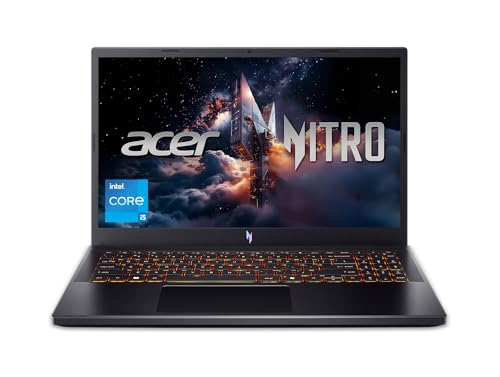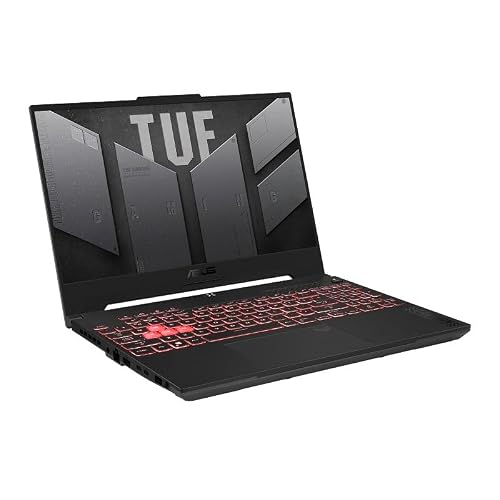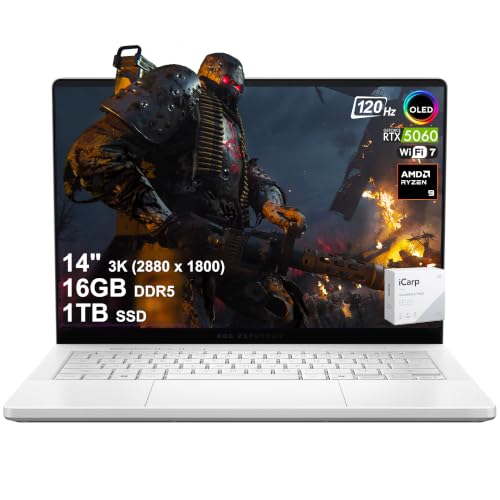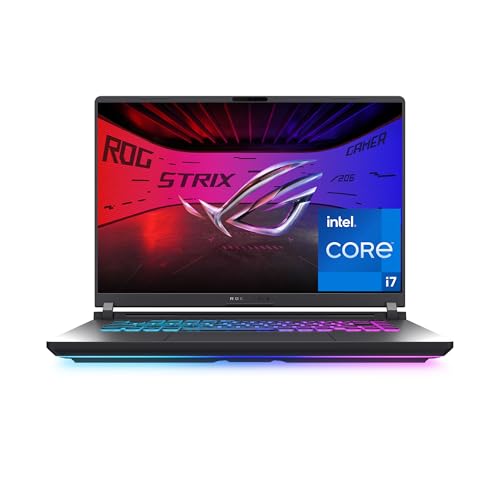
The best gaming laptops USA buyers choose are the ones that give you desktop-class gaming in a machine you can carry: a fast graphics card, a high-refresh display, and enough memory and storage for a library of games. The laptops in this guide all come from the brands that define gaming laptops — ASUS ROG, Alienware, Lenovo Legion, and MSI — and each one is a current model with a current RTX graphics card.
This guide compares six gaming laptops sold in the USA: the ASUS ROG Strix G16 and G18, the Alienware 16 Aurora, the Lenovo Legion 5a, and the MSI Katana 15 HX and Cyborg 15.6. Every pick below is linked to its exact listing so you can confirm the full configuration — processor, graphics card, memory, storage, and display — before ordering.
A quick note on how to read this guide: the graphics card is the most important specification. An RTX 5050 is for 1080p gaming, an RTX 5060 is for 1440p gaming at high settings, and an RTX 5070 is for the highest settings and the fastest displays. The processor, memory, and storage matter too — but the graphics card is what decides which games the laptop can play and how well it plays them.
In this guide
Quick picks: best gaming laptops usa
| # | Product | Where to buy |
|---|---|---|
| 1 | ASUS ROG Strix G16 2025 | Check on Amazon |
| 2 | Alienware 16 Aurora | Check on Amazon |
| 3 | Lenovo Legion 5a 2026 | Check on Amazon |
| 4 | MSI Katana 15 HX | Check on Amazon |
| 5 | MSI Cyborg 15.6 | Check on Amazon |
| 6 | ASUS ROG Strix G18 | Check on Amazon |
How the picks were chosen
We started from the site's own product listings and kept only gaming laptops with a stated brand, model, processor, graphics card, memory, and storage, sold for the US market. Generic no-name laptops, laptops without a stated graphics card, and laptops with integrated graphics only were left out, because a gaming laptop is defined by its graphics card — and a laptop without a discrete GPU is not a gaming laptop.
Within that set we favored current models with RTX 5050, 5060, and 5070 graphics cards, because those are the cards that define the current generation of gaming laptops. We checked that every linked listing is the exact model and configuration named in the section heading, and that no listing is a renewed or used laptop.
Finally, we kept the spread of brands and sizes wide: ASUS ROG, Alienware, Lenovo Legion, and MSI, in 15-inch and 16-inch and 18-inch bodies, so that buyers who prefer a particular brand or size can find a fit. The keyword promises gaming laptops in the USA, so we favored models sold for the US market with US keyboards and power adapters — and we note in the guide where a configuration should be confirmed on the product page.
Quick comparison
| Product | Standout feature | Best for |
|---|---|---|
| ASUS ROG Strix G16 (2025) Gaming Laptop, 16" FHD+ 165Hz, NVIDIA GeForce RTX 5060, Intel Core i7 | 16-inch 165Hz display with RTX 5060 | most gamers who want a balanced 16-inch RTX 5060 laptop |
| Alienware 16 Aurora Gaming Laptop, RTX 5050, Intel Core 7 240H, WQXGA 120Hz, 16GB DDR5, 1TB SSD | WQXGA 120Hz display with RTX 5050 and 1TB SSD | buyers who want an Alienware laptop with a sharp display |
| Lenovo Legion 5a 2026 Gaming Laptop, NVIDIA GeForce RTX 5060, 15.3" OLED WQXGA 165Hz | OLED WQXGA 165Hz display with RTX 5060 | buyers who want an OLED display and an RTX 5060 |
| MSI Katana 15 HX 15.6" 165Hz QHD+ Gaming Laptop, Intel Core i9-14900HX, NVIDIA GeForce RTX 5070, 32GB DDR5, 1TB SSD | RTX 5070 with 32GB DDR5 and QHD+ 165Hz display | buyers who want an RTX 5070 for the highest settings |
| MSI Cyborg 15.6" FHD 144Hz Gaming Laptop, Intel Core i5-13420H, RTX 5050 8GB, 16GB RAM, 512GB SSD | Budget RTX 5050 laptop with 144Hz display | budget buyers who want an RTX 5050 laptop |
| ASUS ROG Strix G18 Gaming Laptop, AMD Ryzen 9 9955HX, NVIDIA GeForce RTX 5070, 18" 2.5K 240Hz Display | 18-inch 2.5K 240Hz display with RTX 5070 | buyers who want the biggest display and an RTX 5070 |

ASUS ROG Strix G16 (2025) Gaming Laptop, 16" FHD+ 165Hz, NVIDIA GeForce RTX 5060, Intel Core i7
The ASUS ROG Strix G16 (2025) is a 16-inch gaming laptop with a Full HD+ 165Hz display, an NVIDIA GeForce RTX 5060 graphics card, and an Intel Core i7 processor. It is the balanced pick in this guide, and its combination of an RTX 5060 and a 165Hz display is what makes it a 1440p gaming laptop.
Key specifications: 16-inch FHD+ 165Hz display, NVIDIA GeForce RTX 5060, Intel Core i7 processor, gaming laptop.
The ROG Strix G16 is the laptop that does everything well. Its RTX 5060 graphics card handles 1440p gaming at high settings, its 16-inch 165Hz display makes fast games smooth, and its Intel i7 processor keeps up with the graphics card. It is a laptop for gaming first and everything else second — but it handles schoolwork, streaming, and video editing as well, and its 16-inch size is large enough to game on and small enough to carry. Over a year of use, the Strix G16 earns its place as the default gaming laptop. It plays the games, it handles the work, and it does so without the heat and noise that cheaper laptops suffer from. It is the laptop that gets recommended because it works, and it keeps working.
On arrival, update Windows and the graphics drivers, install your games on the SSD, and set the display to 165Hz in the settings — it may default to 60Hz. Use the laptop on a hard surface so the vents are clear, and keep the ROG software installed so you can control the fan and the performance modes.
Strengths
- An RTX 5060 graphics card handles 1440p gaming at high settings
- A 16-inch 165Hz display makes fast games smooth
- An Intel i7 processor keeps up with the graphics card for gaming and for work
Trade-offs
- A 16-inch gaming laptop is heavier than an ultrabook, so it is a portable desktop rather than an all-day laptop
- The battery lasts a few hours when gaming, so a charger is part of the kit
- The listing does not state memory and storage in the title, so confirm the configuration on the product page
This laptop fits the gamer who wants one laptop for gaming and for everything else, with a balanced RTX 5060 configuration.
Best for: most gamers who want a balanced 16-inch RTX 5060 laptop / Not suited for: buyers who want the highest settings on a 240Hz display, or users who need a lightweight laptop for all-day carry
Check price on Amazon: ASUS ROG Strix G16 2025

Alienware 16 Aurora Gaming Laptop, RTX 5050, Intel Core 7 240H, WQXGA 120Hz, 16GB DDR5, 1TB SSD
The Alienware 16 Aurora is a 16-inch gaming laptop with a WQXGA 120Hz display, an NVIDIA RTX 5050 graphics card, an Intel Core 7 240H processor, 16GB of DDR5 memory, and a 1TB SSD. It is the Alienware pick in this guide, and its sharp WQXGA display is the feature that sets it apart from the Full HD laptops here.
Key specifications: 16-inch WQXGA 120Hz display, RTX 5050, Intel Core 7 240H, 16GB DDR5 RAM, 1TB SSD.
The Alienware 16 Aurora is the laptop for the gamer who wants the Alienware design and a sharp display. Its WQXGA 120Hz screen is sharper than a Full HD display, its RTX 5050 graphics card handles 1080p gaming well, and its 16GB of DDR5 memory and 1TB SSD are the right baseline for a gaming laptop. It is a laptop that looks like a gaming laptop — and plays like one too. For the buyer who wants an Alienware, the 16 Aurora is the laptop that delivers the brand's design and a sharp display without the price of the top-tier models. It is a laptop that looks good on a desk and plays well in a game — and that combination is what Alienware buyers are paying for.
Update Windows and the graphics drivers, set the display to its native resolution, and install your games on the 1TB SSD. The Alienware software lets you control the lighting and the performance modes — set the performance mode for gaming and the quiet mode for work, and keep the vents clear.
Strengths
- A WQXGA display is sharper than a Full HD display for games and for work
- 16GB of DDR5 memory and a 1TB SSD are the right baseline for gaming
- The Alienware design and build quality suit a gaming setup
Trade-offs
- An RTX 5050 is for 1080p gaming, so it will not match an RTX 5060 at 1440p
- A 120Hz display is smooth but not as fast as a 165Hz or 240Hz display
- Alienware laptops cost more than a comparable laptop from another brand, so the premium buys the design and the brand
This laptop fits the buyer who wants an Alienware laptop with a sharp display and a solid RTX 5050 configuration.
Best for: buyers who want an Alienware laptop with a sharp display / Not suited for: buyers who want 1440p gaming at high settings, or users who need a 240Hz display
Check price on Amazon: Alienware 16 Aurora

Lenovo Legion 5a 2026 Gaming Laptop, NVIDIA GeForce RTX 5060, 15.3" OLED WQXGA 165Hz
The Lenovo Legion 5a (2026) is a 15.3-inch gaming laptop with an OLED WQXGA display at 165Hz, an NVIDIA GeForce RTX 5060 graphics card, and an AMD Ryzen processor. It is the OLED pick in this guide, and its display is the feature that sets it apart from every other laptop here.
Key specifications: 15.3-inch OLED WQXGA display, 165Hz, NVIDIA GeForce RTX 5060, Ryzen processor, gaming laptop.
The Lenovo Legion 5a is the laptop for the gamer who wants the best display in this guide. Its 15.3-inch OLED WQXGA display gives deeper blacks, better colors, and a 165Hz refresh rate — and its RTX 5060 graphics card and Ryzen processor handle 1440p gaming at high settings. It is a laptop that looks as good as it plays, and its OLED screen is the feature that sets it apart from the LCD laptops here. For the gamer who has seen an OLED display, there is no going back. The Legion 5a's OLED screen makes games look better — deeper blacks, richer colors, faster response — and its RTX 5060 means the laptop can show those games at their best. It is the laptop for the gamer who cares about the image as much as the frame rate.
Update Windows and the graphics drivers, set the display to 165Hz, and install your games on the SSD. OLED displays can suffer burn-in from static images, so use a screensaver and hide the taskbar when gaming for long sessions — and enjoy the colors and the blacks that only OLED gives.
Strengths
- An OLED display gives deeper blacks and better colors than an LCD
- A 165Hz refresh rate makes fast games smooth
- An RTX 5060 graphics card handles 1440p gaming at high settings
Trade-offs
- OLED displays can suffer burn-in from static images over long periods
- A 15.3-inch display is smaller than the 16-inch and 18-inch laptops in this guide
- The listing does not state memory and storage in the title, so confirm the configuration on the product page
This laptop fits the gamer who wants an OLED display and an RTX 5060 in a 15-inch body.
Best for: buyers who want an OLED display and an RTX 5060 / Not suited for: buyers who worry about OLED burn-in with static images, or users who want a larger 16-inch or 18-inch display
Check price on Amazon: Lenovo Legion 5a 2026

MSI Katana 15 HX 15.6" 165Hz QHD+ Gaming Laptop, Intel Core i9-14900HX, NVIDIA GeForce RTX 5070, 32GB DDR5, 1TB SSD
The MSI Katana 15 HX is a 15.6-inch gaming laptop with a QHD+ 165Hz display, an Intel Core i9-14900HX processor, an NVIDIA GeForce RTX 5070 graphics card, 32GB of DDR5 memory, and a 1TB NVMe SSD. It is the performance pick in this guide, and its RTX 5070 with 32GB of memory is the combination that sets it apart.
Key specifications: 15.6-inch QHD+ 165Hz display, Intel Core i9-14900HX, NVIDIA GeForce RTX 5070, 32GB DDR5, 1TB NVMe SSD.
The MSI Katana 15 HX is the laptop for the gamer who wants the fastest graphics card in this guide short of the top tier. Its RTX 5070 graphics card handles the highest settings at 1440p, its 15.6-inch QHD+ display at 165Hz shows those settings sharply, and its Intel i9 processor and 32GB of DDR5 memory mean the laptop never bottlenecks. It is a laptop for serious gaming, and it plays like one. For the serious gamer, the Katana 15 HX is the laptop that does not compromise. Its RTX 5070 and 32GB of memory mean it handles the newest games at the highest settings, and its QHD+ display shows them sharply. It is the laptop for the gamer who wants the best and is willing to pay for it.
Update Windows and the graphics drivers, set the display to 165Hz and its native resolution, and install your games on the 1TB SSD. The Katana runs hot under load — it is a powerful laptop in a 15-inch body — so use it on a hard surface and keep the vents clear.
Strengths
- An RTX 5070 graphics card handles the highest settings at 1440p
- 32GB of DDR5 memory and a 1TB SSD mean the laptop never bottlenecks
- A QHD+ 165Hz display shows those settings sharply
Trade-offs
- A powerful laptop in a 15-inch body runs hot, so cooling matters
- It is the most expensive configuration in this guide, so it stretches the budget
- A 15.6-inch display is smaller than the 16-inch and 18-inch laptops here
This laptop fits the gamer who wants an RTX 5070 and a QHD+ display for the highest settings.
Best for: buyers who want an RTX 5070 for the highest settings / Not suited for: budget buyers, or users who want a larger display or a lighter laptop
Check price on Amazon: MSI Katana 15 HX

MSI Cyborg 15.6" FHD 144Hz Gaming Laptop, Intel Core i5-13420H, RTX 5050 8GB, 16GB RAM, 512GB SSD
The MSI Cyborg is a 15.6-inch gaming laptop with a Full HD 144Hz display, an Intel Core i5-13420H processor, an NVIDIA RTX 5050 8GB graphics card, 16GB of memory, and a 512GB SSD, running Windows 11. It is the budget pick in this guide, and its RTX 5050 with a 144Hz display is the combination that defines it.
Key specifications: 15.6-inch FHD 144Hz display, Intel Core i5-13420H, RTX 5050 8GB, 16GB RAM, 512GB SSD, Windows 11.
The MSI Cyborg is the budget pick in this guide: a 15.6-inch Full HD 144Hz laptop with an RTX 5050 graphics card, an Intel i5 processor, 16GB of memory, and a 512GB SSD. It handles 1080p gaming well, and its 144Hz display makes fast games smooth. It is the laptop for the gamer who wants to play current games without paying for a faster graphics card than they need. For the budget gamer, the Cyborg is the laptop that opens the door. It plays current games at 1080p, it has a 144Hz display, and it costs less than any other current RTX laptop in this guide. It is the laptop for the gamer who is starting out and wants to play now, not save for later.
Update Windows and the graphics drivers, and plan the storage: 512GB fills up after a handful of modern games, so install the games you play most and keep the rest in a library or on an external drive. Use the laptop on a hard surface so the vents are clear.
Strengths
- An RTX 5050 graphics card handles 1080p gaming well
- A 144Hz display makes fast games smooth
- The lowest price in this guide for a current RTX gaming laptop
Trade-offs
- 512GB of storage fills up fast with modern games
- An Intel i5 processor is slower than the i7 and i9 chips in this guide
- A Full HD display is less sharp than the QHD and WQXGA displays here
This laptop fits the budget gamer who wants an RTX 5050 laptop for 1080p gaming.
Best for: budget buyers who want an RTX 5050 laptop / Not suited for: buyers who want 1440p gaming at high settings, or users who need 1TB of storage
Check price on Amazon: MSI Cyborg 15.6

ASUS ROG Strix G18 Gaming Laptop, AMD Ryzen 9 9955HX, NVIDIA GeForce RTX 5070, 18" 2.5K 240Hz Display
The ASUS ROG Strix G18 is an 18-inch gaming laptop with a 2.5K 240Hz display, an AMD Ryzen 9 9955HX processor, and an NVIDIA GeForce RTX 5070 graphics card. It is the big-screen pick in this guide, and its 18-inch 240Hz display is the feature that sets it apart from every other laptop here.
Key specifications: 18-inch 2.5K 240Hz display, AMD Ryzen 9 9955HX, NVIDIA GeForce RTX 5070, gaming laptop.
The ROG Strix G18 is the laptop for the gamer who wants the biggest screen in this guide. Its 18-inch 2.5K 240Hz display is the fastest and largest here, and its RTX 5070 graphics card and Ryzen 9 processor handle the highest settings. It is a desktop replacement as much as a laptop — large, powerful, and built for gaming at a desk — and it is the pick for the gamer who wants the most screen and the most performance. For the gamer who wants a desktop replacement, the Strix G18 is the laptop that replaces the desktop. Its 18-inch display is the largest here, its RTX 5070 is among the fastest, and its Ryzen 9 processor handles anything. It is large, it is heavy, and it is the most immersive gaming laptop in this guide.
Set the display to 240Hz and its native resolution, update the graphics drivers, and install your games on the SSD. The G18 is large and heavy, so use it on a desk rather than on your lap, and keep the vents clear — a laptop this powerful needs airflow.
Strengths
- An 18-inch 240Hz display is the largest and fastest in this guide
- An RTX 5070 graphics card handles the highest settings
- A Ryzen 9 processor keeps up with the graphics card for gaming and for work
Trade-offs
- An 18-inch laptop is heavy and large, so it is a desktop replacement rather than a portable laptop
- The battery lasts a short time when gaming, so a charger is essential
- The listing does not state memory and storage in the title, so confirm the configuration on the product page
This laptop fits the gamer who wants an 18-inch display and an RTX 5070 for desktop-replacement gaming.
Best for: buyers who want the biggest display and an RTX 5070 / Not suited for: buyers who need a portable laptop, or users on a tight budget
Check price on Amazon: ASUS ROG Strix G18
Best Gaming Laptops USA: What Actually Matters
The graphics card is the first factor, because it decides what games the laptop can play. An RTX 5050 is for 1080p, an RTX 5060 is for 1440p at high settings, and an RTX 5070 is for the highest settings. Buy the card that matches your display and your games — a faster card than you need is money spent on frames you cannot see, and a slower card than you need is a laptop that struggles.
The display is the second factor, because it decides what you actually see. A 165Hz or 240Hz display makes fast games smoother, and a higher resolution makes the image sharper. An OLED display gives deeper blacks and better colors, but it costs more. Match the display to the graphics card: a fast display needs a fast card, and a slow display wastes a fast card.
Cooling is the third factor, and it is the one buyers forget until the first long gaming session. A laptop with good cooling holds its performance and stays quiet, while a laptop with poor cooling throttles and gets hot. Check the cooling design on the product page, use the laptop on a hard surface, and clean the vents regularly — cooling is what turns a fast laptop into a fast laptop that stays fast.
Buying guide: Choosing a Gaming Laptop in the USA
Start with the graphics card, because it decides what games the laptop can play and at what settings. An RTX 5050 handles 1080p gaming well, an RTX 5060 covers 1440p and high settings, and an RTX 5070 or 5080 is for the highest settings and the fastest displays. Buy the graphics card that matches the games you play and the display you want — a fast display with a slow graphics card is a waste, and a slow display with a fast graphics card is a bottleneck.
Check the display as well as the graphics card. A 165Hz or 240Hz display makes fast games smoother, and a higher resolution — QHD or WQXGA — makes the image sharper. A 16-inch display is the sweet spot for a gaming laptop: large enough to see the game, small enough to carry. OLED displays give deeper blacks and better colors, but they cost more and use more battery.
Think about the processor and the memory together. A modern Intel Core i7 or Ultra processor, or an AMD Ryzen 7 or 9, will not bottleneck a mid-range graphics card — and 16GB of memory is the minimum for gaming today, while 32GB is worth it if you stream, edit video, or keep the laptop for years. Storage matters too: 1TB of SSD is the practical minimum for a gaming laptop, since modern games are large.
Consider the weight, the battery, and the cooling. A gaming laptop is heavier than an ultrabook, and its battery lasts a few hours at most when gaming — so a gaming laptop is a portable desktop rather than an all-day laptop. Check the cooling: a laptop with good cooling runs quieter and holds its performance longer, while a laptop with poor cooling throttles under load and gets hot to the touch.
Check the warranty and the support. A gaming laptop is an expensive purchase, and a manufacturer with a good warranty and a local service network is worth more than a slightly lower price from a brand with no support. ASUS, Lenovo, MSI, and Dell all have service networks in the USA — and that support matters when a laptop needs repair.
Using and caring for your gaming laptops in the USA
Keep the laptop cool. Use it on a hard, flat surface so the vents are clear, and do not block the intake with a pillow or a blanket. Clean the vents with compressed air every few months, and check the manufacturer's software for a cooling mode — a laptop that runs cool holds its performance longer and lasts longer.
Care for the battery by avoiding extremes. A gaming laptop's battery is small relative to its power draw, so it will not last long when gaming — and that is normal. Keep the laptop plugged in for gaming, and use the battery only for light work away from a socket. Avoid leaving the laptop in a hot car, and do not store it at zero percent charge for weeks.
Update the graphics drivers regularly. New drivers improve performance in new games, fix bugs, and add features — and a laptop with old drivers will run new games worse than it should. Check for driver updates every month, and install them from the graphics card manufacturer's site rather than relying on Windows Update alone.
Common mistakes to avoid
Buying a graphics card that is too slow for the display is the most common mistake. A 240Hz QHD display needs a fast graphics card to produce those frames, and a slow card on a fast display is a waste of the display. Match the graphics card to the display, and buy the combination that fits the games you play.
Ignoring the storage is another frequent error. Modern games are large — 100GB or more each — and a 512GB SSD fills up after a handful of games. A 1TB SSD is the practical minimum for a gaming laptop, and a second SSD slot is worth having if you plan to keep the laptop for years.
Forgetting the cooling is a mistake that shows up in the first long gaming session. A laptop with poor cooling throttles under load, which means the frame rate drops and the laptop gets hot. Check the cooling design on the product page, use the laptop on a hard surface, and clean the vents regularly.
Budget and value
A gaming laptop is a significant purchase, and the right way to compare them is performance per dollar rather than the sticker price. An RTX 5060 laptop that costs less than an RTX 5070 laptop is better value if you play at 1080p — because the extra graphics power is wasted on a display that cannot show it. Buy the graphics card that matches your display and your games, and spend the savings on a monitor, a headset, or games.
If you only buy one gaming laptop, buy an RTX 5060 laptop with 16GB of memory and a 1TB SSD. It covers the most games for the least money, and it will last for years before it feels slow. The RTX 5050 laptops are for tighter budgets, and the RTX 5070 laptops are for the highest settings — the 5060 is the one in the middle that does the job for most gamers.
Final recommendation
For most buyers in the USA, the ASUS ROG Strix G16 with the RTX 5060 is the pick that balances price, performance, and display: a 16-inch 165Hz screen, a current Intel processor, and a graphics card that handles 1440p gaming. If you want the most performance in this guide, the ASUS ROG Strix G18 with the RTX 5070 is the step up, and if your budget is tight, the MSI Cyborg with the RTX 5050 covers 1080p gaming for less money. Whichever you choose, confirm the exact configuration — processor, memory, storage, and display — on the product page, and buy the graphics card that matches the games you play.
Frequently asked questions
What graphics card do I need for a gaming laptop?
For 1080p gaming, an RTX 5050 is enough. For 1440p gaming at high settings, an RTX 5060 is the sweet spot. For the highest settings and a high-refresh display, an RTX 5070 or 5080 is the pick. Buy the graphics card that matches your display and the games you play — a faster card than your display needs is money spent on frames you cannot see.
Is 16GB of memory enough for a gaming laptop?
Sixteen gigabytes is the minimum for gaming today, and it handles most games well. Thirty-two gigabytes is worth it if you stream, edit video, run a browser with many tabs while gaming, or plan to keep the laptop for four or five years. Memory is one of the few parts that can sometimes be upgraded later, so check the product page if you plan to upgrade.
What does a 165Hz display mean?
A 165Hz display refreshes 165 times per second, which makes fast games look smoother than a 60Hz display. The difference is visible in first-person shooters and racing games, and less visible in slow strategy games. A high-refresh display is worth it if you play fast games, and it needs a graphics card fast enough to produce those frames.
Can I use a gaming laptop for school or work?
A gaming laptop is heavier and louder than an ultrabook, and its battery lasts a few hours when gaming — so it is a portable desktop rather than an all-day laptop. It can do schoolwork and office work as well as gaming, and many students use one laptop for both. If you need all-day battery life, a gaming laptop is the wrong tool; if you need gaming performance, it is the right one.
Can I upgrade the memory and storage later?
It depends on the laptop. Some gaming laptops let you upgrade the memory and the storage, while others solder the memory to the board. Check the product page and the manufacturer's documentation before you buy — a laptop with upgradeable memory and a second SSD slot will last longer than one that cannot be upgraded.
Why does my gaming laptop get hot and slow down?
The most common causes are dust in the fans, a laptop on a soft surface that blocks the vents, or a cooling system that needs cleaning. Use the laptop on a hard, flat surface, clean the vents with compressed air every few months, and check the manufacturer's software for a cooling mode. If the laptop still throttles, the thermal paste may need replacing — a job for a repair shop if you are not confident.
How long does a gaming laptop last?
It depends on the build and the use. A well-built gaming laptop lasts four to five years before it feels slow, and longer if the memory and storage can be upgraded. The graphics card is the part that ages fastest — a laptop with an RTX 5060 will play new games longer than a laptop with an RTX 5050, because it has more headroom to spare.
More guides from KajuanDouglas
Best Gaming Laptops Under 1000 Best 13.3 Gaming Laptops Under 1000 Best Affordable Gaming Laptops Under 1000