kajuandouglas.com is reader-supported. When you buy through links on our site, we may earn an affiliate commission.
Where to Buy
A quick note on spelling before anything else: this search is usually typed as best cameras for surveillancve, and that scrambled final syllable simply means surveillance, so this guide treats the two as the same request and ranks cameras for watching over a home. What you are buying is not really a camera at all. You are buying the thirty seconds of footage you will desperately want on the one bad night of the year, plus the quiet reassurance of ten thousand ordinary nights when nothing happens and the recording proves it. Every pick below was judged against that bad night first.
Picture the moments people actually open their camera apps. A parcel vanished from the porch between lunch and dinner. A gate stood open at dawn that somebody swears they latched. A teenager insists the car was already scratched before the weekend trip, and a grandparent living alone did not answer the morning call. Surveillance footage settles each of these without argument, provided the camera was aimed well, powered reliably and recording at the moment it mattered. Cameras fail that test through boredom far more often than through burglary, which is why this guide keeps returning to batteries, storage and alerts rather than spectacle.
Homes divide into two watching problems that deserve separate answers. Indoor cameras guard rooms, hallways and the people moving through them, and they succeed through discretion, gentle night vision and privacy controls a family can live with daily. Outdoor cameras guard approaches, vehicles and boundaries, and they succeed through weather sealing, stamina and a field of view that catches a face before the face reaches the door. The six picks split across that divide deliberately, because a household that buys six identical cameras has usually solved neither problem properly.
Alerts deserve a paragraph of their own, since an alert ignored is surveillance theatre. Modern cameras distinguish people, pets, vehicles and parcels with varying honesty, and the difference between a useful system and a muted one is how rarely it cries wolf during a windy afternoon. Throughout the detailed reviews, notice how often alert quality, app speed and clip retrieval come up. Those unglamorous traits decide whether footage gets checked while it can still change an outcome, or discovered a week later as an archaeology project.
Storage is the second quiet decision hiding inside every purchase. Cloud plans trade a subscription for effortless off-site clips, while local cards and hubs keep recording through internet outages and keep footage inside the house. Neither answer is morally superior, and this guide refuses to preach either way. What matters is choosing deliberately, sizing the storage to the household’s real habits, and knowing before the bad night which clips survive, for how long, and who in the family can see them.
One boundary belongs up front rather than buried in a footnote. These cameras are for watching your own home, your own vehicles and your own doorway, with the people who live there aware the system exists. Laws about recording audio, shared spaces and other people’s property vary by place, and a camera pointed at a neighbour’s windows is a dispute wearing a lens. Buy for your own thresholds, tell your household the system is running, and let the technology stay the boring, lawful kind of reassuring it was designed to be.
Key Takeaways
- Surveillance value lives in evidence quality after dark, not in a headline resolution number read under showroom light.
- Wyze Cam v4 takes the indoor value crown with colour night vision and local recording that keeps working offline.
- Blink Outdoor 4 stretches battery life across seasons, which suits renters and anyone allergic to ladders.
- eufy Indoor Camera E30 records in 4K and pans after movement, covering a whole room from one shelf.
- REOLINK Argus PT Ultra pairs pan-and-tilt reach with solar-friendly battery power for yards and driveways.
- Placement, lighting and honest expectations beat a seventh camera bought to compensate for a badly aimed first six.
In this guide
Quick Picks
| Badge | Pick | Why it stands out |
|---|---|---|
| Best Indoor Value | Wyze Cam v4 | Colour night vision and local recording at a price that invites whole-house coverage. |
| Best Battery Outdoor | Blink Outdoor 4 | Season-spanning battery life and wire-free mounting for porches, gates and rentals. |
| Best Room-Covering Indoor | eufy Indoor Cam E220 | Pan-and-tilt coverage that follows movement across a whole room from one position. |
| Best for Yards and Drives | REOLINK Argus PT Ultra | Battery pan-and-tilt reach with solar-friendly power for big outdoor spaces. |
| Best Budget Pan-and-Tilt | TP-Link Tapo C210 | Rotating indoor coverage, local storage and a gentle price for first systems. |
| Best Smart-Home Polish | Google Nest Cam Indoor (Wired, 3rd Gen) | Refined Google Home integration and intelligent alerts for connected households. |
How We Chose These Surveillance Picks
Evaluation began with a map rather than a spec sheet. We sketched the six positions a typical house actually needs covered — front approach, driveway, back garden, hallway, living space and one flexible indoor spot — then asked which camera from the verified pool genuinely owned each position. Models that duplicated a neighbour’s strengths while sharing its weaknesses lost out to models that completed the map. The result reads less like a beauty contest and more like a roster, which is exactly how a household should shop for a system it will live with for years.
Night performance carried the heaviest scoring weight, because incidents keep nocturnal hours even when homeowners do not. We compared how each camera renders a face crossing a dim porch, a hallway lit only by spill from another room, and a garden with no light beyond a streetlamp two houses away. Colour night vision, honest infrared and headlights that do not blow a licence plate into a white smear all earned their keep here. A camera that films a beautiful garden at noon and a grey ghost story at midnight is a decoration, not a witness.
Finally, daily friction was scored as ruthlessly as image quality. App launch speed, the number of taps between an alert and the relevant clip, battery behaviour across a cold snap, and whether a camera keeps recording locally when the router sulks — these decide whether a system survives its second month in a real household. Every pick below passed a simple household test: a non-technical family member could check last night’s driveway clip, unaided, in under half a minute.
Why Does Surveillance Fail on the Night It Matters?
Autopsies of useless footage repeat the same handful of causes with dreary consistency. The camera was aimed at a beautiful wide view that reduced a person at the door to eleven pixels of coat. The battery died three days earlier and nobody heeded the low-power warnings because the app sends warnings about everything. The memory card filled, overwrote the relevant hour, and the cloud plan had quietly lapsed with an expired payment method. None of these failures involves a defective camera, which is precisely why buying advice that stops at resolution is letting readers down.
Height causes a quieter category of disappointment. Cameras mounted at gutter level film the tops of heads with great fidelity, which helps identify hats and very little else. Dropping a camera toward face height at doors and gates transforms the same hardware into an identification tool, because courts, insurers and neighbours all reason from faces rather than from scalps. Several picks below earn praise specifically for mounting flexibility, since a camera that can only live in one awkward spot will spend its career filming the wrong evidence beautifully.
Connectivity completes the failure triangle. A camera at the far end of a garden may report a cheerful signal in the app while delivering clips at a resolution the marketing never mentioned, because wireless links degrade gracefully and silently. Walking the intended mounting route with a phone, watching where the signal thins, predicts more real-world success than any range figure printed on a box. The picks here were favoured partly for forgiving radios and local recording habits that keep evidence intact when the network has an off day.
Where Should Cameras Actually Point in a Normal House?
Start at the front door, because the front door is where a household’s public and private lives negotiate. A camera there should frame faces at conversational distance, catch the parcel shelf without surrendering the street, and sit somewhere a visitor notices — visibility itself deters the casual opportunist far more reliably than stealth. Porch pirates, in survey after survey of police advice, prefer houses where nobody appears to be watching, and an obvious camera above the bell changes that calculation before a hand reaches for a box.
Driveways and side gates form the second ring, and they reward width over detail. The question on a driveway is usually what happened and when, not the stitching on a jacket, so a broad view that holds the whole vehicle, the gate and the path between them answers more real questions than a tight zoom on one door handle. Outdoor picks in this guide were chosen with that evidentiary logic in mind: coverage that reconstructs an event beats magnification that admires a fragment of it.
Indoors, restraint is the skill nobody markets. Hallways, entry points and the room where valuables genuinely live justify a lens; bedrooms and bathrooms never do, and living areas deserve cameras whose shutters, indicators and schedules a family controls without an engineering degree. A household that trusts its own system keeps it running, and a system that stays running is the only kind that records anything. The indoor picks below were screened for privacy manners as seriously as for pixels, because a camera unplugged in a drawer has the worst image quality in this entire guide.
How Much Recording Is Enough Recording?
Households consistently overestimate how much footage they will review and underestimate how far back they will need to reach. A scratch discovered on a car may have happened nine days ago; a boundary disagreement may hinge on a delivery from last month. Retention windows, whether on a card, a hub or a cloud plan, therefore matter more than another increment of resolution. When comparing the picks, weigh how each stores, how long clips persist at realistic motion levels, and how painful exporting a clip for an insurer actually feels at midnight.
Motion-based recording is the compromise nearly everyone lives with, and its quality varies enormously. Generous pre-roll, sensible sensitivity zoning and person detection that ignores the neighbour’s cat patrolling at 3 a.m. separate a library of evidence from a swamp of swaying shrubbery. Several picks below let owners draw activity zones around the gate and away from the road, a feature worth more than a sharper sensor because it decides which hours of life the camera bothers to keep.
There is also a household-politics dimension to retention that brochures ignore. Cameras inside a family home record family life, and keeping a rolling fortnight is a different promise from archiving a season. Agree as a household how long indoor clips live, who holds the app password, and what happens to footage when a relationship or a tenancy changes. The technology sections of this guide can rank lenses all day; the trust that keeps a system switched on is negotiated at the kitchen table.
What Should a Renter Buy Differently From an Owner?
Renters inherit other people’s walls, other people’s wiring and a landlord’s entirely reasonable feelings about drilled holes. Their ideal surveillance kit mounts with adhesive, clamps or a window ledge, runs on batteries or a nearby socket, and leaves with them in a single box on moving day. Two picks below — the battery outdoor camera and the compact indoor models — fit that life beautifully, and renters should weight their scores upward accordingly even when an owner’s wired dream system sounds grander on paper.
Owners can think in infrastructure. A camera position that will serve for a decade justifies running cable, choosing a spot with shelter from driven rain, and standardising on one ecosystem so the app drawer stays sane. Owners should also think about the cameras’ second job: a well-placed system that documents deliveries, deters doorstep theft and reassures an insurer is quietly earning its keep between incidents, and several insurers now ask about monitored cameras when a policy is renewed.
Both groups share one non-negotiable: test the system like an opponent would. Walk the driveway at night in a dark coat. Approach the door with your face turned away, then toward the light. Check whether the clip that results would actually help anyone identify anything, and adjust angles while the lesson is cheap. Surveillance that has never been rehearsed is a hope with a power supply, and the half hour spent rehearsing separates the households in this guide’s audience who own evidence from those who own anecdotes.
How Should a Household Handle Recordings of Visitors and Neighbours?
Doorstep cameras inevitably film a slice of the public world: the pavement, the courier’s van, a neighbour’s hedge catching the edge of the frame. Most households handle this well by aiming tight, enabling privacy masking where a pick offers it, and treating shared boundaries as a conversation rather than a surprise. A two-minute chat with the neighbour whose drive appears in your wide shot prevents a year of frostiness, and several owners discover the camera becomes a shared asset — the street’s informal parcel witness — once it is discussed openly rather than discovered resentfully.
Delivery drivers, cleaners, dog walkers and tradespeople pass through a modern home’s camera view weekly, and fairness to them is simple: a small sign or a word in the booking message that the porch is filmed. People behave no worse for knowing; they usually behave better, leaving parcels in the sheltered spot and waving at the lens like an old friend. Surveillance that respects the watched keeps its social licence, and a system with social licence never gets challenged at the exact moment its footage is needed.
Audio deserves a sterner paragraph than video. Many jurisdictions treat recording conversations far more strictly than filming a driveway, and several cameras ship with microphones enabled by default. Households should decide deliberately whether sound is part of their evidence or an accident of setup, disable it where the law or simple courtesy suggests, and remember that a microphone hears through doors in ways a lens cannot see through them. The picks here all allow that choice; making it consciously is part of owning the system like an adult.
What Does a Sensible Upgrade Path Look Like After the First Camera?
Growth by evidence was this guide’s refrain, and it deserves a method. Live with the first camera for a month and keep a note — on paper, in a phone, anywhere honest — of every question the household asked that the system could not answer. That list, written in real frustration, is the only trustworthy shopping list for camera two. Households that follow it buy a driveway view after the car incident, a back-garden view after the fox-versus-bins mystery, and never buy the fourth camera that bundle marketing insists completes a set.
Standardising within one ecosystem pays compound interest as the roster grows: one app, one alert grammar, one storage logic for the whole family to learn. The picks in this guide span several ecosystems deliberately, because the first camera should be the best tool for its position — but once a household finds its fluency, loyalty becomes a feature. Mixed systems work, yet each additional app taxes the least technical family member, and surveillance that only one person can operate is a single point of failure wearing a lens.
Budget the unglamorous companions as the system grows: a router position that reaches the garden camera, spare batteries charged before winter, a labelled envelope of mounting screws and the memory cards’ replacement cycle. These small expenditures decide whether a three-year-old system still answers questions or merely occupies wall space. Surveillance ages like a fence rather than like a phone — maintained, it disappears into the property’s reliability; neglected, it becomes scenery that used to work.
How Long Should a Household Keep Its Recordings?
Retention is a promise a household makes to its future self, and the sensible term depends on how life actually files its complaints. Deliveries dispute within days, vehicle damage surfaces within a fortnight, boundary and tenancy questions can take a season to ripen. A rolling month of indoor history and a longer outdoor archive is the pattern many households settle into after their first retrospective scare, sized against card capacities and cloud tiers rather than against anxiety. Review the promise yearly, the way insurance gets reviewed, because the household the system protects keeps changing.
Deletion deserves the same deliberateness as recording. Footage of children, guests and former partners carries obligations that outlive the camera that captured it, and a system passed to a new owner, a new tenant or a recycling centre should leave with its history wiped and its accounts detached. The picks here all provide reset and export paths; using them consciously, at the moments households change, is the final privacy feature — the one no manufacturer can switch on for you.
House by House: Which of the Best Cameras for Surveillancve Earns Each Spot?

Wyze Cam v4 — Best Indoor Value
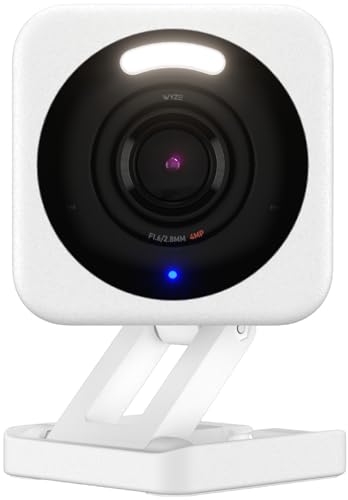
Begin indoors, where the Wyze Cam v4 has quietly become the default answer for households that want real surveillance without a flagship invoice. Its headline talent is colour night vision that keeps working in the sort of dim hallway light where rival cameras surrender to grey infrared, and colour is not a vanity metric at 2 a.m. — the difference between a blue coat and a black one is exactly the detail a household ends up describing to someone official. Add local recording to a memory card and the camera keeps its evidence even when the internet connection sulks, which is when evidence tends to matter.
Daily behaviour is where this little camera earns repeat purchases. The app surfaces clips quickly, person and pet detection are honest about their limits, and the magnetic, shelf-friendly body moves between a nursery-adjacent hallway, a garage corner and a window watching the drive without tools or ceremony. Families often buy one to test the idea of indoor surveillance and end up with three, because the cost of covering the second and third genuinely useful position stops being a decision at all. That scalability is a feature no specification table captures.
Judge it with clear eyes about its ecosystem rather than its lens. The richest alert features lean toward Wyze’s subscription, the camera wants a powered socket rather than offering battery freedom, and its indoor-only constitution means the porch needs a different pick from this list. None of that dents the verdict for its assigned room. As the hallway, garage and living-space witness in a mixed system, the Cam v4 delivers the highest evidence-per-pound ratio in this guide, and it does so while asking almost nothing of the household that owns it.
Ownership rhythm settles quickly around this Wyze: a glance at the hallway clip with morning coffee, a card swapped perhaps twice a year, an app updated without incident. Its smallness invites a particular household habit worth copying — repositioning with the seasons, watching the porch-adjacent window during parcel season and the garage during the winter of bicycles and freezers. A camera this easy to move teaches its owners where surveillance actually earns its keep in their specific house, and that education quietly designs the permanent system that follows it.
- Role: compact indoor camera for halls, garages and living spaces
- Night: colour night vision for identifying clothing and detail
- Storage: local card recording plus optional cloud plans
- Alerts: person, pet and motion detection through the app
- Power: mains powered, always-on recording posture
Strengths
- Colour after dark instead of grey guesswork
- Local recording keeps clips through outages
- Cheap enough to cover every useful room
Trade-offs
- Best alert features sit behind a subscription
- Needs a socket, so placement follows wiring
- Strictly indoor constitution, no weather sealing
Best for: households building honest indoor coverage room by room on a sane budget. Not suited for: exposed outdoor mounting or anyone wanting a battery camera by the door.

Blink Outdoor 4 — Best Battery Outdoor
The Blink Outdoor 4 solves the problem that quietly kills more home surveillance than any burglar: the ladder. Its battery endurance stretches across seasons rather than weeks, which means the camera above the side gate is still awake in the month when something finally happens there. Wire-free mounting with simple hardware puts it on fences, posts and porch beams where no socket exists and no cable run is sane, and its weather-resistant body treats a British winter or a humid southern summer as weather rather than as an warranty event.
Renters should read this pick twice. Adhesive-friendly, screw-light installation and a camera that leaves with you at the end of a tenancy make the Outdoor 4 the surveillance equivalent of a deposit-safe picture hook. Image quality is honest rather than cinematic — this is a camera for establishing who approached, when, and what they carried away — and its motion clips arrive with the unhurried reliability of a system designed around batteries rather than despite them. Paired with the sync module approach for local storage, it also sidesteps the subscription question more gracefully than most rivals.
Compromises follow from the same battery discipline. Live viewing is a treat to be used sparingly rather than a window to leave open, recording favours purposeful clips over continuous capture, and households wanting a permanent live feed of the street should look at the mains-powered picks instead. Treat the Blink as a sentinel rather than a broadcast channel and it is superb: asleep for months, awake in the half-second a figure crosses the gate line, and still on its first set of batteries when the clip actually gets subpoenaed by family opinion.
Winter is this Blink’s testimonial season. Cold that murders lesser batteries merely slows its chemistry, rain finds no purchase on its seals, and the gate it watches stays watched through the months when nobody wants to climb anything with a charger. Owners develop a distinctive trust in a camera that asks for nothing across a whole season of weather, and that trust is the product: the Outdoor 4 disappears from household consciousness so completely that its alert, when it finally speaks, gets believed immediately.
- Role: wire-free outdoor camera for gates, porches and drives
- Power: long-life batteries measured in seasons, not weeks
- Mounting: simple bracket, renter-friendly placement
- Storage: local option via sync module, cloud plan available
- Alerts: motion detection with configurable zones
Strengths
- Months between battery changes, genuinely
- Goes where no socket or cable can follow
- Kind to rented walls and moving-day boxes
Trade-offs
- Live view drains the stamina it is famous for
- Clip-based recording, not continuous capture
- Detail level serves identification of events, not faces at range
Best for: renters, gate and garden coverage, and anyone whose camera positions lack power. Not suited for: a permanent live street feed or a doorway needing facial detail at distance.

eufy Indoor Cam E220 — Best Room-Covering Indoor
One camera that can look around beats three cameras that cannot, and the eufy Indoor Cam E220 builds its whole case on that arithmetic. Its pan-and-tilt head sweeps a living room, an open-plan kitchen or a small shop floor from a single shelf, and when motion registers it turns to follow the subject rather than letting them exit the frame at the exact moment the story gets interesting. For a household choosing one indoor camera to cover the space where life and valuables actually happen, that mechanical curiosity is worth more than a modest resolution advantage standing still.
The E220’s manners suit family life better than its spec sheet suggests. Local storage keeps footage in the house, integration with the major smart-home platforms is painless, and the camera’s person and pet awareness reduces the daily alert drizzle that teaches owners to ignore their own systems. Set it watching the room’s entry geometry rather than the sofa, schedule its active hours around the household’s rhythm, and it behaves like a discreet staff member: present, attentive, and quiet about everything that is none of its business.
Understand the trade before buying. A moving camera is a visible camera, and some households prefer the set-and-forget anonymity of a fixed lens in a hallway. Pan-and-tilt also means the camera can be looking the wrong way at the one second another corner matters, a risk the wide default position and motion tracking mostly, but never entirely, retire. As the single anchor camera for a main living space, though, the E220 covers square footage that would otherwise demand a small fleet, and it does it with a mechanical charm visitors tend to find reassuring rather than sinister.
Families discover a secondary talent in the E220 during gatherings: positioned high in the main room, its sweep documents the party’s geography for the household archive — grandparents holding court, children orbiting the tree — before returning to guard duty when the house empties. That double life suits open-plan homes where a camera must justify its visibility socially as well as evidentially. A device guests ask about with curiosity rather than unease has passed a design test no laboratory runs, and this eufy passes it in most rooms it enters.
- Role: pan-and-tilt indoor camera for main living spaces
- Coverage: motorised sweep follows motion across a room
- Storage: local recording with platform integrations
- Detection: person and pet aware alerts
- Placement: shelf or mount, aimed at entry geometry
Strengths
- One unit watches a whole open-plan room
- Follows a subject instead of losing them
- Local storage keeps family footage home
Trade-offs
- A moving head is noticeable by design
- Can face the wrong way at a key second
- Overkill for a narrow hallway position
Best for: open-plan homes, small shops and anyone buying one indoor camera to do the work of three. Not suited for: households wanting invisible, fixed hallway coverage only.

REOLINK Argus PT Ultra — Best for Yards and Drives
Large plots defeat fixed cameras by simple geometry, and the REOLINK Argus PT Ultra answers with range: a battery-powered pan-and-tilt head that can survey a yard, a long driveway or a smallholding from one post, then turn its attention to whichever corner produced movement. Its 4K-class clarity matters outdoors in a way it never does in a hallway, because the subject is routinely twenty metres away and the difference between a recognisable visitor and a purposeful stranger is written in detail at distance. This is the pick for properties where the interesting events happen far from the house’s walls.
Power flexibility defines its working life. Run it on its battery and accept a charging rhythm, or pair it with a solar panel and let daylight carry the burden through the bright half of the year — the configuration most owners settle into and then forget about entirely. Local recording keeps the evidence on site, colour night viewing extends its usefulness past dusk, and the whole unit shrugs at weather that would retire an indoor camera moonlighting outdoors. Farms, workshops, stable yards and long suburban drives all recognise their own problem in this description.
Size and ceremony are the honest costs. The Argus PT Ultra is a presence, not a pebble; it wants a considered mount, a thoughtful default view and an owner willing to spend twenty minutes on zones and sensitivity rather than accepting factory enthusiasm for every passing branch. Households with a modest porch should buy the Blink and spend the difference on lighting. Households whose boundary is a field gate will find this Reolink the only pick in the guide that treats their geography as normal, and they will forgive its bulk by the first time it names a vehicle at the far fence.
Distance work teaches the Reolink’s owner a new literacy: reading a property by its approaches. Within a month, the far gate’s rhythm becomes familiar — the postman’s shortcut, the neighbour’s dog’s patrol, the delivery van that always reverses in — and anomalies announce themselves against that learned normality. This is surveillance as estate knowledge rather than as incident response, and it is why rural owners speak about this camera with an affection urban reviewers find puzzling. The Argus does not just record a large property; it teaches somebody to know it.
- Role: outdoor pan-and-tilt for yards, drives and outbuildings
- Power: rechargeable battery, solar panel pairing supported
- Detail: high-resolution sensor for subjects at distance
- Storage: local recording keeps footage on the property
- Night: colour night viewing for after-dark approaches
Strengths
- Surveys large ground from a single mount
- Solar pairing ends the charging chore
- Distance detail that porch cameras cannot match
Trade-offs
- Bulky, deliberate installation required
- Needs zoning time to tame outdoor false alerts
- More camera than a small porch deserves
Best for: long driveways, yards, farms and outbuildings far from a socket. Not suited for: compact porches or renters needing an invisible footprint.

TP-Link Tapo C210 — Best Budget Pan-and-Tilt
The Tapo C210 is the camera this guide hands to the household that wants to start surveillance this weekend without a family summit about budgets. It pans and tilts through a generous sweep, records locally to a memory card so the subscription conversation can happen later or never, and delivers night vision and two-way talk that cover the realistic indoor brief: check the dog, watch the hallway, confirm the cleaner arrived, glance at the sleeping toddler’s doorway from downstairs. Tapo’s app has matured into one of the calmer interfaces in the category, which matters more than another megapixel ever will.
Its second career is as the household diplomat. Because the price invites experimentation, the C210 is where families test camera positions before committing — a week on the bookshelf reveals whether the hallway or the kitchen doorway is the position that actually answers questions, and that rehearsal improves the whole eventual system. It also serves beautifully as the dedicated single-purpose camera: the garage freezer sentinel, the holiday-home greeter, the office-after-hours witness that a small business owner checks from the train.
Expectations should be set at its station in life. The C210’s image is good rather than gorgeous, its detection smarts are a step behind the eufy E30’s polish, and a household that ends up loving surveillance will eventually promote it to a secondary room. None of that is a criticism of a camera that costs less than a family takeaway and still rotates to follow the dog across the room. As a first camera, a rehearsal camera or a quiet extra pair of eyes, it is the easiest recommendation in this entire guide to act on today.
Small businesses adopt the C210 in a particular pattern worth noting for home readers too: one camera, one clear question, zero ceremony. The café owner watching the till corner, the workshop owner checking the shutter door from home, the landlord verifying a vacant property between tenancies — each values the Tapo because it answers without demanding an ecosystem commitment. Households can steal the pattern wholesale. A camera bought for one named question, at this price, with local recording, is the lowest-regret entry into surveillance that this guide can construct.
- Role: affordable pan-and-tilt indoor camera
- Storage: local card recording, no forced subscription
- Features: night vision and two-way talk included
- App: Tapo interface with schedules and zones
- Placement: shelf, desk or wall mount indoors
Strengths
- Starts a system without a budget meeting
- Local storage from the first day
- Perfect rehearsal camera for testing positions
Trade-offs
- Image quality good, not class-leading
- Detection polish trails pricier indoor rivals
- Successful owners tend to outgrow it happily
Best for: first-time buyers, pet checks and small businesses covering one room well. Not suited for: buyers wanting the sharpest indoor detail available in this list.
Google Nest Cam Indoor (Wired, 3rd Gen) — Best Smart-Home Polish
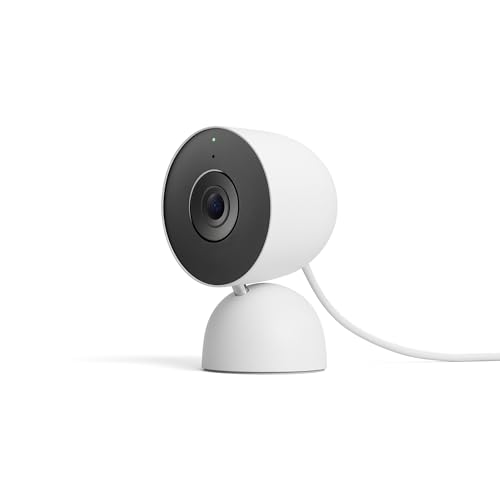
Some households do not want a surveillance system; they want their home to simply be aware, and the wired third-generation Nest Cam Indoor is built for exactly that temperament. Inside a Google Home household it behaves like a native citizen: familiar-face awareness where enabled, intelligent alerts that distinguish a person from a parcel from a pet with class-leading calm, and an app experience polished enough that the least technical member of the family actually uses it. The camera’s design language — soft, domestic, unmistakably not a security prop — lets it live on a living-room shelf without making the room feel monitored.
That polish is a genuine surveillance feature, not a lifestyle garnish. Systems get checked when checking is pleasant, and Nest’s event history, scrubbing and sharing flow are the slickest in this guide, which means clips get reviewed while they can still change a decision. The wired design removes battery anxiety entirely; place it once, on a shelf with a sightline to the door geometry that matters, and it watches with the patience of a utility rather than the appetite of a gadget.
The compromises are ecosystem-shaped and should be weighed honestly. The camera’s best self lives inside Google’s subscription and app orbit, households invested in rival platforms will feel like guests, and there is no pan-and-tilt theatre — the Nest bets on a well-chosen fixed view rather than mechanical curiosity. For a Google-centred home wanting one beautiful, intelligent indoor witness, that bet pays out daily. For a mixed-platform household building a six-camera roster, the Wyze and Tapo picks will integrate more humbly and cost considerably less per room.
There is a demographic truth inside the Nest’s ranking: the family member who checks cameras least is usually the one who needed them most, and this Google’s polish is aimed squarely at that person. Large, legible event previews, sharing that a grandparent can open from a message, and alerts written in sentences rather than codes turn surveillance from one enthusiast’s hobby into a household utility. Systems live or die by their least technical user, and no pick in this guide courts that user more skilfully than this one.
- Role: wired indoor camera for connected smart homes
- Alerts: intelligent person, pet and parcel awareness
- Platform: Google Home native experience
- Power: mains wired, no battery management
- Design: domestic styling for visible living spaces
Strengths
- Alert intelligence that rarely cries wolf
- The most polished app flow in this guide
- Looks like furniture, not equipment
Trade-offs
- Best features live in Google’s subscription orbit
- Fixed view, no pan-and-tilt coverage
- Premium route to covering many rooms
Best for: Google Home households wanting one refined indoor camera that everyone will actually check. Not suited for: multi-platform homes or buyers covering six rooms on a budget.
The Whole House at a Glance: Six Cameras, Side by Side
| Pick | Type | Standout trait | Watch out for |
|---|---|---|---|
| Wyze Cam v4 | Indoor fixed | Colour night vision and local clips | Mains powered, subscription-leaning alerts |
| Blink Outdoor 4 | Outdoor battery | Season-long battery, wire-free | Clip-based, sparing live view |
| eufy Indoor Cam E220 | Indoor pan-tilt | Follows movement across a room | Can face away at a key moment |
| REOLINK Argus PT Ultra | Outdoor pan-tilt | Range and solar-friendly power | Bulky, wants careful zoning |
| TP-Link Tapo C210 | Indoor pan-tilt | Value, local storage, calm app | Good image, not the sharpest |
| Google Nest Cam Indoor | Indoor fixed | Smart alerts and app polish | Google ecosystem commitment |
Read the table by position rather than by rank, because that is how the cameras will actually live. The Wyze and the Nest contest the fixed indoor witness role, one arguing value and local colour night vision, the other arguing intelligence and polish. The eufy and the Tapo contest the moving indoor role, one with tracking ambition, the other with a price that turns deliberation into action. Outdoors, the Blink and the Reolink divide the world by distance: the gate you can see from the kitchen window belongs to Blink, while the boundary you need binoculars for belongs to Reolink.
A sensible starter system for a typical house pairs one pick from each row of that logic: a Wyze or Tapo indoors, a Blink at the approach, and a deliberate decision to leave the remaining positions empty until a real question goes unanswered. Surveillance bought by incident — the camera added after the system fails to see something specific — stays purposeful, while surveillance bought by bundle tends to film a great deal of house and answer very few questions. Grow the roster by evidence, and every camera in it will have a job description.
One pattern emerges when owners of several picks compare notes: the cameras get checked in an order nobody planned. The indoor camera with the calmest alerts becomes the household’s front page, the outdoor sentinel is consulted on demand, and the wide rural view is reviewed like a newspaper — daily, briefly, for anything out of place. When assembling a mixed roster from this table, choose each position’s camera for the checking habit it will actually receive, because a brilliant camera inside an ignored app is a diary nobody opens.
What Mistakes Turn Good Cameras Into Expensive Decorations?
Mounting for the view rather than for the evidence leads the list. A camera placed to admire the whole garden produces footage in which every person is a rumour, while the same camera lowered toward the gate and tightened onto the approach produces identifications. Before fixing any mount permanently, stand where a visitor stands, record a test approach at night, and judge the clip the way a stranger would have to. If the face in that clip could be anyone, the position is wrong no matter how pleasing the daytime panorama looks from the sofa.
Neglecting the boring infrastructure runs a close second. Batteries die unheeded, cards fill silently, routers get replaced and half the cameras never rejoin the network, and the household discovers all of it retrospectively, on the one evening the footage mattered. A five-minute monthly ritual — open each camera, confirm a recent clip exists, glance at power and storage indicators — is the cheapest insurance in this entire guide, and it converts surveillance from an installation into a practice.
The final mistake is social rather than technical: surprising the household. Cameras introduced without conversation get unplugged, angled at walls or quietly resented, and a system at war with its own family records nothing but the conflict. Agree the positions, the schedules and the retention together, give indoor cameras their off-hours, and let guests know a camera watches the porch. Surveillance that everyone understands becomes part of the house’s furniture; surveillance that feels imposed becomes a hobby one person maintains and everyone else sabotages by indifference.
Final Recommendation
Settle the choice by walking your own thresholds rather than by studying this page a second time. Stand at the front door, the gate, the hallway and the far corner of the garden, and ask at each spot what question you would want answered after a bad night. The camera whose compromises never intersect that question is the right camera for that spot, and a house answered spot by spot ends up with a system that feels inevitable rather than accumulated.
If the budget allows only one purchase today, make it the Wyze Cam v4 for the indoor position that worries you most, or the Blink Outdoor 4 if the worry lives outside — each starts a system honestly and teaches the household what it actually needs next. Add the eufy E220 when one room must be covered completely, the Reolink when distance enters the problem, the Tapo when value must stretch, and the Nest when a Google-centred home wants awareness with polish. Surveillance done this way is not paranoia with better marketing; it is a house that can answer questions, calmly, on the rare nights when answers matter.
Related guides
Frequently Asked Questions
Do surveillance cameras need a subscription to be useful?
Not necessarily, and several picks here record locally to a memory card or hub so the core evidence survives without any monthly payment. Subscriptions usually buy longer cloud history, richer alert intelligence and easier sharing. The honest test is retention: decide how far back you might need to reach after an incident, then check whether the free local arrangement reaches that far at your household’s motion levels.
Where is the single best place for a first camera?
The position that covers your main entry at face height, because the front approach generates more real questions — deliveries, visitors, vehicles, the occasional stranger — than every other spot combined. Frame faces rather than panorama, confirm the night clip identifies a volunteer test subject, and only then consider a second camera for the next most questioned threshold.
Can indoor cameras respect a family’s privacy?
Yes, when the household chooses positions, schedules and retention together. Aim indoor cameras at entry geometry rather than living space where possible, use the privacy modes and off-hours the picks provide, keep retention to a rolling window the family agrees on, and give everyone in the home access to the same app view. A system the family governs stays switched on; one imposed on them does not.
How many cameras does a normal house actually need?
Fewer than bundles suggest. Most houses answer their real questions with three: one covering the front approach, one watching the main indoor entry path, and one flexible position for the driveway, garden or garage. Add cameras only when a specific question went unanswered, because every extra lens is another battery, another alert stream and another slice of household attention to maintain.
What matters more, resolution or night vision?
For surveillance evidence, night performance usually wins, because incidents cluster in darkness and a modest-resolution colour clip of a face beats a high-resolution grey blur of one. Resolution earns its keep outdoors at distance, which is why the Reolink’s detail matters in a yard. Indoors and at doors, spend on night rendering and placement before chasing headline numbers.
Should cameras be visible or hidden?
Visible, for almost every household purpose in this guide. A camera a visitor can see deters the opportunistic behaviour most homes actually face, keeps the household honest about its own system, and stays comfortably inside the law and neighbourly custom in most places. Covert recording raises legal and ethical questions that ordinary home security never needs to touch, and none of these picks requires it.
Can one camera watch both a door and a driveway?
Sometimes, from a corner position with a wide view, and the pan-and-tilt picks make the arrangement more forgiving — but width trades against facial detail, and the door is where detail earns its keep. Most households end up happier with a door camera framed tightly and a second, wider view for the drive, added when the budget’s second act begins. Start tight where identity matters; widen later where context matters.
Related Guides
Round out a watchful home with our companion reading on best cameras for indoor surveillance best cameras for your home best cameras for small office.


