The best functional and gaming laptops answer a simple question: why own two laptops when one can do both jobs? A functional gaming laptop is a machine that handles spreadsheets, video calls, and writing during the day, and then plays demanding games in the evening, without looking out of place in either setting. That is what functional means here: a laptop that works hard and plays hard, in the same body, on the same day.
The trick is balance. A pure gaming laptop is fast but loud, heavy, and covered in lights, while a pure work laptop is quiet and light but cannot play modern games. The laptops below sit in the middle: they carry real graphics cards, fast OLED displays, and strong processors, but they are also thin enough, quiet enough, and professional enough to take to work, to class, or to a client meeting.
Every laptop on this list comes from the site’s own product lookup, and every listing was checked in full before it earned a link: the brand and the complete model name had to match exactly, and any listing marked as renewed or used was set aside. The picks cover Lenovo’s Legion line and ASUS’s Zephyrus line, the two families that define this category, so there is a functional gaming laptop here for work, for play, and for both at once.
In this guide
Quick picks: best functional and gaming laptops
| # | Product | Where to buy |
|---|---|---|
| 1 | Lenovo Legion Pro 7i Gen 10 | Check on Amazon |
| 2 | Lenovo Legion 5i | Check on Amazon |
| 3 | Lenovo Legion 5a | Check on Amazon |
| 4 | ASUS ROG Zephyrus G16 | Check on Amazon |
| 5 | ASUS ROG Zephyrus G14 | Check on Amazon |
| 6 | ASUS ROG Zephyrus Duo | Check on Amazon |
How the picks were chosen
Dual-purpose design came first. A laptop earned a place here when its listing described a gaming laptop that is also built for everyday work, with a thin or professional design, a high-quality display, and a strong processor, because the article is about laptops that do both jobs. Pure gaming machines with no concession to work, and pure work machines with no graphics power, were not considered.
The picks were checked for the whole package, not the graphics card alone. A functional gaming laptop is only useful if its display is good for documents as well as games, its keyboard is comfortable for typing as well as playing, and its body is easy to carry, so the display, the keyboard, the size, and the memory and storage were all weighed alongside the graphics card. The list mixes 14, 15, and 16-inch models, and each listing states its specifications plainly so the comparison is honest.
Every listing was verified in full before linking. The brand and the complete model name in the listing had to match the laptop described, including the processor and graphics card and any suffix that changes the model. Listings marked as renewed or used were dropped, and any listing whose title described a different model was set aside even when it looked close at first glance.
Quick comparison
| Product | Standout feature | Best for |
|---|---|---|
| Lenovo Legion Pro 7i Gen 10 | RTX 5080 power with a 240Hz OLED display | demanding work and demanding games in one machine |
| Lenovo Legion 5i | RTX 5070 power with a 15.3-inch OLED display | balanced work and play in a portable size |
| Lenovo Legion 5a | 32GB of memory with an efficient Ryzen chip | heavy multitasking with work and play |
| ASUS ROG Zephyrus G16 | RTX 5080 power in the thinnest flagship here | flagship power in a professional body |
| ASUS ROG Zephyrus G14 | RTX 5080 power in a 14-inch body | flagship power in a compact, portable body |
| ASUS ROG Zephyrus Duo | RTX 5090 power with a dual touchscreen | the most power with a second screen for streaming or work |

Lenovo Legion Pro 7i Gen 10 Gaming Laptop
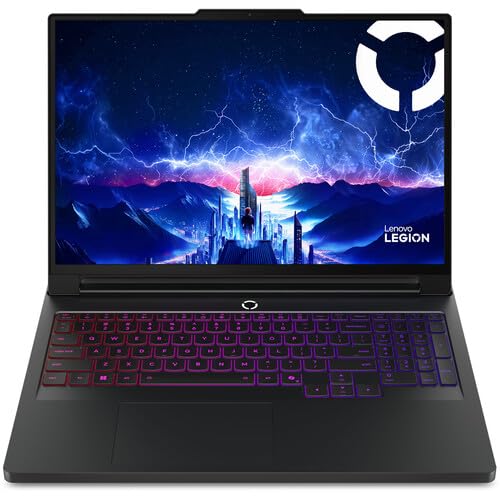
The Lenovo Legion Pro 7i Gen 10 leads this list because its listing describes a laptop that does both jobs at the highest level: an Intel Core Ultra 9 275HX processor, an NVIDIA GeForce RTX 5080 graphics card, a 16-inch OLED display at WQXGA resolution with 500 nits of brightness and a 240Hz refresh rate, 32GB of memory, and a 1TB Gen 5 SSD, running Windows 11 Pro. That is a flagship gaming specification in a machine that is also built for serious work.
The OLED display is the feature that makes this laptop work for both jobs. OLED panels show deep blacks, vivid colours, and sharp text, which makes documents and photos look better during the day, and games look richer in the evening, and the 240Hz refresh rate keeps fast games smooth. The Ultra 9 processor handles heavy work, from video editing to large spreadsheets, without slowing down, and the RTX 5080 plays demanding games at high settings.
For a buyer who wants one laptop that does everything at the highest level, this is the pick. It is the most powerful functional gaming laptop here, and it is priced accordingly, but it shows what the category can be when nothing is compromised.
Key specifications: Intel Core Ultra 9 275HX; NVIDIA GeForce RTX 5080; 16” OLED WQXGA 500 nits 240Hz display; 32GB RAM; 1TB Gen 5 NVMe SSD; Windows 11 Pro.
This laptop fits a buyer who wants one machine for demanding work and demanding games, with no compromises.
Strengths
- An RTX 5080 with an Ultra 9 processor handles games and heavy work together.
- A 16-inch OLED display at 240Hz is superb for work and for play.
- A 1TB Gen 5 SSD and 32GB of memory keep everything fast.
Trade-offs
- It is the most expensive laptop on this list.
- The powerful hardware needs its charger for long gaming sessions.
- A 16-inch flagship is heavier than a thin ultrabook.
The Lenovo Legion Pro 7i Gen 10 suits professionals who game, creators, and buyers who want the best of both worlds.
Best for: demanding work and demanding games in one machine / Not suited for: a light laptop for travel
Check price on Amazon: Lenovo Legion Pro 7i Gen 10

Lenovo Legion 5i Gaming Notebook
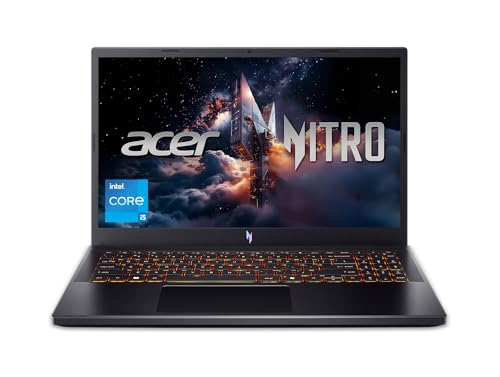
The Lenovo Legion 5i is the balanced pick on this list, and its listing describes a 15.3-inch OLED gaming notebook with a WQXGA 165Hz display, an Intel Core Ultra 7 251HX processor, 16GB of memory, a 1TB SSD, and an NVIDIA GeForce RTX 5070 graphics card, in Eclipse Black. The 15.3-inch size is the sweet spot for a functional laptop: large enough for work and games, small enough to carry, and the OLED display makes both look better.
The RTX 5070 is the right graphics card for this balance. It plays modern games well at the native resolution of the display, without the cost and power draw of the larger cards, and the Ultra 7 processor handles everyday work and heavier tasks without fuss. The 165Hz refresh rate keeps games smooth, and the OLED panel shows the deep blacks and vivid colours that make both documents and games look their best.
For a buyer who wants a functional gaming laptop that does both jobs well without the flagship price, this is the pick. It is the most balanced machine here, and its size, its display, and its graphics card are all chosen for versatility rather than for extremes.
Key specifications: 15.3" OLED WQXGA 165Hz display; Intel Core Ultra 7 251HX; 16GB RAM; 1TB SSD; NVIDIA GeForce RTX 5070; Eclipse Black.
This laptop fits a buyer who wants a balanced laptop for work and play, at a sensible level.
Strengths
- A 15.3-inch OLED display is superb for work and for games.
- An RTX 5070 plays modern games well at native resolution.
- The balanced size is easy to carry and comfortable to use.
Trade-offs
- It is not as powerful as the Pro 7i above.
- The battery will not last a full day of gaming unplugged.
- 16GB of memory is less than the 32GB on the flagship picks.
The Lenovo Legion 5i suits students, professionals who game, and buyers who want one versatile machine.
Best for: balanced work and play in a portable size / Not suited for: the most demanding games at the highest settings
Check price on Amazon: Lenovo Legion 5i

Lenovo Legion 5a Gaming Laptop
The Lenovo Legion 5a is the AMD pick on this list, and its listing describes a 15.3-inch gaming laptop with a WQXGA OLED display at 165Hz, an AMD Ryzen 7 250 processor, a GeForce RTX 5060 graphics card, 32GB of DDR5 memory, a 1TB SSD, Wi-Fi 7, and an RGB backlit keyboard, sold with a portable 500GB drive. The Ryzen processor is the detail that sets this laptop apart for everyday work: AMD’s efficient mobile chips handle light tasks on little power, which makes this the most battery-friendly gaming laptop here for a working day.
The 32GB of memory is the practical advantage of this pick. Thirty-two gigabytes means the laptop can keep a browser full of tabs, a spreadsheet, a video call, and a game open without slowing down, which is exactly how a functional laptop is actually used: many things at once, switching between work and play without closing anything. The OLED display shows work and games beautifully, and the RTX 5060 plays modern games well.
For a buyer who wants a functional gaming laptop with plenty of memory and an efficient processor, this is the pick. It is the best multitasker here, and its AMD efficiency makes it the most practical choice for a laptop that works all day and plays in the evening.
Key specifications: 15.3" WQXGA 165Hz OLED display; AMD Ryzen 7 250; GeForce RTX 5060; 32GB DDR5 RAM; 1TB SSD; Wi-Fi 7; RGB backlit keyboard; portable 500GB drive included.
This laptop fits a buyer who multitasks heavily and wants a functional laptop that works all day and plays in the evening.
Strengths
- 32GB of memory handles many applications and games at once.
- An efficient Ryzen processor sips power during light work.
- The OLED display looks superb for work and for games.
Trade-offs
- The RTX 5060 is less powerful than the 5070 and 5080 above.
- The included portable drive is an extra some buyers may not need.
- It is still a gaming laptop, not an all-day ultrabook.
The Lenovo Legion 5a suits multitaskers, students, and buyers who want plenty of memory and efficient power.
Best for: heavy multitasking with work and play / Not suited for: the most demanding games at the highest settings
Check price on Amazon: Lenovo Legion 5a

ASUS ROG Zephyrus G16 5080 Gaming Laptop
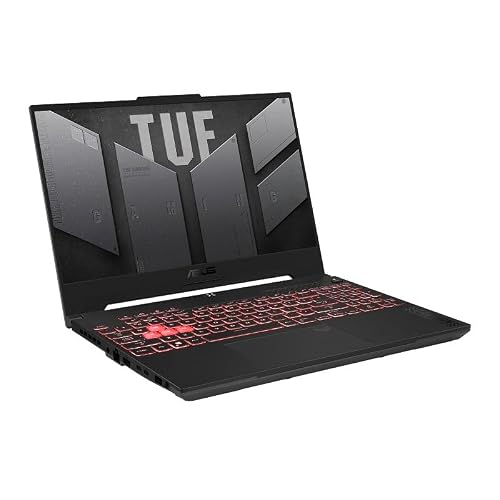
The ASUS ROG Zephyrus G16 is the laptop that defines this category, and its listing describes a 16-inch gaming laptop with a 240Hz OLED display, an Intel Ultra 9-285H processor, 32GB of memory, a 2TB SSD, and a GeForce RTX 5080 graphics card with 16GB of memory, with Wi-Fi 7, Thunderbolt 4, and Windows 11 Pro. The Zephyrus line has always been the gaming laptop you can take to work, and this model is the clearest expression of that idea: flagship power in a thin, professional-looking body.
The thin design is the feature that matters most for the functional question. A Zephyrus is noticeably slimmer and lighter than most gaming laptops with this much power, which means it fits in a normal bag, sits comfortably on a desk, and does not announce itself as a gaming machine in a meeting. The 2.5K Nebula OLED display is bright, sharp, and smooth, which suits both detailed work and fast games, and the 2TB SSD holds a work library and a game library together.
For a buyer who wants flagship gaming power in a laptop that looks and feels like a professional machine, this is the pick. It is the most work-ready gaming laptop here, and it is the one that best answers the question this guide asks.
Key specifications: 16" 240Hz OLED display; Intel Ultra 9-285H; GeForce RTX 5080 16GB; 32GB RAM; 2TB SSD; 2.5K Nebula display; Wi-Fi 7; Thunderbolt 4; Windows 11 Pro.
This laptop fits a buyer who wants flagship gaming power in a laptop that works in a professional setting.
Strengths
- Flagship RTX 5080 power in a thin, professional-looking body.
- A 240Hz OLED display is superb for work and for games.
- A 2TB SSD holds work files and a game library together.
Trade-offs
- It is a premium-priced laptop.
- The thin body means the fans work hard during long gaming sessions.
- The battery will not last a full day of gaming unplugged.
The ASUS ROG Zephyrus G16 suits professionals who game, creators, and buyers who want power without the gaming look.
Best for: flagship power in a professional body / Not suited for: a budget laptop or a light ultrabook
Check price on Amazon: ASUS ROG Zephyrus G16
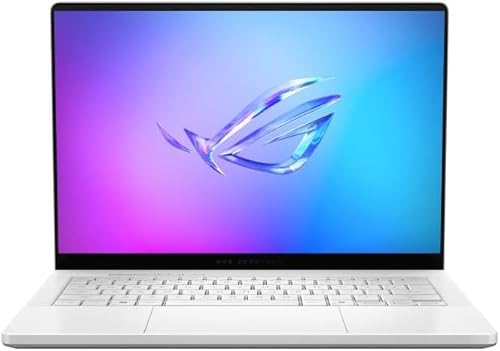
ASUS ROG Zephyrus G14 Gaming Laptop
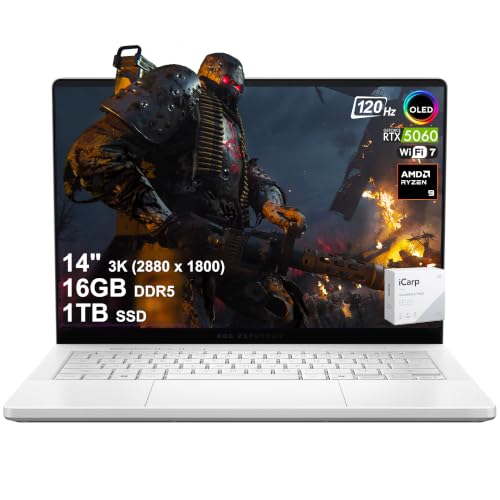
The ASUS ROG Zephyrus G14 is the compact pick on this list, and its listing describes a 14-inch gaming laptop with a 3K OLED display at 120Hz, an AMD Ryzen AI 9 HX 370 processor, an RTX 5080 graphics card, 32GB of memory, a 2TB SSD, and a Copilot+ PC running Windows 11, in Platinum White. A 14-inch laptop with an RTX 5080 is an unusual combination, and it is what makes this the most portable powerful laptop here: flagship graphics in a body that fits in a small bag.
The 14-inch size is the whole point of this pick. A smaller laptop is easier to carry, easier to use on a train or in a café, and less conspicuous in a meeting, and the 3K OLED display keeps the picture sharp despite the smaller screen. The Ryzen AI processor adds AI features for everyday work, and the Copilot+ designation means it is built for the newest Windows AI tools, which suits a buyer who wants a laptop for work as much as for play.
For a buyer who wants the most powerful laptop that still fits in a small bag, this is the pick. It is the most portable machine here by a clear margin, and it proves that a functional gaming laptop does not have to be large to be powerful.
Key specifications: 14" 3K OLED 120Hz display; AMD Ryzen AI 9 HX 370; RTX 5080; 32GB RAM; 2TB SSD; Copilot+ PC; Platinum White.
This laptop fits a buyer who wants flagship power in the smallest, most portable body here.
Strengths
- Flagship RTX 5080 power in a compact 14-inch body.
- A 3K OLED display is sharp and vivid for work and games.
- Copilot+ AI features suit modern everyday work.
Trade-offs
- The 14-inch screen is smaller than the 16-inch picks above.
- The compact body runs warm during long gaming sessions.
- It is a premium-priced laptop.
The ASUS ROG Zephyrus G14 suits travellers, students, and buyers who want power in a small bag.
Best for: flagship power in a compact, portable body / Not suited for: the largest screen available
Check price on Amazon: ASUS ROG Zephyrus G14

ASUS ROG Zephyrus Duo Dual Touchscreen Gaming Notebook
The ASUS ROG Zephyrus Duo closes this list with the most unusual laptop here, and its listing describes a dual touchscreen detachable gaming notebook with a 16-inch 3K OLED display, an Intel Core Ultra 9 386H processor, 32GB of memory, a 1TB SSD, and an NVIDIA GeForce RTX 5090 graphics card, in Stellar Grey. Two touchscreens change how a laptop is used: the second screen can hold chat, controls, notes, or a video call while the main screen shows the game or the work, which is useful for both jobs.
The RTX 5090 is the most powerful graphics card on this list, and it is what makes the Duo the flagship of the functional category as well as the most unusual. A second screen is genuinely useful for a streamer who needs chat visible, a creator who needs tools at hand, or a worker who needs a document open beside a video call, and the 3K OLED main display shows all of it beautifully. The detachable second screen means the laptop can also be used as a conventional single-screen machine when the extra display is not needed.
For a buyer who wants the most powerful and the most unusual laptop here, and who will actually use a second screen, this is the pick. It is a specialist machine with a specialist price, but for the right buyer, a streamer, a creator, or a multitasker, there is nothing else like it on this list.
Key specifications: Dual touchscreen detachable 16" 3K OLED display; Intel Core Ultra 9 386H; 32GB RAM; 1TB SSD; NVIDIA GeForce RTX 5090; Stellar Grey.
This laptop fits a buyer who wants the most powerful machine here and will use a second screen for work or streaming.
Strengths
- An RTX 5090 is the most powerful graphics card on this list.
- A second touchscreen holds chat, tools, or notes beside the main work.
- The detachable design works as a dual-screen or a single-screen laptop.
Trade-offs
- It is the most expensive and most unusual laptop here.
- The second screen adds weight and complexity.
- It is a specialist machine, not the right choice for every buyer.
The ASUS ROG Zephyrus Duo suits streamers, creators, and heavy multitaskers who want two screens in one laptop.
Best for: the most power with a second screen for streaming or work / Not suited for: a simple, conventional laptop
Check price on Amazon: ASUS ROG Zephyrus Duo
Best functional and gaming laptops: what matters most: what matters most
The graphics card decides what games the laptop can play, but it is not the only thing that matters for a functional laptop. An RTX 5080 or 5090 plays anything at high settings, an RTX 5070 plays modern games well, and an RTX 5060 plays them at more modest settings, and the right card depends on the games and the display resolution. A buyer should match the card to the display: a high-resolution OLED panel needs a stronger card than a standard panel, because it has more pixels to fill.
The display decides how the laptop feels for work as well as for games. OLED panels show deep blacks, vivid colours, and sharp text, which makes documents, photos, and video look better during the day, and the high refresh rates on these laptops keep games smooth in the evening. A buyer who works with text and images all day will notice the display more than the graphics card, and the OLED panels on this list are the reason these laptops work so well for both jobs.
Size and weight decide whether the laptop actually leaves the desk. A 14-inch Zephyrus fits in a small bag and works on a train, a 15-inch Legion is the balanced middle, and a 16-inch flagship is a desk machine that can move between rooms. A buyer should choose the size for the life the laptop will actually live: a traveller needs the 14-inch model, a desk worker can take the 16-inch flagship.
The keyboard, the ports, and the battery decide whether the laptop is pleasant to use every day. A comfortable keyboard matters for writing as much as for gaming, enough ports for a mouse, a monitor, and a drive matter for a desk setup, and a battery that lasts through a morning of work matters for a laptop that leaves the charger. The listings on this list state the processor, the memory, and the storage plainly, and a buyer should check those alongside the graphics card.
Buying guide: choosing functional and gaming laptops
Start by deciding how the laptop will be split between work and play. A buyer who works all day and plays a little needs a laptop that is quiet, light, and efficient, with a graphics card that is good enough, while a buyer who plays seriously and works a little needs the strongest graphics card the budget allows. The most expensive mistake in this category is buying a pure gaming laptop for a job that needs a professional machine, or a work laptop for games it cannot play.
Choose the display deliberately. An OLED panel is worth its cost for a buyer who works with text, photos, or video, because it makes all of them look better, and a high refresh rate is worth its cost for a buyer who plays fast games. A buyer who does both should choose the OLED panel first and the refresh rate second, because the panel affects every hour of use while the refresh rate affects only games.
Check the memory and storage before ordering. Thirty-two gigabytes is the right amount for a laptop that keeps many applications and a game open at once, and a 1TB drive fills quickly with modern games, so a buyer who plays many games should prefer a 2TB drive or plan for an external one. The listings state both plainly, and the difference between 16GB and 32GB is noticeable in daily use.
Confirm the size and weight before ordering. A 14-inch laptop fits a small bag, a 16-inch laptop needs a larger one, and the charger for a powerful graphics card is a substantial brick of its own. A buyer should lift the whole package, laptop and charger together, before deciding it is portable enough for the life it will live.
Using and caring for your functional and gaming laptops
Use the laptop’s power modes. Most gaming laptops offer a quiet mode for work and a performance mode for games, and switching between them is the simplest way to make one machine do both jobs well. Quiet mode keeps the fans low and the battery lasting longer during a working day, while performance mode lets the graphics card run at full speed in the evening.
Keep the laptop cool and clean. A thin gaming laptop moves a lot of air to cool its graphics card, and dust builds up in the fans over months, which makes the laptop run hotter and louder. A quick clean with compressed air every few months keeps it running at full speed, and using it on a hard surface that lets air flow underneath helps more than any accessory.
Back up work separately from games. A functional laptop holds both a working life and a game library, and a drive failure hurts twice as much when it takes both. Keep work files in a cloud folder or on an external drive, and keep the game library on the laptop’s own drive, so a failure costs a download, not a career.
Common mistakes to avoid
The most common mistake is buying for the games and forgetting the work. A laptop with the fastest graphics card and the loudest fans is a poor choice for a quiet office or a lecture hall, and a buyer who needs to work in those places should choose a thinner, quieter machine like the Zephyrus line, even if it costs more than a louder alternative.
A second mistake is choosing the smallest screen to save money and then regretting it. A 14-inch laptop is wonderfully portable, but a buyer who works with spreadsheets or video all day will wish for a larger screen, and the 15 or 16-inch models on this list are the better choice for that work. Size should be chosen for the work, not just for the price.
A third mistake is ignoring the battery. A functional gaming laptop will not last a full day of gaming unplugged, and a buyer who expects it to will be disappointed. The battery is for a morning of work, not a day of play, and the charger should be part of the daily carry for any gaming laptop.
Budget and value
Functional gaming laptops cost more than either a pure work laptop or a pure gaming laptop, because they must be good at both jobs. The value question is not which laptop is cheapest, but whether the buyer genuinely needs both jobs in one machine: a buyer who only works should buy a business laptop, a buyer who only plays should buy a gaming laptop, and a buyer who does both should pay the premium for a machine like the ones on this list.
Within the category, the value is in the balance. The Legion 5i and 5a are the best-value picks here, with modern graphics and OLED displays at a sensible level, while the Pro 7i and the Zephyrus G16 are the flagships for a buyer who wants the best of both worlds. The G14 is the pick for portability, and the Duo is the pick for a buyer who will genuinely use a second screen.
Final recommendation
For most buyers, the Lenovo Legion 5i is the best balance in this guide: an RTX 5070, a 15.3-inch OLED display, and a size that works for both the office and the evening, at a sensible level. It does both jobs well without the flagship price, and it is the laptop most buyers in this category should start with.
For the best of both worlds, the ASUS ROG Zephyrus G16 pairs an RTX 5080 with a thin, professional body, and the Legion Pro 7i Gen 10 is the most powerful machine here. For portability, the Zephyrus G14 fits flagship power in a 14-inch body, and for a second screen, the Zephyrus Duo is unmatched. Whichever fits the work and the play, the important thing is the same: one laptop, two jobs, and no compromises that matter.
Frequently asked questions
What is a functional gaming laptop?
It is a laptop that handles everyday work and serious gaming in one machine. It carries a real graphics card and a good display for games, but it is also thin, quiet, and professional enough to take to work, to class, or to a meeting.
Can one laptop really do both work and gaming well?
Yes, when it is chosen for both jobs. The laptops on this list pair dedicated graphics cards with high-quality OLED displays and strong processors, so they play modern games well and handle documents, video calls, and creative work properly.
Are functional gaming laptops good for work?
Yes. The Legion and Zephyrus laptops on this list have strong processors, plenty of memory, and sharp OLED displays that suit documents, spreadsheets, and creative work, and their professional designs fit an office or a classroom.
Do functional gaming laptops last all day on battery?
No, not for gaming. They last a morning of light work unplugged, but gaming drains the battery quickly, and these laptops are built to be plugged in for long gaming sessions. A buyer who needs all-day battery should choose a business laptop instead.
Is a 14-inch gaming laptop too small?
It depends on the work. A 14-inch laptop is wonderfully portable and its 3K display is sharp, but a buyer who works with large spreadsheets or video all day may prefer a 15 or 16-inch screen. The size should be chosen for the work, not just for portability.
Should I buy a laptop with a second screen?
Only if the second screen will actually be used. A streamer who needs chat visible, or a creator who needs tools at hand, will benefit from the Zephyrus Duo, but a buyer who will not use the second display should choose a simpler laptop instead.
One laptop or two? Deciding whether a functional gaming laptop fits your life
The question behind this guide is whether one laptop can really do two jobs, and the honest answer is that it can, when the two jobs are balanced. A buyer who works during the day and plays in the evening, who needs a professional-looking machine for meetings and a powerful one for games, is exactly who these laptops are for. The Legion and Zephyrus models on this list are built for that life, and they do it well enough that most buyers in this category never miss a second machine.
The buyers who should not choose one laptop are the ones whose two jobs pull in opposite directions. A buyer who travels every day and plays the most demanding games needs a light laptop and a powerful one, and no single machine is both at once. A buyer who works with sensitive data and plays competitively may prefer to keep work and play separate for security and for focus. In those cases, a light business laptop and a desktop gaming machine, or a gaming laptop and a cheap work laptop, is the better answer.
The practical test is simple: imagine a typical week, count the hours spent working and the hours spent playing, and ask which job the laptop must do well and which it must only do adequately. If both answers are well, a functional gaming laptop is the right choice, and the Legion 5i or the Zephyrus G16 is the place to start. If one answer is well and the other is barely, a specialised machine for the important job, and a cheaper machine for the other, will serve better than one laptop trying to do everything.
Displays, keyboards, and the everyday experience
The display is the part of a functional gaming laptop that affects every hour of use, and the OLED panels on this list are the reason these laptops work so well for both jobs. Text is sharp, colours are vivid, and blacks are truly black, which makes documents easier to read and games more immersive, and the high refresh rates keep everything smooth. A buyer who spends all day looking at a screen should choose the display first and the graphics card second, because the display is what the eyes actually see.
The keyboard is the second everyday detail that separates a good functional laptop from a merely powerful one. A comfortable keyboard with good travel and a sensible layout matters for writing as much as for gaming, and the Legion and Zephyrus laptops on this list are built with that in mind. A buyer should try the keyboard before committing, if possible, because a laptop that is unpleasant to type on will be unpleasant every day, however fast its graphics card is.
More guides from KajuanDouglas
lightweight laptops for gaming laptops for light gaming sleek gaming laptops gaming laptops for Minecraft