The best student laptops with Microsoft Office solve the one cost students forget to budget for: the software. A laptop is only half the purchase if Word, Excel and PowerPoint then need a subscription or a separate licence, and the laptops in this guide include Microsoft Office in the listing, either as a lifetime licence or as a Microsoft 365 subscription, so the total cost is clear from day one. This guide covers seven of them, from a budget ASUS to a high-memory Dell, and every pick was chosen from the site own product lookup, with the brand, the model and the Office inclusion checked against the listing.
A student laptop has a different job from a general laptop. It must survive a bag, a lecture hall and a library, run all day on battery, and handle the actual work of a degree: essays, spreadsheets, slides, research tabs and video calls, often all at once. The guide below sorts the seven picks by what they do best, so the right choice depends on the course, the budget and how much the student carries every day.
In this guide
Quick picks: best student laptops with microsoft office
| # | Product | Where to buy |
|---|---|---|
| 1 | HP Omnibook 3 laptop | Check on Amazon |
| 2 | Dell Inspiron 15 3530 laptop | Check on Amazon |
| 3 | ASUS Vivobook Go 15 laptop | Check on Amazon |
| 4 | ASUS Vivobook 14 laptop | Check on Amazon |
| 5 | Lenovo IdeaPad Slim 3i laptop | Check on Amazon |
| 6 | Acer Aspire Go 15 laptop | Check on Amazon |
| 7 | Dell Inspiron 15 touch laptop | Check on Amazon |
How the picks were chosen
Every laptop in this guide was picked from the site own product lookup, and each one had to clear three checks. First, it had to be a genuine laptop of the correct type, not a tablet, a Chromebook or an accessory sold as a laptop. Second, the brand and the model had to match the listing, including the processor and the screen size where the listing names them, so an Inspiron 15 3530 is never confused with another Inspiron. Third, the listing had to state that Microsoft Office is included, either as a lifetime licence or as a Microsoft 365 subscription, and the guide says which one each pick carries.
The picks were then sorted by use case rather than by price. A budget laptop earns its place by covering the basics at the lowest cost; a performance laptop earns its place by handling heavy coursework; a portable laptop earns its place by being carried every day. Specifications were taken from the listing titles, and any claim that could not be verified was left out of the recommendation.
Quick comparison
| Product | Standout feature | Best for |
|---|---|---|
| HP Omnibook 3 | 16-inch 2K touchscreen, lifetime Office | A large-screen laptop with Office for life |
| Dell Inspiron 15 3530 | Core i7-1355U, 16GB, 1TB, lifetime Office 2024 | Demanding coursework |
| ASUS Vivobook Go 15 | N150, 12-month Microsoft 365 | The tightest budget |
| ASUS Vivobook 14 | Core i3-1315U, 16GB, lifetime Office | Portable 14-inch with memory |
| Lenovo IdeaPad Slim 3i | 15.6-inch FHD, Office included | Dependable mainstream pick |
| Acer Aspire Go 15 | 8-core N355, 16GB, Office included | Multitasking value |
| Dell Inspiron 15 | Core i5-1334U, 64GB, 4TB, lifetime Office | Buy once, never upgrade |

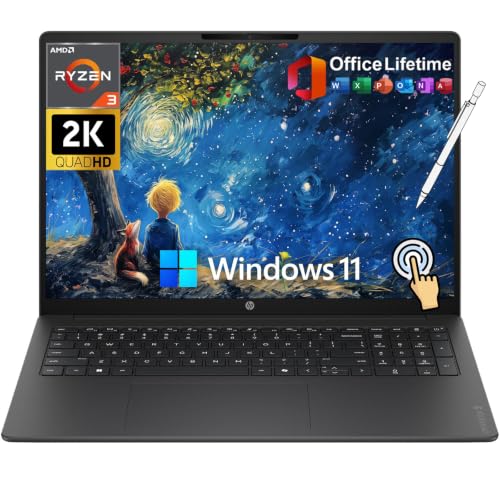
HP Omnibook 3 AI Laptop with Lifetime MS Office, 16-Inch 2K Touchscreen
The HP Omnibook 3 is the strongest all-round pick in this guide, because it bundles the two things a student actually needs: a large 16-inch 2K touchscreen and a lifetime Microsoft Office licence, as the listing states. The AMD Ryzen 3 processor, 8GB of RAM and a 512GB SSD cover essays, spreadsheets, video calls and research tabs without strain, and the touchscreen makes annotating documents and sketching diagrams feel natural. For a student who wants to buy once and stop thinking about software licences, the lifetime Office inclusion is the deciding feature, and the large bright display is the one that will be appreciated every single day.
Key specifications: 16-inch 2K touchscreen display; AMD Ryzen 3 processor; 8GB RAM; 512GB SSD; lifetime MS Office included; Wi-Fi 6; Windows 11.
In a student day the Omnibook 3 moves from lectures to the library to the dorm room without complaint. Word and Excel open with the licence already included, so there is no subscription to renew and no campus licence to chase, and the touchscreen is genuinely useful for marking up lecture slides and signing forms. The 16-inch screen is large enough to keep two documents side by side, which is how most coursework actually gets written.
Unbox it, connect to Wi-Fi, sign in to Windows, and open any Office app to confirm the included licence is active. Run Windows Update once, set up OneDrive for coursework backup, and the laptop is ready for the term. Keep the charger in the bag, because the large screen and the touchscreen both draw power through a long day.
Strengths
- A lifetime Microsoft Office licence is included, so there is no subscription to renew.
- The large 16-inch 2K touchscreen suits split-screen writing and annotating slides.
- A balanced specification that covers coursework, calls and research without strain.
Trade-offs
- The Ryzen 3 processor is an entry-level chip, so heavy video editing or large data work will be slow.
- A 16-inch laptop is heavier in a bag than a 14-inch one, which matters on a long walk across campus.
- 8GB of RAM is enough for coursework but leaves little headroom for many open tabs.
This laptop fits a student who wants a large-screen machine with Office included for the life of the laptop, and who values the touchscreen for annotating and reading.
Best for: a large-screen student laptop with lifetime Office / Not suited for: heavy video editing or data work on a student budget
Check price on Amazon: HP Omnibook 3 laptop
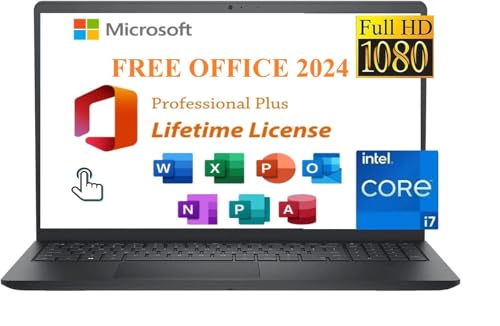
Dell Inspiron 15 3530 Laptop, Intel Core i7-1355U, Lifetime Office 2024
The Dell Inspiron 15 3530 is the performance pick of this guide, pairing an Intel Core i7-1355U processor with 16GB of RAM, a 1TB SSD and a lifetime Office 2024 licence, as the listing states. The 15.6-inch full HD touchscreen adds a way to tap, scroll and annotate, and the specification is a clear step above the entry-level laptops here, which shows up in multitasking, large spreadsheets and research with dozens of tabs open. For a student whose coursework involves data, code or design files alongside the usual essays, this is the laptop that will not slow down in the second year.
Key specifications: 15.6-inch FHD touchscreen; Intel Core i7-1355U; 16GB RAM; 1TB SSD; Microsoft Lifetime Office 2024; Windows 11 Pro; Wi-Fi 6.
Day to day the Inspiron 3530 is the machine that handles everything at once: Word, a browser full of research tabs, a video call and a spreadsheet, without the fan working hard or the system stuttering. The 1TB SSD means the whole degree fits on the laptop, including lecture recordings and project files, and the touchscreen is useful for quickly scrolling a long document or signing a form.
Sign in to Windows, open an Office app to confirm the included lifetime Office 2024 licence, and run Windows Update. Set up OneDrive or another backup for coursework, and check the touchscreen calibration if the taps feel off. The laptop is ready for the term after that first update.
Strengths
- A Core i7 processor with 16GB of RAM and a 1TB SSD handles heavy multitasking easily.
- Lifetime Office 2024 is included, so the software cost is settled from day one.
- The touchscreen and Windows 11 Pro add flexibility for coursework and calls.
Trade-offs
- It is a full-size 15.6-inch laptop, so it is heavier than the 14-inch picks here.
- The battery life is ordinary for the class, so the charger should travel in the bag.
- The design is practical rather than premium, with a plastic chassis.
This laptop fits a student who needs real performance for data, code or design work, with Office included for life and storage for the whole degree.
Best for: demanding coursework with lifetime Office included / Not suited for: a buyer who wants the lightest laptop for a long walk
Check price on Amazon: Dell Inspiron 15 3530 laptop

ASUS Vivobook Go 15 Laptop, Intel N150, 12-Month Microsoft 365
The ASUS Vivobook Go 15 is the budget pick, and it is honest about what it is: a light, affordable 15.6-inch laptop with an Intel N150 processor, 4GB of RAM and 128GB of storage plus a terabyte of OneDrive, with a 12-month Microsoft 365 subscription included, as the listing states. It covers the core student jobs, writing, browsing, email and video calls, at the lowest outlay in this guide, and the included year of Microsoft 365 means Word, Excel and PowerPoint are covered for the first two terms. For a student on a tight budget who needs a working laptop now, this is the sensible starting point.
Key specifications: 15.6-inch FHD laptop; Intel N150 processor; 4GB RAM; 128GB SSD plus 1TB OneDrive; 12-month Microsoft 365 included; Windows 11 Pro; Wi-Fi 6.
In daily student use the Vivobook Go 15 does the basics well: documents open quickly, the browser handles research, and video calls run smoothly. The 128GB of local storage is small, so coursework should live in the included OneDrive, and the 4GB of RAM means keeping the tab count modest. For lectures, essays and email, that is enough, and the laptop is light enough to carry all day.
Sign in, activate the included 12-month Microsoft 365 subscription, and set OneDrive to sync the coursework folders, because the local storage is limited. Run Windows Update, then keep the tab count reasonable and the laptop will stay responsive through the term.
Strengths
- The lowest-cost route to a working student laptop with Office included.
- A 12-month Microsoft 365 subscription covers Word, Excel and PowerPoint for the first year.
- Light and portable, so it is easy to carry between lectures.
Trade-offs
- 4GB of RAM and 128GB of storage limit heavy multitasking and local files.
- The Microsoft 365 inclusion lasts 12 months, so the second year needs a renewal or a licence.
- The N150 processor is an entry-level chip and will feel slow with demanding software.
This laptop fits a student on the tightest budget who needs a working laptop with Office for the first year, and who is willing to keep files in the cloud.
Best for: a first student laptop on the tightest budget / Not suited for: heavy multitasking or large local file collections
Check price on Amazon: ASUS Vivobook Go 15 laptop

ASUS Vivobook 14 Laptop, Intel Core i3-1315U, Lifetime MS Office
The ASUS Vivobook 14 is the portable pick, pairing a 14-inch full HD display with an Intel Core i3-1315U, 16GB of RAM, a 512GB SSD and a lifetime Microsoft Office licence, as the listing states. The 14-inch size is the sweet spot for carrying: large enough to write on comfortably, small enough to fit in any bag and to use on a crowded lecture desk. The 16GB of RAM is the standout detail at this size and price, because it keeps the machine responsive with many tabs and applications open, which is exactly how students actually work.
Key specifications: 14-inch FHD laptop; Intel Core i3-1315U; 16GB RAM; 512GB PCIe SSD; lifetime MS Office included; Windows 11 Pro.
On campus the Vivobook 14 earns its keep by being the laptop that is always there: light enough to carry to every lecture, with a battery that lasts a teaching day and a screen that is comfortable for hours of writing. The 16GB of RAM means the browser, Word and a video call can run together without the machine slowing down, and the 512GB SSD holds the degree without needing an external drive.
Sign in to Windows, open an Office app to confirm the lifetime licence, and run Windows Update. Set up a backup for coursework, and the laptop is ready; the 14-inch size needs no special setup, and the machine is comfortable on a lecture desk from the first day.
Strengths
- A portable 14-inch size that fits any bag and any lecture desk.
- 16GB of RAM keeps multitasking smooth, which is rare at this size and price.
- Lifetime Microsoft Office is included, so the software is settled.
Trade-offs
- The Core i3 processor is a mid-range chip, so heavy rendering or large data work will be slow.
- The 14-inch screen is smaller for split-screen work than the 15.6-inch and 16-inch picks.
- The speakers are adequate rather than impressive for video calls in a noisy room.
This laptop fits a student who carries the machine everywhere and wants a portable 14-inch laptop with plenty of memory and Office for life.
Best for: a portable 14-inch student laptop with 16GB of RAM / Not suited for: split-screen work that needs a large display
Check price on Amazon: ASUS Vivobook 14 laptop

Lenovo IdeaPad Slim 3i Laptop, Microsoft Office Included, 15.6-Inch FHD
The Lenovo IdeaPad Slim 3i is the dependable mainstream pick, a 15.6-inch full HD laptop with Microsoft Office included, as the listing states, in the slim chassis that has made the IdeaPad line a campus staple. It pairs an Intel processor with 8GB of DDR5 memory, a 128GB SSD and a terabyte of cloud storage, and it runs Windows 11 with the Office apps ready to go. For a student who wants a known brand, a comfortable keyboard and a laptop that simply works from the first day, the Slim 3i is the safe choice, and the slim design keeps it easy to carry.
Key specifications: 15.6-inch FHD laptop; Intel processor; 8GB DDR5 RAM; 128GB SSD plus 1TB cloud storage; Microsoft Office included; Windows 11.
In student life the Slim 3i is the machine that does the ordinary jobs well: essays in Word, slides in PowerPoint, research in the browser and calls on video. The keyboard is comfortable for long typing sessions, which matters more than any single specification over a three-year degree, and the 15.6-inch screen is large enough for split-screen writing without the weight of a 16-inch machine.
Sign in, open an Office app to confirm the included Microsoft Office, and set the cloud storage to sync the coursework folders, because the local SSD is small. Run Windows Update once, and the laptop is ready for lectures.
Strengths
- Microsoft Office is included, so the student apps are ready from day one.
- A comfortable keyboard and a slim 15.6-inch chassis suit long typing sessions.
- A known, dependable brand with a long history on campus.
Trade-offs
- 128GB of local storage is small, so coursework should live in the cloud.
- 8GB of RAM limits heavy multitasking with many tabs open.
- The specification is mainstream rather than standout, with no single headline feature.
This laptop fits a student who wants a dependable, comfortable mainstream laptop from a known brand, with Office included and a keyboard built for long essays.
Best for: a dependable mainstream student laptop with Office included / Not suited for: heavy multitasking or large local storage needs
Check price on Amazon: Lenovo IdeaPad Slim 3i laptop

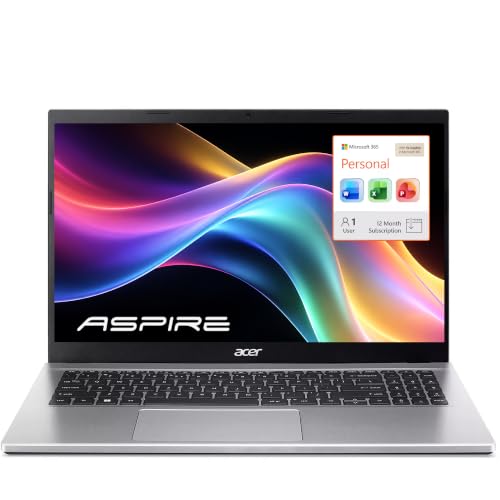
Acer Aspire Go 15 Slim Laptop, Intel Core 3 N355, Microsoft Office
The Acer Aspire Go 15 is the modern budget pick, pairing an 8-core Intel Core 3 N355 processor with 16GB of RAM, a 256GB SSD and Microsoft Office, as the listing states, in a slim 15.6-inch chassis. The eight cores help with multitasking, and the 16GB of memory is generous for the price, which together make this laptop feel faster than its cost suggests. Copilot AI is built in, and the full HD display is comfortable for a day of writing and research. For a student who wants the most memory and the most cores for the money, this is the pick.
Key specifications: 15.6-inch FHD display; 8-core Intel Core 3 N355; 16GB RAM; 256GB SSD; Microsoft Office included; Copilot AI ready; Windows 11 Home; Wi-Fi 6.
Day to day the Aspire Go 15 handles the student workload with room to spare: Word, a browser full of tabs, a video call and a spreadsheet can run together, and the eight-core processor keeps the machine responsive when the work piles up. The 256GB SSD is enough for the system and the current term, with the cloud handling the archive, and the slim chassis keeps it portable.
Sign in to Windows, open an Office app to confirm the included Microsoft Office, and set up cloud sync for coursework, because the 256GB SSD will fill up over a degree. Run Windows Update, and the laptop is ready for the term.
Strengths
- An 8-core processor with 16GB of RAM gives strong multitasking for the price.
- Microsoft Office is included, so the student apps are ready immediately.
- A slim 15.6-inch chassis keeps it portable for daily campus use.
Trade-offs
- 256GB of storage will need cloud backup over a full degree.
- The Core 3 N355 is an efficient chip rather than a performance one, so heavy rendering will be slow.
- The display is standard full HD, with no touchscreen or high refresh rate.
This laptop fits a student who wants the most cores and memory for the money, with Office included and a slim chassis for daily carrying.
Best for: strong multitasking value with Office included / Not suited for: large local storage or heavy rendering work
Check price on Amazon: Acer Aspire Go 15 laptop

Dell Inspiron 15 FHD Touch Laptop, Intel Core i5-1334U, Lifetime MS Office
The Dell Inspiron 15 in this listing is the high-memory pick, pairing a 13th-generation Intel Core i5-1334U with 64GB of RAM and a 4TB SSD in the configuration listed, plus Windows 11 Pro, a lifetime Microsoft Office licence and a 15.6-inch full HD touch display, as the listing states. That is far more memory and storage than any student needs today, which is exactly the point: the machine will not run out of either during a degree, and the touch display adds a way to scroll, tap and annotate that a standard screen cannot. For a student who wants to buy once and never think about upgrades, this is the most future-proof pick in the guide.
Key specifications: 15.6-inch FHD touch display; Intel Core i5-1334U; 64GB RAM; 4TB SSD in the listed configuration; Windows 11 Pro; lifetime MS Office; Copilot AI.
In use the Inspiron 15 is the machine that never says no: dozens of browser tabs, a virtual machine for a computing course, large datasets for a dissertation and a video call can all run at once, and the 4TB of storage holds every lecture recording, project file and media collection the degree produces. The touch display is useful for scrolling long documents and marking up slides, and Windows 11 Pro adds features that computing students will appreciate.
Sign in to Windows, open an Office app to confirm the lifetime Microsoft Office licence, and run Windows Update. Set up a backup for the coursework, even with 4TB of storage, because a backup protects against loss rather than running out of space, and the laptop is ready.
Strengths
- Enormous memory and storage in the listed configuration, so upgrades are unnecessary.
- Lifetime Microsoft Office is included, and Windows 11 Pro adds useful features.
- The touch display adds scrolling and annotating that a standard screen lacks.
Trade-offs
- The listed configuration costs more than the other picks, which matters on a student budget.
- 64GB of RAM and 4TB of storage are more than most students will ever use.
- It is a full-size 15.6-inch laptop, so it is heavier than the 14-inch picks.
This laptop fits a student who wants to buy once and never upgrade, with memory and storage to spare for the whole degree and Office for life.
Best for: a buy-once laptop with memory and storage to spare / Not suited for: the tightest student budget
Check price on Amazon: Dell Inspiron 15 touch laptop
Best Student Laptops with Microsoft Office: What Matters Most
Start with the Office licence, because it is the point of this guide. A lifetime licence means the apps keep working for the life of the laptop with no renewal, while a 12-month Microsoft 365 subscription covers the first year and then needs a renewal or a campus licence. The HP Omnibook 3, both Dell picks, the ASUS Vivobook 14 and the Acer carry a lifetime licence in the listing; the ASUS Vivobook Go 15 carries a 12-month subscription, which is fine for a first-year laptop but worth knowing before buying.
Next, match the memory and storage to the course. 8GB of RAM and 128GB of storage cover essays and browsing, but a course with large datasets, virtual machines or design files needs 16GB and 512GB or more, which is why the Dell Inspiron 3530 and the Acer Aspire Go 15 stand out. A student should also check whether the course needs Windows 11 Pro, which the Dell and ASUS picks carry, or whether Windows 11 Home is enough.
Then consider the screen and the weight. A 14-inch laptop is easier to carry and fits any lecture desk, while a 15.6-inch or 16-inch screen is better for split-screen writing and long reading sessions. Touchscreens add a way to annotate slides and scroll documents, which the HP Omnibook 3 and both Dell picks offer, and they are worth having for courses with heavy reading.
Finally, think about the battery and the charger. A laptop that lasts a teaching day without the charger is worth more than a faster laptop that dies at lunchtime, and the charger should be light enough to carry without noticing it. The picks here are all-day machines for normal coursework, but the larger screens and the touch displays draw more power, so the charger should travel in the bag regardless.
The keyboard deserves attention too, because it is the part of the laptop a student touches for hours every day. A comfortable keyboard with good travel and a sensible layout makes long essays far less tiring, while a cramped or mushy keyboard will be regretted by the second week of term. The Lenovo IdeaPad line is known for its keyboards, and the Dell and HP picks here are comfortable for the same reason: they were designed for people who type all day.
Buying guide: choosing student laptops with microsoft office
Check the Office inclusion in the listing before ordering. The listing should name Microsoft Office or Microsoft 365 explicitly, and it should say whether it is a lifetime licence or a subscription, because the two are very different over three years. A laptop that merely says Office compatible or Office ready does not include a licence, and the guide only recommends picks whose listings state the inclusion.
Do not buy a laptop for a specification the course does not need. A student writing essays needs memory and a good keyboard more than a fast processor, while a computing or design student needs the processor and the storage. Match the laptop to the course, and the money will go further than buying the fastest machine on the page.
Mind the model number, especially with Dell and Lenovo. The Inspiron 15 3530 is a specific model with a specific processor, and a different Inspiron 15 with a different processor is a different laptop. The model name in the listing, including every number, is the product, and the performance follows it exactly.
Plan the backup on day one. Coursework is the one thing that cannot be replaced, and a laptop with a small SSD needs its files in the cloud from the start. Set up OneDrive or another backup before the first essay is written, and check that it is actually syncing, because a backup that was never turned on is no backup at all.
Finally, check the warranty and the support options before buying. A student laptop is carried daily, dropped occasionally and used hard, and a warranty that covers accidental damage is worth more than a faster processor for most students. Keep the receipt and the serial number somewhere safe, and know where the nearest service point is before the laptop is needed for an exam.
Using and caring for your student laptops with microsoft office
Keep the laptop clean and the vents clear, because a student laptop lives in bags, lecture halls and libraries. A soft cloth for the screen and a gentle brush for the keyboard once a week is enough, and the vents should never be blocked by a cushion or a blanket while the machine is running. Heat is the main enemy of a laptop that is carried everywhere.
Update Windows and Office when prompted, and keep the battery between 20 and 80 percent when the laptop will sit unused for a while. A laptop that is left plugged in for months at full charge will lose battery capacity faster than one that is used normally, so unplug it occasionally and let it run on battery.
Common mistakes to avoid
The most common mistake is buying a laptop with too little storage and discovering it in the second term. A 128GB drive fills up fast with lecture recordings and project files, and the fix is either an external drive or a cloud subscription that was not in the budget. Buy the storage the degree needs, or plan the cloud backup from day one.
A second mistake is confusing a Microsoft 365 subscription with a lifetime licence. The subscription stops working when it expires, and the student who assumed Office was included for life can lose access to their documents at the worst moment. Read the listing, note which one it is, and set a reminder for the renewal date.
A third mistake is choosing the cheapest laptop for a demanding course. A budget laptop is fine for essays, but a computing, engineering or design course needs the memory and the processor to run its software, and a machine that cannot run the course software is a false economy that costs more in the end.
Budget and value
The value pick in this guide is the ASUS Vivobook Go 15, which puts a working laptop with a year of Microsoft 365 in the bag for the smallest outlay, and the Acer Aspire Go 15, which gives eight cores and 16GB of memory for not much more. Both prove that a student laptop with Office does not need a premium budget, and either one covers the first year comfortably.
The middle of the guide, the Lenovo IdeaPad Slim 3i and the ASUS Vivobook 14, trades a little more money for a better keyboard, more memory and a lifetime Office licence, which is the better value over three years. The top, the Dell Inspiron 3530 and the HP Omnibook 3, is for students whose courses demand performance or a large touchscreen, and the high-memory Dell is for the student who wants to buy once and never upgrade.
Final recommendation
If one laptop has to win this guide, it is the ASUS Vivobook 14, because it is the pick that balances everything a student needs: a portable 14-inch size, 16GB of memory for real multitasking, a 512GB SSD, and a lifetime Microsoft Office licence, so the software is settled for the whole degree. It is the laptop that will be carried every day and will still be fast in the final year, which is the real measure of a student laptop.
For a large screen and a touchscreen, the HP Omnibook 3 is the pick, and for demanding coursework the Dell Inspiron 15 3530 is the one. Whichever laptop is chosen, confirm the Office inclusion in the listing, check that the licence is active on the first day, and set up a backup before the first essay is written.
Frequently asked questions
Does Microsoft Office included mean a lifetime licence?
Not always. Some laptops in this guide carry a lifetime Microsoft Office licence, which keeps working for the life of the laptop, while others carry a 12-month Microsoft 365 subscription, which needs renewal after a year. The listing for each pick names which one it carries, and the guide says so for every laptop recommended.
Can I use a campus Office licence instead?
Yes, many universities provide Microsoft 365 to students, and a campus licence can cover the software even on a laptop that does not include one. The laptops in this guide include Office so the student does not have to rely on the campus licence, which can expire after graduation or change without notice.
How much RAM does a student laptop need?
8GB is enough for essays, browsing and video calls, while 16GB is better for multitasking, large spreadsheets, code and design work. The picks in this guide range from 4GB on the budget ASUS to 64GB on the high-memory Dell, and 16GB is the sweet spot for most students over a three-year degree, with room to spare.
Is a touchscreen useful for a student?
It helps for annotating lecture slides, scrolling long documents and signing forms, and it is genuinely useful in courses with heavy reading. It is not essential, and a standard screen is fine for writing, but the touchscreen picks in this guide add the feature without a large price premium.
Should a student buy a laptop with a small SSD?
Only with a cloud backup plan. A 128GB SSD fills up fast with lecture recordings and project files, so coursework should sync to OneDrive or another cloud service from day one. A 512GB or 1TB SSD is more comfortable for a full degree, and the picks here cover both options for every budget.
More guides from KajuanDouglas
low cost laptops laptops for college business majors business laptops for art students