The best student laptops for speed and memory share one trait: 16GB of RAM. That amount of memory is the line between a laptop that keeps up and one that slows down when a browser has a dozen tabs open, a document is being written, and a video call is running at the same time. A student laptop with 16GB of RAM and an SSD does not feel fast in a dramatic way; it feels fast in the ordinary way, by never getting in the way of the work.
This guide compares six 16GB laptops that suit study: one Acer model, two HP models, and three Lenovo IdeaPads covering a range of processors, screens, and storage. Every pick has 16GB of memory and an SSD, verified against its product listing, and each one is judged on the same question: will it keep a student working smoothly through a term of essays, research, and video calls?
Speed for a student is not about the fastest processor on the market. It is about a laptop that starts quickly, switches between applications without pausing, and lasts through a day of lectures. Memory matters more than raw processor speed for that kind of work, which is why this guide requires 16GB in every pick, and why the storage, the screen, and the battery life get as much attention as the processor.
In this guide
Quick picks: best student laptops for speed and memory
| # | Product | Where to buy |
|---|---|---|
| 1 | Acer Aspire Lite 15 laptop with 16GB RAM | Check on Amazon |
| 2 | HP 15.6-inch laptop with 16GB RAM | Check on Amazon |
| 3 | Lenovo IdeaPad Slim 3 2025 with Ryzen 7 | Check on Amazon |
| 4 | Lenovo IdeaPad 1i with Core i5 | Check on Amazon |
| 5 | Lenovo IdeaPad with Core i5-1335U | Check on Amazon |
| 6 | HP Everyday Laptop with 16GB RAM | Check on Amazon |
How the picks were chosen
The shortlist was built from product listings for student laptops with 16GB of RAM, then narrowed to six models that each show 16GB of memory and an SSD in the listing. Listings with 8GB of RAM or with no memory stated were left out, and listings that turned out to be a different product were excluded. Each pick was checked against its listing for the processor, the memory, the storage, the screen, and the features quoted in this guide.
Each laptop was judged on the balance of speed and memory for study work. A laptop earned a place by having 16GB of RAM, an SSD for fast starting, and a processor that suits study rather than gaming. The result is a shortlist where the differences are real and useful: a touchscreen or an anti-glare screen, 128GB or 512GB of storage, a larger screen or a longer battery life.
The six laptops cover the main ways students work. The Acer and HP models with Office included suit a student who wants the software ready on day one, the Lenovo IdeaPads suit a student who wants a faster processor or more storage, and the HP Everyday Laptop suits a student who wants the newest model with a long battery life. Buyers who know how they study can pick from the shortlist in minutes.
Quick comparison
| Product | Standout feature | Best for |
|---|---|---|
| Acer Aspire Lite 15 Laptop | 16GB RAM with Office 365 included | students who want 16GB of memory and Office included for everyday study |
| HP 15.6-inch Business and Home Laptop | 16GB RAM with 1TB cloud storage | desk and library study with a large screen and 16GB of memory |
| Lenovo IdeaPad Slim 3 Laptop 2025 | Ryzen 7 5825U, 8 cores, touchscreen | students who want the fastest multitasking and a touchscreen |
| Lenovo IdeaPad 1i Laptop | Core i5-1235U with 512GB SSD | students who want 512GB of storage with 16GB of memory |
| Lenovo IdeaPad Laptop with Core i5-1335U | Core i5-1335U, 10 cores, anti-glare display | long reading and writing sessions under bright lights |
| HP Everyday Laptop | 16GB RAM, 256GB SSD, 2026 edition | full lecture days and buyers who want a current model with long battery life |

Acer Aspire Lite 15 Laptop
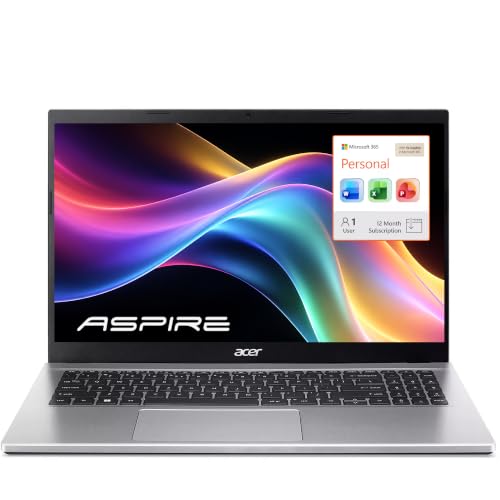
The Acer Aspire Lite 15 is a 15.6-inch laptop with 16GB of RAM, a 128GB SSD, 1TB of cloud storage, and Office 365 included, built around an Intel 4-core processor and a 15.6-inch Full HD display. The 16GB of memory is the point for this guide: it keeps the laptop responsive when a browser has a dozen tabs open, a document is being written, and a video call is running at the same time.
Key specifications: 16GB RAM; 128GB SSD; 1TB cloud storage; Office 365 included; Intel 4-core processor; 15.6-inch FHD display (1920 x 1080).
In daily student use, the Aspire Lite 15 covers the ordinary work that fills a term: essays in Word, research in the browser, slides for a presentation, and a video call with a study group. The 16GB of memory means switching between those tasks does not slow the machine down, and the 128GB SSD keeps the laptop starting quickly. The included Office 365 covers the applications most courses expect, so there is no separate software purchase to make on the first day.
Set the laptop up with the student Microsoft account so Office 365 is ready, and sign in to the cloud storage so files sync from the start. Keep the laptop on the desk or on a flat surface with the vents clear, and set the power plan to balanced so the battery lasts through a lecture. A laptop sleeve and a backup of coursework to the cloud storage complete the setup.
Strengths
- 16GB of RAM keeps many tabs and applications open without slowing down
- Office 365 is included, covering the applications most courses expect
- The SSD and the 15.6-inch Full HD display suit everyday study work
Trade-offs
- The 128GB SSD is small, so files and large applications need the cloud storage as well
- An Intel 4-core processor suits study work rather than heavy video editing or gaming
- The lightweight design trades some sturdiness for portability
The Aspire Lite 15 fits a student who wants a fast, straightforward laptop for study, with enough memory to multitask and Office included. It suits a first laptop for university or college, and a student who works mostly in the browser and in Office documents.
Best for: students who want 16GB of memory and Office included for everyday study / Not suited for: students who need heavy video editing, gaming, or large local storage
Check price on Amazon: Acer Aspire Lite 15 laptop with 16GB RAM

HP 15.6-inch Business and Home Laptop
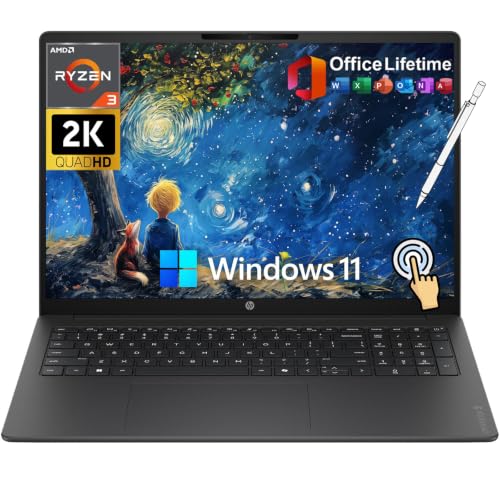
The HP 15.6-inch Business and Home Laptop pairs 16GB of RAM with 128GB of storage and 1TB of cloud storage, around an Intel quad-core processor, with Microsoft Office included. The 15.6-inch screen gives room for two windows side by side, which suits research and writing together, and the 16GB of memory keeps that split-screen work smooth.
Key specifications: 16GB RAM; 128GB storage; 1TB cloud storage; Intel quad-core processor; Microsoft Office included; 15.6-inch display.
In daily use, this HP is the workhorse of the shortlist. Essays, spreadsheets, and browser research run together without the slowdown that a smaller memory leaves behind, and the cloud storage takes the overflow that the 128GB of local storage cannot hold. The 15.6-inch screen is large enough for a document and a source side by side, which is how most coursework is actually written.
Sign in to the Microsoft account at setup so Office and the cloud storage are ready, and check that the cloud storage is syncing before the first essay is written. Place the laptop on a flat surface with the vents clear, and set the screen brightness to a comfortable level for long reading sessions. A backup of coursework in the cloud storage protects against a lost or damaged laptop.
Strengths
- 16GB of RAM keeps study work smooth when several applications are open
- The 15.6-inch screen fits a document and a source side by side
- Office and 1TB of cloud storage are included, so the first day needs no extra purchase
Trade-offs
- The 128GB of local storage is small for large files, so the cloud storage must be used
- A quad-core processor suits study work rather than demanding creative software
- The 15.6-inch size is less portable than a 14-inch laptop for carrying all day
This HP fits a student who works at a desk or in the library and wants a large screen and plenty of memory. It suits coursework that mixes writing, research, and spreadsheets, and a student who wants Office ready from the first day.
Best for: desk and library study with a large screen and 16GB of memory / Not suited for: students who carry a laptop all day and want the lightest machine
Check price on Amazon: HP 15.6-inch laptop with 16GB RAM

Lenovo IdeaPad Slim 3 Laptop 2025
The Lenovo IdeaPad Slim 3 Laptop 2025 is a 15.6-inch Full HD touchscreen laptop with an AMD Ryzen 7 5825U processor, eight cores, AMD Radeon graphics, and 16GB of RAM. The eight-core processor is the strongest in this guide, and it shows in work that uses many cores at once, while the touchscreen adds a way to scroll, tap, and annotate that a keyboard alone cannot match.
Key specifications: 15.6-inch FHD touchscreen (1920 x 1080); AMD Ryzen 7 5825U; 8-core; AMD Radeon graphics; 16GB RAM; 2025 model.
In daily use, the IdeaPad Slim 3 is the fast one. Eight cores keep the laptop responsive when a browser, a document, a spreadsheet, and a video call are all open, and the touchscreen makes scrolling through long readings and tapping through slides feel natural. The slim design keeps the 15.6-inch screen portable enough for a bag, and the Radeon graphics handle everyday media and light creative work without fuss.
Set the laptop up with the student account, and check the touchscreen calibration in the first session so taps land where they are expected. Keep the screen clean with a microfibre cloth, since fingerprints show on a touchscreen, and set the power plan to balanced for a full day of lectures. A sleeve protects the slim body in a bag.
Strengths
- Eight cores give the strongest multitasking in this guide
- The touchscreen adds scrolling, tapping, and annotating to study work
- 16GB of RAM and Radeon graphics cover study work and everyday media
Trade-offs
- A touchscreen adds cost and weight over a non-touch model
- The screen needs regular cleaning to stay clear of fingerprints
- Eight cores use more power than a simpler processor when pushed hard
The IdeaPad Slim 3 fits a student who wants the fastest laptop in this guide and likes the touchscreen for reading and presenting. It suits a busy timetable with many applications open at once, and a student who annotates readings and slides on the screen.
Best for: students who want the fastest multitasking and a touchscreen / Not suited for: students who want the lightest laptop or the lowest price
Check price on Amazon: Lenovo IdeaPad Slim 3 2025 with Ryzen 7

Lenovo IdeaPad 1i Laptop
The Lenovo IdeaPad 1i is a 15.6-inch Full HD touchscreen laptop with an Intel Core i5-1235U processor, 16GB of RAM, and a 512GB SSD, with a webcam, HDMI, and Wi-Fi. The 512GB SSD is the largest local storage in this guide, which matters for a student who keeps lecture recordings, projects, and media on the laptop itself rather than in the cloud.
Key specifications: 15.6-inch FHD touchscreen; Intel Core i5-1235U; 16GB RAM; 512GB SSD; webcam; HDMI; Wi-Fi.
In daily use, the IdeaPad 1i is the balanced pick. The i5 processor and 16GB of memory handle study work smoothly, the 512GB SSD holds a term's worth of files without leaning on cloud storage, and the touchscreen and webcam cover video calls and on-screen reading. The HDMI port lets the laptop drive a second screen in a dorm room or a library, which makes a real difference when writing a long essay.
Connect the laptop to the student account at setup, and check that the 512GB SSD has room for the term's files before the first lecture. Use the HDMI port for a second screen when writing long work, and keep the webcam shutter or cover closed when it is not in use. A backup of coursework to the cloud or an external drive protects against a lost laptop.
Strengths
- 512GB of SSD storage holds a term's files without relying on the cloud
- The i5 processor and 16GB of RAM cover study work smoothly
- HDMI lets the laptop drive a second screen for writing and research
Trade-offs
- The touchscreen adds weight and cost over a non-touch model
- An i5 processor suits study work rather than heavy creative software
- The 15.6-inch size is larger to carry than a 14-inch laptop
The IdeaPad 1i fits a student who keeps files on the laptop and wants a balance of speed, memory, and storage. It suits a dorm room with a second screen, and a student who records lectures and keeps projects locally.
Best for: students who want 512GB of storage with 16GB of memory / Not suited for: students who want the lightest laptop for carrying all day
Check price on Amazon: Lenovo IdeaPad 1i with Core i5

Lenovo IdeaPad Laptop with Core i5-1335U
The Lenovo IdeaPad with the Intel Core i5-1335U is a 15.6-inch Full HD anti-glare laptop with a 10-core processor running up to 4.6GHz, 16GB of DDR4 RAM, and a 512GB PCIe SSD. The 10-core processor and the anti-glare display are the features that set it apart: the cores keep many tasks moving at once, and the anti-glare screen stays readable under bright library lights.
Key specifications: Intel Core i5-1335U 10-core, up to 4.6GHz; 15.6-inch FHD anti-glare display; 16GB DDR4 RAM; 512GB PCIe SSD.
In daily use, this IdeaPad is the quiet workhorse. Ten cores and 16GB of DDR4 memory keep a browser, a document, and a video call moving together, the 512GB SSD holds the term's files, and the anti-glare display makes long reading sessions easier on the eyes. The anti-glare coating is a small feature that matters every day, because library and lecture-hall lighting is rarely kind to a glossy screen.
Set the laptop up with the student account, and adjust the display scaling so text is comfortable to read on the 15.6-inch screen. Keep the vents clear on a flat surface, and use the 512GB SSD for the term's files with a cloud backup for coursework. The anti-glare display needs only a gentle wipe with a microfibre cloth.
Strengths
- Ten cores up to 4.6GHz give strong multitasking for study work
- The anti-glare display stays readable under bright lights
- 16GB of DDR4 RAM and a 512GB SSD cover memory and storage together
Trade-offs
- An i5 processor is a step below the Ryzen 7 in this guide for the heaviest work
- The 15.6-inch size is less portable than a smaller laptop
- It is a workhorse design, so buyers who want a touchscreen will not find one here
This IdeaPad fits a student who reads and writes for long hours and wants a screen that stays readable and a processor that keeps up. It suits library work, long essays, and a timetable with many applications open at once.
Best for: long reading and writing sessions under bright lights / Not suited for: students who want a touchscreen or the most powerful processor here
Check price on Amazon: Lenovo IdeaPad with Core i5-1335U

HP Everyday Laptop
The HP Everyday Laptop is a 2026 edition laptop with 16GB of RAM, a 256GB PCIe SSD, a recent Intel processor, and Windows 11, with a long battery life claimed in its listing. It is the most recent model in this guide, and its appeal is simple: current software, enough memory for study work, and a battery that is meant to last through a day of lectures.
Key specifications: 16GB RAM; 256GB PCIe SSD; latest Intel processor; 2026 edition; Windows 11; long battery life.
In daily use, the HP Everyday Laptop is the dependable one. The 16GB of memory and the 256GB SSD cover essays, research, and video calls, the current Windows 11 software means no upgrade is needed on arrival, and the long battery life is the feature that matters most on a day with back-to-back lectures and no free socket. It is a laptop that can be carried from the first lecture to the last without hunting for a charger.
Set the laptop up with the student Microsoft account, and check Windows Update on the first day so the system is current. Charge the laptop fully before the first day of lectures, and keep a charger in the bag for long days. Back up coursework to the cloud so a lost or damaged laptop does not take the term's work with it.
Strengths
- 16GB of RAM and a 256GB SSD cover study work with room to spare
- The 2026 edition runs current Windows 11 with no upgrade needed
- Long battery life suits a full day of lectures without a socket
Trade-offs
- The 256GB SSD is smaller than the 512GB drives in this guide, so files need managing
- A recent Intel processor suits study work rather than demanding creative software
- The everyday design is plain, so buyers who want a premium look will not find it here
The HP Everyday Laptop fits a student who wants a current, dependable laptop with a long battery life. It suits a full timetable of lectures, a bag carried all day, and a student who wants the newest software without paying for a premium design.
Best for: full lecture days and buyers who want a current model with long battery life / Not suited for: students who need 512GB of storage or a touchscreen
Check price on Amazon: HP Everyday Laptop with 16GB RAM
Best Student Laptops for Speed and Memory: What Matters Most
Memory first. 16GB of RAM is the single most important specification for a student laptop, because it decides whether the machine stays smooth with many tabs and applications open. 8GB can feel fine with one application, but it slows down when a browser, a document, and a video call run together, which is a normal student afternoon. Every laptop in this guide has 16GB, and buyers should treat that as the floor, not the ceiling.
SSD storage. An SSD makes the laptop start quickly, open applications quickly, and feel responsive in a way a hard drive cannot match. The size matters too: 128GB is enough when files live in the cloud, while 512GB suits a student who keeps lecture recordings and projects on the laptop. Check the storage size in the listing, and plan for the cloud storage that comes with it.
Processor for study, not for gaming. A modern Intel Core i5, an AMD Ryzen 7, or a recent Intel processor all handle study work well, and the differences between them matter less than the memory. What matters is that the processor has enough cores to keep several applications moving at once, and that it does not run hot and loud under a normal workload. A gaming processor is unnecessary for essays and research.
Screen for long reading. A student reads for hours, so the screen matters as much as the processor. A 15.6-inch Full HD display fits a document and a source side by side, an anti-glare coating stays readable under bright lights, and a touchscreen adds a way to scroll and annotate. Choose the screen for the reading that will be done on it, not for the specification alone.
Battery life for a full day. A laptop that dies before the last lecture is a problem, whatever its speed. The listings in this guide claim long battery life for the newest models, and buyers should check the product page for the battery figure and plan for a charger in the bag on long days. A laptop that lasts the day is worth more than a slightly faster one that does not.
Weight and size for carrying. A 15.6-inch laptop is larger to carry than a 14-inch one, and the difference shows after a day of carrying it between lectures. A slim design and a light charger help, but the screen size is the main factor. Buyers who walk between buildings all day should weigh the screen size against the portability, and choose the largest screen they are willing to carry.
Buying guide: choosing a fast student laptop
Start with the memory. Confirm the laptop has 16GB of RAM in the listing, and do not accept a model where the memory is not stated. Memory is the specification that decides whether the laptop stays smooth, and it is also the hardest to upgrade later, since many student laptops have memory that cannot be changed. Buy the memory first, and treat the rest as secondary.
Check the storage size and the cloud storage. A 128GB SSD needs cloud storage for files, while a 512GB SSD can hold a term's work locally. Check whether Office and cloud storage are included in the listing, since those are costs that would otherwise fall on the student in the first week. A laptop with Office included is worth more than the same laptop without it.
Think about the screen. A 15.6-inch screen suits a desk and a library, while a smaller screen suits carrying all day. An anti-glare display helps under bright lights, and a touchscreen helps with reading and presenting. There is no right screen for everyone, but there is a right screen for the way the student works, and it is worth choosing deliberately.
Check the battery and the charger. A long battery life matters on a full timetable, and a light charger matters in a bag. Check the product page for the battery figure, and keep a charger in the bag for long days. A laptop that needs its charger by midday will be a frustration by the second week of term.
Use the student discount where it exists. Many makers and retailers offer a student discount or a student bundle, and the savings can cover a sleeve, a mouse, or a backup drive. Check the maker's student store before ordering, and keep the student email address ready, since it is usually needed to prove eligibility.
Check the return window and the warranty. A laptop is a major purchase, and a straightforward return policy lets the student try it for a week of real work and send it back if the keyboard, the screen, or the speed does not suit. Keep the box until the trial week is over, and register the warranty at setup.
Using and caring for your student laptop
Set the laptop up with the student account on the first day, so Office, cloud storage, and the university systems are ready before the first lecture. Check that the cloud storage is syncing, and write the first essay in the cloud folder so it is backed up from the start. A setup done properly on day one saves a scramble later.
Keep the vents clear. A laptop on a bed or a sofa can overheat, because the vents are blocked by soft fabric. Use the laptop on a flat surface, or on a lap desk, and keep the vents free of dust. A laptop that runs cool lasts longer and stays quieter in a lecture.
Back up coursework every week. Copy the term's files to the cloud storage or an external drive, and check that the backup opens. A lost or damaged laptop is a bad day; a lost laptop with no backup is a lost term. The backup takes minutes and is the most important habit in this guide.
Keep the laptop charged for the day. Charge it fully overnight, and keep a charger in the bag for long days. Avoid letting the battery run flat regularly, and store the laptop with some charge if it will not be used for a while. A battery treated well lasts the whole course.
Clean the screen and the keyboard gently. A microfibre cloth keeps the screen clear, and a soft brush keeps crumbs out of the keyboard. Keep drinks away from the laptop, since a spill on a keyboard is one of the most common ways a student laptop ends its life early.
Common mistakes to avoid
Buying 8GB of RAM to save money. An 8GB laptop feels fine on the first day and slows down by the second week, when the browser, the document, and the video call are all open at once. The saving is small and the frustration lasts the whole course. Buy 16GB from the start.
Ignoring the storage size. A 128GB SSD fills up quickly with lecture recordings and projects, and a full drive slows the laptop down. Check the storage in the listing, and plan for cloud storage or a larger drive if the files will live on the laptop.
Carrying the laptop without protection. A laptop in a bag with books and a water bottle is one knock away from a cracked screen. A sleeve costs little and protects the laptop every day, and it is the cheapest insurance in this guide.
Skipping the backup. Coursework that exists only on the laptop is one theft or one spill away from disappearing. Back up to the cloud every week, and check that the backup opens. The backup is not a chore; it is the term's work.
Leaving the laptop on a bed. A laptop on soft bedding overheats, because the vents are blocked, and overheating shortens the life of the machine. Use a flat surface or a lap desk, and keep the vents clear.
Budget and value
The laptops in this guide span a modest range, and the right spend depends on how the student works. A laptop with Office included saves a separate purchase, a touchscreen adds cost but also adds a way to work, and a larger SSD costs more but holds more. Compare the memory first, the storage second, and the extras last.
Value here means a term of smooth work per pound spent, not the fastest processor on the box. A 16GB laptop with a 256GB SSD that lasts the course is better value than a faster laptop with 8GB that slows down by the second week. Buy the memory and the storage that the work needs, and treat the processor as secondary.
A student laptop is used every day for years, so durability matters. The laptops in this guide are mainstream models with support and spares, and keeping the box for the return window and registering the warranty at setup are small steps that protect a major purchase.
Final recommendation
For most students, the Lenovo IdeaPad 1i is the strongest starting point in this guide: 16GB of RAM, a 512GB SSD, a Core i5 processor, and a touchscreen, with HDMI for a second screen, give the best balance of speed, memory, and storage for study. Buyers who want the fastest processor should take the IdeaPad Slim 3 with its eight-core Ryzen 7, while the Acer Aspire Lite 15 and the HP 15.6-inch models suit a student who wants Office included and a straightforward setup. The HP Everyday Laptop is the pick for a full day of lectures with its long battery life, and the IdeaPad with the i5-1335U suits long reading sessions with its anti-glare display. Whichever laptop is chosen, confirm the 16GB of memory, back up coursework every week, and judge the laptop after a week of real study work.
Frequently asked questions
Is 16GB of RAM enough for a student laptop?
Yes, 16GB is the right amount for study work. It keeps a browser with many tabs, a document, a spreadsheet, and a video call running together without slowing down, which is a normal student afternoon. 8GB can feel slow with the same workload, and 32GB is more than study work needs. 16GB is the sweet spot for a student laptop.
Do I need a touchscreen on a student laptop?
No, a touchscreen is a convenience, not a necessity. It helps with scrolling through long readings, tapping through slides, and annotating documents, and some students love it. Others never touch the screen and prefer an anti-glare display for reading. The laptops in this guide cover both, so the choice is about how the student works rather than about speed.
How much storage does a student need?
128GB is enough when files live in the cloud, while 256GB or 512GB suits a student who keeps lecture recordings, projects, and media on the laptop. Check what is included with the laptop, since 1TB of cloud storage can cover the overflow from a small SSD. The safest choice for a student who keeps files locally is 512GB.
Is a 15.6-inch laptop too big to carry?
It depends on the day. A 15.6-inch laptop is larger to carry than a 14-inch one, but it gives a bigger screen for reading and writing, and most students carry it in a bag between lectures without trouble. A slim design and a light charger help. Buyers who walk long distances between buildings may prefer a smaller screen, while those who work at a desk will prefer the larger one.
Should a student buy a laptop with Office included?
It helps, because Office is the software most courses expect, and buying it separately is an extra cost in the first week. Several laptops in this guide include Office 365, which covers Word, Excel, and PowerPoint. Check the listing to confirm what is included, and check whether the university provides Office free to students, since many do.
More guides from KajuanDouglas
SSD laptops for students under 500 dollars SSD laptops under 1000 dollars