The best high end student laptops are the ones that survive four years of coursework and still feel fast at graduation. A high-end student laptop is not about the logo on the lid. It is about a screen that stays readable in a bright library, a keyboard that survives ten thousand words a week, a battery that lasts through a full day of lectures, and enough performance that a statistics package or a video edit does not bring the machine to its knees.
The six laptops below were picked from verified listings and cover the premium student range: a MacBook Pro with a modern Apple chip, two Dell XPS machines, a ThinkPad X1 Carbon, an HP Spectre convertible, and an ASUS Zenbook with an OLED touchscreen. Every one states its processor, memory, storage, and display in the listing, so the comparison is built on stated specifications rather than guesswork.
In this guide
Quick picks: best high end student laptops
| # | Product | Where to buy |
|---|---|---|
| 1 | Apple MacBook Pro 14 M5 Pro | Check on Amazon |
| 2 | Dell XPS 15 9530 | Check on Amazon |
| 3 | Lenovo ThinkPad X1 Carbon Gen 13 | Check on Amazon |
| 4 | HP Spectre x360 16 | Check on Amazon |
| 5 | ASUS Zenbook 14 OLED | Check on Amazon |
| 6 | Dell XPS 14 | Check on Amazon |
How the picks were chosen
Each laptop on this list is a current, new listing verified through the site's own product lookup, and each states its processor, memory, storage, and display in the listing. The shortlist favors premium machines with high-resolution displays, at least 16GB of memory, fast storage, and a build that suits daily carrying.
Laptops were excluded when the listing turned out to be a renewed or refurbished unit, when the listing was for a charger or another accessory, or when the model name in the listing did not match the laptop being written about. Three Surface Laptop 5 listings were checked and all three were renewed, so none of them made the list.
Display quality, keyboard and build, and all-day usability carried the most weight, because those are the traits a student touches every day. Raw processor speed matters, but a laptop that is unpleasant to type on or impossible to read outdoors will be regretted long before its processor is.
Support and warranty were the final check. A student laptop is carried daily, knocked in bags, and used in crowded lecture halls, so accidental-damage cover and a local repair option matter as much as any specification. The shortlist favors makers with a clear warranty and a service network, because a premium laptop without support is a risk a student cannot afford.
Quick comparison
| Product | Key detail | Best for |
|---|---|---|
| Apple MacBook Pro 14 M5 Pro | M5 Pro, 14.2-inch XDR, 24GB, 1TB SSD | demanding coursework and long-term value |
| Dell XPS 15 9530 | 15.6-inch FHD+, i7-13620H, 32GB DDR5, 1TB SSD | big-screen work and heavy multitasking |
| Lenovo ThinkPad X1 Carbon Gen 13 | 14-inch 2.8K OLED, Ultra 7 258V, 32GB, 1TB | all-day carrying and long writing sessions |
| HP Spectre x360 16 | 16-inch 120Hz touchscreen, Ultra 7 155H, 16GB, 1TB | handwritten notes and large-screen convertible use |
| ASUS Zenbook 14 OLED | 14-inch 2K OLED touchscreen, Ryzen AI 9 465, 16GB | vivid OLED display and portable design |
| Dell XPS 14 | 14.5-inch 3.2K OLED touch, Ultra 7 255H, 32GB, 1TB | the best screen in a portable premium laptop |

Apple MacBook Pro 14 with M5 Pro Chip
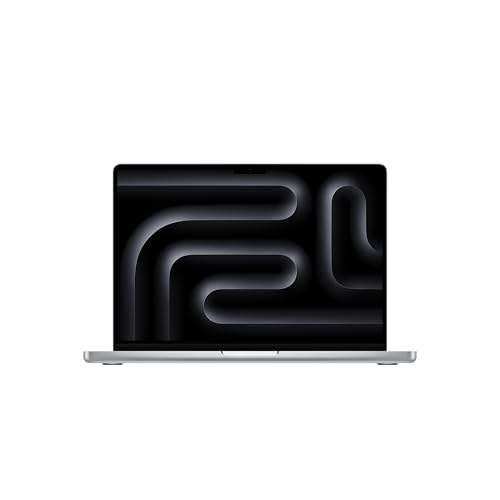
The Apple MacBook Pro 14 with the M5 Pro chip leads this list, and its listing states a premium specification in full: an Apple M5 Pro chip with a 15-core CPU and 16-core GPU, a 14.2-inch Liquid Retina XDR display, 24GB of unified memory, 1TB of SSD storage, Wi-Fi 7, in silver. For a student who edits video, runs data work, or simply wants a machine that stays fast for years, the combination of a modern Apple chip and 24GB of unified memory is hard to beat.
The 14.2-inch Liquid Retina XDR display is the feature a student will notice every day. It stays bright and readable in a library or a sunlit classroom, and its color accuracy suits photo and video coursework without a separate monitor. The 1TB SSD gives room for projects, media, and a growing library of course files.
Wi-Fi 7 keeps the machine current on campus networks, and the M5 Pro chip's CPU and GPU cores handle demanding coursework — code compilation, statistics, 3D work — without the fan noise and heat that cheaper machines produce under load.
Key specs: Apple M5 Pro chip, 15-core CPU, 16-core GPU; 14.2-inch Liquid Retina XDR display; 24GB unified memory; 1TB SSD; Wi-Fi 7.
Strengths:
- M5 Pro chip with 15-core CPU and 16-core GPU for demanding coursework
- 14.2-inch Liquid Retina XDR display for bright, accurate work
- 24GB unified memory and 1TB SSD for large projects
Trade-offs:
- Premium positioning means the highest outlay in this list
- macOS may not run some Windows-only course software
- Repairs and upgrades are limited compared with some Windows laptops
A good match for a student in media, data, design, or engineering who wants a fast, long-lived machine and works in the Apple ecosystem.
Best for: demanding coursework and long-term value
Not suited for: students who need Windows-only software or the lowest possible outlay
Check price on Amazon: Apple MacBook Pro 14 M5 Pro

Dell XPS 15 9530 Business Laptop
The Dell XPS 15 9530 is the big-screen Windows pick in this list, and its listing states a full workstation specification: a 15.6-inch FHD+ display, an Intel 10-core i7-13620H processor, 32GB of DDR5 RAM, a 1TB SSD, backlit keyboard, fingerprint reader, Thunderbolt 4, Wi-Fi 6, and Windows 11 Pro. The 32GB of DDR5 memory is the headline for a student, because it keeps large projects, many browser tabs, and virtual machines running at once without slowdowns.
The 15.6-inch display gives room for split-screen work — a document beside a spreadsheet, or code beside a preview — and the backlit keyboard keeps late-night writing comfortable. The fingerprint reader adds quick, secure sign-in between lectures.
Thunderbolt 4 is the connection that future-proofs the machine. It drives external monitors, fast storage, and docks over a single cable, so the XPS 15 can become a desktop workstation in a dorm room and a portable laptop in a lecture hall.
Key specs: 15.6-inch FHD+ display; Intel 10-core i7-13620H; 32GB DDR5 RAM; 1TB SSD; Thunderbolt 4; Wi-Fi 6; Windows 11 Pro.
Strengths:
- 32GB DDR5 RAM for large projects and multitasking
- 15.6-inch display with room for split-screen work
- Thunderbolt 4 for docks, monitors, and fast storage
Trade-offs:
- A 15.6-inch machine is heavier to carry every day
- FHD+ resolution is modest for a premium laptop
- Battery life will be shorter than the smaller laptops here
A good match for a student who wants a large screen and serious memory for engineering, data, or media work, and who mostly works at a desk.
Best for: big-screen work and heavy multitasking
Not suited for: students who carry a laptop across campus all day
Check price on Amazon: Dell XPS 15 9530
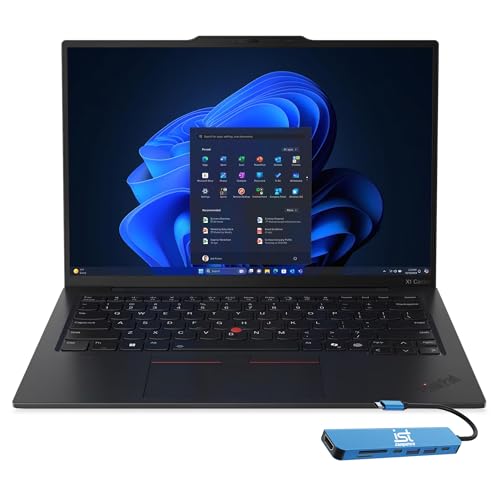
Lenovo ThinkPad X1 Carbon Gen 13 Aura Edition
The Lenovo ThinkPad X1 Carbon Gen 13 Aura Edition is the lightest premium laptop in this list, and its listing states a modern AI-PC specification: a 14-inch display, an Intel Ultra 7 258V processor, 32GB of memory and 1TB of storage, a Copilot+ PC, a 2.8K OLED screen, Intel Arc 140V graphics, 47 TOPS of AI performance, a backlit keyboard, a fingerprint reader, a 1080p IR webcam, Wi-Fi 7, and Windows 11 Pro. The X1 Carbon is the ThinkPad line's flagship ultraportable, and the Gen 13 keeps that tradition with a carbon-fiber build that is light enough to carry all day.
The 2.8K OLED screen is the feature that changes daily use. Text is crisp, colors are vivid, and the display stays readable in bright rooms, which matters when a student reads papers and writes essays for hours. The 1080p IR webcam supports Windows Hello face sign-in and keeps video calls sharp.
The Copilot+ AI features and 47 TOPS rating point to on-device AI work, which is increasingly part of coursework, from transcription to local AI tools. The backlit keyboard is the classic ThinkPad strength, built for long writing sessions.
Key specs: 14-inch 2.8K OLED screen; Intel Ultra 7 258V; 32GB memory; 1TB storage; Intel Arc 140V; 47 TOPS; Wi-Fi 7; Windows 11 Pro.
Strengths:
- Light carbon-fiber build that is easy to carry all day
- 2.8K OLED screen for crisp text and vivid color
- 32GB memory and 1TB storage with Copilot+ AI features
Trade-offs:
- OLED screens can use more battery on bright content
- Premium positioning means a high outlay
- Limited upgrade options in an ultraportable chassis
A good match for a student who carries a laptop everywhere and writes a great deal, and who wants a light machine with a superb screen.
Best for: all-day carrying and long writing sessions
Not suited for: students who need a large screen or a dedicated graphics card
Check price on Amazon: Lenovo ThinkPad X1 Carbon Gen 13

HP Spectre x360 2-in-1 Laptop 16 inch
The HP Spectre x360 16 is the convertible pick in this list, and its listing states a large, flexible specification: a 16-inch 120Hz WQXGA IPS touchscreen, an Intel Evo 16-core Ultra 7 155H processor, 16GB of LPDDR5 memory, a 1TB SSD, Thunderbolt 4, Wi-Fi 6E, a backlit keyboard, a fingerprint reader, a 9MP IR camera, and Windows 11 Pro. The 2-in-1 design folds into a tablet for note-taking, which is the feature that sets it apart for students.
The 120Hz touchscreen makes handwriting and annotation feel smooth, and the 16-inch display gives room for a document and a reference side by side. The 9MP IR camera is unusually high-resolution for a laptop webcam, which keeps video calls and presentations sharp.
Thunderbolt 4 and Wi-Fi 6E cover the connections a student needs, and the fingerprint reader adds quick sign-in. The 16-core Ultra 7 processor handles demanding coursework, from code to media, without the machine feeling slow.
Key specs: 16-inch 120Hz WQXGA IPS touchscreen; Intel 16-core Ultra 7 155H; 16GB LPDDR5; 1TB SSD; Thunderbolt 4; Wi-Fi 6E; 9MP IR camera.
Strengths:
- 2-in-1 design folds into a tablet for handwriting
- 16-inch 120Hz touchscreen with room for split-screen work
- 9MP IR camera for sharp video calls
Trade-offs:
- A 16-inch convertible is heavy to carry daily
- 16GB of memory is less than the 32GB machines here
- The large screen uses more battery than a smaller laptop
A good match for a student who takes handwritten notes, annotates readings, and wants a large touchscreen that also works as a tablet.
Best for: handwritten notes and large-screen convertible use
Not suited for: students who prioritize light weight above all
Check price on Amazon: HP Spectre x360 16

ASUS Zenbook 14 OLED Laptop
The ASUS Zenbook 14 OLED is the vivid-screen pick in this list, and its listing states a modern AI-laptop specification: an AMD Ryzen AI 9 465 processor, AMD Radeon 880M graphics, a 14-inch 2K OLED touchscreen display, 16GB of LPDDR5X memory, Wi-Fi 6E, Thunderbolt 4, and a backlit keyboard. The OLED touchscreen is the reason to choose it, because it makes text, photos, and video look their best in a 14-inch machine.
A 2K OLED display gives deep blacks and vivid color that an IPS panel cannot match, which suits media coursework and late-night reading alike. The touchscreen adds note-taking and navigation by touch, and the Ryzen AI 9 processor covers demanding coursework with headroom.
Thunderbolt 4 and Wi-Fi 6E keep the machine current, and the backlit keyboard suits the library after dark. The Zenbook line is known for light, thin designs, so this is a machine that carries easily between lectures.
Key specs: 14-inch 2K OLED touchscreen; AMD Ryzen AI 9 465; AMD Radeon 880M; 16GB LPDDR5X; Wi-Fi 6E; Thunderbolt 4.
Strengths:
- 2K OLED touchscreen for vivid, accurate color
- Ryzen AI 9 processor for demanding coursework
- Light 14-inch design that carries easily
Trade-offs:
- 16GB of memory is less than the 32GB machines here
- OLED screens can use more battery on bright content
- No discrete graphics card is stated
A good match for a student who values screen quality above all and wants a light 14-inch laptop with a touchscreen.
Best for: vivid OLED display and portable design
Not suited for: students who need 32GB of memory or a discrete GPU
Check price on Amazon: ASUS Zenbook 14 OLED
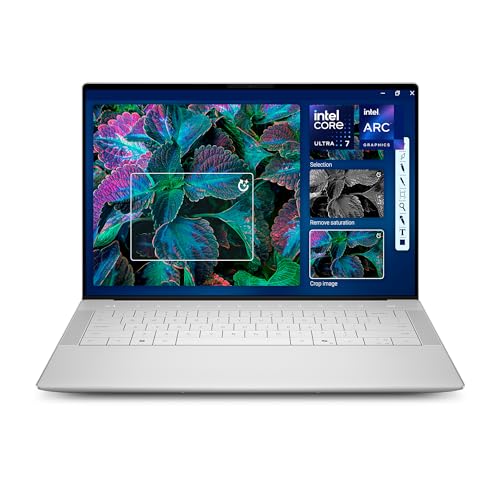
Dell XPS 14 Premium Laptop
The Dell XPS 14 is the balanced pick in this list, and its listing states a premium 14-inch specification: a 14.5-inch touch display with 3.2K OLED resolution and a 48-120Hz refresh rate, an Intel Core Ultra 7 255H processor, Intel Arc graphics, 32GB of memory, a 1TB SSD, and a backlit keyboard with a fingerprint reader. The variable refresh rate display is the detail that stands out, because it smooths scrolling and saves battery by slowing down when nothing moves.
The 3.2K OLED touch display is the best screen in this list on paper, with a high resolution, a wide refresh range, and touch input. The 32GB of memory and 1TB SSD match the XPS 15 for multitasking, in a smaller and lighter 14.5-inch body.
The Ultra 7 255H processor and Intel Arc graphics cover demanding coursework, and the fingerprint reader adds quick sign-in. For a student who wants the XPS line's quality in a portable size, the XPS 14 is the sweet spot.
Key specs: 14.5-inch touch 3.2K OLED display, 48-120Hz; Intel Core Ultra 7 255H; Intel Arc graphics; 32GB memory; 1TB SSD.
Strengths:
- 3.2K OLED touch display with a 48-120Hz variable refresh rate
- 32GB of memory and 1TB SSD in a portable 14.5-inch body
- Fingerprint reader and backlit keyboard for daily use
Trade-offs:
- Premium positioning means a high outlay
- OLED screens can use more battery on bright content
- No discrete graphics card is stated
A good match for a student who wants a premium XPS with the best screen in this list, in a size that carries easily.
Best for: the best screen in a portable premium laptop
Not suited for: students who need a large 15-inch or 16-inch display
Check price on Amazon: Dell XPS 14
Best high end student laptops: what matters most
For a high-end student laptop, the screen decides daily comfort more than any other part. A high-resolution display with good brightness keeps text readable in a library and a lecture hall, and a touchscreen adds note-taking for students who annotate. The OLED screens in this list offer vivid color and deep blacks, while the IPS screens offer steady brightness and lower battery use on bright content.
Memory is the second priority. Sixteen gigabytes is the floor for a premium student laptop, and 32GB is the safer choice for students who run virtual machines, large datasets, or many applications at once. The XPS 15, X1 Carbon, and XPS 14 in this list all carry 32GB, and that headroom is what keeps a laptop feeling fast in year three.
Weight and battery are the third priority, because a student laptop is carried, not parked. The X1 Carbon and the Zenbook 14 are the lightest machines here, while the 15-inch and 16-inch models trade portability for screen space. Choose the size by how far you walk each day, not by how big the screen looks in a shop.
The fourth factor is the webcam and the microphone. A student spends hours in video calls, and a laptop with a sharp webcam and a clear microphone makes those calls easier. The Spectre x360's 9MP IR camera and the X1 Carbon's 1080p IR webcam are the best in this list, and they matter more than they seem on a specification sheet.
The fifth factor is the port selection. A laptop with Thunderbolt 4, as in the XPS 15, Spectre, Zenbook, and XPS 14, can drive a monitor, a dock, and fast storage over a single cable, which turns a dorm desk into a workstation. A laptop with too few ports will need a dongle for everything, and dongles get lost.
The sixth factor is the trackpad. A student uses the trackpad constantly, and a large, precise trackpad with a smooth surface makes the laptop pleasant to use without a mouse. The premium machines here all have good trackpads, but the feel is personal, so try before you buy if you can.
Buying guide: choosing high end student laptops
Start with your course. Engineering, data, and media students need more processor and memory than humanities students, and some courses require Windows-only software that rules out a Mac. Check the course requirements before you fall in love with a machine, and ask the department what software you will actually run.
Next, try the keyboard. A student types thousands of words a week, so the keyboard is the part you will touch most. The ThinkPad X1 Carbon is famous for its keyboard, and the other premium machines here all have backlit keyboards, but the feel is personal — try before you buy if you can.
Think about the full four years. A laptop with 32GB of memory and 1TB of storage will age better than one with 16GB and 256GB, and a machine with Thunderbolt 4 can gain a monitor, a dock, and fast storage later. Spending more now on memory and connections is cheaper than replacing the laptop in year two.
Finally, check the warranty and the repair options. A student laptop gets knocked, dropped, and carried in a crowded bag, so accidental-damage cover and a local repair option matter more than a slightly faster processor. A premium laptop with a good warranty is a safer student purchase than a faster one without.
Consider the operating system early, because it decides the software. A Mac runs the Apple ecosystem beautifully but cannot run some Windows-only engineering and accounting tools, while a Windows laptop runs almost everything but lacks the Mac's battery life and integration. Check the course software list before you choose, because switching systems mid-degree is expensive.
Think about the bag as well. A 14-inch laptop fits a standard backpack with room for books, while a 16-inch laptop needs a larger bag and weighs down the shoulder. The X1 Carbon and the Zenbook 14 are the easiest to carry here, and the difference shows after a full day of lectures.
Think about the charger as well. A laptop with USB-C charging can share a charger with a phone and a tablet, which lightens the bag, while a laptop with a proprietary charger needs its own brick. The premium machines here mostly charge by USB-C or Thunderbolt, which is the convenient choice.
Using and caring for your high end student laptops
Keep the laptop's vents clear and the machine updated. A premium laptop throttles when its vents are blocked by a bed or a cushion, so work on a hard surface when the machine is under load, and install system updates on a schedule rather than ignoring them for months.
Protect the battery by avoiding extremes. Charge to full when you need it, but do not leave the machine plugged in at full charge for weeks, and do not let it sit dead for long periods. Most makers offer a battery-care setting that caps charging — turn it on if you mostly work plugged in.
Back up coursework in two places, not one. A cloud drive plus an external drive covers a stolen laptop and a failed SSD alike, and a student who loses a thesis to a dead drive learns the lesson once. Set backups to run automatically so they actually happen.
Clean the keyboard and the screen on a regular schedule. A keyboard full of crumbs and a screen full of fingerprints make a premium laptop feel old before its time, and a soft cloth and a gentle cleaner keep both in good order. Never spray cleaner directly on the screen.
Common mistakes to avoid
The most common mistake is buying for the first semester instead of the degree. A laptop that is just fast enough now will feel slow by year three, when projects are bigger and the software is heavier. Buy the memory and storage you will need later, not the minimum you need today.
Another common mistake is choosing the biggest screen available. A 16-inch laptop is wonderful at a desk and miserable in a crowded lecture hall, where it crowds the desk and weighs down the bag. Match the screen to how you actually carry the machine.
A third mistake is ignoring the software requirements. A Mac cannot run some Windows-only engineering or accounting tools, and a Windows laptop cannot run some Mac-only media tools. Check the course software list before you choose an operating system, because switching later is expensive.
A fourth mistake is buying a laptop with too little storage. A 256GB drive fills up fast with course files, photos, and applications, and a student who must constantly delete files to make room is a student who will lose something important. A 1TB drive, as in every laptop here, is the right size for a four-year degree.
Budget and value
A high-end student laptop is a four-year purchase, so the budget should be judged per year, not per day. The machines in this list cost more up front, but a laptop that lasts the degree without replacement is cheaper than two budget laptops that each last two years.
If the budget is tight, prioritize memory and storage over the processor. A mid-range processor with 32GB of memory will feel faster in daily use than a top processor with 16GB, because memory is what keeps many applications open at once without slowdowns.
If the budget only stretches to one upgrade, spend it on memory. A laptop with 32GB of memory will stay fast for four years, while a laptop with 16GB will start to struggle when the projects grow. The XPS 15, X1 Carbon, and XPS 14 all carry 32GB for exactly this reason.
Mac or Windows for a student?
The MacBook Pro in this list suits students in media, design, and data work who live in the Apple ecosystem, and its battery life and screen are strong points. The Windows machines suit students whose courses need Windows-only software, and they offer more choice in ports, touchscreens, and 2-in-1 designs.
The practical answer is to check the course first. If the department uses Windows-only tools, buy Windows. If the course is platform-neutral, choose the system you already know, because learning a new operating system while learning a subject is an avoidable burden.
What about a 2-in-1 for note-taking?
A 2-in-1 like the HP Spectre x360 16 suits students who take handwritten notes, annotate readings, or sketch diagrams. The touchscreen and folding design turn the laptop into a notebook, and the pen support makes the experience natural.
If you type your notes and never draw, a 2-in-1 adds weight and cost for a feature you will not use. A traditional laptop like the X1 Carbon or the XPS 14 is the better call for a typist, because it is lighter and the screen is the only screen you need.
How to make a student laptop last four years
Treat the battery kindly. Avoid leaving the laptop plugged in at full charge for weeks, and do not let it sit dead for long periods. Most makers offer a battery-care setting that caps charging at eighty percent — turn it on if you mostly work plugged in, and the battery will last noticeably longer.
Keep the machine clean and updated. Dust the vents on a regular schedule, install system updates promptly, and back up coursework in two places. A laptop that is clean, current, and backed up is a laptop that survives four years without drama.
Student discounts and buying timing
Check for a student discount before you buy. Apple, Dell, Lenovo, HP, and ASUS all offer education pricing, and the saving can be substantial on a premium laptop. The discount usually requires a student email or an enrollment check, so have it ready before you order.
Timing matters too. Back-to-school sales in late summer often include a free accessory or a discount, and a new model release can cut the price of the previous model. If the current laptop still works, waiting for the sale is worth it.
Setting up a new student laptop
Start by updating the system and installing the course software before the first lecture. A laptop that is fully updated and loaded with the tools you need will not waste the first week on installs and restarts, and a test run of the course software will catch compatibility problems early.
Set up backups on day one, not after the first scare. A cloud drive plus an external drive covers a stolen laptop and a failed SSD alike, and automatic backups mean the work is saved even when you forget. A student who loses a thesis to a dead drive learns the lesson once.
What to check on delivery day
Check the screen for dead pixels, the keyboard for a key that sticks, and the ports for a loose connection on the first day. A new laptop should be flawless, and a defect found early is a warranty claim, not a repair bill.
Run the course software once before the first lecture, and confirm that the Wi-Fi, the webcam, and the microphone all work. A laptop that passes its checks on day one is a laptop you can trust for the degree.
Final recommendation
For most students, the Dell XPS 14 is the sweet spot: a 3.2K OLED touch display, 32GB of memory, and 1TB of storage in a portable 14.5-inch body. If you want the lightest machine with the best keyboard, the ThinkPad X1 Carbon Gen 13 is the pick, and if you work in the Apple ecosystem and edit media, the MacBook Pro 14 with the M5 Pro chip is the long-term investment.
Whichever laptop you choose, buy the memory and storage for year four, check the course software list first, and protect the machine with a good warranty. The best high end student laptop is the one that is still fast, still readable, and still in one piece at graduation.
One last thought: the laptop is a tool for learning, not a status symbol. The goal is a machine that opens quickly, types well, lasts the day, and still feels fast in year four. Any of the six laptops here can deliver that, so check the course software, try the keyboard, and buy the memory for the degree, not just the first semester.
Frequently asked questions
How much memory does a student laptop need?
Sixteen gigabytes is the floor for a premium student laptop, and 32GB is the safer choice for engineering, data, media, or virtual machines. The XPS 15, X1 Carbon, and XPS 14 here all carry 32GB.
Is a MacBook good for students?
Yes, for students whose courses are platform-neutral or Apple-friendly, especially in media and design. Check the course software list first, because some Windows-only tools do not run on macOS.
Should a student buy a 2-in-1 laptop?
If you take handwritten notes or annotate readings, a 2-in-1 like the Spectre x360 is valuable. If you type everything, a traditional laptop is lighter and simpler.
What screen size is best for a student?
A 14-inch screen is the sweet spot for most students: large enough to work on, light enough to carry. A 15-inch or 16-inch screen suits desk work, while a 13-inch screen suits maximum portability.
Do high end student laptops last four years?
A premium laptop with 32GB of memory, 1TB of storage, and a solid build should last a full degree. The machines in this list were picked with that four-year horizon in mind.
Is an OLED screen worth it for a student?
For reading, media, and photo work, an OLED screen offers vivid color and deep blacks that make long sessions easier on the eyes. It can use more battery on bright content, so weigh the trade for your usage.
How long should a student laptop last?
A premium laptop with 32GB of memory and 1TB of storage should last a full four-year degree. The laptops in this guide were picked with that horizon in mind, and a good warranty helps if something goes wrong.
Is 16GB of memory enough for a student?
For humanities and general use, yes. For engineering, data, media, or virtual machines, 32GB is safer. The XPS 15, X1 Carbon, and XPS 14 here all carry 32GB.
Should a student buy a laptop with a touchscreen?
If you take handwritten notes or annotate readings, a touchscreen like the Spectre x360's or the Zenbook's is valuable. If you type everything, a traditional laptop is lighter and simpler.
Should a student buy AppleCare or an extended warranty?
For a laptop that is carried daily, accidental-damage cover is worth considering. A single screen repair can cost more than the warranty, and a student laptop is more likely to be dropped than a desk machine.
Is a dedicated graphics card needed for a student?
For most courses, no. The integrated graphics in the laptops here handle everyday work, media, and light gaming. Only 3D work, heavy video editing, or engineering simulation truly needs a discrete GPU.
Should a student buy a laptop with a touchscreen?
If you take handwritten notes or annotate readings, a touchscreen like the Spectre x360's or the Zenbook's is valuable. If you type everything, a traditional laptop is lighter and simpler, and the X1 Carbon or XPS 14 is the better call.