Disclosure: As an Amazon Associate, kajuandouglas.com earns from qualifying purchases. Links on this page are affiliate links; they cost you nothing extra. Prices and availability change often, so check the current Amazon listing before you buy.
Ask a room of players about the best switches for gaming and you will start an argument, because the honest answer depends on what your fingers do a thousand times a match: glide, tap, hold and release under pressure. What the argument usually gets right is the shape of the answer. Gaming rewards switches that register quickly, reset cleanly and never interrupt a repeated input with a bump or a click — which is why this roundup is dominated by linears, why speed switches with early actuation earn their place, and why the single tactile entry here is a complete keyboard included deliberately, as the reference point for players who still want feedback under their fingers.
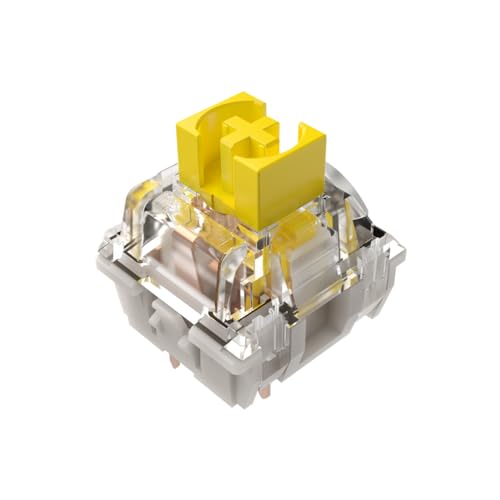
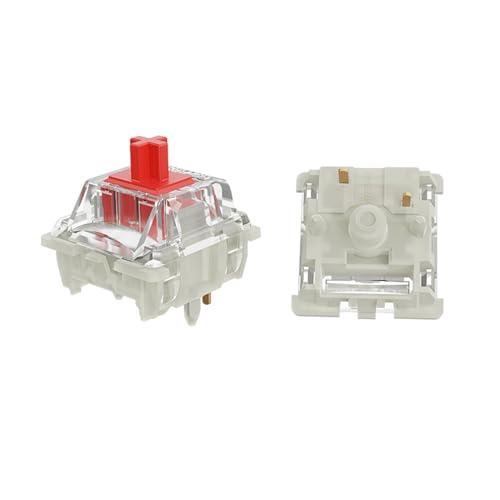
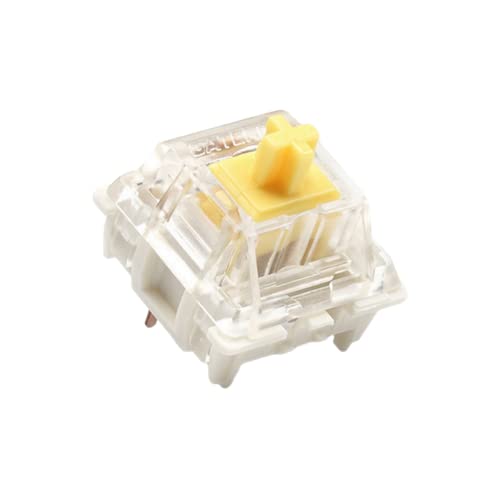
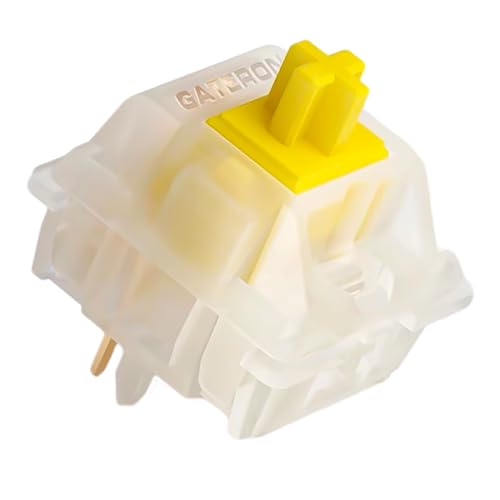
Every switch below was verified against the site’s Amazon inventory before a word was written, and each carries its official product image. The list spans the community’s favourite budget linear, two shades of Gateron yellow, a premium oil-slick linear, Kailh’s speed silver, Razer’s gaming-tuned pack and Akko’s creamy all-rounder. Read the quick picks for the shortlist, the reviews for the personalities, and the genre and buying sections for the reasoning — because the right gaming switch is the one matched to your games, your board and your hands, not the one with the loudest fan club.
Key Takeaways
- Linears dominate gaming for a reason: a smooth, uninterrupted stroke keeps repeated inputs consistent at speed.
- Gateron Milky Yellow Pro V2 is the value benchmark; Oil King is the premium smooth option; Kailh Speed Silver is the early-actuation specialist.
- Razer’s Yellow Gen-3 pack brings a gaming brand’s tuning — and repairability — to standard hot-swap boards.
- Actuation point and spring weight matter more than marketing labels; match them to your genres using the guide sections below.
- The Vortex POK3R with Cherry MX Brown is included as the tactile reference: proof that feedback has a constituency even in gaming.
Where to buy gaming switches, and what to check first
Switches are sold in packs sized from a snack to a feast, and the first check is always arithmetic: count your board’s keys, then compare pack counts in the reviews below. The second check is compatibility — pin count, and whether your board is hot-swappable at all. The third is honesty about your games: a switch bought for a shooter you play twice a year, fitted to a board you type on daily, will disappoint you in both directions. Buy for the hours you actually spend.
In this guide
Quick picks: the best switches for gaming at a glance
| Switch | Type | Pack | Choose it for |
|---|---|---|---|
| Gateron Milky Yellow Pro V2 | Linear, 50gf | 72 | The value benchmark most gamers should start with |
| Kailh Speed Silver (Glorious) | Linear, early actuation | 120 | Maximum responsiveness for competitive play |
| Gateron Oil King | Linear, 55g | 108 | Premium smoothness and a deep, quiet voice |
| Akko V3 Creamy Yellow Pro | Linear, 50gf | 45 | A polished all-rounder with a dustproof stem |
| Razer Yellow Gen-3 | Linear, dampened | Pack | Gaming-brand tuning and easy single-key repairs |
| Gateron G Pro 3.0 Yellow | Linear | 70 | The refined current generation of a classic yellow |
| Vortex POK3R (Cherry MX Brown) | Tactile keyboard | Whole board | The tactile reference for feedback-loving players |
How were these gaming switches chosen?
Three filters shaped this list. First, verification: every entry has a confirmed listing with an official image, so nothing here is vapour. Second, gaming relevance: each switch had to offer something a player can feel — actuation speed, stroke smoothness, spring tuning suited to repeated inputs, or a complete board whose switches teach a lesson. Third, spread: the list had to cover the realistic budgets and temperaments of gaming, from the community’s favourite affordable linear to a premium hand-feel option, rather than seven versions of the same switch wearing different boxes. Switches that failed any filter — however famous — were left out, and the tactile keyboard that passed did so because a roundup of gaming switches that ignores tactile players entirely would be a worse guide.

Gateron Milky Yellow Pro V2 — the value benchmark for gaming linears
Badge: Best first gaming switch for most players.
- Type: linear, pre-lubed
- Force: 50gf as stated in the listing
- Pins: 5-pin
- Pack: 72 switches
- Character: smooth, slightly deep-voiced, forgiving at speed
Some switches become community standards because they are exotic; the Milky Yellow Pro became one because it is right. Its 50gf spring is heavy enough to resist accidental presses when your fingers rest on the movement keys, light enough to never slow a rapid sequence, and its factory lubrication gives the stroke a smoothness that used to require an evening with a brush and a pot of grease. In game after game, it simply disappears beneath the intention — which is the highest praise a gaming switch can earn.
The milky housing softens and diffuses backlighting rather than passing it through in a glare, a small aesthetic mercy on RGB-heavy boards. Seventy-two switches cover most gaming layouts below full-size, and the switch’s popularity means a deep bench of community knowledge: if you ever wonder how it behaves lubed differently, filmed or spring-swapped, the experiments have already been run and written up. For a first gaming conversion, start here and let your preferences develop against a known-good baseline.
Strengths
- Superb smoothness for the tier, straight from the box
- 50gf tuning is the gaming centre of gravity — neither twitchy nor tiring
- Huge community knowledge base for future tuning
Trade-offs
- So popular it has become the default — individualists may want more character
- Milky housing diffuses RGB rather than showcasing it
- Full-size boards need more than one 72-pack
Best for: first conversions, all-round gaming, players who want a proven baseline. Not suited for: RGB maximalists or hunters of exotic switch character.

Kailh Speed Silver — the early-actuation specialist
Badge: Best for competitive players who want the press to register as early as possible.
- Type: linear, speed design with fast actuation as stated in the listing
- Pins: 3-pin, hot-swappable
- Pack: 120 switches
- Compatibility: SMD LED friendly housing
- Character: light, immediate, unapologetically twitchy
Speed switches exist to shave the distance between intention and registration, and the Speed Silver is the archetype: a linear whose actuation point sits high in the travel, so a shallow press already counts. In a shooter, that shallowness compounds across hundreds of micro-inputs — strafes begin sooner, counter-movements feel wired directly to your fingers — and in rhythm titles it keeps rapid patterns honest. Glorious packages Kailh’s switch in a 120-count box, enough for a full-size board with genuine spares, which suits the competitive player who treats switches as consumables to be kept fresh.
The trade is written into the design: a switch that registers early also registers accidents. Resting fingers, a brushed key while reaching for a drink, the heel of a palm settling — the Speed Silver forgives none of it. Players who adapt tend to develop a lighter, more disciplined touch and swear by the result; players who do not, sell the pack and buy Milky Yellows. Know which temperament you have before the 120-pack arrives.
Strengths
- Early actuation delivers the most immediate feel in this roundup
- 120-piece pack equips a full-size board with spares
- 3-pin format fits the widest range of hot-swap boards
Trade-offs
- Accidental presses punish heavy, resting fingers
- Light touch demands an adjustment period
- Speed tuning is wasted on slow, deliberate game genres
Best for: competitive FPS and rhythm players with a disciplined touch. Not suited for: heavy-handed players or mostly-typing desks.

Gateron Oil King — the premium smooth linear
Badge: Best for players who want their gaming board to feel luxurious.
- Type: linear, pre-lubed
- Weight: 55g as stated in the listing
- Pins: standard MX format
- Pack: 108 switches
- Character: deep, slick, quiet-leaning — the connoisseur’s glide
The Oil King is what happens when a switch is tuned for feel first and everything else second. Its stroke is famously slick — the factory lubrication and materials combine into a glide with a deep, muted voice — and at 55g its spring has a shade more authority than the 50gf crowd, which many players find steadies their inputs during long sessions. In a quiet room on a good board, an Oil King conversion is the gaming setup that makes visiting friends ask what you did to your keyboard.
Its 108-pack is sized for full-size boards in one purchase, and its positioning in the listing — gaming and office both — is honest: this is a switch as happy under a spreadsheet as under a shooter, because smoothness is a universal virtue. The premium is real, in tier terms, and it buys feel rather than speed; a Speed Silver will still out-register it in a laboratory. Buy the Oil King because your hands will notice the difference every day, not because a stopwatch will.
Strengths
- The smoothest, deepest-feeling stroke in this roundup
- 55g spring steadies long-session inputs
- 108-piece pack covers full-size boards at once
Trade-offs
- Premium tier positioning — you pay for feel, not speed
- Dark, slick character will not suit fans of bright, snappy switches
- Its smoothness can feel almost too glide-heavy for tactile converts
Best for: enthusiasts, long-session players, gaming-and-work boards. Not suited for: budget builds or players chasing actuation records.

Akko V3 Creamy Yellow Pro — the polished all-rounder
Badge: Best for gamers who want modern refinements in a mid-size pack.
- Type: linear
- Force: 50gf as stated in the listing
- Pins: 5-pin
- Stem: dustproof design
- Pack: 45 switches
- Character: creamy is the right word — smooth, soft-voiced, composed
Akko’s Creamy Yellow Pro is the switch equivalent of a well-sorted product: nothing about it shouts, everything about it works. The dustproof stem keeps the stroke stable and keeps desk grit out of the mechanism, the 50gf spring hits the gaming centre of gravity, and the factory tuning delivers the soft, creamy sound signature the name promises. On a gasket-mounted board — the modern gaming default — it produces the deep, composed voice that current setups chase.
Forty-five switches suit the 60 to 75 percent boards most gamers actually use, with a handful of spares. If the Milky Yellow is the baseline and the Oil King the luxury, the Creamy Yellow is the considered middle: modern stem design, tidy sound, no drama. It is also a gentle introduction to the wider Akko ecosystem for players whose next board may come from the same stable.
Strengths
- Dustproof stem keeps the stroke stable and clean
- Composed, deep sound suits modern gasket boards
- 50gf tuning serves gaming and typing without adjustment
Trade-offs
- 45-piece pack leaves larger boards short
- Character is polished rather than distinctive
- 5-pin legs may need trimming on strict 3-pin plates
Best for: 60–75 percent gaming boards, sound-conscious players, Akko-curious buyers. Not suited for: full-size conversions in one pack.

Razer Yellow Gen-3 — gaming-brand tuning in a standard pack
Badge: Best for players who want a big gaming brand’s linear in a repairable format.
- Type: linear mechanical, third generation
- Housing: clear with LED lens
- Pins: 3-pin
- Character: smooth, dampened, tuned for gaming first
- Context: the same switch family fitted to Razer’s BlackWidow line
Razer’s Yellow earns its place here on two grounds. The first is tuning: this is a linear designed by a gaming company for gaming keyboards, with internal dampening that keeps it civilised in a shared room and a stroke aimed at fast, repeated inputs. The second is format: because Razer sells the Gen-3 Yellow as a standalone pack with a standard cross stem and 3-pin legs, it can live in compatible hot-swap boards far beyond Razer’s own range — a rare chance to sample a flagship brand’s switch without buying its keyboard.
It also brings a repair philosophy the gaming world needs more of. A chattering movement key on a pack-compatible board is a five-minute fix rather than a warranty claim. Players coming from Razer boards will find the feel familiar and welcome; players new to it will find a linear that sits comfortably between the Milky Yellow’s softness and the Speed Silver’s urgency. The fuller family picture lives in razer mechanical keyboard switch types.
Strengths
- Gaming-first tuning with built-in dampening
- Standard format fits many hot-swap boards
- Standalone pack makes single-key repairs trivial
Trade-offs
- Less community tuning lore than the Gateron standards
- Dampened landing feels softer than raw linears
- Brand tuning targets gaming; pure typists have better-matched options
Best for: Razer converts, repair-minded gamers, shared-room players. Not suited for: enthusiasts chasing boutique switch character.
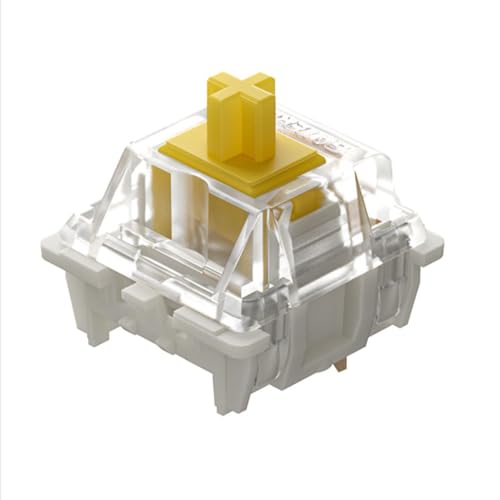
Gateron G Pro 3.0 Yellow — the classic yellow, refined again
Badge: Best for players who want the current generation of a proven gaming linear.
- Type: linear, pre-lubricated
- Pins: 5-pin, pin-enhanced design per the listing
- Pack: 70 switches
- Lineage: the G Pro yellow line, third generation
- Character: smooth, bright, dependable
Gateron’s yellow linears have been a gaming staple for years, and the G Pro 3.0 is their current form: pre-lubricated, with reinforced pins that seat more positively in sockets — a small detail that matters on boards whose sockets have loosened through many swaps. The feel is the family feel done cleanly: a smooth linear stroke with a spring weight in the gaming mainstream, ready for shooters and strategy alike without an adjustment period.
Choosing between this and the Milky Yellow Pro is a matter of housing and nuance — the G Pro’s clearer character passes backlighting more brightly, while the Milky’s housing softens it — and of which pack size matches your board. Either way you are buying into the deepest pool of gaming-switch experience on the market, and that depth is itself a feature: every question you will ever have about these switches has been asked and answered by someone.
Strengths
- Current generation of a thoroughly proven gaming linear
- Reinforced pins seat securely in worn sockets
- Bright housing suits RGB-forward builds
Trade-offs
- Overlaps heavily with the Milky Yellow Pro — choose once
- 70-piece pack is a mid-size commitment
- Refinement is evolutionary, not a reinvention
Best for: RGB builds, returning Gateron users, socket-weary boards. Not suited for: buyers who already own Milky Yellows and want a change of character.

Vortex POK3R with Cherry MX Brown — the tactile reference point
Badge: Best for players who want tactile feedback in a serious compact board.
- Switches: Cherry MX Brown, tactile without a click
- Format: 60 percent, aluminium case
- Keycaps: doubleshot PBT
- Character: a gentle bump in a board built like a keepsake
- Role in this roundup: the tactile benchmark among gaming linears
Every gaming-switch conversation needs its tactile dissent, and the POK3R is the most respectable form of it: a compact aluminium board with doubleshot PBT caps and Cherry MX Browns, the original gaming tactile. The Brown’s bump is gentle — a nudge rather than a wall — and generations of players have gamed happily on it, valuing the confirmation that a press registered during chaotic moments when eyes cannot check. In strategy, MMO and single-player titles especially, that confirmation is a feature, not a compromise.
Why include a whole keyboard in a switch roundup? Because some players will never separate the switch decision from the board decision, and the POK3R shows what the tactile road looks like when it is built properly: weight, materials and a switch with a thirty-year track record. If your hands read this section with recognition, believe them — and if they read it with indifference, the six linears above are your list.
Strengths
- Tactile confirmation that many players genuinely play better with
- Aluminium case and PBT caps are built for years of use
- Compact 60 percent format frees mouse space
Trade-offs
- A whole keyboard is a bigger purchase than a switch pack
- The Brown bump is too gentle for strong-tactile fans
- 60 percent layout omits dedicated arrows and function row
Best for: tactile loyalists, MMO and strategy players, compact-desk gamers. Not suited for: linear purists or players needing a number pad.
The best switches for gaming, compared honestly
Spread the seven across a table of virtues and a pattern emerges. For pure responsiveness, the Speed Silver stands alone — early actuation is a mechanical advantage no tuning of a standard switch can fully imitate. For everyday excellence, the Milky Yellow Pro and G Pro 3.0 Yellow bracket the centre: proven, smooth, correctly weighted. For feel as an end in itself, the Oil King wins the roundup. For modern polish in a compact pack, the Creamy Yellow Pro. For brand tuning and repairability, the Razer Yellow. And for the tactile constituency, the POK3R defends the faith. The mistake is to ask which is “best” in the abstract; the guide’s structure — genre first, hands second, switch third — is the actual answer.
Which switch suits which genre?
First-person shooters reward the extremes: Speed Silver for the disciplined, Milky Yellow or Razer Yellow for everyone else, because movement keys live or die on clean repetition. MOBA and RTS play sits in the broad middle where any linear here performs, and where a tactile like the POK3R’s Browns has its strongest case — ability confirmation matters more than reset speed. Rhythm games divide by tempo: at the highest levels the early actuation of speed switches earns its keep, a specialisation explored fully in the best switches for osu. Fighting games reward consistency above all, which argues for whichever linear you have practised on longest. And single-player gaming, the majority of all gaming hours, rewards comfort — the Oil King’s smoothness across a long evening is a competitive advantage in the only competition that matters there, the one against fatigue.
How do you choose a gaming switch?
Work through four questions. First, how do your fingers rest? If they rest on the keys, avoid the lightest and earliest switches; accidental actuation is the most irritating flaw a gaming switch can have. Second, what is your board? Pin count, socket condition and layout size narrow the field before preference gets a vote — the swap technique itself is the same one described in building your first custom keyboard. Third, how loud is your life? A dampened Razer Yellow or a soft-voiced Creamy Yellow keeps households and teammates happier than a bright, clacky linear. Fourth, how much do you value feel versus function? That answer alone separates the Oil King buyer from the Speed Silver buyer, and both are right.
How do you swap switches for gaming?
Step 1: Start with the movement cluster
Convert WASD and the surrounding keys first and play a real session. Gaming feel is judged in matches, not in typing tests, and a partial conversion tells you within an hour whether the switch suits your games.
Step 2: Mind the spacebar and modifiers
Gaming leans hard on space, shift and control. Seat those switches carefully, check for wobble, and quiet their stabilisers while you are there — a rattly spacebar jump will undo your impression of an otherwise excellent switch.
Step 3: Finish the board, keep the spares
Complete the conversion once the trial convinces you, and store the leftover switches where you can find them. Gaming wears the movement cluster years ahead of the rest of the board; your spares are that cluster’s second life.
What mistakes do gaming switch buyers make?
Buying for a genre they do not play is the classic — speed switches for a strategy desk, heavy tactiles for a rhythm player. Chasing the lightest possible spring is the second: below a certain weight, resting fingers become inputs. Ignoring the board is the third — pins, sockets and layout decide what can even be installed. And the fourth is judging a switch in a typing test when its job is gaming: play your actual titles for a week before you conclude anything. Players who also type for a living should sanity-check the typing side too, using the thinking in silent switches guide if the board shares an office, or top 5 best tactile switches for your mechanical keyboard if feedback is the itch.
Final recommendation
Most players should buy the Gateron Milky Yellow Pro V2 and stop reading roundups — it is smooth, correctly weighted and proven across millions of matches. Competitive players with a light, disciplined touch should step up to the Kailh Speed Silver and accept its unforgiving nature as the price of immediacy. Players who treat feel as part of the hobby should treat themselves to the Oil King. The Creamy Yellow Pro, G Pro 3.0 Yellow and Razer Yellow each serve their constituencies precisely, and the POK3R stands as the honourable tactile alternative. Whichever you choose, convert the movement cluster first, play real games for a week, and keep your spares — that process will teach your fingers more than any list, including this one.
A closing thought on value, since gaming gear invites endless upgrading: the switches in this roundup sit at the point of the hobby where money still buys honest differences — in smoothness, in tuning, in how a board feels at hour three of a session. They will not transform a player’s results, and any guide that promises otherwise is selling something. What they transform is the texture of every input you make, thousands of times an evening, for years. Judged on that basis — cost per press, pleasure per press — a well-chosen gaming switch is among the best-value upgrades a player can make, and the seven above are where to start.
What do actuation point, reset point and debounce mean for gamers?
Three technical ideas sit underneath every claim in this roundup, and ten minutes with them will make you immune to switch marketing. The actuation point is where in the travel a press registers: standard switches register around the middle of the stroke, while speed switches like the Kailh Silver register high, so less travel is wasted before the game knows. The reset point is where the key must return before it can register again; the closer the reset sits to the actuation point, the faster a key can be re-pressed in rhythm, which is why rhythm and shooter players obsess over the pair of them together rather than actuation alone.
Debounce is the invisible third term. A mechanical contact does not close cleanly — it chatters electrically for a few milliseconds — and keyboards wait a short, deliberate interval to be sure the press was real. That interval is tiny, but it is why optical and Hall-effect switches, which sense position without a bouncing contact, can claim a responsiveness edge that no contact switch can fully match. For the vast majority of players, the differences among this roundup’s contact switches will matter more than the debounce gap; for players at the sharp end of competition, the analog world covered in wooting lekker switches guide is where that final edge lives.
How do gaming switches hold up over long sessions?
A gaming switch is judged in hour three as much as in minute one. Spring weight is the main variable: too light and your fingers work to avoid pressing; too heavy and they work to press, and either tax shows up as sloppy inputs late in a session. The mid-weight cluster in this roundup — the 50gf Gaterons and Akko, the 55g Oil King — exists because it splits that tax most evenly for most hands. Stroke smoothness matters in the same way: a scratchy switch is a small friction tax on every input, and across ten thousand inputs it is not small at all, which is the practical case for the factory-lubricated switches that dominate this list.
Posture and breaks remain the player’s own responsibility — no switch compensates for a bad desk setup, and persistent discomfort deserves proper advice rather than a product swap — but a well-chosen switch removes the keyboard from the list of things wearing you down. That is a modest claim, and it is the honest size of what a gaming switch can do for endurance.
What about Hall-effect and analog switches for gaming?
No roundup of gaming switches in this era is complete without addressing the magnetic elephant in the room. Hall-effect switches sense the stem’s position magnetically, enabling adjustable actuation and rapid trigger — the key resets the moment it starts rising, rather than at a fixed point — and those features are genuinely transformative in shooters and rhythm games at a serious level. They are not in this roundup’s pick list for a practical reason: they belong to specific keyboard ecosystems rather than the universal MX-swap world these seven picks inhabit, and mixing the two families in one shopping list misleads more than it helps.
The guidance is simple. If you play at a level where rapid trigger’s advantage is real to you, research that ecosystem deliberately — the Lekker guide linked above is the place to start — and accept its keyboards as a system. If you play anywhere below that level, the switches in this roundup will not be the thing holding you back, and their universality, price spread and repairability are advantages of their own. Technologies should be chosen for the player you are, not the player a product page imagines.
How loud are gaming switches, and does it matter?
Gaming switches have a sound signature whether you shop for one or not, and your microphone has opinions even if you do not. The bright, higher-pitched linears can leak into voice chat as a rhythmic tapping that teammates will eventually mention; the deeper-voiced switches in this roundup — the Oil King most of all, the Creamy Yellow close behind — sit lower in the mix and draw fewer comments. The Razer Yellow’s dampening was designed with exactly this social layer in mind. None of this decides a purchase on its own, but in a shared room or an open-mic team it can decide whether your switch choice is a private pleasure or a public negotiation, and the full quiet end of the spectrum is mapped in the silent guide linked earlier.
Three players, three switches from this list
The ranked-ladder shooter player lives on counter-strafes and hates input delay in all its forms. Her switch is the Speed Silver, and she accepts its discipline tax gladly: light fingers, no resting weight, every press intended. She keeps Milky Yellows in a drawer for the board she types on, because she learned the resting-finger lesson exactly once.
The MMO veteran plays in long, social sessions where comfort compounds and no single input decides anything. His switch is the Oil King — or, on the evenings he wants confirmation under his fingers, the POK3R’s Browns — and his priorities (smoothness, steadiness, a voice that does not fill the guild’s voice chat) are the opposite of the ladder player’s in every particular. Both are gaming; the switches differ because the games do.
The student gamer plays everything, on a budget, at a desk that is also a study. Her switch is the Milky Yellow Pro: proven, affordable in tier terms, smooth enough for shooters, forgiving enough for essays, and common enough that any problem she meets has a written solution. If this roundup had to keep one switch and delete the rest, hers is the one it would keep — which is why it leads the list.
How long do gaming switches last, and which keys die first?
Switches are rated in the tens of millions of presses in manufacturers’ laboratory terms, but a gaming board does not wear evenly: the movement cluster and the spacebar accumulate presses at many times the rate of the letter keys, and they are where chatter and tired springs appear first, sometimes years before the rest of the board shows any age. This uneven wear is the practical argument for the pack sizes and spare-keeping this guide keeps repeating. A hot-swap board with a handful of spare switches is effectively immortal in the keys that matter; a board without spares turns its most predictable wear into a full replacement decision. Rotate fresh switches into the movement cluster annually if you play heavily, move the retired ones to low-use positions, and the board’s prime extends far beyond its warranty.
Can you tune a gaming switch after buying it?
Every switch in this roundup can be tuned further, and gaming players tune for feel rather than sound. Lubrication is the first lever: most of these switches arrive factory-lubed, and a careful hand-lube can deepen smoothness further — with the warning that over-lubing a speed switch can make its return lazy, undoing the very quality you bought it for. Switch films tighten loose housings and remove a faint rattle some players hear at speed. Spring swaps are the deepest lever: a longer or heavier spring changes both the weight and the return character, and the movement cluster is where gamers most often experiment, because those four keys are effectively a separate instrument from the rest of the board.
The discipline is to tune one variable at a time and test in real matches. A switch tuned by typing test alone is a hypothesis; a switch tuned across a week of your actual games is a conclusion. Keep notes, keep the original springs, and remember that the factory state of every pick here is already good — tuning is for players who enjoy the process, not a toll every gamer must pay. The techniques themselves are covered step by step in the ultimate guide lube your mechanical keyboard switches.
Which gaming switch myths should you ignore?
Myth one: that a faster switch makes a faster player. Actuation differences are real and tiny; positioning, aim and decision-making are real and enormous. Buy speed switches because their feel suits your discipline, not because a ranking will move. Myth two: that clicky switches are competitive because they sound responsive. The click is theatre — it happens at a mechanism, not at the contact — and it costs you your teammates’ goodwill on voice chat. Myth three: that the lightest switch is the fastest. Below your control threshold, light switches cost more inputs in accidents than they save in travel. Myth four: that professionals all use one switch. Professional setups vary as widely as the players do, because hands vary; the only universal is that each of them chose deliberately. Myth five, the most expensive: that the switch is the upgrade that matters most. A monitor, a mouse and a practiced routine will each do more for most players than any switch in this roundup — the switch is the upgrade that feels the most personal, which is a different and perfectly good reason to make it.
What was left out of this roundup, and why?
Honesty about exclusions is part of a roundup’s job. Clicky switches were excluded as a class: their feedback mechanism interrupts rapid repetition and their noise taxes every shared space, and no clicky switch persuaded us it served gaming better than the linears here. Boutique tactiles were excluded for the mirror-image reason — their bumps are typing instruments — with the POK3R’s Browns retained as the tactile idea in its most gaming-proven form. Hall-effect switches were addressed in their own section rather than the pick list, because they are an ecosystem purchase, not a pack purchase. And a long tail of perfectly decent linears was excluded simply because a roundup that lists everything recommends nothing; the seven here were chosen to be different from one another in a way a buyer can act on. If your favourite is missing, the filters in the “how chosen” section will tell you which one it failed — and it may simply have failed the last one, which is no disgrace.
Which boards pair best with these gaming switches?
A switch performs inside a system, and the board around it can flatter or waste it. Gasket-mounted boards, the current gaming mainstream, soften the landing and deepen the voice of every linear here — the Creamy Yellow and Oil King were practically voiced for them. Firmer tray- or top-mounted boards keep the stroke crisper and suit players who find gasket softness vague at speed; the Speed Silver’s immediacy reads clearly through a firm mount. Plate material matters at the margins: polycarbonate plates flex and deepen, aluminium plates stay bright and direct, and steel is the firmest and loudest of the common options. None of this requires a new board to enjoy these switches — every pick performs honestly in a mainstream hot-swap board — but if a conversion leaves you underwhelmed, the board’s mount and plate are the next variables to interrogate before the switches themselves are blamed. Layout interacts too: compact boards concentrate the gaming cluster and free mouse room, which is why so many of the packs here are sized for them, and the layout reasoning in the 65 keyboard layout guide applies directly to gaming desks.
A weekend plan for converting a gaming board
Friday evening: order nothing yet. Count your board’s keys, photograph its layout, and play your main title while paying deliberate attention to your current switches — where they feel slow, vague, heavy or noisy. That baseline is what the new switches must beat, and writing down three specific complaints turns a vague upgrade urge into a shopping brief. Saturday: if the pack has arrived, convert the movement cluster and spacebar only, then play for at least an hour across two titles. Judge against Friday’s notes, not against hope. Sunday: if the trial convinced you, complete the board, quiet the stabilisers, and set aside the spares in a labelled bag with the old switches you may still want for typing. If the trial did not convince you, the partial conversion comes back out in minutes and you have spent a pack’s price on the most useful information in the hobby: what your own fingers actually prefer. Either outcome is a successful weekend — the only failed version is the one where a full board is converted untested and judged in the first surprised hour.
How can you test gaming switches before committing to a pack?
The cheapest education in this hobby is a small test before a large purchase. A switch tester — a small plate holding one of each candidate — lets your fingers compare the roundup’s personalities side by side, and even a partial conversion, as the weekend plan describes, functions as a test with the volume turned up. What you are testing for is not which switch feels nicest in isolation; it is which switch disappears under your actual inputs. Press each candidate the way your games press it: repeated taps, holds, quick alternations between neighbours. The switch that asks the fewest questions during those drills is your gaming switch, and it is frequently not the one that charmed you with a single slow press. Testers also settle the resting-finger question in thirty seconds — rest your hand on a candidate the way you rest it mid-match and see whether it stays silent. That one test eliminates more wrong purchases than any review.
Do keycaps change how a gaming switch performs?
The switch registers the press, but the keycap is what your finger actually negotiates with, and the two should be chosen together. Taller keycap profiles add leverage and a slightly longer perceived travel; lower profiles feel more direct and are popular on gaming boards for exactly that reason. Cap weight and material change the return feel at the margins and the sound considerably — thick caps deepen every switch in this roundup. Texture matters in match conditions more than in reviews: a cap your fingers can locate and grip when hands are warm and the round is close is worth more than a specification. None of this rescues a wrong switch, and none of it ruins a right one; it is the final few percent of a gaming setup, to be tuned after the switch decision has been made and lived with. Players building a board from parts will find the full component picture in custom mechanical keyboard building guide.
What do professional players’ setups actually teach us?
Watch enough professional setups and a pattern emerges that product pages rarely mention: the equipment is chosen early, changed rarely, and practised on relentlessly. The lesson is not which switch the professionals use — their choices span this roundup’s whole range, from speed linears to unglamorous mid-weights — but how they relate to the choice. A switch becomes an advantage when it stops being a variable: when the player’s fingers have ten thousand repetitions of trust in exactly how it registers and resets. That is why this guide keeps prescribing a week of real games before judging, and why the worst gaming-switch strategy is the perpetual swap, in which no switch ever accumulates enough trust to disappear. Pick from this list by fit, convert properly, and then let practice do what no purchase can. The players you admire did not find a magic switch; they stopped looking for one, which is the most transferable insight in competitive gaming.
A note on switches for younger and smaller hands
Gaming’s audience includes younger players and players with smaller hands, and switch weight interacts with both. A lighter spring asks less of smaller fingers across a long session, which is one reason the mid-to-light end of this roundup suits family gaming PCs; a switch that an adult finds merely light can be the difference between comfort and fatigue for a younger player sharing the same board. The resting-finger caution still applies — light switches and excited, heavy resting hands are a poor combination at any age — so the practical answer for a shared family board is the same mid-weight centre this guide keeps returning to, with the speed switches reserved for the dedicated setup of the player who has the discipline for them.
Frequently asked questions
Are linear switches really better for gaming?
For most gaming, yes: the uninterrupted stroke keeps repeated inputs consistent and avoids a bump interfering at speed. Tactile switches remain a legitimate preference — the POK3R in this roundup exists for those players — especially in slower genres where confirmation matters more than repetition.
Do speed switches make a noticeable difference?
Early actuation is measurable and, for disciplined players in fast titles, feelable — inputs begin with less travel. The difference is small per press and meaningful across a match. Players with heavy resting fingers often experience the downside (accidental presses) more than the benefit.
What spring weight is best for gaming?
The 50gf region is the population’s sweet spot, balancing resistance to accidents against fatigue over long sessions. Lighter suits speed specialists; the Oil King’s 55g shows how a touch more weight can steady inputs. Your resting-finger habits decide more than any chart. If you are genuinely between weights, choose the heavier of the two you are considering: an accidental press in a decisive moment costs more than a fractionally firmer stroke ever will, and springs are the one specification whose downside arrives at the worst possible time.
Can I use gaming switches for typing?
Certainly — most of this roundup types perfectly well, and the Milky Yellow and Creamy Yellow are genuine all-rounders. Heavy typists may miss tactile confirmation and make more errors at first; a week of adjustment settles most people, and those it does not settle have the tactile guides on this site.
How many switches does a gaming keyboard need?
Count your layout: around 61 for 60 percent, 68 for 65 percent, 87 for tenkeyless, 104 for full-size — plus spares for the movement cluster, which wears first. Match that against the pack sizes above before ordering.
Should different keys on a gaming board use different switches?
They can, and many experienced players do exactly that: linears under the movement cluster, a slightly heavier switch under a key that must never be pressed accidentally, perhaps a tactile under a rarely used but important bind where confirmation matters. Mixed boards are a legitimate end-state, not a compromise — just keep the feel differences intentional rather than accidental, and note what you installed where, because future-you replacing a worn switch will be grateful.
Do gaming switches need a burn-in period?
Switches do not meaningfully burn in the way audio equipment is said to, but players do. Your fingers calibrate to a new spring weight and actuation point over the first week, and inputs that felt early or heavy on day one feel natural by day seven. Judge any switch in this roundup after that week of real play; the only exception is a switch producing accidental presses from resting fingers, which is a fit problem that no amount of calibration fully cures.
Are expensive gaming switches worth it?
They buy feel, not victories. The Oil King’s premium delivers a smoother, deeper stroke you will notice daily; it will not out-register a speed switch. Pay for premium switches when your hands are the audience, and buy the proven mid-range when performance per purchase is the goal.