Disclosure: As an Amazon Associate, kajuandouglas.com earns from qualifying purchases. Links on this page are affiliate links; they cost you nothing extra. Prices and availability change often, so check the current Amazon listing before you buy.
This cherry mx red vs black linear switch compared guide exists because the two switches look like a riddle: same maker, same linear design, same actuation distance, same housing family — separated by one spring. The Red is Cherry’s light linear, actuating at a gentle press that most fingers barely notice. The Black is the same switch with a substantially firmer spring, demanding a deliberate push from the first millimetre to the last. Everything in this comparison flows from that single difference, and by the end you will know which spring your hands have been asking for — because in this head-to-head, your hands, not the spec sheet, cast the deciding vote. Both switches are covered here in their current MX2A generation, the form in which Cherry sells them today.
Cherry Mx Red Vs Black Linear Switch Compared: The Quick Verdict
Choose the Red if your typing is light, fast, and long — if you game for hours, write for a living, or have ever ended a day with tired fingers. Choose the Black if your presses are heavy, your resting fingers keep firing keys they should not, or you have ever wished a keyboard would push back a little. Neither switch is better; they are the same instrument tuned for two different hands, and the tuning is not subtle. A Red board and a Black board feel related the way a violin and a cello feel related: same family, different physical relationship with the player. The sections below take the comparison apart criterion by criterion, because “it depends on your hands” is true but unhelpful until you know which properties of your hands it depends on.
In this guide
The early comparison table
- Design: both linear, no bump, no click — the stroke is a smooth ramp of resistance
- Actuation point: both register at the standard MX depth, around 2.0 mm into the stroke
- Total travel: both travel the full standard MX distance, around 4.0 mm
- Operating force: Red in the light class, around 45 g; Black in the firm class, around 60 g
- Bottom-out force: Red noticeably light; Black substantially heavier, the gap widening at the end of the stroke
- Sound: both quiet for mechanical switches; the Black’s firmer return gives a slightly more solid top-out note
- Format: both sold as 36-switch MX2A kits with RGB housings for DIY, hot-swap, custom, or gaming boards
Read that table carefully and a strange fact emerges: on paper, these switches differ in exactly one row. Force is the whole comparison. And yet force, applied a few thousand times a day, changes everything about how a keyboard feels, how it sounds, how it games, and how your hands feel at midnight. That is why this comparison deserves a full article rather than a footnote: a single variable, honestly examined, teaches more about switch feel than a dozen variables skimmed.

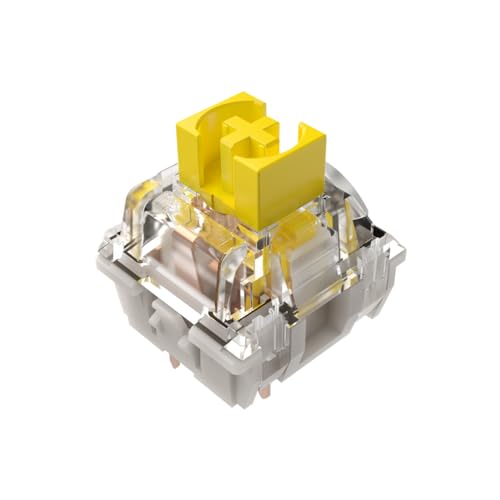
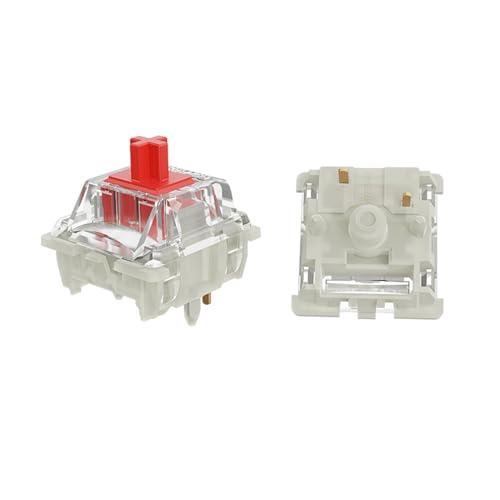
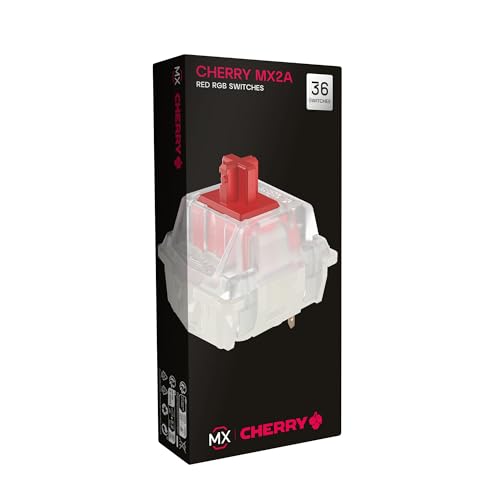
CHERRY MX2A Red — the light linear
Badge: The default Cherry linear; the one most boards, and most hands, start with.
- Type: linear, smooth and direct, per the maker’s description
- Kit: 36 switches, RGB housing version
- Generation: MX2A, Cherry’s current platform
- Temperament: effortless, forgiving of technique, tireless
The Red’s genius is absence: no bump to climb, no click to announce, and so little spring resistance that the press feels like the key simply agrees with you. In the MX2A generation the stroke is smoother than the Reds of memory — the current housing and factory finish have sanded down the faint scratch that older examples carried — and the result is a switch that disappears under fast typing and long gaming sessions alike. Its weakness is the mirror of its strength: a finger resting on a Red is most of the way to pressing it, and heavy-handed users harvest accidental actuations the way a low car harvests speed bumps.
Strengths
- The least fatiguing switch in Cherry’s linear family
- Rapid repeated presses cost almost nothing, which games reward
- Smooth MX2A stroke suits fast, glancing typing styles
Trade-offs
- Resting fingers fire it; thinking with your hands on the keys is risky
- The light landing offers little physical confirmation of a press
- Heavy strikers bottom it out hard, which can feel and sound abrupt
Best for: gamers, fast light typists, and anyone whose fingers tire easily. Not suited for: heavy-handed typists who lean on the keyboard while they think.

CHERRY MX2A Black — the same switch, with a spine
Badge: The deliberate linear; the switch that pushes back.
- Type: linear, powerful and direct, per the maker’s description
- Kit: 36 switches, 5-pin, RGB housing version
- Generation: MX2A, Cherry’s current platform
- Temperament: resistant, controlled, unhurried
The Black takes the Red’s geometry and gives it a spring with opinions. The press builds resistance from the first touch, so a resting finger is a guest rather than a trigger, and each actuation feels chosen. Typists who strike hard — the ones who treat a keyboard like a manual typewriter that owes them money — often find the Black transformative: the spring absorbs their force instead of surrendering to it, the bottom-out lands with a cushioned thud rather than a clatter, and the whole board acquires a grave, expensive composure. The cost is written in the forearms by evening: a Black board asks measurably more of the hands across a long day, and light-fingered users can find it simply tiring.
Strengths
- Accidental presses from resting fingers all but disappear
- Absorbs heavy striking gracefully, with a composed landing
- The firmer return snaps keys back up with real authority
Trade-offs
- Fatiguing for light hands over long sessions
- Rapid repeated presses cost more effort, which some games punish
- Its deliberateness can feel sluggish to speed-oriented players
Best for: heavy strikers, deliberate typists, and shared boards used by strong hands. Not suited for: light, fast players or anyone managing tired or sensitive fingers.
Criterion by criterion
Force through the stroke
Both switches are linear, so resistance climbs smoothly from first touch to bottom-out — but the Black’s curve sits above the Red’s everywhere, and the gap grows as you press. That shape matters more than the headline numbers: the Red feels light at the start and merely present at the end, while the Black feels intentional at the start and genuinely resistant at the end. Verdict: a draw by design — this criterion is the definition of the choice, and your hands cast the only vote that counts.
Accidental presses
Here the Black wins outright, and it is not close. The Red’s light spring is the most common cause of the classic linear complaint — stray characters from resting fingers, abilities fired by a hovering hand, a spacebar nudged by a lazy thumb. The Black’s spring holds a clear line between resting and pressing. If your current board produces typos you did not type, this criterion alone may settle the comparison. Verdict: Black, decisively.
Fatigue over a long day
The Red wins this one by the same margin. Force multiplied by thousands of presses is a physical budget, and the Black spends it faster — in the fingers first, then in the forearms by evening. Writers, programmers, and marathon gamers consistently report the Red as the switch they can live on. The exception is the genuinely heavy striker, whose fatigue on Reds comes from bottoming out hard rather than from the spring; for that user the Black’s resistance is the fatigue cure, not the cause. Verdict: Red for most hands, Black for the heaviest.
Gaming
For fast, repeated, feathered inputs — movement keys, rapid abilities, rhythm patterns — the Red’s cheap presses and easy resets make it the default gaming linear, and it has held that title in Cherry’s line for years. The Black’s gaming case is narrower but real: players with heavy hands who suffer accidental ability triggers, and players who prefer a key that confirms itself physically, choose Blacks and do not look back. Verdict: Red for the majority of players; Black for the heavy-handed minority it rescues.
Sound
Neither switch clicks, bumps, or does anything theatrical; both are as quiet as an unsilenced mechanical switch gets. The audible difference is in the landing and the return. A Red struck hard bottoms out with a sharper clack because the spring offers so little resistance on the way down. A Black’s landing is deeper and more muted, and its firmer spring returns the key with a slightly more solid top-out note. In the same case, most listeners judge the Black board a touch more composed. Verdict: Black, by a small margin, for sound character; both are office-safe in a private room.
Control and precision work
Tasks built on single, deliberate keystrokes — photo editing shortcuts, CAD commands, terminal work where a stray key has consequences — favour the Black’s clear boundary between intention and accident. Tasks built on flow — drafting, coding at speed, transcription — favour the Red’s invisibility. Verdict: split by task type, which is why so many dual-purpose boards end up zoned, a solution the how-to section below takes seriously.
Who each switch suits, stated plainly
The Red suits the player who games after work on the same board, the writer whose hands are light and quick, the programmer in flow state, the user with sensitive or tired fingers, and the beginner who wants the most forgiving possible introduction to linear switches. The Black suits the heavy striker, the deliberate typist, the professional whose stray keystroke could delete something, the user who rests their fingers on the home row while composing a thought, and the enthusiast who simply enjoys a keyboard with resistance in it — the way some drivers enjoy a heavy steering wheel. Neither list is a ranking. They are descriptions of two different relationships between a hand and a machine, and the only reliable way to learn which is yours is to notice how you already type: watch your hands for one paragraph and ask whether they float or lean.
The decision guide
If you bottom out every keystroke with authority, buy the Black. If you type the way you would play a piano exercise — lightly, quickly, from above — buy the Red. If your current keyboard’s main sin is accidental presses, buy the Black. If your current keyboard’s main sin is that your hands ache by Thursday, buy the Red. If you truly cannot tell, buy the Red first: it is the more common preference, the easier resale, and the gentler teacher — and a Black kit can join it later for a zoned board, which is where many owners of both end up, with Blacks standing guard on the modifiers and spacebar’s neighbours while Reds run the letters. The wider Cherry family context lives in cherry mx switches complete guide, and the brand-versus-brand view is covered in cherry mx vs gateron switches which is better.
How to run your own head-to-head
Step 1: Split one board, not two
Install Reds on one half of a hot-swappable board and Blacks on the other, letters included. Two boards in two cases would teach you about the cases; one board teaches you about the springs.
Step 2: Type the same long text on both halves
Take a passage you know well and type it twice, once per half, at your natural speed. Note where errors appear and which hand tires first; the pattern will be embarrassingly clear.
Step 3: Game on the split board
Put your movement hand on each colour in turn across two sessions. The Red half will feel eager; the Black half will feel planted. Your preference in the game you play most is data, not trivia.
Step 4: Live a full workday on the winner
Commit the whole board to the leading candidate for one honest day, including the tired hours at the end. Switches are chosen by evenings, not by auditions.
Step 5: Zone the board if the verdict splits
A split verdict is a valid result. Keep the records straight with a labelled photo of the layout, and enjoy a board that is light where you flow and firm where you rest. For the swapping mechanics themselves, how to remove and replace switches on a hot swappable keyboard is the walkthrough to follow.
Common mistakes in this comparison
The first is assuming the Black is the “pro” version of the Red because it costs more effort; effort is not quality, and plenty of professionals type on Reds precisely because their hands are their livelihood. The second is judging by a single press in a shop or on a tester: the difference between these switches is cumulative, written across thousands of presses, and a tester tells you the direction but not the destination. The third is mixing the two randomly through a board, which produces a keyboard that feels haunted; zone by area or not at all. The fourth is blaming the spring for a bottom-out habit: a Red board typed on with typewriter force will clatter and tire its owner, and the cure is technique as often as it is a Black spring.
Fifth: forgetting that the spacebar is its own decision. Many Red-board owners put a single Black under the spacebar, where its firmness suits a thumb’s angled strike and kills accidental spaces; many Black-board owners do the reverse for long writing days. Sixth: reading force numbers as the whole story and ignoring the MX2A generation’s smoother stroke, which both kits share and which makes both switches nicer than their ancestors of the same colour. Colour names in Cherry’s line are decades old; the switches inside the current kits are not.
The spring, considered as a piece of engineering
It is worth pausing on how remarkable it is that one spring can carry an entire comparison. A switch spring is a few grams of coiled steel, yet it sets the force curve, influences the return speed, contributes to the sound, and decides how the switch ages — a spring that relaxes slightly over years of use softens a Black toward a Red’s territory, while a Red has nowhere softer to go. Spring length plays a hidden role too: within the same housing, a longer spring under pre-compression makes resistance feel more present from the very top of the stroke, which is part of why the Black feels intentional rather than merely heavy. When enthusiasts swap springs between housings — a practice the frankenswitches complete guide treats as a foundational skill — they are exploiting exactly the truth this comparison rests on: in a linear switch, the spring is most of the personality, and changing it is the cheapest personality transplant in the hobby.
That insight gives this head-to-head an unusual epilogue. If you buy one of these kits and find it ninety percent right, you do not need the other kit; you need a pack of springs in the neighbouring weight and an evening with a switch opener. The Red owner who wants a touch more guard against accidents, and the Black owner who wants a touch less evening fatigue, are both one spring swap away from their switch. Keep that in mind before declaring either colour wrong for you.
Where the two switches sit in the wider market
Cherry did not invent the light-versus-firm linear choice, but it named the colours the whole market still uses as shorthand: a “red-weight” spring and a “black-weight” spring mean the same thing in a dozen brands’ catalogues. Gateron’s line answers with its own yellows and blacks, Kailh with its Box weights, and the boutique world with a spectrum of spring options in between. Readers who finish this comparison wanting the middle ground Cherry does not sell — a linear firmer than a Red and gentler than a Black — will find it in that wider market, and the best budget linear switches under 30 cents roundup covers several of the proven in-between options. The Cherry pair remains the reference because it is the cleanest possible experiment: one maker, one housing, one geometry, two springs.
Final recommendation
If a verdict must be printed: the Red is the safer default for most readers — lighter, tireless, and the gaming standard — while the Black is the connoisseur’s correction for heavy hands and stray presses. Buy the one your hands described while you read the criterion sections, and if they described both, zone the board and keep both. Few comparisons in this hobby end so honestly in a draw, because few competing products differ so cleanly in exactly one thing and in nothing else whatsoever.
A brief history of the two colours
The Black is the elder statesman here. Cherry’s firm linear served in industrial and point-of-sale keyboards long before gaming discovered the line — environments where a heavy spring is a feature, because gloved hands, hurried hands, and public hands all press things they do not mean to. The Red arrived as the gaming era’s answer: the same proven mechanism with the resistance turned down for speed, and it rode the esports boom into millions of gaming boards. That lineage explains each switch’s instincts. The Black was designed to forgive chaos; the Red was designed to reward practice. When you choose between them, you are choosing which of those two philosophies your desk follows — the control room’s or the arena’s — and both philosophies have decades of service behind them, which is more than most switch designs can claim.
The MX2A generation folds both colours into Cherry’s current platform, which matters for a quiet reason: parts, keycaps, and community knowledge for this family are as close to permanent as the hobby offers. A board built on either switch today will be serviceable, modifiable, and understandable to every future owner. In a market of monthly product cycles, that continuity is itself a feature, and it is one the two kits in this guide share equally.
Hands are not interchangeable: a field guide to your own
Since this comparison is decided by hands, it is worth describing hands with some care. Consider finger strength first: it varies more between people than any other input to this decision, and it changes across a life — the Black that felt authoritative at twenty-five may feel like labour at fifty-five, and the Red that felt vague to a manual worker may feel perfect to the same person after a decade at a desk. Consider technique second: hovering typists, whose fingers arrive from above and leave cleanly, get the least from the Black’s guard rail and the most from the Red’s ease; resting typists, whose fingers live on the keys between words, get the reverse. Consider session length third: short, intense sessions forgive heavy springs, while the eight-hour day audits every gram.
Consider, finally, the work itself. Prose flows; data entry punches; code alternates flow with surgical, deliberate keystrokes where a stray character can cost a compile or worse. A programmer who lives in the deliberate mode may zone a board more aggressively than any gamer — Blacks under the entire editing hand, Reds only where text pours out. There is no committee that can make this call for you, but there is a reliable witness: your current keyboard’s error pattern. Stray characters argue for the Black. Aching hands argue for the Red. A clean record and fresh hands argue that you are free to choose on pleasure alone, which is the happiest position in the hobby.
What the numbers cannot say: a week on each
Imagine the same writer spending a week on each board, because the diary is more instructive than the datasheet. Monday on the Red feels like a holiday — everything is easy, everything is fast, and the draft pours out. By Wednesday the holiday has a footnote: the writer notices a faint rash of doubled letters and deleted words, the fingerprints of a hand that rests while it thinks. Friday’s verdict: delightful and slightly untrustworthy, like a brilliant intern. Monday on the Black feels like work — every keystroke has a toll — and the writer privately mourns the Red by lunch. By Wednesday something has shifted: the errors are gone, the typing has a metronome’s steadiness, and the hands have stopped negotiating. Friday’s verdict: demanding and completely trustworthy, like a senior colleague. Neither diary is the truth; both are. The truth is which colleague your own hands would rather work beside, and only the experiment in the how-to section can introduce you properly.
Esports, offices, and other ecosystems
Walk through a professional gaming house and the boards will lean Red, for the reasons the gaming criterion gave: cheap repeated presses, easy resets, and hands that must stay fresh through a scrim block. Walk through a trading floor, a broadcast control room, or an industrial site, and the surviving Cherry boards lean Black, for the opposite reason: in those rooms a stray keystroke is not a typo but an incident, and the spring is a safety device. The home desk sits between those ecosystems and borrows from both across a single day — arena in the evening, control room during the morning’s spreadsheet work — which is why the home user, uniquely, is the reader most likely to end up owning both kits. There is no contradiction in that. It is the two philosophies taking shifts, exactly as your day does.
The office variant of the question deserves its own sentence: in a shared office, both switches are acceptable citizens, since neither clicks, but the Black’s composure under heavy hands makes it the better neighbour for the striker whose Red board clacks through the partition. Sound, once again, is a property of the hand and the spring together, not of the switch alone.
Ageing, maintenance, and the ten-year view
Both switches age gracefully and identically in most respects: keep dust out, keep liquids away, and the mechanism will outlast the board around it. The one divergence is the spring’s slow relaxation. A Black that has absorbed a decade of presses may drift a few grams lighter — usually experienced not as failure but as the switch mellowing into its owner. A Red, already at the family’s floor, shows age differently, mostly through housing wear and the occasional lazy contact rather than through feel. For the ten-year buyer, the practical advice is identical for both colours: buy the kit, keep four switches aside as lifetime spares, and the board’s linear heart is a solved problem for as long as you care to keep it. That durability is part of what the Cherry premium purchases, and it does not vary with the colour on the stem.
The middle path Cherry does not sell
Every Red-versus-Black discussion eventually produces a reader who wants the switch between them, and intellectual honesty requires saying that Cherry’s own line does not really offer one: the gap between the colours is the product design. The market around Cherry offers it — medium-weight linears from Gateron and others, and spring packs that let you tune a Cherry housing to any weight you like — and the spring-swap route deserves repeating here because it is this comparison’s best-kept secret. A Red housing with a mid-weight spring is, functionally, the missing third switch, and it costs an evening rather than a second board. Readers who finish this article still torn should treat that not as indecision but as a specification: buy the Red kit for its smoothness and availability, buy springs in the middle weight, and build the switch Cherry declined to sell you. The keyboard switches explained for beginners guide covers the vocabulary you will need, and the frankenswitch guide linked earlier covers the surgery.
Keycaps, cases, and the comparison’s hidden variables
A warning before any verdict hardens: the board around the switch can counterfeit the other colour. A Red in a heavy aluminium case with thick keycaps lands with a solidity that feels Black-adjacent, because the mass absorbs the light spring’s abruptness. A Black in a light plastic case with tall, lever-like keycaps can feel strangely eager, because the caps’ leverage helps the finger over the spring’s guard. This is why the how-to section insists on a split board in a single case: it is the only way to hold the hidden variables still while the spring speaks. It is also why owners’ reports of these two switches contradict each other so cheerfully online — they are often reporting their cases and caps, with the switch as a supporting actor. Judge the pair in your own build, and let other people’s verdicts serve as hypotheses rather than evidence.
Stabilised keys complicate the picture further, in a way worth knowing before a full conversion. The spacebar’s switch works with a stabiliser and a long, heavy cap, and its effective feel is firmer than the same switch under a letter key. A Red spacebar can feel perfectly weighted while Red letters feel too light; a Black spacebar can feel like a brake pedal while Black letters feel ideal. Treat the spacebar as a separate constituency with its own vote, whichever colour wins the letters — most experienced builders do, even if they never say so in their build logs.
What about the rest of the family? Brown, Blue, and the temptation to leave the comparison
Some readers arrive at Red versus Black and leave through a side door: the tactile Brown, which promises the Red’s lightness with a bump to guard it, or the clicky Blue, which promises feedback you can hear. Those are legitimate switches — both appear in this cluster’s complete Cherry guide — but they answer a different question. The Red-Black choice is for people who have already decided on the linear life: no bump, no click, just a ramp of resistance whose steepness is the only remaining decision. If you find yourself drifting toward the Brown while reading this, that drift is information: your fingers may be asking for feedback rather than for force, and a tactile trial will settle you faster than a spring change will. Stay in this comparison if the linear smoothness itself is what you love; leave it, happily, if what you actually miss is news from the keystroke.
The typing-test trap
Online typing tests will try to decide this comparison for you, and their evidence is rigged in the Red’s favour. A sixty-second test measures peak speed under zero fatigue, which is precisely the Red’s home turf and precisely not how keyboards are used. The Black’s advantages — accuracy under rest, composure at hour six — are invisible to a test that ends before the first coffee. If you use tests at all, use them honestly: run the same test at the start of a session and again at the end of a full day on each switch, and compare the evening numbers, because the evening numbers are your life. Better still, measure the metric that actually distinguishes these switches in the wild — unforced errors per thousand words in your real work, harvested from a week of ordinary documents. The switch that wins your evenings and your error count is your switch, whatever it does in a minute.
Buying the kits: practical notes
Both kits in this guide contain thirty-six switches, which covers a compact board outright, a gaming cluster plus letters on a larger one, or the split-board experiment this article prescribes, with switches to spare. Full-size conversions need multiples, and the arithmetic is worth doing before ordering rather than after the board is half-built. Both kits are the RGB-housing versions, so backlit boards keep their glow; both are MX2A-generation, so you are comparing the current switches and not old stock. The Black kit is a 5-pin format, the sturdier seating where boards accept it. None of these logistics favour one colour’s feel — but logistics decide whether the experiment happens at all, and a comparison that stays theoretical helps no one’s hands.
One more practical note belongs to the second-hand market: Reds are the easier kit to resell or gift, because the Red is the hobby’s default linear and every builder has a use for a set. Blacks move more slowly but to more grateful recipients — the heavy-handed are a minority who know exactly what they want. Either way, a kit bought for this comparison is not a sunk cost if the verdict disappoints; it is a spares pool, a zoning resource, or a gift with a story attached.
Two desks, two outcomes: case studies in miniature
Consider a support engineer who spends the day in a terminal, where a stray keystroke can close a session or confirm a prompt nobody meant to confirm. Her first board wore Reds, and her error log — the scrollback of small disasters — persuaded her to try Blacks on the editing keys only. Within a month the disasters had thinned to nearly nothing, while her prose keys stayed Red and her writing speed never noticed the change. Her board is the split verdict made physical, and her story is the strongest argument in this article for treating the comparison as a zoning question rather than a coronation.
Consider, in mirror image, a novelist with small hands and a hundred-thousand-word manuscript. His first board wore Blacks, chosen for their serious reputation, and by the second month his forearms were filing complaints his editor never saw. A Red conversion felt, in his words, like the keyboard had stopped arguing with him; the manuscript’s error rate rose slightly for a week and then settled as his technique lightened to match the spring. His story carries the counter-lesson: reputation is not fit, and a switch praised by strong hands can be a daily tax on smaller ones. Both stories end with a writer and an engineer keeping the “losing” kit in a drawer — because in this comparison, the loser is usually a future zone, a future board, or a future pair of hands.
The verdict for switch beginners
If this comparison is your first switch purchase, the Red is the recommended starting point, and the reasoning is pedagogical as much as physical. A light linear teaches clean technique: it punishes resting and sloppiness immediately but gently, it never tires a new user’s hands while their posture is still forming, and it is the reference feel against which every other switch you will ever try is described. Move to the Black later if your matured technique asks for resistance — many do, and the migration is a rite of passage with its own pleasures. Starting on Blacks risks the opposite lesson: a beginner may learn to type through fatigue and call it discipline. Begin light, learn your hands, and let the spring you graduate to be a decision rather than a default.
Frequently asked questions
Is the only difference between Cherry MX Red and Black the spring?
In practical terms, yes. The two switches share their linear design, actuation distance, travel, and housing family; the Black’s spring is substantially firmer, which changes the force at every point of the stroke. That single difference is enough to give the two switches distinct personalities in fatigue, accuracy, sound, and gaming feel, which is why the comparison repays a full article.
Which is better for gaming, Red or Black?
For most players, the Red: its light press makes rapid, repeated inputs cheap, and its easy reset suits movement-heavy play. The Black serves the minority of players whose heavy hands trigger accidental abilities on light switches. If you have never had an accidental-press problem in a game, you are in the Red majority.
Which is better for typing all day?
For most typists, the Red, because its low force keeps fingers and forearms fresher across thousands of presses. The exception is the heavy striker, who bottoms out Reds hard and may find the Black’s resistance both more comfortable and more accurate. Typing style, not typing volume alone, makes the call.
Do Red and Black sound different?
Slightly. Neither clicks, but the Black’s firmer spring produces a deeper, more muted bottom-out and a more solid return note, while a hard-struck Red can clack more sharply. In the same case the Black board usually sounds a touch more composed; in different cases, the case will matter more than the colour.
Can I mix Red and Black switches on one keyboard?
Yes, and zoning is a respected end state: Blacks on modifiers, the spacebar, and other keys your fingers rest on; Reds on the letters and gaming cluster. Keep the zones clean and documented, because a randomly mixed board feels inconsistent rather than tailored.
Does either switch work better with heavy keycaps?
Heavy metal or thick-walled keycaps add momentum to every press, which lightens the Red’s effective feel further and can make it feel vague, while the Black’s spring absorbs the extra mass gracefully and keeps its composure. If your build wears substantial caps, lean Black; if it wears light, standard caps, both switches show their true colours and the choice returns to your hands alone.
Can I try both colours without buying two full kits?
Two of these 36-count kits together are the trial, and they leave you with a zoning set rather than a leftover problem — but if the budget insists on one purchase first, buy the colour your error pattern argues for, and borrow the other experience from a switch tester or a friend’s board. What you should not do is decide from force numbers alone: fifteen grams is a small number on paper and a large one at press four thousand.
Is the Black a good choice for people who type with two fingers?
Often, yes. Hunt-and-peck typists press deliberately, one considered keystroke at a time, and they rarely rely on the light-touch flow that the Red rewards. The Black’s resistance matches that deliberateness, its guard against glancing blows suits a hand that travels across the board between presses, and fatigue is rarely the issue at two-finger volumes. Typing style is a legitimate input to this choice at every skill level, and no style is a wrong one.
What do the colours mean in Cherry’s naming?
The colour names the stem, and across Cherry’s line each colour is a stable recipe: Red for the light linear, Black for the firm linear, Brown for the light tactile, Blue for the clicky. The system is a gift to buyers — a colour is a specification you can read across a shop shelf — and it has been widely imitated by other makers, though imitators’ recipes vary in their details. Within Cherry’s own kits, including the MX2A generation used here, the colour promises the character this article describes.
Are these switches suitable for a first custom build?
Either is an excellent first build’s switch, because the family is standard in every respect — sockets, keycaps, community knowledge — and because the colour decision teaches the most transferable lesson in the hobby: that feel is a fit between a part and a person. A first builder who works through this comparison properly, with a split board and an honest week, will choose every later switch faster and better. Start with the Red if you must choose blind; the reasoning is in the beginners’ verdict above.
Will switching colours change my typing speed?
Temporarily, in whichever direction you move: a few days of recalibration are normal, because your fingers have automated a force budget and the new spring rewrites it. After the adjustment, most typists return to their previous speed on either switch, with the durable difference showing up in errors and in evening fatigue rather than in peak pace. Judge any change after a fortnight of real work; a verdict from the first afternoon measures novelty, not fit.
Which colour should go under the spacebar?
Decide the spacebar separately from the letters. A Black under the spacebar gives the thumb a firm, controlled landing and resists accidental spaces from a resting thumb, and many Red-board owners adopt exactly that single exception. A Red under the spacebar suits light, quick thumb work and keeps a Black board from feeling heavy at its largest key. There is no wrong answer — only an unexamined default, which is the one thing this comparison exists to prevent.
How does this choice interact with keyboard size?
Barely, but not trivially. On a compact board used for both gaming and writing in the same hour, the zoning options shrink — there are simply fewer keys to divide — so the single-colour decision matters more and the Red’s versatility usually wins it. On a full-size board, zones multiply, a numpad can take the opposite colour for data entry, and the household can have both philosophies at once. Layout is the quiet third candidate in this two-switch race.
What if I like the Black’s control but not its weight?
That preference describes the missing middle switch, and the hobby’s answer is a spring between the two — fitted into either housing, since the housings are compatible — or a medium-weight linear from another maker. Start with the Red kit if smoothness and availability matter most, then tune upward with springs; start with the Black kit if the 5-pin seating matters, then tune downward. Either chassis reaches the middle in an evening.
Is one switch more durable than the other?
No meaningful difference exists: the housings, stems, and contacts are shared, and the springs are rated for the same long service. The Black’s spring works harder in an engineering sense, but it was specified for exactly that work. Buy on feel with a clear conscience; durability will not break the tie.
Do Red and Black switches need lubrication?
Neither needs it out of the box in the current MX2A generation — the factory finish is the smoothest these colours have shipped with. A light, careful lubricant film can still refine either switch for enthusiasts chasing a particular sound, and it benefits the Red marginally more, because a light spring gives friction nowhere to hide. If you lube, keep the film thin and off the contact leaves, and do one switch first to confirm the change is the one you wanted.
How do the two switches compare for rhythm and speed games?
Rhythm games reward the cheapest possible repeated press, which is the Red’s home ground: its light spring lets a finger bounce on a key at tempo without accumulating fatigue across a long chart. The Black asks more per note and can feel like playing with a weight on the finger by the final chorus. Speed-typing competitions split the same way. For these disciplines the verdict is the clearest in the whole comparison — take the Red, and let the Black serve the deliberate arts.
Which is kinder to ageing hands?
Generally the Red, because its low operating force asks the least of joints across a day, and its smoothness in the current generation avoids the scratchy resistance that can aggravate sensitive fingers. The caveat is control: hands with reduced fine control sometimes prefer the Black’s clear boundary between resting and pressing, because it forgives tremor and drift. Comfort is individual enough that a trial day on each — the split-board experiment again — is worth more than any general rule, this one included.
Which switch is better for a shared family keyboard?
The Black usually serves a mixed household better: its firmer spring tolerates the range of hands — including heavy-handed guests and enthusiastic children — without a rash of accidental presses, and its composed sound survives enthusiastic striking. If the household’s main typist has light or tired hands, reverse the verdict and accept the occasional stray character as the price of their comfort. The main user’s hands outrank the guests’ in any sane household policy.
Does the Black’s heavier spring make it slower for gaming?
It makes each press slightly more expensive, which a minority of movement-heavy players can feel in rapid repeated inputs. It does not change the switch’s electrical speed at all — the actuation point and the board’s electronics are identical to the Red’s. The question is purely whether your fingers notice the effort across a session, and heavy-handed players usually report the opposite: that the Black’s control makes their inputs cleaner and therefore effectively faster.
Can I put a Black spring in a Red switch?
Yes — the housings are compatible, and spring swapping is the standard way to build the in-between switch Cherry does not sell. You will need a switch opener, tweezers, and patience for a board’s worth of switches. Many owners tune just the spacebar and modifiers this way rather than converting a whole set, which is the highest-value version of the trick.
Are the MX2A Red and Black different from the older versions?
They are the current generation of the same designs: the colours’ force characters carry over, while the MX2A revision updates the housing and factory lubrication across the line, so fresh kits generally feel smoother than early examples did. If you liked an older Red or Black, the current kit is that switch, mildly refined — not a different product wearing the colour.
Related reading: cherry mx red vs speed silver switches · are cherry kailh speed switches worth it · cherry mx vs gateron vs kailh vs outemu vs razer switches which is best