Disclosure: As an Amazon Associate, kajuandouglas.com earns from qualifying purchases. Links on this page are affiliate links; they cost you nothing extra. Prices and availability change often, so check the current Amazon listing before you buy.
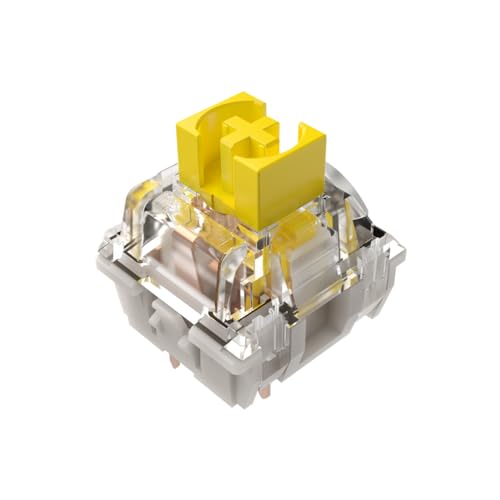
Of all the comparisons in Cherry’s catalogue, cherry mx red vs speed silver switches is the subtlest, because the two switches share a spring weight, a linear design, and a maker — and differ in a single measurement: where, in the keystroke’s four-millimetre journey, the press is allowed to count. The Red registers at the conventional depth, about halfway down. The Speed Silver registers near the top, after barely a millimetre of travel, and its whole stroke is shortened to match. This article is about that measurement and nothing else: what an early actuation point does to games, to typing, to errors, and to the feel of a landing — examined closely enough that you can decide whether your fingers want their keystrokes to count sooner. Both switches are covered in their current MX2A generation, the form Cherry sells today.
Cherry Mx Red Vs Speed Silver Switches: The Quick Verdict
Take the Speed Silver if your keyboard’s main job is fast, committed, separated inputs — competitive movement, rapid abilities, rhythm patterns — and your typing touch is light enough to live with a hair trigger. Take the Red if your keyboard’s main job includes resting, thinking, drafting, and hovering, because its deeper actuation point is a margin for error that the Speed Silver deliberately spends. The two switches are not rivals so much as two allocations of the same stroke: the Red spends its travel on forgiveness, the Speed Silver spends it on immediacy. Everything below is an unpacking of that sentence, criterion by criterion, with the geometry kept in plain sight.
In this guide
The geometry, side by side
- Design: both linear — a smooth ramp of resistance with no bump and no click
- Spring weight: both in the same light class, around 45 g operating force
- Actuation point: Red around 2.0 mm; Speed Silver around 1.2 mm
- Total travel: Red around 4.0 mm; Speed Silver around 3.4 mm
- Reset behaviour: the Speed Silver’s contact opens correspondingly higher, so the key lets go earlier on the way up
- Sound: both quiet linears; the Speed Silver’s shorter landing arrives sooner and can feel more abrupt
- Format: both 36-switch MX2A kits with RGB housings, for DIY, hot-swap, custom, or gaming keyboards
Notice what this table withholds: there is no row in which one switch is built better, lasts longer, or fits more boards. The housings, stems, contacts, and keycap compatibility are family-standard. The comparison lives entirely in two numbers — 2.0 against 1.2, 4.0 against 3.4 — and in what those numbers do to a human hand across a day. Small numbers, large consequences: that is the theme, and it is why this pairing confuses buyers who shop by specification and delights players who shop by feel.

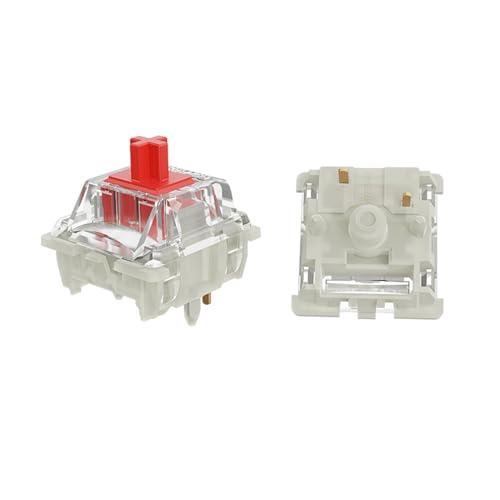
CHERRY MX2A Red — the full-depth linear
Badge: The balanced default; the switch the Speed Silver is a modification of.
- Type: linear, smooth and direct
- Kit: 36 switches, RGB housing version
- Actuation: standard depth, with generous travel remaining after the press registers
- Temperament: calm, cushioned, and tolerant of resting fingers
The Red’s defining luxury is overtravel — the distance the key keeps moving after your press has already counted. That extra travel is a cushion for the finger and a margin for the mind: you can lean on a Red, half-press it while deciding, brush it while reaching past, and the keystroke forgives you. In the MX2A generation the stroke is the smoothest the colour has offered, and the overall impression is of a switch with nothing to prove. Its only crime, in this comparison, is that it makes you wait the full two millimetres for every input — a wait measured in fractions of a blink that competitive players have learned to resent.
Strengths
- Deep actuation margin keeps accidental presses rare
- Full travel gives the softest, most cushioned landing of the pair
- The most versatile switch of the two across mixed work and play
Trade-offs
- Inputs register later, and release later, than on the Speed Silver
- Rapid re-presses must climb out of a deeper stroke
- Players adapted to early actuation describe it as unhurried
Best for: typists, mixed-use boards, and players who value control over immediacy. Not suited for: competitive players chasing the earliest possible registration.

CHERRY MX2A Speed Silver — the same switch, counting sooner
Badge: The early-registration linear for players who feel the Red’s delay.
- Type: linear, fast and direct, per the maker’s description
- Kit: 36 switches, RGB housing version
- Actuation: high in the stroke, with a shortened total travel to match
- Temperament: eager, immediate, and intolerant of resting fingers
The Speed Silver feels like a Red that has been told a secret. The spring is familiar, the smoothness is familiar — in MX2A form it shares the current housing and factory finish — but the press counts almost as soon as it begins, and the key is ready to count again almost as soon as it starts back up. In fast games the sensation is of the keyboard keeping up with intentions rather than confirming them. At a document, the same eagerness is a liability in direct proportion to how much your fingers rest, hover, and wander. It is a specialist’s switch wearing a generalist’s clothing, and the specialism is timing.
Strengths
- Registration and reset both happen earlier, which fast play rewards
- Shortened stroke makes rapid repeated taps feel effortless
- Same spring character as the Red, so the transition is easy to learn
Trade-offs
- Resting and brushing presses register; the error margin is thin
- The abrupt, shallow landing can feel harsh over long typing
- Its advantage vanishes in slow or deliberate software
Best for: competitive players and light, precise typists. Not suited for: heavy-handed writers or anyone who thinks with their hands resting on the keys.
Criterion by criterion
Input timing
The Speed Silver wins the stopwatch, and honesty requires adding: by less than the marketing implies. The saved distance is a fraction of the total input chain — finger decision, finger travel, switch, electronics, software — and the switch’s slice of that chain is small. What players actually report is not raw speed but responsiveness: the input feels attached to the intention. Verdict: Speed Silver, on feel more than on physics.
Reset and repeated presses
This is the Speed Silver’s strongest suit, stronger than its actuation advantage. Because the contact opens high, a key can be re-pressed sooner after release, and rapid sequences — double-taps, strafing alternation, rhythm patterns — stay clean at tempos where the Red’s deeper reset starts to blur. If your games involve the same key pressed in quick succession, this criterion outweighs all others in the article. Verdict: Speed Silver, clearly.
Error margin
The Red wins by the geometry itself. Two millimetres of travel before registration is a moat; one-point-two is a doorstep. Every resting finger, every brushed neighbour key, every lazy thumb is judged by that distance. Writers and programmers, whose errors cost more than gamers’ milliseconds, should weight this criterion heaviest. Verdict: Red, decisively.
Landing feel
The Red’s remaining travel after actuation cushions the finger’s arrival; the Speed Silver’s shortened stroke ends the conversation sooner, with a firmer, more abrupt stop. Over a paragraph the difference is trivial; over a novel it is a personality. Verdict: Red for comfort, Speed Silver for players who barely notice landings because their fingers are already leaving.
Sound
Both are quiet linears from the same family, and the case will dominate their voices. The one consistent difference is rhythm: the Speed Silver’s shorter stroke produces a slightly quicker, tighter sequence of bottom-out notes at speed, while the Red’s deeper stroke sounds marginally softer per landing. Neither will disturb a household. Verdict: effectively a draw, with character points to the Red in a quiet room.
Learning curve
Moving from Red to Speed Silver takes most players an evening to enjoy and a week to master; the errors arrive early and fade as the hands learn the new margin. Moving back feels, briefly, like typing through syrup — then normal. Neither direction risks anything permanent. Verdict: a draw, and an argument for experimenting rather than deliberating.
Who each switch suits
The Speed Silver suits the ranked-shooter player, the rhythm gamer, the fighting-game keyboardist, and the light-fingered typist who hovers and never rests. The Red suits the writer, the programmer, the strategist, the heavy-handed, and the beginner — plus the large, quiet majority whose games are turn-based, deliberate, or absent. If your day contains both kinds of hours, the zoned board is this comparison’s natural conclusion: Speed Silvers where inputs race, Reds where prose flows, and a labelled photograph so the layout’s logic survives your memory of building it. The sibling comparison in cherry mx red vs black linear switch compared covers the other axis of Cherry linear choice — spring weight — and the two articles together map the whole decision. Readers weighing brands as well as geometry should continue to are cherry kailh speed switches worth it, where the Kailh speed alternative enters the argument.
How to test the geometry on your own board
Step 1: Build a diagonal, not a half
Scatter the trial in a pattern you will actually use: Speed Silvers on the movement cluster and the most-typed letters, Reds elsewhere. Geometry is learned in real tasks, not in rows.
Step 2: Measure errors, not feelings, for three days
Keep a rough tally of accidental presses in games and documents. Feelings about a new switch are weather; an error count is climate.
Step 3: Play the fastest thing you own
One session of your most input-dense game tells you whether the early reset changes anything you can use. If it does not, the comparison is over and the Red has won by default.
Step 4: Write the longest thing you owe anyone
A real document, at real length, on the Speed Silver letters. The landing and the margin will file their report by page three.
Step 5: Commit by zone, and record the map
Whatever the split, photograph it. Mixed-geometry boards are wonderful until their owner forgets which switch lives where and starts diagnosing a layout as a fault.
Common mistakes in this comparison
The first is treating actuation depth as a measure of quality rather than of allocation: a shallower point is not a better point, it is an earlier claim on the same stroke. The second is crediting the Speed Silver for improvements that belong to practice — a week of playing on any new switch sharpens a player, and the switch collects the praise. The third is the reverse error: blaming the Speed Silver for a sloppy week’s typing that a lighter touch would have fixed by Wednesday. The fourth is forgetting the reset point entirely and judging only the press, when half the switch’s advantage lives on the way back up.
Fifth: assuming the two switches differ in durability or compatibility because they differ in geometry — they do not, in any way that should influence the purchase. Sixth: putting a Speed Silver under the spacebar as an afterthought, where its early registration meets a heavy, angled thumb and produces the one genuinely annoying configuration in this comparison. The spacebar, as ever, deserves its own decision; many zoned boards keep a Red there regardless of which switch wins the letters.
Overtravel: the unsung half of the keystroke
Every keystroke has a second half that specifications ignore: the distance travelled after the press has registered, while the finger decelerates and the hand prepares the next movement. The Red is generous with that half; the Speed Silver is frugal. Overtravel is where typing comfort physically lives — it is the crumple zone of the keystroke — and it is also where a subtle gaming cost hides, because a finger deep in overtravel has further to climb before the next press. Skilled players on Reds learn to float: to actuate and release within the top portion of the stroke, manufacturing their own speed switch out of technique. That observation reframes the whole comparison. The Speed Silver automates what disciplined Red players do by hand; the Red permits what the Speed Silver forbids, which is a full, relaxed, bottoming-out typing style. Choose the switch that matches the technique you actually have, or the one whose technique you are willing to learn — but notice that technique is in the comparison at all, because most switch debates pretend it is not.
The milliseconds argument, taken seriously and then put in its place
It is fashionable to dismiss actuation differences as unmeasurable, and the dismissal goes too far. Reaction-time research aside, the relevant unit is not the single press but the sequence: in a rapid alternation between two keys, an earlier reset on both compounds into a rhythm the player can genuinely feel, the way a musician feels a lighter action across a run of notes rather than on any single one. Where the fashionably dismissive are right is about magnitude and about bottlenecks: a player whose limitation is decision-making, positioning, or connection quality will gain nothing measurable here, and the switch will be blamed or credited for variance that belongs elsewhere. The honest summary is that the Speed Silver’s advantage is real, narrow, and conditional — available to players whose technique is already fast enough to spend it. Everyone else is buying a feel, which is a legitimate purchase as long as it is made knowingly.
Final recommendation
Default to the Red unless your games are fast, your touch is light, and your errors are few — in which case the Speed Silver is one of the cheapest genuine upgrades in gaming hardware, and its kit belongs on your board’s left side at minimum. The two switches are a before-and-after photograph of a single idea, and the idea is that a keystroke can be spent on forgiveness or on immediacy. Spend yours where your day actually goes, hour by hour, key by key.
Where the Speed Silver came from
The Speed Silver was not born in a hobbyist’s workshop; it was born in the gaming industry’s arms race, when keyboard brands competing for esports credibility asked Cherry for a switch that registered faster than the standard MX line. For a period the design was associated with specific gaming keyboards before becoming a generally available switch, and that origin explains its character better than any specification: it is a switch designed by request, for a named problem, in a professional context. The Red, by contrast, is a generalist that gaming adopted. When you hold the two side by side you are holding a specialist tool and a beloved all-rounder, and the specialist’s narrowness is not a flaw in its design — it is the design. The MX2A generation has since folded the Speed Silver into the same updated platform as the rest of the family, which quietly resolves the old objection that speed switches felt rougher than the standard line: in current production, the smoothness gap has closed, and geometry is once again the only difference on the table.
Genre by genre on the Speed Silver
Tactical shooters make the strongest case, because their movement grammar — the counter-strafe, the jiggle peek, the instant stop — is written in key releases as much as in presses, and the Speed Silver’s early reset is fluent in exactly that grammar. Arena shooters come next: the input volume is so high that a shorter stroke is a fatigue intervention as much as a timing one, and players report the board feeling less tiring across a long session because each press is a smaller journey. Rhythm games divide their players, as they did in this cluster’s broader speed-switch discussion: the early registration suits players who strike on the beat, while players who feel the beat through the key’s landing find the shortened stroke throws their timing off by removing the physical thump they were counting with.
Outside the fast genres the case dissolves, and it is worth being specific about why. Strategy and simulation games are played at the speed of decisions, not of keystrokes. MMO rotations are sequences of deliberate, spaced inputs where an accidental press costs more than a late one gains. Creative software — editing, design, music production — involves hovering, holding, and nudging, the three verbs the Red’s margin exists to protect. None of this diminishes the Speed Silver; it locates it. A switch with a home genre is a tool. A switch claimed to suit everything is a brochure.
Technique: learning the shallow stroke
Players who adopt the Speed Silver successfully tend to learn three habits, and naming them shortens the adjustment week considerably. The first is the hover: fingers held a fraction above the caps rather than resting on them, so that intention and contact stop being the same event. The second is the partial press for held keys — crouch, sprint, scope — where the shallow actuation means a gentle, sustainable hold replaces a full clamp, and the hand stays fresher for it. The third is the quick release as a deliberate skill: because the switch lets go early, lifting decisively becomes an input in its own right, and drills that practice stopping — strafing against a wall, tapping direction changes to a metronome — convert the geometry into results faster than ordinary play does.
Typists adopting the switch learn a fourth habit: trusting the registration. The instinct to press through to the bottom is a full-travel habit, and on a shortened stroke it produces both the harsh landing and most of the fatigue new owners report. A few days of deliberately light typing — treating the key as a touch surface rather than a button — usually retires the instinct, and with it goes most of the “harshness” attributed to the switch. What remains after technique is accounted for is the switch’s true character, which is why this guide keeps prescribing trials measured in weeks rather than verdicts delivered in minutes.
The Red’s quiet virtues, defended
Comparison articles have a bias toward the newer, more specialised product, and this one should correct for it explicitly, because the Red is not merely the Speed Silver minus a feature. The Red’s full stroke is a considered design with its own excellences. The deep actuation point makes the switch nearly impossible to fire accidentally, which is a form of reliability no specification sheet celebrates. The generous overtravel gives the finger a soft, certain landing that high-volume typists’ joints appreciate across years, not sessions. The standard geometry means every keycap, case, and community tuning recipe in the hobby was developed around switches like it. And the Red’s very unhurriedness is, for deliberate work, a feature: a keystroke that takes the full journey is a keystroke its owner meant. If the Speed Silver is a racing bicycle — light, quick, and demanding — the Red is the touring frame that crosses continents. Articles that treat the tourer as a failed racer misunderstand both machines, and buyers should be suspicious of any verdict that cannot state the older product’s virtues in its own terms.
How the two switches age in a player’s life
An under-discussed pattern: players migrate between these switches as their circumstances change, in both directions, and the migration is usually about the desk’s other job. The student who bought Speed Silvers for a dorm gaming setup becomes the analyst who zones Reds back under the letters when the same board starts earning a living. The writer who swore by Reds discovers a competitive game at thirty and adds a Speed Silver cluster the way a golfer adds a club. Neither migration is an admission that the earlier choice was wrong; the board is being re-allocated as the day is re-allocated. This is the deepest reason the zoned layout keeps appearing in this article: it is not a compromise between two switches, it is an accurate map of a life that contains both kinds of hours. Buy the kits without anxiety about permanence. On a hot-swappable board, permanence was never the deal.
Against the wider field: optical and magnetic switches
Both switches in this article now compete with technologies that attack the same problem differently. Optical switches can actuate as early as the Speed Silver or earlier, and magnetic Hall effect switches offer adjustable actuation with rapid trigger — the reset advantage of the Speed Silver, generalised and made programmable. What those technologies ask in exchange is the keyboard itself: the switch and the board are one purchase, one ecosystem, often one piece of software. The mechanical pair in this comparison remains the answer for the owner of a good board who wants to change the geometry of a keystroke for the cost of a switch kit. That is a narrower promise than the magnetic boards make, and for a great many desks it is the right-sized one. Readers choosing a camp rather than a switch will find the technology comparison in hall effect vs mechanical switches compared and the optical view in optical vs mechanical switches compared.
Ergonomics of a shorter stroke
The ergonomic ledger of the Speed Silver has entries on both sides, and they deserve more care than the marketing gives them. In its favour: a shorter stroke is less total finger travel per press, and across a high-volume gaming session that arithmetic is real — the hand simply moves less. A light spring shared with the Red means the force budget is unchanged, so the saving is in distance rather than effort. Against it: the abrupt landing concentrates the stop, and players who bottom out hard transfer that stop into their fingertips thousands of times an evening. The Red’s overtravel, by contrast, is a deceleration lane. Which entry dominates depends, once again, on technique — the floating player harvests the Speed Silver’s saving and never pays its landing cost, while the heavy striker pays the cost and never collects the saving. Hands with existing sensitivities should trial carefully and judge by the end of real sessions, because ergonomic questions are answered by evenings, not by auditions. Comfort claims in either direction, made without reference to your own technique, are advertising rather than information.
What to do with the kit you did not choose
Because both kits in this comparison are thirty-six-count sets, the experiment this article prescribes leaves the buyer holding a complete second layout’s worth of switches, and that is an asset rather than a remainder. The unchosen colour becomes the zoning reserve for the keys the winner does not suit, the spares pool for the board’s lifetime, the heart of a macropad or a second desk’s board, or a gift to the next friend whose keyboard journey is beginning. Switches are the most reusable, most giftable, most tradable parts in the hobby; a kit is never wasted, only re-assigned. Knowing that in advance should lower the temperature of the whole decision. You are not choosing a tattoo. You are choosing which switches go in first.
A note on names: why “Silver” and why it confuses people
Newcomers reasonably ask whether the Speed Silver is a premium tier of the Red — the colour sounds like a trim level — and the confusion is worth dissolving before money moves. In Cherry’s system, colours are recipes, not ranks: Red and Silver are siblings, not editions. The Silver’s stem colour simply identifies the speed geometry within the family, the way Black identifies the firm spring in the sibling comparison. Neither switch is the deluxe version of the other, neither costs its character to a hierarchy, and a buyer choosing the Red is not choosing the lesser product — a point this article has made by geometry and now makes by nomenclature, because the naming genuinely misleads people into buying the specialist when they needed the generalist.
The decision, worked through three desks
Desk one belongs to a university student who plays a tactical shooter with a ranked team four nights a week and writes essays on the same board. Her error pattern is the tell: in games, her movement occasionally feels a half-beat behind her intention; in essays, she types lightly and rarely rests on the keys. She is the Speed Silver’s designed customer, and the zoned trial — Silvers across the whole board for a fortnight, since her typing style permits it — confirms it within days. Desk two belongs to a technical writer with strong hands and a resting-typist’s habits, who games slowly and socially on weekends. His trial of the Speed Silver produces a week of entertaining typos and one firm conclusion; the Reds stay, and the Silver kit becomes his gaming-cluster experiment for the two fast titles he plays with his brother — a zoning so narrow it is almost a souvenir, and exactly right. Desk three belongs to a couple sharing one desk and one board across shifts. They split the board by rows rather than by games — Silvers where the evening player’s hands live, Reds where the day worker’s prose does — and keep the photograph taped inside a drawer. Three desks, three different correct answers, one pair of switches: that is the whole argument of this article, demonstrated.
Reading force curves without a laboratory
Enthusiast discussions of these switches often invoke force-travel curves, and a reader deserves to know what such a curve would show here, because it makes the comparison visible. Both curves rise gently and evenly — that is what linear means — and they rise together, since the springs are siblings. The difference is a vertical line drawn on each: the point where the electrical contact closes. On the Red’s curve the line stands at the halfway mark, with the curve continuing beneath it like a road past a town. On the Speed Silver’s curve the line stands near the beginning, and the road itself ends sooner. Everything this article has said — margin, immediacy, landing, reset — is a translation of that picture into hand-language. If you remember one image from this guide, make it that one: two identical hills, two flags planted at different heights, and a traveller — your finger — whose journey is defined by where the flag stands.
Compatibility and buying notes for both kits
The practicalities are mercifully identical, which keeps the decision where it belongs — on geometry. Both kits are standard MX-format switches that fit hot-swappable boards built for the pattern, accept the same keycaps, and arrive as thirty-six-count RGB-housing sets suited to compact boards, gaming clusters, and this article’s split trials. A full-size conversion needs several kits of whichever colour wins; do that arithmetic before the board is in pieces. Both are current MX2A production, so a kit bought today represents the switch as Cherry now makes it, not a warehouse’s memory of it. One caution applies to both in equal measure: confirm your board is genuinely hot-swappable before ordering loose switches of any colour, because a soldered board converts this comparison from an evening’s experiment into a weekend’s desoldering project — still possible, but a different promise to make to yourself. The general background on sockets and pins lives in keyboard switches explained for beginners, and it is worth the ten minutes for any first-time buyer.
What changes if you lube them
Lubrication interacts with this comparison in one interesting way: it cannot change the geometry, but it can change how the geometry feels at its edges. A careful film on either switch smooths the stroke’s start, which on the Speed Silver softens the perceived abruptness of the early landing and on the Red deepens the sense of cushion. What lubricant must never do here is wander onto the contact leaves, where it can make registration inconsistent — a fault that would counterfeit a geometry problem and send the owner debugging the wrong variable. Both MX2A kits arrive smooth enough that lubrication is an enthusiast’s refinement rather than a necessity, and first-time buyers should live with the factory finish through the whole trial period, so the comparison they are judging is Cherry’s and not their own handiwork’s.
Frequently asked questions
What is the actual difference between MX Red and MX Speed Silver?
Actuation geometry. The Red registers about halfway through a full-length stroke; the Speed Silver registers near the top of a shortened stroke and resets correspondingly earlier. Spring weight, linear feel, housing family, and keycap fit are shared. The difference sounds small and feels large, because it governs both how soon inputs count and how much error margin the finger enjoys.
Is the Speed Silver better for FPS games?
For most competitive FPS players, yes — movement and ability keys benefit from the earlier registration and, even more, from the earlier reset that keeps rapid alternation clean. The advantage is conditional on a light, disciplined touch; a heavy-handed player will spend it on accidental presses and should stay with the Red.
Will the Speed Silver hurt my typing?
It will tax it for a few days: expect stray letters from resting fingers and a landing that feels abrupt until your hands recalibrate. Light, hovering typists usually return to their normal accuracy within a week. If the errors persist beyond a fair trial, your hands are voting for the Red’s margin, and the zoned board — Speed Silvers for games, Reds for prose — is the peace treaty.
Do the two switches sound different?
Barely. Both are quiet linears, and the case and keycaps dominate their voices. The Speed Silver’s shorter stroke can sound slightly tighter and quicker at speed; the Red’s deeper landing is marginally softer. Nobody should choose between these switches on sound — it is the one criterion where they are effectively the same product.
Can I use Speed Silver and Red on the same keyboard?
Yes, and it is the configuration this guide most recommends for mixed-use desks. Speed Silvers under the gaming cluster, Reds under the letters and resting keys, and a Red — or a firmer switch — under the spacebar is a layout many competitive players settle on permanently. Keep a labelled photo of which switch sits where.
Are both switches equally suitable for a first custom build?
Mechanically, yes — same sockets, same caps, same community knowledge. Pedagogically, the Red is the kinder first teacher, for the margin reasons given above. A first builder whose heart is set on competitive play can start with the Silver and simply budget an honest adaptation week; the build itself will not punish the choice in any way.
Will the Speed Silver’s advantage survive a future board upgrade?
Yes, because the advantage lives in the switches, not the board: pull them, seat them in the next hot-swappable case, and the geometry moves with them. That portability is the quiet economic argument for solving timing at the switch level rather than buying a dedicated gaming board whose switches are fixed. Your investment in a geometry you have tested and chosen is one of the few in gaming hardware that never needs to be made twice.
Is there a middle option between the two actuation depths?
Not within Cherry’s own pair — the two points are the two products. The middle ground exists in the wider market, in switches with actuation depths between the two and in magnetic boards where the point is a setting rather than a mechanism. For a Cherry loyalist, the practical middle is zoning: a board that contains both depths, each where it belongs, which is arguably better than a single compromise depth everywhere.
What if I play both fast and slow games?
Then zone by hand rather than by game: most players’ fast inputs live under the left hand’s cluster regardless of the title on screen, while the right hand works the mouse. Speed Silvers on the movement and ability keys serve the fast games, Reds everywhere else serve the slow ones and the day’s prose, and no swapping is ever required when the evening’s game changes. It is the most practical layout this comparison produces.
Does the Speed Silver work well on a laptop-style setup or a small desk?
It works wherever a standard switch works, and its shortened stroke pairs naturally with the compact, low boards that small desks favour. The caution is environmental rather than mechanical: small desks are often shared desks, in bedrooms and studios where another person’s tolerance matters. The switch itself will perform; whether the household enjoys the faster, sharper typing rhythm it encourages is the household’s question to answer.
How do I know if my errors come from the switch or from my technique?
Sort them by kind. Errors that are presses you never intended — letters appearing while you think, abilities firing under a hovering hand — belong to the geometry, and they argue for the Red. Errors that are late or missed inputs in fast sequences belong to the reset depth, and they argue for the Silver. Errors that are neither — wrong keys, transposed letters — belong to the typist, and no switch in this article will fix them, which is useful to know before spending money on the attempt.
Should writers ever choose the Speed Silver for the whole board?
A specific kind should: the writer whose prose is produced in short, intense bursts, who hovers rather than rests, and whose drafts are games of momentum. For that writer the shortened stroke can feel like the keyboard is keeping up with thought. The long-form, resting, thinking-on-the-keys writer is the Red’s constituency, and no amount of competitive fashion should argue them out of the margin their process depends on.
What is the difference between Speed Silver and a rapid-trigger keyboard?
Control. A rapid-trigger magnetic keyboard lets software decide where actuation and reset happen, per key, and lets the reset follow the finger’s upward motion dynamically. The Speed Silver’s points are fixed by its mechanism — set at the factory, identical on every press, and free of software, settings, and compatibility questions forever. Players who want tuning buy the magnetic board; players who want one well-chosen geometry in the board they already own buy this switch.
Do professional players actually use speed switches?
Some do, and many use standard switches — the professional scene is not unanimous, because at that level the input chain is optimised everywhere and personal adaptation outweighs any single component. The honest lesson from the pros is not which switch they choose but that they choose deliberately, test in their actual games, and then stop shopping. An amateur with a settled, practised setup on Reds will outplay an amateur who changes switches monthly, on any geometry.
If I can only buy one kit, which is the safer experiment?
The Speed Silver, paradoxically — because it is the unknown. Most readers already know the Red’s character from the thousands of boards that ship with it; the open question in their lives is the geometry, and a thirty-six-count Silver kit answers it on the gaming cluster while the board’s existing Reds hold the letters. If the experiment fails, the kit becomes spares and gifts. If it succeeds, it expands. The Red kit is the safer purchase only for a buyer building a board from nothing.
Which switch is quieter for late-night use?
Neither is a silent switch, and both produce the ordinary bottom-out and top-out sounds of their family; the difference is that the Speed Silver’s shorter stroke ends more abruptly, which a heavy-handed player can make slightly more noticeable at night. A light-handed player will find them indistinguishable. If the hour and the household are the real constraints, the honest recommendation is the silent category, not a winner of this comparison.
Does the shortened travel affect keycap compatibility or stabilisers?
No. The Speed Silver’s stem, cross, and housing footprint are standard, so keycaps fit as they do on the Red, and stabilised keys behave as they do on any MX switch. The travel difference lives entirely inside the switch. Your existing build — caps, case, plate, stabilisers — carries over unchanged, which is precisely the appeal of solving a timing problem at the switch level.
How long does it take to adapt to the Speed Silver?
Most players report the switch feeling natural within three to five days of regular use, with the error rate returning to baseline inside a fortnight. Typists with resting habits take the longest, because the habit being retrained is unconscious. If your error count has not recovered after two honest weeks, that is not a failure of effort — it is the answer to the comparison, and the Red is your switch.
Is the Speed Silver more fragile because it is a performance part?
No. The mechanism is the standard MX design with a relocated actuation point, built on the same production platform as the Red — in current kits, the same MX2A generation. Nothing about the geometry adds stress to the parts. Treat it exactly as you would the Red, keep liquids away from the board, and expect the same long service.
What about the spacebar in this comparison?
Keep the Red under it in most layouts. The spacebar is struck by a thumb arriving at an angle with real momentum, and the Speed Silver’s early point can make it feel vague and occasionally double-register a bouncing strike. The exception is the player who has fully adapted to the shallow stroke everywhere else and wants the board uniform; even then, give the Silver spacebar a week before judging it, because thumbs learn more slowly than fingers.
Are Speed Silver switches only for gaming?
They are designed for it, but light-touch typists who hover rather than rest often adopt them for everything, and some writers with a feather press prefer the reduced travel over a long day. The switch does not know what software is running. It knows how it is pressed — and a typist whose technique matches its geometry is as legitimate an owner as any player.
Can I feel the difference in a shop, on a tester?
Yes — this is one comparison a tester genuinely settles, because the geometry difference is immediate rather than cumulative. Press each switch slowly and find the registration point with a keyboard tester on screen; then press at gaming speed and feel where the stroke ends. What a tester cannot tell you is the error rate across a working week, which is why the in-board trial still matters — but unlike the weight comparison in this cluster’s sibling article, the direction of preference usually announces itself at the tester.
Which switch suits a hybrid work-from-home desk?
The hybrid desk is the zoned board’s natural habitat: Speed Silvers for the evening’s games, Reds for the day’s documents, on one board that changes personality by region. If zoning feels excessive, the tie-breaker is whichever activity pays the bills — a board that works all day and games for an hour should be built as a work board with a gaming cluster, not the reverse.
Do either of these switches need a special keycap?
No. Both use the standard MX cross stem and accept the keycaps you already own. Cap height does interact with the geometry — taller caps add leverage that can make the Speed Silver feel even more immediate, while lower caps calm it — but that is tuning available after the purchase, not a compatibility requirement before it.
Which switch is better for a beginner’s first board?
The Red, for the same reason driving instructors prefer forgiving cars: its margin lets a new typist make mistakes cheaply while technique forms, and its versatility covers whatever the beginner’s hobby becomes. A beginner who already knows they are a competitive player with a light touch can start on the Speed Silver without harm, but they should expect the error-filled first week and budget the patience for it.
Does the Speed Silver make typing measurably faster?
It makes individual keystrokes register sooner, but typing speed is governed by the brain and the fingers’ travel between keys, not by the last fraction of a single stroke. Most typists’ measured speed is unchanged on either switch once they have adapted; what changes is the error pattern and the feel. Buy the Speed Silver for games and for responsiveness, not for a words-per-minute promise it never made.
How does the Speed Silver handle held keys, like sprint or crouch?
Gracefully — arguably better than the Red. Because actuation sits high in the stroke, a held key can be maintained with a light, partial press rather than a full clamp, which keeps the holding finger fresher across a long session. The corresponding caution is the release: the key lets go just as early, so a relaxing finger can drop the hold a moment sooner than intended until the hand recalibrates.
Can I put Speed Silvers on just the gaming cluster and Reds everywhere else?
Yes, and it is one of the smartest layouts this comparison produces: the shallow geometry where reaction lives, the classic stroke where language lives. The two switches share a family, a socket, and a force character, so the board feels like one instrument with two registers rather than two boards stitched together.
Are these the current versions of both switches?
Yes. Both kits are Cherry’s MX2A generation — the present-day production form of the Red and the Speed Silver, with the line’s updated housing and factory finish. The geometry that defines each switch is unchanged from its classic form; what has improved is the smoothness of the stroke around that geometry.
Related reading: cherry mx switches complete guide · cherry mx vs gateron switches which is better · best budget linear switches under 30 cents