Disclosure: As an Amazon Associate, kajuandouglas.com earns from qualifying purchases. Links on this page are affiliate links; they cost you nothing extra. Prices and availability change often, so check the current Amazon listing before you buy.
Short answer first: are cherry kailh speed switches worth it if you mostly play fast games and type carefully enough to tolerate a hair trigger? For competitive players, usually yes. For heavy-handed typists, shared-desk workers, and anyone who rests their fingers on the home row while thinking, the same short actuation that wins gunfights will also sprinkle stray characters through your documents. This guide works through both speed linears named in the question — Cherry’s MX Speed Silver, sold today in its current MX2A generation, and Kailh’s Speed Silver — so you can decide with the trade-offs in plain view rather than on marketing adjectives.
Are Cherry Kailh Speed Switches Worth It? The Two Switches, Side by Side
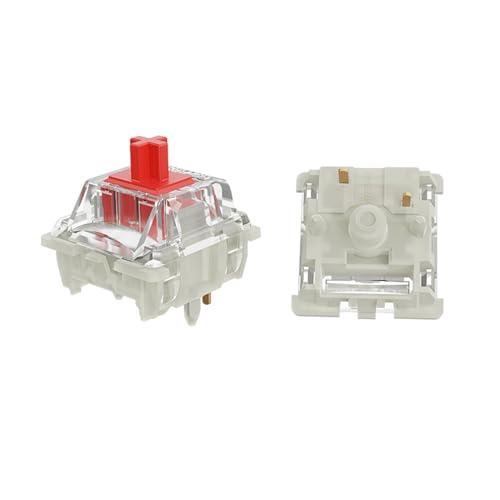
A speed switch is not a different kind of mechanism. It is an ordinary linear switch whose actuation point has been moved higher up the keystroke, so the press registers after less downward travel. A conventional Cherry MX Red registers at about 2.0 mm of travel; the MX Speed Silver registers at roughly 1.2 mm. Kailh’s Speed Silver goes a touch further, actuating around 1.1 mm. Everything else — the spring, the stem, the click-free linear glide — stays familiar, which is why the honest question is never “are these exotic?” but “does eight-tenths of a millimetre change how my hands behave?”
That distance sounds trivial until you multiply it. In a fast arena shooter you might tap a movement key several hundred times in a round, and each tap completes sooner on a speed switch. The benefit is not raw speed so much as reduced finger travel per input and a quicker reset: because the switch actuates high, it also de-actuates high, so a key you feather during a counter-strafe releases earlier. Typists get a different bargain. Less travel means less cushion before a resting finger becomes a typed letter, and the shallow bottom-out arrives abruptly, which some people find fatiguing over a long writing session.
In this guide
Quick verdict before the detail
Buy a speed switch if your keyboard time is dominated by ranked shooters, rhythm games, or anything where a late input visibly costs you, and if your typing style is light and deliberate. Skip them if you draft long documents for a living, share a desk with someone who will borrow the board, or already bottom out hard on normal linears — you will trade accuracy for a benefit you cannot feel in a spreadsheet. The middle path, and the one this guide keeps returning to, is a mixed layout: speed switches under the gaming cluster of keys and ordinary linears or tactiles everywhere else, which a hot-swappable board makes a ten-minute experiment rather than a permanent commitment.
The two verified picks
Both switches below were confirmed through the site’s own Amazon data, and both are sold as loose switch packs for hot-swap or DIY boards. The Cherry kit is the current MX2A generation of the MX Speed Silver — the same speed geometry, with Cherry’s updated housing and factory lubrication refinements — so descriptions here treat it as the MX2A switch it is, not as the older first-generation part.

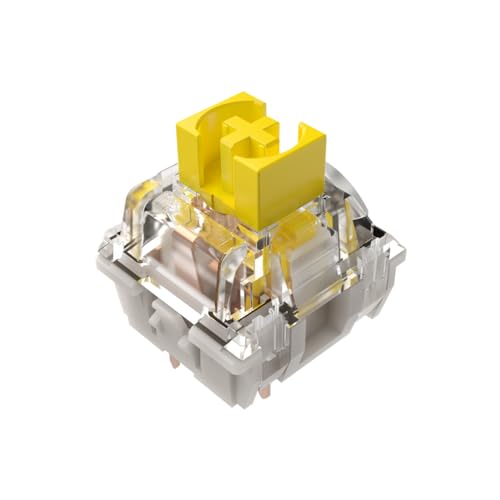
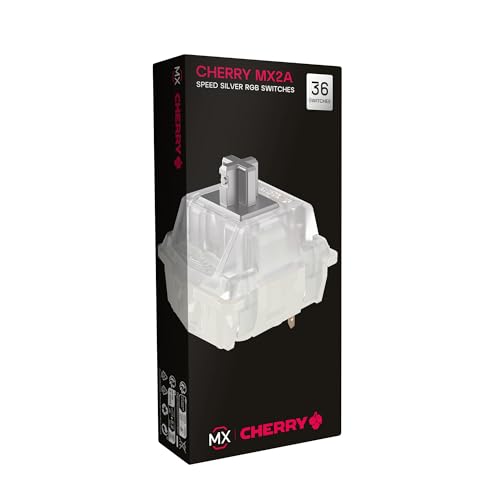
CHERRY MX2A Speed Silver Switch Kit — the reference speed linear
Badge: Best for players who want the original speed geometry with Cherry’s build consistency.
- Type: linear, no click, no tactile bump
- Actuation: high actuation point, around 1.2 mm into the stroke
- Format: 36-switch kit, RGB housing version, for DIY, hot-swap, custom or gaming keyboards
- Feel in a sentence: light, direct, and quick to reset
Cherry built the speed category before it had a name, and the MX2A Speed Silver still feels like the cautious engineer’s version of the idea. The spring weight sits in the familiar light-linear zone, so your fingers are not learning a new resistance; only the registration point has moved. In game, that shows up as movement keys that answer while your finger is still deciding to press them, which is a strange sensation for the first evening and an addictive one by the third. In text, the same eagerness punishes sloppy rolls across adjacent keys — brush the corner of a neighbouring cap and you have typed it.
Strengths
- Actuates noticeably earlier than a standard Red, which suits strafing and rapid repeated taps
- Cherry’s stem tolerances keep wobble low even though the stroke is short
- The MX2A generation arrives smoother from the factory than the speed switches of a few years ago
Trade-offs
- Resting fingers register presses; thinking with your hands on the keys gets expensive
- The shortened stroke bottoms out abruptly, which some typists find jarring
- Kit quantities suit a gaming cluster or a compact board better than a full-size rebuild
Best for: competitive players converting a hot-swap board, especially on the movement and ability keys. Not suited for: touch-typists who draft all day, or anyone whose current complaint is accidental presses.

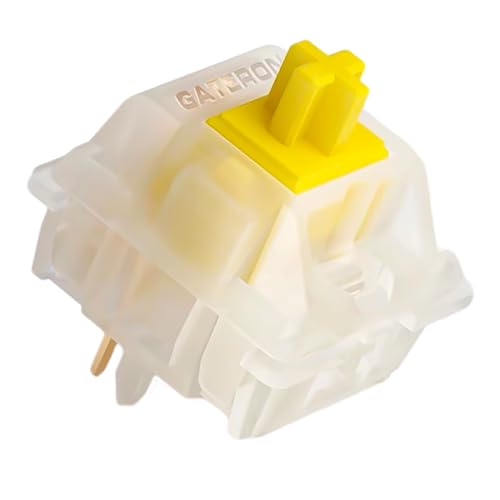
Glorious Kailh Speed Silver — the eager alternative in a big pack
Badge: Best for a full-board conversion or for experimenting across several layouts.
- Type: linear feel, fast actuation, no click
- Format: 120-pack, 3-pin, hot-swappable, SMD LED compatible
- Actuation: marginally earlier than the Cherry, around 1.1 mm
- Feel in a sentence: a shade lighter and a shade livelier than the Cherry
Kailh’s Speed Silver takes the same idea and leans into it. The actuation point sits a hair higher, the spring feels a touch lighter under a resting finger, and the overall character is slightly less damped — a Kailh speed switch tends to sound a little brighter on bottom-out than its Cherry counterpart in the same case. The Glorious pack’s real advantage is arithmetic: a 120-count box covers a full-size board with spares left over, which makes it the practical choice when the plan is to convert everything rather than to audition a cluster. Because the switches are 3-pin, they drop into the widest range of hot-swap sockets without clipping legs.
Strengths
- The earliest registration of the two, which rhythm-game and shooter players will notice first
- Generous pack count makes whole-board swaps and spares painless
- SMD LED compatibility keeps shine-through legends lit on backlit boards
Trade-offs
- The lightest touch of the pair, so stray presses are the most frequent here
- A slightly sharper bottom-out note that quiet-desk users may not love
- 3-pin mounting is less rigid in loose sockets than a 5-pin switch
Best for: gamers converting an entire board and players who want the most responsive variant available. Not suited for: heavy typists, or anyone planning to use the board in a quiet shared room late at night.
What “speed” actually changes, measured in your hands
Strip the branding away and a speed switch alters three numbers: where the press registers, where it releases, and how much travel remains after registration. Registration depth is the headline figure. Release depth matters just as much in play, because a switch that lets go earlier lets you change direction earlier; counter-strafing in a tactical shooter is essentially an argument between two keys about which one releases first. Remaining travel after actuation — sometimes called overtravel — is what your fingertip feels as cushion, and speed switches have very little of it, which is why they can feel harsh even though nothing about the spring is stiffer.
There is also a ceiling on the benefit that marketing rarely mentions: you. A practiced player presses a key in tens of milliseconds, and the switch saves a small fraction of that. The gain is real but modest, and it shrinks further on keyboards that already poll quickly. Where speed switches earn their keep is consistency — the input lands at the same shallow point every time, so muscle memory builds around a shorter, repeatable gesture. Players who switch back to standard linears after a month often describe them as “late” rather than slow, which tells you the adaptation is about timing, not force.
It helps to place speed switches on the wider map before judging them. They are not Hall effect switches with adjustable actuation and rapid trigger; they are fixed-point mechanical switches that happen to trigger early. If you want per-key actuation tuning, that is a different technology, covered in hall effect vs mechanical switches compared. Speed switches are the simpler, cheaper, board-agnostic way to get most of the early-registration feel on hardware you already own.
Who feels the difference, and who only feels the mistakes
FPS players are the clearest winners. Movement, crouch, and ability keys are pressed decisively and released decisively, exactly the pattern a high actuation point rewards. Fighting-game players on keyboard layouts report a similar benefit on directional taps. Rhythm-game players are split: some love the early registration, others find the shallow stroke throws off their sense of the beat, because the physical “landing” of the key no longer lines up with the note.
Typists divide by technique. Light, hovering typists — the ones whose fingers barely rest between words — often adapt within a day and enjoy the reduced travel. Palm-down, rest-heavy typists generate a steady drizzle of errors: doubled letters, triggered shortcuts, spacebar taps from a lazy thumb. Programmers sit in an awkward middle group, because their work mixes prose with symbol keys and modifier chords, and an accidental press in a terminal can do more than add a typo. If your job involves a command line, audition speed switches on a spare board before they go anywhere near your main one.
One more group should think twice: people with reduced finger strength or certain motor difficulties sometimes find light, short-travel switches genuinely easier, because each press asks less of the hand. That is a comfort consideration, not a performance one, and it cuts in favour of speed switches even for pure typing. As always with hands and hardware, an evening of honest testing on your own board tells you more than any verdict here.
How to audition speed switches without wasting money
Step 1: Start with the gaming cluster, not the whole board
Swap only the keys your left hand lives on during play — movement, jump, crouch, reload, and your most-used abilities. Eight to twelve switches is enough to learn whether your fingers like the early registration, and a 36-count kit covers that experiment with room to spare.
Step 2: Type a timed paragraph test before and after
Run the same typing test on your current switches, then again after two days on the speed cluster extended to the letter keys if you are feeling brave. Watch the error rate, not just the speed score. A small speed gain bought with a large accuracy loss is a bad trade for anyone who writes for a living.
Step 3: Play your most punishing game, not your favourite one
Choose the title where a late input visibly costs you — a ranked shooter, a precision platformer, a rhythm game on its hardest chart. Comfort games forgive everything and will tell you nothing.
Step 4: Decide by zone, and label what you did
Mixed layouts are legitimate end states, not half-measures. If the board is hot-swappable, note which sockets hold speed switches (a dab of marker on the switch top, or a photo on your phone) so a future you is not confused about why the left side of the board feels haunted.
If the whole idea of swapping loose switches is new, the general background in keyboard switches explained for beginners and the hands-on walkthrough in how to remove and replace switches on a hot swappable keyboard will get you oriented before any money moves.
Common mistakes people make with speed switches
The first mistake is converting the entire board on day one and then blaming the switches for a miserable week. Your hands need a gradient, not a cliff. The second is judging them purely by a typing test: speed switches are a gaming tool that tolerates typing, and evaluating them only at a desk in a word processor is like reviewing a track tyre by commuting on it. The third is ignoring keycaps — tall, sculpted caps add leverage and perceived travel, and pairing speed switches with very tall profiles can make the early actuation feel even twitchier; a lower profile calms the combination down.
Fourth: assuming Cherry and Kailh speed switches are interchangeable in feel because their names rhyme. They are close cousins, not twins, and the Kailh’s earlier, lighter press is a real difference over a long session. Fifth: forgetting the spacebar. A speed switch under a wide, heavy spacebar can feel mushy and can double-fire on a bouncing thumb; many players keep a standard or slightly heavier switch there even in an otherwise all-speed build. Sixth: buying a soldered board’s worth of switches for a board that is not hot-swappable — check your sockets before the pack arrives, a point the broader kailh switches comprehensive guide also makes about Kailh’s wider range.
Cherry or Kailh: choosing between the two speed silvers
Choose the Cherry MX2A Speed Silver if you value a slightly calmer press, tighter stem tolerances, and the assurance of the switch that defined the category; it is also the natural pick if your board takes 5-pin switches or if you are mixing it with other Cherry switches and want a consistent sound. Choose the Kailh Speed Silver if you want the earliest possible registration, plan to convert a full board, or simply prefer a livelier, lighter keystroke. Neither is objectively better; they are two settings of the same dial, and the right setting is the one your fingers stop noticing after a week.
Durability expectations are similar in practice. Both are rated for long service lives far beyond what most players will use before the hobby tempts them into the next experiment. Both work with standard MX-style keycaps. Both will make your keyboard feel more responsive and your typing less forgiving in roughly equal measure. The honest differentiators are actuation depth, spring feel, pack size, and pin count — small things that compound over thousands of presses a day.
Readers weighing the Cherry against its own sibling should also see cherry mx red vs speed silver switches, which isolates exactly what changes when only the actuation point moves inside the Cherry family. And if the noise of a short, sharp bottom-out becomes the next problem to solve, are silent switches worth it looks at the opposite end of the switch personality spectrum.
Final recommendation
One last consideration belongs in any honest verdict: the rest of your setup. A speed switch cannot outrun a slow connection, a low-refresh monitor, or a game whose servers tick leisurely, and players sometimes credit or blame the switch for changes that belong to those links in the chain. Before spending, confirm the basics are in order — the board polling at its proper rate, the game running at a frame rate your display can show, your keybinds arranged so your fingers travel short distances in the first place. Speed switches polish the last few millimetres of a well-built setup; they are a finishing touch, and finishing touches only shine when the foundation underneath them is already sound.
Are Cherry and Kailh speed switches worth it? For the player they were designed for — competitive, light-fingered, playing titles where inputs race — yes, with the Cherry MX2A kit as the safer first purchase and the Kailh pack as the full-commitment option. For the writer they were not designed for, the same money buys more happiness in a good standard linear or a tactile switch you can rest on. The switches are honest tools; the only bad outcome is buying them for a job they never claimed to do.
Speed switches versus the standard Red you probably already own
Most people asking this question are not choosing between two speed switches; they are choosing between a speed switch and the ordinary linear already under their fingers. That comparison deserves its own space. A standard Cherry MX Red actuates at about 2.0 mm with 4.0 mm of total travel. The Speed Silver keeps a similar spring character but moves registration up to roughly 1.2 mm and trims total travel to about 3.4 mm. The Kailh Speed Silver sits at the far end of that same shift. In practice the Red feels like a key that confirms your intention; the speed switches feel like keys that anticipate it.
The Red’s extra travel is not wasted motion. It is a margin for error: a finger can lean, hover, and half-commit without consequence, and the deeper stroke gives the fingertip a longer, softer landing. Writers, editors, and programmers live inside that margin all day. The speed switch deletes most of the margin in exchange for immediacy. Neither design is more advanced; they allocate the same four millimetres differently, one favouring forgiveness and the other favouring response. Naming your own priority honestly — before reading any verdict, including this one — predicts your satisfaction better than any specification table.
There is a hybrid worth knowing about: some players put a speed switch only under the spacebar’s neighbours and movement keys while keeping Reds on the alphas, because games and prose ask opposite things of the same hand at different hours. Hot-swappable boards have quietly made this kind of per-zone tuning the norm among enthusiasts, and it is the strongest practical argument for buying loose switches at all. A prebuilt board forces one personality on all one hundred keys; a parts-bin approach lets each region of the board do the job it actually has.
What about optical and magnetic rivals?
Speed switches no longer own the “fast keyboard” conversation. Optical switches register with light rather than metal contacts and can match or beat a speed switch’s actuation depth, while magnetic Hall effect switches add adjustable actuation and rapid trigger on top. Both technologies, however, live inside specific keyboards: you buy the board to get the switch. Mechanical speed switches remain the only way to get early registration as a drop-in upgrade to a board you already like, with your existing keycaps, case, and layout untouched.
That distinction decides most real purchases. If you are building a new setup from zero and competitive gaming is the whole point, a modern magnetic board is a serious alternative and arguably the more capable tool. If you own a good mechanical keyboard and simply want its left hand to wake up earlier, a pack of speed silvers costing less than a replacement board is the rational experiment. The comparison in optical vs mechanical switches compared lays out the wider technology trade-offs for readers who are still choosing a camp.
One caution applies to both rival camps: software. Magnetic and optical boards lean on companion apps for actuation settings, and those settings live and die with the app’s support. A mechanical speed switch has no settings to lose. Its actuation point will be exactly where it is today in ten years, which is a dull virtue right up until the day a favourite program stops being updated.
Living with speed switches for a year, not a weekend
Most reviews of speed switches are written inside the first week, which is precisely when their character is loudest. The longer story is quieter. By the second month, players who kept them stop describing the board as fast and start describing other boards as slow — the adaptation completes and the shallow press becomes the new normal. That is also when the secondary effects appear. Some users find their overall typing force drops, because the hand learns that a committed press is unnecessary; wrists and fingertips can end a long day less tired on light, short-travel switches, provided the user does not compensate by slamming to the bottom out of habit.
Others discover the opposite: without the familiar depth of stroke, they press harder to manufacture the confirmation the switch no longer provides, and the board gets louder rather than gentler. If that is you, the fix is rarely a different speed switch; it is either a return to standard travel or a deliberate week of typing drills at half force. Sound recordings of your own board, made on a phone at desk distance, are a surprisingly honest diagnostic here — what your ears forgive in the moment, a recording will not.
There is also a maintenance footnote. Because speed switches register so early, a switch that develops contact chatter — registering twice for one press — announces itself immediately and annoyingly. The causes are mundane: a slightly bent pin, dust in a socket, or a switch not fully seated after a keycap change. Reseating usually cures it. True contact failure in either brand’s speed line is uncommon enough that a single misbehaving switch should be treated as a seating problem first and a warranty question second. Keeping two or three spare switches from your original pack, rather than using every last one, is cheap insurance for exactly this moment.
Finally, consider resale and reuse before you judge the purchase a failure. Loose switches are among the easiest keyboard parts to move on: they are light, standardised, and endlessly reusable in the next build. A pack of speed silvers that did not suit your main board may be perfect for a dedicated gaming macropad, a second desk, or a friend’s first hot-swap experiment. The hobby’s parts-bin economics soften almost every buying mistake, and this category is no exception — one more reason the audition approach beats agonising over the decision in the abstract.
Four buyers, four different answers
Abstract verdicts help less than recognisable situations, so consider four. The first buyer plays a tactical shooter most evenings on a hot-swappable tenkeyless board and types a handful of messages a day. For this person the Cherry kit under the movement cluster is close to a pure upgrade: earlier releases, cleaner counter-strafes, and a typing surface they barely use for prose. The second buyer is the same player a year later, now writing a thesis on the same desk. The board that felt like a weapon in March feels like a trap in October, and the right move is not selling the switches but re-zoning them — speed switches retreat to the gaming cluster, calm linears reclaim the letters.
The third buyer shares a home office and plays after a partner has gone to sleep in the next room. Their question is not really about actuation at all; it is about the sharp bottom-out note of a short-stroke switch at midnight. For them the Kailh and Cherry speed switches are equally wrong, not because the switches are bad but because the problem is acoustic, and the honest recommendation points toward the silent-switch discussion linked earlier in this guide. The fourth buyer has light finger strength and finds full-travel switches tiring over a workday. They may end up the happiest speed-switch owner of the four, using the switches for exactly the job nobody markets them for: making each press smaller.
Notice what decides each case — the schedule, the room, the hands, the second job the keyboard does at other hours. Almost never is it the fraction of a millimetre separating the two products. That is why this guide spends so long on fit and so little on declaring a winner: in this category, fit is the whole story, and the two verified packs are simply the two most sensible ways to test yours.
A simple two-week trial that settles the question
If you are still undecided, run the decision instead of debating it. Week one: install a speed cluster — movement keys, jump, crouch, and your two most-used abilities — and change nothing else. Play your normal games and do your normal typing, and each evening write one line in a note: better, worse, or unchanged, with a word about why. Week two: extend the speed switches to the letter keys for two days only, then pull them back out. That brief, deliberate contrast teaches your hands the difference between “fast where I want it” and “fast everywhere”, which is the actual decision on the table.
By the end of the fortnight most people have a stable answer, and it is usually zoning rather than allegiance: speed switches where inputs race, ordinary switches where fingers rest. Keep the trial notes with the spare switches in the same drawer. If a new game, a new job, or a new desk changes the equation later, the notes tell you what your hands thought last time, and the experiment can be re-run in an evening instead of argued about for a month.
Pairing speed switches with boards and keycaps
The same switch can feel disciplined in one build and unruly in another, so treat the board as part of the purchase. A heavy aluminium case with a stiff plate transmits the short stroke faithfully: every press feels immediate, and every mistake does too. A gasket-mounted board with a flexible plate adds a whisper of give at the bottom of the stroke, which many players find rescues speed switches from harshness without slowing them down. If your current board is a rigid, entry-level gaming deck, expect the twitchiest version of the experience; if it is a soft custom build, expect the most forgiving one.
Keycaps steer the feel just as much. Tall sculpted profiles raise the finger’s starting height and add leverage, making the early actuation point arrive sooner in the finger’s arc — a combination speed fans describe as telepathic and typists describe as chaos. Low, flat profiles do the opposite, effectively calming the switch down. Medium-height caps in the common OEM or Cherry profiles are the neutral starting point, and they are what most players settle on after experimenting at both extremes. Cap material changes the landing as well: dense PBT lands with a muted thud that suits a short stroke, while thin ABS lands with a sharper tick that emphasises it.
Stabilisers deserve a sentence of their own, because speed switches expose lazy stabilisers. The spacebar, Enter, and Shift keys travel on stabiliser wires, and a rattly stabiliser that you never noticed under deep-travel switches becomes obvious when the stroke shortens and speeds up. A few minutes spent tuning stabilisers — checking wire balance, adding a dab of lubricant to the wire ends — pays a larger dividend on a speed build than on almost any other. None of this is mandatory; it is simply the difference between a board that feels like a racing part and one that feels like a compromise.
Terminology, decoded before you shop
Listings for speed switches lean on a handful of terms that are worth pinning down, because two products can share every adjective and still feel different. Actuation point is the depth at which the press registers, measured in millimetres from the top of the stroke. Total travel is the full depth until the stem bottoms out. Bottom-out force is the pressure at the end of the stroke, which is always higher than the actuation force quoted in headlines — a switch described as light may still demand noticeably more from your finger by the time it lands. Pre-travel is the small distance before anything meaningful happens at the top of the press, and reset point is where the switch lets go on the way back up.
On a speed switch, actuation and reset points sit close together near the top, which is the entire design in one sentence. On a standard switch they sit deeper and slightly further apart. When a listing brags about a “0.2 mm difference”, this geometry is what it means: not a faster computer, not a faster connection, just a contact that closes earlier in a four-millimetre journey. Understanding that keeps expectations sane. You are buying a rearranged keystroke, and a rearranged keystroke is genuinely valuable to the right hands — it simply is not magic, and it will not rescue a player whose problems are positioning, ping, or practice.
Two more phrases deserve translation. “Silver” in both product names is a colour code inherited from the switch stems, not a precious-metal claim about the contacts. And “MX2A” on the Cherry kit names Cherry’s current switch generation — updated housing geometry and factory lubrication across the MX line — so a kit carrying that mark is the present-day version of the Speed Silver, not old stock wearing a new label. When you compare listings, generation and pin count are the two details most likely to differ between two otherwise identical-looking boxes.
Related guides
Frequently asked questions
Do speed switches actually make you faster in games?
They make each individual input register and release slightly earlier, and they make that timing more consistent. Whether that shows up in your results depends on the game and on you: in movement-heavy shooters the difference is perceptible, while in slower strategy or turn-based titles it is effectively zero. Think of them as removing a small delay you can feel, not as adding skill you do not have.
Will speed switches ruin my typing accuracy?
For the first few days, probably a little — expect stray letters from resting fingers and the occasional doubled keystroke. Light typists usually return to their normal accuracy within a week. If your error rate is still elevated after a fair trial, that is your answer: keep the speed switches on the gaming cluster and put forgiving switches back under the letters.
What is the difference between Cherry MX Speed Silver and Kailh Speed Silver?
The Kailh actuates a fraction earlier and feels slightly lighter and brighter; the Cherry actuates a fraction later, feels a touch more controlled, and in its current MX2A form benefits from Cherry’s updated housing and factory finish. Both are light linears with no bump and no click, and both fit standard MX keycaps and hot-swap sockets.
Can I mix speed switches with regular switches on one keyboard?
Yes, and on a hot-swappable board it is the smartest way to use them. Put speed switches where early registration helps — movement and ability keys — and keep standard switches where you rest, type, or hold modifiers. Just remember which sockets hold which switch, because the feel difference is obvious once you know it is there.
Are speed switches the same as rapid trigger?
No. A mechanical speed switch has one fixed, early actuation point. Rapid trigger is a feature of magnetic Hall effect keyboards that lets a key reset the instant it starts moving upward, at an adjustable point. Speed switches give you part of the responsiveness with none of the software; rapid trigger gives you more control at the price of a specific keyboard.
Do speed switches wear out faster because they are “racing” parts?
There is no reason to treat them as fragile or as consumables with a short competitive lifespan. The internal parts — spring, stem, contact leaves, housing — are the same families of components used in standard switches from both makers, produced in the same volumes and held to the same tolerances. Nothing about moving the actuation point upward adds mechanical stress; if anything, a shorter stroke means marginally less sliding distance per press. Treat a speed switch exactly as you would a standard one, and expect it to outlast your interest in the layout it sits in. The mechanism is a conventional MX-style switch with a shortened actuation distance, built by two of the most established switch makers in the hobby. Normal care — keep liquids away, pull switches straight with a proper puller — is all they ask.
Should I put a speed switch under the spacebar?
Most people should not, at least not at first. A spacebar is wide, heavy, and struck by a thumb that approaches at an angle, and an early-actuating switch underneath it can feel vague and can occasionally register a bounce as a second press. A standard linear — or the switch the board came with — usually behaves better there. If you do experiment, give it several days before judging, because the thumb adapts more slowly than the fingers.
Do speed switches work on any mechanical keyboard?
They work on any keyboard that accepts standard MX-style switches: hot-swappable boards directly, soldered boards with desoldering effort. They do not fit low-profile sockets, optical-only boards, or magnetic Hall effect boards, each of which uses its own switch format. Checking your board’s socket type takes one minute and saves a wasted order.
How many switches should a first-time buyer order?
Order for the experiment you actually plan. A 36-count kit is the right size for a gaming-cluster trial or a compact board, and it leaves a few spares for the inevitable bent pin or lost switch. A 120-count pack suits a full-size conversion and removes the arithmetic anxiety entirely. Buying two small kits in sequence almost always costs more in delivery and delay than buying the larger pack once, so if your trial notes say the cluster experiment worked, commit to the pack size that matches the full plan.
Is the Cherry MX2A Speed Silver different from the older MX Speed Silver?
It is the current generation of the same switch. The speed geometry — the early actuation that defines the product — carries over, while the MX2A revision updates the housing and adds Cherry’s newer factory lubrication approach, so a fresh MX2A kit generally feels smoother out of the box than an early production Speed Silver did. If you already own the older version and like it, there is no urgent reason to replace it.
Related reading: cherry mx switches complete guide · best budget linear switches under 30 cents · kailh box switches complete guide
The sound question nobody puts in the headline
Speed switches change a keyboard’s voice as surely as its timing. A shorter stroke means the stem hits the bottom of the housing sooner and, because there is less travel over which to slow your finger, often harder. In a bare plastic case that produces a brisk, slightly hollow clack; in a well-damped custom board with foam and a gasket mount, the same switch settles into a tidy tick. Neither Cherry nor Kailh speed silvers are loud in the clicky-switch sense — there is no click mechanism at all — but they are not quiet switches either, and in a bedroom shared with a sleeping partner the rapid-fire bottom-out of a late-night gaming session carries further than you would expect.
Case and plate materials mediate most of this. An aluminium plate sharpens the sound and makes the short stroke feel even more immediate; a polycarbonate or POM plate softens both. Keycap thickness matters too: thick PBT caps lower the pitch and mask some of the abruptness. If you audition speed switches in a cheap, echoing board and dislike the noise, reserve judgement until you have heard them in the board you actually intend to keep, because the switch is only one ingredient in the sound. Enthusiasts chasing a specific acoustic result often end up in the world of advanced keyboard modding techniques guide, where films, foams, and lubricants reshape exactly these qualities.
Springs, weights, and the myth of the “faster” spring
Both switches here live in the light-linear neighbourhood: press them and resistance builds gently and evenly, with no bump to climb over. It is tempting to assume a lighter spring automatically means a faster key, but spring weight and actuation depth do different jobs. The spring decides how much force your finger supplies; the contact leaves decide when the press counts. A heavier spring under a high actuation point — the formula behind some specialist switches — can actually suit strong-fingered players who want early registration without accidental presses, because the weight guards the gate while the shallow contact keeps the timing sharp.
That is worth remembering if you try the two picks here and find them almost right. If the Cherry feels controlled but tardy, the Kailh’s earlier point may fix it. If the Kailh feels eager but sloppy, the answer may not be the Cherry — it may be keeping the Kailh and accepting a day of recalibration, or stepping back to a standard linear for the letter keys while the speed switches stay on the cluster where they shine. Switch feel is a system of small compromises, and the players who end up happiest are the ones who change one variable at a time instead of swapping the whole board’s personality in an afternoon.
Genre by genre: where the early press pays rent
Tactical shooters reward speed switches twice over, once on the press and once on the release, because movement there is a conversation between opposing keys. Arena shooters reward them differently: the sheer volume of inputs per minute means even a tiny per-press saving compounds into a rhythm your hands can feel by the end of a match. Battle royale titles sit between those poles, with long quiet stretches of looting — during which a speed switch’s twitchiness can pop you out of a menu at the wrong moment — punctuated by fights where it earns its keep.
Outside shooters, the picture thins. MOBA players press abilities deliberately and often hold position with a finger resting near the keys, a posture that invites accidents. MMO players live on long key sequences and modifier layers, where consistency beats raw registration speed. Racing and flight players on keyboards are really using the keys as digital buttons for analogue jobs, and early actuation changes little. Creative work — editing timelines, scrubbing audio, nudging design elements — involves so much resting and hovering that speed switches are usually a liability. The pattern is consistent: the more your activity looks like a series of committed, separated taps, the more a speed switch helps; the more it looks like continuous contact with the keys, the more it gets in the way.
Buying guide: getting the right pack the first time
Start with compatibility. Count your board’s pins: sockets that accept 5-pin switches will also take 3-pin ones, while a board built for 3-pin switches may need the extra legs of a 5-pin switch clipped before it seats — a two-minute job with flush cutters, but one you should know about before the pack is open on your desk. The Cherry kit in this guide is an RGB-housing version, which matters if your board’s LEDs sit under the switch and you want the light to pass cleanly; opaque housings dim and colour the glow.
Then count your keys honestly. A 36-switch kit covers a 60% board’s gaming cluster plus letters with a few spares, or a tenkeyless board’s left half, but not a full-size board end to end. The 120-pack Kailh box covers any mainstream layout outright. Buying one pack size too small and topping up later is a false economy in postage and patience, so sketch the layout you intend — full conversion, cluster only, or alphas only — and buy for that sketch. Finally, confirm your board is genuinely hot-swappable before ordering loose switches at all; a surprising number of “mechanical gaming keyboards” are soldered, and discovering that with a switch puller in hand is a miserable afternoon. The build your first custom keyboard guide walks through sockets, pins, and plates in the order a first-time buyer meets them.
How to swap and test, step by step
Step 1: Photograph the board before touching it
A quick phone photo of your current layout saves real time if keycaps come off in a pile. It also records which switches live where if you are mid-experiment with a mixed layout.
Step 2: Pull caps, then switches, straight upward
Use a wire keycap puller for caps and a proper switch puller for switches, squeezing the switch’s retaining clips and lifting vertically. Rocking a switch side to side bends pins, and a bent pin is the number one cause of a “dead” new switch that is actually fine.
Step 3: Seat new switches by feel, not force
Align the pins with the socket holes and press until the switch sits flush. If resistance feels wrong, stop — a pin is probably folding under the switch instead of entering the socket. Straighten it with tweezers and try again.
Step 4: Test every key before the caps go back on
Open a keyboard tester in your browser and walk the whole board. It is far easier to reseat one switch now than after sixty keycaps have been pressed home.
Step 5: Live with the change for a week before expanding it
First impressions of speed switches are dominated by novelty and by mistakes. Give your hands several real sessions — work and play both — before deciding whether the experiment grows to the whole board or retreats to the gaming cluster.
The honest bottom line on value
Value in this category is not about the pack price; it is about how many of your daily keystrokes the switch improves versus how many it sabotages. A player who games three hours a night and writes two emails a day gets a lopsided win. A novelist who plays on weekends gets a lopsided loss. Both switches in this guide are well-made examples of the type, from the two makers who defined it, and either will tell you the truth about whether speed suits your hands within a fortnight. That is all “worth it” can ever mean for a part whose entire job is to be felt rather than seen.