The qled vs uled tv comparison confuses many shoppers because both names describe LCD televisions with LED backlights, and both are brand families rather than separate panel inventions. QLED is the label used for quantum dot LCD sets, most associated with Samsung and also used by other makers, while ULED is Hisense branding for its own package of LCD technologies, which itself often includes quantum dot colour, local dimming and high brightness processing.
In other words, you are comparing two implementations of the same underlying approach, and the winner is decided model by model: dimming zone counts, peak brightness, panel type, reflection handling and processing quality. This guide explains what each label actually guarantees, what it does not, and how to compare two specific sets fairly instead of choosing by badge.
Disclosure: As an Amazon Associate, kajuandouglas.com earns from qualifying purchases. Links to Amazon on this page are affiliate links; they cost you nothing extra. Listing details such as price and availability change often, so check the current Amazon listing before you buy.
Quick answer: Quick verdict: neither badge guarantees a better picture. Compare the specific models on local dimming, brightness, panel type and HDR format support. Note one practical difference: many QLED branded sets from Samsung omit Dolby Vision, while Hisense ULED sets typically include it, which matters if your streaming services use it.
QLED vs ULED TV: Side-by-Side Comparison
The table below summarises the contest before the detailed sections argue each criterion in full.
| Criterion | QLED branded sets | ULED branded sets (Hisense) |
|---|---|---|
| Underlying technology | LCD panel, LED backlight, quantum dot colour film | LCD panel, LED or Mini LED backlight, usually quantum dot colour plus processing suite |
| Local dimming | Varies widely by model tier, from basic to advanced Mini LED designs | Varies widely by model tier, with Mini LED on higher ULED models |
| HDR formats | Often HDR10 and HDR10+; Dolby Vision frequently absent on Samsung models | Typically includes Dolby Vision alongside HDR10 and HDR10+ on many models |
| Brightness | Strong on mid and premium tiers | Strong on mid and premium tiers, a historical selling point of the range |
| Smart platform | Brand platform such as Tizen on Samsung sets | Often Google TV or the brand own platform depending on region and model |
| How to judge | By the individual model measured performance, not the badge | By the individual model measured performance, not the badge |
In this guide
What the Labels Actually Mean, and What They Do Not
Quantum dot technology is a colour enhancing film or layer that helps an LCD panel produce a wider, purer colour range, especially at high brightness. That is the Q in both stories: Hisense ULED models commonly use quantum dot colour too, alongside the technologies the ULED name bundles together, which have included local dimming, high brightness design, motion processing and wide colour. ULED is best understood as a package name for the brand best LCD engineering in each model.
Because both labels span wide model ranges, a premium model from either family will comfortably outperform an entry model from the other. The badge tells you the marketing family, not the dimming quality, the panel type or the brightness of the specific set on your short list. The sections that follow give you the model level checks that actually separate a great LCD television from an ordinary one, whichever badge it wears.
The Model Level Checks That Decide This Contest
Start with local dimming. Ask how the specific model dims its backlight: edge lit sets without effective dimming cannot produce deep blacks, frame dimming is a small step, and full array local dimming with many zones, especially Mini LED backlights, is where LCD contrast becomes genuinely impressive. Next, check sustained and peak brightness figures from independent reviews where possible, because brightness drives HDR impact and bright room performance more than any badge.
Then check the panel type and viewing angles, the anti reflection finish, and HDR format support against your streaming services. If you watch a lot of Dolby Vision content, a set without it will fall back to a base HDR format, which is a real, practical difference between many models in these two families. Finally, compare gaming features port by port if you play consoles, because high refresh and variable refresh support vary by model, not by label.
Smart Platforms, Gaming and Living With Each Family
Day to day life with the television is shaped by its smart platform: the speed of the home screen, the apps available in your region, voice control and how often the platform is updated. Both families offer capable platforms, but they differ in layout and app stores, so handle the remote in store if you can. If you use an external streaming device for everything, this criterion fades and picture hardware should dominate your decision.
For gaming, look for the concrete features on the exact model: which HDMI ports support full bandwidth, high refresh input and variable refresh, and what the measured input lag is in game mode. Both families include strong gaming models and basic ones. The disciplined approach to this entire comparison is to write down the five checks, local dimming, brightness, HDR formats, viewing angles and gaming ports, and score your two finalists against them. The badge that wins is the one on the better scoring model.
Who Each Option Suits
- Choose a QLED branded set if: The specific model scores best on your checks, you prefer its smart platform and design, and its HDR format support matches the services you actually use.
- Choose a ULED branded set if: The specific model offers stronger dimming or brightness at its tier, or you want Dolby Vision support that many rival models in the other family omit.
- Either serves you well if: Your finalists score evenly; then decide by screen size, platform feel, remote and which set looked best with your own test scenes in store.
Final Recommendation
Final recommendation: ignore the badge war and score the individual models. A Mini LED model with strong local dimming, high brightness and the HDR formats your services use is the right buy in either family. If Dolby Vision matters to you, verify it explicitly on the exact model before purchasing, because that single check settles many real world QLED versus ULED decisions.
A Fair Test You Can Run in Any Store
Take control of the comparison with three scenes and five minutes. First, a dark film scene with subtitles: watch black levels, dimming behaviour and subtitle glow on both sets. Second, a bright sports clip: watch brightness, motion and how the pitch colour holds from an angle. Third, a face in a studio programme: skin tones expose colour tuning faster than any test card. Run both sets in their accurate picture modes, not their shop modes, and stand at your home viewing distance and angle, including a step to the side.
Score what you saw, not what the badges promise. If one set holds its blacks and its angles while the other washes out, that is your answer regardless of family. If they tie on picture, move to the practical layer: HDR format support against your services, the smart platform feel in your hand, gaming ports if you play, and the warranty and support record in your region. A tie on picture is common in this comparison, and the practical layer is a perfectly respectable place for the decision to be made.
Reading a Specification Sheet Across Both Families
Translate marketing into hardware with four questions. What is the backlight: edge lit, full array, or Mini LED, and how many zones does the maker state? What is the panel: the specification or a good review will name its type and its angle behaviour. What brightness does it sustain, from independent measurement where possible? Which HDR formats are listed, explicitly, on the exact model number, including the regional variant you are buying, because specifications differ between regions more often than shoppers expect.
Those four answers predict the ownership experience of any LCD television in either family more accurately than the family name, the series number or the launch year. Write them on one line per finalist and the better television usually identifies itself. This is the same discipline the rest of this site applies to televisions generally: the badge starts the conversation, and the hardware ends it.
Real-World Scenarios and Examples
Abstract advice lands differently in real rooms. These scenarios apply the guidance above to the situations readers describe most often.
- The Dolby Vision streamer: Most viewing is premium streaming in that format. The ULED finalist that lists Dolby Vision explicitly beats the rival that omits it, whatever the badge debate says.
- The showroom tie: Two sets indistinguishable on your three test scenes. Decide on platform feel, remote, gaming ports and regional support; both pictures have already passed.
- The entry tier trap: A famous badge on a basic edge lit model versus an unknown badge on a full array model. The hardware wins; the full array set will look better every night.
- The bright room final: Both finalists are Mini LED. The one with the better reflection finish in a midday store visit takes it, because that is the difference your room will show you daily.
- The console household: Port by port gaming features decide. The model with full bandwidth, high refresh and variable refresh on the ports you need wins in either family.
Gear for This Guide
These verified examples include a ULED family Mini LED set and a mainstream LED reference, so you can see the model level features this guide tells you to score.

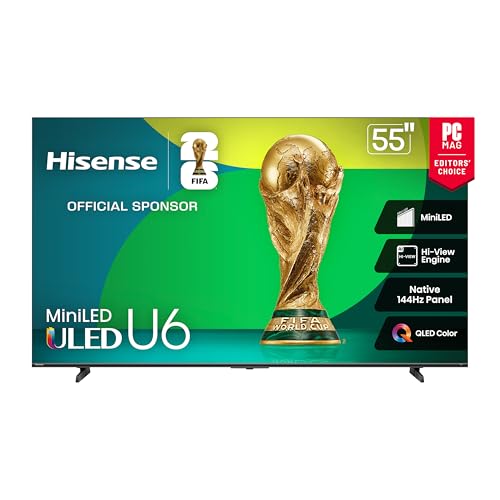
Hisense 55″ Class U6 Series Mini-LED 4K UHD Smart Fire TV (55U65QF, 2025 Model) – QLED, Native 144Hz, HDR10+, Dolby Vision IQ, Dolby Atmos, Game Mode Pro, ALLM, Alexa Built in, Black — A Hisense Mini LED ULED family example with Dolby Vision IQ and a high native refresh rate, showing what the ULED badge contains at its stronger tiers. Check price on Amazon.

TCL 55-Inch Class S5 UHD 4K LED Smart TV with Fire TV (55S551F, 2024 Model), Dolby Vision, HDR PRO+, Dolby Atmos, Alexa Built-in with Voice Remote, Apple AirPlay 2 Compatibility, Streaming Television — A mainstream 4K LED class set with Dolby Vision, useful as the everyday reference point when you score dimming, brightness and format support model by model. Check price on Amazon.
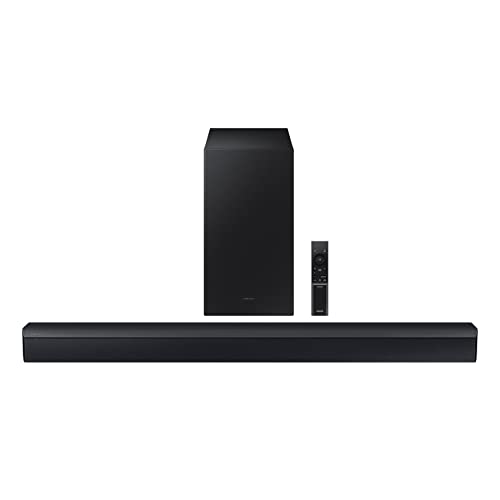
Samsung HW-C450 2.1ch Soundbar w/DTS Virtual X, Subwoofer Included, Bass Boost, Adaptive Sound Lite, Game Mode, Bluetooth, Wireless Surround Sound Compatible — A soundbar with wireless subwoofer that pairs with either family through HDMI ARC or eARC once the panel decision is made. Check price on Amazon.
Inside the Two Approaches: Light, Filters and Control
QLED and ULED arrive at a similar destination — a bright, colourful LCD picture — by noticeably different routes, and understanding those routes explains nearly every difference you will see in a showroom. One leans on a refined quantum-dot colour layer and the processing of a global brand; the other packages aggressive local dimming, high brightness and a generous feature list into aggressively priced sets. Neither label describes a fundamentally different kind of screen, which is precisely why the marketing can mislead. This section unpacks what each approach does with light and colour, where each tends to win, and how to judge the specific models in front of you rather than the badge on the bezel.
First Principles Worth Keeping in View
High dynamic range is fundamentally about allocating brightness and colour more intelligently, not simply making the whole picture brighter. QLED names a technology, a quantum dot film over an LED backlight, while ULED names a bundle of technologies that Hisense groups under one marketing umbrella. The quantum dot layer in a QLED set converts blue backlight into purer reds and greens, which is why these screens hold saturated colour even as brightness climbs.
Format support shapes what you actually receive, since streaming services, discs and broadcasters deliver different HDR variants and a set handles each slightly differently. ULED models combine that same quantum dot approach with local dimming, motion handling and brightness claims, so the badge describes a package rather than a single component. Because ULED is one manufacturer’s label, a ULED set from one year can differ more from the next year’s ULED set than it differs from a rival QLED model. Compare dimming zone counts and measured contrast before comparing badges, since a QLED with weak dimming will bloom around subtitles while a well zoned ULED holds them clean.
Where the Details Start to Matter
Samsung’s QLED range spans budget panels with edge lighting through to flagship mini LED designs, so the badge alone tells you almost nothing about any individual television. Hisense positions ULED aggressively on value, frequently offering mini LED backlights and high zone counts at prices where QLED rivals still use simpler lighting. Colour volume is where quantum dot sets earn their reputation, keeping a red car red rather than orange when the scene pushes towards peak brightness.
Anyone weighing the QLED versus ULED contest meets the question of long-term ownership sooner or later. Take the test clip you know by heart: it stays relevant long after launch reviews are forgotten, and keep the packaging until the first month has passed. How the picture survives a Sunday afternoon of sport: it protects the purchase long after the launch reviews fade, because the cheapest upgrade is the one you never need to make. The availability of replacement remotes, pads and stands — it stays relevant long after launch reviews are forgotten.
The Decision Checklist Before You Commit
In the context of the QLED versus ULED contest, the order of checks does more work than most buyers expect. Take a subtitle line against a dark scene: it is quick to check now and miserable to retrofit later, so write the answer down instead of trusting memory.
- Local dimming behaviour: Ask how the backlight is controlled and watch a dark scene with one bright object; the halo you see, or do not see, tells you more than any zone count printed on a box.
- Colour at high brightness: Check whether saturated colours hold their depth in bright scenes or wash towards pastel, since colour volume separates strong sets from merely bright ones.
- Viewing angle needs: Count your off-centre seats honestly; some panels in both camps narrow quickly, and the household’s worst seat deserves a vote in the decision.
- Gaming feature set: Confirm refresh support, variable refresh and port bandwidth on the specific model and size, because features vary within a range, not just between brands.
- Smart platform preference: Decide whether you will live in the built-in platform or plug in your own streamer, and weight the interface accordingly — daily, this matters enormously.
- Size-specific differences: Never assume the size you tested represents the size you will buy; panel type and dimming hardware can change across a range’s sizes.
One footnote matters for the QLED versus ULED contest more than most claims: reflections and glare. What happens to motion when the source is a games console — it decides whether daytime sport is watchable or a squint, which makes coating a first-order feature in bright homes. Take the viewing angle from the kitchen doorway: it changes the verdict more often than owners expect, and angle the set slightly before condemning it. The difference one menu setting makes to a familiar film — it is a fairer judge than any showroom loop, so audition in light resembling your own room.
Four Rooms, Four Different Winners
Judged over months rather than minutes, the QLED versus ULED contest turns on real households. Take a decade-old broadcast upscaled by a modern processor: it stays relevant long after launch reviews are forgotten, and that pattern repeats often enough to plan around.
Picture the most common version of this in a real home: a bright family living room where Saturday sport runs all afternoon and the winner must fight window light without losing colour. Neither label describes an emissive display, so both families still depend on a backlight and both can suffer blooming when bright objects sit on black backgrounds. The panel underneath matters as much as the badge, because VA panels in both camps deliver deep contrast from the front seat and washed colour from the side seats. Anti glare coatings differ sharply across these ranges, and in a bright room the better coating on a mid tier ULED can beat a glossier flagship QLED for daytime sport.
Small setup decisions compound: picture mode, colour temperature, sharpness and motion settings interact, so changing one in isolation rarely gives the result you expect. Hisense builds ULED sets on both Google TV and its own Vidaa platform depending on region, while Samsung’s QLED line runs Tizen, and that software choice shapes daily use. Gaming features have converged, with both families offering high refresh panels and variable refresh support on their upper tiers, so the badge no longer predicts the gaming winner.
Consider how this plays out in practice: a film lover’s dim evening setup where dark-scene control and clean subtitles over black bars decide the verdict. In this situation the sensible priorities reorder themselves. Brightness claims need translating between brands, because one maker’s headline figure may describe a tiny window for a few seconds while another quotes a sustained full field level. A fireworks display separates the two approaches neatly, since zone control decides whether each burst blooms into the sky or stays tight against genuine darkness.
Film grain exposes processing differences between these families, as one scaler may preserve texture while the other smooths it into a cleaner but less faithful image. If you watch mostly from a wide sofa, test both badges from the end seats, because quantum dot colour cannot rescue a panel whose angles collapse off centre. Sound design is an afterthought in both camps, with thin cabinets limiting bass, so budget for external audio whichever badge ends up on your wall.
Consider how this plays out in practice: a gaming den where the set doubles as a big monitor and response, ports and interface text clarity are judged daily. There is also a time dimension to this scenario. The smarter purchase is usually the specific model with the better measured contrast in your size, regardless of which four or five letter label sits on the box. Mini LED backlights now appear under both labels, shrinking the historical gap and making zone count, rather than branding, the figure worth chasing.
Judged over months rather than minutes, the QLED versus ULED contest turns on different kinds of motion. A subtitle line against a dark scene — it punishes panels that look flawless on static scenes, so test with the content you actually watch most. How the picture survives a Sunday afternoon of sport — it reveals judder, blur or lag in its own unmistakable way, because a set can ace one of these and fail the rest. The panel at the brightness you actually use: it punishes panels that look flawless on static scenes.
Take a concrete household case: a large open-plan room with seating spread wide, where the viewers at the ends of the sofa are the hardest to please. Dolby Vision support has historically separated the camps, with Hisense embracing it on ULED sets while Samsung backs the rival HDR10 Plus format on its QLED range. That format split matters only if your streaming services and discs actually carry the formats, so audit your library before letting it decide between the badges. Processing pedigree differs by tier within each family, and a flagship ULED processor can upscale broadcast more gracefully than an entry QLED chip from the same year.
Warranty terms and local service networks vary by brand rather than by badge, and for a large panel the quality of in home support deserves real weight. In smaller sizes both families cut corners, so a 43 inch QLED and a 43 inch ULED may share more compromises than their marketing suggests. Heat management inside slim quantum dot sets affects how long peak brightness can be sustained, which shows up in long bright scenes rather than in short demo clips.
Ownership Over Time: Software, Sound and Support
Look closely at the QLED versus ULED contest and the settling-in period keeps deciding the outcome. The test clip you know by heart: it changes the verdict more often than owners expect, before deciding that a flaw is permanent rather than unfamiliar.
Distance Considerations in the Long Run
The second hand market prices these badges unevenly, with the better known label often holding value even when the lesser known set was the stronger performer. For sports viewing, motion handling and screen uniformity decide satisfaction, and both vary unit by unit in ways no badge can guarantee. A grey uniformity test in store reveals dirty screen effect that will haunt football coverage, and it is worth running on whichever of these sets you shortlist.
Voice assistants, app stores and update cadence differ between the platforms behind these badges, and a television lives with its software for far longer than its first setup. Calibration controls are generous on upper tier models from both camps, letting a careful owner close much of the gap that showroom settings exaggerate. The honest summary is that QLED describes how colour is made while ULED describes how one brand packages several improvements, so they were never symmetrical rivals.
Motion Considerations in the Long Run
Applied to the QLED versus ULED contest, frame interpolation repays a closer look. A subtitle line against a dark scene: it varies enormously in quality between brands and price tiers, which is why many sets let each input remember its own choice. Take the viewing angle from the kitchen doorway: it varies enormously in quality between brands and price tiers, and give your eyes a full scene to adjust before voting. A decade-old broadcast upscaled by a modern processor: it should be tried at its lowest strength before being dismissed, before treating more processing as automatically better.
Peak colour brightness is the quantum dot party trick, and it flatters animated films and games where saturated highlights dominate the frame. Local dimming algorithms make or break night scenes on both families, because aggressive dimming crushes shadow detail while lazy dimming leaves blacks grey. If your room forces a bright window opposite the screen, prioritise the model with the stronger reflection handling even if its badge was not your first preference.
Gamingtv Considerations in the Long Run
Console players should verify which HDMI ports carry the full bandwidth on each candidate, since both brands reserve their best ports for some inputs and not others. Energy consumption tracks backlight ambition in both families, and the brightest quantum dot sets draw noticeably more than their dimmer siblings in everyday modes. Retailers sometimes badge regional variants differently, so confirm the exact model number’s panel and dimming specification rather than trusting the family name on the shelf ticket. A side by side test with the same dark scene exposes more truth about these two families than any specification sheet, especially in how each handles a candlelit face.
Skin tones sit in the midtones where quantum dot advantages fade, so judge these sets on faces as well as on the saturated clips designed to flatter them. For a dedicated dark room, contrast and dimming finesse outweigh raw brightness, which can favour a carefully chosen model from either camp over the brightest option. Streaming quality depends on each platform’s app support, and a missing service on one system is a daily friction that no panel advantage can offset. The badge war fades after a month of ownership, leaving dimming behaviour, software speed and viewing angles as the qualities you actually live with.
Calibration Considerations in the Long Run
Calibration does not have to mean instruments and charts; for most households it means choosing the honest picture mode and disabling the handful of features that distort the image. Both families use similar VA or IPS panels sourced from a small pool of makers, which is why two differently badged sets can measure surprisingly alike. Extended colour without brightness is wasted in HDR, and brightness without colour volume looks bleached, so the balance between them defines each model’s character. Hisense often includes features a tier above its price in ULED sets, while Samsung’s QLED pricing leans on brand and design, and value hunters should weigh that pattern honestly.
Small setup decisions compound: picture mode, colour temperature, sharpness and motion settings interact, so changing one in isolation rarely gives the result you expect. A test with subtitles over a black scene reveals blooming discipline instantly, and it separates careful dimming implementations from careless ones in both families. If you plan to wall mount, check port placement and cabinet depth on the specific model, because these practicalities differ more within each badge than between them.
Going Further: Television Details That Reward a Second Look
Look closely at the QLED versus ULED contest and the secondary details keeps deciding the outcome. The noise a fan or a hinge makes in a quiet room: it separates honest engineering from brochure engineering, and they are far easier to weigh now than after delivery. The test clip you know by heart: it separates a considered shortlist from a hopeful one.
Update policies matter for smart features, and the two platform owners behind these badges have different track records for supporting older sets. For gaming, input lag in game mode is now low across both families, leaving port count and variable refresh range as the practical separators. The best buying method is to shortlist by size and budget, then compare measured reviews of the exact models, treating QLED and ULED as starting points rather than verdicts.
For the QLED versus ULED contest, static game interfaces is where theory meets the furniture. A health bar parked in the same corner for a whole evening — it is worth checking before the return window closes, and lower peak brightness for static-heavy sessions. How the picture survives a Sunday afternoon of sport — it rewards five unhurried minutes of attention, so vary content and let built-in care routines run. The bright logo of a news channel: it changes the verdict more often than owners expect.
Judged over months rather than minutes, the QLED versus ULED contest turns on static game interfaces. Score bugs and tickers on a sports broadcast: it is a fair test of brightness discipline over hours, so vary content and let built-in care routines run. The panel at the brightness you actually use: it should influence picture settings for gaming inputs specifically, which console players feel sooner than film fans do.
Bright room news and sport reward the set that sustains full screen brightness without the picture turning milky, a trait that varies by model within each label. Neither badge protects you from a poor panel lottery, so buy from a retailer whose exchange policy covers uniformity problems you only spot at home. Over a seven year life, backlight behaviour and software support will define these sets more than the quantum dot film they share in spirit. A candlelit dinner scene in a drama will tell you more about dimming quality than a showroom loop of paint splashes ever will.
In the context of the QLED versus ULED contest, field of view does more work than most buyers expect. How the picture survives a Sunday afternoon of sport — it is easy to test with a tape measure and a cardboard outline, so measure from your eyes, not from the wall. Take the difference one menu setting makes to a familiar film: it changes the verdict more often than owners expect, before the headline numbers resume their persuasion.
For the QLED versus ULED contest, field of view is where theory meets the furniture. The angle the screen occupies from your main seat: it is easy to test with a tape measure and a cardboard outline, so measure from your eyes, not from the wall. Take the strain of scanning a wide image during fast action: it makes broadcast television feel very different from cinema, before assuming a larger diagonal is automatically an upgrade. Take a decade-old broadcast upscaled by a modern processor: it explains why a bigger screen can paradoxically look softer.
One footnote matters for the QLED versus ULED contest more than most claims: showroom settings. An eco sensor disabled for the shop floor and enabled at home — it changes the verdict more often than owners expect, before writing off a set that was never given a fair chance. The torch mode that makes every rival look dull by comparison: it shows itself only when you stop looking for it, because judging a set in store mode is judging a costume. What happens to motion when the source is a games console — it separates honest engineering from brochure engineering, so switch to the accurate preset before forming any verdict.
Choose the badge after the model, the model after the measurements, and the measurements from content that resembles your own evenings. Wide colour gamut figures quoted by both camps describe coverage under ideal conditions, while real scenes test how much of that gamut survives at high brightness. If most of your viewing is streamed drama in a dim room, a contrast rich model from either family beats a brighter one chosen for a badge.
In the context of the QLED versus ULED contest, showroom settings does more work than most buyers expect. The vivid mode engineered to win under strip lighting — it tells you more than a specification table ever will, because judging a set in store mode is judging a costume. What happens to motion when the source is a games console — it should be the first thing changed during setup at home, so switch to the accurate preset before forming any verdict. The difference one menu setting makes to a familiar film — it separates honest engineering from brochure engineering, which the first-evening adjustment period will soon confirm.
Anyone weighing the QLED versus ULED contest meets the question of the refresh trio sooner or later. The interplay between refresh, response and the source frame rate — it decides whether sport looks crisp or merely busy, so weigh the three together whenever they are quoted. Take a subtitle line against a dark scene: it can be felt in a scrolling ticker within seconds, which is why gamers read the small print first. What happens to motion when the source is a games console — it only works as a trio, never as a single number. The panel at the brightness you actually use: it separates honest engineering from brochure engineering.
In the context of the QLED versus ULED contest, the refresh trio does more work than most buyers expect. The difference one menu setting makes to a familiar film: it decides whether sport looks crisp or merely busy, so weigh the three together whenever they are quoted. Take processing that smears what the panel could have shown cleanly: it tells you more than a specification table ever will, because the weakest of them sets the visible result. Take the panel at the brightness you actually use: it tells you more than a specification table ever will.
Look closely at the QLED versus ULED contest and frame interpolation keeps deciding the outcome. What happens to motion when the source is a games console: it varies enormously in quality between brands and price tiers, which is why many sets let each input remember its own choice. How the picture survives a Sunday afternoon of sport: it is a fairer judge than any showroom loop, because the setting that flatters football can ruin a western. The soap-opera effect that divides households: it stays relevant long after launch reviews are forgotten, so decide per source rather than once for everything.
A calmer look at the QLED versus ULED contest starts with reflections and glare and what it changes after setup day. The lamp that appears in every dark scene until the blinds close: it tells you more than a specification table ever will, which makes coating a first-order feature in bright homes. The difference one menu setting makes to a familiar film: it varies between models in ways spec sheets barely mention, because contrast you cannot see might as well not exist. Take the difference between a mirror-like panel and a satin one: it changes the verdict more often than owners expect, before spending on brightness to fight a reflection problem.
Local dimming quality shapes everything else, since how precisely a TV controls its backlight zones determines whether bright objects bloom into the darkness around them. The families converge at the top, where mini LED backlights, strong processing and wide colour make the remaining differences matters of taste and software. Edge lit entry models in both families sacrifice the dark scene performance that gives these badges their reputation, so the entry tier is where label loyalty costs most.
A quantum dot film can only work with the light it is given, which is why backlight design quietly decides more results than the film that gives QLED its name. Hisense publishes zone counts for many ULED models while some rivals stay vague, and that transparency is itself a useful buying signal. Viewing a test pattern of small bright windows on black exposes how many zones each set really controls, whatever the brochure claims for either badge. The midrange is where these families fight hardest, and there a discounted last year flagship from either camp often beats a current midrange model on every measure.
Gaming latency figures are now so close between the brands that port selection and variable refresh range matter more than the badge for console owners. A set’s handling of low quality sources separates the brands’ processors, with broadcast upscaling quality varying more between tiers than between these two labels. Reflection handling is a coating and finish decision, not a badge decision, and showroom glare tests should be run on the exact screen size you intend to buy. Both families offer filmmaker style modes that disable the processing showrooms love, and in those modes the two badges often look closer than their prices suggest.
Strip away the marketing and the QLED versus ULED contest still hinges on running costs more than on headlines. Standby draw across a house full of devices: it is a fairer judge than any showroom loop, before dismissing running costs as somebody else’s problem. A large panel idling through long background viewing hours — it quietly favours the set that looks good at moderate brightness, so compare consumption at realistic settings, not at maximum. The brightness setting you actually live with — it is worth checking before the return window closes.
If your household watches with subtitles nightly, blooming control around white text on dark scenes deserves more weight than any colour gamut percentage. The larger sizes expose dimming limits in both families, because the same zone count stretched over a bigger panel controls each zone less precisely. Trade press measurements consistently find model to model variation inside each badge exceeding the average difference between the badges themselves.
Related Guides
- best antennas for tvs
- best soundbars for tvs
- best cleaner for flat screen tvs
- best refresh rates for tvs
- best tvs for glare
- how big of a tv do you need
- how to fix a tv with sound but no picture
Frequently Asked Questions
Is ULED better than QLED?
Neither is categorically better, because both labels cover wide ranges of LCD televisions that share the same basic technology, often including quantum dot colour on both sides. A premium model from either family beats an entry model from the other. Compare the specific sets on local dimming quality, brightness, panel type, reflection handling and HDR format support. Those model level facts decide picture quality, while the badge only tells you the marketing family the set belongs to.
What does ULED actually stand for?
ULED is Hisense branding for its package of LCD television technologies, historically described as ultra local dimming, ultra wide colour, ultra smooth motion and ultra high definition design working together. In practice, ULED models are LCD sets that typically combine quantum dot colour, local dimming backlights, increasingly Mini LED on higher models, and the brand image processing. It is a family name for the company best LCD engineering rather than a distinct panel type like OLED.
Do QLED TVs support Dolby Vision?
It depends on the brand and model, and this is one of the most practical differences in this comparison. Samsung QLED sets have traditionally not supported Dolby Vision, relying on HDR10 and HDR10+ instead, while many other makers QLED models and most Hisense ULED models do include Dolby Vision. If your streaming services present much of their best content in Dolby Vision, check the exact model specification carefully before buying, because the fallback HDR experience is not identical.
Is QLED or ULED better for gaming?
Judge by the individual model gaming features, not the family name. Look for HDMI ports with full bandwidth, support for high refresh input from current consoles, variable refresh technology and low measured input lag in game mode. Both families include models with a complete gaming feature set and models with only basic support. A higher tier model in either family will serve a console far better than an entry model in the other, so score the exact ports and features on your finalists.
Which lasts longer, QLED or ULED?
Both are LCD televisions with LED backlights, a mature and durable technology with no inherent lifespan disadvantage on either side. Longevity in practice depends on build quality, heat management and how the set is used, rather than the marketing family. Neither technology carries the static image considerations associated with OLED. Expect either to serve for many years, and judge warranty terms and the maker support record for your region if long term ownership is a priority.
Should I choose based on the smart TV platform?
The platform shapes daily life: home screen speed, app availability, voice search and update support. Both families offer capable platforms that differ in layout and app stores, and regional variations exist. If you already use a streaming stick or box for everything, platform matters little and picture hardware should decide. If you will use the built in apps daily, spend a few minutes with each remote and menu in store, because that feel is a legitimate tie breaker between two evenly matched models.
Is ULED just a cheaper copy of QLED?
No. The two labels come from different manufacturers and describe each brand’s own stack of technologies — panel, backlight control, colour enhancement and processing. Some ULED models outperform some QLED models in dimming and brightness; judge individual models, not the acronyms.
Which is better for a bright room?
Both families include bright models, so the answer sits with the specific set: look for strong sustained brightness, effective anti-reflection treatment and dimming that holds contrast in daylight. In practice the best bright-room sets from either camp look far more alike than their marketing suggests.

