Disclosure: As an Amazon Associate, kajuandouglas.com earns from qualifying purchases. Links to Amazon on this page are affiliate links; they cost you nothing extra. Listing details such as price and availability change often, so check the current Amazon listing before you buy.
Working out how to fix soundbar audio delay — the lip-sync error where mouths move before words arrive, or occasionally after — is a matter of finding where the delay lives. Sound and picture travel different paths through modern TVs and bars, each adding processing time, and the fix is either to remove a processing step, change the route the audio takes, or deliberately delay the faster signal until the two align. Almost every case yields to one of those three moves.
This guide identifies which direction your delay runs (they need opposite fixes), walks through the settings in the order most likely to cure it — TV format and passthrough, the bar’s own lip-sync control, connection route, source settings — and covers the special cases of Bluetooth connections and games consoles. Everything here is menus and cables: no tools, no opening equipment, and no risk beyond a few minutes of methodical adjustment.
How to fix soundbar audio delay: The Short Answer
If sound lags the picture (the common case), increase the audio delay setting on the bar or TV in small steps while watching speech — or better, reduce processing: set the TV to Passthrough, connect by HDMI eARC rather than Bluetooth, and disable extra sound processing. If sound leads the picture, the delay is usually in a wireless link or the source; a wired connection is the cure.
In this guide
Likely Causes, Most Common First
| Likely cause | What you will notice | The fix |
|---|---|---|
| TV audio processing | Delay on all sources; TV sound mode or processing enabled | Set TV audio to Passthrough; disable extra processing |
| Missing lip-sync adjustment | Constant small lag on everything | Raise the bar/TV audio delay in 10–20 ms steps while watching speech |
| Bluetooth connection | Noticeable lag, worst on speech; only on Bluetooth | Use HDMI or optical instead; or low-latency mode if available |
| Wrong route for a console or player | Delay only from one source | Route via TV passthrough or into the bar; check source output settings |
| Sound mode processing in the bar | Delay varies by sound mode | Test with processing off or a standard mode |
| App or streaming issue | Delay in one app only | Restart or update the app; test another app or broadcast TV |
Step-by-Step Fixes, in Safe Order
Step 1: Establish the direction and the scope
Watch close-up speech — a newsreader is ideal — and decide: do you hear words before the lips move (sound leads), or after (sound lags)? Sound lagging is far more common. Then check scope: does the delay affect broadcast TV, every app and every source, or just one? A universal delay lives in the TV-bar chain; a single-source delay lives in that source or its route. These two observations decide everything that follows, so make them carefully before touching a setting.
Step 2: Set the TV to passthrough and simplify processing
In the TV’s sound settings, set the digital audio format to Passthrough (or Auto) so the TV forwards sound to the bar without reprocessing it, and turn off any TV-side sound enhancements, virtual surround or extra processing modes. Each processing layer adds time. Similarly, set the bar to a standard sound mode for the test. Many delays shrink or vanish at this step, because the chain was processing the same audio twice — once in the TV and again in the bar — and charging you milliseconds for both.
Step 3: Use the lip-sync (audio delay) control
If sound still lags the picture, find the audio delay setting — on the bar, in its app, or in the TV’s sound menu — and increase it in small steps, testing with speech after each change. You are delaying the audio deliberately so it waits for the picture; adjustments in the tens of milliseconds are typical. Work patiently: overshooting creates the opposite error, which is equally noticeable. If sound leads the picture, this control cannot help (you cannot delay the picture here) — that case points to the connection, covered next.
Step 4: Fix the connection route
If you are connected by Bluetooth, that is your prime suspect: Bluetooth adds substantial, variable delay, and the cure is a cable — HDMI eARC/ARC first, optical second. With HDMI, prefer eARC with passthrough for the cleanest timing. If the delay affects only a console or player, try the other route: console into the TV (with passthrough) versus console into the bar’s HDMI input. One of the two routes will usually time correctly, because the device handling both picture and sound can keep them together.
Step 5: Check the source device’s own settings
Consoles, streaming boxes and players have their own audio output options, and some add delay or choose formats the chain handles slowly. Set the source to output the format your system handles best (often the standard surround format or PCM for simple bars), enable any game or low-latency mode, and restart the source after changing routes. Test the same scene after each change. If one app alone misbehaves on an otherwise healthy system, update or reinstall the app before suspecting your hardware further.
Step 6: Lock in the fix and note the settings
Once speech locks to lips, write down the settings that achieved it — TV format, bar mode, delay value, cable route — because updates and power cuts have a way of resetting menus, and future-you will not remember which combination worked. Then verify across your main sources: broadcast, your main streaming app and a console if you have one. A fix that holds across all three is a fix; one that holds on a single app may have been the app recovering on its own.
As you work through this guide, keep the bigger picture in mind. Our roundup of best soundbars for gaming shows how the main options compare, and the companion piece on how to set up a soundbar covers the neighbouring decision in the same detail.
When to Get Professional Repair or Replace It
Delay that survives every setting, on every source, with a wired eARC connection and passthrough enabled, is unusual enough to suspect a genuine fault or a fundamental incompatibility between your specific TV and bar models — a known category of HDMI handshake misery. Before spending money: update both devices’ firmware, try a different certified HDMI cable, and check the manufacturers’ support pages for your exact model pairing. If the pairing is documented as problematic, replacing the bar (within a returns window) or adding an audio extractor route may be more realistic than repair, because there is rarely a broken part to fix.
Replace rather than persist when the delay is inherent to your chosen connection (Bluetooth-only setups), when the bar lacks any lip-sync adjustment and your TV adds heavy processing, or when a very old TV’s processing cannot be bypassed. In those cases the equipment is not faulty — it is mismatched to the job — and a bar with eARC, passthrough support and a proper delay control is the actual cure. Bring your notes to the purchase; they describe your chain better than any salesperson’s demo can.
Preventing Delay From Returning
Delay creeps back through changes: TV firmware updates that reset audio menus, a new console added on a different route, a houseguest pairing the bar to a phone by Bluetooth and the TV reconnecting that way. Prevention is documentation and habit: keep your working settings noted, re-check the TV’s format after updates, and keep the TV connection wired permanently, reserving Bluetooth for music from phones where delay does not matter.
When you add any new source, run the newsreader test immediately, while the cabling is fresh in your mind. Two minutes then saves the forensic session later. And if your household uses the bar with a phone for music, make sure the TV’s wired input remains the default for TV viewing — most bars return to their last input, so a household rule of switching back after music prevents the most common ‘the delay came back’ mystery entirely.
Gear for This Guide

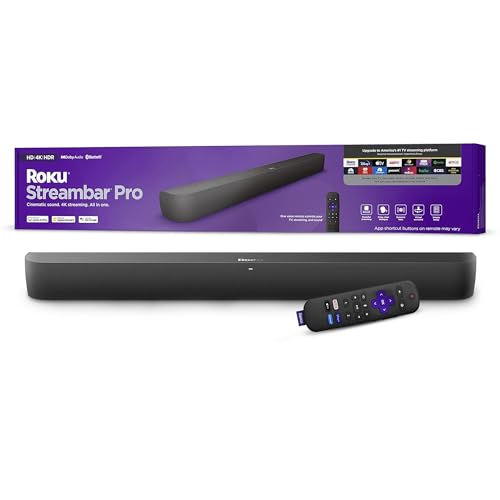
Roku Streambar Pro
A soundbar with Roku streaming built in, combining TV audio upgrade and a streaming player in one unit under the TV. It simplifies setups where the TV’s own apps are slow or missing. Check price on Amazon.

Sonos Beam (Gen 2) Soundbar
A compact Atmos-capable soundbar for smaller TVs and rooms, with Wi-Fi, voice control and the option to add Sonos surrounds and a sub later. Its size suits desks, bedrooms and apartments where a wide bar will not fit. Check price on Amazon.

Bose TV Speaker Soundbar
A compact, deliberately simple soundbar with HDMI ARC, optical and Bluetooth, plus a dialogue mode for clearer speech. It is aimed at people who want better TV sound without apps, Wi-Fi setup or a separate subwoofer. Check price on Amazon.
Common Mistakes
Adjusting delay while watching action scenes
Explosions and music hide sync errors completely. Only close-up speech gives your eyes and ears the reference they need to set delay accurately.
Changing several settings at once
Delay has several possible homes in the chain. Change one setting, test with speech, and proceed — otherwise you will fix it without knowing how, and lose it again at the next reset.
Trying to fix Bluetooth delay with the delay control
The control can only add delay to audio. Bluetooth’s problem is already too much of it, variably. The cure for Bluetooth TV delay is a cable.
Assuming the bar is faulty after one bad app
A single app with delay, on a system that syncs everywhere else, is an app problem. Test broadcast TV before condemning hardware.
Prevention Habits
- Newsreaders are the perfect lip-sync test — close-up, continuous speech.
- Passthrough on the TV removes a whole layer of delay-causing processing.
- Small steps: adjust delay in increments and re-test each time.
- Write down the working combination of settings once you find it.
Going Deeper: Context That Helps
Accessibility features deserve more attention than they get. Many bars offer dialogue modes with several levels of voice boost, some TVs can send audio to both a bar and hearing aids or headphones at once, and Bluetooth output on some models lets one listener use headphones while others use the bar. For households where one person struggles with TV sound, these features change daily life more than surround formats do. Check the manual’s accessibility section before buying if this matters to you — the information is rarely on the box but often present in the product.
Placement rules for soundbars are simple but strict. The bar belongs at ear height when seated, or as close as the TV stand allows, centred on the screen, with its front edge near the front of the stand so sound does not reflect off the stand’s surface. Never put a bar inside a closed cabinet: the doors and shelves block and colour the sound, and heat builds up. Up-firing Atmos bars additionally need a clear path to a flat ceiling — beams, ceiling fans and very high or vaulted ceilings all weaken the height effect, though the bar will still sound good as a normal surround bar.
When a soundbar system grows, it grows in a predictable order. First the bar, then — if bass feels light — a subwoofer; then, if surround effects feel front-bound, rear speakers; the rears add more immersion per step than any processing upgrade. Systems that allow these additions let you spread the cost and learn what your room actually needs. The alternative, a complete package with sub and rears in one box, costs less overall and guarantees the parts match. Neither route is wrong; the mistake is buying a sealed all-in-one bar while expecting to add rears to it later, because most cannot.
Whatever the product, the cheapest upgrade is usually time spent with the manual and the settings menu. Manufacturers bury genuinely useful options — EQ presets, dialogue modes, level trims, firmware updates — several layers deep, and most owners never find them. An hour spent exploring settings with familiar content playing will teach you more about your system than a week of reading reviews, and it costs nothing. Keep notes of what you changed so you can undo anything that makes things worse, and change one thing at a time so you know which adjustment caused which result.
Returns windows are part of the buying process for audio gear, and you should use them deliberately. Sound is personal and room-dependent, so a product that reviews well can still disappoint in your space. Buy from sellers with clear return policies, keep packaging until you are sure, and test with your own content at your own volumes in the first days — not the night before the window closes. A structured test, with the same three songs or scenes each time, reveals differences that casual listening misses and turns a vague feeling into a decision you can act on.
Hearing safety deserves a mention in any audio guide. Comfortable TV and music listening sits well below the levels that risk hearing damage, but portable speakers at parties, and headphones especially, can creep upward in noisy environments as you compete with background sound. If you have to shout to be heard over your own system, it is too loud for long sessions. Many devices offer volume limiting — worth enabling for children — and taking listening breaks during long sessions protects both your ears and your enjoyment, because tired ears judge sound poorly.
A soundbar’s biggest advantage is also its limitation: everything lives in one wide box under the TV. That makes setup simple and dialogue clear for most viewers, but the left and right channels are only as far apart as the bar is wide, so true stereo separation is narrower than two separate speakers can give. Virtual surround processing tries to widen the picture with psychoacoustic tricks, and on many films it works surprisingly well from a single seat. Understanding this trade-off helps you choose: if you mostly watch dialogue-heavy TV from one sofa, a bar is ideal; if you listen to music critically across a wide room, separate speakers still lead.
HDMI eARC is the connection that matters most on a modern soundbar. It carries full-quality audio from the TV — including Dolby Atmos from streaming apps and consoles — down a single cable, and it lets the TV remote control the bar’s volume. Optical connections are reliable but limited to older surround formats and cannot carry Atmos from most sources. When a soundbar misbehaves — no sound, wrong format, lip-sync drift — the cable and the TV’s audio output settings are responsible far more often than the bar itself, so always check the TV’s menu for eARC, passthrough and PCM settings before assuming the bar is faulty.
Dialogue clarity is the reason most people buy a soundbar, and it depends on the centre channel and on processing, not raw power. Film mixes bury speech under music and effects, and TV speakers point that sound at the wall or the floor. A bar with a dedicated centre channel, or a dialogue enhancement mode that lifts the vocal frequency range, fixes the nightly ‘what did they say?’ problem better than simply turning the volume up. If you watch late at night, look for a night mode that compresses loud effects while keeping speech level — your household will thank you more than for any surround effect.
A wireless subwoofer changes what a soundbar can do more than any other single feature. The bar handles voices and effects; the subwoofer, placed near a wall or corner, reproduces the low rumble of films and the body of music. Because low bass is hard to localise, the sub can live beside the sofa or next to the TV stand, wherever a power socket is convenient — it only needs power, since the audio link is wireless. If a bar sounds thin, first check that the subwoofer is paired, powered and not turned down in the settings before concluding the bar itself is weak.
Frequently Asked Questions
Why is my soundbar audio behind the picture?
Because the picture and sound take different processing paths. TVs process video heavily (motion smoothing, upscaling), and soundbars process audio (decoding, surround effects) — and when the audio path ends up slower overall, words arrive after lips. The usual contributors are TV audio processing that passthrough would bypass, double processing in TV and bar, and Bluetooth links. The fix is to simplify the chain and then use the lip-sync control to delay the audio into alignment — or, when the audio is early instead, to remove whatever is slowing the picture’s rival path.
How do I use the lip-sync or audio delay setting?
Find it on the bar, in its app, or in the TV’s sound menu — it is labelled Audio Delay, Lip Sync or similar and measured in milliseconds. Play close-up speech and increase the value in small steps, pausing after each to judge. When words and lips coincide, stop; going further creates the opposite error. Typical successful values are in the tens to low hundreds of milliseconds. Note the final value: if settings are ever reset, you can restore it instantly instead of repeating the hunt.
Why is the delay worse on Bluetooth?
Bluetooth encodes, transmits and decodes audio with buffering at each stage, adding a delay that can reach a clearly visible fraction of a second — and it varies, so a fixed correction cannot fully chase it. That is why Bluetooth is fine for music and poor for TV. Some devices offer low-latency Bluetooth modes that help when both ends support them, but for a permanent TV installation the honest fix is a wired connection: HDMI eARC/ARC or optical, neither of which adds meaningful delay.
The delay is only on my games console. What should I check?
The console’s route and its own audio settings. Try both routes — console into the TV with passthrough enabled, and console into the bar’s HDMI input — because whichever device handles picture and sound together usually keeps them synchronised. In the console’s settings, choose the audio format your system handles natively and enable game mode on the TV for that input, which strips video processing that can also disturb timing. Test with a cut-scene’s dialogue, not gameplay noise.
Can a better HDMI cable fix audio delay?
A cable cannot fix delay caused by processing settings, because the delay is time spent thinking, not time spent travelling. But a failing or out-of-spec cable can cause dropouts and handshake renegotiations that look like sync problems, and swapping in a certified high-speed cable is a cheap way to eliminate that variable. If your symptoms are a constant, stable offset, it is settings; if they are intermittent drift, dropouts and renegotiation, suspect the cable and the connection route.
Why did the delay come back after it was fixed?
Something in the chain changed: a TV update reset the audio format from Passthrough, the bar was left on a Bluetooth input after music, a new source was added on a different route, or a sound mode with heavier processing was selected. Work the checklist in this guide in order — direction, scope, passthrough, input, delay value — and compare against the notes you made when it worked. The return of a fixed delay is almost always a settings regression, not new damage.
Mapping Delay Source by Source: Building Your Own Evidence
Because delay belongs to a signal path rather than to a device, the most useful thing you can build is a small map of your own system. List every source you use — television apps, broadcast tuner, each console, each player — and beside each, note whether delay appears, and roughly how severe it feels on close-up speech. Patterns in that map are diagnoses in disguise. Delay on everything points at the shared link: the television’s processing, the connection type or the bar’s global settings. Delay on one source points at that source’s own output settings or at the television’s handling of that particular input.
The per-input trap and its quiet cure
Modern televisions process each input with its own picture settings, and picture processing is a leading cause of audio arriving before a delayed picture or the reverse. Game modes, motion smoothing and noise reduction all take time, and switching them per input changes that input’s timing. This is why a fix that works beautifully for films can leave games still wrong: you corrected one input’s path. Work input by input, note each one’s picture mode alongside its delay behaviour, and use game mode on the gaming input both for responsiveness and for the timing consistency it brings.
Streaming sticks and boxes add a wrinkle: plugged into the television, they inherit its per-input behaviour; plugged into the bar, they bypass it. If one streaming device persistently misbehaves while the television’s own apps behave, moving that device to the other route is a legitimate experiment, and the map you made tells you within one scene whether the move helped, because your reference for that source already exists in writing rather than in hopeful memory.
Understanding the Two Directions of Delay
Sound late is the common complaint: lips move, then words arrive. Its causes are audio-side processing, wireless links and slow decoding, and its causes are audio-side processing, wireless links and slow decoding. The two directions of error demand opposite remedies, so read carefully before touching any control. When sound is late, the cure is to speed the sound’s journey: remove processing from the audio path, choose a faster connection, or set the television to pass audio through untouched. Adding delay makes it worse, and many owners worsen a fixable problem for an evening by turning the one control they can find in the wrong direction.
When the picture is late instead
When sound arrives early — words before lips — the picture is the laggard, delayed by the television’s video processing, and now the audio delay control is exactly the right tool, because its whole purpose is to hold sound back until the picture catches up. This is the direction the control was designed for, and it is common with heavy picture processing, projectors and some game modes off. Confirm the direction with a clap or a door slam in a scene: a sharp, visible, single event whose sound should land on the image, not near it.
Some systems offer negative or bidirectional adjustment, and automatic lip-sync over modern HDMI connections attempts the correction invisibly. Leave automatic correction on where offered, and reserve manual adjustment for the residue it cannot reach, per source. And if the direction of error seems to change between programmes on the same source, suspect variable processing in a broadcaster’s or app’s own chain; note it on your map and accept a compromise setting rather than chasing a moving target nightly.
Wireless Links: Subwoofers, Rears and Bluetooth Headphones
Not all delay lives between television and bar. Wireless subwoofers and rear speakers introduce their own tiny delays, which manufacturers compensate for in design; when compensation mismatches — after a firmware change, a replaced component or interference forcing retransmission — effects can smear or arrive detached from the front presentation. The symptom is different from lip-sync error: dialogue stays correct while explosions feel late or echoes appear in large rooms. Re-pairing the wireless components and re-running any calibration the system offers is the correct first response, not the television’s delay menu.
Bluetooth, in its proper place
Bluetooth between a television and a bar, or between a bar and headphones, carries inherent delay from its encoding process, and no domestic setting abolishes physics. Newer Bluetooth versions and low-latency codecs reduce it substantially where both ends support them, which is worth checking for headphone listening. For the main television-to-bar link, the honest advice stands: use a cable for the permanent installation, keep Bluetooth for music and temporary arrangements, and do not spend evenings trying to tune out a delay that the connection method itself guarantees.
Late-night headphone listeners have one more option worth knowing: many televisions and bars let you adjust delay for the headphone output specifically, or the television’s own speakers can be muted while a wired headphone connection — entirely delay-free — serves the listener. When a household member depends on headphones nightly, solving their path properly, even with a humble cable, beats a weekly negotiation with a wireless compromise.
A Diagnostic Session, Run Like a Professional
Set aside twenty minutes, one reference scene with clear speech and one with a sharp percussive event, and your map. Work in order: confirm direction of error per source; simplify the path by turning off optional processing on television and bar; set formats to passthrough; correct per input with the delay control in small steps, testing the same scene after each; and only then suspect cables or hardware. Change one variable at a time, and write down each change, because a session that ends in success should also end in knowledge, and a session that ends in failure should at least end in a precise description for a support conversation.
When the evidence says hardware
Suspect hardware when delay is severe, constant across every source and connection type, immune to format and processing changes, and accompanied by other symptoms: dropouts, distortion, a bar that also misbehaves with a phone as source. At that point, test the bar with a completely different source and cable, and the television with a different sound device if one can be borrowed. The device that carries the fault into both tests is the culprit, and your notes — sources tried, settings recorded, symptoms described — will make any warranty or repair conversation shorter and more likely to succeed first time.
Keep perspective throughout: tiny delays below the threshold of perception on speech are normal in digital systems, and chasing absolute zero with test patterns can consume an evening that a film would have filled better. The goal is a system where nobody in the household notices anything wrong during ordinary viewing, from the ordinary seat, across the sources you actually use. Reach that, record the settings, and stop; perfection beyond perception is a hobby, not a requirement.
Delay in Special Setups: Projectors, Karaoke and Live Music
Some arrangements live closer to the edge of delay than ordinary television. A projector’s picture processing can lag noticeably, and a bar fed from the projector’s audio output or a source’s second output must be matched to that lag with the delay control used generously and tested with speech at the screen’s scale, where small errors become visible across a large face. Karaoke and live music through a bar are harsher still: a singer hears themselves late and the performance stumbles, because the tolerance for delay in making sound is far tighter than for watching it. For live sources, choose the bar’s most direct, least processed input and mode, or accept that a soundbar is the wrong tool and a small PA-style speaker is the honest answer.
Multi-room and grouped playback
Grouping a bar with speakers in other rooms introduces deliberate delay, because the system synchronises rooms by holding the fastest back to meet the slowest. Owners sometimes mistake that synchronisation offset for a lip-sync fault when the television room’s bar is grouped with a kitchen speaker. Ungroup for film watching, or use the television room’s system alone, and save grouping for music, where synchronisation between rooms is the entire point and a fraction of delay against a picture nobody is watching in the kitchen costs nothing at all.
Recording and streaming your own viewing — capturing gameplay, say — adds another processing layer with its own timing, and the delay heard on a recording may not exist in the room. Diagnose in the room first, with your own eyes and ears, before correcting settings to satisfy a capture chain; more than one owner has tuned a healthy system into genuine error by chasing a fault that lived only in the recording path.
The Psychology of Delay: Why It Bothers Us So Much
Humans are exquisitely tuned to speech synchrony, because faces and voices are the signals we evolved to read; an error too small to notice on a closing door is glaring on a speaking mouth. This is why delay tolerance varies by content — generous for landscapes and sport at a distance, ruthless for interviews and drama in close-up — and why two viewers can disagree about the same system, one unbothered and one quietly miserable. Set the correction for the most sensitive regular viewer and the most demanding regular content, and the rest of the household’s viewing will fall inside tolerance on its own.
When to stop adjusting
There is a point where the remaining error is smaller than the variation between programmes, channels and scenes, and beyond that point adjustment becomes ritual rather than repair. Recognise it by this sign: you are reaching for the delay menu during programmes instead of watching them. At that point, set the best compromise your map supports, write it down, and retire from the subject. A system at ninety-eight percent synchrony, enjoyed without thought, beats a system at ninety-nine that keeps its owner in a permanent crouch of suspicion, remote in hand, watching lips instead of films.
Delay After an Upgrade: New Television, New Bar, Old Problem
Upgrades reset the delay landscape, and owners are often surprised that a better television or bar can arrive with worse synchrony than the humble pair it replaced. The new device processes more — finer picture enhancement, richer audio decoding — and processing is time. When an upgrade introduces delay, resist the conclusion that the new equipment is worse; run the method of this guide from the top, because the fix is almost always a setting that the new device defaults differently: passthrough not yet enabled, an enhanced socket mode not yet switched on, a picture mode more ambitious than the old set ever attempted. Your old notes, if you kept them, tell you what the previous system needed, and the new one usually needs the same ideas in new menus.
Handing a fixed system over
If the system changes hands — a bar moved to another room or another home, a television inherited by a relative — hand over the delay notes with it. Which sources needed correction, what values you settled on, and which connection behaved best are hard-won knowledge that the next owner will otherwise rediscover at the cost of their first films in the new setup. Equipment carries its history in its settings; a page of notes is the difference between an heirloom and a puzzle, and it costs the giver four minutes.
And when you report a delay problem to a manufacturer’s support line, arrive with the map: sources affected, direction of error, what you have tried, in order. Support conversations are triage, and the caller who presents evidence skips the script’s first twenty minutes and reaches the person who can actually help. Method, in this subject as in all troubleshooting, is not bureaucracy; it is the shortest path between a symptom and its cure, walked in the right order.
Keeping a Delay Diary Through a System’s Life
Every change to a system is a small delay experiment whether you conduct it or not: the new console, the updated app, the replaced television, the streamer that arrived as a gift. Owners who keep a brief diary — date, change, any synchrony effect noticed, any correction applied — convert these experiments into knowledge, and their systems stay in tune across years of churn. Owners who do not keep one rediscover the same lessons expensively, usually mid-film, usually with an audience. The diary needs no special form: a note on the phone, appended to whenever the system changes, written in the plain language of sources and settings rather than in the language of frustration.
The annual synchrony check
Once a year, perhaps when the clocks change and other household systems get their moment of maintenance, spend five minutes with your reference scenes across your main sources. Systems drift: updates alter processing, settings migrate, cables age. A five-minute annual check catches drift while it is still a setting rather than a grievance, and it refreshes your memory of where the correction controls live before an important occasion — a final, a wedding video, a family film premiere in your own lounge — depends on them. Delay, like every fault in this guide’s family, rewards the household that inspects occasionally over the one that only ever reacts.
Delay and Accessibility: When Synchrony Is Not a Preference
For viewers who lip-read, follow dialogue with hearing assistance, or rely on the visual channel to complete what hearing begins, synchrony is not an audiophile refinement but an accessibility requirement, and it deserves to be set with corresponding care. Such households should test delay with the actual assistive arrangement in use — hearing aids, streamers, neck loops each add their own small timing — and should favour wired, low-processing paths wherever a wireless convenience costs synchrony. Manufacturers’ accessibility settings, where offered, sometimes include dedicated synchronisation adjustments for assistive outputs; find them during setup, not during a crisis, and record them in the system notes like every other load-bearing setting.
Subtitles as a synchrony witness
Subtitles offer an unexpected diagnostic gift: where a service’s subtitles are accurately timed to the programme, they give the eye a third reference against which to judge whether sound leads or follows the picture. They are not a substitute for fixing delay, and services vary in their timing discipline, but in a disputed case — two viewers disagreeing about whether anything is wrong at all — well-timed subtitles can settle the direction of the error objectively, and objectivity, in a subject this perceptual, is worth having on tap.
Delay Settings Worth Saving With the Photographs
Treat your final delay values as part of the system’s identity, as worthy of record as its model numbers. Photograph the relevant menus, note the per-source corrections beside the source list in your system diary, and update the record whenever a correction changes. Months later, when an update or a new device disturbs the settlement you reached, that record restores it in minutes — and on the day the system is replaced, the record tells you exactly which questions to ask of its successor, because you will know, in numbers, what your room and your sources demand of any equipment that serves them.
A Final Word on Proportion
Delay is a fault of milliseconds that can consume hours, and the mature troubleshooter keeps the two in proportion. Fix it methodically, record the fix, and then return your attention to the films, the matches and the music the system exists to serve. A perfectly synchronised system that nobody enjoys because its owner is forever adjusting it has missed the point as surely as a drifting one. The goal was never the number in the menu; it was the moment, somewhere in the first week after the fix, when you realise you have stopped watching lips entirely and are simply watching the story again.
Related Guides
These guides and roundups cover the closest decisions and fixes in this category:
- best soundbars for tv under 300
- best soundbars for televisions
- best soundbars for lg tv
- best soundbars for samsung tv
- how to fix a soundbar with no sound
- how to connect to a tv a soundbar
Why is delay worse on some channels than others?
Broadcasters and apps process and encode their audio and video through different chains, and some channels, particularly live ones handled quickly, stay tighter than heavily processed ones. If the variation is modest, set your correction for the channels you watch most and accept small differences elsewhere. If one channel is dramatically worse on every television in the house, the broadcaster’s feed itself is the cause.
Does a soundbar’s own sound mode add delay?
It can. Heavy processing modes — virtual surround, voice enhancement with dynamic processing, room correction — all take a little time, and on a marginal setup that little can become noticeable. If delay appears after enabling a mode, test with the mode off; many owners find a plainer mode both faster and, once ears adjust, more natural for everyday television.
My delay changes during a single film. What is happening?
Variable delay within one programme usually points to a device re-negotiating formats, a streaming connection adapting, or processing that engages scene by scene. Note whether it coincides with format changes shown on the bar’s display. Simplifying the format path — passthrough on, a fixed output format from the source — often stabilises it, because the system stops re-deciding how to handle the sound mid-film.