Disclosure: As an Amazon Associate, kajuandouglas.com earns from qualifying purchases. Links to Amazon on this page are affiliate links; they cost you nothing extra. Listing details such as price and availability change often, so check the current Amazon listing before you buy.
Learning how to fix a soundbar with no sound is mostly learning to stay calm and methodical, because a silent soundbar is almost never a dead soundbar. The sound has to travel a chain — TV output setting, cable, correct sockets, bar input, format the bar can decode — and silence means one link is wrong, not that the destination is broken. The chain has about six links, and this guide checks each in the order that finds the fault fastest.
We will start with the embarrassingly common causes (muted, wrong input, TV still using its own speakers), move through the socket and format traps that catch nearly everyone (non-ARC HDMI ports, optical caps, surround bitstreams fed to stereo bars), and finish with subwoofer pairing and the point where a fault is genuinely in the hardware. Everything is cables, menus and patience — no tools and no opening anything.
How to fix a soundbar with no sound: The Short Answer
Check the bar is on, unmuted and on the right input. Confirm the HDMI is in the TV’s ARC/eARC socket (or optical caps are off), set the TV’s sound output to the bar, enable CEC, and set the format to PCM if the bar is a simple model. Test with broadcast TV. Most silent bars are fixed by one of these.
In this guide
Likely Causes, Most Common First
| Likely cause | What you will notice | The fix |
|---|---|---|
| TV output still set to TV speakers | Bar connected correctly but silent; TV plays its own sound or nothing | Set TV sound output to the HDMI/ARC or optical device |
| HDMI in a non-ARC socket | Total silence via HDMI; cable looks right | Move the cable to the socket labelled ARC or eARC |
| Wrong input or mute on the bar | Bar display shows a different input; or mute engaged | Select the TV input; unmute; raise volume on both remotes |
| Format the bar cannot decode | Silence or garbled noise, especially with a basic bar | Set TV digital format to PCM |
| Optical cable caps left on | Optical connection dead from new | Remove the end caps; reseat until it clicks |
| Subwoofer unpaired (bar plays, no bass) | Thin sound, sub light blinking | Re-pair the subwoofer per the manual |
| Faulty cable or hardware fault | Silence persists after all settings verified | Swap the cable; test the bar with a phone via Bluetooth |
Step-by-Step Fixes, in Safe Order
Step 1: Verify the bar is alive and listening
Start at the destination. Is the bar powered, with its display or indicator lit? Is it muted — check both the bar’s remote and the TV’s? Is the volume up on both? And critically, is the bar set to the input you actually connected — TV/HDMI, Optical, or whichever the display names? A bar faithfully playing its Bluetooth input while you troubleshoot HDMI is the classic silent setup. Play a phone through Bluetooth as a quick proof of life: if the bar sings for the phone, its amplifiers and speakers are healthy and the fault is in the TV chain.
Step 2: Confirm the TV is sending sound to the bar
In the TV’s sound settings, find the output selection and set it to the soundbar’s connection — HDMI/ARC device or Optical — rather than TV Speakers. Many TVs do not switch automatically, and some revert after updates or power cuts. Enable CEC/HDMI Control while you are there. If the TV offers a separate toggle for ARC/eARC, confirm it is on. This menu is responsible for more silent soundbars than every hardware fault combined, so read every line of it before moving on to cables.
Step 3: Check the cable and the sockets
For HDMI: confirm the cable is in the TV socket labelled ARC or eARC — any other HDMI socket fits perfectly and does nothing for TV sound. Reseat both ends firmly. For optical: remove the cable and check the ends — the tiny protective caps shipped on new cables must be off — then reseat until each end clicks. If silence persists, swap in a different cable entirely; cables fail, and a known-good spare is the fastest way to acquit or convict the one in place. Keep the bar on the matching input throughout.
Step 4: Set a format the bar can decode
If the chain is connected but silent — or producing harsh garbled noise — suspect the audio format. In the TV’s digital audio settings, choose PCM: it is the universal language every bar understands. Surround bitstreams are fine for bars that decode them, but a basic stereo bar fed a format it cannot decode responds with silence or noise, and the setting that causes it is often the TV’s default. Once PCM works, you may experiment with Passthrough for capable bars, knowing you can retreat to PCM the moment anything misbehaves.
Step 5: Test with the simplest source
Remove variables: test with broadcast TV or the TV’s own built-in app rather than a console, streaming box or external player, because each added device brings its own output settings to the suspect list. If the bar works with the TV itself, add devices back one at a time, checking each one’s audio output menu as you go. If the bar is silent even for the TV’s own tuner with settings verified, the fault is confined to the TV-bar link or the bar — and the Bluetooth proof-of-life from step one tells you which side of that line it sits on.
Step 6: Restore the subwoofer and rears if the bar plays but sounds thin
A bar playing without its subwoofer is a partial silence that owners describe as ‘no sound’ from action scenes. Check the subwoofer’s indicator: a blinking light means unpaired. Follow the manual’s pairing sequence — usually a link button on the sub and a button combination or app action on the bar — with both powered and in the same room. Confirm with a bass-heavy scene. Rear speakers follow the same logic: check their power, their link indicators, and that the bar’s surround mode has not been switched off.
Step 7: Decide whether the fault is genuinely hardware
If the bar fails the Bluetooth proof-of-life too — silent from every input, with power confirmed and volume up — the fault is inside the bar and it is a warranty or repair conversation, not a settings hunt. Note what you tested (inputs, cables, formats, sources) for that conversation; it converts a vague ‘it doesn’t work’ into a case a support team can act on immediately. If the bar works on Bluetooth but never on TV inputs despite verified settings and a swapped cable, suspect the TV’s output stage or a model incompatibility, and test the bar on another TV if one is available before condemning either device.
As you work through this guide, keep the bigger picture in mind. Our roundup of best soundbars for tv under 300 shows how the main options compare, and the companion piece on how to fix soundbar audio delay covers the neighbouring decision in the same detail.
When to Get Professional Repair or Replace It
Professional help — realistically, the manufacturer’s support and warranty process — is appropriate when the bar is silent on all inputs including Bluetooth, when it shows no power at all after trying another socket and cable, or when it produces only distorted noise at any volume. Do not open a soundbar: there are no user-serviceable parts inside, and mains-powered electronics hold charge after unplugging. Your troubleshooting notes are your contribution to a fast resolution; keep them with the receipt and warranty details.
Replacement becomes the rational answer when an out-of-warranty bar has a confirmed internal fault and repair quotes approach the cost of a current equivalent — which, for soundbars, happens quickly, because their economics favour replacement. Before replacing, though, run one last sanity check with a different TV or a friend’s setup if you can: a bar condemned by an incompatible TV has a way of working perfectly elsewhere, and that knowledge changes whether you replace the bar, the TV’s role in the chain, or simply the connection route.
Preventing Silence From Returning
Most returns of the silent-bar problem are settings regressions: TV updates that reset the output menu, power cuts that confuse CEC handshakes, or a household member switching the bar’s input for music and leaving it there. Prevention is a one-page note kept with the remotes: the correct TV output setting, the bar’s correct input name, the working format (PCM or Passthrough), and the subwoofer pairing check. With that note, any future silence is a two-minute restoration instead of a forensic evening.
Keep the physical chain healthy too: cables seated and unstressed, the optical spare kept in a drawer, firmware updated through the bar’s app so HDMI handshake fixes reach you. And teach the household the three silent-bar checks — bar input, TV output, mute — because the person who finds the silence is rarely the person who caused it, and ninety seconds of shared knowledge prevents the support call to you, at work, during the cup final.
Gear for This Guide
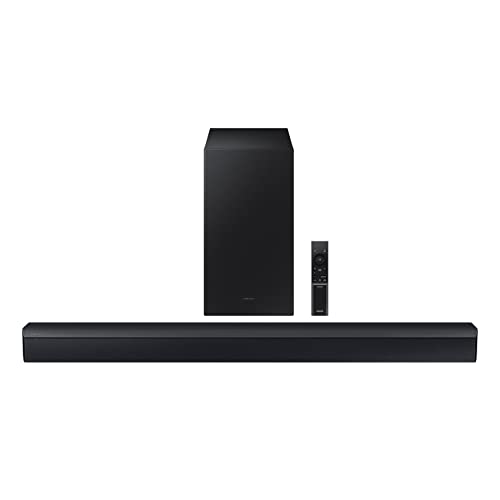
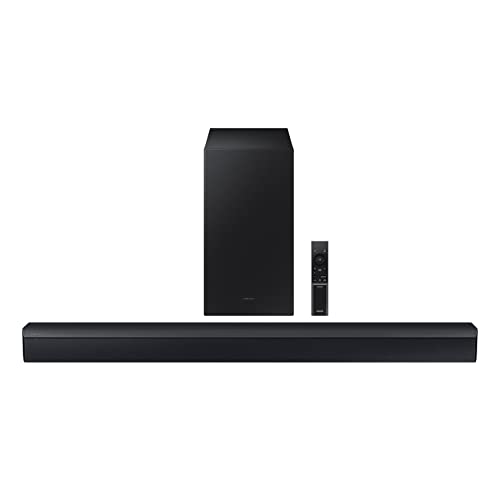
Samsung HW-C450 2.1ch Soundbar
A 2.1-channel soundbar with a wireless subwoofer, DTS Virtual:X surround processing, Bass Boost and Bluetooth. It is a straightforward example of the entry 2.1 layout most first-time soundbar buyers start with. Check price on Amazon.

Sony HT-S400 2.1ch Soundbar
A 2.1-channel soundbar with a separate wireless subwoofer, Dolby Digital decoding and Bluetooth. The separate sub is the classic 2.1 advantage: deeper bass for films and games than a slim bar alone can manage. Check price on Amazon.

Bose TV Speaker Soundbar
A compact, deliberately simple soundbar with HDMI ARC, optical and Bluetooth, plus a dialogue mode for clearer speech. It is aimed at people who want better TV sound without apps, Wi-Fi setup or a separate subwoofer. Check price on Amazon.
Common Mistakes
Troubleshooting HDMI while the bar is on the Bluetooth input
The bar can only play the input it is set to. Confirm the input name on the display before diagnosing anything downstream of it.
Assuming the TV switches output automatically
Many do not, and updates reset those that do. The TV’s sound output menu is the first place silence lives — check it before cables, every time.
Buying a new bar before the Bluetooth proof-of-life test
If the bar plays from a phone, it is not dead, and the fault is in the TV chain. Two minutes of testing can save an entire purchase.
Leaving the TV format on a surround bitstream for a basic bar
A stereo bar that cannot decode the format gives silence or noise, not an error message. PCM is the diagnostic setting that separates format problems from everything else.
Prevention Habits
- Prove the bar alive with a phone over Bluetooth before touching TV settings.
- ARC socket, TV output menu, PCM format — the silent-bar trinity.
- Keep a spare HDMI and optical cable; swapping acquits or convicts in minutes.
- Write the working settings on a note kept with the remotes.
Going Deeper: Context That Helps
Returns windows are part of the buying process for audio gear, and you should use them deliberately. Sound is personal and room-dependent, so a product that reviews well can still disappoint in your space. Buy from sellers with clear return policies, keep packaging until you are sure, and test with your own content at your own volumes in the first days — not the night before the window closes. A structured test, with the same three songs or scenes each time, reveals differences that casual listening misses and turns a vague feeling into a decision you can act on.
Hearing safety deserves a mention in any audio guide. Comfortable TV and music listening sits well below the levels that risk hearing damage, but portable speakers at parties, and headphones especially, can creep upward in noisy environments as you compete with background sound. If you have to shout to be heard over your own system, it is too loud for long sessions. Many devices offer volume limiting — worth enabling for children — and taking listening breaks during long sessions protects both your ears and your enjoyment, because tired ears judge sound poorly.
A soundbar’s biggest advantage is also its limitation: everything lives in one wide box under the TV. That makes setup simple and dialogue clear for most viewers, but the left and right channels are only as far apart as the bar is wide, so true stereo separation is narrower than two separate speakers can give. Virtual surround processing tries to widen the picture with psychoacoustic tricks, and on many films it works surprisingly well from a single seat. Understanding this trade-off helps you choose: if you mostly watch dialogue-heavy TV from one sofa, a bar is ideal; if you listen to music critically across a wide room, separate speakers still lead.
HDMI eARC is the connection that matters most on a modern soundbar. It carries full-quality audio from the TV — including Dolby Atmos from streaming apps and consoles — down a single cable, and it lets the TV remote control the bar’s volume. Optical connections are reliable but limited to older surround formats and cannot carry Atmos from most sources. When a soundbar misbehaves — no sound, wrong format, lip-sync drift — the cable and the TV’s audio output settings are responsible far more often than the bar itself, so always check the TV’s menu for eARC, passthrough and PCM settings before assuming the bar is faulty.
Dialogue clarity is the reason most people buy a soundbar, and it depends on the centre channel and on processing, not raw power. Film mixes bury speech under music and effects, and TV speakers point that sound at the wall or the floor. A bar with a dedicated centre channel, or a dialogue enhancement mode that lifts the vocal frequency range, fixes the nightly ‘what did they say?’ problem better than simply turning the volume up. If you watch late at night, look for a night mode that compresses loud effects while keeping speech level — your household will thank you more than for any surround effect.
A wireless subwoofer changes what a soundbar can do more than any other single feature. The bar handles voices and effects; the subwoofer, placed near a wall or corner, reproduces the low rumble of films and the body of music. Because low bass is hard to localise, the sub can live beside the sofa or next to the TV stand, wherever a power socket is convenient — it only needs power, since the audio link is wireless. If a bar sounds thin, first check that the subwoofer is paired, powered and not turned down in the settings before concluding the bar itself is weak.
Soundbar sizes should match the TV, mostly for looks and partly for sound. A bar much narrower than the TV looks lost and spreads sound over a smaller width; a bar wider than the TV stand risks overhang. Measure the stand, check the height of the bar against the bottom edge of the screen so it does not block the picture or the TV’s remote sensor, and leave a little clearance in front of up-firing Atmos drivers. Wall-mounting is an option on most bars, but a stand is simpler, kinder to cables and easier to reposition while you fine-tune the sound.
Room size decides how much soundbar you need. In a bedroom or small flat, a compact bar already plays far louder than you will use, and a huge flagship adds cost without benefit. In an open-plan living space with high ceilings, sound dissipates, Atmos height effects weaken because they rely on ceiling reflections, and a bar with a separate subwoofer — or the option to add rear speakers later — earns its keep. Be honest about the room you have rather than the room in the advertisement: most soundbar disappointment comes from buying for the wrong space, not from buying a bad product.
Frequently Asked Questions
Why does my soundbar suddenly have no sound?
Sudden silence after working fine is usually a settings regression, not a failure: a TV update reset the sound output to TV speakers, a power cut broke the CEC handshake (power-cycle both devices), or the bar’s input was changed for music and left there. Work the quick checks — bar input, TV output menu, mute and volume on both remotes, subwoofer link light — before suspecting hardware. A bar that worked yesterday and is silent today is telling you something changed, and the change is almost always in a menu.
The TV speakers work but the soundbar is silent. What is wrong?
The TV is still outputting to itself. Go to the TV’s sound settings and change the output from TV Speakers to the HDMI/ARC or optical device, and enable CEC/ARC if the option is separate. Also confirm the HDMI cable is in the ARC/eARC-labelled socket specifically. Until the TV is told to send sound out, the bar can be perfectly connected and perfectly silent — the connection carries nothing because the TV never released the audio to it.
Why is there sound from some apps but not others?
Because apps and sources negotiate formats independently. An app sending a surround format your bar cannot decode will be silent (or garbled) while a stereo app plays fine. Set the TV’s digital format to PCM to make everything audible, then, if your bar decodes surround formats, try Passthrough and retest the problem app. Also check the silent app’s own audio settings and whether the issue follows a single device — a console or box with its own output menu set to a format the chain cannot pass.
My soundbar works with my phone but not the TV. Is it broken?
No — that test proves the bar’s amplifiers and speakers are healthy, which moves the fault entirely into the TV chain: output setting, ARC socket, CEC, format or cable. Work those links in order. The phone test is the most valuable two minutes in soundbar troubleshooting precisely because it splits the problem in half. A bar that plays Bluetooth but not TV is a settings problem wearing a hardware costume, and it is fixable at the sofa with the TV remote.
The bar plays but there is no bass. Is that the same problem?
It is the subwoofer branch of it. Check that the subwoofer has power, that its link indicator is solid rather than blinking, and re-run the pairing sequence from the manual if it blinks. Confirm the subwoofer’s level has not been turned to minimum in the bar’s settings or app, and that a night mode — which deliberately suppresses bass — is not engaged. If the sub pairs but produces only distortion or nothing at all on every scene, that is a genuine fault for the warranty route.
Should I reset the soundbar to factory settings?
As a late step, yes — after you have verified the TV’s output, sockets, format and cables, and noted your current settings. A factory reset clears corrupted configurations and stale pairings, and occasionally that is exactly the cure. But it also erases Wi-Fi, EQ and pairing work you will have to redo, and it cannot fix a fault that lives in the TV’s menu. Reset with intent: if the bar then works, rebuild settings one at a time so you learn which one mattered; if it does not, your notes make the warranty conversation conclusive.
The Logic of Silence: Dividing the System in Half
Professional fault-finding works by division, and silence is the perfect fault for it. Your system is a chain: source, television, connection, bar, speakers. A single test at the chain’s midpoint halves the suspects. Play something from a phone to the bar by Bluetooth or an auxiliary input. If the bar sings, its amplifiers and speakers live, and the fault sits in the television, the connection or their settings. If the bar stays silent even then, suspicion moves to the bar itself: its input selection, its volume and mute state, its power, or its health. One test, honestly interpreted, prevents the commonest waste in home audio — replacing the healthy half of a system.
Reading indicator lights like a language
Bars communicate through small lights and brief display messages, and during a silence fault they are witnesses, not decoration. Note what the bar says it is doing: which input it believes is selected, whether it shows a format, whether a mute or standby indicator glows, whether a wireless subwoofer’s light is steady or searching. Compare that testimony with what you intended. A bar serenely displaying the Bluetooth input while you troubleshoot HDMI is not broken; it is obediently playing a silent input, and the fix is selection, not repair. Photograph or write down the indicators before changing anything, because after three experiments nobody remembers the original state.
Subwoofer and rear speaker lights deserve the same respect. A searching light on a subwoofer during a bar-only silence tells you the wireless family is unsettled; a steady light tells you bass will return the moment the front of the system is fed. These small observations, gathered before touching a setting, are what separate a ten-minute fix from an evening of random resets that eventually works for reasons nobody can repeat.
Causes That Masquerade as Hardware Failure
Several innocent conditions imitate a dead bar convincingly. A volume level left at zero or a mute engaged by a pocketed remote presents as total failure. A television whose audio output was switched back to its own speakers by an update, a guest or a connected games console’s control signal will starve the bar while its own speakers — if also muted in favour of the bar — complete the illusion of a system-wide death. Headphones left plugged into a television, or a Bluetooth device in another room still connected and claiming the audio, divert sound with perfect silence at the bar.
Updates, power cuts and other overnight changes
When silence arrives overnight, ask what changed while you slept. Firmware updates can reset output preferences or alter wake-up behaviour. A power cut can leave a subwoofer unpaired, a bar on a default input, or a television’s control settings renegotiated badly. A cleaner can move a cable half out of its socket. None of these requires a repairer; all of them require the history question to be asked before the hardware question. Restoring from your recorded settings, if you keep them, resolves most overnight silences in minutes.
New arrivals are another classic culprit. A console, recorder or streaming device added to the system can seize control, change the television’s output, or occupy the bar’s input attention. If silence dates from an addition, temporarily disconnect the newcomer entirely — not merely switch it off, since control signals travel in standby — and test. A surprising number of condemned soundbars were innocent bystanders to a peripheral’s manners, and the fix is reconfiguring the newcomer, not replacing the bar.
Format Silence: When the Bar Cannot Decode What It Receives
A subtler silence affects only some content: the news plays, a film does not; one app sings, another is mute. That pattern indicts formats. The television or source is sending a format the bar cannot decode, and rather than downmixing, the chain produces nothing. Work through the output settings of the offending source and the television’s digital audio format options, choosing a widely supported format or a passthrough arrangement the bar accepts, and test with the same scene each time. The bar’s display, if it shows the incoming format, turns this from guesswork into reading.
Why stereo tests prove so much
Setting everything temporarily to plain stereo is the diagnostic master key. Stereo is universally decodable, so if the system plays in stereo, the hardware and connection live, and the fault is format configuration. Restore surround capability one setting at a time from there, testing the failing content after each step, and the step that reintroduces silence has identified itself. Owners resist the stereo test because it feels like surrender; it is the opposite — it is the fastest route back to surround, walked in the right order.
Remember the disc-player corner of this problem: players have their own audio output menus, sometimes per format, and a player set to send a format the bar lacks will be silent on discs while every other source behaves. When silence is source-specific, the source’s own settings are always suspects of the first rank, ahead of cables and ahead of the bar, however new and complicated the bar may be.
Protecting Against the Next Silence
Once sound returns, spend five minutes making the next occurrence shorter. Save or photograph the working settings on television and bar. Label the bar’s correct input for television sound where a visitor can find it. Remove unused Bluetooth pairings and disable automatic connection on devices that hijack the bar. If an update caused the fault, note the date and what it changed in your settings record, because the next update may do it again and your note will turn a mystery into a routine.
A household script for silence
Agree a simple household script, in order: check the bar is on and awake; check its input is the television one; check the television’s output is set to the bar; check volume and mute on both remotes; then, and only then, restart both devices fully at the power. Laminated in plain language inside a cupboard door or saved as a shared note, that script resolves the overwhelming majority of silences without the household’s usual troubleshooter, and it prevents the random button-pressing that turns a one-setting problem into a five-setting archaeology dig.
Accept, finally, that genuine failures do happen: amplifiers die, sockets fail, a bar that is silent from every source, on every input, after a recorded-settings reset, has told you its story. Your methodical notes then become the repairer’s or warranty handler’s best evidence, and the same discipline that fixes most silences at home ensures the real ones are believed, diagnosed and resolved without argument.
Silence in One Room of a Multi-Room Life
Bars that belong to a multi-room ecosystem have a silence mode of their own: the bar may be grouped, ungrouped, claimed by another room’s playback or set to a streaming input by someone’s phone in another part of the house. When a networked bar is silent for television, check its state in the maker’s app before touching a cable: which input it believes it is on, which group it belongs to, and whether a household member’s music session ended with the bar left on a streaming input at zero volume. These are not faults, and treating them as faults — resetting a healthy networked system — costs the household its groups, its presets and its patience.
Voice assistants and helpful automations
Voice control adds another invisible hand: a command misheard in another room, a routine that mutes at a set hour, a child who has discovered that asking for silence works. If silence keeps a schedule, suspect an automation before a component. Review the routines and timers attached to the bar and the television, and check whether a sleep timer — set once, forgotten, and faithfully executed nightly — has been masquerading as an intermittent fault. The most baffling silences are often the most obedient devices in the house, following instructions nobody remembers giving.
Similarly, a bar that answers a streaming cast from a guest’s phone has not malfunctioned; it has been hospitable. Removing stale pairings and setting the bar to favour its television input, where the option exists, prevents the recurrence, and a word with the household about which speaker is the television’s completes a fix that no amount of cable inspection could have reached.
Keeping a Spare Path: The Backup Input Strategy
Households that depend on the bar nightly — which is most of them — benefit from a rehearsed spare path. Know, before you need it, how you would get sound tonight if the main connection failed: the optical cable in the drawer and the menu path to select it, or the television’s own speakers re-enabled as a stopgap, or a Bluetooth link from the television as a last resort. Write the spare path into your settings record. A fault that occurs ten minutes before a family film then becomes a two-minute diversion rather than a cancellation, and faults that lose their power to ruin evenings also lose most of their urgency, which makes the eventual proper repair calmer and better diagnosed.
After the repair: verifying like you mean it
Whether the fix was a setting, a cable or a repaired unit, close the episode with the full acceptance test: every source, the failing content that exposed the fault, the subwoofer and rears confirmed present, control from the television remote working, and a power cycle survived — off, on, sound — because some fixes live only until the next restart. Record what the fault was and what cured it, in the same note as your settings. Silence will visit again someday, as it visits every system; the household that has met it methodically once will greet it the second time with a checklist instead of a sinking feeling, and that difference is the true product of everything in this guide.
Intermittent Silence: The Fault That Comes and Goes
Silence that heals itself is harder than honest silence, because it cannot be examined while it is well. Keep a log when it happens: time, source, programme, what the indicators showed, what restored it. Patterns hide in such logs — always after the television sleeps, always on one app, always when a particular device wakes — and a fortnight’s log usually accuses the culprit more precisely than any single test. Heat belongs in the log too: a bar that falls silent after hours of loud use and recovers when cool is describing thermal protection or a failing component, and that description, with its timings, is exactly what a repairer needs.
Power, sockets and the environment
Intermittency loves loose connections and tired power arrangements. A plug half-seated in a multi-way adapter shared with a kettle’s worth of household devices, a socket worn by years of plugs, a cable pinched by a unit’s foot — each produces faults that come and go with vibration, temperature and the cleaner’s schedule. Simplify the power arrangement as part of the investigation: bar and television on sound sockets, no strained adapters, cables with slack and gentle bends. A surprising share of ghost faults are exorcised by nothing more technical than giving the system honest power and unstressed cables, and the log will show the silence simply failing to return.
If the log instead convicts a device — silence following one peripheral’s use with metronomic loyalty — isolate that device onto its own connection path or remove its control privileges, and let the system live without its interference while you decide its fate. A system is a small society of devices, and troubleshooting it is partly diplomacy: identify the citizen whose behaviour disturbs the rest, and change its circumstances before condemning the whole community.
Silence From the Subwoofer’s Neighbour: Bass Without a Voice
A curious partial silence deserves its own paragraph: the bar plays, the subwoofer works, yet something is missing — the rear speakers in a surround system, absent without any warning light announcing their departure. Causes mirror the main fault in miniature: a wireless link lost after a power cut, a speaker unplugged at its own power switch by a vacuum cleaner’s itinerary, a level set to nothing during someone’s experiment. The diagnostic habit is identical, too: run content with known rear activity, check each speaker’s indicator and power, re-pair in the maker’s order, and confirm levels before suspecting failure. Partial systems fail partially, and the household that tests all its speakers occasionally — a surround scene, a walk around the room — notices a missing rear in a week rather than discovering it, vaguely, sometime next year.
The sound check as a household ritual
Institutionalise that walk. After any change to the system, any move of furniture, any incident involving cables and enthusiasm, play the scene you know best and listen from the main seat and from beside each speaker in turn. Thirty seconds of ritual after each disturbance is cheaper than the archaeology of a fault discovered late, and it keeps the whole household’s mental model of the system honest: everyone knows what working sounds like, so everyone can say, precisely, what stopped working and when. Precision, offered early, is the greatest gift a troubleshooter can receive — including when the troubleshooter is you, at midnight, in your dressing gown.
Silence and the Elderly Relative: Designing for the Least Technical User
Many soundbars are bought for a parent or grandparent whose television speakers have become inaudible, and for those households silence-proofing is the real specification. Choose simplicity at purchase, then harden the installation: tape or mark the correct remote buttons if that helps, write the three-step recovery — bar on, television input, volume up — in large print where it lives, disable every automation that can mute or divert the system, and remove the bar from any app-based grouping that a well-meaning visitor’s phone might claim. Visit occasionally and run the sound check as a ritual rather than an inspection. A system so arranged fails rarely and recovers kindly, and the difference between that and a technically superior but fragile setup is measured in a relative’s confidence every single evening.
When to simplify by replacing
Occasionally the honest conclusion for such a household is that the system itself is the fault: too many inputs, too many modes, a remote like a flight deck. Replacing it with a simpler bar — one input, automatic everything, a remote with a volume control and little else — is not defeat but design, fitted to the user who actually exists. Keep the capable system for a room that wants it. The best soundbar, in any house, is the one that is never found silent by the person who depends on it.
The Five-Minute Monthly Sound Check
Prevention deserves the last word, in the form of a ritual too small to skip. Once a month, or whenever the system has been disturbed, play one familiar scene and confirm: the bar wakes with the television, every speaker in the system is present, the television remote rules the volume, and the subwoofer’s light is steady and content. Five minutes, four confirmations, and the overwhelming majority of silences will be caught as drifts and quirks while they are still trivial, rather than discovered as failures ten minutes before the programme the whole household gathered to watch.
Related Guides
These guides and roundups cover the closest decisions and fixes in this category:
- best soundbars for televisions
- best soundbars for samsung tv
- best soundbars for lg tv
- best soundbars for computers
- how to connect to a tv a soundbar
- how to set up a soundbar
The bar works but the subwoofer is silent. Where do I start?
Confirm the subwoofer has power and check its pairing indicator; a searching light means re-pairing is the first job, following the maker’s sequence, usually with the sub near the bar for the first connection. Then check the bar’s bass or subwoofer level has not been turned fully down, and test with a scene containing genuine low bass, since quiet dialogue gives a subwoofer almost nothing to do even in a healthy system.
Sound cuts out for a second at a time rather than stopping completely. Is that the same fault?
Related, but a different pattern. Brief dropouts usually point to a cable under strain, a socket connection that is not fully seated, interference on a control channel from another device, or a format renegotiation. Reseat and, if possible, substitute the main cable first, note whether dropouts coincide with a particular device waking or a particular format appearing, and work from that pattern rather than resetting everything.
Should I leave the soundbar on all the time to avoid wake-up problems?
It avoids some wake-up quirks but wastes power and keeps wireless links permanently negotiated with everything in the house. A better cure is to fix the wake-up behaviour itself: correct control settings on both devices, current firmware, and the television set to wake the audio system. If a particular bar remains unreliable at waking despite all that, its own auto-standby settings can usually be relaxed as a targeted compromise.