Disclosure: this article contains affiliate links. If you buy through a link on this page, we may earn an affiliate commission at no extra cost to you.
A GoPro is only as reliable as the tiny card sitting inside it. The camera itself can shoot beautiful 5.3K video, but the moment a slow, worn-out, or counterfeit microSD card cannot keep up with the data stream, you get the failures every action-camera owner dreads: recordings that stop mid-run, corrupted clips, the dreaded “SD ERR” message on the screen, or a card that quietly fills up twenty minutes into the best light of the day. Storage is the cheapest part of a GoPro kit, yet it is the part most likely to ruin a shoot.
The good news is that picking the right card is not complicated once you understand what the markings on the package actually mean. GoPro cameras write video at a sustained, unforgiving pace, so the number that matters is not the big read speed printed on the front of the box. What matters is the guaranteed minimum write speed, expressed through the Video Speed Class and UHS Speed Class ratings, plus enough capacity for the way you actually film. This guide explains those ratings in plain language, walks through six cards that have earned strong reputations among GoPro shooters, and covers the unglamorous but essential topics of spotting fakes, testing a new card before you trust it, and building a formatting and backup routine that keeps your footage safe.
Every card below is a genuine, widely sold model from an established memory brand. We position each one by segment — budget, mid-range, or premium — rather than quoting prices, because card prices swing constantly with sales and capacity promotions. Use the positioning to narrow the field, then check the current price on Amazon for the exact capacity you want.
Quick comparison: the six picks at a glance
The table below summarizes how the six cards in this guide differ. All six carry the ratings a modern GoPro needs; the real differences are capacity ceilings, sustained-write headroom, warranty positioning, and how each brand prices its tiers.
| Card | Segment | Speed class markings | Best for |
|---|---|---|---|
| SanDisk Extreme Pro microSDXC | Premium | U3, V30, A2 | Maximum headroom for 5.3K and high-frame-rate shooting |
| SanDisk Extreme microSDXC | Mid-range | U3, V30, A2 | Most GoPro owners; the balanced default choice |
| Samsung PRO Plus microSD | Premium | U3, V30, A2 | Shooters who want a strong warranty and fast transfers |
| PNY PRO Elite microSDXC | Mid-range | U3, V30, A2 | Certified V30 performance and 256GB of room without flagship money |
| Samsung EVO Select | Budget | U3, V30, A1/A2 depending on capacity | Everyday 4K filming and second/spare cards |
| SanDisk Extreme Plus microSDXC | Premium-mid | U3, V30, A2 | Buyers who want near-flagship performance in smaller capacities |
In this guide
What to look for in a microSD card for a GoPro
Sustained write speed is the number that matters
Video recording is a sustained write workload. From the moment you press the shutter, the camera pours a continuous stream of data onto the card and does not stop until you press it again. A card that bursts quickly for a few seconds and then slows down — perfectly fine for a burst of photos — can still fail at video, because the camera’s buffer eventually fills and the recording stops. That is why the memory industry created speed class ratings that certify a minimum sustained write speed rather than a peak.
Three markings matter for GoPro use. The Video Speed Class, written as V30, V60, or V90, guarantees a minimum sequential write speed of 30, 60, or 90 megabytes per second respectively. The UHS Speed Class, written as U1 or U3, guarantees 10 or 30 megabytes per second. The older plain Speed Class (Class 10) guarantees only 10 megabytes per second and appears on cards that are too slow for modern GoPro video. For any current GoPro — the HERO12, HERO13, and their recent predecessors shooting 4K or 5.3K — you want a card marked U3 and V30 at minimum. Every pick in this guide meets that bar.
Do you need V60 or V90? For GoPro recording, no. Even the highest-bitrate modes on a HERO camera write well within what a genuine V30 card sustains, and GoPro’s own recommended-card guidance has consistently centered on U3/V30-class media. V60 and V90 cards exist for cinema cameras that record far heavier codecs. Where a faster card does help a GoPro owner is offloading: higher read speeds shorten the time it takes to copy a full card to your computer at the end of the day. Buy V30 for the camera; enjoy faster reads as a bonus, not a requirement.
The Application Performance Class: A1 versus A2
The A1 and A2 markings measure how quickly a card handles small random reads and writes — the workload of running apps on a phone. A GoPro does not run apps off its card, so this rating is the least important one for camera use. That said, nearly every quality card now carries A2, and it does no harm. Treat A2 as a mild sign of a modern, well-specified card rather than a reason to pay more, and do not reject an otherwise suitable card because it is A1.
Capacity: how much footage actually fits
Capacity planning depends on resolution, frame rate, and bitrate. As a rough guide at standard bitrate settings, an hour of 4K60 footage typically lands somewhere around 25 to 35 gigabytes, while 5.3K and high-frame-rate modes push noticeably higher, and the high-bitrate options offered through GoPro’s Labs firmware or the newest models push higher still. A 128GB card therefore holds roughly three to four hours of typical 4K shooting; a 256GB card doubles that; a 512GB card suits multi-day trips where offloading is impractical.
Bigger is not automatically better. Many experienced shooters prefer two 256GB cards to one 512GB card, because swapping cards at lunch limits how much footage a single lost or failed card can take with it. Consider also that GoPro cameras have a maximum supported card size that varies by model — recent HERO models officially support up to 1TB, while older ones stop at 256GB or 512GB. Check your camera’s manual before buying the largest card on the shelf, and format any new card in the camera itself before first use.
Endurance and why dashcam cards are a different breed
You will see “high endurance” cards marketed for dashcams and security cameras. Those models trade peak speed for the ability to survive constant overwriting for years. A GoPro sits in between: it writes hard while recording but is not overwriting around the clock. Mainstream performance cards like the six below are the right match for action cameras. What does shorten a card’s life is heat, rough handling, and being filled to the last megabyte repeatedly. Whatever card you choose, retire it if the camera starts throwing errors — cards are consumables, and a replacement costs far less than a lost day of footage.
Buy from a seller you trust
MicroSD cards are among the most counterfeited products in consumer electronics. Fake cards are relabeled low-capacity stock that reports a false, larger size to your devices; they seem to work until real data passes the true capacity, at which point files corrupt silently. The defense is simple: buy from the brand’s official storefront or a major authorized retailer, be suspicious of prices far below every other listing, and test any new card before a shoot that matters — the testing section below explains how. This is also why this guide sticks to flagship lines from SanDisk, Samsung, and PNY rather than no-name cards with impressive-sounding specifications.
Heat, cold, and water: the environment ratings
GoPros live harder lives than phones. They bake on dashboards, freeze on ski helmets, and get dunked in salt water inside their housings. Quality microSD cards are rated for wide operating temperature ranges and tested against water immersion, shock, vibration, and even airport X-rays, and the three brands in this guide publish those protections for their performance lines. The rating that matters most in practice is heat: a card recording high-bitrate video inside a sun-baked camera is working in the harshest conditions consumer flash memory ever sees, which is one more reason the sustained-write headroom of the mid-range and premium picks is worth having on summer shoots. In cold weather the camera’s battery usually gives up before the card does, but let a frozen card warm up before handling it, and never force a stiff card into the slot.
Warranty and support
Brand-name cards carry limited warranties ranging from a few years to a decade or more depending on the line, and the claims process through an authorized retailer is straightforward. Keep your receipt — ideally the order email — because warranty service asks for proof of purchase. A card that fails in year two and gets replaced free was cheaper than the no-name card that failed in month two, even if the sticker prices suggested otherwise. Photograph the card and its packaging when it arrives, too; if a warranty claim or a counterfeit dispute ever arises, having the serial details recorded makes the process considerably faster.
best cameras for everyday shots and action shots
How these six cards were chosen
The shortlist follows three filters. First, specification: a card had to carry genuine U3 and V30 certification in the capacities GoPro owners actually buy, from a manufacturer that makes its own flash or has a long professional-media track record. Second, reputation in the field: each of these lines has years of accumulated use in HERO cameras, drones, and other high-bitrate devices, with the pattern of owner reports you would expect from mature products — problems are rare and usually traceable to counterfeits or age. Third, availability: a card you cannot replace in a random city on a Tuesday is a liability on a trip, so global retail presence counted. Cards that failed any filter — unknown brands with heroic claims, older U1 generations still lingering in listings, and dashcam endurance models whose speed headroom is the wrong trade for an action camera — were left out deliberately.
The best microSD cards for GoPro cameras
Each pick below follows the same structure: what the card is, its strengths, its trade-offs, and who it suits. Capacities mentioned are the commonly sold sizes for that line; always confirm the size and the U3/V30 markings on the exact listing you buy, because brands sell several similar-looking tiers.

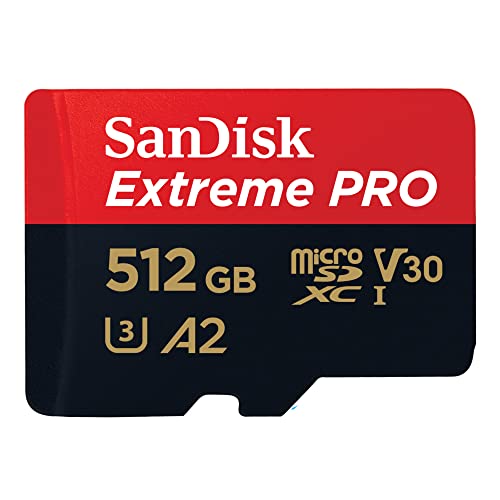
1. SanDisk Extreme Pro microSDXC — the maximum-headroom pick
Strengths. The Extreme Pro is SanDisk’s flagship microSD line and the card most often found in the kits of professional action-camera and drone shooters. It carries U3, V30, and A2 ratings with generous sustained-write headroom above the V30 floor, which is exactly what you want when running a HERO camera at 5.3K, high frame rates, or elevated bitrates for long stretches. Its read performance is the strongest in the SanDisk microSD range, so a full day’s card copies to your computer quickly, and the line is sold in capacities running from small sizes up to 1TB, letting you standardize on one card type across cameras. SanDisk also bundles its RescuePRO data-recovery software offer with retail packages, a small but genuinely useful extra if you ever delete the wrong folder.
In the field, what owners notice most about the Extreme Pro is consistency. Long 5.3K clips, back-to-back high-frame-rate bursts, and hot dashboards in parked cars are the situations that expose marginal cards, and this is the card that shrugs them off. It is also the microSD most rental houses and production crews stock, which means its behavior in GoPro bodies is about as well documented as any card on the market. If you run a HERO as part of a mixed rig alongside drones and gimbal cameras, standardizing on the Extreme Pro keeps one less variable in the kit.
Trade-offs. You pay a premium over the standard Extreme line for headroom that a GoPro cannot fully exploit while recording; the practical in-camera difference between this and the cheaper Extreme is small. The flagship pricing makes losing one sting more, and the very largest capacities concentrate a lot of footage on a single card.
Who it suits. Shooters who run the highest resolutions and frame rates, professionals who cannot afford a reshoot, and anyone who offloads large cards daily and values the fastest transfers. If your GoPro work is paid work, this is the card to standardize on. It sits at the premium end of the segment — check price on Amazon.

2. SanDisk Extreme microSDXC — the balanced default
Strengths. If the Extreme Pro is the flagship, the plain Extreme is the card the GoPro ecosystem quietly runs on. It has appeared on GoPro’s recommended card lists for years, carries the same essential U3/V30/A2 ratings, and handles every recording mode a HERO camera offers, including 5.3K and high-frame-rate 4K, without drama. Read speeds are a step below the Pro but still brisk for end-of-day offloads. Capacities span the useful range up to 1TB in some markets, with 128GB, 256GB, and 512GB being the sweet spots most owners buy. Because it sells in enormous volumes, it is also the easiest card on this list to find in stock anywhere in the world — a real advantage when you need a replacement mid-trip.
There is a reason this card is the default recommendation in GoPro forums year after year: the failure stories are rare, and when they do appear they usually trace back to counterfeits rather than the genuine article. The Extreme also behaves well across generations — the same card that serves a HERO13 today will drop into a HERO9 or a MAX without complaint — which makes it a sensible card to buy in pairs and rotate. For travel shooters, its combination of price, availability, and proven manners is difficult to beat.
Trade-offs. Sustained-write headroom is closer to the V30 floor than the Pro’s, so extremely long high-bitrate recordings in hot conditions are where the flagship earns its keep; for ordinary shooting this rarely matters. The card’s popularity also makes it the most counterfeited model here, so seller choice matters even more than usual.
Who it suits. The majority of GoPro owners. It is the card to buy when you want proven compatibility, no compromises that affect real shooting, and a price that lets you carry a spare. Two Extremes — one in the camera, one in the case — is the classic reliable setup. It sits in the mid-range of the segment — check price on Amazon.

3. Samsung PRO Plus microSD — the warranty-and-transfers pick
Strengths. Samsung’s PRO Plus is the company’s top microSD line and a favorite of shooters who have standardized on Samsung storage across cameras and computers. It is rated U3, V30, and A2, sustains writes comfortably beyond what a GoPro demands, and posts read speeds at the front of the class, which pays off every time you copy a nearly full 512GB card. Samsung backs the line with a long limited warranty — up to ten years in many regions — and rates the card against water, temperature extremes, X-rays, magnets, drops, and wear-out, the full gauntlet of things that happen to gear that lives in pockets and backpacks. The included full-size SD adapter in retail packs is handy for laptops with SD slots.
Samsung manufactures its own NAND flash, and that vertical integration shows up in the PRO Plus’s steady behavior when the card is nearly full — the point where lesser cards’ write speeds sag and recordings get risky. Photographers who shoot cards from several brands often remark that Samsung’s rated speeds are the ones most closely matched in real transfers, which builds trust over years of use. If your editing machine time is billable, the minutes saved copying a full card every day add up to a genuine argument for this pick.
Trade-offs. Pricing tracks the SanDisk flagship rather than the mid-tier, and in some regions the largest capacities are harder to find than SanDisk’s. Samsung’s lineup naming (PRO Plus, PRO Ultimate, EVO Plus, EVO Select) confuses buyers; make sure the listing you choose is genuinely the PRO Plus and carries the V30 marking.
Who it suits. Owners who keep cards for years and value warranty cover, creators who offload big cards daily, and anyone already invested in Samsung storage who wants consistent performance across devices. A premium-segment card — check price on Amazon.

4. PNY PRO Elite microSDXC — the high-speed value pick
Strengths. PNY’s PRO Elite line is the quiet overachiever of this guide: a professional-tier microSDXC card carrying the full set of markings a GoPro asks for — Class 10, U3, V30, and A2 — in a package that is usually positioned below the flagship cards it competes with. The listing for the 256GB card quotes read speeds up to 100MB/s and write speeds up to 90MB/s, and PNY markets the line explicitly for 4K Ultra HD recording on action cameras, drones, and smartphones, which is exactly the sustained-write workload a HERO produces. The V30 rating is the guarantee that matters: a minimum sustained write floor that keeps 5.3K and high-frame-rate 4K recording from stuttering or stopping mid-clip.
The 256GB capacity of the linked listing hits a practical sweet spot for GoPro work. It holds hours of 4K footage between offloads, it is large enough for a full day of mixed clips, time-lapses, and photos on a trip, and it avoids the very large capacities whose loss would sting most if a card were damaged or misplaced. PNY is a long-established memory brand rather than a marketplace no-name, so the card comes from a supply chain with real warranty support behind it — an important distinction in a category where counterfeit stock is the single biggest cause of lost footage.
Trade-offs. PNY’s lineup naming is dense — PRO Elite, Elite-X, and plain Elite cards sit close together on the shelf, and only the PRO Elite carries the V30 and A2 markings this guide requires, so read the listing title carefully before ordering. Read speeds, while perfectly adequate, are not the reason to buy this card; the flagship SanDisk and Samsung picks above offload faster. The very largest capacities in the range can be harder to find than SanDisk’s equivalents.
Who it suits. GoPro owners who want certified V30 performance and a generous 256GB of room without paying flagship-card money, and multi-camera shooters building a matched set of cards on a sane budget. A strong mid-range choice — check price on Amazon.
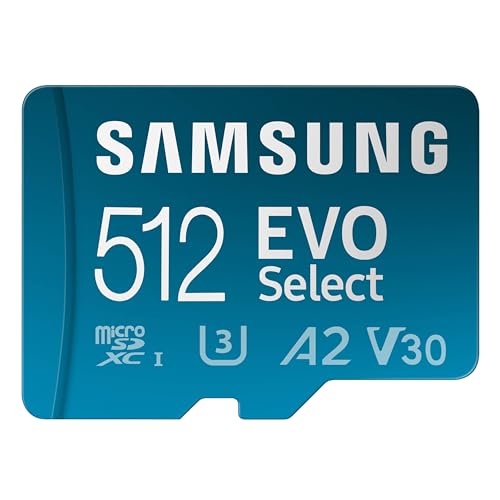
5. Samsung EVO Select — the budget and spare-card pick
Strengths. The EVO Select is Samsung’s value line, sold primarily through Amazon, and it is the card that makes carrying spares painless. Current versions in the useful capacities carry U3 and V30 ratings (check the marking on the exact capacity — some small sizes in the family are rated lower), which means a budget card that still records 4K and 5.3K GoPro footage properly. Read speeds are respectable, the same environmental protections as Samsung’s pricier lines apply, and the per-card cost is low enough that keeping one in every camera bag, car, and jacket pocket is realistic. For families with several GoPros — a common setup for ski trips and beach houses — the EVO Select is how you stock all of them without overspending.
Do not let the budget label fool you into treating this as a toy card. For the way most people actually use a GoPro — 4K30 or 4K60 clips of family, travel, and weekend sport — the EVO Select records exactly the same files as the flagships, because the camera, not the card, decides the picture quality. The card only has to keep up, and a genuine U3/V30 EVO Select keeps up. That is why experienced owners often run premium cards in their main camera and EVO Selects in every secondary role: loaner cameras, the kids’ HERO, the dash-mounted spare.
Trade-offs. Sustained-write headroom is the thinnest here; in the highest-bitrate modes on the newest cameras, especially in hot weather, the mid-range and premium cards above are the safer primary choice. The line’s naming and ratings have changed across generations, so read the listing carefully and confirm U3/V30 on the capacity you select.
Who it suits. Casual and family shooters filming at 4K, anyone building a stock of spares, and owners of older HERO models whose bitrates are gentler. Keep one as your main card for everyday filming and as the backup for everything else. A budget-segment card — check price on Amazon.

6. SanDisk Extreme Plus microSDXC — the near-flagship pick
Strengths. The Extreme Plus sits between the Extreme and the Extreme Pro in SanDisk’s range, and it exists for buyers who want most of the flagship’s performance in the smaller, commonly used capacities. It carries U3, V30, and A2 ratings, offers sustained-write headroom closer to the Pro than to the standard Extreme, and reads quickly for fast offloads. For a single-GoPro owner shooting 128GB or 256GB cards, it is arguably the sweet spot of the entire SanDisk ladder: every mode the camera offers is covered with room to spare, and you are not paying flagship prices for 1TB-class engineering you will never use.
The Extreme Plus also makes sense as an upgrade path for owners of older SanDisk cards. If your current Extreme is several seasons old and you are moving to a newer HERO with higher bitrates, the Plus refreshes your media with extra write headroom while keeping the same familiar behavior in the camera and in your reader. Watch the pricing ladder when you shop: SanDisk’s three tiers frequently rotate through promotions, and the Plus is the one most often caught at an unusually good price.
Trade-offs. The line is sold in fewer capacities and is sometimes oddly priced — occasionally close enough to the Extreme Pro that the flagship becomes the smarter buy, and occasionally close enough to the Extreme that the cheaper card wins. It pays to compare all three SanDisk tiers at the capacity you want before deciding.
Who it suits. Single-camera owners who want near-flagship performance without flagship pricing, particularly in 128GB and 256GB sizes. It sits between the mid-range and premium tiers — check price on Amazon.
Decoding the label: every marking on a microSD card explained
A microSD card’s label is crowded with logos, and knowing which ones matter saves money. The capacity logo tells you the card family: microSDHC covers up to 32GB, microSDXC covers 64GB and above, and the newer microSDUC covers multi-terabyte sizes no GoPro uses yet. Every card in this guide is microSDXC. The UHS bus logo — a Roman numeral I or II beside the UHS mark — describes the electrical interface. UHS-I is the interface all GoPros use. UHS-II cards add a second row of contacts and can transfer faster in a UHS-II reader, but in a GoPro they run at UHS-I speeds, so there is no reason to pay the UHS-II premium for camera use.
The speed logos stack on top of each other confusingly. A card may show Class 10, U3, and V30 simultaneously; these are three overlapping certifications of the same underlying write performance, and the one to check is V30 (or U3, which certifies the same 30 MB/s floor). The big numbers on the packaging — “up to 200 MB/s” style claims — describe peak read speed under ideal lab conditions with the maker’s own reader. They are not fake, exactly, but they describe the one workload your camera never performs. Train your eye to skip the big number and find the small V30 logo instead.
Finally, note the difference between a card sold as a bare card and one sold in retail packaging with an adapter and warranty registration. The genuine retail channel is part of what you are paying for with the brands in this guide: warranty service and authenticity guarantees do not follow grey-market bulk cards pulled from a bin.
Matching a card to your GoPro model
Recent flagship HERO models — the HERO13 Black and HERO12 Black — record their highest modes at the highest bitrates in the range, and they are the cameras that benefit most from the headroom of the premium picks above. Both officially support very large cards, up to 1TB, and both are happiest with genuine U3/V30 media from GoPro’s recommended list, which the SanDisk Extreme family and Samsung’s performance lines have consistently appeared on. If you shoot 5.3K60, 4K120, or burst-heavy work on these bodies, buy from the top half of this guide and do not experiment with bargain cards.
The HERO11 Black and HERO10 Black sit a half-step behind in bitrate but are still demanding cameras, especially with the 5.3K and high-frame-rate modes that made them popular. Everything in this guide serves them well, including the EVO Select at ordinary settings, though the mid-range picks are the safer match for their top modes. The HERO11 Black Mini shares the same recording engine in a smaller body and follows the same advice.
Owners of older cameras — HERO9, HERO8, and the MAX 360 camera — should check maximum supported capacity before buying, since some of these models top out at 256GB or 512GB depending on firmware. Their bitrates are gentler, so the budget and mid-range picks are entirely sufficient, and money is better spent on a second card than on flagship speed the camera cannot use. The tiny HERO action camera and the older Session models are gentler still; any genuine U3/V30 card in this guide is more than they need.
One cross-model rule holds everywhere: update your camera’s firmware before blaming a card. GoPro has historically improved card compatibility and fixed recording quirks through firmware, and a camera several versions behind can misbehave with media that works perfectly once updated.
How to test a new card before you trust it
A five-minute test when a card arrives can save an entire trip. First, buy from a reputable seller and keep the packaging until the card has proven itself. Second, run a capacity-and-speed check on a computer: free utilities such as H2testw on Windows or F3 on Mac and Linux write test data across the whole card and read it back, exposing fakes whose real capacity is a fraction of the label. A genuine 256GB card passes with its full capacity verified; a counterfeit fails loudly. Third, format the card in the GoPro itself (formatting in-camera guarantees the file system layout the camera prefers), then record a long test clip at your highest resolution and frame rate — ten or fifteen continuous minutes — and play it back fully. Finally, copy the test file to your computer and confirm it opens. Only then does the card graduate to real shoots.
When you read the results of a computer benchmark, interpret them like an owner rather than a spec sheet. The sequential write figure is the one to compare against the card’s class rating: a genuine V30 card should sustain at or above its certified floor across the whole test, not merely touch a high number in the first seconds. A result that starts fast and collapses partway through is the signature of a fake or a failing card, and it maps exactly onto the real-world symptom of recordings that stop mid-clip. Read speeds, by contrast, may legitimately vary with your reader and port; a slow reader makes a fast card look ordinary, so test with the best reader you own before judging the card.
Repeat a quick version of this ritual whenever a card starts behaving oddly, and treat repeated errors as retirement, not bad luck. Cards that have survived years of service, visible contact wear, or a trip through the washing machine should be replaced on suspicion alone.
Capacity planning by shooting style
Match the card to the day you actually have. A mountain biker recording descents in short clips at 4K60 might fill 40GB on a big day; a 128GB card is ample, with the money saved better spent on a spare. A moto traveler filming hours of continuous 4K, or a diver running two cameras through a full day of boat dives, should think in 256GB units per camera per day. Time-lapse and long-duration work — construction sequences, wildlife hides, overnight star trails — benefits from 512GB cards, because the failure mode there is not speed but simply running out of room at hour nine. Whatever the size, leave headroom: recording right up to a completely full card invites errors, and swapping at roughly 80 percent full is a cheap insurance habit.
Remember that advertised capacity and usable capacity differ slightly, and that the camera reserves space for its file system and any GoPro Labs or preset data. When in doubt, size up one step.
best memory cards for dslr cameras
High-bitrate modes, GoPro Labs, and why headroom exists
Standard settings are not the ceiling of what a GoPro can write. Enthusiasts running the GoPro Labs firmware can raise bitrates substantially, extend recording in demanding modes, and unlock behaviors aimed at professional workflows. Every step up in bitrate narrows the margin between what the camera demands and what a marginal card sustains — and it does so precisely in the hands of the users least able to tolerate a failed take. If you experiment with Labs, treat the premium tier of this guide as your starting point, test each card at your chosen settings before a real shoot, and be honest about heat: higher bitrates in a stationary, sunlit camera are the most punishing workload in this entire article. The same logic applies to the newest cameras’ highest-quality modes even without Labs. Headroom is not marketing; it is the distance between your settings and a stopped recording.
Three ready-made card kits
The weekend kit. One SanDisk Extreme 256GB in the camera and one Samsung EVO Select 256GB in the case. This covers a long weekend of 4K shooting for one camera, gives you a same-day spare if anything misbehaves, and keeps the total spend sensible. It is the right answer for most owners reading this guide.
The travel kit. Two SanDisk Extreme or PNY PRO Elite cards at 256GB, plus one 512GB card reserved for time-lapses and long continuous recordings, all in a hard card case, plus a USB-C reader in the laptop bag. Rotate the 256GB cards daily so no single card ever holds more than a day of the trip, and offload every evening. This kit has carried many photographers through multi-week trips without a lost frame.
The working kit. SanDisk Extreme Pro or Samsung PRO Plus cards throughout — matched capacities in every camera body, labeled and rotated, with a fast reader at the edit station and a strict format-only-after-two-copies rule. When footage is billable or unrepeatable, the premium over mid-range media is the smallest insurance premium in the entire production budget.
Formatting, care, and backup habits that prevent lost footage
Format cards in the camera, not the computer, and format at the start of a shoot day rather than deleting clips individually; deletion fragments the card and, over months, can contribute to the errors formatting prevents. Keep cards in a hard case rather than loose in a pocket — the contacts are exposed and the cards themselves are easy to bend or lose. Label cards with a fine marker or tape flag (A, B, C) and rotate them so wear spreads evenly and a failing card reveals itself in rotation rather than on the one day everything depends on it.
Back up with the 3-2-1 instinct scaled to your risk: copy the day’s footage to a laptop or drive each evening, and for trips that cannot be repeated, keep a second copy on a separate device stored apart from the first. Cloud upload through GoPro’s subscription or your own storage adds a third layer when bandwidth allows. The card is not backed up until the files exist somewhere else — treat every un-copied card as footage you do not yet own.
Card readers and the offload routine
The card is only half of the storage story; the reader decides how your evenings on a trip go. A modern USB-C UHS-I reader from a reputable brand copies a full 256GB card in a fraction of the time an aging USB 2.0 adapter needs, and the cheap no-name readers bundled free with other gear are a common hidden bottleneck — some also run hot enough to make transfers flaky. If you adopt one of the faster cards in this guide, pair it with a reader that can actually use its read speed. Phone-based offload through the GoPro app is convenient for a clip or two, but for full cards it is slower, drains the camera battery, and fills your phone; treat it as a preview tool, not a backup system.
Build the offload into the day’s rhythm: cards out at dinner, copy to the laptop, verify a few clips play, second copy to a portable SSD for anything irreplaceable, and only then format — in the camera, the next morning. Shooters who follow that sequence almost never lose footage; shooters who format first and copy “later” eventually do.
Common mistakes that kill cards and footage
Removing the card or battery mid-write. If the camera is still writing when power vanishes, the file being written — and occasionally the card’s file table — can corrupt. Wait for the recording indicator to finish, and let the camera complete its file closing before pulling anything.
Filling the card to the last megabyte. Cards manage themselves with wear-leveling that needs free space to work well. Chronic 100-percent-full use accelerates wear and invites errors; swap at roughly 80 percent and your cards will live longer.
Deleting clips in-camera to make room. Selective deletion fragments storage and is painfully slow with a GoPro’s interface besides. Carry enough capacity to shoot the day, cull on the computer, and format to start clean.
Trusting a suspiciously cheap giant card. A “1TB” card priced like a 64GB card is a 64GB card wearing a costume, reflashed to lie about its size. It will appear to record for days and then hand you corrupted files. The test utilities described above expose these in one pass — run them on any deal that looks too good.
Using one card forever. Flash memory wears out. A card that has served three seasons of heavy shooting has earned retirement to light duty. Rotation spreads wear, and fresh cards are the cheapest reliability upgrade in action-camera filming.
Frequently asked questions
Can I use a V60 or V90 card in my GoPro?
Yes, the camera will work with faster-rated cards, but you will not see a recording benefit, because GoPro video bitrates sit comfortably within V30 capability. The only real gain is faster copying to a computer, and most V60/V90 media is sold in full-size SD rather than microSD anyway. Spend the difference on capacity or a spare V30 card instead.
Why does my GoPro say “SD ERR” or stop recording?
The usual causes are a card that is too slow for the selected mode, a counterfeit or failing card, a card formatted on a computer with an incompatible layout, or simple age and wear. Format the card in the camera first; if errors persist at high bitrates but vanish at 1080p, the card cannot sustain the write speed the higher modes need, and it should be replaced with a genuine U3/V30 card from this list.
How many hours of 4K video fit on a 256GB card?
At typical standard-bitrate settings, roughly six to eight hours of 4K30 or around four to five hours of 4K60, with 5.3K and high-frame-rate modes holding less. Treat these as planning estimates rather than promises — bitrate varies with scene detail and the settings you choose — and swap cards before a card is completely full.
Should I format the card in the camera or on my computer?
In the camera. GoPro’s own formatting applies the file system and folder structure the camera expects, and it is the first troubleshooting step for almost every card problem. Computer formatting is fine for testing a new card with utilities like H2testw, but finish with an in-camera format before you shoot.
Is one big card or two smaller cards better?
For most people, two smaller cards. Two 256GB cards cost about the same as one 512GB card, give you a built-in spare, and cap how much footage a single failure or loss can take. One big card makes sense for fixed long-duration recording — time-lapses and all-day continuous filming — where swapping is impossible.
Bitrates in plain terms: why the camera never stops writing
Bitrate is simply how much data the camera produces every second. Double the frame rate and you roughly double the data; jump from 4K to 5.3K and the sensor’s extra pixels add their share; choose a high-bitrate setting and the camera deliberately spends more data on each frame to preserve detail in water, foliage, and snow — exactly the textures action footage is made of. The card experiences all of this as a river that cannot pause. Unlike a phone saving a photo, there is no moment where the camera catches up and rests; from shutter press to shutter press, the flow is continuous, and the slowest sustained moment of the card — not its best burst — decides whether the recording survives. This is the entire logic behind the V30 requirement, and behind this guide’s insistence on genuine cards: a counterfeit or a worn card may post fine burst numbers and still falter forty minutes into a recording, which is precisely when testing a full-length clip matters more than any specification sheet.
Scene content matters too. A static interview-style shot compresses efficiently, while a mountain-bike descent through dappled forest — every pixel changing every frame — pushes the encoder toward its ceiling. Cards that behave at the beach may be exposed on the trail. When owners report that a card “works fine except on my rides,” this is usually what they are describing, and the fix is a card with more sustained headroom, not a different camera setting.
Reference: roughly how much footage fits
The figures below are planning estimates for standard bitrate settings on recent HERO cameras. Your real numbers will vary with scene detail, temperature, and the exact modes you choose, so treat the table as a way to size a purchase, not a promise.
| Card size | 4K30 (approx.) | 4K60 (approx.) | 5.3K / high frame rate (approx.) |
|---|---|---|---|
| 128GB | 4–5 hours | 2.5–3 hours | Under 2 hours |
| 256GB | 8–10 hours | 5–6 hours | 3–4 hours |
| 512GB | 16–20 hours | 10–12 hours | 6–8 hours |
| 1TB | Over a full day | Roughly a day of shooting | Half a day or more |
Notice how quickly high modes eat a card. The jump from 128GB to 256GB is the single most useful upgrade most owners can make, because it converts card management from a midday chore into an evening routine.
One setting quietly reshapes every row of that table: the high-bitrate option offered on recent HERO models. Turning it on improves fine detail in difficult scenes, but it can shrink the hours on any given card by a third or more. Decide whether a shoot needs it before the day starts, and size your cards for the setting you will actually use — discovering at noon that the morning’s high-bitrate footage has filled the card you planned around standard settings is a common and entirely avoidable surprise.
Signs a card is wearing out
Flash memory rarely dies without warning; it whispers first. Recordings that stop a few minutes in, at settings the card once handled, are the classic first whisper. So are clips that appear in the camera’s playback but arrive corrupted on the computer, files whose sizes look wrong, a card that the camera intermittently claims is not inserted, and formatting that fails or takes strangely long. Any one of these, repeated, is a retirement notice. Copy whatever is readable, run a full test utility pass if you want confirmation, and replace the card — do not demote it to another camera and hope, because the failure will choose the worst available moment to complete itself. Cards used hard for two or three seasons deserve replacement on schedule rather than on symptoms, particularly before a trip or job you cannot repeat.
Chaptering and looping: how the camera actually fills a card
Leave a GoPro recording and it does not write one endless file; it writes chapters — a new file every few gigabytes — so that a failure costs you one chapter rather than the whole session, and so individual files stay manageable for editing and transfer. This is normal behavior, not a card problem, and the chapters join seamlessly in editing software. It also means a long recording stresses the card in repeated sustained stretches, one more reason sustained-write ratings predict real performance better than burst figures.
Looping mode, popular for dashcam-style use and for sports where you only care about the last few minutes, deliberately overwrites the oldest footage as the card fills. Looping is the one GoPro workload that genuinely resembles a dashcam’s, and a card assigned to permanent looping duty will wear faster than its siblings. If looping is your main use, dedicate a card to it, expect a shorter service life, and still insist on genuine V30 media — the write pace during each loop is unchanged. For everyone else, chaptering plus sensible capacity is all you need to understand: the camera manages the files, and your job is simply to give it honest, healthy storage to manage them on.
Sharing cards with drones, phones, and other cameras
Many GoPro owners also fly a drone, run a dashcam, or keep a compact camera, and it is tempting to treat microSD cards as interchangeable household supplies. Within limits, they are: any card in this guide will record happily in a drone or a mirrorless camera’s microSD slot (or its SD slot with the adapter), and standardizing on one or two lines simplifies buying and testing. Two cautions apply. First, format the card in whichever device will use it next — each device prefers its own file structure, and cross-device leftovers cause confusion and occasionally errors. Second, keep dashcams on their own endurance-rated media: the around-the-clock overwriting of a dashcam is a different punishment, and spending a good GoPro card’s lifespan there leaves you short where it matters. Labeling by role — camera cards in one case, dashcam cards in another — prevents the mix-ups that lead to a freshly formatted card full of someone else’s footage, or an empty slot discovered at the trailhead.
The bottom line
For most GoPro owners, the SanDisk Extreme in 256GB is the card to buy twice — one for the camera, one for the bag. Step up to the Extreme Pro, Samsung PRO Plus, or Extreme Plus if your work is paid, your bitrates are maxed, or your offload sessions are long, and keep a Samsung EVO Select or two around as inexpensive insurance. Whichever you choose, buy it from a seller you trust, test it the day it arrives, and format it in the camera — because the best microSD card for a GoPro is the one that is still quietly doing its job when the moment you bought the camera for finally happens.