kajuandouglas.com is reader-supported. When you buy through links on our site, we may earn an affiliate commission.
Where to Buy
The best cameras for an older Zmodo system start with an honest truth most listings will not tell you: third-party cameras do not record to a Zmodo DVR or NVR. Zmodo’s recorders were built for Zmodo’s own cameras and a short list of compatible models from its era, and the Wyze, Blink, Ring, and eufy cameras in this guide will not plug into that recorder and appear on its monitor, however much we might wish otherwise. So this guide answers the question you actually have — my Zmodo system is old, some cameras have died or the app has left them behind, what do I buy now? — with the two strategies that genuinely work, and it labels every pick by which strategy it serves.
Strategy one is to extend: keep the Zmodo recorder running its surviving cameras, and add modern standalone Wi-Fi cameras for the spots that matter most. The new cameras live in their own apps, record to the cloud or a memory card, and bring everything the old system lacks — phone alerts that actually arrive, two-way talk, colour night vision, person detection. Strategy two is to migrate: retire the recorder and rebuild coverage with a modern ecosystem, accepting one app and one subscription decision in exchange for a system that will still be supported in five years. The picks below, all available through the Amazon listings linked here, divide across those strategies; match the model name on the listing to the pick before buying.
One pick in this guide is prose-only by design: Zmodo’s own current cameras, which are the only route to adding cameras that truly integrate with some existing Zmodo recorders. We describe what to check rather than linking a model, because compatibility with a specific older recorder is a serial-number question, not a shopping question — and anyone who tells you otherwise is guessing with your money.
Key Takeaways
- No third-party camera records to an older Zmodo DVR/NVR; plan to run new cameras alongside the old system, or migrate away from it.
- The Wyze Cam v4 is the best value extension camera: sharp video, colour night vision, and local recording without a mandatory subscription.
- The Blink Outdoor 4 is the battery-powered answer for the spots your wired Zmodo cameras never reached, with very long battery life.
- Ring and eufy indoor cameras cover the inside of the house with pan, tilt, and two-way talk the old system never offered.
- Zmodo’s own current cameras are the only true drop-in additions for some recorders — verify your exact DVR/NVR model before buying any.
- Decide extend-versus-migrate before spending: extending is cheaper this year, migrating is cheaper across five.
In this guide
Quick Picks
| Badge | Pick | Why it stands out |
|---|---|---|
| Best Value Extension | Wyze Cam v4 | Sharp 2.5K video, colour night vision, and microSD recording that keeps working without a subscription. |
| Best for Unwired Spots | Blink Outdoor 4 | Battery power with very long life, so the gate, shed, and far fence finally get a camera. |
| Best Indoor Companion | Ring Indoor Cam (2nd Gen) | A compact indoor camera with a privacy cover and the Ring app’s mature alert system. |
| Best Pan-and-Tilt Indoors | eufy Indoor Cam E220 | Rotates to follow movement across a room, with local storage options and no forced subscription. |
| Best Budget Indoor Add-On | Blink Mini 2 | A tiny, inexpensive indoor camera for the nursery, hallway, or pet corner. |
| Only True Drop-In Route | Zmodo’s own current cameras (prose-only) | The only cameras that can integrate with some existing Zmodo recorders — check your model first. |
How We Chose These Picks
We began with the compatibility audit, because it eliminates most of the internet’s advice. Older Zmodo systems came in two families: analogue DVR kits with BNC-wired cameras, and early NVR kits with proprietary wireless or PoE cameras. Neither family accepts modern third-party cameras as recorder channels. Any guide that ranks “cameras for your Zmodo DVR” without saying this is selling you a return. Our picks therefore optimise for the two honest strategies — extending alongside, or migrating entirely — and each review states which strategy it serves and what it will not do.
For extension cameras, the criteria were independence and staying power: the camera must run entirely on its own app and storage, because it will never see your recorder; it must be made by a company whose cloud and app will plausibly exist in five years, because a camera orphaned by its maker is the very problem you are escaping; and it must cover a gap the old system has — wireless placement, indoor audio, modern alerts — rather than duplicating a wired view you already have. For the migration-minded, we favoured ecosystems (Blink, Ring, Wyze, eufy) broad enough to rebuild a whole property inside one app.
We also weighed the exit costs honestly. Subscriptions differ: some of these cameras record locally with no ongoing fee, others reserve their best features for a plan. An older Zmodo system cost nothing monthly, and its owners feel subscription creep keenly; the reviews flag each pick’s ongoing-cost character in plain terms so the five-year maths is visible before the first purchase, not discovered after the sixth.
Why Won’t Modern Cameras Just Plug Into Your Zmodo Recorder?
Because the recorder and the cameras speak different languages on different wires. Analogue Zmodo DVRs expect a raw video signal over BNC cable from cameras that draw power down a paired lead; a modern Wi-Fi camera produces an encrypted digital stream for its own cloud and has no way to become that signal. Zmodo’s NVR kits are closer in spirit — network cameras and a recorder — but the pairing, protocols, and app ecosystem were proprietary enough that today’s ONVIF-friendly cameras still should not be assumed compatible, and in practice owners who try discover the recorder simply never sees them.
There is a second, quieter incompatibility: support. Zmodo’s app and cloud have changed generations over the years, and some older cameras lost features or connectivity as platforms moved on — which is often the real reason an owner is shopping. A camera is now partly a service, and the service’s lifespan matters as much as the hardware’s. That is why this guide steers extension purchases toward large, current ecosystems: the best camera for an old system is partly the one least likely to become an old system itself.
None of this makes your Zmodo installation worthless. The wired cameras that still work still watch, the recorder still records, and a hybrid property — old wired coverage for the perimeter basics, new smart cameras for the doors, the nursery, and the alerts — is a rational, common end state. The picks below are ordered to build exactly that hybrid, with the migration option kept open throughout.
Should You Extend the Old System or Migrate Away From It?
Extend if most of your wired cameras still work, your recorder is healthy, and your real complaint is specific: no camera at the side gate, nothing indoors, alerts that never arrive. Extension is surgical — one or two modern cameras cure the complaint for a fraction of a rebuild, and the Wyze and Blink picks below are built for it. Extension is also the right answer when the property is a rental, a workshop, or anywhere whose surveillance needs are stable and modest.
Migrate if the recorder is failing, half the cameras are dead, or the app has abandoned your generation of hardware. At that point extension becomes good money after bad: each new camera is another app, another account, another subscription decision, and the centre of the system — the recorder — is dying anyway. Migration means choosing one modern ecosystem from this list and rebuilding coverage in it, wired where power exists and battery where it does not. The one-time pain buys a decade of coherence.
The deciding question is the recorder’s health, so check it before anything else in this guide: does it boot reliably, record and play back, and hold its settings through a power cut? A yes buys the extension strategy time. A no is the system telling you the migration has already begun, and the only choice left is whether you plan it or it plans you, one failure at a time.

Wyze Cam v4 — Best Value Extension
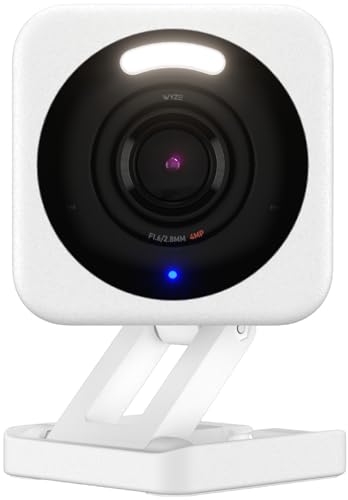
The Wyze Cam v4 is the camera we would add to an ageing Zmodo installation first, because it cures the most complaints per purchase. Its video is sharp, its colour night vision turns the driveway from grey ghosts into identifiable people and plates, and — decisive for owners fleeing a recorder — it records to a microSD card in the camera, so the footage exists with no subscription at all. Mount it at the front door your wired system covers poorly, and within a day the phone alerts alone will show you what the old system was missing.
It is a wired-power camera, needing an outlet within cable reach, and it lives in Wyze’s app — a second app beside your Zmodo viewing, which is the honest price of the extension strategy. Wyze sells an optional plan that adds smarter detection, but the camera’s core competence is not held hostage to it. For the owner whose recorder still runs, one or two v4s at the important doors modernise the property’s security where it matters while the old cameras keep their wider watch.
- Type: wired-power smart camera for indoor or sheltered outdoor use
- Night vision: colour night imaging, a generational leap over old IR cameras
- Storage: microSD local recording plus optional cloud plan
- Alerts: motion and sound alerts with person detection on the plan
Strengths
- Image quality and night colour that make the old cameras look like antiques.
- Local recording means the camera is fully useful with zero monthly cost.
- Inexpensive enough to extend in stages, door by door, as budget allows.
Trade-offs
- Does not and cannot record to your Zmodo DVR — it runs in the Wyze app only.
- Needs mains power nearby, unlike the battery Blink below.
- The best detection features sit behind Wyze’s optional subscription.
Best for: extending a working Zmodo system at the doors and driveway, subscription-free.
Not suited for: anyone expecting it to appear as a channel on the old recorder’s monitor.

Blink Outdoor 4 — Best for Unwired Spots
Every wired Zmodo installation has the same blind spots: the places the cables never reached. The Blink Outdoor 4 exists for those places. It runs on batteries with a lifespan measured in seasons rather than weeks, mounts with a couple of screws, and watches the side gate, the shed, the far fence, or the bins with motion alerts to your phone. For extension strategy, it is the pick that adds genuinely new coverage rather than a better version of an existing view.
Blink’s ecosystem is also a migration path in disguise: start with one Outdoor 4 at the gate, and if the old recorder later dies, the same app accepts indoor Minis and doorbells to rebuild the whole property. Video is a step behind the Wyze in resolution and night colour, and Blink’s cloud features lean on its subscription, though a sync module with local storage softens that. Judged as the battery camera that finally covers the unwired third of a property, it has no rival in this guide.
- Type: battery-powered outdoor camera, fully wireless
- Battery life: exceptionally long between changes
- Storage: cloud plan or local storage via Blink’s sync module
- Ecosystem: pairs with Blink Mini indoors and Blink doorbells in one app
Strengths
- Covers the cable-less spots that wired systems have always left blind.
- Battery life long enough to forget the ladder for seasons at a time.
- A gentle first step into an ecosystem you could later migrate to entirely.
Trade-offs
- Video quality and night performance trail the wired Wyze pick.
- Full cloud features expect a Blink subscription.
- Like every pick here, it never appears on the Zmodo recorder.
Best for: gates, sheds, gardens, and rentals — anywhere power and cable never went.
Not suited for: continuous recording duties, which battery cameras are not built for.

Ring Indoor Cam (2nd Gen) — Best Indoor Companion
Older Zmodo kits were perimeter systems; the house’s interior went unwatched, and for many owners the modern need — the dog during work hours, the elderly parent, the delivery at the inside door — is indoors. Ring’s Indoor Cam answers it with the polish of the largest smart-home ecosystem in this guide: a compact camera, a physical privacy cover you can close, two-way talk, and alerts refined by years of iteration. It sets up in minutes and behaves like the mature product it is.
The costs of the ecosystem are the familiar ones: Ring’s recording and rich notifications live behind its subscription, and the camera is app-only — it will not feed your old recorder, a refrain this guide repeats because the internet so often implies otherwise. Within the extension strategy, though, one Ring indoors plus the surviving Zmodo perimeter is a combination thousands of households run happily, and if migration day comes, Ring’s outdoor range rebuilds the rest in the same app.
- Type: plug-in indoor camera with manual privacy cover
- Audio: two-way talk for pets, family, and visitors
- Storage: cloud recording via Ring’s subscription
- Ecosystem: the broad Ring range for a future full migration
Strengths
- The most polished app and alert experience in this guide.
- Privacy cover answers the indoor-camera unease honestly and physically.
- A one-camera start to a complete Ring rebuild if you later migrate.
Trade-offs
- Recording requires the subscription — budget it as part of the camera.
- Indoor only; it cannot take the porch or the weather.
- Runs in Ring’s app alongside, never inside, your Zmodo system.
Best for: indoor coverage — pets, parents, hallways — with the smoothest app experience.
Not suited for: subscription refusers, who should take the eufy or Wyze route instead.

eufy Indoor Cam E220 — Best Pan-and-Tilt Indoors
The E220 solves the indoor camera’s oldest problem — the room is wider than the lens — by moving. It pans and tilts to follow a pet’s patrol or a toddler’s expedition across the whole space, which makes one camera do the work of the two static cameras a Zmodo-era thinker would have installed. Its image quality is strong, its on-device detection distinguishes people and pets, and it records to a microSD card, keeping eufy’s no-mandatory-subscription character that former DVR owners tend to appreciate on principle.
It integrates with the major voice-assistant ecosystems and eufy’s wider range if migration beckons, though eufy’s system is less monolithic than Ring’s. The pan mechanism is a moving part in a way static cameras are not, and the camera is indoor-only by design. As the extension purchase for the living room, nursery, or the workshop’s interior, it is the most capable single indoor camera in this guide.
- Type: plug-in indoor camera with motorised pan and tilt
- Tracking: follows movement across the room automatically
- Storage: microSD local recording, no forced subscription
- Detection: on-device person and pet recognition
Strengths
- One camera covers a whole room by following the action.
- Local storage keeps it fully functional without monthly fees.
- Strong image quality with thoughtful, on-device smart detection.
Trade-offs
- Indoor only, and the moving mount wants a stable shelf or bracket.
- Another separate app beside your Zmodo viewing, as with all extension picks.
- eufy’s wider ecosystem is less unified than Ring’s for a future full rebuild.
Best for: whole-room indoor coverage — nurseries, living rooms, workshops — without subscriptions.
Not suited for: outdoor duty or recorder integration of any kind.

Blink Mini 2 — Best Budget Indoor Add-On
Sometimes the extension needed is small: a camera on the hallway, the pet’s corner, the garage interior, bought without ceremony. The Mini 2 is that camera — tiny, inexpensive, plug-in simple, and sharing the Blink app with the Outdoor 4 so a Blink-leaning household keeps one login for its new cameras. Video and features are the modest end of this guide, as the price promises, but the basics — live view, motion alerts, two-way talk — are all present and reliable.
It also works outdoors under Blink’s weather-resistant accessory power adapter, which gives it a second life as a porch camera for Blink households. Like its sibling, its cloud strengths lean on the subscription, with local storage available through the sync module route. As a first toe in modern waters for a Zmodo owner who wants to spend little and learn what smart cameras feel like, it is the lowest-risk purchase in this guide.
- Type: compact plug-in indoor camera
- Size: the smallest and simplest camera here
- Sharing: same Blink app as the Outdoor 4
- Option: outdoor use with Blink’s weather-resistant adapter
Strengths
- The cheapest credible way to add a modern camera to an old system’s household.
- Tiny and unobtrusive in rooms where a big camera would glare.
- Keeps Blink households in one app across indoor and outdoor additions.
Trade-offs
- Image quality and night vision are the guide’s modest end.
- Cloud recording leans on Blink’s subscription.
- No local recording in the camera itself.
Best for: small indoor jobs and first experiments with modern cameras on a budget.
Not suited for: the main door or any spot where identification detail really matters.
Zmodo’s Own Current Cameras — Only True Drop-In Route (Prose-Only)
This is the pick for the owner whose recorder is healthy and whose wish is specifically more cameras on that recorder. Zmodo has continued to sell cameras across the years, and some current or recent Zmodo models are designed to pair with particular Zmodo NVR systems. That sentence carries all its weight in the word “particular”: compatibility runs by recorder model and camera generation, and the only reliable check is your recorder’s exact model number against the camera’s stated compatibility, ideally confirmed with Zmodo’s support before money moves.
We list this route prose-only — no link, no ASIN — because a wrong guess here is the most expensive mistake in this guide, and the correct model for your recorder may not be a current Amazon listing at all. If the check comes back positive, you gain the only true integration available: cameras that appear on your existing monitor and app alongside the old ones. If it comes back negative, you have lost nothing but an afternoon, and the extension picks above remain exactly as good as they were.
- Type: Zmodo-branded cameras for Zmodo recorders
- Compatibility: strictly by recorder model and generation — verify first
- Integration: the only route to new channels on the old system
- Availability: varies; may require buying from Zmodo directly
Strengths
- The single option that preserves one system, one monitor, one app.
- Keeps the recorder investment working at full channel count.
- No subscription culture shock for owners used to DVR economics.
Trade-offs
- Compatibility is a minefield of models and generations; mistakes are likely without verification.
- Features will still trail the modern ecosystems in this guide.
- Invests further in a platform whose long-term support is the original concern.
Best for: owners of healthy Zmodo NVRs who value one integrated system above modern features.
Not suited for: analogue DVR owners in most cases, or anyone unwilling to verify model numbers first.
How Do the Extension Options Compare at a Glance?
| Pick | Power | Storage without subscription | Best old-system job | Main limit |
|---|---|---|---|---|
| Wyze Cam v4 | Mains | Yes — microSD | Doors and driveway upgrade | Separate app, no recorder link |
| Blink Outdoor 4 | Battery | Via sync module | Unwired perimeter spots | Modest video quality |
| Ring Indoor Cam (2nd Gen) | Mains | No | Polished indoor coverage | Subscription for recording |
| eufy Indoor Cam E220 | Mains | Yes — microSD | Whole-room indoor tracking | Indoor only |
| Blink Mini 2 | Mains | Via sync module | Small indoor add-ons | Basic image quality |
| Zmodo current cameras | Varies | Records to your DVR/NVR | True drop-in channels | Model-by-model compatibility |
How Do You Add a Modern Camera Alongside the Old System, Step by Step?
Start by choosing the spot by value, not by convenience: the door where parcels land, the gate that has never been watched, the room where the dog spends the day. Extension works best as a cure for a named blind spot. Second, decide the power story before choosing the camera — an outlet within reach argues for the wired picks and their better video; no outlet argues for the Blink’s batteries and their patience. Third, place the new camera’s view to complement, not duplicate, the old wired views; overlap is waste, and the hybrid system’s strength is coverage the original installer never imagined.
Fourth, set the new camera’s alerts conservatively on day one — person detection where offered, sensitivity moderate — because an extension camera that cries wolf will be muted within a week and the whole exercise wasted. Fifth, give the household a single page of truth: which app shows which camera, what records where, what the passwords protect. Hybrid systems fail socially more often than technically; the family that cannot find the footage does not have a security system, it has a hobby. Written down once, the two-app life becomes unremarkable within a fortnight.
What Mistakes Do Owners of Older Zmodo Systems Make?
The expensive one is buying a camera on the assumption it will join the recorder — the assumption this guide opened by dismantling. It is usually made in a hurry after a camera dies, and it ends in a return or a drawer. The second mistake is replacing like with like in spirit: buying another closed, proprietary kit on a bargain listing because the shape is familiar, and restarting the same obsolescence clock that just ran out. The ecosystems in this guide were chosen partly because their scale makes that clock run slower.
Third is neglecting the network. Modern cameras live on Wi-Fi, and the far corners of a property where extension cameras go are exactly where an older router fades; a camera that drops offline nightly will be blamed for the router’s sins. Check signal at the intended spot with your phone before drilling anything. Fourth is subscription surprise — discovering after installation that the feature in the advertisement lives behind a plan. Every pick above states its arrangement in plain sight; read that line twice, because across five years the subscription, not the camera, is often the larger number.
How Do You Check Whether Your Zmodo Recorder Is Worth Keeping?
Give it the four-part health check before spending anything. First, playback: pull up footage from last week and confirm it recorded continuously and plays without gaps — a recorder that silently stopped recording is a decoration. Second, the drive: listen for clicking, check the recorder’s own health or status screen if it offers one, and note the drive’s age, because the hard drive is the component with a lifespan and its failure is the commonest death of these systems. Third, the cameras: count how many channels still show a clean image day and night — infrared failure at night is the usual first symptom — because the extension budget depends on how much coverage survives. Fourth, access: can you still view it the way your household actually views it, on the monitor, the app, or neither?
Score the answers plainly. Four passes: extend confidently, the centre holds. A failing drive alone: replaceable on many DVRs, and worth doing before judging the rest. Multiple dead cameras plus app loss: the system is telling you its era has ended, and the migration sections of this guide are your future. The check takes twenty minutes and prevents the two classic wastes — extending a corpse and scrapping a workhorse.
What Does a Sensible Migration Weekend Look Like?
Day one is placement and power. Walk the property with the old system’s blind spots in mind — you know them better than any installer — and mark where the new cameras go: doors first, then the driveway and the approach paths, then indoors if the household wants it. Fit the wired cameras where outlets allow, the battery cameras where they do not, and resist covering everything the old system covered; modern cameras with wider views and better detection usually protect the same property with fewer units, better placed.
Day two is configuration and the overlap. Bring each camera into the app one at a time, name it by its place in plain words, set detection zones to exclude the road and the neighbour’s garden, and tune alerts until a day’s worth of notifications is information rather than weather. Leave the old recorder running in parallel for the first month — belt and braces while the new system’s habits settle — and only then retire it, keeping any footage the retention window might still owe you. Migration done this way feels less like a leap than like a changing of the guard, which is exactly how it should feel.
How Much Do the Modern Ecosystems Really Cost Over Five Years?
The honest arithmetic has three lines: the cameras, the storage arrangement, and your time. On storage, the picks divide clearly. Wyze and eufy can run indefinitely on memory cards at no monthly cost, accepting that footage lives in the camera and must be retrieved or is overwritten in rotation. Blink offers local storage through its sync module as an alternative to its plan. Ring’s model is subscription-centred: the plan is effectively part of the camera’s price, and households choosing Ring should multiply it by their honest ownership horizon before comparing it against a “free” rival.
Time is the line nobody prints. A hybrid system — old recorder plus two modern apps — costs a little attention forever; a migrated system costs a weekend and then very little. Owners differ in which currency they would rather spend, and both answers are respectable. What is not respectable is discovering the exchange rate after the purchases, which is why this guide keeps stating each pick’s arrangement next to its praises.
What About the Wiring Already in Your Walls?
A house wired for an analogue Zmodo kit is not a blank slate, and the cabling cuts both ways. The BNC and power runs are useless to modern Wi-Fi cameras — but the camera positions they represent were usually chosen sensibly, and the power leads’ endpoints tell you where electricity already reaches, which is exactly the information the wired picks in this guide need. Some owners reuse the old cameras’ mounting points for new wired cameras and find the extension half-fitted by the ghost of the old installation.
PoE-era NVR cabling, where it exists, is a more valuable inheritance, since network cable can serve a future wired system or a Wi-Fi access point that strengthens the whole property’s coverage. Either way, do not rip anything out during an extension phase. Cables are options; holes are forever. Decide the system’s final shape first, live with the hybrid for a season, and only then tidy the infrastructure to match the decision you actually kept.
How Do You Keep a Hybrid System From Becoming a Mess?
With a map and a rule. The map is a single page — a sketch of the property, each camera marked with its name, its app, and its power source — kept where the household keeps its important paper. It sounds like overkill until the evening something happens at the side gate and nobody can remember which app watches it. The rule is that new cameras join the modern side only: never buy a second legacy camera to patch the old side unless the prose-only Zmodo route was verified for your recorder, because every legacy patch deepens the eventual migration.
Review the hybrid twice a year, the way you would a boiler service: confirm every old channel still records, every new camera still alerts, every battery’s state, every memory card’s health. Twenty minutes, twice a year, is the entire maintenance burden of the strategy this guide recommends — and it is the difference between a hybrid that serves for five more years and one that quietly becomes three dead systems sharing a house.
Which Spots Should a Hybrid System Prioritise First?
The front door, because it is where modern life happens: parcels, visitors, the comings and goings a household most often wishes it could rewind. The old wired cameras usually watch it from too far or too high; a modern camera at head height with two-way talk transforms that view from evidence into interaction. Second, the driveway and the vehicle, the property’s most-claimed insurance territory. Third, the interior point of greatest anxiety — the nursery, the elderly parent’s hallway, the dog’s room — chosen by the household’s actual worries rather than by a template.
Only after those three should coverage broaden, and by then the pattern of the hybrid is set: modern cameras where identification and interaction matter, legacy cameras holding the wide perimeter views they were installed for. Owners who extend in this order report that the old system stops feeling old remarkably quickly, because the views they actually check every day are the new ones.
What If Your Zmodo System Is a Business’s, Not a Home’s?
Small businesses inherit these kits constantly — the shop, the yard, the small warehouse — and the logic of this guide holds, with two sharpenings. Retention and evidence matter more: check what your insurer or your incident history demands of footage, because a consumer cloud plan’s retention window may be shorter than a DVR’s hard drive habit, and local-recording picks like the Wyze and eufy deserve a harder look. And uptime matters more: a business hybrid should put its most critical view — the till, the door, the yard gate — on the most reliable modern camera first, with the old system as the backup rather than the primary.
The migration calculus also tilts: a business that cannot watch its cameras because an app died is losing money, not convenience, so the planned weekend migration earns its cost sooner. Everything else — the compatibility honesty, the recorder health check, the map on one page — applies to the shop exactly as to the house, and for the same reason: a security system is a promise, and promises should be audited.
How Do You Handle Privacy and Household Buy-In for the New Cameras?
Modern cameras bring modern questions the old perimeter system never asked, because they watch indoors, listen, and speak. Households that discuss them before installation keep them; households that discover a partner’s or a teenager’s objection afterwards often unplug them. The conversation is short: which rooms are camera rooms and which never will be, who holds the app logins, whether two-way talk is a feature or an intrusion, and what happens to footage of guests. Ring’s physical privacy cover and eufy’s local storage both exist partly as answers to this conversation — choose the picks whose privacy posture your household can state out loud.
Neighbours deserve a thought too. Extension cameras aimed at gates and driveways often catch a slice of the public street or the next garden; every app in this guide offers motion zones, and setting them to your own ground is both good manners and good alert hygiene. The hybrid system’s new eyes are sharper than the old ones; aiming them with the same restraint the old installer used is part of the upgrade, not an afterthought.
A Short Word on Night Performance, the Old System’s Weakest Hour
Most owners contemplating this guide have watched their Zmodo footage at night: grey shapes, blown-out faces near the camera, darkness swallowing the rest. Modern cameras divide that darkness much better — colour night vision on the Wyze, improved infrared and processing across the Blink and eufy ranges, and sensors that use the porch light and the street light you already have. When you place the first extension camera, place it where the old night footage disappointed you most. The comparison, the first evening, will do more to settle the extend-versus-migrate argument than any paragraph here, because you will finally see what has been walking past your house at night.
What Should You Photograph and Record Before You Change Anything?
Before the first new camera is unboxed, document the old system as it stands: the recorder’s model and serial labels, the channel list and which views still work, the drive’s reported size and health, and the app’s exact behaviour — screenshots of what it shows and what it refuses to show. This record takes ten minutes and pays for itself three ways: it is the evidence for any compatibility question you put to Zmodo about the prose-only route, the baseline for the health check that decides extend-versus-migrate, and the map from which the hybrid’s coverage plan is drawn.
It also protects the footage. If anything on the drive matters — an incident, a boundary dispute, a tradesman’s visit — export it before any migration or drive swap, because recorders overwrite in rotation and good intentions do not stop them. Owners discover the retention window’s length precisely one day after they needed it; be the owner who checked on a quiet afternoon instead.
How Long Can an Extended Hybrid Realistically Serve?
Years, if the recorder’s drive holds — and the drive is a replaceable part on many of these systems, which quietly extends the strategy’s horizon. The modern side has no such cliff: its cameras are current products from large ecosystems, replaceable one at a time as they age, each successor better than the last. The hybrid’s real expiry date is not hardware but tolerance — the day the household tires of two apps, or the recorder’s fan becomes the loudest thing in the house, or one more legacy camera dies and the coverage maths flips. Owners who review twice a year, as this guide suggests, see that day coming from a long way off and meet it with a plan and a free weekend, which is all migration ever needed.
What Does the Ideal End State Look Like for Most Households?
For most, it is not purity. It is a front door with a modern camera that talks and alerts, a driveway view that identifies faces at night, one indoor camera the household chose deliberately, battery eyes on the two spots cable never reached — and, often, the old recorder still humming in a cupboard with its surviving cameras holding the wide perimeter, asking nothing. That patchwork is not a failure of planning; it is what rational upgrading looks like when each purchase answers a named need. The households that regret their camera spending are rarely the hybrid ones. They are the ones who replaced everything at once, twice, chasing a coherence their actual usage never required.
So let the end state be decided by the blind spots and the anxieties, not by tidiness. Buy the picks that cure them, in the order this guide suggests, and let the old system retire at the pace its health dictates. Security is coverage plus attention; everything in these pages is in service of those two words.
A Final Check Before You Spend Anything
Run the list in order and the right purchase makes itself. Recorder health checked and written down. Blind spot named — one place, not a mood. Power at that place confirmed: outlet, or battery it is. Wi-Fi strength at that exact spot tested with a phone. Storage arrangement of the chosen pick read twice, subscription or card, with the five-year line added up. Household told which app the new camera lives in, and where the one-page map will live. Seven small certainties, and the camera that arrives will be the camera the property needed — which is more than can be said for most security purchases, including, once upon a time, the Zmodo kit itself.
What If Only One Zmodo Camera Has Died?
Then you hold the happiest version of this problem, and the answer is proportion. One dead channel on a healthy recorder does not justify a migration, and it may not even justify the prose-only hunt for a matching Zmodo camera unless that view was critical. The proportionate move is a single extension camera — the Wyze for a wired spot, the Blink for an unwired one — placed to cover the dead view and one blind spot besides, since you are climbing the ladder anyway. Owners who treat each legacy failure as one planned modern addition find, two or three failures later, that the migration has quietly happened underneath them, at a pace their budget never noticed. That is not drift; done deliberately, with the map updated each time, it is the gentlest upgrade path in this entire guide.
Final Recommendation
If your recorder still runs, extend with intent: the Wyze Cam v4 at the important doors for subscription-free quality, the Blink Outdoor 4 where the cables never went, and one indoor camera — Ring for polish, eufy for pan-and-tilt freedom, Blink Mini 2 for a small job cheaply. If a Zmodo-branded addition tempts you, verify your recorder’s model first and treat any unverified promise as a no. And if the recorder is dying, stop extending: choose the ecosystem whose cameras you liked best here and migrate in one planned weekend, rather than in six unplanned failures.
An older Zmodo system earned its keep for years. The respectful way to retire or reinforce it is with clear eyes about what modern cameras can and cannot join — and on that honesty, every pick in this guide will serve you well.
Frequently Asked Questions
Can I add a Wyze, Blink, or Ring camera to my Zmodo DVR so it shows on the monitor?
No. Those cameras record to their own apps and clouds or cards, and they cannot appear as channels on a Zmodo recorder. This is the single most common misunderstanding in this category, and it is why this guide is organised around running modern cameras alongside the old system, or migrating to one modern ecosystem entirely.
My Zmodo app stopped working with my cameras. Can new cameras fix that?
New cameras from this guide will work in their own apps, which solves the viewing problem for the spots they cover, but they do not restore the old cameras’ app access. If app loss is your main complaint and the recorder still records locally, the extension strategy gives you modern viewing where it matters while the old system keeps recording quietly in the background.
Are there any cameras that truly work with Zmodo NVRs?
Some Zmodo-branded cameras are made for particular Zmodo NVR models — that is the prose-only pick in this guide. Compatibility is by exact model and generation, so verify your recorder’s model number against the camera’s compatibility list, ideally with Zmodo’s support, before buying. Third-party cameras should never be assumed compatible.
What should I do with the old recorder and cameras when I migrate?
Keep the recorder until the new system has run reliably for a month — it is your fallback and your footage archive. Afterwards, the wired cameras have modest resale or donation value as a working kit if they still function; otherwise, electronics recycling is the honest end. Do not throw away the hard drive’s recordings of anything you might need until you have reviewed what the retention period holds.
Do the extension cameras need strong Wi-Fi?
They need adequate Wi-Fi at their mounting spot, which is not the same thing — a camera streams modest data but needs a stable connection. Test with your phone where the camera will live; if the signal is weak, a mesh node or extender near that side of the house is a cheaper fix than a different camera, and it will serve every future addition too.
Should I keep the old Zmodo cameras running once the new ones are up?
Yes, for at least the first month of overlap, and indefinitely if they still record reliably — their wide perimeter views cost nothing to keep and occasionally catch what a door-focused modern camera cannot. Retire each legacy camera when it actually fails, not by calendar, and let the modern side absorb its duties then. The exception is any camera whose app or recorder behaviour has become a security concern in itself; that one goes now, whatever it still sees.
Can I watch the old system and the new cameras in one place?
Not in a single manufacturer app — the old Zmodo views live in Zmodo’s world and each modern brand in its own. Some households use a smart display or a tablet dashboard to keep the separate apps one tap apart, which in practice feels close to unified. Treat the two-app reality as a mild tax on the extension strategy, and remember it is one of the genuine arguments for full migration when the recorder eventually goes: one app, one login, one place to look when something happens at 3 a.m.
What if my Zmodo cameras are PoE and wired with network cable?
That cabling is the most reusable inheritance an old system can leave: network cable in the walls can serve a future wired camera system or feed a Wi-Fi access point that strengthens coverage exactly where cameras want to live. The recorder itself still will not adopt modern third-party cameras in any way this guide can honestly promise, so the extend-or-migrate logic stands unchanged — but a PoE-wired house migrates more cheaply than most, and it is worth telling any installer the cable is there before they quote you for running new.
How do I test whether an old Zmodo camera is still worth keeping before I spend anything?
Start after dark, because weak infrared and tired sensors reveal themselves at night long before they fail in daylight. Stand in the area the camera protects and note whether faces and clothing remain recognisable at the distance where you would actually need to identify someone, then compare that view with the daytime picture for sharpness and colour. Walk the route a visitor or intruder would take and check for blind gaps at doors, steps and corners, and watch whether motion turns into a blur or triggers recording promptly. Inspect the housing, cable joints and power supply for cracked plastic, corrosion and intermittent dropouts, and leave the live view open for an hour to see whether the feed freezes. Review a week of stored clips, confirming that dates and times are correct and that playback does not stutter. If the camera covers a secondary view honestly, passes the night test and records reliably, keeping it costs nothing and delays waste. If it fails the one view you depend on most, that single result settles the question more usefully than its age, its specification sheet or how much was originally paid for the whole kit.
Related Guides
Planning the wider upgrade? See our guides to wireless security cameras for homes without existing wiring, indoor cameras for pets, children, and elderly parents, and battery security cameras with the longest life between charges.