kajuandouglas.com is reader-supported. When you buy through links on our site, we may earn an affiliate commission.
Where to Buy
Monitoring is the grown-up word for what security cameras actually do all day, and the search for the best app for monitoring security cameras is really a search for a daily habit you can live with. The cameras in this guide are sold through the usual electronics channels, each with its maker’s app as the monitoring screen — because in modern camera systems, the app is not an accessory to the monitoring; it is where the monitoring happens. Alerts, diaries, live checks, archives: the camera gathers, but the app is what you experience, judge and trust.
That is why this guide ranks camera-and-app pairs rather than apps in the abstract. Each of the six pairs below was chosen from this site’s verified camera pool, and each represents a distinct monitoring temperament: the value loop, the polished ecosystem, the wire-free frontier, the steerable room, the self-contained local watchman, and the turning head for wide territory. Your property already knows which temperaments it needs; the guide’s job is to name them honestly, including the posts each pair should refuse.
One preparation before choosing: walk your property and list the posts — not cameras, posts — with the verb each post needs. Stare, report, patrol, or check occasionally. The pairs below are organised by exactly those verbs, and matching verb to post matters more than any specification printed on any box.
Key Takeaways
- Monitoring is a loop — see, alert, review — and the best app is the one whose loop matches your property’s posts and verbs.
- Wyze Cam v4 delivers the complete loop at a value that covers more doors; Ring Indoor Cam brings the most polished, privacy-aware ecosystem experience.
- Blink Outdoor 4 monitors the wire-free frontier by reporting rather than staring; Tapo C210 steers one camera across a whole room with a local archive.
- eufy E220 keeps detection substantially on-device for the privacy-minded; Reolink Argus PT Ultra patrols wide outdoor territory from one post.
- Every system needs tuning — zones, sensitivity, schedules — and the app you will actually tune beats the app with the longest feature list.
In this guide
Quick Picks
| Pick | Badge | Why it earns its place |
|---|---|---|
| Wyze Cam v4 | Best Value Monitoring With a Generous App | Wyze’s app turns an inexpensive camera into a serious monitoring station, with colour night viewing and an event diary that punches far above its class. |
| Ring Indoor Cam (2nd Gen) | Best Monitoring Inside a Mature Alert Ecosystem | Ring’s app is a monitoring command centre polished by years of doorbells — neighbourhood-scale awareness with an indoor camera that keeps its privacy manners. |
| Blink Outdoor 4 | Best Monitoring for Places Wires Cannot Reach | Battery monitoring with an app that treats alerts as the product and live view as the exception — the right priorities for gates, gardens and outbuildings. |
| TP-Link Tapo C210 | Best Monitoring With Local Storage and Pan-Tilt Coverage | A pan-and-tilt camera whose app gives one unit the run of a whole room, with local recording that keeps the archive in the house. |
| eufy Indoor Cam E220 | Best Monitoring With On-Device Smarts and No Cloud Obligation | A pan-and-tilt indoor camera whose detection happens in the camera itself, giving the app a privacy-leaning, self-contained monitoring style. |
| REOLINK Argus PT Ultra | Best Monitoring for Wide Outdoor Areas Without Wires | A battery pan-and-tilt outdoor camera whose app sweeps yards and drives too wide for any fixed lens, then returns to its post. |
How Did We Choose These Picks?
The pool came first: only cameras verified for this site were eligible, and each had to bring a companion app capable of the full monitoring loop — live view, meaningful alerts, and a reviewable record. Cameras whose apps merely displayed a picture were excluded, however fine the picture, because monitoring without alerts and archive is just watching.
The six survivors were then arranged by temperament rather than ranked by force, because monitoring posts differ more than cameras do. A nursery, a gate and a yard are three jobs wearing one word, and a guide that crowned a single winner for all three would be lying symmetrically. Each pick instead carries a verdict naming its post and its refusal — the places it should not be used — which we consider the most honest information on the page.
Plan-dependent features are described as plan-dependent throughout. Several ecosystems reserve their richest detection or longest histories for optional arrangements whose terms change; printing them as fixed facts would mislead next season’s reader. What the guide guarantees is the free core’s competence, tested against the loop: does it see, does it alert, can you find last Tuesday?
Finally, privacy was treated as a monitoring feature, not a footnote. Indoor picks were required to offer real control — physical covers, schedules, local options — because a monitoring system a household resents will be switched off, and an off system monitors nothing at all.

Wyze Cam v4 — Best Value Monitoring With a Generous App
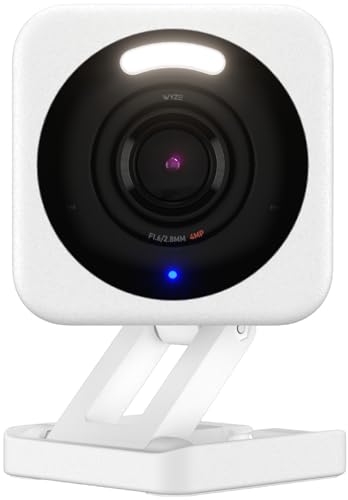
Monitoring is a verb before it is a product: the daily act of glancing, being alerted, checking and filing. The Wyze Cam v4, through the Wyze app, is the value champion of that verb. The camera itself brings colour night vision and a spotlight to the night shift, but it is the app that makes it a monitoring system — a chronological event diary, motion and sound alerts with thumbnails, and live view that loads with the impatience a 2 a.m. noise demands. For the price class this camera lives in, the completeness of the loop is startling.
The app’s monitoring temperament is generous. Events are easy to scrub, cameras group by room or by property, and the rules engine lets a household automate the boring parts — cameras waking when the household leaves, lights answering motion, quiet hours respected. Wyze’s optional service layers add richer detection categories for those who want them, described here without prices because the tiers move; the free core, though, already monitors honestly, which is the test this guide applies first.
Where the value shows its seams is polish under load. A household that grows to many Wyze cameras will feel the app working harder than the premium ecosystems do, and the notification stream from a busy property needs the tuning discipline this guide preaches elsewhere — zones, sensitivity, schedules — applied with extra care, because an inexpensive camera in a windy garden generates events like a tabloid generates headlines.
Choose Wyze when the monitoring budget is real and the property is ordinary: a home, a small rental, a workshop. It delivers the complete loop — see, alert, review — at a cost that lets you cover the second location too, and in monitoring, the second location covered beats the first location gilded.
- Type: indoor/outdoor smart camera with companion monitoring app (pool pick, linked)
- App jobs: live view, event diary, motion and sound alerts, rules and grouping
- Night shift: colour night viewing with spotlight assistance
- Power: wired — always ready for live monitoring
- Service note: optional richer detection tiers exist; check current terms in the app
Strengths
- Complete monitoring loop at a value that covers more doors
- Event diary and rules engine feel grown-up
- Colour night vision makes night alerts genuinely informative
Trade-offs
- Busy multi-camera homes can feel the app straining
- Alert volume demands disciplined tuning
- Richest detection categories sit in optional tiers
Best for: homes, rentals and workshops wanting real monitoring on a sane budget.
Not suited for: large estates wanting concierge polish across dozens of cameras.

Ring Indoor Cam (2nd Gen) — Best Monitoring Inside a Mature Alert Ecosystem
Ring arrived at monitoring through the front door, and its app carries that heritage: it thinks in events, neighbourhoods and responses. The Indoor Cam (2nd Gen) plugs into that world as the interior eye — plug-in powered, always ready, with a physical privacy cover that clicks shut with a finality no software toggle can imitate. In a monitoring app context, that cover matters: the camera in the living room can be verifiably off, by hand, which changes how a household feels about living with it.
The monitoring experience is the most editorialised in this guide, in the good sense. Alerts arrive contextualised, the event timeline is built for quick judgement — was that the cleaner, the cat, or a stranger — and households already running a Ring doorbell gain a single diary for the whole property’s comings and goings. The app is plainly designed for people who monitor as citizens rather than technicians, and its flows assume you have thirty seconds and a doorstep problem, not an evening and a hobby.
The trade-offs are the ecosystem’s familiar ones. Ring’s world is Ring-shaped: the app will not adopt other brands, and the deeper history and detection features follow the maker’s current plan arrangements, which this guide deliberately leaves to the app’s own pages. Indoor monitoring also raises the privacy design questions in their purest form — schedules, the cover, and household agreement about when the interior eye is open are part of the product, and households should treat setting them as installation, not afterthought.
Choose Ring Indoor when the front door already speaks Ring, or when the household wants monitoring with training wheels made of good design. It is the ecosystem pick for people who monitor to live, not to tinker.
- Type: plug-in indoor camera in the Ring monitoring ecosystem (pool pick, linked)
- App jobs: contextual alerts, unified property timeline, live view, modes
- Privacy: physical privacy cover plus app scheduling
- Power: mains — always on duty
- Ecosystem note: doorbells and cameras share one diary; plan features per current terms
Strengths
- Timeline and alerts designed for thirty-second judgements
- Physical privacy cover settles the indoor-camera argument
- One diary for door and interior if you run the ecosystem
Trade-offs
- Ring-only world; no foreign cameras need apply
- Deeper features follow the maker’s plan arrangements
- Indoor monitoring needs household privacy agreements
Best for: households already in Ring’s world, and indoor monitoring with privacy manners.
Not suited for: mixed-brand collectors or anyone allergic to ecosystems.

Blink Outdoor 4 — Best Monitoring for Places Wires Cannot Reach
Every monitoring system has a frontier where the wires end: the far gate, the barn, the bottom of the garden. The Blink Outdoor 4, run through the Blink app, is this guide’s frontier specialist. Its monitoring philosophy inverts the wired cameras’: instead of watching continuously, it sleeps, wakes for motion, records, reports and sleeps again — an alert-led model in which the app is a diary of significant moments rather than a window you stare through. For locations visited by events rather than by constant life, that inversion is not a compromise; it is the correct design.
The app makes the model work by being an excellent editor. Thumbnails let you judge most alerts without opening a clip; the unified diary lines up a multi-camera property’s day in order; arming schedules align the watch with the household’s absence. A farm gate camera that reports the post, the neighbour’s tractor and one genuinely interesting fox, in a scrollable minute each evening, has done a full day’s monitoring — and its batteries are still young, because the system spent the day asleep and the seconds awake.
Discipline is the price, as Blink owners learn: zones and sensitivity decide whether the diary is signal or weather report, and live view is a rationed pleasure. A location needing a continuous live eye — a till, a crib — is a wired camera’s job, and this guide will not pretend otherwise. Monitoring means different verbs at different posts, and the frontier post’s verb is ‘report.’
Choose Blink Outdoor for the perimeter and the outbuildings, and let wired cameras hold the interior. A property monitored in both dialects — continuous inside, alert-led outside — is the architecture experienced owners converge on.
- Type: wire-free outdoor camera with alert-led monitoring app (pool pick, linked)
- App jobs: motion alerts with thumbnails, unified clip diary, arming schedules
- Power: battery — the app rations live view by design
- Placement: gates, gardens, outbuildings — anywhere unwired
- Storage: cloud or local via sync module, per your arrangement
Strengths
- Monitors where no socket or cable will ever go
- Alert diary is fast to judge and easy to live with
- Battery life follows from the sleep-first design
Trade-offs
- Live view is deliberately scarce
- Alert quality is earned through zone tuning
- Continuous-watch posts belong to wired cameras
Best for: gates, gardens and outbuildings that need reporting, not staring.
Not suited for: tills, cribs and any post that must be watched live and long.

TP-Link Tapo C210 — Best Monitoring With Local Storage and Pan-Tilt Coverage
One camera, one room, whole-room coverage: that is the Tapo C210’s proposition, and its app is the steering wheel. The camera pans and tilts under app control, so a monitoring check becomes a look around — the door, the dog’s bed, the window you cannot quite remember shutting — rather than a fixed stare at wherever installation day happened to point it. For flats, nurseries, small shops and single-room coverage problems, one steerable camera in the Tapo app out-monitors two fixed ones at the same spend.
The app’s second virtue is its attitude to archives. Tapo leans into local recording on a memory card in the camera, browsable through the app, which keeps the monitoring loop — including its history — independent of cloud arrangements. For owners whose monitoring is also evidence-keeping, a card in the camera plus an app that can find Tuesday is a complete, comprehensible system, and the privacy-minded appreciate that the footage’s home address is their own hallway.
Pan-and-tilt brings its own crafts. Patrol and preset positions, set in the app, let the camera return to the views that matter instead of wherever a curious toddler of a user left it pointing. Motion tracking, where used, should be tuned conservatively — a camera that chases every curtain-sway will spend its life admiring the curtains. And the usual Tapo caveat applies: the app is a fine home for Tapo cameras and no one else’s, so this pick suits a one-brand room or a Tapo-leaning household.
Choose the C210 when one room matters and must be covered whole, with the archive kept at home. It is the most mechanically capable monitoring in this guide per camera installed.
- Type: pan-and-tilt indoor camera with monitoring app (pool pick, linked)
- App jobs: live steering, presets, event alerts, local archive browsing
- Recording: memory-card local storage in the camera
- Coverage: one unit sweeps a whole room under app control
- Ecosystem: Tapo app for Tapo cameras
Strengths
- One camera covers a room like two fixed ones
- Local archive keeps monitoring independent of cloud terms
- Presets make checks fast and repeatable
Trade-offs
- Tapo-only app world
- Motion tracking needs conservative tuning
- A card is finite — archive habits still required
Best for: flats, nurseries and small shops where one room must be covered whole.
Not suited for: multi-brand estates wanting a single foreign app to rule them.

eufy Indoor Cam E220 — Best Monitoring With On-Device Smarts and No Cloud Obligation
The E220’s monitoring personality is self-reliance. Its detection — distinguishing the events a household cares about — happens substantially in the camera rather than in a distant cloud, and its app presents a monitoring system that feels contained: pan-and-tilt coverage of a room, alerts judged locally, recording options that include local storage. For owners whose unease with cameras is not the watching but the sending, that architecture is the argument, and it is a strong one.
In daily monitoring the containment shows as calm. The app is a tidy control room for a room: steer the view, set the activity zones, review the day’s events in a diary that did not need to travel the world to be compiled. The pan-and-tilt mechanics serve the monitoring verb properly — check the door, check the cot, return to the resting view — and the camera’s local judgement means alerts arrive with a confidence that purely pixel-watching cameras rarely manage.
The boundaries are the brand’s and the form’s. The eufy app minds eufy cameras; households collecting brands will meet it as one icon among several. Pan-and-tilt indoor coverage is a room-scale tool, not a property-scale one. And owners should still make the privacy settings a household conversation — schedules, zones that exclude the sofa’s heart, and clarity about who holds viewing access — because on-device smarts answer the cloud question, not the domestic one.
Choose the E220 when the monitoring must be capable and the data must stay home-ish: nurseries, home offices, and any room where a camera should be a local appliance rather than a cloud correspondent.
- Type: pan-and-tilt indoor camera with on-device detection (pool pick, linked)
- App jobs: steering, zones, event diary, local-first recording options
- Detection: substantially on-device, privacy-leaning architecture
- Coverage: whole-room from one position
- Ecosystem: eufy app for eufy devices
Strengths
- Local detection suits the privacy-minded
- Pan-tilt coverage with a calm, contained app
- Recording options respect the keep-it-home instinct
Trade-offs
- One-brand app, like most of this guide
- Room-scale tool, not a property platform
- Domestic privacy agreements still required
Best for: nurseries and home offices wanting capable monitoring with local manners.
Not suited for: anyone building a deliberately mixed-brand command centre.

REOLINK Argus PT Ultra — Best Monitoring for Wide Outdoor Areas Without Wires
Some monitoring posts are not points but territories: the yard, the smallholding, the car park of a small business. A fixed camera sees a slice; the Argus PT Ultra, steered from the Reolink app, sees the territory. It is wire-free and pan-and-tilt, a combination that sounds like a spec-sheet dare until you have checked a whole yard from a phone — gate, vehicles, outbuilding, back to gate — without leaving the sofa. For wide outdoor posts, it replaces two or three fixed cameras and the blind spots between them.
The Reolink app’s monitoring character is refreshingly engineering-minded. Live view, playback from local recording, alert tuning and camera administration sit in plain sight, and the ecosystem behind it spans wired and wireless cameras for owners whose property grows ambitions. The PT Ultra’s own rhythm is battery-sensible: it rests at its post, wakes for events, and offers its sweeping live view as a deliberate act — a patrol you conduct, not a stream you leave running.
Steerable freedom has failure modes worth naming. A camera left pointing at the interesting thing that happened on Tuesday is not watching the gate on Wednesday, so presets and a resting position are not optional garnish; they are the discipline that makes PT monitoring trustworthy. Tracking features should be proven against your own yard’s wildlife and weather before being believed. And battery physics apply as with all wire-free posts: patrols are spent from the same purse as vigilance.
Choose the Argus PT Ultra for the wide post — the yard, the drive with two entrances, the smallholding’s heart — and run it with preset discipline. It is the closest thing in this guide to a watchman who can turn his head.
- Type: wire-free pan-and-tilt outdoor camera with monitoring app (pool pick, linked)
- App jobs: steered live patrols, presets, event alerts, local playback
- Coverage: sweeps wide outdoor areas from one post
- Power: battery — patrols and live view are deliberate spends
- Ecosystem: Reolink app spans a broad camera range for growing systems
Strengths
- One camera patrols territory that defeats fixed lenses
- App and ecosystem suit growing, serious properties
- Local playback keeps the archive close
Trade-offs
- Presets and a resting position are mandatory discipline
- Battery physics ration continuous watching
- Tracking must be proven against your own yard
Best for: yards, smallholdings and wide drives needing a turning head.
Not suited for: small fixed posts where a simple camera would stare correctly forever.
Six Temperaments, One Property: The Picks in One View
| Pick | Badge | What defines it |
|---|---|---|
| Wyze Cam v4 | Best Value Monitoring With a Generous App | The value loop: see, alert, review — complete, at a covering-more-doors price. |
| Ring Indoor Cam (2nd Gen) | Best Monitoring Inside a Mature Alert Ecosystem | The citizen’s command centre: contextual, unified, privacy-aware. |
| Blink Outdoor 4 | Best Monitoring for Places Wires Cannot Reach | The frontier reporter: sleeps, wakes for meaning, files the diary. |
| TP-Link Tapo C210 | Best Monitoring With Local Storage and Pan-Tilt Coverage | The steerable eye: whole-room monitoring with a home-kept archive. |
| eufy Indoor Cam E220 | Best Monitoring With On-Device Smarts and No Cloud Obligation | The self-contained watchman: smart in the camera, calm in the app. |
| REOLINK Argus PT Ultra | Best Monitoring for Wide Outdoor Areas Without Wires | The turning head: territory monitoring from a single wire-free post. |
What Separates Monitoring From Merely Watching?
Watching is present tense; monitoring is a relationship with time. A monitoring system remembers — it keeps a diary you can search, it knows the difference between the cleaner’s Tuesday and a stranger’s, and it speaks first when something deserves you. The app is where all three of those live, which is why two cameras with identical lenses can be entirely different monitoring propositions: one files its day into a timeline you can interrogate, the other shows you a picture and wishes you luck.
The practical test is retrieval under mild pressure. Something happened at the side gate last night — a noise, a missing bin, a story that does not add up. With a monitoring system, you open the diary, filter to the gate, and watch the night explain itself in under a minute. With a watching system, you scrub blindly through hours, or discover the relevant hour was overwritten, or was never recorded because nobody told the camera that hours matter. Choose apps by the retrieval test and you will rarely choose wrong.
The second test is the false-alarm budget. Every household tolerates a fixed number of pointless alerts per week before it starts ignoring the phone — and the number is lower than people think. Monitoring quality is therefore mostly editing quality: zones, sensitivity, schedules and detection judgement, arranged so the diary is worth reading. The picks in this guide differ in how much editing they do for you, but none abolishes the evening of tuning that buys a quiet month.
How Do You Set Up a Monitoring App for a New Property?
Install in order of consequence, not convenience. The post whose event would wake you at night goes first — the main entrance or the nursery — and is tuned completely before camera two exists: zones drawn, sensitivity proven by walking the scene yourself, one test alert received and one test clip retrieved. A system built one proven post at a time stays trustworthy; a system bulk-installed on a Saturday is a grid of good intentions.
Then set the household layer: who receives alerts, whose phone is the second pair of eyes, what the quiet hours are, and where recordings live. Write the decisions in the app’s own structures — named cameras, named locations, schedules — rather than in a household’s oral tradition. Name cameras for posts (‘Side Gate’) and never for hardware (‘Camera 2’), because at 2 a.m. nobody should need a legend.
Finish with the failure rehearsal. Pull one camera’s power and watch how the app reports the loss; restore it and confirm the diary resumes. Check one camera from mobile data with Wi-Fi off. Find a clip from three days ago and export it. Ten minutes of rehearsed failure converts the first real incident from a discovery into a procedure.
What Mistakes Do People Make Monitoring With Apps?
The founding mistake is covering everything and monitoring nothing: cameras everywhere, alerts unusable, diary unread, the app’s badge showing a number nobody opens. Coverage is not monitoring; attention is. The second mistake is the opposite vanity — one exquisite camera on the front door while the side gate, the actual thoroughfare of every real incident, goes unwatched. Posts should be chosen by how trouble travels, not by where a socket is easiest.
Third is alert maximalism, the tuning failure this guide keeps indicting: every event, every camera, all night, until the household’s phones cry wolf in chorus and the one true alert is swiped away with the ninety false. Fourth is archive neglect — discovering the memory card filled in March, or the diary’s memory is shorter than the dispute you are trying to settle. Fifth is the frozen system: installed, admired, and never revisited while the property changes around it — new fence, new tree, new blind spot, same old zones.
Underneath them all is the category error of treating the app as a television. Monitoring apps are diaries with a live appendix. Households that read them that way — a daily minute with the diary, alerts as headlines — stay protected. Households that wait for the app to entertain them with live pictures own cameras the way they own a fish tank.
How Should Alerts Be Shared Around a Household?
Deliberately, and by role. The person most likely to be near the property gets the urgent posts; the person with the calmest judgement gets the ambiguous ones; nobody gets everything, because everything is how alerts become wallpaper. Most apps in this guide allow per-camera notification control for shared users — use it to build each person a digest they will actually read, rather than a firehose they will mute by Friday.
Access itself should follow the spare-key doctrine: granted by name, under each person’s own sign-in, reviewed when life changes — the lodger moves out, the sitter’s summer ends, the teenager’s friend group rotates. The quarterly audit takes minutes inside the app’s sharing screen, and it is the difference between a household that shares a security system and a security system that is simply shared, indefinitely, with its own history.
Final Recommendation
Build by posts and verbs. Hold the interior with a wired camera whose app you enjoy living in — Wyze for value, Ring for polish, eufy for local self-reliance, Tapo when one room must be steered whole. Push the frontier out with Blink’s reporting sentinels where wires end, and give the wide territory a turning Reolink head run with preset discipline. Then tune the whole property until a week’s diary reads like a newspaper you trust: mostly quiet, occasionally important, never crying wolf.
The best app for monitoring security cameras is, in the end, the one whose diary you will still be reading in six months. Choose for that reader — tired, busy, half-distracted you — and the system will still be working when it matters.
What Does a Monitoring Diary Look Like When It Is Working?
Open a healthy diary on an ordinary evening and it reads like a well-kept ship’s log. The morning departure, timestamped. A delivery at midday, thumbnail unmistakable. The neighbour’s cat attempting the side gate at four, again. Your own return at six, the system standing down as the house fills. Nothing in it required your attention during the day, and everything in it is findable in seconds — that combination, unobtrusive in the present and interrogable in the past, is the entire product. When owners say a system ‘just works,’ this page is what they mean.
Contrast the unhealthy diary: forty events before breakfast, half of them weather; a gap on Thursday nobody can explain; the one event you need presented as a black thumbnail because the camera was admiring a spider’s web at the time. None of those failures is a camera failure. They are editing failures — zones, schedules, retention, placement — and every one is fixable inside the app on a quiet evening, which is why this guide treats tuning as the main event and hardware as the supporting cast.
How Do You Monitor When You Are Away for Weeks?
Holidays change the monitoring contract: the house is empty, the diary becomes the house’s only voice, and the household’s job is to listen at the right distance. Before leaving, run the failure rehearsal from this guide, confirm remote access from outside the home network, and tell the app who else is listening — a neighbour or family member with shared access is worth more than any single camera, because they can put eyes and then feet on a problem while you are an ocean away.
While away, adopt a rhythm rather than a vigilance: one diary review a day, alerts left on for the posts that matter, live view used sparingly and deliberately. Constant checking is not monitoring; it is anxiety with a screen, and it reliably ruins the holiday without improving the house. The systems in this guide were chosen partly for how gracefully they support the rhythm — a diary that can be read in a minute, alerts that have been tuned to mean something, and an archive that will still be there when you get home.
What Should Renters Monitor, and How?
Renters monitor under two constraints landlords never face: nothing permanent may be installed, and everything must leave when they do. The picks adapt gracefully. Wire-free and plug-in cameras need no wiring; apps keep the diary regardless of address; a system assembled in a first flat un-installs into a single box and reassembles in the next, diary conventions and tuned habits intact. Prioritise the entrance and the one room where life concentrates, agree the arrangement with housemates in writing-adjacent clarity, and check the lease’s own words about cameras in shared spaces before the hallway becomes a negotiation.
The renter’s deeper advantage is portability of practice. Because nothing is built in, the whole system is reviewed at every move — posts reconsidered, sharing lists pruned by the act of re-adding, dead cameras retired. Owners of wired estates can go a decade without that audit. Renters get it free with every tenancy, and their monitoring is often, quietly, the healthier for it.
How Does Night Change the Monitoring Brief?
Half of monitoring’s value is nocturnal, and the night shift exposes every system’s real character. The questions change: not ‘can I see the room’ but ‘can the diary tell me, at a glance, whether the 3 a.m. event was a person, a pet or the weather.’ Colour night viewing, spotlights, infrared — the hardware vocabularies differ, but the app’s job is constant: present the night event in a thumbnail honest enough to judge from a pillow, and file it where the morning review will find it. The picks in this guide were each assessed on that pillow test, because a monitoring app that requires full wakefulness to interpret has failed at its most important hour.
Night also argues for restraint in alert design. A household that accepts daytime alerts cheerfully may find the same volume intolerable at night, and most apps allow the schedule to differ — the perimeter stays vocal, the interior goes to diary-only, the nursery keeps its own rules entirely. Set the night shift deliberately, as its own configuration, rather than inheriting the day’s by default.
When Should a Monitoring System Be Replaced Rather Than Extended?
When its diary stops being believed. The signs are consistent: alerts muted by the whole household, a camera offline for a month unremarked, an incident reconstructed from neighbours’ doorbells because your own archive could not be searched. At that point the system is not underpowered — it is discredited, and adding cameras to a discredited diary only enlarges the fiction. The honest remedies are a tuning weekend with the failure rehearsal, or a migration to an ecosystem whose app the household will actually read.
The gentler version of the same test is growth: a property that gains a workshop, a rental annex, a second entrance. Extension is right when the existing app is healthy and merely needs more posts; replacement is right when the new need exposes the old app’s ceiling — no local archive where evidence matters, no steering where territory widened. Let the diary’s credibility cast the vote. It is the asset; the cameras are replaceable in a way trust is not.
What Does Good Monitoring Cost in Attention?
About a minute a day and an evening a quarter — and any system demanding more is misconfigured, whatever its box promised. The minute is the diary glance: yesterday’s events scanned the way you scan headlines, most dismissed, one or two opened. The quarterly evening is the audit: sharing list, zones against the season’s new foliage, retention against the household’s slowest dispute, one export rehearsed. Owners who pay this modest tax describe their systems as invisible. Owners who refuse it pay instead in incidents — the missed alert, the overwritten hour, the camera that died in spring and was mourned in autumn.
Budget the attention when you choose the system, not after. A sprawling property with six posts across three apps is a part-time job wearing a hobby’s clothes; the same posts standardised into fewer ecosystems, tuned once and audited quarterly, is a household appliance. The picks in this guide were favoured partly for how little of your life they invoice — because monitoring you cannot sustain is monitoring you do not have.
How Will You Know It Is Working?
By the stories it quietly closes. The parcel dispute settled by a thirty-second clip. The noise explained before it became a neighbourhood legend. The teenager’s curfew negotiated with a diary both sides trust. None of these will ever appear in a specification table, and all of them are the product. A monitoring system earns its keep in the subjunctive — the arguments that did not happen, the worries that did not survive breakfast — and the app whose diary your household believes is the one delivering it.
Choose that app, tune it once with both hands, and then let it recede into the household’s furniture. The best monitoring is the kind you forget exists, right up to the ten seconds when it is the only thing that matters.
What About Monitoring a Second Property?
Second properties — a rental, a parent’s house, a lock-up — are where app choice compounds. The same app holding both properties’ diaries, with locations named plainly and alert roles assigned per property, turns a scattered responsibility into one morning glance. The parent’s house deserves its own alert etiquette: their cleaner is not your intruder, their schedule is not yours, and the sharing should run both ways, with the parent holding viewing access to their own cameras as a matter of dignity, not merely being watched by appointment.
Technically, the second property tests remote access honestly, since there is no ‘home Wi-Fi’ mercy — every view is a remote view, every weakness in account setup or app health shows immediately. Treat that as a feature: a system that monitors a distant property well has proven the exact muscles an incident will need. Build the second property’s posts one at a time, exactly as this guide prescribes for the first, and let the diary conventions — names, schedules, audit rhythm — be identical across both, so that one habit serves two roofs.
How Should You Evaluate an App Store Listing for a Monitoring App?
Read for evidence of maintenance and of manners. Maintenance shows in recent updates that mention current phone systems and named fixes; manners show in how the maker answers complaints — specifics offered, or silence. Then read the harshest complaints diagnostically rather than emotionally: a crowd complaining about subscriptions is describing a business model you can inspect in advance, while a crowd complaining that alerts stopped after an update is describing a risk to price into your decision. Finally, confirm the loop in the listing’s own words — live view, event history, alert controls — because an app shy about naming its diary is an app whose diary you will not enjoy searching at midnight.
Above all, remember that the listing is the beginning of a tenancy, not a purchase of a kettle. You are choosing who will hold your household’s diary for years. Choose the maker whose behaviour — in updates, in answers, in the honesty of its own description — you would trust with a house key, because functionally, that is the arrangement.
What Role Should a Spare Screen Play in Monitoring?
For some posts, the best app interface is not a phone at all but a fixed screen: the shop counter’s tablet with the yard in view, the kitchen display glancing at the gate, the office monitor holding the car park in a corner. The pairs in this guide mostly support being run on a tablet or a household screen, and for posts whose watching is continuous and communal — staff, family, a carer — the fixed screen changes monitoring from a private notification into a shared awareness. Set it up with the discipline used elsewhere in this guide: big tiles, few cameras, no admin powers left lying around, and a screen placed where glances are natural rather than where visitors are entertained.
Frequently Asked Questions
Can one app monitor cameras from different brands?
Generally no — each ecosystem’s app minds its own cameras, and the pairs in this guide are no exception. Mixed properties run one app per brand, tuned so their alerts stay readable in parallel. Universal viewer apps exist for live pictures, but monitoring — alerts, diaries, archives — lives with the makers, which is why this guide ranks pairs rather than lone apps.
Is local recording or cloud recording better for monitoring?
Local recording keeps footage in your house, independent of plans, but finite and physically present; cloud recording survives the hardware and is effortless to browse, under terms set by the maker. Many households blend them — local for the diary, exports for the clips that matter. The unforgivable option is not knowing which one your system is doing.
How many cameras can I monitor in one app?
Technically, plenty; attentionally, fewer than you think. Every camera adds diary and alerts to a finite household budget of attention. Cover the posts trouble actually uses — entrances, the nursery, the till, the gate — tune them well, and expand only when a gap has announced itself in real life rather than in imagination.
Why do my monitoring alerts arrive late?
Battery cameras wake before they report, which costs seconds by design; phones add their own delay when battery optimisation throttles the app. Exempt the monitoring app from optimisation, keep sensitivity honest, and accept that a wire-free post reports like a letter while a wired post reports like a shout — choose posts accordingly.
What is the best setup for monitoring a small business?
Wired cameras on the money posts — till, entrance, stockroom — for continuous readiness, a steerable camera for the floor, and wire-free reporting for the yard and rear access. Give a manager shared access under their own sign-in, rehearse exporting a clip before an insurer ever asks, and keep the diary retention longer than your slowest dispute.
How do I keep indoor monitoring from feeling intrusive?
Agree the rules as a household and build them into the app: cameras scheduled to the house’s absence, physical covers or off-hours for living spaces, zones that exclude the sofa’s heart, and access limited to named people. A system whose rules everyone helped write is experienced as a household appliance; one imposed is experienced as a landlord.
A closing note for the household still deciding whether monitoring is worth the faff at all: start with one post, one camera, one app, and one month. The entrance, honestly monitored for thirty days, will teach you more about your property’s rhythms — and about which second post actually matters — than any amount of specification reading. Most households that begin this way never go back to unmonitored, not from fear, but from the mild astonishment of how much of a house’s life goes unwitnessed until something starts keeping the diary.
And keep the diary metaphor when you shop. Cameras are eyes, and eyes are common. What you are buying is a memory with judgement — the alert that speaks, the archive that answers, the timeline that settles the argument. Choose the memory your household will trust, and the eyes will take care of themselves.
The minute-a-day diary glance is easier to keep if it has a home in the day — with the morning coffee, beside the headlines, in the kettle’s boil. Attach the habit to an existing one and the system will be read in February as faithfully as in the enthusiastic first week of January, which is where monitoring systems are truly won and lost.
Posts before products, verbs before specifications, tuning before expansion — a property monitored on those three principles, with any of the six pairs above, will be better watched than a palace of cameras run on hope.
Finally, a word about temperament — yours. Monitoring rewards the steady and punishes the vigilant. Set the system to speak rarely and truthfully, read its diary like a newspaper rather than a thriller, and let the house be quiet. The cameras will keep their watch either way; the app you chose and tuned is what decides whether the watch feels like protection or like noise, and that feeling, accumulated over years, is the real product being bought.
Begin tonight with the diary you already have, if you have one: read yesterday in full, forgive its noise, and tune one zone. Systems are not installed in a day so much as befriended over a season.
How much mobile data does remote camera monitoring actually use?
Less than feared for checks, more than expected for lingering. A quick live view to confirm an alert typically consumes a few megabytes; leaving a high-resolution stream open on a phone over lunch can consume hundreds. The variables are resolution, frame rate and how often the app falls back to the main stream instead of the lighter sub-stream most systems offer for remote viewing. Owners on capped plans develop three habits: set the app to default to the sub-stream on mobile data, let motion alerts do the watching instead of holding a live view open, and review recorded clips — which are short by design — rather than scrubbing live. At home on Wi-Fi none of this matters, which is why the same app can feel free in the kitchen and expensive at the airport. Check your app’s stream settings once, deliberately, and data stops being a surprise.
Related Guides
Go deeper with our guides to the best app for Blink cameras and its wider system, controlling pan-and-tilt cameras from an iPhone and finding the right Android viewer for mixed IP cameras.