The best tablets or laptops for mobile business are the devices that make a working day away from the desk feel normal. They are light enough to carry all day, fast enough to keep up with email and video calls, and good enough at typing, reading, and presenting that you never wish you had stayed at your desk. This guide covers both sides of the choice: three tablets, a two-in-one, and a small laptop.
Choosing between a tablet and a laptop for mobile business work comes down to how you spend your day. If your day is meetings, reading, reviewing, signing, and presenting, a tablet with a pen is often the faster tool. If your day is typing, spreadsheets, and many open windows, a small laptop is still the most productive device. The honest answer for many mobile workers is that the right device depends on the day, which is why this guide includes both.
The six picks below span the options: two Samsung Galaxy tablets, a Lenovo tablet with a sharp 3K display, an iPad Air with the M4 chip, a Surface Pro 11 bundle that is both tablet and laptop, and a ThinkPad X13 for buyers who want a proper keyboard above all. Every one of them is verified from its listing, with the brand, model, processor, memory, storage, and display confirmed.
Use the comparison table to narrow the list by what matters most to you, then read the section for the device that fits your working day. The buying guide explains how to choose between a tablet and a laptop, and the final recommendation names the best pick for most mobile business users.
One more point worth making before the list: the best mobile business device is the one you actually carry. A powerful laptop that stays in the office because it is too heavy is worse than a lighter tablet that goes everywhere with you. Weight, battery life, and how quickly the device wakes and connects matter more on the road than a small difference in processor speed. Keep that in mind as you compare the picks below.
In this guide
Quick picks: best tablets or laptops for mobile business
| # | Product | Where to buy |
|---|---|---|
| 1 | Samsung Galaxy Tab S9 | Check on Amazon |
| 2 | Samsung Galaxy Tab S9 FE Plus | Check on Amazon |
| 3 | Lenovo Tab P12 Pro | Check on Amazon |
| 4 | Apple iPad Air M4 | Check on Amazon |
| 5 | Microsoft Surface Pro 11 | Check on Amazon |
| 6 | Lenovo ThinkPad X13 Gen 5 | Check on Amazon |
How the picks were chosen
We started with the devices that mobile business users actually carry: Android tablets, iPads, Windows two-in-ones, and small business laptops. We looked for devices with a proven track record in offices, a good display, all-day battery life, and a keyboard option for typing. Gaming tablets and consumer media tablets were excluded.
Then we checked each candidate listing to confirm it was a new unit of the exact model named, with the processor, memory, storage, display size, and operating system stated in the listing itself. Any listing marked renewed or used was excluded, as were listings for accessories, cases, or the wrong model. The specifications quoted in each section come from those listings.
We required every pick to suit real mobile work. That means a display that stays readable in bright rooms, a battery that survives a full day of meetings, a pen or keyboard option for notes and typing, and connectivity that covers Wi-Fi 6 or better. We also required a mix of tablets and laptops, since the keyword asks for both and the right answer differs by user.
Finally, we spread the picks across ecosystems and budgets. The Samsung tablets suit Android users, the iPad Air suits Apple users, the Surface Pro suits Windows users who want one device, and the ThinkPad X13 suits buyers who want a proper laptop. No pick in this guide is a compromise device: each one is a strong choice in its class.
We also checked that every pick is a device with a real accessory story. A mobile business device is only as good as its keyboard, pen, and case, and a tablet with no keyboard option is a poor choice for working days. The Surface Pro bundle includes the keyboard and pen, the Samsung and Lenovo tablets include the pen, and the iPad Air has a wide range of keyboards available. The ThinkPad needs no accessories beyond a sleeve and a charger.
Quick comparison
| Product | Standout feature | Best for |
|---|---|---|
| Samsung Galaxy Tab S9 | AMOLED screen, S Pen included | mobile reading, notes, and presentations |
| Samsung Galaxy Tab S9 FE+ | 12.4-inch screen, long battery | all-day meetings and document review |
| Lenovo Tab P12 Pro | 12.7-inch 3K display, pen | visual review, markup, and presentations |
| Apple iPad Air (M4) | M4 chip, Touch ID, Wi-Fi 7 | polished mobile work in the Apple ecosystem |
| Microsoft Surface Pro 11 | OLED, keyboard and pen included | one-device mobile work on Windows |
| Lenovo ThinkPad X13 Gen 5 | 32GB RAM, docking station bundle | typing-heavy work and multitasking |

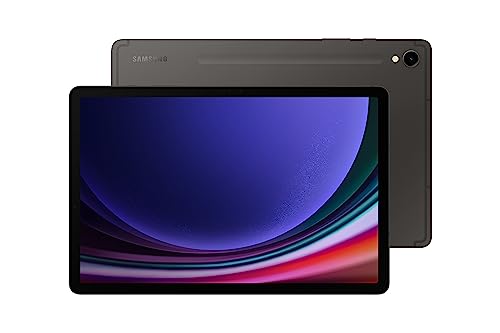
Samsung Galaxy Tab S9 — 11-inch AMOLED, Snapdragon 8 Gen 2, 256GB
The Galaxy Tab S9 is the Android tablet that mobile business users should look at first. It has an 11-inch AMOLED screen, a Snapdragon 8 Gen 2 processor, 256GB of storage, Wi-Fi 7, and the S Pen included in the box. The durable design and long battery life suit days spent moving between offices, clients, and airports.
For mobile business work, the Tab S9 covers the essentials: email, calendars, documents, video calls, and note-taking with the S Pen. The AMOLED screen stays readable and vivid in bright rooms, and the tablet pairs with a keyboard cover to become a compact laptop for typing-heavy days. It is also light enough to carry in a jacket pocket or a small bag without noticing it.
The Tab S9 works best as a companion to a main computer rather than a replacement for one. Heavy spreadsheet work and multi-window multitasking are easier on a laptop, but for reading, reviewing, signing, and presenting, the tablet is often the faster tool.
Key specifications: 11-inch AMOLED screen; 256GB storage; Snapdragon 8 Gen 2; S Pen included; Wi-Fi 7; long battery life; US Version, 2023.
A good fit for reading, reviewing, signing, and presenting on the move.
Strengths
- Bright AMOLED screen with S Pen included
- Light and durable for daily travel
- Wi-Fi 7 and long battery life
Trade-offs
- Not a full laptop replacement for heavy spreadsheets
- Keyboard cover sold separately
- Android apps vary in desktop quality
Mobile professionals who want a light, capable Android tablet.
Best for: mobile reading, notes, and presentations / Not suited for: heavy spreadsheet or multi-window work
Check price on Amazon: Samsung Galaxy Tab S9

Samsung Galaxy Tab S9 FE+ — 12.4-inch 2K+, 8GB RAM, 128GB
The Galaxy Tab S9 FE+ is the larger, longer-lasting member of the Tab S9 family, and it suits mobile business users who want more screen and more battery. It has a 12.4-inch 2K+ touchscreen, 8GB of RAM, 128GB of storage, an 18-hour battery life claim, the S Pen, 8MP and 12MP cameras, and a lightweight, durable design with AI tools.
The bigger screen is the reason to choose the FE+ over the standard Tab S9. Documents and presentations are easier to read, split-screen work is more comfortable, and video calls show more of the other participants. The long battery life means the tablet survives a full day of meetings without a charger, which is the whole point of a mobile business device.
Storage is the compromise: 128GB fills up faster than the 256GB on the standard Tab S9, so buyers who keep large files locally should plan on cloud storage or a memory card. For cloud-first workers, the FE+ is the better mobile business tablet of the two.
Key specifications: 12.4-inch 2K+ touchscreen; 8GB RAM; 128GB storage; 18-hour battery life; S Pen; 8MP + 12MP cameras; Android; model SM-X610.
A good fit for all-day meetings, document review, and note-taking.
Strengths
- Large 12.4-inch screen for documents and calls
- Long battery life for full meeting days
- S Pen included for notes and signatures
Trade-offs
- 128GB of storage is tight for large local files
- Larger size is less pocketable than the 11-inch model
- No keyboard included
Professionals who spend the day in meetings and on the move.
Best for: all-day meetings and document review / Not suited for: large local file storage
Check price on Amazon: Samsung Galaxy Tab S9 FE Plus

Lenovo Tab P12 Pro (2nd Gen) — 12.7-inch 3K, Pen, 256GB
The Lenovo Tab P12 Pro is the big-screen Android tablet for mobile business users who want a sharp display and a pen. It has a 12.7-inch 3K LTPS touchscreen, a pen included, 8GB of RAM, 256GB of storage, Wi-Fi 6, and Bluetooth 5.1. The high-resolution display makes documents, drawings, and presentations look crisp.
For business use, the P12 Pro suits people who work with documents visually: reviewing designs, marking up PDFs, sketching ideas, and presenting to clients. The 3K display shows fine text clearly, the pen makes annotation natural, and the 256GB of storage holds a working library of files. It is a tablet that earns its place in a work bag.
The P12 Pro is less well known than the Samsung tablets, and its accessory ecosystem is smaller, so buyers should check keyboard and case availability before committing. As a standalone tablet for reading, marking up, and presenting, it is one of the strongest picks in this guide.
Key specifications: 12.7-inch 3K LTPS touchscreen; pen included; 8GB RAM; 256GB storage; Wi-Fi 6; Bluetooth 5.1; model ZACH0165US.
A good fit for visual work, document markup, and client presentations.
Strengths
- Sharp 12.7-inch 3K display with pen included
- 256GB of storage for working files
- Good for markup, sketches, and presentations
Trade-offs
- Smaller accessory ecosystem than Samsung tablets
- Less well known, so fewer cases and keyboards
- No cellular option on this configuration
Professionals who review designs and mark up documents.
Best for: visual review, markup, and presentations / Not suited for: buyers who need a wide accessory range
Check price on Amazon: Lenovo Tab P12 Pro
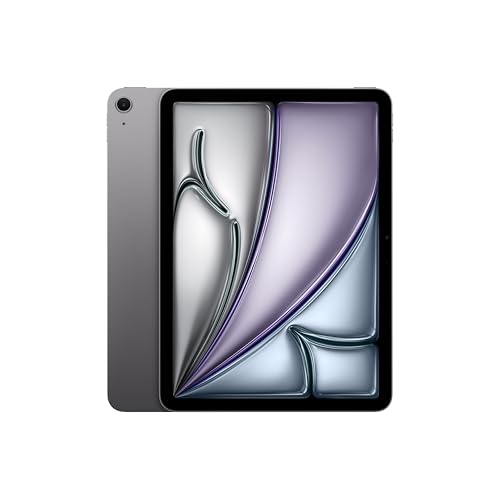
Apple iPad Air 11-inch (M4) — Liquid Retina, 128GB, Wi-Fi 7
The iPad Air with the M4 chip is the tablet for mobile business users who live in the Apple ecosystem. It has an 11-inch Liquid Retina display, 128GB of storage, 12MP front and back cameras, Wi-Fi 7 with the Apple N1 chip, Touch ID, and all-day battery life. The M4 chip makes it fast for everything from documents to video calls to creative work.
For business, the iPad Air shines at the tasks tablets do best: email, calendars, notes, presentations, and video calls, all with a polish that is hard to match. Touch ID keeps sign-in quick and secure, the cameras handle calls and document scanning well, and the app ecosystem includes the office suites and business tools most companies rely on. Paired with a keyboard, it becomes a capable travel laptop.
The 128GB of storage is the limitation to plan around, since the iPad Air has no memory-card slot. Cloud storage covers most business use, but buyers who keep large files locally should consider a larger configuration. For everyone else, the iPad Air is the most polished tablet in this guide.
Key specifications: 11-inch Liquid Retina display; Apple M4 chip; 128GB storage; 12MP front and back cameras; Wi-Fi 7; Touch ID; all-day battery life.
A good fit for Apple users who want a polished tablet for mobile work.
Strengths
- Fast M4 chip with a polished app ecosystem
- Touch ID and strong cameras for calls and scanning
- Light, well-built, all-day battery
Trade-offs
- 128GB of storage with no memory-card slot
- Keyboard and pencil sold separately
- Best suited to Apple ecosystem users
Professionals in the Apple ecosystem who travel light.
Best for: polished mobile work in the Apple ecosystem / Not suited for: large local storage or Windows software
Check price on Amazon: Apple iPad Air M4

Microsoft Surface Pro 11 Bundle — 13-inch OLED, Snapdragon X Elite, Keyboard and Pen
The Surface Pro 11 bundle is the pick for mobile business users who want a tablet and a laptop in one device. This bundle includes the 13-inch touchscreen OLED tablet with a Snapdragon X Elite processor, 16GB of RAM, and a 512GB SSD, plus the Pro Keyboard and the Surface Pen. It is a Copilot+ PC running Windows 11 Pro.
What sets the Surface Pro apart is that it runs full Windows. The same office applications, the same file system, and the same business software that run on a desktop run here, with no mobile-app compromises. Detach the keyboard and it is a tablet for reading and presenting; attach it and it is a laptop for typing. The OLED display is bright and sharp, and the Snapdragon X Elite chip delivers long battery life.
The Surface Pro is the most expensive pick in this guide, and the bundle is the reason: the keyboard and pen are included, which makes the total fair, but the outlay is still larger than a tablet alone. For buyers who want one device instead of two, it is worth it.
Key specifications: 13-inch touchscreen OLED; Snapdragon X Elite; 16GB RAM; 512GB SSD; Pro Keyboard and Surface Pen included; Copilot+ PC; Windows 11 Pro.
A good fit for buyers who want one device for tablet and laptop work.
Strengths
- Full Windows in a tablet, with keyboard and pen
- Bright OLED touchscreen display
- Long battery life with Copilot+ AI features
Trade-offs
- Higher outlay than a tablet alone
- Snapdragon chip runs some older apps in emulation
- Kickstand needs a flat surface for lap use
Mobile professionals who want full Windows in a tablet.
Best for: one-device mobile work on Windows / Not suited for: tight budgets or legacy x86 software
Check price on Amazon: Microsoft Surface Pro 11

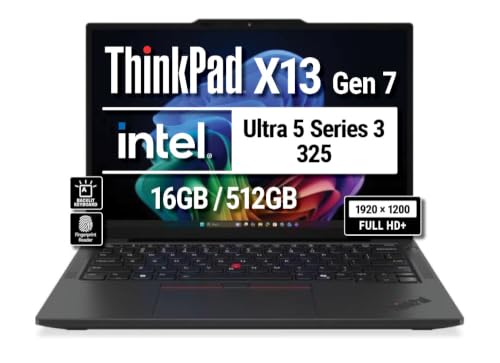
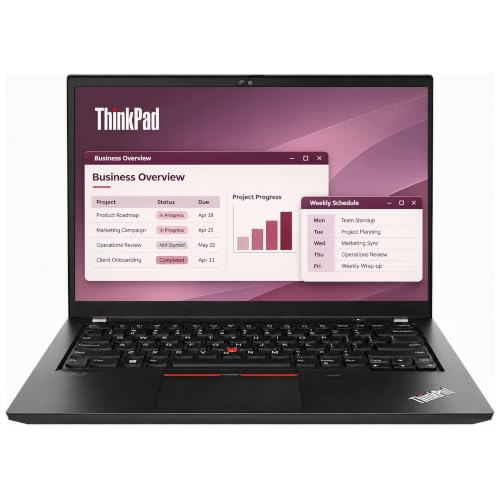
Lenovo ThinkPad X13 Gen 5 — Intel Core Ultra 7 165U, 32GB RAM, 1.5TB Storage
The ThinkPad X13 Gen 5 is the laptop in this roundup, and it is here because for many mobile business users a small laptop still beats any tablet. It has a 13.3-inch WUXGA display, an Intel Core Ultra 7 165U processor, 32GB of RAM, and 1.5TB of storage made up of a 512GB SSD plus a 1TB docking station in the bundle, with a backlit keyboard, a fingerprint reader, and Windows 11 Pro.
The X13 is the smallest full ThinkPad, and it carries the line strengths: a comfortable keyboard, a sturdy chassis, and a port selection that covers docks and monitors. With 32GB of memory, it handles heavy multitasking without slowing down, and the docking station in the bundle turns it into a full desk setup with one connection. For typing-heavy work, large spreadsheets, and multi-window days, the laptop wins.
The trade-off is weight and size: even a small laptop is heavier than a tablet, and it needs a bag rather than a jacket pocket. But for buyers whose work is mostly typing, spreadsheets, and applications, the X13 is the most productive device in this guide.
Key specifications: 13.3-inch WUXGA display; Intel Ultra 7 165U; 32GB RAM; 1.5TB storage (512GB SSD + 1TB docking station); backlit keyboard; fingerprint reader; Windows 11 Pro.
A good fit for typing-heavy mobile work and multi-window days.
Strengths
- Full ThinkPad keyboard in a small 13.3-inch chassis
- 32GB RAM and a docking station in the bundle
- Best for typing and multitasking
Trade-offs
- Heavier than any tablet in this guide
- Needs a bag rather than a pocket
- Battery life is shorter than the tablets
Professionals who type all day and want a small, powerful laptop.
Best for: typing-heavy work and multitasking / Not suited for: ultralight pocket carry
Check price on Amazon: Lenovo ThinkPad X13 Gen 5
Best tablets or laptops for mobile business: what matters most
Weight is the first thing that matters for a mobile business device, because you carry it all day. A tablet at well under a kilogram disappears into a bag or a jacket pocket, while even a small laptop needs a bag and a charger. The difference sounds small until you have carried it through an airport, a client site, and a full day of meetings. If you travel constantly, weight should be near the top of your list.
Battery life is the second priority. A mobile business device should survive a full working day of meetings, email, and documents without hunting for a power outlet. The tablets in this guide are built for that, with long battery life claims and efficient processors. Laptops are improving, but a tablet still lasts longer on a charge for reading and meeting work.
The keyboard decision shapes the whole purchase. A tablet with a good keyboard cover can handle typing-heavy days, but it is never quite the same as a laptop keyboard. The Surface Pro bundle in this guide includes the keyboard and pen, which is the honest way to buy it. For the other tablets, budget for a keyboard cover if you plan to type for hours.
Display quality matters more on a mobile device than on a desk machine, because you use it in bright rooms, on trains, and outdoors. AMOLED and OLED displays stay vivid and readable, and a high-resolution panel makes fine text comfortable to read. The Tab S9, the iPad Air, and the Surface Pro all have strong displays; the Lenovo tablet has the sharpest resolution of the group.
Finally, think about the software you need. A tablet runs mobile apps, which cover email, calendars, notes, and presentations well, but may not run specialized business software. A Windows device like the Surface Pro or the ThinkPad runs the same applications as a desktop. Check that the software your work depends on runs on the device you choose before you buy.
Durability is easy to overlook until a device is dropped in an airport or knocked off a meeting-room table. Business tablets and laptops are built to survive that life, with stronger glass, sturdier chassis, and better drop resistance than consumer media tablets. The Galaxy Tab S9 and the iPad Air both emphasize durable design, and the ThinkPad line is tested against shocks and vibration. A good case is still worth buying, but a device that starts out tough is a better bet than one that relies on the case alone.
Buying guide: choosing mobile business tablet or laptop
Start by deciding between a tablet and a laptop, and be honest about your working day. Count the hours you spend typing against the hours you spend in meetings, reading, and presenting. If typing dominates, buy the laptop. If meetings and reading dominate, buy the tablet. If the split is even, the Surface Pro two-in-one is the device that covers both.
Choose the ecosystem that matches the rest of your kit. An iPad Air works best alongside an iPhone and a Mac, a Galaxy Tab works best with a Samsung phone, and a Surface Pro or ThinkPad works best in a Windows office. Mixing ecosystems is possible, but it adds friction to file sharing, notes, and calls.
Check the storage size against how you work. Tablets with 128GB of storage suit cloud-first workers, but they fill up fast if you keep large files, presentations, or media locally. The 256GB models in this guide are the safer default, and the ThinkPad X13 with its large storage is the pick for buyers who keep everything on the device.
Look at the pen and keyboard situation before you buy. A pen is included with the Samsung and Lenovo tablets in this guide, which makes note-taking and signing documents easy from day one. The Surface Pro bundle includes both the keyboard and the pen. For the iPad Air, both are separate purchases, so factor them into the total.
Consider connectivity and security. Wi-Fi 6 or better keeps video calls smooth on modern networks, and a fingerprint reader or Touch ID keeps sign-in quick and secure. The ThinkPad and Surface Pro also offer the business security features that IT departments expect, which matters if the device is used for work.
Buy from a listing that states the full configuration and condition clearly. For tablets and small laptops, prefer new listings from sellers who name the exact model, storage size, connectivity, and included accessories. Avoid listings that hide the condition in small print or that show a different model in the photos. Keep the receipt and check the return terms before the device becomes your daily carry.
Using and caring for your mobile business tablet or laptop
Set the device up properly on day one. Install your office suite, email, and calendar, sign in with your work account, and sync your files before you need them on the road. Turn on device encryption and a strong sign-in method, whether that is a fingerprint, Touch ID, or a PIN.
Protect the device the way you would any work tool. A tablet needs a case or sleeve that covers the screen, and a small laptop needs a padded compartment in your bag. The screens on these devices are their most vulnerable part, and a cracked display is an expensive repair. A screen protector is cheap insurance for a device you carry every day.
Manage the battery for travel days. Charge the device fully before you leave, carry a compact USB-C charger and cable, and turn on battery saver when the day runs long. Tablets last longer than laptops on a charge, but a day of video calls drains any device. Know where the charger is before you need it.
Keep your files backed up. Mobile devices are lost, dropped, and stolen more often than desk machines, so cloud sync is not optional. Turn on automatic backup for documents, photos, and notes, and test that you can reach your files from another device before you travel.
Use the pen if your device has one. The S Pen and the Surface Pen are not accessories for most mobile business users; they are the fastest way to sign a document, annotate a presentation, or capture a note in a meeting. Practice with the pen before an important meeting so the first time you use it is not in front of a client.
Common mistakes to avoid
The most common mistake is buying a tablet and expecting it to replace a laptop completely. Tablets are excellent for reading, reviewing, signing, and presenting, but heavy spreadsheet work and multi-window multitasking are still easier on a laptop. Buy the tablet for what it does well, and keep a laptop for the work that needs one.
Another frequent mistake is forgetting the keyboard. A tablet without a keyboard is a reading device, not a working device. If you plan to type for hours, budget for the keyboard cover at purchase rather than discovering the need on a travel day.
Buyers also underestimate storage. A 128GB tablet feels generous in the shop and tight six months later, once presentations, files, and apps have accumulated. If your work involves large files, choose 256GB or more from the start.
Do not skip the return check. Test the display, the pen, the keyboard, the cameras, and the battery in the first few days, and confirm the storage size and model match the listing. Mobile devices are carried everywhere, so cosmetic damage in transit is common; inspect the device when it arrives.
Finally, do not buy the wrong ecosystem. An iPad is a poor choice in a Windows-only office, and a Windows tablet is a poor choice for someone whose whole workflow lives in Apple apps. Match the device to the software and services you already use.
Budget and value
Mobile business devices span a wide range of prices, so set the budget around how the device earns its keep. A tablet that replaces a stack of printed documents and a separate notebook pays for itself quickly. A two-in-one that replaces both a tablet and a laptop is the best value for buyers who would otherwise carry two devices.
Think in terms of cost per year of service. A well-chosen tablet or small laptop that serves for three or four years is a better buy than a cheaper device that feels slow after eighteen months. Memory and storage are the cheapest ways to extend a device life, so choose generously at purchase.
Watch for the extras that add up: a keyboard cover, a pen, a case, and a spare charger can add a meaningful amount to the total. The Surface Pro bundle in this guide includes the keyboard and pen, which makes its total easier to judge. For the other tablets, add the accessories to the price before comparing.
If two devices are close in price, choose the one with the better display, battery life, and keyboard option rather than the one with the slightly faster processor. For mobile business work, those are the differences you feel every single day.
Finally, remember that a mobile device is only part of the cost of mobile work. A good bag, a compact charger, a portable battery, and a reliable mobile data plan all add to the total. Budget for the whole kit, not just the device, and you will not be caught short on the first trip.
Final recommendation
If you want one answer, start with the Surface Pro 11 bundle. It is the only device in this guide that is genuinely both a tablet and a laptop, with a bright OLED display, a keyboard and pen included, and full Windows for the software your work depends on. For mobile business users who want one device, it is the best pick.
If your day is mostly meetings, reading, and notes, take the Galaxy Tab S9 FE+. Its large 12.4-inch screen, long battery life, and included S Pen make it the best pure tablet in this guide for mobile business work. If you live in the Apple ecosystem, take the iPad Air with the M4 chip instead, which is the best tablet Apple makes for this kind of work.
If your day is mostly typing and spreadsheets, take the ThinkPad X13 Gen 5. It is the most productive device here for typing-heavy work, with a proper keyboard, 32GB of memory, and a docking station in the bundle. Whichever you choose, confirm the listing is new, check the included accessories, and test the device thoroughly in its first week.
Frequently asked questions
Is a tablet enough for business work?
It depends on your day. A tablet is enough for email, calendars, meetings, reading, reviewing, signing, and presenting, especially with a pen and a keyboard cover. It is not enough as a sole device for heavy spreadsheet work, multi-window multitasking, or specialized desktop software.
Should I buy a tablet or a laptop for mobile business?
Buy a tablet if your day is mostly meetings, reading, and presenting. Buy a small laptop if your day is mostly typing and spreadsheets. Buy a two-in-one like the Surface Pro if the split is even and you want one device for both.
Do I need a keyboard for a business tablet?
Yes, if you plan to type for more than a few minutes at a time. A keyboard cover turns a tablet into a working device for email and documents. The Surface Pro bundle in this guide includes the keyboard; for the other tablets, budget for one separately.
How much storage does a mobile business device need?
Treat 256GB as the safer default for a device you keep for several years, especially if you carry presentations and files locally. 128GB suits cloud-first workers, but it fills up fast with apps, photos, and offline files. The ThinkPad X13 in this guide has the largest storage of the group.
Is the Surface Pro a tablet or a laptop?
Both. It is a tablet with a detachable keyboard, running full Windows. With the keyboard attached it works as a laptop; with the keyboard detached it works as a tablet. That flexibility is the reason it leads this guide for buyers who want one device.
Tablets, laptops, and the mobile office
The mobile office has changed what business devices need to do. Ten years ago, mobile work meant a laptop and a phone. Today it means a device that handles video calls from a train, signs documents in a client lobby, presents from a meeting room, and still types a report on the way home. Tablets took over the reading and presenting half of that job because they are lighter and quicker to wake. Laptops kept the typing and multitasking half because a keyboard and a windowed desktop are still the fastest way to produce work. The devices in this guide cover both halves, and the best choice is the one that matches the half of the job you do most.
Mobile business devices and security
A device that leaves the office needs stronger security than one that stays on a desk. Turn on device encryption, use a fingerprint, Touch ID, or a strong PIN, and set the device to lock quickly when idle. Keep work files in managed cloud storage rather than loose on the device, and know how to wipe the device remotely if it is lost or stolen. Public Wi-Fi is a risk for business data, so use a VPN or a mobile hotspot when working away from trusted networks. These habits matter more than the device itself, and they apply to every pick in this guide.
More guides from KajuanDouglas
2-in-1 Laptop vs Tablet Best Tablets for YouTube Best 10-Inch Tablets Under 100 Dollars Best 13-Inch Laptops for Business