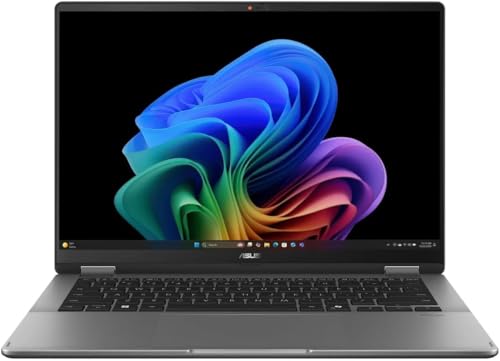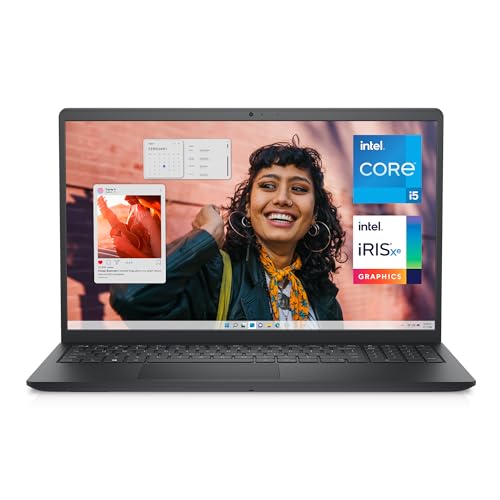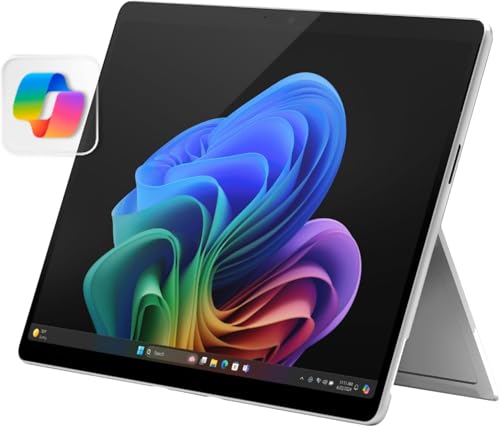
The 2 in 1 laptop vs tablet decision confronts anyone who wants one device for the sofa and the desk, because both categories now claim that territory with straight faces. A 2-in-1 runs a full desktop operating system in a body that folds or detaches into a tablet, offering real keyboards, full applications and every port, at laptop weights and laptop prices. A tablet offers the purest touch experience ever made, instant, light, with vast app stores and legendary battery life, paired with an operating system that still compromises on file management, multitasking depth and desktop-class software. The right answer depends on which side of the device is primary in your life: the work you must do, or the consumption and creation you want to do. This comparison separates those honestly.
Disclosure: As an Amazon Associate, kajuandouglas.com earns from qualifying purchases. Links to Amazon on this page are affiliate links; they cost you nothing extra. Listing details such as price and availability change often, so check the current Amazon listing before you buy.
2 In 1 Laptop Vs Tablet: What Matters Most
Choose a 2-in-1 if your work needs full desktop applications, serious multitasking, a proper keyboard for long writing, external monitors and drives, or one device that must do everything without negotiation. Choose a tablet if your life on it is reading, media, notes, drawing, light documents and travel, especially with a phone already handling communication. Many people who buy a tablet to replace a laptop discover the keyboard case is where it lives; that discovery is the 2-in-1’s whole argument.
| Criterion | Option A | Option B |
|---|---|---|
| Operating system | Full desktop system and applications | Mobile system with tablet apps |
| Typing and desk work | Real keyboard, docks and monitors | Keyboard case works, with compromises |
| Tablet experience | Heavier, desktop interface | Lighter, instant, touch-native |
| Files and multitasking | Unrestricted windows and file system | Sandboxed, improving but limited |
| Complete cost | Keyboard included from the start | Keyboard, pen and hub add up |
In this guide
What to Compare Before You Decide
- Your non-negotiable applications and whether tablet versions genuinely suffice
- How much long-form typing you do weekly
- Your multitasking style: many windows, or one app at a time
- The accessories in your world: monitors, drives, printers, cameras
- Your travel pattern and how much weight you will actually carry
The Comparison, Criterion by Criterion
Test your essential software against the tablet honestly
List the applications your work or study cannot lose, then check the tablet versions feature by feature rather than by name. Tablet editions of famous programs are often excellent for light work and quietly missing the advanced features professionals rely on: complex spreadsheet models, reference managers, development tools, full design pipelines. Browser access rescues some services but not all workflows. If every essential survives the audit, the tablet stays in contention. If one fails, the 2-in-1 wins by default, because a device that cannot run your required tool is not a cheaper laptop, it is an additional gadget.
Compare typing and desk work without romance
A 2-in-1 offers a real keyboard with travel and stability, works on a lap, and drives external monitors and docks like the laptop it is. A tablet with a keyboard case types surprisingly well at a desk for short and medium work, but compromises on lap use, key feel and port selection, and the full accessory stack, keyboard, pen, hub, often costs and weighs close to the 2-in-1 it imitates. Writers, students with essay loads and anyone whose day is documents should weight this heavily; the keyboard is not an accessory to knowledge work, it is the tool itself.
Weigh the tablet experience where tablets genuinely win
As pure tablets, tablets win: lighter in the hand, instant to wake, better cameras, longer battery life in media use, and app stores built entirely for touch, including the finest drawing and note applications available anywhere. A folded 2-in-1 is a thick, heavy tablet with a desktop interface that tolerates touch rather than celebrating it. If your dominant uses are reading, sketching, media, recipes, travel and sofa browsing, the tablet is not a compromise at all; it is the specialist, and the 2-in-1 is the clumsy one.
Judge multitasking and files like a worker
Desktop systems on a 2-in-1 offer unrestricted windows, real file management, external drives that behave normally and software that runs in the background without asking permission. Tablet systems have improved multitasking enormously, with split views and stage managers, but retain sandboxed files and background limits that surface exactly during complex work: the large upload, the multi-app project, the odd file format from a colleague. Occasional users never meet these walls. Regular workers meet them weekly, and frustration at a wall is worth more than specifications in this comparison.
Price the complete ecosystems, not the entry tickets
Tablets advertise from attractive entry prices, but the working configuration, storage you need, keyboard case, pen and perhaps a hub, climbs toward 2-in-1 territory, while the 2-in-1’s price usually includes its keyboard and full ports from the start. Compare the two complete baskets for your use. Also price longevity: a 2-in-1’s desktop software support and upgradeable storage on some models stretch its working life, while tablets receive long update support but fixed storage. The honest totals often surprise buyers in both directions.
Touch Settings, Calibration and Accessibility
Modern operating systems rarely need manual calibration, because panels leave the factory aligned and the system compensates automatically, but the settings around touch still reward attention. Sensitivity, palm rejection behaviour, pen button assignments, flick and gesture controls and the on-screen keyboard all live in the pen and touch settings, and five minutes there can fix annoyances owners tolerate for years. Accessibility options deserve a look even if you do not need them daily: larger touch targets, touch feedback visuals and hold-to-right-click timing make the machine friendlier for anyone sharing it. When touch misbehaves, the cause is usually software rather than the panel itself: a disabled device in the device manager, a driver update that stalled, a screen protector lifting at one corner, or moisture on the glass. Work through settings, drivers and a clean, dry screen before assuming hardware failure, because genuine digitiser faults are the least common explanation and the most expensive one to chase first.
How Touch and Pen Input Actually Work on a Laptop
A touch laptop replaces the simple display of a regular machine with a layered panel: the screen itself, a digitiser that senses finger or pen position, and protective glass on top. Capacitive sensing reads the tiny electrical change a fingertip causes, which is why gloves and ordinary pens do not register, while active pens communicate their own position, pressure and tilt to a dedicated digitiser layer. That distinction explains most buying confusion: a screen that works beautifully with a finger may offer only crude pen input, and handwriting or drawing quality depends on the pen technology, not the display resolution. Palm rejection is software and sensor work combined, letting you rest a hand on the glass while writing. Hinges complete the system on convertibles, either folding a full 360 degrees or detaching entirely, and each design trades rigidity, weight and port layout differently. Judge a touch laptop by the input method you will actually use, because finger navigation, note-taking and illustration are three different requirements wearing one label.
Where Touch Genuinely Helps, and Where It Does Not
Touch earns its place in specific moments: scrolling long documents in tablet mode on a train, annotating a PDF with a pen during a lecture, sketching an idea before it fades, signing a form without a printer, or presenting while standing and tapping through slides. It is less convincing at a desk, where reaching forward to a vertical screen tires the arm and smudges the panel, and where a good touchpad or mouse is faster for precise work. Battery and weight also pay a small tax for the digitiser and glass, and glossy touch panels reflect more light than matte regular screens. The honest test is your own week: count how often you would fold the machine back, pick up a pen or tap rather than click. If those moments are daily, touch is a feature you will use for years. If they are hypothetical, a regular laptop with a better screen or larger battery for the same money may serve you better.
Caring for a Touch Screen and Its Hinges
A touch panel is the most handled surface on any laptop, so it collects skin oil, dust and the occasional splash, and it is also the most fragile and expensive part to replace. Clean it powered off, with a dry or barely damp microfibre cloth, never with household glass sprays that can damage coatings, and never by pressing hard on one spot. The hinges on a convertible work harder than on any other laptop style, cycling through laptop, tent, stand and tablet positions, so open and close the lid from the centre, keep crumbs and grit away from the hinge line, and avoid carrying the machine by its screen corner. Cases and sleeves matter more here too, because pressure on the lid in a crowded bag flexes the glass. Treat the pen as part of the machine: store it in its slot or loop so its tip is protected, and replace worn tips before they scratch. Gentle habits add years to a mechanism that cannot be serviced cheaply.
Who Each Device Suits, and the Hybrid Truth
The 2-in-1 suits the one-device worker: students who handwrite notes and type essays, professionals who present in tent mode and dock at a desk, field staff who need desktop software standing up, and anyone whose budget or bag allows exactly one machine. The tablet suits the consumption-and-creation specialist: readers, artists, media travellers, kitchen and sofa users, and workers whose employers provide a separate work computer, freeing the personal device to be purely delightful. The hybrid truth is that households often end with both across time, a laptop-class device for work and a tablet for everything else, because each is genuinely better at its half. If you must choose one today, choose by your obligations: work requirements are unforgiving and leisure is flexible, so the device that covers the obligations wins, and leisure adapts to it happily in almost every case.
When you are ready to compare complete machines rather than individual settings, start with our roundup of the best laptops for students under 750 touch screen and keep our roundup of the best touch laptops for gaming under 600 open in a second tab. Reading a settings guide and a buying roundup side by side stops the most common mistake in this whole topic: changing software or hardware in isolation, without checking whether the rest of the machine actually supports the change you have in mind.
Gear for This Guide

Microsoft Surface Pro 2-in-1 Laptop/Tablet (2024) — Microsoft Surface Pro 2-in-1 Laptop/Tablet (2024), Windows 11 Copilot+ PC, 13″ Touchscreen OLED Display, Snapdragon X Elite (12 Core), 16GB RAM, 1TB Storage, Platinum. Check price on Amazon before you decide, because configurations and availability change often.

Lenovo Yoga 7i 2-in-1 w/Ultra 7 — Lenovo Yoga 7i 2-in-1 w/Ultra 7, 16G RAM, 1TB SSD, 14″ OLED, Yoga Pen | Copilot+ PC with Intel Core Ultra 7 256V Processor, 14” WUXGA 100%DCI-P3 HDR 500 Touchscreen, 5MP IR Cam, Wi-Fi 7, Win 11 Pro. Check price on Amazon before you decide, because configurations and availability change often.

LG gram 14-inch 2in1 Lightweight Laptop — LG gram 14-inch 2in1 Lightweight Laptop, Intel Evo Edition – AI-Enabled Intel Core Ultra 7 Processor, Windows 11 Home, 32GB RAM, 2TB SSD, Touch IPS Display, Black. Check price on Amazon before you decide, because configurations and availability change often.

HP Envy X360 Business 14″ Touchscreen Intel Core 7 2-in-1 Convertible Laptop — HP Envy X360 Business 14″ Touchscreen Intel Core 7 2-in-1 Convertible Laptop, 14″ FHD 1920 * 1080 Touchscreen, Core 7 150U (Beats Intel i7-14700), 16GB RAM, 2TB SSD, FP Reader, Wi-Fi 6, W11P. Check price on Amazon before you decide, because configurations and availability change often.
Common Mistakes
- Buying a tablet as a laptop replacement based on its keynote video, then discovering your one essential application is a shadow of its desktop self.
- Comparing the tablet’s entry price against the 2-in-1’s full price, before the keyboard case and pen enter the basket.
- Choosing a large 2-in-1 for handheld reading and learning its weight makes tablet mode a novelty within a month.
- Ignoring file management until the first multi-app project collides with a tablet’s sandboxed storage.
Pro Tips
- Borrow or trial where possible: a weekend with a tablet and keyboard case teaches more than a month of reviews.
- If you draw seriously, the tablet’s best pen apps may outweigh every laptop argument; artists should weight that ecosystem first.
- Students: a 2-in-1 with a pen replaces laptop, notebook and tablet in one bag, which is why campuses are full of them.
- Keep an eye on total carried weight including chargers and cases; the lightest device is the one you bring.
How to Break a Tie When the Scores Feel Even
When a comparison stays balanced after honest scoring, break the tie with three practical tests rather than more research. First, the regret test: imagine discovering a year from now that you chose wrong, and notice which wrongness stings more, because that reveals which advantage you actually valued. Second, the ecosystem test: total the accessories, software and habits each option disrupts or preserves, since switching costs are real even when they are boring. Third, the trial test: handle both options physically if you possibly can, in a shop or through a generous returns window, because five minutes of hands-on evidence routinely outweighs five hours of comparison articles, including this one. If the tie survives all three tests, choose the option with the better warranty, the easier return path or the stronger resale, and stop researching. At that level of closeness, the decision has stopped being about the products and become about permission to finish, which this paragraph hereby grants.
Putting It All Together
If you are still torn after working through the criteria, return to the two questions that settle most of these decisions in practice: which option covers your non-negotiable tasks without a workaround, and which one fits the places and postures where you actually spend your computing life. Score those honestly and the remaining differences are usually smaller than the anxiety around them. Both options in this comparison are mature, capable products with millions of satisfied owners, which means the risk is not buying a bad device; it is buying the other person’s right device. Choose yours, configure it generously enough to last, and spend the energy you saved on the work and play the machine was bought for.
Scenario Head-to-Heads: Six Common Lives, Judged Honestly
The university student
Coursework is the decider. Where lectures reward handwritten annotation and the library rewards typed essays, a pen-equipped 2-in-1 covers both in one bag, one charger and one set of files, and its full desktop software runs whatever a department prescribes. A tablet plus keyboard covers the same ground only when the course is genuinely browser-and-documents based, and it stumbles the first time specialist software, a particular exam tool or serious file management appears. Verdict: 2-in-1 for most degrees; tablet only where the course has been checked and found deliberately light.
The frequent traveller who works en route
Tablets win the cabin: lighter, longer-lived on battery, happier in a seat-back pocket, and better for reading and media during the hours around work. The 2-in-1 wins the destination, where real documents, spreadsheets and presentations get built. Travellers whose trips are mostly consumption and communication should carry the tablet; travellers who produce work away from base should accept the 2-in-1’s extra weight as the price of never being caught under-equipped in a client office.
The home and family user
Sofas, kitchens and shared family life flatter tablets enormously: instant-on browsing, reading, video, games and video calls with grandparents, all in a device a child can carry. The 2-in-1 serves the family’s administrative life — forms, school portals, household documents, the occasional work-from-home day — far better. Many households honestly need the second list rarely enough that a tablet plus an ageing laptop is the rational fleet, which is why this comparison so often ends in a combination rather than a coronation.
The artist and note-taker
Tablets currently offer the most refined pen drawing experience, with mature touch-first creative applications and displays tuned for artists. The 2-in-1 answers with the full desktop creative suites and a file system that treats serious project organisation as normal. Sketchbook-first creators lean tablet; production-first creators lean 2-in-1; and the growing group who draft on a tablet and finish on a desktop machine are not indecisive — they have correctly identified that the two devices peak at different stages of the same work.
App Ecosystems: The Difference That Grows Over Time
Hardware comparisons age quickly; ecosystem differences compound. A tablet’s application world is touch-native, curated and simple to manage, with software designed for fingers, pens and quick sessions, and with updates and backups handled almost invisibly. Its limits appear at the edges of professional work: applications that are companions to desktop programs rather than equivalents, file handling that assumes the cloud, and peripherals treated as guests. A 2-in-1 inherits the entire desktop software world, including the unglamorous professional tools whole industries run on, at the cost of some applications that were never designed for touch and show it. Neither ecosystem is better in the abstract. The question is where your essential tasks live today, and — because these devices serve for years — whether your tasks are drifting toward the other shore. A student becoming an engineer, a hobbyist becoming a professional, a manager becoming a consultant: choose for the destination where you can see it, because ecosystems are far harder to change than devices.
Multitasking, Windows and Files: A Closer Look at Work Reality
Modern tablets multitask far better than their reputations suggest, with split views, floating windows and external display support that handle a document beside a browser beside a call respectably. The gap that remains is one of depth rather than existence. Desktop work routinely involves five or six artefacts at once — a spreadsheet feeding a document referencing a presentation, with mail, chat and a file manager moving pieces between them — and the 2-in-1’s windowing, file system and peripheral support were built over decades for exactly that sprawl. Files tell the same story. The tablet’s model is application-centred and cloud-first, delightful until a task involves unusual formats, large local archives, nested folders from a shared drive, or moving work between programs that do not know each other. The 2-in-1 treats files as citizens. If your work is artefact-light, the tablet’s elegance wins daily; if your work is artefact-heavy, the laptop’s sprawl is not clutter but capability, and no amount of tablet polish fully substitutes for it.
Accessories and the True Weight of Each System
Compare travelling weights honestly and this contest tightens. The tablet’s famous lightness belongs to the bare device; add the keyboard cover it needs for real typing, the pen, a stand-friendly case and a charger, and the carried system approaches a slim 2-in-1’s weight while remaining two or three pieces to pack, charge-manage and potentially forget. The 2-in-1 is one object, one charger, nothing to leave in a hotel room. Against that, the tablet system is modular in a way the convertible cannot match: leave the keyboard behind for a reading weekend, carry only the slate for a site visit, upgrade the keyboard without replacing the computer. Neither arithmetic is wrong. They reward different travellers — the minimalist who wants one thing that does everything adequately, and the modular thinker who enjoys assembling exactly the kit each trip deserves.
Longevity, Updates and Handing Down
Both categories now enjoy long software support by historical standards, but their ageing feels different. Tablets tend to age gracefully for consumption: a years-old slate still reads, streams and browses beautifully, and makes an unusually successful hand-me-down within a family. Their limits arrive abruptly when a needed application drops support or a workflow outgrows the platform. A 2-in-1 ages like a laptop: gradually, with battery wear as the main tax, software demands slowly rising, and a long tail of usefulness for study, administration and light work even after it stops being anyone’s primary machine. If your purchase is expected to cascade to a child, a parent or a spare-room role after its front-line years, both cascade well — the tablet toward leisure, the convertible toward general duty — and picturing that second life is a legitimate, often decisive, part of choosing between them today.
Cost of the Complete Setup, Revisited in Detail
The shelf price of each device is the least honest number in this comparison, so build the real basket before deciding. For the tablet: the slate in the storage tier you actually need, the keyboard you will certainly buy if work is intended, the pen if notes or drawing matter, a case, and any adapters your peripherals require. For the 2-in-1: the machine in its proper configuration, the pen where it is not included, a sleeve, and nothing else — the keyboard, ports and desktop software arrive inside the single purchase. Priced as complete working systems, the two baskets frequently land far closer than their headlines suggest, and occasionally the tablet system is the more expensive one, which surprises buyers who anchored on the slate’s entry price. Neither basket is a trick; they are simply different packaging philosophies, one unbundled and modular, the other integrated. Your budget deserves the integrated comparison, because that is the comparison your bank account will experience.
Security, Management and Family Controls
Tablets generally offer the simpler security story for households: strong default encryption, tightly controlled application installation, straightforward family controls and painless remote wiping, all maintained with almost no user effort. For schools and businesses they enrol into management just as willingly. The 2-in-1 offers the deeper, more configurable story — the full range of business security, legacy software controls and granular policies described elsewhere in this series — at the cost of demanding slightly more knowledge from whoever administers it. For a family buying one device for a child, the tablet’s guardrails are a genuine feature, not a limitation. For a professional whose employer, university or clients dictate specific tools and policies, the convertible’s depth is the requirement. Match the administration model to the administrator you actually have, and both devices are secure; mismatch it, and either can become the household’s weakest link while appearing to be its most modern member.
The Hybrid Households: When the Answer Is Genuinely Both
It is worth stating plainly, because comparison formats resist it: for a great many households the correct answer is a tablet and a laptop of some kind, sequenced sensibly rather than bought in a panic together. The tablet absorbs the household’s reading, viewing, browsing and casual creativity at high quality and low friction. The laptop — which may be an existing machine kept in service, a modest new purchase, or a 2-in-1 bought later when funds allow — absorbs production, administration and specialist software. The 2-in-1’s role in such a household is to be the consolidation option for the person whose life genuinely merges the two patterns in one bag on one day: the student, the travelling professional, the teacher. Everyone else is often better served by specialists. Recognising whether you are a consolidator or a specialist household is the single most valuable insight this comparison can give you, worth more than any row in any criteria table, because it prevents both the under-powered compromise and the over-bought duplication in one honest moment of self-knowledge.
Five Questions That Settle This Comparison
- Name your three most-used applications. Do they exist, in full form, on a tablet? The answer decides more than any other fact.
- How many hours a week do you type long-form? Beyond a modest threshold, keyboard quality and desktop software stop being preferences.
- Do you manage complex files — large, nested, multi-format, shared? If yes, the laptop pattern is your native country.
- How much of your use is reading, watching and browsing away from a desk? The larger the share, the stronger the tablet’s daily case.
- Will one bag, one charger and one device simplify a life that is genuinely mobile — or do your work and leisure live in different places anyway?
Work through those without flinching and the verdict usually announces itself. Where it does not — where your answers split evenly down the middle — you have identified yourself as the exact buyer the 2-in-1 category was invented for, and you can choose within it confidently, knowing the compromise it embodies is not a weakness in your case but a precise description of your life.
Displays, Pens and Reading: Where the Tablet Still Teaches the Lesson
Give the tablet its full due on the experience it perfected. Its displays are typically tuned for close, personal viewing, its pen response for drawing is the benchmark the whole industry chases, and as a reading device — in bed, on a train, propped in a kitchen — its weight, instant wake and one-handed comfort outclass any folding laptop, including good ones. A 2-in-1 in tablet mode is a tablet carrying a keyboard’s worth of extra engineering on its back, and over a long reading session your arms will file that report honestly. Conversely, give the convertible its due on sustained creation: a full keyboard that needs no desk negotiation, ports that accept the world’s peripherals without ceremony, and software with no asterisk beside its name. The mature conclusion this comparison keeps approaching is that each device is the other’s best critic. The tablet shows the convertible what pure touch should feel like; the convertible shows the tablet what complete work requires. Buy the criticism your life needs to hear.
Environmental Footprint and Buying Once
A short, practical word on waste, because it genuinely discriminates here. The most sustainable device is the one that serves longest without a companion purchase to patch its gaps. A tablet bought for work it cannot quite do, supplemented within a year by a laptop, is two devices, two chargers and two batteries serving one person — the worst outcome in this entire comparison by every measure including cost. A 2-in-1 that truly consolidates, or a tablet honestly bought for a genuinely tablet-shaped life, is one device serving for years. So the environmental advice and the financial advice and the satisfaction advice all converge, unusually, on the same instruction: describe your tasks truthfully, buy the device that matches them completely the first time, keep it in service for its full supported life, and hand it on when you upgrade. Fit, in this category, is the greenest specification of all.
Updates, Support Horizons and When Each Device Truly Retires
Retirement rarely arrives as a breakdown; it arrives as a withdrawal of support — the operating system version a device can no longer receive, the application that drops its platform, the battery service that ends. Tablets from major makers now enjoy long, clearly communicated support windows, and their retirement is usually gentle, sliding into media and reading duty. A 2-in-1’s horizon follows the laptop world’s: long security support, replaceable batteries on serviceable models extending useful life well past the point where its performance stops suiting front-line work. When comparing specific models, put the support end-dates side by side with the same seriousness as the screens and processors, because a device bought for a degree, a business or a child’s schooling must be supported for the whole story, not just its exciting first chapter. The cheapest device in this comparison is very often the one whose support lasts longest, whatever its shelf price claimed.
That is the note to end on, because it unifies everything before it. Whether the tablet’s purity or the convertible’s completeness wins your particular life, the purchase succeeds by the same measure: a device still supported, still charged, still reached for without hesitation in its fourth year. Choose for that year, with your tasks described honestly and your complete costs counted fairly, and this comparison — for all its criteria, scenarios and head-to-heads — will have done the only job it ever had.
A Worked Example: One Household, Three Verdicts
Watch the framework operate on a single household and its logic becomes obvious. The parent who manages a small business from home — invoicing, documents, video calls, a booking system that assumes a desktop browser — takes the 2-in-1, because her work is artefact-heavy and her bag goes everywhere her business does. The teenager, whose school platform is browser-based, whose reading is extensive and whose creative life is drawing, takes the tablet with its pen and keyboard cover, after the family checks the school’s actual software list rather than assuming it. The grandparent, whose computing is photographs, messages, news and video calls, takes the simpler tablet alone, without keyboard ambitions, and is the happiest user in the house. Three people, one roof, three different correct answers — and not one of them needed the others to be wrong. That is what a good comparison is for: not crowning a winner, but matching each life to the device that flatters it.
What to Do If You Chose and Regret It
Regret in this category is usually specific, and specific regrets have specific remedies short of replacement. The 2-in-1 owner who never folds it owns a fine laptop with an unused hinge; the remedy is to stop mourning the premium and enjoy the machine, or to hand it to the household member whose life does fold. The tablet owner who keeps borrowing a laptop for real work owns a sequencing error; the remedy is a modest laptop added deliberately, converting regret into the two-device pattern this guide described, rather than a premium replacement bought in frustration. The convertible owner who finds its tablet mode too heavy for reading has discovered a gap a basic reading device fills cheaply and happily. Almost every wrong turn here is recoverable at modest cost precisely because neither device traps your data or your skills. Name the specific gap, patch exactly that gap, and the comparison will have taught you the most valuable thing it can: your own pattern, measured rather than imagined, ready to make the next purchase — years from now — a first-time-right decision.
And if the weekend test is available to you here as well — a borrowed slate, a borrowed convertible, a returns window used in good faith — take it, and let your applications, your bag and your sofa vote with real ballots. Count the moments each device was reached for gladly and the moments it was worked around. This comparison’s criteria can rank the machines in general, but only your own week can rank them in particular, and particular is where devices are actually lived with.
Whichever verdict your week returns, commit to it completely for the device’s full life: learn its modes or its applications properly, equip it once with the accessories its pattern needs, and resist re-litigating the comparison every time a new model launches in the other camp. Satisfaction in this category belongs disproportionately to owners who extracted everything from the device they chose, rather than to owners who chose marginally better on paper. The comparison ends at purchase. The ownership — supported, equipped and fully used — is where its value was always going to be decided.
Hold that household picture in mind whenever the internet insists this comparison has a universal winner. It does not, and the insistence usually comes from someone describing their own life accurately and mistaking it for everyone’s. Your household’s version of the story — its courses, its work, its sofas, its bags — is the only edition that should decide your purchase, and you are now equipped to write it without borrowing anyone else’s ending.
There is a final, quiet test that predicts satisfaction better than any in this guide, and you can run it in a shop in ninety seconds. Pick up each device and begin your single most common task — opening the document, starting the note, joining the call — and notice where your shoulders are when the task is underway. The device that gets you there without negotiation, repositioning or a small sigh is telling you the truth about your next four years. Believe it, buy accordingly, and let the criteria tables rest; they have done their work by getting you to the test.
Whichever device your household chose, write its verdict down somewhere — a line in a notebook, a note in the family files — with the reasons in your own words. Devices get replaced on three-year cycles and memories edit themselves ruthlessly, but that one honest paragraph will be waiting at the next purchase, immune to marketing, ready to remind its author what their life actually asked for last time, and whether the answer deserved repeating.
Related Guides
- our roundup of the best laptops for photo editing under 500
- our roundup of the best touch screen laptops for photoshop
- our roundup of the best laptops for graphic design under 1000
- how to calibrate the touch on a touch screen laptop
- what is a 2 in 1 laptop
Frequently Asked Questions
Can a tablet really replace a laptop in 2026?
For a real and growing group of users, yes: those whose work is communication, documents, web applications, notes and media can live entirely on a modern tablet with a keyboard case, and many do. The replacement fails at predictable borders: specialist desktop software, heavy multitasking with many windows and files, development work, complex spreadsheets and some institutional systems. The honest test is your essential-software audit, not the calendar year. If your tools are web-native, the tablet is ready whenever you are.
Is a 2-in-1 a good tablet?
It is a serviceable one with clear limits: heavier and thicker in the hand, with a desktop interface designed for pointer first and touch second, and app stores not built exclusively for touch. For reading in tent mode, annotating documents, presenting and casual browsing it performs well. For one-handed reading, long handheld sessions and touch-native art applications, a dedicated tablet is simply better at being a tablet. Buy the 2-in-1 for its laptop excellence and treat its tablet mode as a strong bonus, and expectations align perfectly.
Which is better for students?
For most students the 2-in-1, because a degree mixes everything: typed essays, handwritten equations and annotations, presentations, specialist software in later years and tight budgets that favour one device. The tablet tempts with price and weight but risks meeting a software wall in year two. Students on confirmed light, browser-based courses with a desktop available elsewhere are the exception who thrive on tablets. When one device must survive an entire unknown degree, versatility is the safer scholarship.
Which lasts longer before needing replacement?
Both receive long software support in their current generations. The 2-in-1’s advantages are repairability and, on some models, storage and memory upgrades that extend useful life, balanced against hinge wear from daily folding. The tablet’s sealed simplicity ages gracefully for media and reading long after its work prime. In practice both serve four to six years in their strong roles. Longevity rarely decides this comparison; role fit decides it in the first month.
What about drawing and note-taking specifically?
Tablets host the most celebrated pen applications and the most refined pen experience, and dedicated artists usually choose them for that ecosystem alone. A good 2-in-1 with an active pen is entirely capable for notes, annotation, sketching and much professional illustration, with the advantage of full desktop software behind the pen. Decide by application: if your art lives in the famous tablet apps, follow them; if it lives in desktop software, the 2-in-1 keeps your whole pipeline on one machine.
Should I buy a cheap laptop plus a tablet instead?
That combination is the quiet winner for many households: a competent laptop for work and a modest tablet for reading and media can together cost less than a premium 2-in-1 while each device beats it at its specialty. The costs are two chargers, two updates, two things to carry if you travel with both. If your work and leisure happen in different places, the split is rational. If they happen in the same bag on the same day, one good 2-in-1 earns its premium.