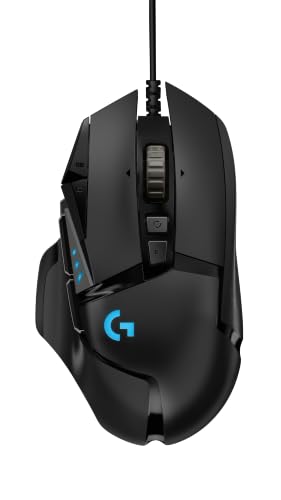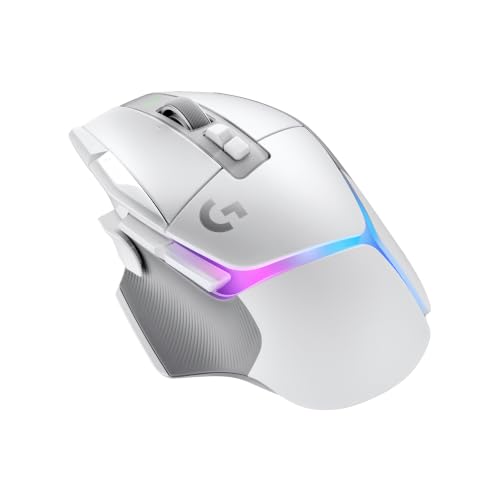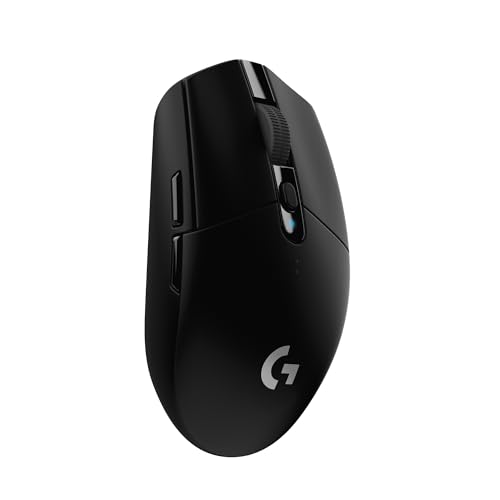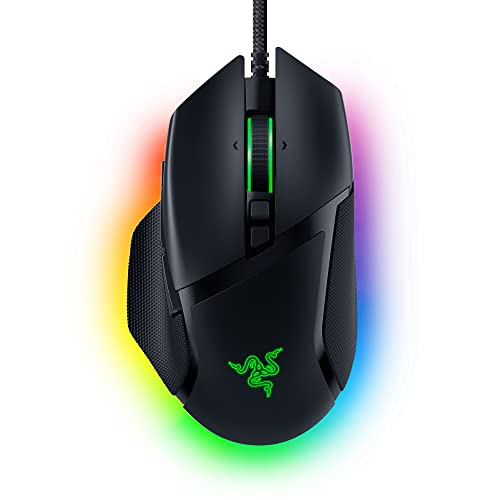
Palm grip is the most relaxed way to hold a gaming mouse: the whole hand rests on the body of the mouse, the fingers lie flat across the buttons, and the wrist stays neutral. It is the grip that suits long sessions, large hands, and players who move the mouse with the arm rather than the fingertips. But it is also the grip that punishes the wrong mouse most severely, because a mouse that is too small, too flat, or too narrow forces the palm to curl and the wrist to twist, and that discomfort turns into fatigue within an hour.
This guide is built for palm grip players, including those searching for a mouse for a palmer, which is the palm-grip style by another spelling. The eight mice below share the traits that matter for this grip: a full-size body that fills the hand, a shape that supports the palm, buttons placed where flat fingers naturally fall, and a sensor accurate enough for competitive play. They range from the classic ergonomic shapes that defined the category to wireless flagships and a vertical mouse for players whose wrist needs a different angle entirely.
The first thing to understand about palm grip is that hand size decides the mouse more than any specification does. A mouse that fits a medium hand perfectly will feel cramped in a large hand, and a mouse built for large hands will feel like a brick in a small one. Measure the hand from the wrist to the tip of the middle finger, and compare it with the dimensions of the mouse before buying. The sections below call out the hand size each mouse suits, because a sensor cannot fix a shape that does not fit.
There is one more habit that matters as much as the mouse: the surface it moves on. A good mouse pad is not an accessory but a part of the system, because the sensor reads the surface and the hand feels it with every movement. A worn or dirty pad makes even the best mouse feel inconsistent. Pair any mouse in this roundup with a clean, flat pad of the right size, and the whole setup improves at once. There is one more factor that new palm grip players underestimate: the desk itself. A mouse that fits the hand perfectly will still feel wrong on a desk that is too high, a chair that is too low, or a pad that is too small. The arm should rest naturally, the wrist should stay straight, and the mouse should have room to move without hitting the keyboard. Fix the setup first, and the mouse choice becomes much easier.
In this guide
Quick picks: best gaming mouse for palmer
| # | Product | Where to buy |
|---|---|---|
| 1 | Razer Basilisk V3 | Check on Amazon |
| 2 | Logitech G703 LIGHTSPEED Wireless Gaming Mouse | Check on Amazon |
| 3 | Corsair Ironclaw Wireless SE Gaming Mouse | Check on Amazon |
| 4 | Razer Basilisk V3 X HyperSpeed Wireless Gaming Mouse | Check on Amazon |
| 5 | Razer DeathAdder Essential Ergonomic Wired Gaming Mouse | Check on Amazon |
| 6 | Redragon M810 Pro Wireless RGB Gaming Mouse | Check on Amazon |
| 7 | Logitech Lift Vertical Ergonomic Wireless Mouse | Check on Amazon |
| 8 | Redragon M916 Wireless Ultra-Light Gaming Mouse | Check on Amazon |
Quick Comparison
| Product | Key spec | Best for |
|---|---|---|
| Razer Basilisk V3 | Wired, ergonomic, Chroma RGB, Focus Plus sensor | Best palm grip gaming mouse overall |
| Logitech G703 LIGHTSPEED Wireless Gaming Mouse | Wireless, Hero 25K sensor, PowerPlay compatible | Best wireless palm grip mouse |
| Corsair Ironclaw Wireless SE Gaming Mouse | Wireless, 26000 DPI, ergonomic, 10 programmable buttons | Best palm grip mouse for larger hands |
| Razer Basilisk V3 X HyperSpeed Wireless Gaming Mouse | Wireless, HyperSpeed, 18K optical sensor | Best wireless Basilisk |
| Razer DeathAdder Essential Ergonomic Wired Gaming Mouse | Wired, 6400 DPI optical sensor, rubber side grips | Best budget palm grip mouse |
| Redragon M810 Pro Wireless RGB Gaming Mouse | Wireless, 10000 DPI, macro keys, RGB | Best value wireless palm grip mouse |
| Logitech Lift Vertical Ergonomic Wireless Mouse | Vertical, wireless, Bluetooth and Logi Bolt, ergonomic | Best vertical mouse for palm grip comfort |
| Redragon M916 Wireless Ultra-Light Gaming Mouse | Wireless, 49g, 26000 DPI, tri-mode | Best lightweight palm grip mouse |
DPI figures describe the maximum sensitivity of the sensor, not the setting most players use: competitive players usually play far below the maximum, where the sensor is most accurate. The DPI numbers below are useful for comparing sensors, not for choosing a sensitivity. Weight figures are not shown in the table, because manufacturers measure weight differently and the feel of a mouse depends on its balance as much as on its grams. A well-balanced heavy mouse can feel lighter than a poorly balanced light one, so judge weight by holding the mouse, not by reading the number.
Quick Picks
For the best all-round palm grip mouse, take the Basilisk V3. For wireless, take the G703. For large hands, take the Ironclaw. For a budget buy, take the DeathAdder Essential. For a sore wrist, take the Logitech Lift.

1. Razer Basilisk V3
The Razer Basilisk V3 is the definitive palm grip gaming mouse: a full-size, right-handed ergonomic body that fills the palm, a thumb rest that supports the thumb, and a shape that has become the reference for the grip. It is wired, customisable, and lit with Chroma RGB, and it is the mouse other palm grip mice are measured against.
The Basilisk shape works for palm grip because it was designed around a resting hand rather than a gripping one. The body is long enough for the palm to lie flat, the hump sits under the palm where it supports the hand, and the thumb rest gives the thumb a place to sit instead of dragging on the pad. The wired connection keeps the response instant and the weight consistent, with no battery to change the balance. Customisable buttons and RGB lighting let the mouse be tuned to the game, but the shape is the reason it leads this roundup: it fits a palm grip hand the way a good chair fits a back.
The thumb rest also deserves attention, because it is what separates a palm grip mouse from a generic one. On the Basilisk, the thumb has a sculpted place to sit, which keeps it off the pad and out of the way of the buttons. That small detail is what makes the mouse comfortable for hours rather than minutes.
What stands out:
- Classic palm grip shape: a full-size ergonomic body with a thumb rest that supports a resting hand.
- Precise wired connection: no wireless lag and no battery changing the weight or balance.
- Deep customisation: programmable buttons and Chroma RGB for tuning the mouse to each game.
Trade-offs to weigh: It is wired, so the cable needs managing, and the right-handed shape does not suit left-handed players.
Who it fits: Palm grip players who want the reference ergonomic gaming mouse and do not mind a cable.
Give any new mouse a week of normal play before judging it, since the hand needs time to learn a new shape. A new grip feels strange for the first few days: judge the mouse after a week, not after ten minutes.
A mouse that fits is worth more than a mouse with a bigger sensor number. Comfort at the end of a long session matters more than comfort in the first five minutes.
Check price on Amazon: Razer Basilisk V3
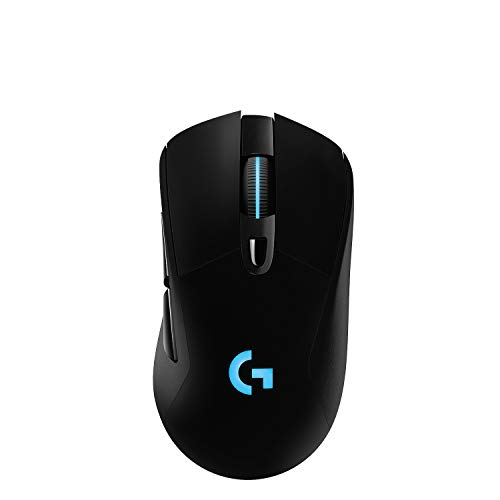
2. Logitech G703 LIGHTSPEED Wireless Gaming Mouse
The Logitech G703 LIGHTSPEED is the wireless palm grip mouse for players who want the ergonomic shape without the cable. It is a full-size, right-handed mouse with the Hero 25K sensor, a lightweight body, and PowerPlay compatibility, so it can charge wirelessly on a compatible pad while it is used.
The G703 earns its place by solving the two problems that usually push palm grip players toward wired mice: weight and latency. The LIGHTSPEED wireless connection is fast enough that the difference from a cable is not noticeable in play, and the Hero 25K sensor tracks accurately at the sensitivities competitive players actually use. The shape is the familiar Logitech ergonomic curve, with a hump that supports the palm and a body long enough for the fingers to lie flat. PowerPlay compatibility is the quiet advantage: on a compatible charging pad, the mouse never needs plugging in at all.
The PowerPlay option also deserves a note, because it changes the daily routine completely. With a compatible pad, the mouse charges while it is used, so the battery never becomes a thought. For a player who hates cables but also hates charging, it is the closest thing to a mouse that never needs attention.
What stands out:
- LIGHTSPEED wireless: a wireless connection fast enough that play feels identical to wired.
- Hero 25K sensor: accurate tracking at the sensitivities competitive players use.
- PowerPlay compatible: charges wirelessly on a compatible pad, so it never needs plugging in.
Trade-offs to weigh: It is right-handed only, and the wireless freedom costs more than an equivalent wired mouse.
Who it fits: Palm grip players who want a wireless mouse with no compromise on shape or sensor accuracy.
Keep the sensor lens clean and the pad free of dust, because a dirty sensor is the most common cause of a mouse that suddenly feels wrong. Keep the mouse pad clean, since dust under the sensor is the most common cause of a mouse that suddenly feels wrong.
If the hand cramps within an hour, the mouse is the wrong size, not the wrong brand. If the wrist aches, the mouse is the wrong size or the desk is the wrong height, not the wrong brand.
Check price on Amazon: Logitech G703 LIGHTSPEED Wireless Gaming Mouse

3. Corsair Ironclaw Wireless SE Gaming Mouse
The Corsair Ironclaw Wireless SE is built for larger hands: a big, ergonomic body with a 26000 DPI sensor, ten programmable buttons, and a shape that gives a large palm the full support a smaller mouse cannot. It is the mouse for players whose hands swallow ordinary gaming mice.
Large-handed players face a specific problem: most gaming mice are designed around a medium hand, so a large palm overhangs the back and the fingers curl past the buttons. The Ironclaw is designed the other way around, with a body long and wide enough for a large hand to rest on fully. The 26000 DPI sensor covers the full sensitivity range, the ten programmable buttons put macros and commands under the thumb, and the wireless connection keeps the desk clear. For a player with large hands, the fit is the feature that matters, and the Ironclaw is one of the few mice that takes it seriously.
The ten programmable buttons also make the Ironclaw a strong choice for MMO and strategy games, where commands matter as much as aim. The thumb cluster puts abilities within easy reach, and the large body keeps the hand relaxed during the long sessions those games demand.
What stands out:
- Sized for larger hands: a long, wide body that a large palm can rest on fully.
- 26000 DPI sensor: the full sensitivity range for any play style.
- Ten programmable buttons: macros and commands within easy reach of the thumb.
Trade-offs to weigh: It is too large for small or medium hands, and the extra size adds weight that fingertip players will not like.
Who it fits: Players with large hands who have never found a gaming mouse that actually fits their palm.
Try a lower DPI first: most players aim better at 800 DPI than at the maximum, and the sensor is more accurate there. Try the mouse at the sensitivity actually used in games, not at the maximum on the box.
The grip used most of the time is the grip to buy for, not the grip used for a single game. A good mouse pad is part of the mouse, not an accessory: replace it when the surface wears smooth.
Check price on Amazon: Corsair Ironclaw Wireless SE Gaming Mouse

4. Razer Basilisk V3 X HyperSpeed Wireless Gaming Mouse
The Razer Basilisk V3 X HyperSpeed is the wireless version of the Basilisk shape: the same ergonomic palm grip body, now with HyperSpeed wireless, an 18K optical sensor, and mechanical switches built for speed. It is the Basilisk for players who want the shape without the cable.
The V3 X keeps the part of the Basilisk that matters most, the shape, and changes the part that some players want to lose, the cable. HyperSpeed wireless is fast enough for competitive play, and the 18K optical sensor tracks precisely at the sensitivities palm grip players use. The mechanical switches are rated for fast, consistent clicks, which matters in games where a fraction of a second decides a fight. The battery lasts for months of normal play, so the wireless freedom does not come with a weekly charging chore.
The battery life also matters more than it first appears, because a wireless mouse that dies mid-game is worse than a wired one. Months of battery life means the V3 X is charged on a schedule, not in a panic, and the HyperSpeed connection stays fast from the first day to the last.
What stands out:
- Same Basilisk shape: the ergonomic palm grip body, now without a cable.
- HyperSpeed wireless: a fast wireless connection built for competitive play.
- Long battery life: months of play between battery changes.
Trade-offs to weigh: It drops some of the customisation of the wired V3, and it is right-handed only.
Who it fits: Basilisk fans who want the same shape wireless, and palm grip players buying their first wireless gaming mouse.
Give any new mouse a week of normal play before judging it, since the hand needs time to learn a new shape. A new grip feels strange for the first few days: judge the mouse after a week, not after ten minutes.
A mouse that fits is worth more than a mouse with a bigger sensor number. Comfort at the end of a long session matters more than comfort in the first five minutes.
Check price on Amazon: Razer Basilisk V3 X HyperSpeed Wireless Gaming Mouse

5. Razer DeathAdder Essential Ergonomic Wired Gaming Mouse
The Razer DeathAdder Essential is the budget palm grip mouse, and it is also one of the most proven shapes in gaming: a long, ergonomic body with rubber side grips, a 6400 DPI optical sensor, and five programmable buttons. It is the mouse for players who want the classic DeathAdder fit without the flagship price.
The DeathAdder shape has been a palm grip favourite for years, because it is long, gently curved, and free of the aggressive angles that tire a resting hand. The Essential keeps that shape and trims the extras: the sensor tops out at 6400 DPI, which is more than enough for the sensitivities most players actually use, and the five programmable buttons cover the commands that matter. Rubber side grips keep the mouse secure in the hand during long sessions, and the wired connection keeps the response instant. For a first gaming mouse, or for a player who wants a proven shape at a sensible cost, it is the most direct buy in this roundup.
The DeathAdder shape has also survived because it suits more than one grip: palm grip players rest on it fully, while claw players find the hump in the right place too. That flexibility makes it the safest gift or first purchase, since it fits the widest range of hands and styles.
What stands out:
- Proven DeathAdder shape: a long, ergonomic body that has suited palm grip players for years.
- Rubber side grips: a secure hold that does not slip during long sessions.
- Wired and simple: instant response with nothing to charge or configure.
Trade-offs to weigh: The sensor tops out at 6400 DPI, and the shape is right-handed only.
Who it fits: First-time gaming mouse buyers and budget players who want a proven palm grip shape at the lowest sensible cost.
Keep the sensor lens clean and the pad free of dust, because a dirty sensor is the most common cause of a mouse that suddenly feels wrong. Keep the mouse pad clean, since dust under the sensor is the most common cause of a mouse that suddenly feels wrong.
If the hand cramps within an hour, the mouse is the wrong size, not the wrong brand. If the wrist aches, the mouse is the wrong size or the desk is the wrong height, not the wrong brand.
Check price on Amazon: Razer DeathAdder Essential Ergonomic Wired Gaming Mouse

6. Redragon M810 Pro Wireless RGB Gaming Mouse
The Redragon M810 Pro is the value wireless palm grip mouse: a full-size body with 10000 DPI, remappable keys, rapid-fire macro support, and RGB lighting, all without a cable. It is the mouse for players who want wireless freedom and macro buttons at a fraction of the flagship cost.
Redragon built its name on affordable gaming gear that punches above its price, and the M810 Pro follows that pattern. The full-size body suits a palm grip hand, the 10000 DPI sensor covers the sensitivity range most players use, and the remappable keys with macro support let MMO and strategy players bind complex commands to a single click. The cable-free design keeps the desk clear, and the RGB lighting is customisable through the software. For a player who wants a capable wireless mouse without paying for a brand name, it is the strongest value in this roundup.
The macro support also matters for players who use the mouse for work as well as play. The same buttons that cast spells in a game can paste text or switch windows on a desktop, which makes the M810 a genuinely dual-purpose mouse for a home office that doubles as a gaming setup.
What stands out:
- Full-size palm grip body: a body large enough for a resting palm and flat fingers.
- Macro and remappable keys: complex commands bound to a single click for MMO and strategy games.
- Wireless value: cable-free play at a fraction of the flagship cost.
Trade-offs to weigh: The sensor and switches are a step below the premium brands, and the software is less polished than Razer or Logitech.
Who it fits: Value buyers and MMO players who want a wireless palm grip mouse with macro keys at a sensible price.
Try a lower DPI first: most players aim better at 800 DPI than at the maximum, and the sensor is more accurate there. Try the mouse at the sensitivity actually used in games, not at the maximum on the box.
The grip used most of the time is the grip to buy for, not the grip used for a single game. A good mouse pad is part of the mouse, not an accessory: replace it when the surface wears smooth.
Check price on Amazon: Redragon M810 Pro Wireless RGB Gaming Mouse

7. Logitech Lift Vertical Ergonomic Wireless Mouse
The Logitech Lift Vertical is the different answer to palm grip comfort: a vertical mouse that holds the hand in a natural handshake position, with a 57-degree angle that takes the twist out of the wrist. It connects over Bluetooth or the included Logi Bolt receiver, and it is built for players and workers whose wrist complains about a flat mouse.
A vertical mouse changes the geometry of the hand entirely. Instead of the palm lying flat and the wrist twisting to meet the desk, the hand sits in a handshake position with the wrist neutral, which removes the strain that causes pain in long sessions. The Lift is sized for medium to large hands, with a textured grip and a thumb rest that keep the hand secure. It is not a competitive gaming mouse in the usual sense: the sensor and buttons are built for comfort and control rather than for the fastest clicks. But for a palm grip player whose wrist hurts after an hour with a flat mouse, the angle matters more than the DPI, and the Lift is the mouse that fixes the angle.
The vertical angle also helps beyond gaming: for office work, the Lift is one of the most comfortable mice available, and many owners buy it for work first and gaming second. The same neutral wrist position that helps in a game helps through an eight-hour workday.
What stands out:
- 57-degree vertical angle: a handshake position that keeps the wrist neutral and strain-free.
- Bluetooth and Logi Bolt: connects to a laptop, a desktop, or both, with a reliable receiver.
- Textured grip and thumb rest: a secure hold that keeps the hand in place.
Trade-offs to weigh: It is not built for competitive gaming, and the vertical shape takes a few days to get used to.
Who it fits: Palm grip players whose wrist hurts with a flat mouse, and anyone who wants ergonomic comfort over competitive speed.
Give any new mouse a week of normal play before judging it, since the hand needs time to learn a new shape. A new grip feels strange for the first few days: judge the mouse after a week, not after ten minutes.
A mouse that fits is worth more than a mouse with a bigger sensor number. Comfort at the end of a long session matters more than comfort in the first five minutes.
Check price on Amazon: Logitech Lift Vertical Ergonomic Wireless Mouse

8. Redragon M916 Wireless Ultra-Light Gaming Mouse
The Redragon M916 is the lightweight surprise in this roundup: a 49-gram wireless gaming mouse with a 26000 DPI sensor, remappable keys, and tri-mode connectivity, built for FPS players who want speed without giving up a full-size feel. It is the mouse for palm grip players who thought lightweight meant small.
Lightweight mice are usually small, which is why palm grip players have avoided them. The M916 breaks that pattern by keeping a full-size body while cutting the weight to 49 grams, so the palm still rests fully and the mouse still moves with almost no effort. The 26000 DPI sensor is the flagship tier, the tri-mode connection covers Bluetooth, 2.4GHz wireless, and wired play, and the remappable keys handle the commands that matter. For FPS players, the combination of a full palm rest and a featherweight body is genuinely unusual, and it is the reason this mouse earns a place here.
The tri-mode connection also makes the M916 the most flexible mouse here: Bluetooth for a laptop, 2.4GHz for the gaming desktop, and wired for the moments when the battery is low. One mouse covers every device, which is exactly what a player with more than one machine needs.
What stands out:
- 49 grams: a featherweight body that moves with almost no effort.
- 26000 DPI sensor: flagship-tier tracking for competitive FPS play.
- Tri-mode connectivity: Bluetooth, 2.4GHz wireless, and wired in one mouse.
Trade-offs to weigh: The ultra-light build can feel hollow to players who like a solid mouse, and the shape suits medium hands better than very large ones.
Who it fits: FPS players who want a lightweight mouse without giving up the full-size palm grip body.
Keep the sensor lens clean and the pad free of dust, because a dirty sensor is the most common cause of a mouse that suddenly feels wrong. Keep the mouse pad clean, since dust under the sensor is the most common cause of a mouse that suddenly feels wrong.
If the hand cramps within an hour, the mouse is the wrong size, not the wrong brand. If the wrist aches, the mouse is the wrong size or the desk is the wrong height, not the wrong brand.
Check price on Amazon: Redragon M916 Wireless Ultra-Light Gaming Mouse
Buying Guide
Measure the hand first
Hand size decides the mouse. Measure from the wrist crease to the tip of the middle finger: under 17 centimetres is a small hand, 17 to 19 is medium, and over 19 is large. Compare that number with the length of the mouse before buying. A mouse that is too short forces the palm to curl; a mouse that is too long forces the fingers to stretch.
Palm, claw, and fingertip
Palm grip rests the whole hand on the mouse. Claw grip arches the palm with the fingertips on the buttons. Fingertip grip touches only with the fingertips. Most players use a mix, but the dominant grip decides the shape: palm grip needs a long, high body, while claw and fingertip need a shorter, lighter one. Buy for the grip used most, not the grip that sounds best.
Weight and balance
A heavier mouse feels stable and planted, which suits palm grip players who move with the arm. A lighter mouse feels fast and effortless, which suits players who flick quickly. There is no right weight, only the weight that matches the arm. If the wrist tires, the mouse is probably too heavy; if the aim overshoots, it is probably too light.
Wired versus wireless
Modern wireless gaming mice are fast enough that the difference from wired is not noticeable in play, and the freedom from a cable is real. Wired mice are lighter, cheaper, and never need charging. Choose wireless for a clean desk and freedom of movement, and wired for the lowest weight and the lowest cost.
Sensor and DPI in practice
The sensor matters, but the maximum DPI number matters far less than the marketing suggests. Most competitive players use between 400 and 1600 DPI, where every modern sensor is accurate. What matters is the sensor tracking cleanly at the chosen sensitivity, without acceleration or smoothing, and every mouse in this roundup does that.
Mouse pads matter more than they seem
A mouse pad is not a decoration. The sensor reads the surface, and a worn, dirty, or uneven pad makes even the best mouse feel inconsistent. Use a clean, flat pad large enough for the full range of arm movement, and replace it when the surface wears smooth. A good pad costs little and improves every mouse in this roundup.
Left-handed players and ambidextrous shapes
Almost every ergonomic gaming mouse is right-handed, which leaves left-handed players with fewer choices. An ambidextrous mouse works for either hand but gives up the sculpted thumb rest that makes palm grip comfortable. A left-handed player who wants a true ergonomic shape should look for the few left-handed models available, or choose a symmetrical mouse and accept the compromise. The shape matters more than the brand, and a comfortable symmetrical mouse beats an uncomfortable right-handed one.
Frequently Asked Questions
What is palm grip?
Palm grip is a way of holding a mouse with the whole hand resting on the body, the fingers lying flat across the buttons, and the wrist in a neutral position. It is the most relaxed grip and the best suited to long sessions, but it needs a full-size mouse that fills the hand.
What size mouse do I need for palm grip?
Measure the hand from the wrist to the tip of the middle finger. A hand over 19 centimetres needs a long mouse like the Ironclaw; a medium hand suits the Basilisk or the G703; a small hand may need a shorter mouse or a different grip. The length of the mouse should roughly match the length of the hand.
Are wireless gaming mice good for competitive play?
Yes. Modern wireless gaming mice use fast connections that match wired mice in practice, and their sensors are just as accurate. The difference is no longer meaningful for most players, and the freedom from a cable is a real advantage.
Why does my wrist hurt when I use a gaming mouse?
The most common causes are a mouse that is too small, forcing the palm to curl, and a flat mouse that twists the wrist. A larger ergonomic mouse, or a vertical mouse like the Logitech Lift, can fix both. If pain persists, take breaks and consider a different grip or a medical opinion.
Do I need a high DPI mouse?
Not necessarily. Most players use between 400 and 1600 DPI, and every modern sensor is accurate at those settings. A higher maximum DPI is useful for very high-resolution monitors or for players who like a very fast cursor, but it does not make a mouse better for most games.
How do I know if a mouse is too small for my hand?
If the palm overhangs the back of the mouse, the fingers curl past the buttons, or the wrist aches after an hour, the mouse is too small. A palm grip mouse should support the whole hand, with the fingers lying flat and the wrist neutral. When in doubt, choose the larger option.
Can I use a gaming mouse for office work?
Yes. A good gaming mouse is also a good office mouse: the ergonomic shape suits long workdays, the extra buttons can be programmed for shortcuts, and the accurate sensor makes precise work easier. The vertical and ergonomic models in this roundup are especially good for office use.
A Note on Grip Transitions
Changing grip is like changing a habit: it feels wrong for the first few days, then it becomes natural. A player switching to palm grip from claw or fingertip should expect a week of adjustment, with aim feeling slightly off at first. That is normal. The hand is learning a new shape, and the muscles are learning a new movement. Give the new mouse a full week of normal play before deciding whether it fits, and judge it by comfort at the end of a long session, not by the first ten minutes. The same patience applies to sensitivity. A player who changes DPI every day never learns any setting properly, and the aim stays inconsistent. Pick a sensitivity, play with it for a week, and only then decide whether to change it. Most players find their best aim at a lower sensitivity than they expect, and the improvement comes from consistency, not from a higher number.
Conclusion
The best gaming mouse for palm grip is the one that fills the hand without forcing it. The Basilisk V3 is the reference shape, the G703 and the Basilisk V3 X take that shape wireless, the Ironclaw fits the largest hands, the DeathAdder Essential covers the budget, and the Lift fixes the wrist when a flat mouse hurts. Measure the hand, match the shape, and the sensor will take care of the rest. Start with the hand measurement, then the shape, then the sensor. A mouse that fits is worth more than a mouse with a bigger number on the box, and a shape that supports the palm will still feel good at the end of a long session. Buy the mouse for the grip used most, give it a week to learn, and the right choice will prove itself in comfort.