Disclosure: As an Amazon Associate, kajuandouglas.com earns from qualifying purchases. Links on this page are affiliate links; they cost you nothing extra. Prices and availability change often, so check the current Amazon listing before you buy.
Choosing the best clicky switches for your mechanical keyboard is choosing a sound as much as a feel, because a clicky switch is the one component in a build that announces itself to everyone in the building. Done well, the click is a pleasure — crisp, deliberate, typewriter-evoking feedback that tells your fingers and your ears the same story at the same moment. Done carelessly, it is a week of regret and a keyboard exiled to a drawer. This guide rounds up the six verified clicky switches worth your shortlist, explains the two mechanisms that make the noise, and gives you the etiquette and the technique to live happily with the loudest category in the hobby.
Best Clicky Switches For Your Mechanical Keyboard: Two Ways to Make a Click
Every clicky switch in this guide makes its sound one of two ways. The older method, used by Cherry and its many descendants, is the click jacket: a small sleeve on the stem that slides and snaps as the switch actuates, producing the familiar bright click. The newer method, pioneered by Kailh’s Box line, is the click bar: a thin metal bar that the stem flicks as it passes, producing a sharper, more defined snap — and, because the bar sings on both the way down and the way back up, sometimes a double-voiced character that enthusiasts either adore or cannot abide. Neither mechanism is better in the abstract. Jacket clicks sound rounder and more traditional; bar clicks sound crisper and more mechanical. Your ears will have a preference within one listening session, and that preference should drive the shortlist more than any specification.
Clicky switches are also, almost always, tactile: the same event that makes the noise makes a bump you can feel. That pairing is the category’s charm — feedback for two senses at once — and its commitment, because you cannot mute a clicky switch without replacing it. Buy clickies for a room you control, a household that tolerates or enjoys the sound, and a typing style that likes ceremony. The six picks below span the click-bar flagships, the classic jacket designs, a current-generation Cherry, a budget staple, and one premium outlier with a damped twist.

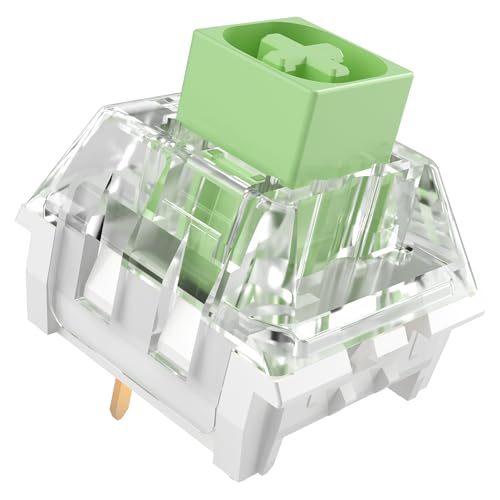
Kailh Box Jade — the heavyweight champion of the click bar
Badge: Best for click devotees who want the most decisive snap in the category.
- Type: clicky and tactile, click-bar mechanism, 3-pin
- Weight: 50 gf class operating force, with a firm, deliberate stroke
- Protection: dust and water resistant Box design
- Pack: 108 switches
The Box Jade is the clicky switch other clicky switches get compared to, and the comparison usually ends with the Jade sounding like the adult in the room. Its click bar is thicker than its sibling’s, and the result is a deep, authoritative snap paired with a tactile bump you feel as a genuine event rather than a suggestion. Typing on Jades is a commitment ceremony: every keystroke lands with a small, satisfying report, and a paragraph sounds like it was written on purpose. The Box housing keeps the stem steady through all that drama, and the pack size covers any layout in one purchase. This is not a switch for a shared office. It is a switch for a door that closes, and behind that door it is magnificent.
Strengths
- The most satisfying, full-bodied click in mainstream production
- A tactile bump with real presence, matched to the sound
- Box construction keeps wobble low and shrugs off dusty desks
Trade-offs
- Unapologetically loud; the household will have an opinion
- The firm, deliberate stroke tires some fingers in marathon sessions
- Its drama is wasted on anyone who types with a light, glancing touch
Best for: solo typists, writers who think in keystrokes, and click connoisseurs. Not suited for: open offices, shared bedrooms, or calls without a good microphone.

Kailh Box White — the lighter, quicker click bar
Badge: Best for gamers and fast typists who want the click without the weight.
- Type: clicky and tactile, click-bar mechanism, 3-pin
- Weight: 45 gf class — lighter than the Jade
- Protection: dust and water resistant Box design
- Pack: 108 switches
If the Jade is a ceremony, the Box White is a conversation — quicker, lighter, brighter. The thinner click bar snaps with a higher, crisper voice, and the lighter spring lets fast typists and gamers keep their pace without negotiating with every keystroke. The tactile bump is present but less monumental than the Jade’s, which makes the White the more versatile daily driver of the two: it still delivers the category’s signature feedback, but it asks less of the hands across a long day. Many households that could not live with Jades find Whites perfectly tolerable, and many typists who found Jades exhausting find Whites addictive. It is the click-bar design in its most approachable form.
Strengths
- Crisp, bright click with a lighter, faster keystroke
- Suits gaming as comfortably as typing
- Same Box stability and dust resistance as its heavier sibling
Trade-offs
- Still a genuinely loud switch; approachability is relative
- The click bar’s voice on the return stroke divides opinion
- Less tactile authority than the Jade for bump-first typists
Best for: mixed gaming and typing in a private room. Not suited for: anyone whose desk is within earshot of a sleeper.

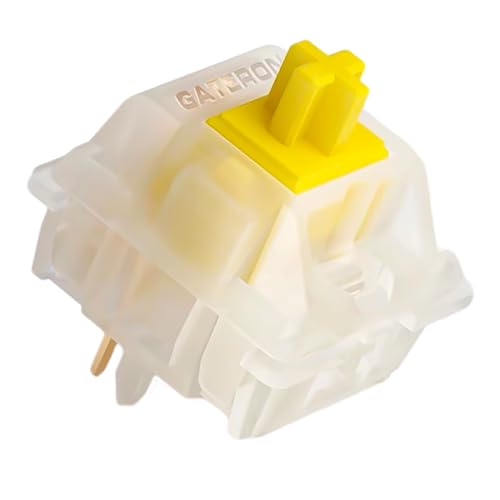
Gateron G Pro 3.0 Blue — the classic jacket click, polished
Badge: Best for traditionalists who want the familiar blue-switch character in its current form.
- Type: clicky and tactile, click-jacket mechanism, 3-pin
- Weight: 60 gf class — the firmest press in this line-up
- Finish: pre-lubed, pin-enhanced current generation
- Pack: 108 switches
The blue switch is where most people’s mechanical keyboard story began — the clicky heart of a thousand first boards — and Gateron’s G Pro 3.0 Blue is that character with the rough edges sanded off. The jacket click sounds rounder and more traditional than the Kailh bars, a touch less sharp, a touch more typewriter. The 3.0 generation’s improved moulds and factory lubrication make the stroke cleaner than the blues of memory, and the firm spring gives the whole board a deliberate, no-accidents personality that heavy typists appreciate. If your taste in clicks was formed by the classic design and you simply want its best current expression, this is the pick.
Strengths
- The familiar, rounded jacket click, executed cleanly
- Firm spring resists accidental presses from resting fingers
- Current-generation consistency across a large pack
Trade-offs
- The heaviest press here; light-fingered users may tire
- Jacket clicks can develop a faint rattle in some samples
- Less crisp definition than the click-bar designs
Best for: traditionalists, heavy typists, and first clicky boards. Not suited for: speed typists who want the lightest possible stroke.

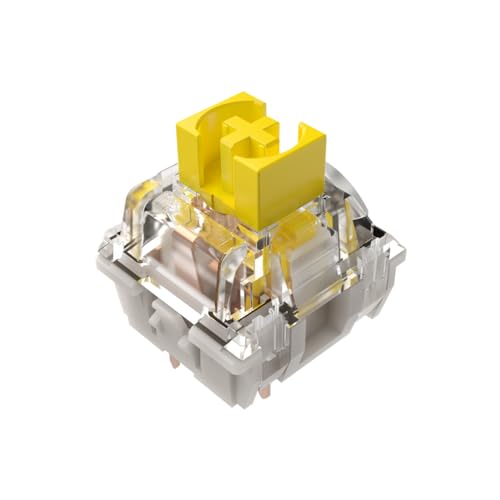
CHERRY MX2A Blue — the original click, in its current generation
Badge: Best for buyers who want the reference clicky switch from the company that invented the pattern.
- Type: tactile switch with click, click-jacket mechanism
- Pack: 36-switch kit, RGB housing version
- Generation: MX2A, Cherry’s current switch platform
- Character: loud and noticeable, by the maker’s own description
Cherry’s Blue is the ancestor of every switch in this guide, and the kit available today is its MX2A-generation form — updated housing, current factory finish, same unmistakable personality. The click is the classic jacket snap: bright, a little wild, and completely unembarrassed. Cherry’s own listing calls the switch loud and noticeable, which is the most honest marketing in the category. What the Cherry offers over its descendants is reference-grade consistency and the particular feel of the original geometry, which many long-time typists have in their fingers the way musicians have a first instrument. In a mixed board it also blends seamlessly with other Cherry switches, which matters for the zoned layouts discussed later in this guide.
Strengths
- The original clicky character, from the original maker
- MX2A generation brings the line’s current housing and finish
- Blends naturally with other Cherry switches in zoned builds
Trade-offs
- Kit size suits partial layouts better than full-size conversions
- The classic jacket click is less refined than the best modern rivals
- As loud as the category gets; no half measures available
Best for: Cherry loyalists, zoned builds, and compact clicky boards. Not suited for: anyone hoping a clicky switch can be discreet.

Outemu Blue — the budget click that fills a million first boards
Badge: Best for a first clicky experiment or a full board on a budget.
- Type: clicky and tactile, dustproof design, 3-pin
- Pack: 65 switches
- Character: bright, eager, and unmistakably a blue
- Role: the category’s low-commitment entry point
Outemu’s Blue is the clicky switch of the people: it ships inside inexpensive boards on every continent and sells loose in honest bulk packs, and its character is a cheerful, slightly unruly version of the classic jacket click. Next to the Gateron it is less polished — a little more rattle at the edges, a little more variance across a set — and next to the Kailh bars it is less defined. But as an instrument for discovering whether you are a clicky person at all, it is close to perfect: the full category experience, in a full board’s worth of switches, at the tier where a changed mind costs little. Many enthusiasts’ permanent clicky boards are upgrades from an Outemu beginning, which is another way of saying the beginning worked.
Strengths
- The complete clicky experience at a budget-tier commitment
- Generous pack covers most layouts in one purchase
- Dustproof design suits real desks and first builds
Trade-offs
- More sample variance and edge rattle than the premium picks
- The brightest, least refined voice in the line-up
- 3-pin only, with a lighter socket grip than 5-pin rivals
Best for: first clicky boards, gifts, and spare-desk builds. Not suited for: connoisseurs building a forever board.

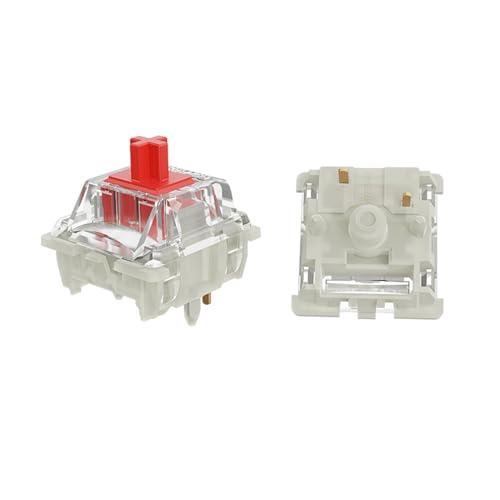
GLORIOUS Raptor — the premium click with a damped edge
Badge: Best for RGB showcases and buyers who want a clicky switch with modern refinements.
- Type: clicky, pre-lubricated stem, 5-pin
- Housing: transparent, for maximum RGB transmission
- Design note: sound-dampening elements soften the stroke’s harsh edges
- Pack: 36 switches
The Raptor is what happens when a gaming brand designs a clicky switch with contemporary expectations: a transparent housing that lets a backlit board blaze, a factory-lubed stem for a clean stroke, and dampening in the design that takes the shrill edge off the click while keeping its definition. The result is the most civilised sound in this guide — still unmistakably clicky, but with the harshness filed down, the way a good exhaust note differs from a loud one. It is a switch for a showcase build in a room the owner controls, where the click is part of the theatre and the lighting is the other part.
Strengths
- Defined click with the shrill edges deliberately softened
- Transparent housing makes it the RGB pick of the category
- Factory lubrication and 5-pin seating feel thoroughly modern
Trade-offs
- Small pack size; full boards need several boxes
- Purists may find the dampened click too polite
- Premium positioning within the category
Best for: showcase gaming builds and modern, backlit boards. Not suited for: traditionalists who want the raw classic click.
In this guide
Click etiquette: the section that saves friendships
No other switch category needs an etiquette section, and no honest clicky guide can skip one. The rules are simple. A clicky board belongs in a room whose other occupants have consented, explicitly or by the evidence of their own loud hobbies. It does not belong in an open-plan office, a library, a shared bedroom during someone else’s sleep, or an unmuted conference call — and “I type quietly” is not an exception, because a clicky switch clicked gently is still a clicky switch. Streamers and callers who love the sound can keep it for solo hours and swap to a quieter board, or a zoned layout, when the microphone opens; hot-swappable sockets make that a ritual of minutes rather than a second keyboard’s expense.
Within the home, timing and doors do most of the work. The same board that is a joy at noon is a provocation at midnight, and the click carries through a closed door better than a voice does, because it is all transient and no warmth. If your household includes a light sleeper, the honest options are a different room, a different hour, or a different switch — and this guide’s final recommendation will point you to the quiet category without a shred of judgement, because the clicky life is only fun when nobody is paying for it involuntarily. Readers who suspect they are in that situation should detour through are silent switches worth it before ordering anything in this article.
How to choose among the six
Choose by mechanism first. Listen — in person if possible, in recordings if not — to a click bar and a click jacket, because the families sound different enough that the choice halves the shortlist instantly. Choose by weight second: the firm Gateron and the weighty Jade reward deliberate hands; the lighter White and the eager Outemu reward quick ones. Choose by build third: backlighting showcases point to the Raptor or the Cherry’s RGB kit; dusty, real-world desks point to the Box designs; a full-size conversion points to the hundred-count packs. And choose by room last and most honestly of all, because a clicky switch in the wrong room is a bad switch no matter how good it is.
Newcomers to the whole subject will find the foundations in keyboard switches explained for beginners, and those who fall for the Kailh designs here can go deeper with kailh box switches complete guide. Buyers assembling a loud board from scratch may also enjoy the keyboard-level view in the site’s loud-board coverage, since switch, case, and caps conspire together in a clicky build more than in any other.
Building a clicky board that sounds expensive
Step 1: Start with the case, because it is the loudspeaker
A click is amplified or civilised by the case it lives in. Solid, foam-filled cases give clicky switches a focused, expensive voice; hollow plastic cases give them a rattle and an echo. If the budget forces a choice, put the money in the case before the switches — a mid-tier click in a good case outperforms a flagship click in a tin box.
Step 2: Use thick, quality keycaps
Thin caps add their own high, plasticky note on top of the switch’s click. Thick PBT caps keep the voice in the switch, where it belongs, and their weight settles the whole stroke. Profile matters less than mass in a clicky build.
Step 3: Tune the stabilisers as if they were switches
On a clicky board, a rattling spacebar is unforgivable, because the build’s entire premise is that its sounds are deliberate. Balance the wires, lubricate the contact points, and test the big keys before the alphas go in.
Step 4: Zone if the board has two jobs
A board that games at night and joins calls by day can wear clickies on the gaming cluster and quieter switches on the letters — or the reverse, clickies where your writing lives and calm switches where your colleagues listen. Zoning is not indecision; it is tailoring.
Step 5: Live with it for a fortnight before judging
Clicky switches are the most first-impression-driven parts in the hobby, in both directions. The honeymoon fades and the irritation, if it is coming, arrives around day ten. Judge then, with the household’s verdict included in the data.
Common mistakes with clicky switches
The first mistake is buying them for a shared space on the theory that the sound is charming; charm is a property assigned by listeners, not owners. The second is judging the category by its cheapest member — an unrefined budget blue in a hollow case has ended more clicky careers than the category deserves. The third is lubing a clicky switch the way you would a linear: lubricant on the click mechanism’s moving parts muffles exactly what you paid for, and clicky switches should be lubed, if at all, only on the spring and with a surgeon’s restraint. The fourth is ignoring the return-stroke voice of click bars, which some ears love and some cannot unhear; listen for it before committing to a hundred switches.
Fifth: assuming all blues are alike. This guide alone contains two mechanisms, three weight classes, and voices from ceremonial to shrill — the colour is a family name, not a specification. Sixth: pairing clickies with a lightweight, echoing case and blaming the switches for the racket. The switch proposes; the case disposes. Builders who grasp that sentence get clicky boards that sound like instruments; builders who miss it get noisemakers at any budget.
Clicky switches and typing craft
There is a reason the click survived every attempt to engineer it away: it closes a feedback loop. The finger presses, the switch answers in sound and in bump at the same instant, and the brain files the keystroke as complete without waiting for the screen. Touch-typists raised on clicky boards often describe the sensation as typing with their ears as much as their fingers, and many find their rhythm steadier for it — the click is a metronome the hands set themselves. Writers in particular form attachments to this loop, which is why so many clicky boards live on writing desks rather than gaming ones, and why the category’s fans describe their switches the way musicians describe instruments rather than the way users describe parts.
The loop has a cost beyond noise: it rewards a complete, deliberate press. Feathered, half-travel typing — the style that linears forgive and even encourage — feels unsatisfying on a clicky switch, because the click lives at a definite point in the stroke and asks to be reached. Gamers who rely on rapid, shallow re-presses of the same key should test a clicky on their gaming cluster before committing it there; the mechanism’s ceremony can fight the technique. The zoned board, once again, is the grown-up resolution: ceremony where you write, efficiency where you play.
The sound, described properly: a buyer’s vocabulary
Since you are buying a sound, it helps to have words for its parts. Pitch is the obvious one — the Box White sings higher than the Jade, the jacket blues sit between — but the more useful terms are attack and decay. Attack is how abruptly the click arrives: click bars attack sharply, jackets a fraction more softly. Decay is how long the sound lingers: a well-damped build decays instantly, while a hollow case lets the click ring into a small echo that reads as cheapness. When you listen to recordings of these switches, listen past the pitch to the decay, because decay is the part your case and caps control, and therefore the part your build can fix. A switch with a fine attack in a case with a short decay is the expensive sound, whatever the switch cost.
Volume, finally, is the least interesting variable and the most discussed. All six picks are loud; the differences between them are smaller than the difference a closed door makes. Choose on character, not on loudness, and manage loudness with the room.
One board, two personalities: the seasonal clicky
A pattern worth copying from long-time owners: the clicky board as a seasonal or situational instrument rather than a sole keyboard. Households change across a year — a partner’s exam season, a new baby, a housemate’s night shifts — and a hot-swappable board lets the click retire gracefully for a month and return when the house can enjoy it again, with the switches resting in a labelled box rather than being sold in haste. Owners who think of switches as a wardrobe rather than a marriage report the highest satisfaction in the category, because the click is present exactly when it is welcome and absent exactly when it is not. That flexibility is the hot-swap era’s real gift to the loudest switches: it converts a permanent household negotiation into a five-minute swap, and it means the question is never truly “clicky or not” but only “clicky when”.
Final recommendation
For the fullest clicky experience, the Kailh Box Jade is this guide’s headline pick — the switch the category is judged by. For daily versatility, take the Box White. Traditionalists should take the Gateron G Pro 3.0 Blue for the classic jacket character in modern dress, or the CHERRY MX2A Blue for the original article. The Outemu Blue is the right first experiment, and the Glorious Raptor is the showcase build’s click. Whichever you choose, choose its room as carefully as its mechanism, and the loudest category in the hobby will repay you with the most characterful typing in it.
A short history of the click, and why it refuses to die
The click is older than the mechanical keyboard hobby, older than the personal computer’s ubiquity, older — in spirit — than electricity at the desk. Typewriters clicked because their mechanisms had no choice, and generations of typists learned to hear their own accuracy in that sound: a clean, even rhythm meant the work was flowing, and a stumble in the rhythm was the first draft of an error report. Early computer keyboards inherited the sound honestly, in mechanisms that clicked as a by-product of their construction, and typists loved them for it. Then came the membrane era, which silenced the desk in the name of cost, and discovered — slowly, then all at once — that a significant number of people had not experienced the click as noise at all. They had experienced it as information, and they wanted it back.
The modern clicky switch is that demand, industrialised. Cherry’s jacket design carried the sound through the membrane decades, and Kailh’s click bar refined it for an enthusiast market that judges clicks the way it judges wine. Understanding this lineage explains the category’s otherwise puzzling resilience: every few years a new switch technology is announced as the click’s replacement, and every few years the click’s constituency — writers, deliberate typists, the rhythm-keepers — declines to be replaced. When you buy a switch from this guide, you are not buying a novelty. You are buying the current model of the oldest interface sound in computing.
Clicky versus tactile-only: the fork most buyers actually face
Many shoppers arrive at this guide torn between a clicky switch and a strong tactile one, because both promise feedback and only one of them makes a noise about it. The tactile-only switch gives the finger its bump in private: the confirmation loop closes inside the hand, and the room hears an ordinary keyboard. The clicky switch closes the same loop through the ears as well, and the difference is not trivial — sound is the channel humans monitor without trying, so a clicky board keeps a typist’s rhythm in awareness with no effort at all. That is the click’s real product. If you type in a room of your own and your accuracy or pleasure rises when you can hear your cadence, the click earns its volume. If your feedback needs are satisfied by the finger alone, a tactile switch delivers them at a fraction of the social cost, and this guide’s authors would be doing you a disservice to pretend otherwise.
A useful test: type a paragraph on any keyboard while wearing headphones playing music. If your typing feels strangely unmoored — as if the keystrokes belong to someone else — you are an ear-typist, and a clicky switch will feel like coming home. If you notice no difference, your feedback loop is in your fingers, and the tactile-only category will serve you quietly and completely.
Testing before committing: the switch tester ritual
Clicky switches are the category where a switch tester earns its keep most clearly, because sound cannot be evaluated from a description — including the descriptions in this guide. A tester holding one of each family, jacket and bar, light and heavy, lets your ears and fingers vote with real evidence. Press each switch a hundred times, at typing speed and at gaming speed, in the room where the board will live, at the hour it will live there. Then cap the tester with the keycaps you actually own, because caps change the voice, and press them all again. The exercise takes an evening and costs a fraction of a full set, and it converts the loudest purchase in the hobby from a gamble into a decision.
If a tester is not practical, the zoned purchase is the next best instrument: one small pack — the Cherry or Raptor counts in this guide are sized for it — installed on the letter keys of a hot-swap board for a fortnight. Your household’s reaction, your callers’ reactions, and your own day-ten verdict will tell you more than any review, because they are measurements of your actual life rather than of a reviewer’s studio.
Gaming on clickies, honestly
The gaming case for clicky switches is narrower than the typing case, and this guide will not inflate it. What clickies offer a player is certainty: every press is confirmed in two senses, which helps in games built on discrete, committed inputs — turn-based strategy, MOBA abilities, menu-heavy RPGs, typing games, and the chat box of everything. What they cost is equally clear: the mechanism’s definite actuation point is less friendly to the feathered, rapid re-pressing that movement-heavy shooters reward, and the sound leaks into voice chat unless the microphone and its gate are well set up. The players who thrive on clickies tend to be deliberate players in deliberate games, at desks in private rooms. The players who abandon them tend to be movement players in shared spaces. Notice that both verdicts are about fit, not quality — the recurring theme of every switch category, stated loudest here.
There is one gaming niche where clickies are quietly perfect: the single-player, lights-low, story-driven session, where the keyboard is part of the atmosphere and the click’s ceremony deepens it. A deliberate adventure played on Box Jades in a quiet room at night is a genuinely different experience from the same game on a muted board, and more than a few players keep a clicky board for exactly those evenings while a calmer board handles the competitive hours.
Maintaining the click over years
Clicky switches ask little: keep dust out of the board, and the mechanisms will click for years. The Box designs’ sealed construction is the low-maintenance option, shrugging off the crumbs and pet hair of real desks. Jacket designs are more open to the world and reward an occasional blast of compressed air. If an individual switch’s click fades or doubles, the usual culprit is debris in the mechanism rather than wear; a careful cleaning, or simply replacing that one switch from your spares, restores order. Avoid the temptation to wash or soak switches, and never introduce lubricant into the click mechanism as a cure — both convert a dusty switch into a dead one. Treat the board like the instrument this guide keeps claiming it is, and it will hold its tuning.
The resale and regift logic of a loud board
A practical footnote for the undecided: clicky switches hold their appeal in the second-hand market better than almost any other switch type, because their constituency is passionate and their character is unmistakable — a set of Jades is never mistaken for a set of anything else. A buyer who discovers, a month in, that the household has vetoed the click will find the switches easy to pass on, trade, or gift to the friend who has been admiring them through the wall. This does not make the purchase risk-free, but it softens the downside enough that the tester-and-trial approach, rather than agonised deliberation, is the rational way in. The category rewards the ears that test it and forgives the ears that change their mind.
What your recordings are not telling you
Most clicky purchases begin with sound-test videos, and those videos deserve a warning label. A microphone inches from a switch exaggerates the click’s sharpness and erases the room; a switch pressed by a fingertip in a video is pressed more slowly and evenly than any key in real typing; and the case in the video — often a heavy custom board — is doing half the work you are attributing to the switch. Treat recordings as a way to learn a switch’s character, its pitch and its attack, never as a measurement of how loud it will be at your desk. The honest hierarchy of evidence runs: your own tester in your own room, then a zoned trial pack, then recordings, then descriptions — including this guide’s, which is why it keeps prescribing the first two.
One specific trap deserves naming: comparison videos that press each switch once, slowly, in silence. Real typing is a chord of overlapping clicks at speed, and a switch that sounds precious one press at a time can sound frantic in a paragraph, while a switch that sounds blunt solo can settle into a fine rhythm in prose. Judge the paragraph, not the note. If a recording of full-speed typing on the switch exists, that is the one to live with for a few minutes before deciding.
Clickies for the writer’s desk: a small manifesto
It is worth saying plainly, because the gaming market shouts over it: the clicky switch’s natural home is the writing desk. The feedback loop it closes is a prose tool — it paces sentences, it makes deletions feel decisive, it turns the mechanical act of drafting into something with a soundtrack the writer composed. The writers who use these switches describe rituals: the board uncovered in the morning, the first paragraph typed slowly to hear the room, the last line of the day struck like a full stop. None of that is measurable, and none of it is nonsense. Tools that make work feel deliberate make work happen, and a switch that costs little, lasts for years, and turns a blank page into a ceremony is, for the right writer, the highest-value object on the desk. If that paragraph recognised you, your shortlist is the Jade for ceremony, the Gateron Blue for tradition, and the Cherry for the original score — and your only remaining task is the room negotiation, which no guide can conduct on your behalf.
Pairing clickies with the rest of the build
A clicky switch does not live alone, and three companions decide whether it sounds like an instrument or an alarm. The first is the mounting style: a rigid tray-mounted board returns the click at full volume with a hard edge, while a gasket-mounted board absorbs a fraction of the energy and rounds the voice — the same switch, two personalities, both legitimate. The second is the plate: metal plates sharpen and project, plastic plates soften and darken, and the difference is large enough that builders choose plates for clicky boards the way they choose strings for guitars. The third is the desk surface itself, the silent partner in every recording ever made: a board on bare hardwood broadcasts; a board on a mat performs in a studio. None of these companions can make a clicky switch quiet, but together they decide whether its loudness reads as richness or as racket — and that reading, not the volume, is what households actually vote on.
Keycap profile plays a smaller but real part. Tall, sculpted caps give the fingers leverage and make the tactile event feel larger; low profiles make the same switch feel quicker and a touch less ceremonial. If a clicky board feels almost right, a profile change is the cheapest experiment remaining, cheaper than a second set of switches and reversible in minutes.
Children, pets, and other honest critics
Every clicky owner eventually receives reviews from the household’s smallest members, and they are worth hearing out. Toddlers are famously unbothered — the click is simply the sound of a parent working, and it acquires the comfort of a household noise. School-age children doing homework in the same room are the stricter critics, and their verdict usually mirrors the open-plan office’s: the sound is fine until it is time to concentrate, at which point it is the only sound in the world. Pets split by species and temperament; cats, in the author’s informal census of the hobby’s folklore, regard a clicky board primarily as a warm place to sit, which creates a different category of problem entirely — one that no switch choice solves, and that the sealed Box designs at least survive gracefully. The serious point underneath the folklore is the one this guide has made throughout: the room decides, and the room includes everyone in it.
Frequently asked questions
What is the difference between a click bar and a click jacket?
A click jacket is a sleeve on the stem that slides and snaps at actuation — the classic mechanism, with a rounder, traditional click. A click bar is a thin metal bar the stem flicks as it passes, producing a sharper, crisper snap that can sound on both the downstroke and the return. Neither is objectively better; they are two voices, and most buyers know their preference after hearing each once.
Are clicky switches good for gaming?
They suit deliberate, decisive play styles and give unmistakable confirmation of every press. Players whose technique relies on rapid, shallow re-presses of a single key often prefer linears for that key. A zoned layout — clickies for abilities and chat, linears for movement — is a popular and practical compromise on hot-swappable boards.
Can I use clicky switches in an office?
In a private office with a door, yes. In an open-plan office, almost certainly not — the sound carries, colleagues did not consent to it, and no amount of gentle typing makes a clicky switch quiet. For shared workspaces, the silent category exists precisely to give you mechanical feel without the announcement.
Which clicky switch is the loudest?
The differences are smaller than room and case effects, but the Kailh Box Jade’s deep, full-bodied snap and the classic blues are generally experienced as the most present, while the Glorious Raptor’s dampened design is the most civilised of the six. Treat all of them as loud, and choose on character rather than chasing a quiet clicky — that product is a silent switch wearing the wrong name.
Do clicky switches wear out or lose their click?
The click mechanisms are simple and durable, and a switch that loses its click has usually suffered contamination or damage rather than honest wear. Dust is the main enemy, which is one reason the sealed Box designs have a following. Keep the board reasonably clean and the click will outlast your interest in the layout.
Is there a clicky switch suitable for a dorm room?
Only with a roommate whose consent is genuine and whose sleep schedule your typing respects — consent given in September deserves re-checking during exam week. In practice, most dorm typists keep a clicky set for daytime and swap to a quieter configuration at night, which a hot-swappable board makes a two-minute ritual. The switch is never the problem in these arrangements; the calendar is, and the calendar can be planned for.
Do clicky switches bother people through walls?
Through a modern interior wall, a clicky board is usually reduced to a faint, ignorable patter; through a door — especially a hollow one with a gap beneath — it arrives nearly intact. The practical test is the phone-recording method used elsewhere on this site: record from the listener’s side of the closed door at the hour in question. If the patter reads as weather, proceed; if it reads as a performance, the room negotiation comes first.
What should I buy first: the switches or a better case?
If the board you own is hollow and echoing, the case — or at least foam and a mat for it — will improve a clicky build more than any switch upgrade, because the case is the sound’s amplifier and its character is added to every keystroke. If the board is already solid, the switches are the build’s voice and deserve the budget. The order this guide recommends is: solid foundation first, then the mechanism whose sound you tested and chose on purpose.
Are heavier clicky switches better for accuracy?
For some hands, yes: a firmer spring and a more pronounced tactile event — the Gateron Blue and the Box Jade are this guide’s examples — make each press a deliberate act, and deliberate presses are rarely accidental ones. Typists who rest their fingers on the keys or who strike neighbouring caps with glancing blows often find their error rate falls on a heavier clicky. The trade is fatigue over very long sessions, which is why the honest test is a full working day on a trial pack rather than a paragraph on a tester.
Why do click bar switches sometimes click twice?
Because the bar can be flicked on the return stroke as well as the press, giving the switch a voice in both directions. Enthusiasts divide sharply on this: some hear a richer, more mechanical character, like a mechanism honestly reporting its whole cycle; others hear an untidiness they cannot stop noticing. It is the single most important thing to listen for when auditioning the Kailh Box switches in this guide, and no description — including this one — can tell you which camp your ears belong to.
What is the best clicky switch for a small desk setup?
On a compact board in a private corner, the Cherry MX2A Blue kit and the Glorious Raptor are the natural fits: their pack sizes match compact layouts, the Cherry brings the classic character and blends with other Cherry switches if you zone the board later, and the Raptor suits the backlit showcase builds that small desks tend to host. If the small desk is also a shared desk, reread the etiquette section — square footage has never made a click quieter.
How do clicky switches behave on a video call?
Badly, unless your setup is kind: most laptop and headset microphones render each click as a sharp percussive event, and noise-suppression software often preserves the clicks while eating parts of your voice, because the clicks look more like signal than speech does. A dedicated microphone placed close to your mouth, with a noise gate set carefully, can make a clicky board survivable on calls. The simpler and kinder answer is a second, quieter configuration for call hours — which is why so many clicky owners in this hobby also own one of the silent sets discussed in this site’s quiet-switch coverage.
Do clicky switches slow down fast typists?
The mechanism does not impose a speed limit, but its definite actuation point rewards a complete press, and typists whose speed depends on glancing, half-depth keystrokes may find their rhythm needs adjusting. Most fast typists adapt within days and lose nothing measurable; the ones who do not are usually feather-touch stylists, who were always going to prefer linears. Speed typists who type with full, decisive strokes often find the click improves their consistency, because the audible rhythm exposes uneven pacing.
Are clicky switches a good first mechanical switch?
They are a characterful first switch and a risky one, for the same reason: you will know within a fortnight whether you love them, and the fortnight involves everyone in earshot. A first-time buyer with a private room loses little by starting here — the Outemu Blue exists for exactly this experiment. A first-time buyer in shared space should start with a tactile or linear board and keep the clicky ambition for the desk that can host it.
What keycaps suit clicky switches best?
Thick PBT keycaps in a medium profile are the category’s consensus partner: their mass keeps the voice focused on the switch’s own click rather than adding a thin cap rattle of their own, and their texture suits the deliberate press the mechanism rewards. Beyond that, profile is taste — taller caps feel more ceremonial, lower caps feel quicker — and caps are the cheapest variable to experiment with after the switches themselves.
Can a clicky board be made quieter without changing switches?
Somewhat. A desk mat, case foam, tuned stabilisers, and a heavier case all reduce the racket around the click, and typing with a lighter hand reduces the bottom-out noise beneath it. But the click itself is the switch’s mechanism, not an accident of the build, and no modification removes it without removing the switch. If the click must go, the switches must change — that honesty is the category’s price of admission.
Should I lube clicky switches?
Only with great restraint, and never on the click mechanism itself — lubricant on a jacket or bar muffles the sound you bought the switch for. A trace on the spring ends to tame ping is the most that experienced builders apply. Most clicky switches in this guide are best used exactly as they arrive.
Related reading: best budget linear switches under 30 cents · cherry mx switches complete guide · gateron switches complete guide · are cherry kailh speed switches worth it