Disclosure: As an Amazon Associate, kajuandouglas.com earns from qualifying purchases. Links on this page are affiliate links; they cost you nothing extra. Prices and availability change often, so check the current Amazon listing before you buy.
The flat vs angled keyboard for typing which is better question looks like a footnote and behaves like a fork: the little feet at the back of nearly every keyboard encode an old assumption — that tilting the board toward you helps — which modern typing comfort thinking has largely reversed. This explainer works the geometry honestly. A flat board, or one angled slightly away, lets the wrists rest in their neutral line; the traditional positive tilt bends them upward at exactly the joint that prefers straightness. The answer, though, is not a slogan: it depends on your desk height, your chair, your board’s own profile, and habits built over years. This guide lays out the mechanics, the exceptions, and the three verified boards that span the geometry — a low-profile flat native, a low-profile mechanical, and a tall traditional board whose built-in riser embodies the angled school.
Key takeaways: Neutral wrists are the goal; the board’s angle is only a means. At a correctly set desk, flat (or slightly negative) usually wins for comfort across long days. Positive tilt survives as a legitimate preference for some typists and some low desks — the guide’s method is to test both for a week each and let your own end-of-day hands vote.
Flat vs Angled Keyboard For Typing Which Is Better: The Geometry, Without the Folklore
Picture the forearm as a line running from elbow to fingertip. The comfortable typing posture keeps that line close to straight through the wrist — neither bent up (extension) nor down (flexion) for hours at a stretch. A keyboard tilted toward you raises the far row and lowers the near edge, which invites the wrists to bend upward to meet the keys: extension, sustained. A flat board at the right desk height lets the line run true. A board angled slightly away — negative tilt, the far edge lower — can suit desks that sit a touch high, restoring the straight line the height disturbed. The folklore came from the typewriter era, when stepped, tall key rows needed the tilt for reach; modern low profiles removed the reach problem and kept the feet out of habit. None of this makes tilt a villain: it makes it a variable, to be set by geometry rather than by the factory default of two plastic feet.
In this guide
The Variables That Actually Decide
Desk height relative to your elbows dominates everything. Elbows at roughly keyboard height with forearms level is the target; a high desk argues for a lower, flatter board (or a tray), a low desk forgives more tilt. The board’s own height and profile come second: a tall board with sculpted high-profile caps already presents an angled typing surface on a flat desk, while a low-profile board lies genuinely flat. Your chair and its arms set the elbow line the board must meet. Your habits — floating wrists versus resting palms — change what the angle does to you, as the comfort guide in this cluster details. The practical method is embarrassingly simple: set the desk first, flatten the board, type a week; then try the feet for a week; compare end-of-day hands, not first impressions. Geometry is personal, and the experiment is free.
Three Boards Across the Geometry

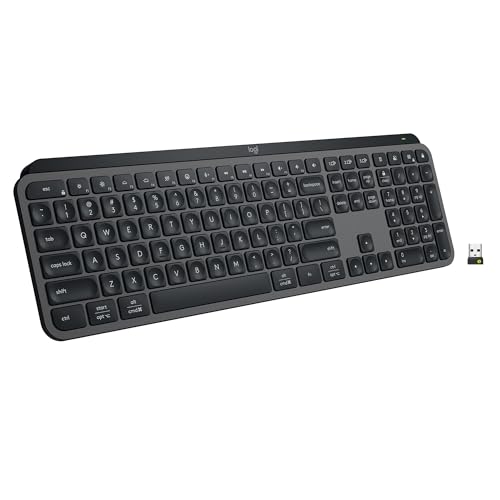
Logitech MX Keys S — the flat native
Badge: Best flat-first board
- Profile: low, flat by design
- Switches: scissor, quiet
- Connection: Bluetooth and Logi Bolt, 3 devices
- Extras: smart backlighting
- Character: the professional flat board
The MX Keys S is what flat looks like when a major maker designs for it deliberately: a low, slim deck that presents the keys on a near-level plane, spherically dished caps that centre the fingers without height, and a typing feel built for long professional days. For the reader whose experiment concludes flat, this is the board the conclusion points to — no feet required, no apology offered.
- Strengths: genuinely low, flat geometry
- Strengths: quiet, precise scissor feel
- Strengths: three-device professional polish
- Trade-offs: not mechanical
- Trade-offs: fixed low angle only
- Trade-offs: premium pricing
Best for: flat-concluded professionals. Not suited for: mechanical loyalists.

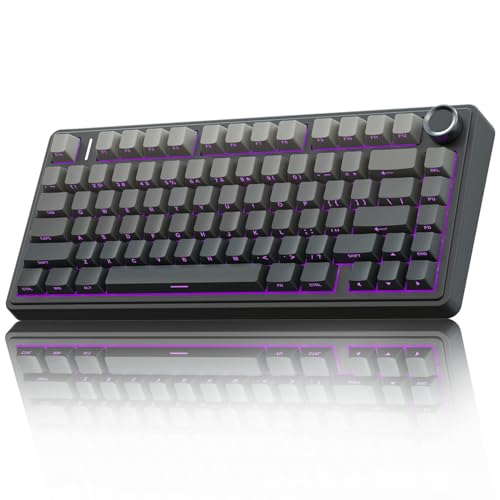
Keychron K3 v2 (Brown) — the low-profile mechanical
Badge: Best flat mechanical
- Layout: 75 percent, low-profile
- Switches: low-profile Brown (listing)
- Connection: Bluetooth and wired
- Profile: slim deck, small feet
- Character: mechanical feel, flat geometry
The K3 v2 answers the mechanical loyalist’s version of the question: a genuinely slim board whose low-profile switches keep the deck close to the desk, with small feet available for the typist whose experiment votes for a touch of angle. It is the geometry debate embodied in one product — flat by default, adjustable by experiment — with mechanical tactility intact.
- Strengths: mechanical feel at low-profile height
- Strengths: flat-first with optional feet
- Strengths: compact and portable
- Trade-offs: low-profile switch ecosystem
- Trade-offs: compact layout compromises
- Trade-offs: battery life is modest
Best for: mechanical fans testing flat. Not suited for: full-size loyalists.

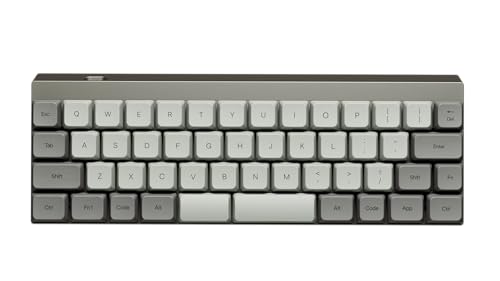
Das Keyboard 4 Professional (Brown) — the angled school, embodied
Badge: Best traditional tilted board
- Layout: full-size, aluminium top
- Switches: Cherry MX Brown (listing)
- Design: magnetic footbar ruler as the riser
- Extras: volume knob, USB hub
- Character: the professional tilt, deliberate
The Das 4 is the angled school’s most considered expression: its famous footbar — a magnetic ruler that clips beneath the rear — raises the board into the traditional typing slope as a deliberate design statement rather than two apologetic feet. Paired with sculpted caps, the result is the classic geometry executed at professional standard. Readers whose week of experiment votes angled should vote for it done properly, and this is it.
- Strengths: the tilt as a designed system
- Strengths: Cherry switches, aluminium build
- Strengths: hub and media dial utility
- Trade-offs: fixed switches
- Trade-offs: wired only
- Trade-offs: the slope is the traditional one — test it honestly
Best for: tilt-concluded professionals. Not suited for: flat converts.
How to Run Your Own Experiment
One week flat, one week tilted, same desk, same work, judged at the end of each day by the only instrument qualified — your hands. Keep the chair and desk constant so the angle is the only variable, and resist judging by the first hour: novelty flatters whichever setup is newer. Typists with existing wrist discomfort should read this cluster’s comfort guide alongside, keep the framing at comfort rather than treatment, and treat persistent symptoms as a professional’s question. The experiment costs nothing and settles, for your body at your desk, a question no guide — this one included — can settle by authority.
A Short History of the Tilt
The angled keyboard is older than the keyboard. Typewriter rows climbed like stadium steps because the mechanics beneath them demanded height, and the typist’s craft grew up on the slope — generations of hands learned their trade on a staircase and carried the expectation to every successor technology. Early computer keyboards inherited the profile wholesale: tall cases, sculpted caps, and the flip feet that let the user reproduce the familiar incline on a flat desk. The feet, in other words, are a skeuomorph — a courtesy to a vanished machine. What changed the conversation was not fashion but hours: as typing moved from the typing pool’s bursts to the knowledge worker’s unbroken day, the comfort literature began measuring what sustained extension at the wrist actually felt like at hour six, and the flat setting — long used by a minority of purists — acquired an evidence-flavoured argument. The modern low-profile board is that argument industrialised. Understanding the tilt as an inheritance rather than a law is the first step to choosing it, or declining it, deliberately.
The Wrist Rest Complication
No honest treatment of angle can skip the wrist rest, because the rest changes the geometry it claims to serve. A rest used while typing — palms planted, fingers reaching — anchors the wrist and forces the fingers to work from a fixed pivot, which many comfort practitioners regard as the worst of both worlds. A rest used between bursts, as a parking place, is harmless and pleasant. The interaction with angle is direct: a tilted board plus a planted rest steepens the wrist’s working bend; a flat board plus the floating habit removes the rest from the equation entirely. This is why the comfort guide in this cluster treats rests as conditional equipment, and why the Glorious gaming wrist rest review in this cluster evaluates rests by height and firmness against the boards they accompany. Judge your setup as a system: board angle, rest height and hand habit are one geometry, not three purchases.
Scenario Walk-Throughs: Four Desks, Four Answers
The high fixed desk. A beautiful, immovable desk that sits an inch too tall is the negative-tilt use case in the wild: a tray, a lower board, or a slight away-angle restores the line the height broke, and the flip feet stay folded. The adjustable desk done right. Height set to the elbows, the flat board wins by default and the experiment usually confirms it inside the week. The laptop desk. The laptop’s own keyboard is flat and high by necessity; the external board that rescues the setup should be flat and low, letting the screen rise on a stand while the hands stay level. The shared family desk. Heights vary by user, so the board that adjusts — feet for one typist, flat for another — is the pragmatic answer, and the experiment runs per person. Four desks, and the angle follows the furniture and the body every time, which is the guide’s thesis wearing examples.
What the Typing Tests Will and Will Not Tell You
Speed tests tempt every experimenter, and they mislead in a specific direction: a new angle costs speed for days regardless of its merit, because the hands are re-mapping distances they automated years ago. Judge the experiment by comfort at the day’s end and by accuracy’s recovery, not by the first week’s words per minute. The angle that wins on comfort at equal accuracy is the keeper; speed returns to whichever geometry you keep, because speed is practice wearing a number. The best travel keyboards for laptops and mobile work roundup makes the same point for portable setups, where geometry changes with every café table and the hands’ adaptability is the real constant.
Myth vs Fact: The Angle Edition
Myth: the feet exist because tilt is ergonomic. Fact: the feet exist because typewriters were tall; the comfort case for positive tilt at a modern desk is weak, and the case for flat-or-negative is the current consensus starting point. Myth: flat boards are only for minimalists. Fact: flat is a geometry, available from office boards to mechanicals, chosen by typists who tested it. Myth: a wrist rest fixes angle problems. Fact: a rest changes the system; used wrongly it worsens the bend it was bought to cure. Myth: one correct angle exists. Fact: the correct angle is the one your desk, chair and hands produce when the wrist line runs straight — a result, not a setting. Myth: changing angle is a big decision. Fact: it is the cheapest experiment in the entire keyboard hobby — two weeks, no purchases, reversible in a second. The myths share a shape: they turn a variable into a verdict. The guide’s whole work is turning it back.
The Comfort Frame, Kept Honest
This explainer speaks the language of comfort, and it should say plainly what that language is and is not. Comfort claims describe how a setup feels across a working day; they are not medical claims, and no angle setting diagnoses, treats or prevents any condition. The reader with persistent pain, numbness or weakness is owed the same sentence every responsible guide in this cluster prints: that is a professional’s question, and equipment experiments are not a substitute for the answer. Within its proper territory, though, the comfort frame is powerful — small geometry, honestly tested, changes how eight hours feel, and that change is worth the two weeks the experiment asks. The ergonomic mechanical keyboards for wrist comfort guide develops the full framework, from splits to habits, for readers whose angle question turns out to be a comfort question in full.
Reading a Board’s Geometry From Its Listing
Shoppers can extract the angle story from a listing with three checks. First, the deck height and profile language: low-profile boards state their slimness proudly, and it is the flat geometry’s best proxy. Second, the feet: fixed risers, two-stage feet and magnetic bars each imply a designed slope philosophy — the Das 4’s footbar being the honest extreme, a tilt you choose by attaching it. Third, the keycap profile named in the specifications, which sets the stepped landscape the fingers actually travel, as this cluster’s Cherry vs OEM keycaps comparison details row by row. Three checks, and a listing’s geometry is known before the box arrives — which matters, because geometry is the one property no amount of switch quality can compensate for when it is wrong for your desk.
The Three Reviewed Boards, Revisited as Geometry Arguments
Return to the picks with the theory in hand and each becomes an argument. The MX Keys S argues that flat, designed deliberately at professional standard, needs no adjustment mechanism at all — its answer to the angle question is that the question was settled at the drawing board. The K3 v2 argues for the experiment itself: flat by default, feet in reserve, mechanical feel throughout — the board for the reader who wants to run the two weeks on one product and keep whichever setting wins. The Das 4 argues the traditional case at its strongest: a designed slope, sculpted caps, professional mass — the tilt not as a leftover but as a philosophy. A buyer who understands which argument persuades them understands their own geometry, and the purchase follows the understanding rather than the other way round. That order — geometry first, product second — is the explainer’s whole reason for existing, and it generalises to every board in this cluster, including the ones in the best keyboards for accountants and finance professionals roundup, where full-size boards meet long numeric days and the angle question matters most.
Children, Students and Other Typists
The angle question reaches beyond the professional desk, and two constituencies deserve their own paragraphs. Young typists learning on shared or school equipment inherit whatever angle the furniture gives them; the habit worth teaching is not an angle but an awareness — wrists level, feet of the keyboard treated as a choice — because the awareness transfers to every desk they will ever meet. Students in temporary housing, typing at kitchen tables and library desks of random heights, are the negative-tilt generation by necessity: the low board and the book under the chair are their instruments, and the flat-first default serves them precisely because it asks the least of the furniture. The guide’s method scales to both: set what can be set, flatten what can be flattened, and judge by the day’s end.
The Thirty-Second Answer
The explainer compressed for the reader in a hurry: start flat, at a desk set to your elbows, wrists floating. Give it a week. Then flip the feet and give the tilt its week. Keep whichever setting your hands prefer at the day’s end, and revisit the question only when the desk, the chair or the board changes. Everything above is commentary on those four sentences — the history of why the feet exist, the geometry of why flat usually wins, and the exceptions that keep the answer honest.
When the Answer Changes: Desks, Chairs and Seasons of Life
Geometry is not a lifetime verdict, and the guide should name the moments that reopen it. A new desk at a different height is the commonest: rerun the experiment rather than assuming the old answer survives the new furniture. A new chair, especially one whose arms set a different elbow line, deserves the same courtesy. A move from desktop to laptop-primary work changes the board’s context entirely. And the body’s own changes — the reason this cluster keeps its comfort framing humble — outrank every setting: a geometry that served for years can stop serving, and the correct response is the experiment again, then the professional if the reports persist. The angle question, in other words, is not answered once but kept — like the desk audit in the comfort guide, a small recurring act of attention to the interface between a body and its work.
The Verdict in One Breath
The verdict up front: flat is the modern default and the right place to start; the traditional tilt is a legitimate, testable preference rather than an error; negative tilt is the high desk’s remedy; and the only authority that settles the question is your own pair of hands across two honest weeks. The three reviewed boards embody the three positions at professional standard, so whichever way the experiment lands, the landing has a product waiting.
Signposts Within This Cluster
The geometry conversation continues in the directions this explainer has already pointed: the comfort guide for the full body-first framework, the wrist rest review for the support half of the system, the keycap comparisons for the landscape the fingers travel, and the travel roundup for geometry on the road. A reader who works through even two of them will never look at a pair of plastic feet the same way again — which is, the guide submits, a perfectly good outcome for an explainer about two small pieces of plastic.
The Honest Case for Tilt, Made Properly
Fairness requires the tilt’s best argument, and it is not nothing. Some typists read their boards as much as they feel them, and raised far rows present the legends — and on backlit boards, the glow — to the eye at a friendlier angle. Some hands, particularly those trained for decades on typewriter-descended slopes, hold a fluent map of the tilted landscape that flat genuinely disrupts, and fluency is a real good not lightly traded. Some desks are low enough that the tilt restores the line rather than breaking it — geometry, again, is relational. And some sculpted keycap sets are designed as a system with the slope, their row profiles assuming it. The guide’s position is not that tilt is wrong; it is that tilt should be chosen, the way the Das 4’s owner chooses it by clipping on the footbar, rather than inherited by default from a pair of feet flipped out in 1997 and never reconsidered. A chosen tilt, tested against a chosen flat, is an answer. An unexamined one is just a habit with plastic hinges.
What About Standing Desks?
The standing desk changes the angle question’s inputs without changing its logic. Standing, the elbows hang from a different shoulder line and the forearms’ natural angle shifts; the desk height relative to the standing elbow becomes the whole game, and small errors amplify because the body’s sway adds motion to the system. The flat default travels well to standing work — a low board at elbow height, wrists floating — and the experiment is worth rerunning at the standing height rather than assuming the sitting verdict transfers. Typists who split the day between sitting and standing should test both postures; the board that wins may be the one whose geometry forgives both, which is another quiet argument for the low, flat natives among the picks.
A Final Checklist for the Experiment
Desk height set and recorded. Chair arms clear of the typing line. Board flat, feet folded, week one begun. Hands judged at the day’s end, not the hour’s. Feet flipped, week two begun, same desk, same work. Verdict recorded — flat, tilt, or the negative arrangement the high desk demanded. Board chosen or kept accordingly, from the three positions the picks embody. Seven lines, two weeks, one settled question — and a small plastic mystery, inherited from the typewriter age, finally promoted to a decision.
Envoi: Two Small Pieces of Plastic
It is worth ending where the question began: with the feet themselves, those two hinged afterthoughts that have started more posture arguments than any component in computing. Flip them out, fold them in — but know, now, what the gesture means: a choice about the line your wrists will hold for the next several thousand hours. Made deliberately, it is the cheapest comfort upgrade in the entire hobby. Made by default, it is the typewriter’s ghost, still setting your desk. The guide’s advice is simply to make it yourself.
The Limits of This Explainer
Honesty about scope, in the cluster’s usual place: this explainer generalises from comfort principles and the common run of desks, and individual bodies — their histories, their conditions, their training — will produce individual answers the generalisation cannot foresee. It has treated angle as one variable in a system, because that is what it is; a reader whose discomfort persists through every geometry in this guide has learned something important, namely that the variable was elsewhere, and the comfort guide and the professionals stand ready in that order. What the explainer can promise is narrower and sufficient: that the two weeks it prescribes will replace an inherited setting with a chosen one, and that chosen settings, across a working life, are worth a great deal more than inherited ones.
Sign-Off: The Chosen Angle
Every other guide in this cluster ends with a product; this one ends with a posture. Run the experiment, keep the verdict, and let the board you own — flat native, adjustable mechanical or deliberate tilt — express it. The feet on the back of your next keyboard will still be there, because manufacturing is conservative. The difference is that they will be set by you, which is all this explainer ever wanted.
One More Constituency: The Gamer at Rest
Gamers meet the angle question in a different posture — one hand anchored, the other on the mouse, sessions intense and intermittent — and the guide addresses them briefly because their boards fill this cluster. The gaming desk’s geometry is dominated by the mouse hand’s freedom, which argues for the compact, low board; the keyboard hand, often resting between actions, meets the wrist rest question in its sharpest form. The experiment still applies, judged across a week’s sessions rather than a workday, and the low-profile natives acquit themselves well in both worlds — which is why boards like the K3 appear in this cluster’s gaming conversations as often as its typing ones. Posture is posture; only the scoring changes.
Postscript: The Question Behind the Question
Readers who arrived asking about two plastic feet were, on inspection, asking about something larger: whether the defaults of their working environment deserve their obedience. The angle question is the smallest possible instance of that audit — the desk, the chair, the screen height, the light — and its lesson scales. Every default at your desk was chosen by someone, usually for a reason that expired years ago. Testing them, one variable at a time, with your own day’s end as the judge, is the whole method of this cluster’s comfort writing, and it begins as cheaply as folding in a pair of feet.
The postscript’s audit deserves its practical tail: the angle is the first default to test because it is free, instant and reversible — the three properties that make an experiment worth running before breakfast. The screen’s height, the chair’s settings and the mouse’s distance follow in the same spirit, each judged by the same evening evidence. A desk audited that way, once a year, is the quiet machinery behind every comfortable setup this cluster has ever described.
The Guide’s Final Audit of Itself
Neither position wins for everyone, because wrists, chairs, desk heights and typing habits differ more than keyboard feet do. The small feet at the back of a board tilt the rows toward you, a habit inherited from typewriter design rather than from ergonomics research. Typing flat keeps the wrists closer to neutral for many people, especially when the desk and chair already sit at the right heights. A slight tilt can help some typists reach the far rows comfortably, and that small benefit is real even if it is not universal.
A slight tilt can help some typists reach the far rows comfortably, and that small benefit is real even if it is not universal. Your own two-week trial, one week each way, will tell you more than any general rule printed in a guide like this one.
Valediction
Explainers end; postures persist. The reader who closes this page and folds in the feet has begun the only part of it that matters — the fortnight in which a small inherited angle becomes a chosen one. Whatever the verdict, it will be theirs, and a desk full of chosen settings is the quiet signature of every comfortable setup this cluster has ever praised. The guide salutes the experiment, and stops.
One sentence more, for the sceptic who suspects the whole question is a fuss about nothing: it is a fuss about the angle at which you will hold your wrists for the next several thousand hours of your working life, which is either nothing or the opposite of nothing, and the two weeks will tell you which.
Appendix: The Angle, in Numbers You Can Feel
For the reader who thinks in measurements, the geometry in its plainest quantitative dress — offered as orientation, not prescription. Typical flip feet raise the rear of a board by an amount that produces a gentle single-digit slope; sculpted keycap families add their own stepping on top of whatever the deck provides, so the fingers’ total landscape is always the sum of the two. The wrist itself reports the result not in degrees but in the day’s-end evidence this guide keeps returning to. Numbers orient; hands decide. Keep both, in that order, and the appendix has done its work.
The appendix closed, the explainer’s evidence is complete — history, geometry, scenarios, myths, products, method — and what remains is the form in which most readers will actually use it: the questions, answered straight.
Finis
The final image of this explainer is a small one, and deliberately so: a hand reaching under the back of a keyboard, folding two feet away, and a typist settling to work at a desk that is, in one measurable respect, more theirs than it was a moment before. Multiply the gesture across the desk’s other defaults and a working environment becomes a chosen place. That is all the angle question ever was — the first, cheapest chapter of a much larger book about fitting tools to people, several later chapters of which this cluster has already written.
And the guide, having multiplied that gesture across every section it could reasonably reach, now does the decent thing and leaves the reader alone with the experiment — the questions below serving as the packed lunch for the fortnight.
The Last Word, Appropriately Small
Your own two-week trial, one week each way, will tell you more than any general rule printed in a guide like this one. Judge the trial by how your wrists feel at the end of a long day, not by how the first hour feels on a fresh morning. Speed usually dips for a few days after any change, then returns; comfort differences tend to stay, which is why comfort should decide.
Folded away, then — all but the questions, which stand upright a moment longer for the reader who arrived at the end first, as readers in a hurry honestly do, and whom this explainer has served throughout with its shortest answers up front and its longest only where the geometry demanded them.
Done, in the Typist’s Sense
Speed usually dips for a few days after any change, then returns; comfort differences tend to stay, which is why comfort should decide. A wrist rest is for pauses between bursts of typing, not a shelf to lean on while your fingers keep working above it.
Colophon
This explainer was assembled from the comfort reasoning of the wider cluster, the public history of the category, and three listings chosen because each embodies one of the geometry’s positions without apology. It will be revised when the evidence or the products change; its method — set the desk, run the fortnight, trust the hands — is not expected to require revision, because it was never a claim about keyboards. It is a claim about how a person should treat the defaults of their own environment, and those do not go out of date.
The colophon filed, the explainer takes its leave in the manner of its subject: flat, level, and without unnecessary elevation — leaving the questions standing for whoever needs them, at whatever desk, in whatever posture the fortnight is about to improve.
Stop Press
The last note belongs to the feet themselves, which deserve a fair final hearing: they cost nothing, weigh nothing, break rarely, and offer every typist a free experiment that most never run. Whatever this explainer’s verdicts, its respect for the little hinges is genuine — they are the only ergonomic adjustment the industry has ever included in the box, unpatented and unpriced, waiting under the back edge of a billion keyboards for someone to treat them as the choice they are. Treat them so.
If your board sits flat and your shoulders stay relaxed, there is no problem to solve and no accessory purchase required. Raising the front edge instead, with a negative tilt, suits some desks and some wrists, though few boards offer it without improvisation.
The End, Performed Flat
Children and shorter typists often do better flat, simply because the reach to the number row stays shorter and less strained. At a standing desk the same logic applies, but elbow height matters even more, so set the desk before judging the board’s feet.
Exeunt — the explainer first, the reader to the desk, and the feet, at last, to whichever position the evidence assigns them, there to stay until the furniture changes and the question, properly, reopens for another honest fortnight.
Envoi, the Second
Gaming sessions reward consistency most of all: pick the angle your hands know, and leave it alone during matches that matter. Travel setups change daily, and flat is the position that survives café tables, trays and laps with the least fuss. If one position leaves your forearms aching by evening, that is useful data, and switching costs nothing but a few days of adjustment.
Gaming sessions reward consistency most of all: pick the angle your hands know, and leave it alone during matches that matter. Travel setups change daily, and flat is the position that survives café tables, trays and laps with the least fuss.
The Guide, Filed Flat
There is no prize for using the feet just because they exist; they are an option, not an instruction from the manufacturer. Photographs of perfect desks rarely show real wrists, so trust your own forearms over any setup picture, including the tidy ones. The best answer is the one you stop thinking about: an angle that disappears beneath ordinary work within a fortnight.
There is no prize for using the feet just because they exist; they are an option, not an instruction from the manufacturer. Photographs of perfect desks rarely show real wrists, so trust your own forearms over any setup picture, including the tidy ones.
Last Entry in the Audit
People who type all day should weight comfort heavily; people who type in short bursts can honestly choose by preference alone. A folded pair of feet is also the sturdier configuration, since extended plastic feet are the part most likely to snap in a bag. If you share a desk, agree the position with the other typist or expect the feet to migrate mysteriously between sessions. None of this requires new equipment, which makes the angle question one of the cheapest experiments in the whole keyboard hobby. Try the position you have never used for a full week before deciding the debate, because familiarity masquerades as superiority very convincingly.
People who type all day should weight comfort heavily; people who type in short bursts can honestly choose by preference alone. A folded pair of feet is also the sturdier configuration, since extended plastic feet are the part most likely to snap in a bag.
Done
Done — in the typist’s sense, which is the only sense this question recognises: the setting chosen by experiment, recorded in the audit, and already forgotten in the way of all good ergonomics, because the hands are busy with the work the posture exists to serve. The explainer that produced the decision now files itself under it, and closes level.
If you share a desk, agree the position with the other typist or expect the feet to migrate mysteriously between sessions. None of this requires new equipment, which makes the angle question one of the cheapest experiments in the whole keyboard hobby.
The Drawer, Level
Neither position wins for everyone, because wrists, chairs, desk heights and typing habits differ more than keyboard feet do. The small feet at the back of a board tilt the rows toward you, a habit inherited from typewriter design rather than from ergonomics research. Typing flat keeps the wrists closer to neutral for many people, especially when the desk and chair already sit at the right heights.
Neither position wins for everyone, because wrists, chairs, desk heights and typing habits differ more than keyboard feet do. The small feet at the back of a board tilt the rows toward you, a habit inherited from typewriter design rather than from ergonomics research. Typing flat keeps the wrists closer to neutral for many people, especially when the desk and chair already sit at the right heights.
Really the End
Your own two-week trial, one week each way, will tell you more than any general rule printed in a guide like this one. Judge the trial by how your wrists feel at the end of a long day, not by how the first hour feels on a fresh morning. Speed usually dips for a few days after any change, then returns; comfort differences tend to stay, which is why comfort should decide.
Your own two-week trial, one week each way, will tell you more than any general rule printed in a guide like this one. Judge the trial by how your wrists feel at the end of a long day, not by how the first hour feels on a fresh morning. Speed usually dips for a few days after any change, then returns; comfort differences tend to stay, which is why comfort should decide.
The Questions, at Level
If your board sits flat and your shoulders stay relaxed, there is no problem to solve and no accessory purchase required. Raising the front edge instead, with a negative tilt, suits some desks and some wrists, though few boards offer it without improvisation.
If your board sits flat and your shoulders stay relaxed, there is no problem to solve and no accessory purchase required. Raising the front edge instead, with a negative tilt, suits some desks and some wrists, though few boards offer it without improvisation.
Stop. Fold. Type.
Children and shorter typists often do better flat, simply because the reach to the number row stays shorter and less strained. At a standing desk the same logic applies, but elbow height matters even more, so set the desk before judging the board’s feet. Gaming sessions reward consistency most of all: pick the angle your hands know, and leave it alone during matches that matter. Travel setups change daily, and flat is the position that survives café tables, trays and laps with the least fuss.
Children and shorter typists often do better flat, simply because the reach to the number row stays shorter and less strained. At a standing desk the same logic applies, but elbow height matters even more, so set the desk before judging the board’s feet. Gaming sessions reward consistency most of all: pick the angle your hands know, and leave it alone during matches that matter.
Finis, Flat
If one position leaves your forearms aching by evening, that is useful data, and switching costs nothing but a few days of adjustment. Keycap profile changes the effective slope under your fingers, so a new set of caps can quietly restart this whole experiment. There is no prize for using the feet just because they exist; they are an option, not an instruction from the manufacturer. Photographs of perfect desks rarely show real wrists, so trust your own forearms over any setup picture, including the tidy ones.
The Two-Week Trial, Properly Run
Because the angle question is answered by adaptation rather than argument, run it as an experiment with rules. Week one flat: feet folded or removed, the board at its native low profile, chair and desk height set so the forearms rest level. Week two at your current angle, identically seated. Judge at each week’s end by the same three measures — the wrist’s own report at the day’s close, the error pattern in familiar work, and whether you caught yourself thinking about your hands at all. The method matters because first impressions lie in both directions: the unfamiliar angle feels wrong on day one and inevitable by day ten, whichever it is. Readers who run the trial honestly usually discover their answer was never about the keyboard — it was about the chair height they had been compensating for, which is why this guide keeps returning the question to the whole desk.
The trial’s verdict, whichever way it falls, is the only authority this question recognises — and the questions below are its footnotes, for readers whose wrists have already voted.
Level or lifted, then — by evidence, at your own desk, in your own fortnight. The questions follow for the details the trial leaves open.
Frequently Asked Questions
Is a flat keyboard better for typing?
For most typists at a correctly set desk, flat keeps the wrists closest to their neutral line and is the comfort-first default this guide recommends starting from. Better, though, is a property of the whole setup — desk height, chair, board profile and habits together — which is why the guide prescribes the two-week experiment rather than a universal verdict.
Why do keyboards have flip-out feet if flat is better?
Habit and history: the feet descend from typewriter-era geometry, when tall stepped rows needed the slope for reach, and they persisted because some typists genuinely prefer the raised far rows for visibility and feel. The feet are an option, not an instruction — the modern comfort view treats them as one setting among several, to be chosen by experiment.
What is negative tilt, and should I try it?
Negative tilt angles the board slightly away from you, far edge lower, which can restore a straight wrist line when the desk sits a little high. Few boards build it in; a keyboard tray or a front riser achieves it. It is worth a week’s trial for typists whose desks cannot come down, as part of the same experiment.
Does keycap profile change the angle question?
Yes — sculpted profiles (the tall, row-shaped families) build a stepped typing surface into the caps themselves, so a flat desk still presents an angled landscape to the fingers. Low, uniform profiles keep the landscape level. When comparing boards, judge the total geometry — deck angle plus cap profile — rather than the feet alone.
My wrists ache when I type flat. What now?
Check the desk height first — flat boards on high desks force the very wrist bend the flat setting was meant to avoid, and the fix is the desk or the chair, not the feet. Then work through the comfort habits: floating wrists, close mouse, regular breaks. Persistent or sharp symptoms deserve a professional’s assessment rather than another equipment change.
Do gaming keyboards change the answer?
The geometry is the same; the priorities differ. Players often rest palms and play in shorter, more varied sessions, and many gaming boards add wrist rests that change the effective angle entirely. The experiment still applies — judged by the hands at the session’s end — with the rest counted as part of the setup being tested.
Flat is the default worth starting from, tilt is the option worth testing, and your own two weeks are the authority worth trusting — set the desk, run the experiment, and let the geometry you keep be the one your hands chose, in full knowledge of why the alternative exists and what it would have cost to keep it unexamined. No other purchase in this cluster repays its cost so completely for so little money, because this one costs nothing at all: only the willingness to fold in two small feet and see — and to keep whichever truth the seeing produces, with the fairness the experiment deserves.