Disclosure: As an Amazon Associate, kajuandouglas.com earns from qualifying purchases. Links on this page are affiliate links; they cost you nothing extra. Prices and availability change often, so check the current Amazon listing before you buy.
The best keyboards moba games lol dota players can buy solve almost the opposite problem to an MMO board. A MOBA asks for very few keys — four abilities, two summoner spells or their Dota equivalents, a handful of item actives — but asks for them perfectly: instantly, repeatedly, and in the middle of mouse movements so violent that desk space itself becomes a performance stat. That is why the genre has converged on compact boards with adjustable actuation and rapid trigger, and why this guide’s five picks, each verified against Amazon catalogue data before being linked, are all small, fast and deliberately specialised. If your main game is an MMO, with its dozens of binds, this is the wrong guide — the macro-first roundup for keyboards for MMO games like WoW and FFXIV is yours. If your ranked life is a lane, a jungle and a team fight, read on.
Key takeaways: Rapid trigger and per-key actuation are the features that actually change MOBA inputs; everything else is secondary. Compact layouts win desk space for the mouse hand, which matters more than any key you lose. Analog-style features like last-input priority (Snap Tap / SOCD handling) reward precise strafing and ability weaving. And wired is still the default at the sharp end, with one wireless exception in this guide that earns its place.
Best Keyboards Moba Games Lol Dota: What MOBA Play Actually Demands From a Keyboard
Analyse a minute of high-level League of Legends or Dota 2 and the keyboard’s job description writes itself. The left hand lives over QWER and its neighbours, firing abilities in combinations that must land in order and on time; the same hand reaches for item actives, control groups in Dota, the shop, the scoreboard and the attack-move key, while the right hand drives the camera and the cursor with large, fast mouse sweeps. Three demands follow. First, actuation quality beats actuation quantity: a key that registers the instant you intend it, resets the instant you release it, and never double-fires under a shaking hand is worth more than thirty extra keys. This is the demand that magnetic and optical switches — with adjustable actuation points and rapid trigger, where a key resets as soon as it starts rising rather than at a fixed point — were built to answer, and it is why every pick in this guide is built around them or around very fast conventional switches.
Second, the keyboard is in the mouse’s way, or it is not. MOBA camera control and last-hitting are large-arm or large-wrist movements, and every centimetre of keyboard width on the right side is a centimetre subtracted from the mouse’s territory. The genre’s answer — 60 and 65 percent boards, tenkeyless at the largest — is not minimalism for its own sake; it is ergonomics for the hand that aims. Third, the keyboard must survive and support repetition at scale: hundreds of games a season, ability keys pressed tens of thousands of times, in sessions where a single team fight can decide a promotion series. Consistency of feel across the board’s life, keycaps that do not polish slick, and a connection that never becomes the story are the unglamorous requirements underneath the speed story. The full latency context for the connections discussed here — why a gaming-grade link matters and where its limits are — is laid out in are wireless keyboards good for gaming.
In this guide
Quick Picks for the Lane
| Keyboard | Layout | Connection | Switch technology | Best for |
|---|---|---|---|---|
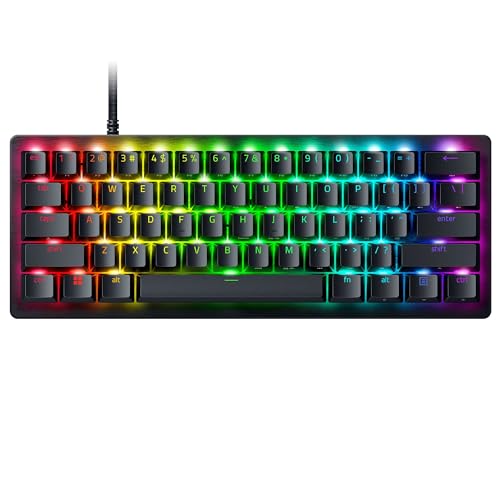
| Razer Huntsman V3 Pro Mini | 60 percent | Wired | Analog optical, rapid trigger, Snap Tap | The esports default |
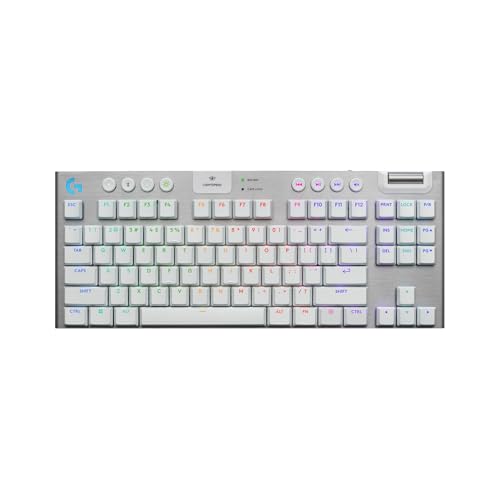
| SteelSeries Apex Pro Mini Gen 3 | 60 percent | Wired | OmniPoint 3.0 magnetic, rapid trigger | The actuation tuner |
| SteelSeries Apex Pro Mini Wireless | 60 percent | 2.4 GHz, Bluetooth, wired | OmniPoint 2.0 adjustable | The wireless exception |
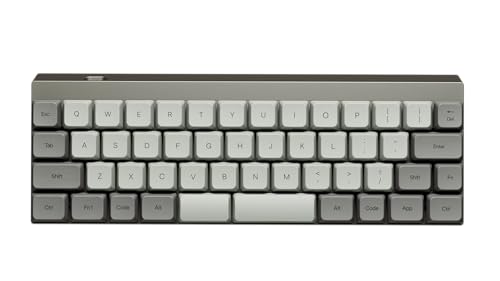
| Corsair CLIPPER PRO MINI 60 | 60 percent | Wired | Hall effect, rapid trigger, SOCD | The Corsair loyalist’s HE board |
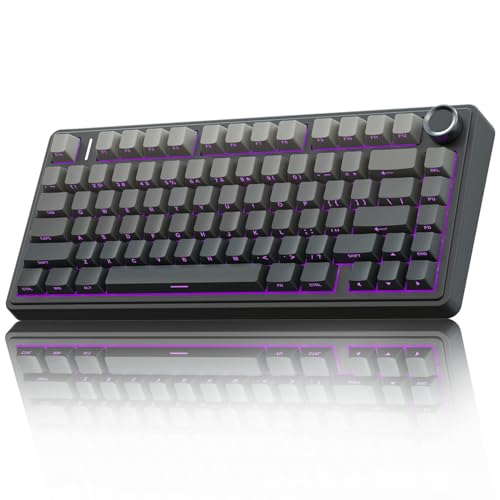
| Aula WIN68 HE | 60 percent | Wired | Hall effect magnetic, rapid trigger | Rapid trigger on a budget |
How the Picks Were Chosen
The gates were genre-specific: rapid trigger or equivalent reset behaviour; adjustable actuation or a demonstrably fast fixed actuation; a compact layout that returns space to the mouse; PBT keycaps or a credible equivalent for grip across a season; and software that handles per-key settings and profiles without resource-hogging the game machine. Each linked board was verified in Amazon’s catalogue data via the site’s Creators API connection on 2026-11-23. One further category is handled in prose: conventional mechanical boards with deep customisation, represented by Keychron’s V1 family, which suit MOBA players who also live a heavy typing or multi-game life and are willing to trade the last increment of actuation technology for versatility — they are discussed honestly in the layout section rather than linked as esports picks.

Razer Huntsman V3 Pro Mini — the esports default
Badge: Best overall for MOBA players
- Layout: 60 percent
- Connection: wired
- Switches: analog optical with rapid trigger and adjustable actuation
- Signature features: Snap Tap last-input priority, dual-purpose mod keys
- Keycaps: doubleshot PBT
The Huntsman V3 Pro Mini is the board the genre’s professionals made normal: a 60 percent deck whose analog optical switches measure how far each key is pressed, enabling the two behaviours MOBA players actually feel — rapid trigger, so an ability key is ready again the instant it begins to rise, and adjustable actuation, so your ultimate can sit deeper than your spam keys. Snap Tap, Razer’s last-input-priority system, resolves opposing movement inputs in favour of the most recent press, which sharpens the stutter-step and direction-change game that both LoL’s kiting and Dota’s juking depend on. The dual-purpose modifier keys are a thoughtful 60 percent answer: the bottom row doubles as arrow keys, so the layout’s classic sacrifice is partly refunded.
Its compromises are the category’s compromises, stated plainly: 60 percent means layers for the function row and navigation, which MOBA play rarely misses and desktop life sometimes does; the board is wired, deliberately; and the price is flagship. Razer’s software is required to reach the deep settings, though onboard adjustment covers the essentials at the desk. For a ranked-first player, this is the reference implementation of what a MOBA keyboard is for.
- Strengths: rapid trigger and Snap Tap are real, feel-able advantages
- Strengths: per-key actuation protects high-regret keys
- Strengths: PBT caps and a compact, mouse-friendly footprint
- Trade-offs: 60 percent layers tax non-gaming life
- Trade-offs: wired only
- Trade-offs: flagship pricing
Best for: ranked MOBA players who want the professional pattern. Not suited for: buyers who need a function row or arrows full-time.

SteelSeries Apex Pro Mini Gen 3 — the actuation tuner
Badge: Best for players who tune every key
- Layout: 60 percent
- Connection: wired, USB-C
- Switches: OmniPoint 3.0 HyperMagnetic, adjustable actuation, rapid trigger
- Signature features: Rapid Tap, Protection Mode, per-key presets
- Keycaps: PBT (range standard)
SteelSeries’ third-generation Mini is the tuner’s alternative to the Razer: magnetic switches with the widest actuation adjustment in this guide, rapid trigger, and a Rapid Tap system that plays the same last-input-priority role as Snap Tap. Where it distinguishes itself is in the granularity of its software and features like Protection Mode, which reduces the sensitivity of surrounding keys when a critical key is pressed — a genuinely MOBA-shaped idea, aimed at the fat-fingered ultimate that every player has thrown exactly once and never forgotten. Presets let a League layout and a Dota layout coexist, with their different item and control-group geographies respected.
Against the Huntsman, the choice is ecosystem and feel rather than capability: both boards deliver the genre’s core technologies, and players with existing loyalty to either brand’s software can follow it without penalty. The Mini is wired, 60 percent and premium, with the same layered-desktop caveats. Its magnetic switches also give it the smoothest key feel of the true esports boards here, which matters across a long ranked session more than specification sheets admit.
- Strengths: deepest actuation tuning in the guide
- Strengths: Protection Mode is a MOBA-native idea
- Strengths: smooth magnetic feel across long sessions
- Trade-offs: 60 percent compromises for desktop work
- Trade-offs: wired only
- Trade-offs: premium price, software-dependent depth
Best for: players who will genuinely tune per-key behaviour. Not suited for: plug-and-play buyers or F-key dependents.

SteelSeries Apex Pro Mini Wireless — the wireless exception
Badge: Best wireless MOBA board
- Layout: 60 percent
- Connection: Quantum 2.0 2.4 GHz, Bluetooth, wired
- Switches: OmniPoint 2.0 adjustable actuation
- Keycaps: double-shot PBT
- Extras: tri-mode flexibility in a 60 percent case
Every rule has its sanctioned exception, and this is the wireless one: the Apex Pro Mini Wireless carries the previous generation of SteelSeries’ adjustable switches into a tri-mode 60 percent board whose 2.4 GHz link is a genuine gaming connection. For the MOBA player whose desk is also a living-room or multi-purpose space, or whose setup travels between home and a friend’s or a LAN café, it delivers the genre’s core experience — adjustable actuation, compact footprint, PBT caps — without the cable dictating the desk’s geography. In wired mode it is simply a very good esports board, which makes the wireless a bonus rather than a bet.
The honest deltas against its Gen 3 sibling: the switches are the earlier OmniPoint generation, without the newest Rapid Tap refinements, and battery management joins your pre-game checklist. Neither matters to the player this board is for. What matters is that it is the only board in this guide that lets a serious MOBA setup exist on a couch-adjacent or shared desk without apology — a niche, but a real and growing one.
- Strengths: adjustable actuation without the cable
- Strengths: tri-mode suits multi-space gaming lives
- Strengths: PBT caps and proven SteelSeries build
- Trade-offs: earlier-generation switch features
- Trade-offs: battery discipline required
- Trade-offs: costs more than its wired rivals
Best for: MOBA players whose desks move or multi-purpose. Not suited for: buyers who want the newest switch generation or zero charging.

Corsair CLIPPER PRO MINI 60 — Corsair’s Hall effect answer
Badge: Best for Corsair-ecosystem players
- Layout: 60 percent
- Connection: wired
- Switches: Hall effect magnetic, adjustable actuation
- Signature features: rapid trigger, SOCD handling
- Keycaps: PBT double-shot
Corsair’s Clipper Pro Mini 60 brings the brand’s Hall effect implementation to the genre’s standard shape: magnetic switches with adjustable actuation, rapid trigger for instant key resets, and SOCD resolution for clean opposing-input behaviour — the full MOBA technology set, delivered inside Corsair’s ecosystem and build language. For players already running Corsair peripherals and iCUE profiles, it is the natural board: one software home for the whole desk, PBT keycaps, and a sealed, spill-resistant design that acknowledges what actually happens to gaming desks.
Its position in this guide is the ecosystem pick rather than the outright winner — the Razer and SteelSeries boards edge it on esports heritage and feature polish — but that framing undersells how complete it is. Every technology the genre cares about is present and correctly implemented. If your desk already speaks Corsair, there is no performance reason to translate.
- Strengths: the full rapid-trigger feature set
- Strengths: PBT caps and a spill-resistant build
- Strengths: one software ecosystem for Corsair desks
- Trade-offs: less esports pedigree than the two leaders
- Trade-offs: 60 percent desktop compromises apply
- Trade-offs: wired only
Best for: Corsair-desk players who want Hall effect speed. Not suited for: brand-agnostic buyers choosing purely on features.

Aula WIN68 HE — rapid trigger on a budget
Badge: Best budget rapid-trigger board
- Layout: 60 percent
- Connection: wired
- Switches: Hall effect magnetic, adjustable actuation
- Signature features: rapid trigger mode, high polling
- Extras: RGB backlighting
The WIN68 HE is the proof that the genre’s defining technology has fallen to budget prices: a 60 percent wired board with magnetic Hall effect switches, adjustable actuation and a rapid trigger mode, from the value brand whose wider range is decoded in the Aula keyboards guide. For a player climbing ranked on a student’s budget — or a curious player who wants to learn whether rapid trigger suits their game before paying flagship prices — it delivers the essential behaviour: keys that reset on release, actuation you can set shallow for abilities, and a compact footprint that frees the mouse.
The budget compromises are where you would expect them: software that is functional rather than refined, build materials a step below the flagships, and long-term support that cannot match the major brands’ ecosystems. None of them prevents the board from doing its one job — making rapid trigger affordable — and for many players that job is the entire purchase. Treat it as the genre’s entry ticket, with an upgrade path to the flagships above when the climb justifies it.
- Strengths: genuine rapid trigger at a budget tier
- Strengths: adjustable actuation for ability keys
- Strengths: compact footprint, high polling
- Trade-offs: software and support trail the majors
- Trade-offs: build feel a step below flagships
- Trade-offs: fewer refinements like per-key presets
Best for: budget-conscious ranked players and the rapid-trigger curious. Not suited for: buyers who want flagship polish and support.
Rapid Trigger, Snap Tap and SOCD: The Technology, Explained Without the Hype
Three terms dominate this category’s marketing, and each deserves a plain explanation. Rapid trigger changes when a key resets. A conventional switch resets at a fixed point on the way up: press past actuation, release past the reset point, then the key can fire again. A rapid-trigger switch watches the key’s position continuously and resets it the moment it starts rising — so the key is ready again after a fraction of a millimetre of release. In MOBA terms, that means faster repeated ability presses, cleaner stutter-steps, and movement keys that respond to your intention rather than to a mechanical threshold. It is the one feature in this guide that players consistently describe as feeling different within a single game.
Adjustable actuation is rapid trigger’s sibling: the point in the key’s travel where a press registers becomes a setting, per key. Shallow for the keys you spam, deep for the keys you must never brush — a Flash, an ultimate, a game-deciding item active. The MOBA-specific art is asymmetry: most players should not run the whole board at hair-trigger depth, because a keyboard that fires when you rest your fingers on it manufactures errors faster than it manufactures speed.
Snap Tap and SOCD handling address opposing inputs. When two opposing movement keys are held — left and right together — games historically resolved the conflict in ways that produced mushy or cancelled movement. Last-input-priority systems resolve it in favour of the newest press, so a direction change is instant and clean: release-free counter-strafing, crisper jukes, tighter kiting. Different brands implement and name it differently — Razer’s Snap Tap, SteelSeries’ Rapid Tap, Corsair’s SOCD modes — and competitive rulesets have debated their legality in some shooters; in MOBAs they are a mainstream, accepted part of the hardware landscape, but a serious player should always check their game’s current stance. The brand-level comparison of these ecosystems is drawn out in Corsair vs Razer vs Logitech gaming keyboards compared.
Setting Up Actuation for LoL and Dota: A Practical Configuration
Technology without configuration is decoration, so here is the setup pattern that suits most MOBA players on any adjustable board in this guide. Start with the whole board at a moderate actuation — neither hair-trigger nor deep — and play several games before changing anything; you need a baseline in your hands, not in a settings panel. Then set your four ability keys and your primary item actives slightly shallower: these are the keys whose speed you feel, and a small change here is the one your muscle memory will notice and approve. Set the opposite treatment on your high-regret keys: summoner spells in League, the ultimate and any game-deciding active in Dota go deeper, so that a resting finger or a panicked brush cannot spend them. Movement keys are a matter of taste tested in practice tool: players who stutter-step constantly benefit from rapid trigger at its most responsive; players with heavier hands sometimes prefer a touch more travel to avoid accidental inputs. Save the result as a named profile per game — the two games’ geographies differ enough that one shared profile serves neither — and revisit the settings after a week of ranked, because the correct actuation is the one your hands report, not the one a guide prescribes. Finally, keep a stock profile for desktop life: the settings that win lanes make for exhausting typing, and a board that cannot relax becomes a board you resent between games.
60 Percent, 65 Percent or Tenkeyless: The Layout Decision
The picks above are all 60 percent boards, which reflects the genre’s centre of gravity — but the layout decision deserves its reasoning rather than its conclusion. The case for 60 percent is mouse territory and nothing else: it is the smallest standard layout, it centres the letter cluster in front of the player, and MOBA’s key vocabulary fits it without strain. Its costs fall outside the game: function keys, arrows and navigation live on layers, which desktop work, other games and even some MOBA-adjacent tasks (control groups in Dota are the classic friction) must negotiate. The 65 percent layout buys back dedicated arrows and a navigation key or two for a centimetre of width — for many players the sweet spot, and the size to choose if the board must also live a desktop life. Tenkeyless buys back the full function row and navigation cluster, costs the most mouse room, and suits players whose MOBA desk is also a work desk or who play other genres with heavier key demands. The prose-only mention in this guide, Keychron’s V1 family at 75 percent, represents the versatility end of that spectrum: no rapid trigger, but full programmability and a layout that asks nothing of its owner outside the game. There is no wrong answer here — there is only the honest question of what else the board must do besides win lanes.
Common Mistakes MOBA Players Make With Keyboards
The first is running the entire board at the shallowest actuation because a professional does, then spending a month blaming their own hands for mis-fires that the setting manufactured. The second is buying size by fashion — a 60 percent board for a player whose Dota control groups and desktop work needed the keys it deleted. The third is ignoring the mouse side of the equation: a flagship keyboard paired with a cramped mouse space is a worse setup than a mid-tier board with room to aim, because the genre is played at least as much with the right hand as the left. The fourth is neglecting the unglamorous fundamentals — a board that slides, a cable that drags across the mouse’s path, keycaps polished slick by a season of play — each of which costs more in a team fight than a millisecond of actuation ever saved. And the fifth is changing board, layout and settings in the middle of a ranked climb: introduce new hardware in normals and practice tool, let the hands vote over a week, and promote it to ranked only when it has stopped feeling new.
Mouse Space: The Ergonomics Nobody Puts on the Box
It is worth isolating the argument that quietly decides this entire category, because it is geometric rather than electronic. A MOBA player’s right hand performs thousands of camera and cursor movements per game, many of them large. The space available for those movements is bounded on the left by the keyboard. A full-size board consumes roughly a hand’s breadth more of that space than a 60 percent board — space the mouse hand then borrows back by angling the keyboard, raising sensitivity beyond its accurate range, or lifting and resetting the mouse mid-fight, each of which is a small tax paid at the worst moments. This is why the genre’s hardware converged on compact boards before rapid trigger existed, and why a player choosing between a mid-tier compact board and a flagship full-size board for MOBA play should usually choose the compact one: the flagship’s advantages are measured in milliseconds, the compact board’s in centimetres, and centimetres are the scarcer resource in a team fight. Players who keep a large board for other reasons can reclaim some space by angling it — the classic esports tilt — but the honest fix is a board sized for the game, which is what this guide’s shortlist assumes.
Pro Settings Culture: What to Copy and What to Leave Alone
MOBA hardware culture runs on imitation of professionals, and a guide owes its readers a filter for it. Copy the principles: compact layouts for mouse space, actuation tuned per key rather than uniformly extreme, per-game profiles, practice-tool testing before ranked adoption. Those are structural decisions that transfer between players because they are about the game’s demands, not about one player’s hands. Leave alone the specifics: a particular pro’s actuation depths encode their finger weight, their champion pool and a decade of habit; their keycap choices are sponsorship and taste; their sensitivity pairings belong to their mouse and their arm. The most common ranked hardware mistake is importing a settings file instead of a philosophy — the file fits the importer’s desk for exactly one session, feels wrong, and gets blamed on the board. Build your settings the way the setup section describes — baseline, small changes, a week of evidence — and your board will fit you better than any professional’s fits them, because it was measured on the only hands it will ever serve.
Keeping an Esports Board at Standard
The maintenance that matters for this category is about consistency, because the product you bought is a feel, and feel drifts. Magnetic and optical switches are kind here — no metal contacts to oxidise, no chatter of the classic mechanical kind — but the board around them still ages: keycaps polish where your ability fingers live, and a slick Q key is a real, if small, competitive cost across a season, which is one reason this guide favours PBT caps that resist the shine. Clean the board monthly; MOBA desks accumulate the evidence of long sessions, and debris under a rapid-trigger switch can change its travel in ways you will feel before you understand. Keep the firmware current, because this category’s features are software-defined and genuinely improve — actuation curves, SOCD behaviour and profile handling all receive updates that matter. And keep your settings exported: a tuned actuation map is an asset built over weeks, and it should survive a replaced board, a new PC or a corrupted profile without a rebuild. The players who treat their configuration as an asset, documented and backed up, are the ones whose hardware never becomes the reason for a lost series — which is, in the end, the entire point of buying at this level.
League and Dota: Two Fingerprints on the Same Hardware
The two games share a genre and a shortlist, but they press a keyboard differently, and a buyer in both should know where. League of Legends is the more concentrated game: four abilities, two summoner spells, a small set of item actives, and an intensity that lives in reaction speed and combination order — the Flash-plus-ability play, the instant cleanse, the frame-tight combo. League therefore weights actuation quality and last-input priority most heavily, and its players can run the smallest boards without any compromise at all. Dota 2 is the more expansive game: six item slots that are frequently all active, control groups for summoned units and illusions, a courier, tower glyph timing, and heroes whose ability counts break the four-key pattern entirely. Dota therefore weights reachable keys and profile depth more heavily — the number row earns its keep, control-group geography becomes a design problem, and 65 percent layouts gain ground against pure 60 percent boards. Neither weighting changes the shortlist, because the same five boards span both; it changes which features to interrogate. A League-first player should spend their attention on the rapid-trigger and Snap Tap sections; a Dota-first player on the layout section and per-game profiles; a two-game player on the discipline of keeping the profiles separate and the emergency keys — the panic button, the stop command — in the same place in both, because a team fight does not pause while you remember which game you are in.
Life Between Games: Typing on an Esports Board
A MOBA board spends its non-ranked hours as a general keyboard — chat, browsing, work or study — and honesty requires a paragraph on that life, because it is where compact esports boards are most often regretted. Typing on a well-tuned 60 percent board is genuinely fine for chat and short work: the letter cluster is standard, and the magnetic switches in this guide are smooth and consistent. The friction is in the punctuation of longer work — arrows for text navigation, function keys for applications, the Delete key’s exile to a layer — and in the actuation settings, which is why this guide insists on a stock desktop profile as part of the setup. Players whose keyboard must be a full-time work tool as well as a ranked instrument should weight the 65 percent compromise, or keep a second, ordinary board for the desk’s other life; players whose typing is mostly between games will never notice the sacrifice. The adjacent discipline of sim racing makes the same peace with specialisation from the other direction — a rig keyboard is a servant to the wheel, as the roundup of keyboards for sim racing and flight sim setups describes — and the principle is identical: size the board for its primary job, and manage its secondary jobs with profiles and honesty rather than with regret.
Tournament and LAN Practicalities
Players who take their setup out of the house — LAN cafés, local tournaments, a friend’s place for finals night — meet a set of keyboard considerations the home desk hides. Portability favours exactly the boards in this guide: a 60 percent board travels in a sleeve in a backpack, where a full-size board is luggage. Onboard memory matters more than at home, because a borrowed or venue PC will not have your software installed, and the boards that store actuation and profile settings in the keyboard itself arrive as your board, while software-dependent boards arrive as strangers — check, before any event, which of your settings live where, and export or onboard everything critical. Venue rules deserve the same pre-check as game rules: some organisers specify wired connections, some restrict specific input features, and discovering either at the venue is a self-inflicted wound. Finally, the humble cable: bring your own, bring a spare, and bring the board’s receiver if it is the wireless pick, because the most common LAN hardware failure is not exotic — it is a cable left at home. None of this is glamorous, and all of it is the difference between a setup that travels as a system and a setup that travels as a hope.
The Decision, Compressed: Five Questions
For the reader who has absorbed the guide’s reasoning and wants its conclusion as a procedure, five questions settle the purchase. One: is your bottleneck input fidelity or key count? Fidelity — almost every MOBA player — means this shortlist; key count means the MMO guide’s macro hardware instead. Two: how much mouse room does your desk actually give the right hand? Measure it honestly; the answer chooses your size more truthfully than any preference will. Three: will you tune per-key actuation, or do you want the board right out of the box? Tuners should buy the SteelSeries or Razer flagships and budget an evening; everyone else should buy the same boards and use their presets, or save money with the Aula and accept its simpler software. Four: does the desk ever move or multi-purpose? If yes, the wireless exception earns its premium; if no, wired removes a variable forever. Five: what else must this keyboard be? A work tool, a travel board, a second game’s instrument — each honest answer shifts the layout decision by one size. Work through the five in order, and the correct board from this guide is the one left standing; that is not a sales technique but the shape of the decision itself, and it is why the guide spent its length on demands and setups rather than on declaring a single winner for a genre played by millions of different hands.
Ownership: What Magnetic and Optical Switches Change Over a Board’s Life
The switch technologies in this guide change the ownership story as well as the input story, and buyers moving from conventional mechanical boards should know the differences. A traditional mechanical switch is a pair of metal contacts: it wears, it can oxidise, and its classic failure is chatter — the double registration that ruins a combo and a mood. Magnetic and optical switches remove the contact from the equation: a magnet’s position or a beam of light does the sensing, so there is nothing to chatter in the old way, and actuation stays consistent across a far longer service life. The practical consequences are pleasant: the board you tune in month one feels like the board you play on in year three, which matters enormously in a genre built on muscle memory. The new failure modes are different rather than absent — a magnet switch depends on its sensor and firmware, so firmware updates carry more weight than they did in the mechanical era, and a board whose maker abandons its software is a board frozen in time. That is a real argument for the major brands in this guide over the budget end for a primary board, and it is priced into the recommendations: the Aula is the entry ticket and the experiment, the flagships are the multi-season instruments, and a player who understands that distinction will sequence their purchases correctly instead of expecting one board to be both.
The Mental Game: Confidence as a Hardware Feature
A final consideration that no specification sheet captures: MOBAs are confidence games, and input trust is a component of confidence. A player who has once missed a game-deciding ability because a key did not register — or believes they did — plays the next ten fights with a fraction of attention reserved for doubting their equipment, and that fraction is subtracted from the map, the cooldowns and the opponents. Hardware that removes the doubt has a value out of proportion to its milliseconds: the knowledge that the key fired exactly when intended, every time, lets the player’s whole mind stay in the game, which is where games are actually won. This is the honest core underneath the category’s technology race, and it cuts both ways — it is also why a player should not chase new hardware mid-slump, because unfamiliar equipment manufactures the very doubt it promises to cure. Buy deliberately, configure carefully, practise until the board is boring, and then let it be boring for a long time. Boring, at the moment a team fight starts, is the highest compliment a MOBA keyboard can earn.
The Physical Setup Around the Board
The last performance variable is the one players photograph least: how the board sits. Angle first: many MOBA players rotate the keyboard slightly — left side closer, right side away — matching the natural arc of a left hand whose fingers fan from a resting wrist, and the compact boards in this guide make that rotation free, since no numpad anchors the right side to the desk’s grid. Height second: the board should sit so the forearms run level and the wrists float or rest lightly, not cranked upward over a tall front edge; low-profile and slim boards have a structural advantage here, and standard-height boards answer it with the desk’s chair height rather than with a wrist wrest that props the wrist during play — rests are for pauses, a distinction the comfort literature is firm on and the guide to ergonomic setups linked earlier in this cluster develops in full. Surface third: a board that creeps across the desk during intense play is a board whose rubber feet or weight are inadequate to its owner’s force, and the fix is a desk mat under the whole setup, which also dampens sound and unifies the mouse’s surface — the cheapest single upgrade in this entire guide’s orbit. None of these variables appears in a product listing, and together they decide whether the technology you bought can actually be used at the level it was designed for. Set the geometry once, deliberately, and then leave it alone: a stable physical setup is the stage on which all the electronic features perform.
Sequencing a MOBA Setup on a Real Budget
Most players do not buy a setup; they accumulate one, and the order of accumulation matters. For a MOBA player building from an ordinary desk, the sequence that returns the most per purchase runs: first, the space — a desk mat and the rearrangement that gives the mouse its territory, which costs the least and changes every game immediately. Second, the board itself, at the tier your seriousness supports: the Aula WIN68 HE proves the core technology is now affordable, and the flagships refine it rather than redefine it, so a budget player loses far less than they fear by starting at the entry tier. Third, the configuration time, which is free and worth more than the tier difference: an evening of actuation tuning and profile building on a budget board will beat a flagship left at factory settings, every session, forever. Fourth, and only when the climb demands it, the flagship upgrade — bought with a season of evidence about which features your hands actually use, which is the knowledge that makes the flagship purchase precise instead of hopeful. Players who reverse this sequence — flagship first, space and setup never — own impressive hardware in a compromised geometry, and their team fights are taxed by the desk long after the keyboard has stopped being the problem. The genre rewards systems thinkers in its strategy and, unfashionably, at its desks as well.
What a Season on One of These Boards Actually Feels Like
Close the guide with the lived summary, because specifications flatten what ownership teaches. The first week is adjustment: your fingers overshoot on the shallow actuation, the missing keys announce themselves at odd moments, and the board feels like equipment rather than like an extension. The first month is calibration: the actuation map settles into something you no longer edit, the profiles stop being projects, and the first team fight arrives where a reset ability or a clean direction change does something your old board could not have done — usually unnoticed in the moment, obvious in the replay. The first season is invisibility: the board has become the surface your mechanics live on, its maintenance is a monthly wipe and an exported settings file, and its replacement — when it eventually comes — will be chosen by the criteria in this guide rather than by novelty, because you now know which of its features your hands actually used. That arc, from equipment to extension to invisible, is the real product being sold at every tier in this guide; the flagships simply walk it with better materials and deeper software. Buy the tier your season justifies, walk the arc deliberately, and spend the attention you save on the only opponent that matters, who is on the other side of the lane.
A Note for Players Coming From a Full-Size Board
The transition this guide asks of many readers deserves a direct word, because the first compact board is usually bought with confidence and doubted by day three. The doubt has a known shape: your hand reaches for a key that is not there — an arrow while reviewing a replay, an F-key in another application — and the board feels like a mistake. What is actually happening is simpler: your old layout’s habits are surfacing in the new layout’s territory, and habits retrain on a schedule of days, not weeks, provided you do not keep rescuing them with the old board. Commit for a fortnight. Use the layers deliberately rather than resentfully, keep the desktop profile honest, and judge the board at day fourteen by the only metric that justified it: whether your mouse hand and your mechanics feel freer in the game. Almost every player who completes the fortnight stays compact for this genre; the minority who return to larger boards do so for real reasons — control groups, work duties, hand size — and return informed rather than merely habituated. Either outcome is a success of the experiment, and both are cheaper than a career of wondering.
The One-Paragraph Version for the Impatient
The decision, without the reasoning: MOBA keyboards are about input fidelity and mouse space, not key count. Buy a compact board with rapid trigger and adjustable actuation — the Razer Huntsman V3 Pro Mini if you want the professional pattern, the SteelSeries Apex Pro Mini Gen 3 if you want the deepest tuning, its wireless sibling if your desk must move, the Corsair Clipper if your desk already speaks Corsair, and the Aula WIN68 HE if the budget is the argument. Set abilities shallow, ultimates deep, keep a desktop profile for real life, practise the new board outside ranked for a fortnight, and give your mouse the room the layout bought back. Everything else in this guide is the reasoning; that paragraph is the decision.
Frequently Asked Questions
Does rapid trigger actually help in LoL and Dota?
Yes, in specific and feel-able ways: repeated ability presses register sooner, movement keys reset instantly for stutter-stepping and juking, and direction changes feel cleaner. It will not fix decision-making or positioning — the gains are in input fidelity, and they are largest for players whose mechanics were already being taxed by conventional switch resets.
What actuation depth should I set for my ability keys?
Start moderate, then go slightly shallower on abilities and item actives, and deeper on high-regret keys like ultimates and summoner spells. There is no universal number — switch ranges differ by board — so tune by feel across several games, and keep a stock profile for desktop typing, where hair-trigger settings are a liability.
Is a 60 percent keyboard enough for Dota 2’s control groups?
For most players, yes, with control groups assigned thoughtfully to the number row and a modifier. Players who run many groups — micro-intensive heroes, RTS crossovers — often prefer 65 percent or tenkeyless boards for the extra reachable keys. League of Legends, with its smaller keyboard vocabulary, fits 60 percent without any strain at all.
Are Snap Tap and similar features allowed in ranked play?
In MOBAs, last-input-priority features are a mainstream part of the current hardware landscape and are used openly in ranked play. Rules differ by game and can change, and some competitive shooters have restricted equivalent features — so a player entering organised competition in any title should check that title’s current ruleset rather than assuming.
Wired or wireless for competitive MOBA play?
Wired remains the default at the sharp end: zero battery management, zero variables. A gaming-grade 2.4 GHz wireless board — the Apex Pro Mini Wireless in this guide — is a legitimate exception for players whose desks need the freedom, provided the receiver is placed well and charging is a habit rather than a hope.
Should I buy a Hall effect board if I also play other genres?
Hall effect and optical boards are excellent all-round gaming boards — the actuation features serve shooters and action games at least as well as MOBAs. The trade-offs appear outside gaming: layered compact layouts and gaming-tuned settings are less pleasant for long typing, which is why this guide keeps a stock desktop profile and discusses versatile boards like the Keychron V1 in prose for mixed-use buyers.
Buy the technology that matches the genre’s real demands — rapid trigger, tunable actuation, a footprint that respects your mouse — then configure it asymmetrically, practise it outside ranked, and let it disappear into your mechanics. The best MOBA keyboard is the one you stop noticing somewhere around the loading screen, because the lane needs all of you.