Disclosure: As an Amazon Associate, kajuandouglas.com earns from qualifying purchases. Links to Amazon on this page are affiliate links; they cost you nothing extra. Listing details such as price and availability change often, so check the current Amazon listing before you buy.
People often search for “how to connect to a tv a speaker” when the TV’s own sound has finally become unbearable — dialogue buried under music, volume at maximum, still straining to hear. The encouraging news is that almost any speaker can be connected to almost any TV; the job is choosing the best of the available routes. Modern TVs offer HDMI ARC or eARC, optical, Bluetooth and a headphone socket, and each pairs with different speaker types.
This guide works through the options in order of preference, from HDMI connections for powered speakers and soundbar-style setups, through optical and analogue cables, to Bluetooth and full receiver-based systems. It also covers the settings that catch everyone out — because the cable is rarely the problem; the TV’s audio output menu is. Follow the steps and your speaker will be carrying TV sound within the hour.
How to connect to a tv a speaker: The Short Answer
For most powered speakers and modern setups, use HDMI ARC/eARC if both devices offer it, optical if they do not, and Bluetooth only when cables are impossible. Then set the TV’s audio output to the connected device and its format to PCM if you hear nothing or garbled sound at first.
In this guide
What You Need
- Your TV’s model or a photo of its back panel connections
- The speaker (powered, or passive speakers plus an amplifier/receiver)
- The right cable: HDMI (high-speed), optical (Toslink) or 3.5 mm/RCA analogue
- Both remotes — TV and speaker
- Ten minutes in the TV’s sound settings menu
Step by Step
Step 1: Identify what your TV can output
Look at the TV’s back or side panel, or its manual. You are looking for an HDMI socket labelled ARC or eARC, a square optical socket often labelled Digital Audio Out, a 3.5 mm headphone or line-out socket, and Bluetooth in the settings menu. Note exactly what exists before buying any cable — TVs vary, and newer models increasingly drop analogue outputs altogether. Photograph the panel; you will refer to it at every later step.
Step 2: Identify what your speaker can accept
Powered speakers may offer HDMI ARC (rare outside soundbars), optical, RCA, 3.5 mm, USB or Bluetooth. Passive speakers accept none of these directly — they connect to an amplifier or AV receiver, and the receiver connects to the TV. If your speaker only has Bluetooth, you can still proceed, but read the Bluetooth step’s warning about delay. Matching the TV’s best output to the speaker’s best input decides your cable, so make the two lists meet before spending anything.
Step 3: Connect with HDMI ARC or eARC where possible
Plug a high-speed HDMI cable between the TV’s ARC/eARC socket and the matching input on the speaker, soundbar or receiver. Switch the TV’s sound output to HDMI ARC in its menu and enable CEC (each brand names it differently — Anynet+, Bravia Sync, Simplink) so the TV remote controls volume. ARC is the first choice because it carries quality audio, powers some devices on and off together, and keeps one remote in charge of the evening.
Step 4: Connect with optical when HDMI is unavailable
Push the optical cable into the TV’s optical out and the speaker’s optical in until it clicks — the connector is keyed and only fits one way; remove the protective caps from the cable ends first, the most common reason optical ‘doesn’t work’. Set the TV output to optical and, if the speaker is a simple stereo model, set the TV’s digital format to PCM. Optical cannot be controlled by the TV remote, so keep the speaker’s remote handy for volume.
Step 5: Use analogue or Bluetooth as fallbacks
A 3.5 mm headphone socket or RCA output connects to powered speakers with a matching cable — simple and reliable, though the TV remote may control volume only via the headphone path. Bluetooth pairing works with no cables at all: put the speaker in pairing mode and find it in the TV’s Bluetooth menu. Expect a slight delay between picture and sound on many TVs, which lips betray immediately; some TVs and speakers offer low-latency modes, but for dialogue-heavy viewing a cable remains the honest recommendation.
Step 6: Set the TV’s audio format correctly
In the TV’s sound settings, select the output you used, turn the TV’s internal speakers off if the menu offers it, and set digital audio format to PCM for stereo speakers or Passthrough/Auto for receivers and Atmos-capable gear. If you hear silence, static-like garbling or only some channels, a wrong format is the usual cause: a stereo speaker fed a surround bitstream it cannot decode will produce exactly those symptoms. PCM is the universal safe setting while you troubleshoot.
Step 7: Test with dialogue, then adjust delay if needed
Play a news programme or a familiar drama scene — speech reveals problems that explosions hide. Check that sound comes from the speaker and not the TV, that the remote controls volume as expected, and that lips and words match. If sound lags the picture, look for an audio delay or lip-sync adjustment in the TV or speaker settings and nudge it until speech locks in. If sound leads the picture, the delay is usually in a wireless link; a cable removes it.
As you work through this guide, keep the bigger picture in mind. Our roundup of best speakers for tv under 200 shows how the main options compare, and the companion piece on how to connect to a tv a soundbar covers the neighbouring decision in the same detail.
How to Connect to a TV a Speaker Through a Receiver
If your speakers are passive, the receiver is the hub: TV to receiver by HDMI ARC, speakers to receiver by speaker wire, with the receiver’s input set to TV. This is the most capable route — it handles every format, drives several speakers, and calibrates levels — and the most involved, because speaker wire, polarity and receiver menus all enter the picture. Polarity matters: connect positive to positive on every speaker, or bass will thin out mysteriously. Take it one connection at a time and test after each stage.
Older TVs without ARC can still feed a receiver through optical, which limits you to standard surround formats but covers broadcast TV and most streaming perfectly well. Consoles and streaming boxes can also plug into the receiver’s other HDMI inputs, with the receiver passing video to the TV — this older arrangement actually reduces lip-sync problems, because the receiver controls both sound and picture timing. Whichever layout you choose, label the cables; future-you, crouched behind the TV in December, will be grateful.
Getting the Whole Household On Board
A TV speaker setup only succeeds if everyone can operate it. Enable CEC so the TV remote runs volume and power, stick a small label on any second remote that is still needed, and write the input name the speaker must be on — ‘Optical’, ‘HDMI 1’ — on a note inside the remote’s battery cover if your household needs it. Test the setup from the sofa with the actual remotes, not from beside the TV with the speaker’s buttons.
If the TV sometimes reverts to its internal speakers after updates or power cuts, the fix is usually to re-select the output in the sound menu and check the CEC setting survived. Some TVs also offer an option to lock the audio output or to prioritise the external device. Spend five minutes finding these settings now, while you remember the menu paths, rather than during a film night with guests waiting.
Gear for This Guide
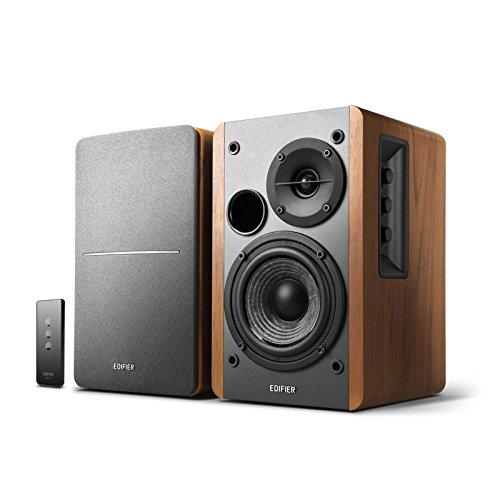
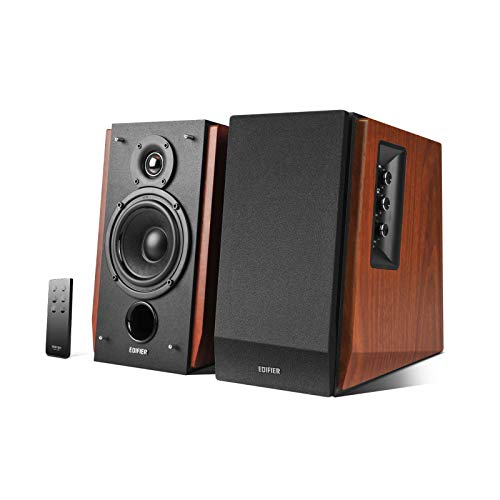
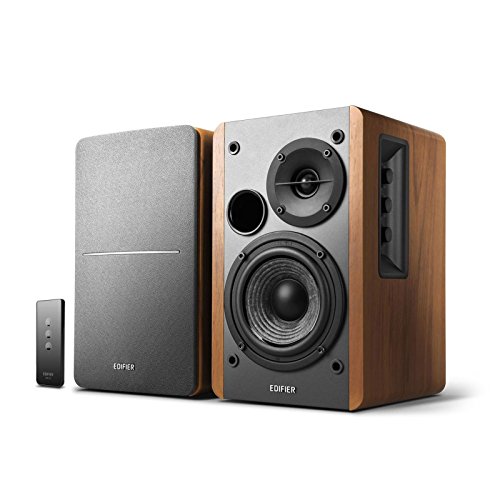
Edifier R1280T Powered Bookshelf Speakers
A compact powered pair with optical, coaxial and dual RCA inputs, which makes it unusually easy to connect to a TV, a turntable or a computer without a separate receiver. Front bass and treble controls let you adjust the balance without digging through menus. Check price on Amazon.
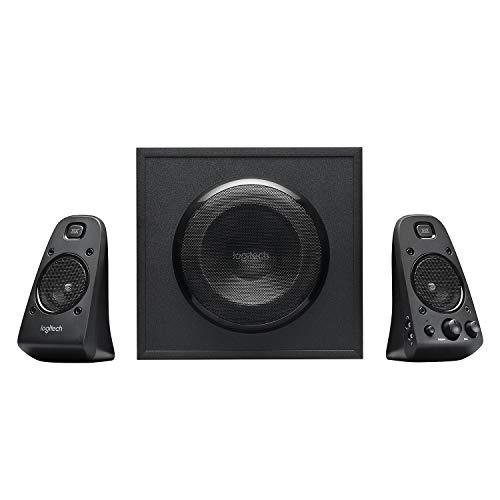
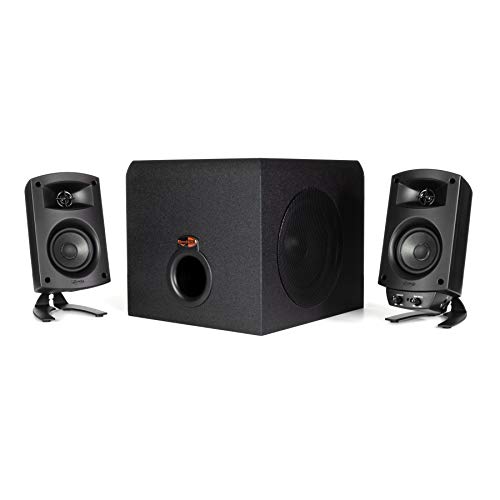
Logitech Z623 2.1 Speaker System
A desktop 2.1 system with two satellites and a separate subwoofer, THX certified and built for computers, consoles and TVs with analogue or optical-style setups via its inputs. The subwoofer carries the low bass that small desk speakers cannot reproduce on their own. Check price on Amazon.
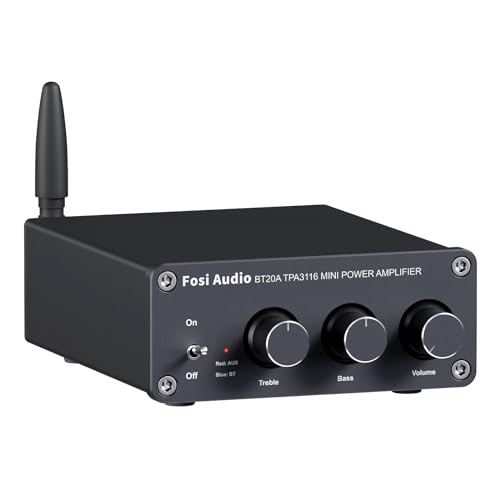
Fosi Audio BT20A Bluetooth Amplifier
A compact two-channel Class D amplifier with Bluetooth, made to drive a pair of passive speakers from a phone, TV or computer. Small amplifiers like this are the missing link when you own passive speakers but no receiver. Check price on Amazon.

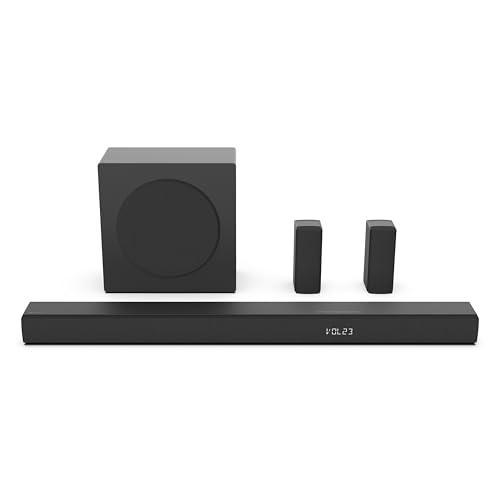
Bose TV Speaker Soundbar
A compact, deliberately simple soundbar with HDMI ARC, optical and Bluetooth, plus a dialogue mode for clearer speech. It is aimed at people who want better TV sound without apps, Wi-Fi setup or a separate subwoofer. Check price on Amazon.
Common Mistakes
Leaving the protective caps on an optical cable
New optical cables ship with tiny caps on the tips. Left on, the cable seems to fit but passes no light and no sound. It is the single most common cause of ‘optical doesn’t work’.
Plugging into the wrong HDMI socket
Only the HDMI socket labelled ARC or eARC returns audio from the TV. A cable in a plain HDMI socket will sit there silently forever, however good it is.
Feeding a stereo speaker a surround bitstream
If the TV outputs Dolby Digital to a simple stereo speaker that cannot decode it, you get silence or noise. Set the TV’s digital format to PCM for stereo speakers.
Judging Bluetooth delay with a menu beep
Test lip-sync with real speech on screen. Menu sounds and explosions hide delay; a newsreader’s lips reveal it instantly, and they are the content you will watch most.
Pro Tips
- Buy the cable after you have photographed both panels — not before.
- PCM is the safe diagnostic format; switch to passthrough once things work.
- Enable CEC so one remote runs the show, and test it from the sofa.
- If both ARC and optical exist, ARC wins for remote control alone.
Going Deeper: Context That Helps
Bass behaves differently from the rest of the sound. Low frequencies are long waves that build up in corners and along walls, which is why a speaker can sound boomy in one spot and thin a metre away. Moving a speaker even slightly out from a wall reduces the wall’s reinforcement of the bass; moving your seat away from the back wall often fixes boominess that no tone control can. If your system has a subwoofer, its position matters even more, because a single subwoofer excites the room unevenly and your seat may sit in a peak or a null in the bass response.
Speaker sensitivity and impedance explain more about real-world loudness than headline wattage. Sensitivity tells you how loud a speaker plays with a given amount of power; a sensitive speaker on a modest amplifier can easily outplay an insensitive speaker on a powerful one. Impedance, measured in ohms, describes the load the speaker presents to the amplifier — most home speakers are nominally 8 or 6 ohms, and amplifiers are happiest when the speaker’s impedance stays within the range the amplifier is rated for. Matching these two figures sensibly matters far more than chasing the biggest watt number on a box.
Every speaker is a compromise between size, bass and efficiency — engineers call it Hoffman’s Iron Law: pick two, sacrifice the third. A tiny speaker can be efficient or produce deep bass, but not both at once, which is why small portable speakers sound impressive for their size yet cannot reproduce the lowest notes of a film soundtrack. Understanding this trade-off sets honest expectations. If a product promises room-filling deep bass from a box the size of a paperback, physics says the claim needs salt; the sound may still be enjoyable, but the lowest octave will be suggested rather than truly reproduced.
Burn-in and warm-up are debated endlessly, but the bigger variable is your own hearing. Your ears adapt to a new speaker over the first days of listening, which is why a speaker that sounded bright on day one often seems balanced by day five — your brain has recalibrated, not the hardware. The practical lesson is to live with a new setup for a week of normal listening before judging it or changing settings. Judge with familiar recordings you know well, at the volume you actually use, in the seat you actually sit in; first impressions in a shop or in the first ten minutes at home are unreliable.
Cables and connections cause more speaker problems than speakers do. A single stray strand of copper touching the neighbouring terminal can short an amplifier; a loose banana plug or a corroded RCA connector adds crackle that sounds like a failing driver. Oxygen-free copper wire of adequate gauge, clean tight connections and strain relief where cables bend will keep a system reliable for years. Expensive exotic cables, by contrast, have never been shown to change sound in controlled listening tests once gauge and connection quality are adequate — spend the difference on placement, room treatment or better recordings instead.
Listening level matters for judging any speaker. Human hearing perceives bass and treble as weaker at low volumes — the Fletcher-Munson effect — so a speaker auditioned quietly can seem thin, and the same speaker loud can seem bass-heavy. Many receivers and some speakers compensate with loudness or dynamic EQ features for late-night listening. When you compare speakers or settings, match the volume between them as closely as you can, because the louder option almost always sounds ‘better’ in a quick comparison even when it is not. A cheap sound-level app on a phone is accurate enough to level-match for home comparisons.
Multi-room and streaming speakers add a networking layer to ordinary audio problems. A speaker that drops off the network, lags behind its partner in a stereo pair, or refuses to appear in an app is usually suffering from weak Wi-Fi at its location, a congested 2.4 GHz band, or a router setting — not a failed speaker. Placing the router centrally, keeping speakers within a room or two of it, and updating firmware through the maker’s app solves most of these cases. Wired Ethernet, where a speaker offers it, removes the variable entirely and is worth using for a fixed living-room setup.
Protecting speakers is mostly about restraint. Amplifiers damage speakers in two ways: too much power can overheat or over-extend a driver, but far more commonly a small amplifier driven into distortion — clipping — produces harsh high-frequency energy that burns out tweeters. If the sound turns harsh, gritty or compressed as you raise the volume, turn it down; that harshness is the warning sign. Children, pets and parties are the other risks: a volume limit in the receiver’s settings, grilles left on, and speakers placed where they cannot be knocked over will prevent most household speaker casualties.
Speaker specifications reward careful reading. Frequency response figures only mean something with a tolerance attached — ’60 Hz to 20 kHz’ without a plus-or-minus figure could hide a response that is already far down at 60 Hz. Driver size tells you about potential, not results: a well-designed 5-inch woofer in a solid cabinet can sound cleaner than a cheap 8-inch driver in a resonant box. Weight is an unfashionable but useful clue, because rigid cabinets and real magnets are heavy. Treat specifications as a way to shortlist, then let placement, room and your own ears make the final decision.
Ageing affects speakers slowly and mostly at the edges. Foam woofer surrounds on older speakers can crumble after a couple of decades, rubber surrounds last longer, and capacitors in crossovers drift with age, subtly changing the balance. None of this matters for a new purchase, but it explains why a vintage speaker may not sound as its measurements once promised. For modern speakers, dust, sunlight and humidity are the main enemies: keep them out of direct sun, wipe dust with dry or barely damp cloths, and avoid placing drinks on top of cabinets, where one spill can stain veneer and swell the wood beneath.
Frequently Asked Questions
Why is there no sound after connecting my speaker?
Work through the chain: is the speaker powered and set to the input you used? Is the TV’s sound output set to that connection rather than its internal speakers? Is the digital format PCM if the speaker is a simple stereo model? Are optical caps removed and HDMI in the ARC socket? In practice one of those four is responsible almost every time. Change one thing at a time and retest with a broadcast channel, not an app, to keep the test simple.
What is the difference between ARC and eARC for a speaker?
ARC returns audio from the TV over a standard HDMI connection and covers broadcast TV, streaming apps and standard surround formats — enough for the vast majority of speaker setups. eARC adds bandwidth for uncompressed high-resolution audio and formats such as full Dolby Atmos from Blu-ray players and consoles. For a stereo speaker or a typical soundbar, ARC is entirely sufficient; eARC matters when a receiver or high-end bar must receive the most demanding formats through the TV.
Can I connect passive speakers directly to a TV?
No — passive speakers have no amplifier, and a TV cannot drive them. They need an amplifier or AV receiver between the TV and the speakers: the TV connects to the amplifier by HDMI ARC, optical or analogue, and the amplifier connects to the speakers with speaker wire. Small stereo amplifiers exist precisely for this job and take up little space. Connecting passive speakers to a TV’s headphone socket will produce, at best, a whisper and risks damaging the TV’s output.
Why is the sound out of sync with the picture?
Processing in the TV, the speaker or a wireless link delays one relative to the other. If you are using Bluetooth, that is the prime suspect — try a cable. With cables, look for a lip-sync or audio delay setting in the TV or the speaker and adjust in small steps while watching speech. Also check whether the delay exists on all sources or only one app or console; a single-source delay points to that device’s own settings rather than the speaker connection.
Can the TV remote control my speaker’s volume?
With HDMI ARC and CEC enabled on both devices, yes — that is one of ARC’s main comforts. With optical connections, usually no, because optical carries no control signals; you will use the speaker’s remote, unless your TV remote can be taught infrared commands for the speaker. With a headphone-socket connection, the TV remote often does control volume because it is driving the output directly. Decide how much the second remote bothers you before choosing the connection.
My TV has no optical or ARC. What can I do?
Check for a headphone socket or RCA outputs, which feed powered speakers directly with a simple cable. If the TV truly has no audio output, an HDMI audio extractor — a small box that sits between a source and the TV and provides an audio output — can add one, and is a standard fix for older sets. Alternatively, connect the speaker to your streaming box or console’s output if it has one. One of these routes almost always exists.
The Connections Compared as Daily Experiences
The main steps rank connections by quality and convenience; this section describes what living with each one actually feels like across a year of evenings, because the best connection is the one whose habits match yours.
HDMI ARC and eARC in daily life
The ARC family’s great gift is invisibility. The television remote becomes the only remote, volume changes appear on the television’s own display, and the speaker wakes and sleeps with the screen as if it were built in. Families adopt it instantly because there is nothing to adopt. Its frictions are subtler: occasional handshakes where the television and speaker must renegotiate after updates, brand-to-brand quirks in the control protocol, and the way one misbehaving device on the HDMI chain can confuse the others. When it works, which for most households is nearly all of the time, it is the connection that disappears, and disappearance is the highest praise a cable can earn.
Optical: the dependable introvert
Optical carries excellent sound and offers no control at all, which is both its limitation and its charm. It never handshakes, never updates its personality, and never cares which brand made either end. The cost is a second remote or a programmable one, and volume that the television itself may not display. Households with a universal remote habit, or a receiver at the centre of the system, often prefer optical precisely because it minds its own business. It is also the great problem-solver: when ARC misbehaves in ways that resist every setting, optical ends the argument in five minutes, and many systems live happily on it forever.
Analogue and Bluetooth: the honest fallbacks
Analogue connections from a headphone socket or line output are unfashionable and useful: they work with almost everything ever made, they carry the television’s own volume control in the headphone case, and their sound quality, while not the last word, is far better than their reputation. Bluetooth trades wires for convenience and introduces the delay question the main guide addresses; for casual viewing, sports and music it delights, and for dialogue-critical viewing its lag, where present, can be judged only on your own equipment. Both fallbacks share a virtue the digital routes lack: they are understandable. When something is silent, the fault is findable by a human with eyes, and there are households for whom that is worth more than elegance.
Troubleshooting the Silent System: A Methodical Ladder
When a connected speaker produces no sound, resist random cable swapping and climb this ladder instead, because each rung eliminates a family of causes. Confirm the speaker makes sound from any source at all, which separates a dead speaker from a silent connection. Confirm the television makes sound from its own speakers with the external output disabled, which proves the television’s side. Reconnect one path only, the simplest available, and set both ends to their plainest settings: the television’s audio output to the connected format, its digital format to the basic stereo option the main steps describe, and the speaker to the matching input. Test with ordinary broadcast or a familiar programme rather than a demanding film soundtrack, because simple content removes format complexity from the diagnosis. Then restore sophistication one setting at a time — surround formats, control features, automatic switching — until the system either works completely or reveals the exact feature that breaks it. That feature, named, can be left off, updated or worked around, and you will have converted a mystery into a decision.
The update trap and the factory reset, used sparingly
Television and speaker updates occasionally change audio behaviour, rename settings or reset output choices, which is why a system can break overnight without being touched. After any update, revisit the output settings before suspecting hardware. A factory reset of the audio settings, or of the speaker, is a legitimate last rung on the ladder, but treat it as the last one: note every customised setting first, because resets are amnesiacs, and the household member who tuned everything will not thank you for an undocumented cure.
Adding Pieces Later: Receivers, Subwoofers and Second Rooms
A television speaker connection is often the first step of a system rather than its final shape, so it is worth knowing how the paths grow. A receiver at the centre changes the topology entirely: sources connect to the receiver, the receiver connects to the television, and speakers multiply around it, with the ARC channel returning television sound into the same hub. Powered speakers can gain a subwoofer where the model provides an output for one, transforming film nights without changing the television connection at all. Wireless speaker ecosystems grow differently, by adding speakers in other rooms that share the television’s sound or the household’s music, and their convenience argues for deciding early whether you are buying a product or joining a system. None of this needs to happen at once. The connection you choose today should simply not forbid the tomorrow you can imagine, which is another argument for the mainstream routes in the main steps: they are the ones every future component expects to find.
Cable quality, length and the drawer of shame
Every household has a drawer of cables that almost work. For television audio, the rules are forgiving: digital cables either carry the signal or fail obviously, and exotic construction adds cost without sound. Length matters more than luxury, because very long runs of the wrong cable invite dropouts, and analogue runs pick up interference over distance. Buy the length you need with a little slack, from a maker whose specifications are printed and plausible, and label both ends with tape while the system is being built. The labelling sounds like fussiness until the day something must be unplugged in a hurry behind a heavy cabinet, when it becomes the difference between a two-minute job and an archaeological dig.
Settings That Shape the Sound After the Cable Works
A working connection is the beginning, not the end, of television sound. Spend ten minutes in the menus with a familiar programme playing. Set the television’s output format deliberately rather than leaving it on an automatic choice that may be negotiating badly. Look for a dialogue or voice mode on the speaker if films leave you reaching for the volume between whispers and explosions, and try the night or compression mode for late viewing, which narrows the gap between quiet speech and loud effects at the cost of some drama. Check for an audio delay adjustment and use a dialogue-heavy scene to set it, because lips and words that agree are the foundation of believable television. Turn off any television sound processing that duplicates the speaker’s own, since two systems enhancing the same signal rarely enhance it twice. Write down what you changed. These settings, chosen once with attention, are why some households describe the same equipment as wonderful and others as merely loud.
Connect by the best route your equipment honestly supports, test with dialogue, set the formats plainly, and label the cables. The television will take care of the pictures; from tonight, the sound will finally be keeping up.
Special Sources: Games Consoles, Streaming Sticks and Old Friends
Consoles and the delay that matters
Games consoles are the least forgiving television sources, because the player is part of the loop: a delay between action and sound that a film viewer never notices can unsettle a game noticeably. Route console audio by the most direct digital path available, prefer the television’s game-oriented settings where they exist, and be honest about Bluetooth for gaming, which suits casual play and punishes rhythm and reaction titles. Where a receiver or soundbar offers direct inputs, connecting the console there rather than through the television often shortens the chain and the delay with it. Test with a game you know well; your hands will report the truth faster than any specification.
Streaming devices and where they plug in
Streaming sticks and boxes usually connect to the television and inherit its audio path, which keeps life simple. The exception is a television old enough to lack the connections your speaker wants, in which case the streaming device can sometimes feed a receiver or soundbar first and pass picture onward, modernising the whole system around one small purchase. Whichever topology you choose, keep the audio settings of the streaming device itself in view, because it has its own format choices and its own opinions, and a stick set to demand formats the chain cannot carry is a classic cause of silence that gets blamed on the speaker.
Turntables, disc players and legacy equipment
Older sources join modern television systems through the receiver or through analogue inputs on powered speakers, and they bring a grounding hum risk that digital sources never meet. If a legacy source hums, the methodical response is to check its grounding arrangements and cable condition before blaming the speaker. The reward for the small effort is a system where the record collection and the film collection share the same good speakers, which is how most people actually want their living rooms to work.
The Household Test: Will Everyone Else Manage It?
A television connection succeeds socially or not at all. The test is whether the least technical person in the household can go from a dark room to a programme with sound, alone, without a phone call. If the answer involves more than turning on the television and choosing the programme, simplify until it does not: enable the control features that let the television wake the speaker, set the speaker to live on the right input permanently, and remove competing paths that invite wrong selections. Write the two-line version of the setup on a card near the television if the system has any remaining quirks, because guests and grandparents deserve better than a puzzle. The best connection in this guide is not the one with the finest specifications; it is the one still working, correctly, on the hundredth evening, operated by everyone, understood by at least one person, and documented on a card for everyone else.
When the Television Is the Problem: Honest Workarounds
Some televisions simply have poor audio outputs: noisy headphone sockets, digital outputs that mute unpredictably, or control implementations that fight every speaker they meet. The workarounds, in order of sanity, are these. Feed the speaker from the sources instead of the television, through a receiver or a switch, so the television becomes a picture-only device, a role many older sets play happily for years. Use an extractor or converter appropriate to your chain where a missing connection is the only barrier, bought from a maker with clear specifications. Or accept the television’s own speakers for broadcast and reserve the good speaker for the sources that feed it directly, a split life that sounds like defeat and works like wisdom. What not to do is replace a good speaker in frustration at a television’s manners. Diagnose which end owns the fault with the ladder in this guide, and spend money only on the guilty.
That discipline — test, name, then spend — is the difference between a system that improves every year and a cupboard of abandoned audio equipment, and it applies to every connection this guide describes.
The ten-minute annual check
Once a year, give the connection ten minutes. Reseat each cable firmly, because plugs creep in warm cabinets. Check for firmware updates on both television and speaker, and afterwards confirm the output settings survived them. Play a dialogue scene and a loud scene and confirm the balance still pleases you. Replace any cable that has been kinked behind furniture for a year. That small ritual prevents the slow drift — the loosened plug, the reset setting, the forgotten update — that accounts for most sudden silences, and it keeps the system’s one expert, you, familiar with how it all fits together.
Keep the card with the two-line setup near the television, the spare cable in the drawer beneath it, and this guide’s ladder in mind for the rare evening something stays silent. Between those three small preparations, there is no television-audio problem your household cannot either solve or describe precisely to someone who can.
A Short History That Explains the Mess
If the variety of connections in this guide feels like chaos, it is, and it has a history worth one paragraph. Television audio began as an afterthought, a small speaker in a wooden cabinet, and external sound arrived through whatever socket a maker fancied. Each generation since has added a route without removing the old ones, because households keep equipment for decades and expect it all to interlock. ARC exists because HDMI became universal and someone sensibly asked it to carry sound back. Optical survives because it is simple and incorruptible. Analogue survives because everything ever made speaks it. You are not failing to find the one true connection; you are navigating a museum that still works, and the main steps in this guide are the map. Choose the newest route your equipment shares, fall back without shame where you must, and know that the household with working, labelled, understood sound is ahead of most, whatever its cables are made of.
So connect it, test it with voices, write the card, and sit down. The programme is about to start, and for once the sound will be worthy of the picture.
One more scene to test with
Keep a personal reference scene: a minute of dialogue you know by heart, ideally with a quiet voice, a loud moment and some music. Play it after every change, every update and every new component, and judge by whether the words sit comfortably at your usual volume. Equipment will come and go across the years; that scene, and your memory of how it should sound, is the thread of consistency that ties your systems together.
Choose that scene tonight, while the system is fresh in your mind and working exactly as it should. Future you, mid-troubleshooting, will be grateful for the reference.
And note its title on the setup card, so anyone in the house can run the same test and know, within a minute, whether the system is itself or something has drifted.
That is household audio, properly run.
Run yours that way, and the connection question — the subject of this entire guide — will quietly stop being a question at all, which is exactly what a good connection is for.
Silence, in a system like that, is only ever the good kind: the pause before the programme starts.
Enjoy it, and everything that follows it, at the volume the room deserves.
The room, the programme and the people in it will all agree on that volume.
Agreement, in a living room, is the rarest specification of all, and your connected speaker has just delivered it.
Keep it connected, keep it labelled, and keep the card where everyone can find it.
That small administration is the sound of a system that will outlast its cables.
And its televisions, and quite possibly its furniture.
Good systems do that. They become part of the house, and the house sounds better for having them.
Yours does now. Press play.
The connection is made, the settings are written down, and the sound finally matches the screen. Everything else is just television.
Just television, heard properly at last.
Properly, every evening, by everyone in the house, without a single phone call to the person who set it up.
That independence is the true measure of a connection well made.
Make yours, and measure it that way.
It will pass, tonight and for years of evenings after it.
Years of evenings is the right unit for judging any of this.
Judge yours in evenings, and it will not disappoint you.
Not one of them, if the ladder and the card are kept.
Keep them both, and press play.
The programme is waiting.
Watch it well.
Related Guides
These guides and roundups cover the closest decisions and fixes in this category:
- best wireless tv speakers for under 200
- best external speakers for tv
- best speakers for roku tv
- best bass speakers for tv under 100
- how to pair a speaker
- soundbar vs speakers
Can I connect two speakers to my TV at once, one wired and one Bluetooth?
Some televisions offer dual-audio features, but delays between the paths usually make simultaneous wired and wireless playback echo unpleasantly. Choose one path for the room, or use a receiver or a matched wireless system designed to keep multiple speakers in sync.
Why does my speaker turn on with the TV but not turn off?
Control signals over HDMI are implemented unevenly, and power-off is the step most often dropped between brands. Check both devices’ control and standby settings after updates, and treat a speaker that reliably wakes but must be slept manually as a known quirk rather than a fault, unless a setting change restores it.