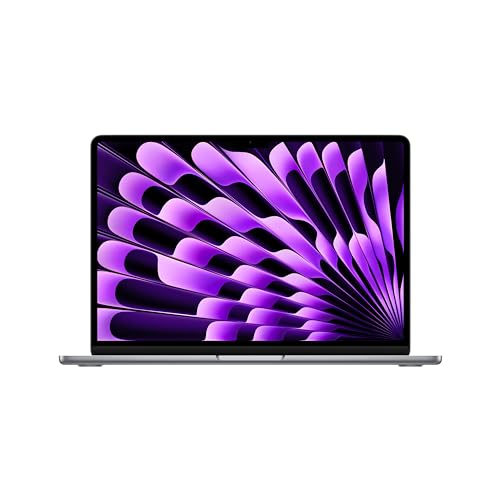
The windows laptop vs macbook decision is the biggest fork in laptop buying, and there is no universal winner — there is only the right match for your software, budget, and habits. Windows laptops come from dozens of makers at every size and price, run the widest range of software and games, and offer everything from budget workhorses to extreme gaming machines. MacBooks come from Apple alone, run macOS, and concentrate on a few polished models with outstanding battery life and build quality.
The quick verdict: if your work depends on Windows-only software, if you game seriously, or if your budget is firmly in the entry tier, choose a Windows laptop. If you value battery life, a superb trackpad and screen, quiet operation, and you live in Apple’s ecosystem with an iPhone, a MacBook is hard to beat. The sections below compare the two across the criteria that actually decide daily satisfaction.
Disclosure: As an Amazon Associate, kajuandouglas.com earns from qualifying purchases. Links to Amazon on this page are affiliate links; they cost you nothing extra. Listing details such as price and availability change often, so check the current Amazon listing before you buy.
Windows Laptop vs MacBook at a Glance
Use this table for orientation, then read the criterion sections for the nuances that matter to your workload.
| Criterion | Windows Laptop | MacBook |
|---|---|---|
| Operating system | Windows 11, from many manufacturers | macOS, Apple only |
| Price range | Widest of any platform, from true budget to extreme | Mid-range to premium only |
| Gaming | Full access to PC game libraries and powerful GPUs | Limited game library, improving slowly |
| Software compatibility | Broadest business, engineering, and legacy support | Strong creative apps; some business/engineering gaps |
| Battery life | Varies hugely by model; best models now rival Apple | Consistently excellent across the line |
| Upgradeability | Many models allow RAM/storage upgrades | Memory and storage fixed at purchase |
| Ports | Often generous: USB-A, HDMI, card readers on many models | USB-C/Thunderbolt focused; adapters often needed |
| Ecosystem | Works with everything, integrates loosely | Deep integration with iPhone, iPad, Apple Watch |
In this guide
Gear for This Guide
Three verified listings anchor the comparison — one MacBook and two flagship Windows rivals:

Apple 2024 MacBook Air 13-inch Laptop with M3 chip: Built for Apple Intelligence, 13.6-inch Liquid Retina Display, 8GB Unified Memory, 256GB SSD Storage, Backlit Keyboard, Touch ID; Space Gray — The current MacBook Air with Apple’s M3 chip: the reference point for the MacBook side — fanless, light, and famously long-lived on battery. Check price on Amazon.

Dell XPS 13 9305 Laptop – 13.3-inch FHD (1920×1080) Display, Intel Core i7-1165G7, 16GB LPDDR4x RAM, 512GB SSD, Intel Iris Xe Graphics, Killer Wi-Fi 6 with Dell Service, Windows 11 Home – Silver — A premium Windows ultraportable in the XPS 13 line, showing what the best Windows thin-and-lights offer in the same class. Check price on Amazon.

Microsoft Surface Laptop (2024), Windows 11 Copilot+ PC, 13.8″ Touchscreen Display, Snapdragon X Plus (10 core), 16GB RAM, 512GB SSD Storage, Dune — Microsoft’s own Surface Laptop, a Windows machine designed with MacBook-like polish and a touchscreen the MacBook lacks. Check price on Amazon.
Software and Compatibility: The Deciding Factor
More laptop purchases are decided by software than by any hardware specification. If your job or studies require specific Windows applications — many engineering, CAD, accounting, and enterprise tools qualify — the debate ends immediately: buy the Windows laptop. The same is true for most specialized peripherals and for older software that organizations still depend on. Windows also remains the platform for PC gaming, with the full Steam, Epic, and Xbox PC libraries and the graphics hardware to run them.
macOS counters with a strong creative and development ecosystem, a Unix-based foundation that many programmers prefer, and Apple’s own polished apps. Most mainstream productivity software — Microsoft Office, Adobe’s suite, browsers, and communication tools — exists on both platforms in near-identical form. Before deciding, list your five essential programs and check each one. That ten-minute exercise settles the question more reliably than any benchmark.
Hardware Choice, Performance, and Upgrades
Windows is not one product but hundreds. You can choose screen sizes from 11 to 18 inches, 2-in-1 convertibles, touchscreens, stylus support, gaming machines with powerful dedicated graphics, and rugged business models — at every price. Performance spans a far wider range than Apple’s line, in both directions. The cost of that freedom is research: quality varies by model, not by platform, so the specific machine matters enormously.
MacBooks offer a curated handful of models, all with Apple’s own silicon, which delivers strong performance with remarkable efficiency and silence — the MacBook Air has no fan at all. The trade-off is that memory and storage are fixed at purchase and priced steeply at configuration time, and there is no touchscreen or convertible form. Many Windows laptops, especially business models, still let you upgrade memory and storage later, extending their useful life.
Battery Life, Build, and Daily Experience
Apple silicon changed the battery equation: MacBooks routinely deliver a full workday and more of real use, stay cool and quiet, and hold their performance on battery. The best recent Windows laptops with efficient processors have narrowed the gap considerably, but the Windows market also contains many models with mediocre battery life, so checking model-specific reviews is essential. On build quality, MacBooks are uniformly excellent — rigid aluminum, superb keyboards and the best trackpads in the business — while Windows ranges from equally excellent flagships to creaky budget plastic.
Daily experience details differ in feel. macOS is consistent across every MacBook, with the same interface and update rhythm. Windows offers more customization, better window management for multitaskers, and broader accessory support, but pre-installed bloatware on cheaper models still mars the first-run experience. Neither system is hard to learn; switching costs are real but measured in days, not months.
Price and Value
Windows owns the entry tier outright: capable laptops for basic work exist at prices Apple does not attempt. In the mid-range, the platforms compete closely, and the comparison becomes model-specific — a discounted premium Windows laptop can undercut a MacBook Air while offering more memory and storage. At the premium end, MacBook Pro models compete with flagship Windows workstations on roughly equal financial footing.
Value over time cuts both ways. MacBooks hold resale value unusually well and receive many years of operating system updates. Windows laptops often cost less upfront and can be kept alive longer through upgrades and cheap parts. The honest summary: Windows wins on choice and entry price, Apple wins on consistency and resale, and your software list outranks both.
Who Each Option Suits
Choose a Windows laptop if you game, need Windows-only or legacy software, want a touchscreen or 2-in-1, prefer maximum ports, are shopping the entry tier, or want the option to upgrade components later. Choose a MacBook if battery life and quiet operation top your list, you own an iPhone and want the ecosystem features, you do creative or development work within macOS-friendly tools, or you simply want a short, safe shortlist with no bad options.
Students split by faculty: engineering and some business programs effectively require Windows, while media and design programs often standardize on Macs. When your institution publishes a recommendation, follow it — compatibility with course software beats platform preference every time.
Gaming, Creative Work, and Specialized Software in Depth
Gaming is the most lopsided category in this comparison. Windows offers the complete PC gaming ecosystem: every major store and launcher, the full back catalog, gaming laptops with dedicated graphics at every tier, and the modding culture that extends games for years. Mac gaming has improved — Apple silicon is powerful and more titles arrive each year — but the library remains a subset, and there is no Mac equivalent of a gaming laptop with a high-end discrete GPU. If gaming is a primary use, this section is the whole decision.
Creative work splits more evenly and by application. Video editors live well on both platforms; Apple’s machines are famously strong in ProRes workflows and Final Cut, while Windows counters with broader GPU choices for Premiere and DaVinci Resolve. Photographers face identical Adobe tools on both. Music production leans Mac in studio culture but runs fine on Windows. The pattern repeats: check your specific applications, because the platform war is fought app by app, not in the abstract.
Specialized professional software remains Windows’ fortress. Engineering and CAD packages, many accounting and enterprise systems, and a long tail of industry tools are Windows-only or Windows-first. Developers split genuinely: macOS offers a Unix environment many prefer, Windows answers with its Linux subsystem and the corporate world’s tooling. Students should follow their faculty’s standard, which exists precisely because this section matters.
Ownership Experience: Updates, Repairs, and Resale
Ownership diverges after purchase in ways spec sheets never mention. Apple’s update model is uniform: every supported Mac gets the new macOS on the same day, for many years. Windows updates arrive universally too, but the hardware variety means driver quality varies by maker, and budget models may be abandoned by their manufacturers sooner. Neither is a dealbreaker; both argue for buying from makers with good support records.
Repairs tell a sharper story. Many Windows laptops — especially business lines — are designed for service: batteries, memory, storage, and fans replaceable with a screwdriver, parts available for years. MacBooks are increasingly integrated; repairs route through Apple or authorized service, at Apple’s prices, though the company’s self-service repair program has widened options for some models. If you keep machines long and fix them yourself, Windows’ ecosystem is friendlier. If you prefer handing problems to a store, Apple’s retail support network is a genuine asset.
Resale closes the loop. MacBooks retain value unusually well, which offsets their higher purchase price over a full ownership cycle. Windows laptops depreciate faster but start cheaper and offer upgrade paths that extend first ownership. The financially literate comparison is total cost across your actual ownership period — purchase, repairs, upgrades, resale — not the sticker on day one.
Making the Decision: A Simple Framework
Run three filters in order. First, software: list your essential programs and any games; if anything important is platform-exclusive, your decision is made and correct. Second, form and budget: if your budget is entry-tier, or you need a touchscreen, 2-in-1, or gaming hardware, Windows is your market; if you want the specific polish of Apple’s hardware and can fund it, macOS is open to you. Third, ecosystem: your phone, tablet, and the computers of the people you share files with daily.
If you pass all three filters with both platforms alive, you are choosing between good options, and the tiebreakers are personal: keyboard and trackpad feel, screen preference, and which interface annoys you less after a week. Borrow time on both if you can. Platform loyalty is mostly habit wearing the costume of judgment — the honest differences are listed in this guide, and they are smaller than the arguments suggest.
The Chromebook Footnote and Other Third Options
No platform comparison is complete without acknowledging the machines outside the duel. Chromebooks run Google’s ChromeOS: browser-centric, inexpensive, secure by design, and managed beautifully by schools. For users whose computing is entirely web-shaped — and that is more people than the industry admits — a Chromebook is not a compromise but a correct answer, at prices neither Windows flagships nor MacBooks approach. Its ceiling is desktop software: when the work leaves the browser, the Chromebook leaves the conversation.
Linux laptops form the other honorable mention: Dell, Lenovo, and specialist makers sell machines configured for it, and most business Windows laptops run it well. Developers and the technically self-sufficient gain a free, powerful, endlessly configurable platform, at the cost of owning their own support. It is a real option for a real minority, and naming it keeps the main comparison honest: Windows versus macOS is the mainstream fork, not the whole map.
Tablets with keyboards knock on the door of this comparison too, and our laptop-versus-tablet guide handles them properly. The short version: they compete for the light end of laptop work and win on mobility, while remaining guests in the house of full computing. If your workload is light enough that a tablet tempts you, it is light enough that the Windows-versus-Mac question matters less than weight, battery, and price.
Switching Platforms: What Actually Transfers
Because the platforms guard their borders with fog, here is the practical inventory of a switch. Your documents, photos, and media move completely — cloud storage or an external drive carries them, and mainstream formats are universal. Your browser life moves via account sync: bookmarks, passwords, history. Your mainstream applications mostly exist on both sides with your files intact. Your peripherals mostly work, though the occasional printer, scanner, or specialty device will demand new drivers or refuse entirely.
What does not transfer: platform-exclusive software and the licenses tied to it, your muscle memory for shortcuts and window management (budget two weeks), and certain deep integrations — an iPhone’s marriage to a Mac, a Windows domain’s grip on a work laptop. Games libraries split by store: some purchases follow you, many do not, which is why gamers treat switching as a financial event.
The switch is therefore neither the triviality fans claim nor the catastrophe loyalists warn of. It is a weekend of migration and a fortnight of adjustment, undertaken for a reason — better battery, needed software, a fleet standard — and judged fairly only after the adjustment ends. Decide on the destination’s merits for your next five years, not on the friction of the first five days.
Head-to-Head by Job: Who Wins Each Kind of Work
Platform debates stay abstract until you pin them to a job. The sections of this guide covered software and hardware in general terms; here the comparison gets specific, workload by workload, because the right answer genuinely changes with the work.
Office work, administration and business software
For documents, spreadsheets, email and video calls, both platforms are more than capable, and the deciding factor is usually the specific software your employer or clients use. Windows holds an edge where legacy business applications, certain accounting packages, specialised line-of-business tools and some government or banking portals assume a Windows machine. Macros written for the Windows version of a spreadsheet program occasionally behave differently on a Mac, and shared workplaces with years of Windows-based templates feel that friction. MacBooks counter with excellent built-in apps for light work, superb trackpads that make long document days comfortable, and battery life that survives a full day of meetings away from a charger. If your work is browser-based, as much modern office work now is, the platforms effectively tie, and comfort, screen and price should decide.
Software development and IT work
Developers split by what they build. Anyone developing for Apple platforms needs a Mac, because Apple’s own development tools run only there. Web development, most backend work and cross-platform development run well on both, with the Mac’s Unix-based foundations historically making command-line tooling feel native, while Windows has closed much of that gap with its Linux subsystem, which lets developers run a real Linux environment inside Windows. IT administrators who manage fleets of Windows machines and servers usually live on Windows themselves for native access to the same management tools. Docker containers, virtual machines and multiple test environments reward generous memory on either platform, and that specification choice matters more than the logo on the lid.
Photography, video and design work
Creative professionals lean Mac for reasons that are partly practical and partly historical. Colour-accurate screens across the MacBook line, strong performance per watt in Apple’s current chips, and quiet operation under load make editing suites pleasant. The major creative applications run on both platforms, and file formats are identical, so a Windows machine with a good screen and a capable graphics processor is entirely viable and often allows more memory or storage for the same spend. The real dividing lines are specific: a plugin or font manager your studio depends on, the colour workflow your clients expect, and whether your collaborators’ project files assume one platform’s version of an application. Check those before assuming either default.
Engineering, CAD, data and specialist fields
Here Windows usually wins by default, because much professional engineering, CAD, architecture and simulation software is Windows-only or Windows-first, and certified graphics drivers for those applications are a Windows conversation. Data work splits: general analysis and scripting run anywhere, while certain enterprise tools and hardware interfaces remain Windows territory. Students in these fields should check their course’s software list before buying anything, because a single required Windows-only application settles the entire debate in one line.
The Ecosystem Question, Answered Honestly
Each platform becomes stickier the more of its maker’s other products you own, and this is a genuine feature rather than a trick. A MacBook beside an iPhone offers call and message continuity, instant file transfer between devices, a shared clipboard, and the ability to use a tablet as a second screen. A Windows laptop sits at the centre of a different kind of breadth: it pairs with an enormous range of phones, peripherals, monitors and accessories from hundreds of makers, often at lower cost, and Microsoft’s phone-linking features cover the most-used conveniences for Android owners. Neither ecosystem is objectively better; the question is which devices already surround you. Switching a laptop platform rarely means switching one device, so count the accessories, docks, software licences and habits that would need to change with it, and treat that total as part of the price.
Peripherals, docks and ports in daily life
Windows laptops span every port philosophy from generous legacy selections to minimalist modern ones, so you can usually find a model that plugs straight into your existing desk. MacBooks commit fully to modern USB-C and Thunderbolt connections, which is clean and fast but means older peripherals, projectors and wired networks often need adapters or a dock. Budget for that dock if your desk has multiple monitors and wired accessories, and note that one good dock largely erases the difference in daily use. Both platforms drive external displays well, though the number and resolution of external screens supported varies by specific model on both sides, so check the exact configuration you plan rather than assuming.
Security, Privacy and Management Differences That Matter
Both platforms are secure when kept updated, and both are targeted. Windows benefits from a mature built-in security suite, hardware-backed sign-in on most modern models, and the largest ecosystem of business management tools, which is why corporate IT departments standardise on it. Its popularity also makes it the bigger target, so updates and sensible download habits matter. MacBooks combine hardware and software under one maker, with strong defaults: disk encryption, app sandboxing, signed software checks and biometric sign-in across the range. Their privacy positioning is a selling point, though settings still deserve a review on any new machine. For a family or a small business without IT support, the practical answer is whichever platform you will actually keep updated, because an unpatched machine of either kind is the real risk.
Repairs, warranties and downtime compared
When something breaks, the experiences diverge. Apple offers a single, predictable route: its own stores and authorised providers, consistent diagnostics, and parts pricing that can be steep, especially for screens and logic boards where many components are integrated. Windows repairs spread across manufacturer service, independent shops and your own hands on models designed for it; screens, batteries, storage and memory are often replaceable at modest cost, though quality varies by provider. If downtime is expensive for you, consider the support plan and the nearest service option as part of the purchase, on either platform. A machine you can get fixed locally this week can be worth more than a theoretically better machine that ships away for a fortnight.
Scenario Head-to-Heads: Six Buyers, Six Answers
The student with four years ahead
A student needs battery life for lecture days, a keyboard that survives thousands of words, and software compatibility with whatever a course throws at them. A MacBook suits the humanities, business and creative student whose tools are the browser, documents and media applications, and its resale value at graduation is a genuine rebate on the purchase. The Windows laptop suits the engineering, science or specialist student whose course lists Windows-only software, and it suits any student whose budget must also cover a printer, a monitor for the dorm desk and a bag, because the savings versus an equivalently specified MacBook fund the rest of the setup. Both survive the degree if handled well; the course software list should cast the deciding vote.
The gamer who also works
This one is not close. A Windows laptop with a dedicated graphics processor plays the full catalogue of PC games, supports the widest range of headsets, controllers and streaming tools, and can be specified exactly around a game library. A MacBook plays a smaller, growing library of titles and handles casual and Apple-focused gaming comfortably, but as a primary gaming machine it asks for too many compromises. Buy the Windows machine for the games, and enjoy that it also does the work.
The writer, researcher and heavy browser user
For someone whose day is words, tabs and reference material, the differences shrink to feel. The MacBook offers a superb keyboard and trackpad combination, a sharp screen, silence, and battery that removes the charger from the daily bag. Windows offers the same class of hardware at the top of its range, plus touchscreen and pen options on many models, which researchers who annotate PDFs often prefer. Either serves beautifully; choose by trying the keyboards in person, because you will touch that keyboard more than any specification.
The small-business owner buying five machines
At fleet scale, management and support dominate. Windows brings the deepest bench of management tools, the widest choice of suppliers and service options, and staff who likely already know it. MacBooks bring consistency, strong security defaults and employees who often request them, with higher upfront cost per seat partly returned at resale. Mixed fleets are common and workable, but each added platform adds support burden, so a small business should standardise unless a specific role genuinely needs the other side.
The upgrader coming from an old machine
Coming from an old Windows laptop, a new Windows laptop is the zero-learning-curve path: files, licences and habits transfer cleanly. Coming from an old Mac, the same applies in reverse. Switching sides at upgrade time is most attractive when your old platform has been frustrating you for a specific, nameable reason: a software need, a gaming need, a battery need. Switching out of curiosity alone often ends with the new machine being blamed for being different, so write down the reason before you buy and check the new platform genuinely fixes it.
The family buying one shared machine
A shared household laptop needs multiple user accounts, parental controls, durability and painless photo handling. Windows offers the broadest choice of sturdy, repairable machines at family budgets and the games children ask for. A MacBook offers a calmer, more consistent experience and excellent integration with family iPhones and photo libraries. Households already deep in one phone ecosystem usually find the matching laptop less work; households on a budget usually find Windows stretches further.
Long-Term Ownership: Years Two to Five
The first month with either platform is usually happy. The differences that matter accumulate later. Both makers support their machines with operating system updates for years, with Apple typically supporting a given model for a long, predictable span and Windows support varying by hardware generation. Batteries on both sides are consumables that fade; replacement is straightforward and officially offered for MacBooks at a set service cost, and varies from trivial to involved across Windows models, so check your specific model’s battery story before buying if you keep machines a long time. Storage pressure arrives on both platforms as photo libraries and games grow, and here configurable Windows models with a second drive slot or an easy upgrade path forgive a too-small initial choice, while a MacBook buyer must choose storage carefully at purchase because it cannot be changed later. Resale values favour MacBooks strongly, which narrows the true cost gap over a full ownership cycle, while Windows machines often win on repair costs during that cycle. Neither advantage is decisive alone; together with your software needs, they should be.
Myths worth retiring on both sides
- Macs do not get malware: they get less of it, not none, and phishing and malicious downloads work on any platform. Sensible habits still apply.
- Windows laptops are all cheap and plasticky: the premium Windows tier matches or exceeds MacBook build quality; you are comparing a whole market against a single maker’s line.
- You cannot do real work on a Mac / on Windows: both platforms run the tools of most professions; the exceptions are specific applications, not entire careers.
- One side’s battery claims settle it: battery life depends on the model, the workload and the screen, and the best Windows machines and MacBooks both deliver full working days.
- Switching means losing your files: documents, photos and browser data move across easily; it is software licences and habits that carry the real switching cost.
Displays, Keyboards and the Hardware You Actually Touch
Specifications get the attention, but your daily experience of either platform is mostly screen, keyboard, trackpad and speakers. MacBooks are remarkably consistent here: bright, colour-accurate screens across the line, excellent speakers for the size, and trackpads that remain the reference standard. The consistency is the point — there is no bad MacBook screen to accidentally buy. Windows is a range rather than a promise. At its best it offers things Apple does not: high-refresh screens, OLED panels at lower prices, touchscreens, convertibles that fold into tablets, and keyboards with every layout philosophy. At its worst it offers dim screens and mushy trackpads on budget models. The practical rule follows: with a MacBook you are buying certainty, with Windows you are buying choice, and choice requires checking the specific model’s screen brightness, keyboard and trackpad in reviews or in person rather than trusting the brand.
Performance honesty: chips, thermals and sustained work
Apple’s current laptop chips deliver strong performance with unusual efficiency, which is why MacBooks can be fast, quiet and cool in a thin body. Windows laptops answer with a spectrum: efficient processors that match that quiet competence, and larger gaming and workstation models with far higher peak performance for rendering, simulation and high-end gaming, at the cost of size, noise and a charger that travels with you. For bursty everyday work — documents, browsing, calls, light editing — both feel instant. For sustained heavy work, the chassis and cooling matter as much as the chip name on either platform, and a thicker Windows workstation or a larger MacBook will outlast a thin model of the same family in a long render. Match the machine’s thermal class to your longest workload, not your average one.
A Simple Scoring Exercise Before You Buy
If the decision still feels stuck, score it. Write down your five most-used applications and check each against both platforms: native and excellent, workable, or unavailable. Then score your must-haves: a specific game, a touchscreen, a certain port, a weight limit, a repair option nearby. Finally, write the total cost of each complete setup, including the dock, adapters, software and case the platform requires. In most cases one column wins clearly once the exercise is honest, and where it does not, you have learned the platforms genuinely tie for your life — at which point you should simply buy the machine you enjoyed using more in the shop, because daily pleasure is a legitimate specification.
Whichever side you choose, choose the configuration deliberately: enough memory for the machine’s whole life, storage with headroom, and the screen you will look at for years. Those decisions outlast the platform debate, and they are the same on both sides of it.
What Living With Each Platform Actually Feels Like
Reviews measure benchmarks; ownership is measured in small frictions and small delights. Living with a MacBook tends to feel curated. The machine wakes instantly, the trackpad gestures become second nature, updates arrive as a single tidy event, and the whole experience is consistent from the cheapest model to the most expensive, because one company designed every layer. The frustrations are equally specific: a port you wish existed, a repair quote that stings, a piece of software that simply is not made for it, and the sense that customising the system beyond the offered options is not invited.
Living with a Windows laptop feels more like owning a house you can extend. You choose the size, shape, screen and keyboard from a vast market, upgrade or repair much of it yourself on the right model, and run effectively everything. The frustrations mirror the freedom: quality varies between makers, pre-installed extra software still appears on some models, update behaviour has historically been less graceful, and two Windows laptops at the same price can be wildly different machines. Experienced buyers manage this by choosing specific well-reviewed models rather than the platform in the abstract, and that habit, more than any specification, separates happy Windows owners from disappointed ones.
The honest summary for undecided buyers
If your software runs on both, your phone ecosystem is neutral, and you value consistency, quiet efficiency and resale value, the MacBook is the safer single recommendation. If you game seriously, need specific Windows software, want a touchscreen or a particular form factor, need easy repairs and upgrades, or must maximise hardware for a fixed budget, Windows is not a compromise but the correct tool. The buyers who regret this purchase are rarely those who chose the wrong platform; they are those who chose a bad model within the right one, or who bought for a life they imagined rather than the work they actually do. Anchor the decision in your real applications, your real accessories and your real budget, and both of these mature platforms will serve you well for years.
Environmental and Practical Footnotes Worth Knowing
A few practical considerations rarely headline reviews but shape ownership. Both platforms now ship in packaging with reduced plastic, and both makers run trade-in and recycling programmes that give an old machine value at replacement time; Apple integrates this into its own stores, while Windows trade-ins run through retailers and manufacturers with more variable values. Power consumption favours efficient models on both sides, and the most efficient MacBooks and modern Windows laptops sip power compared with older machines, which matters for off-grid, van and field work where every watt comes from a battery bank. For travel across regions, both use universal chargers, and USB-C charging on many models of both kinds means a single high-quality charger can serve laptop, phone and tablet, cutting bag weight. Warranty terms differ by country more than by platform, so read the local terms rather than assuming. Finally, consider the second-hand market from both directions: buying a refurbished recent model is the smartest route into either platform on a budget, and selling your old machine, rather than drawer-storing it, is where the MacBook’s stronger resale quietly repays part of its higher starting price.
Set against all of this, the platform decision is important but not fragile. Millions of people do excellent work on each, switch happily in both directions, and adapt within weeks. Decide with the evidence of your own software list and budget, buy the best-executed model you can afford within the winning platform, and spend the energy you saved on the work the machine was bought to do.
Questions to Ask in the Shop, Whichever Side You Choose
- Can I type a full paragraph on this keyboard and use the trackpad for five minutes, rather than tapping one key and nodding?
- Is the screen bright and clear enough at the brightness I would actually use, and does text look sharp at my normal viewing distance?
- How many external screens does this exact configuration drive, and through which ports or dock?
- What does a battery replacement cost and where is it done, if I keep the machine for four or five years?
- Which parts, if any, can be upgraded later: memory, storage, both or neither?
- What is the return window if the platform turns out not to fit my software after all?
Those six answers, combined with the software check described earlier, predict satisfaction with either a Windows laptop or a MacBook more reliably than any benchmark chart. Shops expect these questions, good ones welcome them, and the ten minutes they take is the cheapest insurance in the whole purchase.
It is also worth deciding, before you shop, what would make you switch back. Naming the deal-breaker in advance — a piece of software, a battery target, a repair experience — turns the first month into a fair trial rather than a vague comparison, and it makes the return window useful instead of theoretical. Buyers who set that test almost never feel trapped by their platform choice, because the choice was made against their own criteria rather than against the internet’s opinion of what a laptop should be.
And if two machines still tie after every test, let the tie-breaker be support: the maker or retailer whose warranty process, local service and return policy you trust most. Over a four-year ownership, one painless repair is worth more than a small benchmark lead, on either side of this comparison.
Keep the receipt, the serial number and a note of your configuration somewhere safe, too. Owners of both platforms underestimate how often that small admin act speeds up support, insurance and resale years later.
Then stop comparing and start using it.
Related Guides
- best Windows laptops for college
- best laptops for work
- best gaming laptops
- best laptops for graphic design
- best laptops for students
- laptop vs tablet, the other big fork
- how to choose a laptop, step by step
Frequently Asked Questions
Can a MacBook run Windows software?
Modern MacBooks with Apple silicon cannot run Windows through Boot Camp, because that feature ended with Intel Macs. They can run some Windows applications through virtualization software or compatibility layers, with varying performance and support. If a specific Windows program is essential to your work, test its Mac options carefully before buying — or simply buy the Windows laptop.
Which lasts longer, a Windows laptop or a MacBook?
Both can serve five years or more when well chosen. MacBooks benefit from long software support and strong build quality. Windows laptops benefit from replaceable parts and upgrades on many models. The bigger variable is the individual model and how it is treated, not the logo on the lid.
Are MacBooks better for students?
It depends on the course. MacBooks are excellent for writing, research, media, and programming, with battery life that survives a full day of lectures. But engineering, architecture, and some business courses require Windows software. Check your program’s published requirements first; many universities state a clear preference by faculty.
Why are there no budget MacBooks?
Apple simply chooses not to compete in the entry tier; its most affordable laptop sits in the mid-range. The practical workaround many buyers use is a previous-generation MacBook Air, which Apple and retailers often sell at reduced prices and which still outperforms most entry Windows machines in battery life and build.
Which is better for gaming?
Windows, decisively. The overwhelming majority of PC games are built for Windows, gaming laptops offer dedicated graphics cards across many price tiers, and services like PC Game Pass are Windows-centered. Mac gaming exists and is growing, but the library is a fraction of Windows’ and high-end graphics options are limited.
Can I switch from one platform to the other easily?
Yes, with a few days of adjustment. Your files move via cloud storage or an external drive, mainstream apps exist on both sides, and browsers carry your bookmarks and passwords. The friction points are platform-exclusive software, some file-format edge cases, and muscle memory for shortcuts. Most switchers report feeling at home within two weeks.
Do Windows laptops or MacBooks handle external monitors better?
Both handle external displays well, but the number of screens and the resolutions supported depend on the exact model and chip. Check the specification for the specific configuration you plan, especially with entry-level models, before assuming a multi-monitor desk will work.
Which platform is better for a first laptop for a teenager?
Either works. Choose based on the school’s requirements first, then on what the family already uses, since shared chargers, familiarity and existing software licences usually matter more at that age than any platform advantage.


