People asking what is the best android version usually mean one of three things: which version should my phone be running, which version should I look for when buying, or whether the newest release is actually better than the one I have. The short answer covers all three: for nearly everyone, the best Android version is the newest one your phone officially supports — because it carries the latest security patches, the newest app compatibility, and years of accumulated polish — provided your phone maker has released it in stable form.
The longer answer is more interesting. Android versions are not like wine vintages, where an older year might secretly be the connoisseur pick. Each annual release adds features, privacy controls, and under-the-hood improvements, but the version number matters less than two things nobody puts on the box: how current your security patch level is, and how many future updates your specific phone is promised. This explainer unpacks how Android versions work, what the recent generations actually changed, and how to judge a phone by its software future rather than its launch-day number.
Disclosure: As an Amazon Associate, kajuandouglas.com earns from qualifying purchases. Links to Amazon on this page are affiliate links; they cost you nothing extra. Listing details such as price and availability change often, so check the current Amazon listing before you buy.
Gear for This Guide
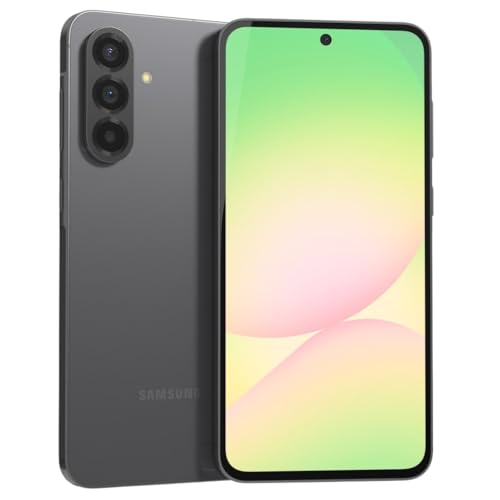
Phones chosen for their software futures — the real answer to the version question.

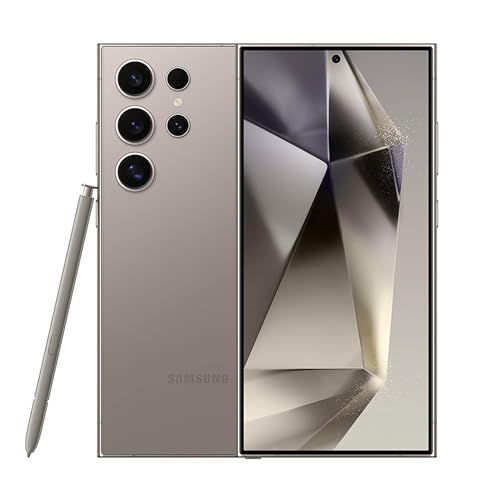
Samsung Galaxy S24 Ultra Cell Phone, 256GB AI Smartphone, Unlocked Android, 200MP, 100x Zoom Cameras, Fast Processor, Long Battery Life, Edge-to-Edge Display, S Pen, US Version, 2024, Titanium Gray — A flagship whose maker publishes a seven-year update commitment: whatever the best version is in five years, this phone is promised to be running it. Check price on Amazon.

OnePlus 12R, 8GB RAM+128GB, Dual-SIM, US Factory Unlocked Android Smartphone, 5500 mAh Battery, 50MP Camera, 80W Fast Charging, 2024, Iron Gray — OnePlus built its reputation partly on fast, clean software updates; this unlocked model shows the value-tier version of the long-support approach. Check price on Amazon.
In this guide
What Is the Best Android Version?
How Android Versions Work. Google develops Android and releases one major version per year, each with a number — Android 13, 14, 15, and onward — and, historically, a dessert codename that survives now mostly as an internal nickname. Google own Pixel phones receive the new version first. Every other manufacturer then adapts it to their interface — Samsung One UI, for example, is a layer over the same Android core — tests it across their models, and rolls it out over following months. That is why two phones can both be current while running different version numbers, and why your friend phone got the update in October and yours in January.
Separate from the major version is the security patch level, shown as a date in your settings. This is arguably the more important number: monthly patches close newly discovered vulnerabilities, and a phone on last year Android version with this month patch is safer than a phone on the newest version whose patches stopped half a year ago. When you check your phone software health, check both numbers — version for features and app support, patch date for safety.
What Recent Versions Actually Changed
The last several generations focused less on visual drama and more on privacy, polish, and intelligence. Recent versions brought per-photo permissions — letting an app see selected pictures instead of your whole library — notification permissions you grant deliberately, a privacy dashboard showing which apps used your camera, microphone, and location, and stronger restrictions on background snooping. Material You theming let the whole interface tint itself from your wallpaper. Battery management, notification organization, and large-screen and foldable support improved steadily year over year.
Under the hood, Google also moved much of Android updating into modular components updated through the Play Store — security and media components can now improve without waiting for a full version upgrade. This is a quiet revolution for longevity: even phones between major updates receive meaningful fixes. It is also why the raw version number tells less of the story than it used to, and why patch level plus your maker update policy are the honest metrics.
So Which Version Is Best — For Buying and For Keeping
When buying: choose a phone that ships with the current or immediately previous Android version and carries a long written update commitment — flagship lines from Google and Samsung now promise up to seven years of version and security updates, and good mid-range models promise four to six. A phone launching on an old version with a two-year promise is old before its time, whatever its discount. The version it starts on matters far less than the version it will end on.
When keeping: run the newest version your maker officially offers you, and install it promptly once the early days pass and no widespread problems are reported for your model. Resist the enthusiast urge to install unofficial ROMs or beta builds on your main phone unless tinkering is your hobby — betas trade stability for novelty, and your banking app has opinions about that. If your phone no longer receives updates at all, it still works, but treat it with growing caution for sensitive tasks and let its replacement be chosen by update policy first.
Common Misconceptions About Android Versions
Misconception one: a higher version number always means a faster phone. New versions add optimizations and cruft in roughly equal measure; on old hardware a major update can feel neutral or slightly heavier, while on supported hardware the difference is mostly features and security. Misconception two: the dessert name tells you something useful — it does not; it is a codename, not a quality grade. Misconception three: if your phone missed the newest version, it is obsolete. App developers support several versions back, and with modular Play updates, a phone one or two versions behind with current patches remains a perfectly safe, capable device.
The deepest misconception is that the version is a property of Android alone. In practice, your experience is version plus manufacturer layer plus patch discipline. A well-maintained phone on the previous version from a maker with monthly patches beats a neglected phone on the newest version every time. Judge the whole software situation, not the single biggest number.
Why the Question Has Three Different Answers
Ask which Android version is best and you are really asking three questions wearing one coat. For a phone you already own, the best version is usually the newest one its maker officially offers for it, because that version carries the latest security patches, and security outweighs features. For a phone you are buying, the best version is the one that comes with the longest remaining support runway, which is a property of the phone and its maker’s policy more than of the version itself. And for the curious, there is the question of which version was the best release in Android’s history — a pub argument with some genuinely interesting answers. Keeping these three apart dissolves most of the confusion around the topic.
Version numbers, desserts, and what changed when
Android versions once carried dessert names publicly, a tradition that ended as the system matured and version numbers took over. The milestones that mattered most to users were rarely the headline features of launch events. The introduction of runtime permissions let you grant apps access one capability at a time instead of all-or-nothing. Project improvements under the hood made updates deliverable in pieces through the app store, so parts of your phone can stay current even when the maker is slow. Notification channels ended the era of apps shouting at full volume by default. Each of these changed daily life more than any visual redesign, and each arrived in a specific version that owners of older phones could feel envious of for good reason.
How to Judge a Version: The Criteria That Matter
Security posture comes first: a version still receiving patches is categorically safer than a prettier one that is not. Privacy controls come second — modern versions let you grant approximate rather than precise location, one-time permissions, and see which apps used sensitive sensors recently. Third is battery and performance management, which has steadily improved at identifying abusive background behaviour. Fourth, and only fourth, come the visible features: new customisation, new gestures, new camera tricks. Judged by these criteria, the best version is almost always the newest fully supported one, and the interesting debate is never between the latest version and its predecessor — it is between staying on an old supported version and the risks of unofficial routes to newer ones.
Feature drops and the blurring of versions
Modern Android increasingly delivers improvements outside the annual version entirely: through app-store-delivered system components, through feature drops on some brands, and through updates to the core apps themselves. Two phones on the same version number may therefore have meaningfully different capabilities, and two phones a version apart may feel nearly identical. This is healthy for users — improvements arrive sooner — but it makes version-number comparisons a weaker guide than they were a decade ago. When you read that a feature requires a certain version, check whether your phone received it through another channel before concluding you are missing out.
Your Current Phone: Upgrade, Stay, or Replace
If your phone offers an official update, take it, after a backup and a day’s patience to let any early issues surface in other people’s reports if you are cautious. If your phone’s maker has ended version updates but security patches continue, you can stay comfortably until those end too. When both end, the phone does not stop working — it becomes progressively less safe for banking and sensitive accounts, and the honest recommendation tilts toward replacement, particularly for a phone that handles your money and identity. Enthusiast routes to newer versions on abandoned phones exist, but they trade the maker’s testing and your banking apps’ trust for novelty, and they belong in expert hands with full awareness of those trades.
Reading your own version and patch level
Your phone reports two separate facts in its settings: the Android version and the security patch date. The patch date is the more important of the two for safety. A phone one version behind with a recent patch is in far better shape than a phone on the newest version whose patches stopped a year ago — a combination that occurs with some brands’ budget models. Learn to find both numbers, check them a few times a year, and you understand your phone’s real position better than most owners ever do.
Buying With Versions in Mind
When buying, translate version talk into runway talk. How many further version upgrades does the maker promise this model, and for how many years will security patches flow? A mid-range phone with a long promise can be a better version purchase than a flagship from a maker with a short one, if you keep phones for a long time. Also prefer phones launching on a current version over discounted phones launching already a version behind, because the runway is consumed from the day of release, not the day of your purchase. Retail listings sometimes hide the launch version; the maker’s specification page states it, and two minutes there protects a multi-year decision.
The historical answer, for the curious
If the pub argument must be settled: the versions most fondly remembered by long-time users are those that combined stability with a genuine leap — the release that brought runtime permissions and battery-saving doze changed what users could control; the release that modularised updates changed how long phones stayed safe; the release that introduced the modern gesture and privacy dashboard changed daily feel. Notice the pattern: the beloved versions are the ones that improved control, safety, and longevity rather than decoration. That pattern is itself the answer to the title question, whichever year you ask it in.
A Practical Verdict You Can Use Today
- On your current phone: the newest officially offered version, with patches current, is best.
- When buying: the phone with the longest promised runway beats the phone with the flashiest launch version.
- When comparing friends’ phones: compare patch dates before version numbers.
- When tempted by unofficial updates on an old phone: weigh banking and safety first, novelty last.
- When a feature tempts you: check whether it arrived through an app or component update before assuming you need a new version.
The best Android version, in the end, is the one that keeps your phone secure, private, and supported for as long as you own it — and by that measure, the newest supported release wins every year, which is exactly how a healthy platform should behave.
Versions in the Wild: Why Your Friend’s Phone Disagrees With Yours
Two phones bought in the same year can live on different Android versions for most of their lives, because the version a phone runs is decided by its maker’s update programme, not by the calendar. This produces the common puzzle of an older phone on a newer version than a newer phone — explained entirely by one maker supporting its models diligently and the other treating updates as an afterthought. It also means version envy should be aimed carefully: the friend whose budget phone runs the latest version while your expensive one waits is not experiencing a glitch in the universe, just two companies keeping different promises. When you next buy, you are buying a place in an update queue as surely as you are buying a camera, and the version question is really a maker question wearing a number.
The fragmentation story, told fairly
Android’s version spread across the world’s phones is often reported as a flaw, and for developers it is genuinely work. For users, the picture has softened enormously: security-critical components update through the app store, core apps update independently, and the practical gap between a phone one version behind and one current has narrowed to specific features rather than general safety — provided patches still flow. The version number on its own has become a weaker signal each year, which is why this guide keeps redirecting attention to patch dates and support promises. Fragmentation is real; its consequences for a well-supported phone are modest; its consequences for an abandoned phone are the whole story.
What Each Recent Era Gave Ordinary Users
Looked at from the user’s chair rather than the developer’s keynote, Android’s recent eras each contributed a gift. One era made permissions granular and revocable, ending the take-it-or-leave-it era of app access. Another made privacy visible, with indicators when the camera or microphone is live and a dashboard of who used what — a change in the power relationship between user and app that is easy to forget was ever absent. Another refined notifications into something manageable, with channels and gentle modes. The current era leans into intelligence features and polish. A user deciding whether an upgrade matters can ask a simpler question than any changelog poses: which of these gifts does my phone lack, and do I feel the lack weekly or never? Version upgrades are worth wanting in proportion to the gifts you will actually open.
When a new version makes a phone feel worse — briefly
Major upgrades rearrange: settings move, gestures change subtly, a familiar icon is redrawn. For a week the phone feels worse, and forums fill with regret, and then familiarity rebuilds and the feeling evaporates — a pattern so reliable it should be priced into every upgrade decision. There are also genuine early bugs, which is why the cautious rhythm of waiting some days after release, backing up, and then upgrading serves most people better than either day-one enthusiasm or permanent refusal. Judge a version at a month, not at an hour, and remember that the version you are leaving felt exactly as foreign once.
Versions and the Second-Hand Market
Nowhere does version literacy pay more concretely than in used phones. A used flagship two versions behind but still patched can be an excellent purchase; a used phone of any pedigree whose patches have ended is a liability priced as a bargain. Before buying used, check three facts that listings omit: the current version, the patch date, and the maker’s stated end of support for that model. The arithmetic of remaining supported years, divided into the asking price, tells you the true cost per safe year, and it routinely reveals that the slightly dearer phone is the cheaper one. Sellers know cameras and storage sell phones; buyers who ask about patch dates are rare, informed, and consequently well served by the market’s inattention.
Handing a version down the family
The same arithmetic governs hand-me-downs. A phone passed to a child or parent should carry remaining support, because its new owner is the least equipped to manage an unsupported phone’s risks. If the family phone’s support has ended, the kind options are to keep it for offline and light duties, or to replace it rather than pass the risk downhill. This is not snobbery about old phones — it is the recognition that support status is a safety property, like a seatbelt’s age, invisible right up until the moment it is the only thing that matters.
So, Which Version Should You Want?
Want the version your phone’s maker currently offers, installed. Want, when buying, the phone whose maker promises the most future versions and the longest patch runway in writing. Want, when admiring a feature, to check whether it truly needs a new version or merely a new app. And want, above all, to retire the idea that the version number is a score. It is a maintenance state. The best-maintained phone in any room — patched, current, backed up — is running the best Android version in that room, whatever number it displays, and its owner understands this topic better than the owner of a newer number left unpatched since spring.
Beta Versions, Early Access, and Who They Are For
Between the version you have and the version you will get sits the beta: pre-release software offered to volunteers who test it on real devices in real life. Betas are genuinely useful to the platform — millions of varied devices find faults no laboratory can — and genuinely risky for the volunteer’s only phone, because banking applications may refuse to run, battery behaviour can be erratic, and the exit back to stable software historically involves erasing the device. The rule for ordinary owners is simple: betas belong on spare devices and in curious hands that have read the exit instructions before entering. If your phone is your wallet, your keys, and your family’s lifeline, admire the beta programme from the stable shore. The features will arrive, finished and safe, on the schedule your maker promised, and the weeks of early access are rarely worth the small chance of a broken morning.
Developer previews and the news cycle
Headlines about future Android versions arrive many months before those versions reach any ordinary phone, written from developer previews intended for application makers. Reading them is harmless entertainment; acting on them — delaying a needed purchase for a feature announced for next year, or judging your current phone harshly against software that does not yet exist in finished form — is a category error. The version that matters is always the one your phone can run today, fully supported. Let the news cycle be a preview of coming attractions rather than a review of your current device, and the annual rhythm of announcements becomes pleasant rather than corrosive.
Android Versions on Tablets, Watches, Televisions, and Cars
The version question follows Android beyond the phone, with different stakes in each place. Tablets share the phone’s logic — patches matter, runway matters — with the added wrinkle that tablet models are often supported for shorter spans than their makers’ phones, making the model-specific check even more important. Watches run a related system whose updates arrive through the paired phone and whose support is tied to the watchmaker’s commitment; a watch abandoned early becomes a timepiece with delusions, still useful, no longer smart in the ways that need servers. Televisions and streaming boxes live the longest and are patched the least diligently across the industry, which argues for keeping sensitive accounts off the television where possible and letting a well-supported phone or stick carry the streaming duties. Cars integrate through the phone, mercifully, so the car’s software age matters less than the phone’s. The unifying principle is the phone’s: in every category, the best version is the newest one the maker still supports, and the purchase question is always the runway.
One version, many skins: why friends’ screenshots confuse you
A persistent beginner’s confusion deserves its own answer: two phones on the same Android version can look entirely different, because each maker layers its own interface over the shared foundation. Menus rearrange, icons redraw, features appear and vanish. This is why a tutorial must name the brand as well as the version, and why your friend’s instructions, offered kindly across the dinner table, may not match your screen despite both phones proudly displaying the same number in their settings. The version is the engine; the interface is the cabin. Judge safety by the engine’s maintenance — the patch date — and judge daily pleasure by the cabin, and never let anyone sell you a cabin feature as an engine improvement.
The Version You Have: A Five-Minute Annual Review
- Open settings and note your Android version and, more importantly, your security patch date.
- Confirm automatic updates are on, and install anything waiting.
- Check your maker’s support page once: how many years remain for this model?
- If patches have ended, begin the demotion plan — banking and sensitive accounts migrate to a supported device first.
- Write the support end date somewhere you keep household dates; future-you will plan better with it known.
That small annual ritual is the whole subject, operationalised. The best Android version debate, with its desserts and keynotes and headline features, finally reduces to a maintenance question with a five-minute answer — and the owners who ask it yearly are the ones whose phones stay safe, current, and worth keeping longest.
Versions and Privacy: The Quiet Revolution Worth Wanting
If one thread runs through Android’s recent versions that deserves a user’s genuine enthusiasm, it is the steady transfer of power from applications to owners. Permissions became granular, then temporary, then visible: you can grant an application your location once, approximately, while watching an indicator announce when your microphone is live, and review a dashboard of which applications used which senses of your phone and when. Each version tightened this ratchet, and none of its steps can be had on a phone abandoned before them — which converts the abstract question of the best version into something concrete: the newest supported version is the one where your phone works for you against its own applications’ curiosity, with the most complete set of levers. Owners who care about privacy, which in practice means owners who have ever felt a shiver at an eerily relevant advertisement, should read version currency as privacy currency and spend accordingly when choosing and keeping phones.
The permission audit: a gift of the modern versions
Modern Android’s privacy dashboard makes a five-minute ritual possible that older versions could not offer at any price: the periodic permission audit. Once a season, open the dashboard, review which applications used location, camera, and microphone recently, and revoke what surprises you. Check which applications hold the powerful accessibility and notification-access permissions, and confirm each one earns it. Remove applications whose entire relationship with you is a permission and a hope. This ritual, trivially easy on a current version and impossible on an abandoned one, is the practical dividend of staying supported — worth more, in a year of ordinary life, than any headline feature a launch event ever announced.
The Answer, Delivered as a Rule of Thumb Collection
- Newest officially offered version, promptly installed, wins on your current phone — almost without exception.
- Longest written support runway wins when buying, even against a flashier launch version on a shorter promise.
- Patch date beats version number when judging any phone’s real safety, including your own.
- A feature is worth wanting in proportion to how weekly you will feel its absence.
- Betas and previews are for spare devices and the genuinely curious, never for the phone your life runs on.
- An unsupported phone is not a broken phone — it is a phone to demote, deliberately, from your money and your identity.
Pin those six rules wherever you keep household wisdom. The version question will return every year, dressed in a new number and a new dessert-less name, and the rules will answer it the same way every time — because they were never really about versions. They are about maintenance, support, and the long, safe life of the small computer your whole life now runs on.
Versions in Education and Work: The Managed Fleet’s Answer
Schools and employers answer the version question with a discipline worth borrowing. They standardise on models with written support commitments, enrol every device in management that can report its patch level, push updates on a schedule rather than on hope, and retire devices when support ends even if the hardware still gleams. The result is a fleet whose worst phone is still a safe phone. A household can run the same policy at kitchen-table scale: buy supported models, turn on automatic updates everywhere, know each phone’s patch date, and keep a simple list of the family’s devices with their support end years. That list, reviewed once a year, converts the family’s version question from a series of surprises into a single calm page — and it makes the answer to which version is best a property of the household’s system rather than of any individual phone’s luck.
The child’s first phone and the version floor
A child’s first phone deserves a version floor as firmly as it deserves a case: a model still receiving security patches, running a version current enough that the family’s supervision tools work fully, and with enough support runway to outlast the child’s journey to the next device. The second-hand market is full of charming, inexpensive phones that fail this floor entirely, and the saving they offer is denominated in a child’s safety — a currency no household should spend. Check the patch date on any candidate, in the shop, in the settings, before money moves. It takes twenty seconds and it is the difference between a first phone and a first liability.
Looking Forward: Versions Matter Less, Support Matters More
The direction of travel in Android is clear enough to plan by: the annual version will keep arriving with its features and its name, while more and more of the system’s substance — security components, privacy infrastructure, core services — updates independently and continuously beneath it. In that world the version number becomes steadily more ceremonial and the support relationship steadily more real. The buyer of the future is therefore buying, even more nakedly than today, a promise: that the maker will keep this device current, patched, and compatible for a stated number of years. Read promises, compare promises, pay for promises. The version your phone launches with will be a trivia answer within two years; the promise it launched under will still be deciding, every month, whether it is safe to hold your life.
A closing answer for the searcher who arrived with the title’s question
If you arrived here wanting a single version named as the best, take this away instead: the best Android version is the newest one your phone officially supports, installed, with its security patch current — and the best Android version to buy is the one attached to the longest written promise you can afford. Every other answer is a snapshot that expires. This one renews itself every year, on every phone, for every owner, which is why it is worth the whole article to reach. Check your patch date tonight. That small act — twenty seconds in the settings — is the title question, answered in the only form that ever actually protected anyone.
Versions and Resale, Returns, and the Refurbished Shelf
The refurbished market deserves its own paragraph in this guide because it is where version literacy earns its highest interest. A professionally refurbished phone — battery renewed, warranty attached, data wiped under certification — can be the finest value in the entire phone market, provided one number survives the refurbishment intact: its remaining support. Refurbishment restores hardware; it cannot restore a single day of software support, because that calendar belongs to the maker alone. So the refurbished buyer’s checklist inverts the usual order: support runway first, battery health second, cosmetic condition a distant third. A scuffed phone with three supported years remaining is a better purchase than a pristine one whose patches ended in spring, and the price difference between them, in a market that prices shine over safety, regularly runs in the informed buyer’s favour.
The version question inside families that share accounts
Families that share accounts, albums, and supervision tools discover that versions interact: a child’s phone too old for the family’s safety applications, a parent’s phone whose version cannot join the shared album’s newest features, a household where the oldest device quietly sets the ceiling for what the family’s shared services can do. The remedy is not to upgrade everyone constantly — it is to know the family’s floor: the oldest version in active family service, and to plan its retirement as deliberately as its purchase was casual. When the floor phone’s support ends, the family’s shared life should migrate upward with it, because shared services are only as safe as their least-supported participant. One line in the family’s records — the floor phone, its model, its support end date — prevents the discovery from arriving as a failure on a school morning.
The Version Ethic: Gratitude for Maintenance
End with a small, unfashionable sentiment: maintenance deserves gratitude. Behind every patch date on your phone stands an unglamorous procession of engineers who kept an old device safe long after its launch party, and behind every long support promise stands a company choosing a longer obligation over a shorter one. Owners reward that choice, invisibly and completely, every time they buy on runway rather than on launch glitter. The best Android version debate will outlive us all in its yearly costumes, but its substance has already settled into the ethic this guide has repeated in every section: keep what you own maintained, buy what is promised maintenance, and demote with dignity what maintenance has left. Follow that ethic and the version question never needs asking again — it answers itself, monthly, in your settings, with a recent date.
A Reader’s Question, Answered at Length: My Phone Offers No More Updates — What Now?
Work through it in order. First, confirm the fact rather than assuming it: check for an update manually, restart, and read the maker’s support page for your exact model, because phones are often declared abandoned by rumour while patches still quietly flow. Second, if support has genuinely ended, demote the phone in stages: move banking and the most sensitive accounts to a supported device if one exists in the household, keep the phone for communication, photographs, and media, where its risk is modest, and be extra disciplined about links and downloads on it, since its defences are now frozen in time. Third, put its replacement on the household’s planned calendar rather than in an emergency basket — a phone bought at leisure, on a long promise, with data migrated calmly. Handled that way, the end of support is a managed transition measured in months, not a cliff discovered in a crisis, and the phone’s final chapter is written by its owner instead of by circumstance.
Related Guides
- best micro sd card for android phones
- best spy apps for android phones
- best watch for android phones
- best android phones under 100
- best controller for android phones
- android phone update policy explained
- how to fix an android phone that will not turn on
- how to fix android apps crashing
Frequently Asked Questions
How do I check which Android version I have?
Open Settings, tap About phone, then Android version. You will see the version number, and usually the security patch date on the same screen or under Software information. While you are there, go to System, then Software update, and check for anything pending. Make a habit of glancing at the patch date every month or two — it is the single best health indicator of your phone software.
My phone will not get the newest version. Should I replace it?
Not automatically. If it still receives security patches, it remains safe for everyday use, and apps will support its version for years yet. Replace when patches stop entirely, when an app you need drops your version, or when the battery and hardware are tired anyway. When you do replace it, make the new phone update commitment your first filter — that decision, made once, protects you for the life of the device.
Why does my friend phone have a newer version than mine?
Because manufacturers roll updates out in stages by model, region, and sometimes carrier, testing as they go. Flagships go first, then mid-range, then budget lines. The delay is frustrating but usually measured in weeks or a few months, not abandonment — check your maker published schedule for your model. If your phone is years past its promised window, that is the real explanation, and no amount of checking for updates will change it.
Are beta versions worth trying?
For enthusiasts with a spare phone, betas are fun and genuinely help polish the release. For your only phone — the one with your banking, your two-factor codes, and your family group chat depending on it — no. Betas can break apps, drain batteries, and occasionally require a reset. Admire the new features in coverage, then enjoy them a few months later in stable form, with your data intact and your patience unspent.
Does the Android version affect which apps I can install?
Eventually, yes: developers gradually raise their minimum version as old versions fade, so a phone stuck many versions behind will start meeting this app is not compatible with your device messages — banking and security apps usually move first, for good reasons. This is a slow process measured in years, and it is one more argument for buying update longevity rather than launch-day specs.
What is the difference between Android version and One UI or similar?
Android is the operating system core from Google; One UI and its equivalents are the manufacturer interface and feature layer built on top. Your phone runs both at once — an Android version underneath, a skin on the surface. Updates usually advance both together. When people praise or blame their phone software feel, they are usually judging the layer; when they judge security and app support, that is the core version and its patches.
Is it worth upgrading to the newest Android version as soon as it is offered?
Almost always yes, with a small timing refinement: let the release breathe for a few days while the earliest adopters report any rough edges, back up before a major version change, and install on a calm evening with the phone on power and Wi-Fi. The upgrade brings security maintenance, privacy improvements, and compatibility with the applications that will increasingly assume it. Permanent refusal, by contrast, strands the phone on ageing ground for no benefit. The cautious rhythm — days of patience, not months — captures nearly all the safety with nearly none of the drama, and it is the rhythm this guide recommends to every owner who asks.
My phone is two versions behind but still gets security patches. Should I worry?
Less than you might think, and the patch date is the reason. Security protection flows primarily through patches and through the modular components that update independently of the annual version, so a phone a version or two behind with a current patch date is in genuinely reasonable shape — safer, in fact, than a phone on the newest version whose patches stopped a year ago. What you are missing is features and, eventually, application compatibility, both of which matter on a slower clock than safety. Keep installing the patches, watch the maker’s stated end of support for your model, and plan your next phone by that date rather than by the version gap.
Can I install a newer Android version myself if my maker has stopped offering one?
Unofficial routes exist, and this guide’s advice is to leave them to enthusiasts with spare devices and full awareness of the trades. They typically void the maker’s testing, can break banking and safety-verification systems that ordinary life depends on, risk rendering the phone unusable if a step goes wrong, and replace a known support situation with an unknown one maintained by volunteers. For a phone that holds your money and identity, the honest recommendation is the boring one: run the newest official version offered, demote the phone from sensitive duties when official support ends, and put the enthusiasm budget toward a replacement with a long written promise.