Asking what is oled vs lcd on a phone is really asking why two phones showing the same photo can look so different, and why one costs more. The short version: an LCD screen shines a backlight through a layer of liquid crystals, while an OLED screen makes every pixel produce its own light. That single design difference cascades into contrast, thickness, battery behaviour and price.
This explainer covers how each technology works in plain language, the real advantages and drawbacks of both for phone use, and how much the choice should influence your next phone purchase. No engineering background needed — just the concepts that explain what your eyes already see.
Disclosure: As an Amazon Associate, kajuandouglas.com earns from qualifying purchases. Links to Amazon on this page are affiliate links; they cost you nothing extra. Listing details such as price and availability change often, so check the current Amazon listing before you buy.
The Short Answer
OLED pixels emit their own light and can switch off completely, giving perfect blacks, superb contrast and thinner screens, at a higher cost. LCD uses a shared backlight, so blacks look greyish in the dark, but the screens are cheaper, can be very bright and never suffer burn-in. For most buyers OLED is the nicer display; LCD remains perfectly good on budget phones, especially for bright outdoor use.
In this guide
Gear for This Guide
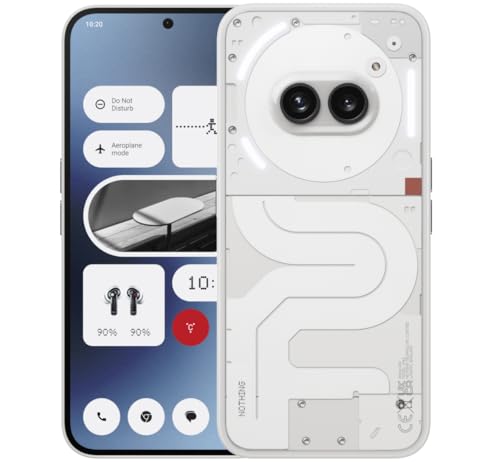
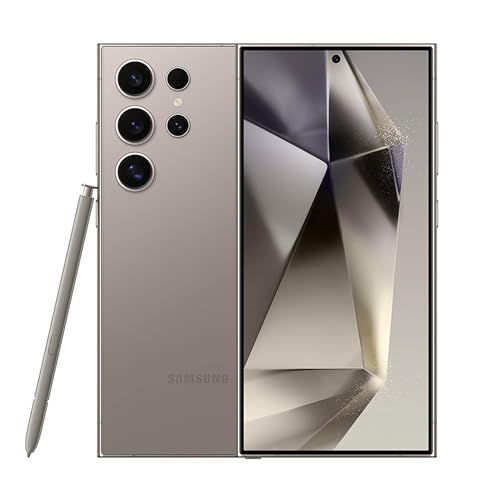
An OLED flagship shows the technology at its best, while the mid-range listings show how far good screens have spread down the range.

Samsung Galaxy S24 Ultra Cell Phone, 256GB AI Smartphone, Unlocked Android, 200MP, 100x… — A flagship with a top-tier OLED panel: extremely bright, high refresh rate and the deep blacks the technology is known for. Check price on Amazon.

OnePlus 12R, 8GB RAM+128GB, Dual-SIM, US Factory Unlocked Android Smartphone, 5500 mAh… — A performance model with a large, fast OLED display at a lower tier, evidence that OLED is no longer flagship-only. Check price on Amazon.
How an LCD Phone Screen Works
An LCD — liquid crystal display — is a sandwich. At the back sits a light source, usually an array of LEDs, shining constantly while the screen is on. In front of it, a layer of liquid crystals twists in response to electrical signals, opening or closing like tiny shutters for each pixel to let more or less light through, and colour filters tint that light red, green or blue to build the image.
Because the backlight is always on behind the whole panel, an LCD can never show a true black: the shutters reduce the light but some always leaks through, so black appears as dark grey, especially noticeable in a dark room. The same design is also why LCDs are relatively thick and why their contrast is limited compared with OLED.
LCD’s strengths are cost, durability and brightness behaviour. The technology is mature and inexpensive to manufacture, it can sustain high brightness across the whole screen, and it does not degrade unevenly over time. IPS is the quality variant used in phones, offering wide viewing angles and accurate colour that earlier LCD types lacked.
How an OLED Phone Screen Works
OLED stands for organic light-emitting diode. Instead of a backlight, every pixel is its own tiny light source made from organic compounds that glow when current passes through them. Each pixel can be dimmed or switched off independently, which is why an OLED showing a black image is truly black: those pixels are simply off, emitting nothing.
Per-pixel control unlocks the OLED look — infinite contrast in practice, because bright elements sit directly beside pure black, colours appear richer, and dark scenes in films look dramatically better. It also enables always-on displays that show a clock using a few hundred lit pixels, and it lets manufacturers curve the panel or fold it, since there is no rigid backlight layer.
AMOLED is the variant used in phones, adding an active transistor matrix that drives each pixel precisely and supports high refresh rates. When a phone advertises AMOLED, it is describing the same fundamental self-lit technology with the control system modern fast screens require.
The Practical Differences You Will Notice
Contrast and dark content are OLED’s headline wins. Night scenes, dark-mode interfaces and photos with shadows look deeper and more dramatic, and in a dark room the difference is unmistakable. In bright daylight the gap narrows: a good LCD can match or exceed an OLED’s usable brightness, and both technologies now reach levels that handle sunshine well on better models.
Battery life depends on what you display. OLED uses less power for dark content because black pixels are off, which is why dark mode genuinely saves battery on OLED phones. For bright, white-heavy content like documents and web pages, OLED’s advantage shrinks and can reverse. LCD power use is steady regardless of content, since the backlight dominates.
Longevity differs too. OLED’s organic materials age, and static elements displayed for thousands of hours — navigation bars, status icons — can leave faint permanent ghosts known as burn-in. Modern panels manage this with pixel shifting and brightness limits, making it a minor risk for normal use, but it is real. LCD does not burn in, which is one reason it persists in devices showing static content all day.
Key Terms Worth Knowing
Refresh rate describes how many times per second the screen redraws, measured in hertz. Higher rates make scrolling and animation smoother on both technologies; it is independent of the OLED versus LCD question, though OLED’s fast pixel response makes high refresh rates look especially clean, with less motion smearing between frames.
Peak brightness, measured in nits, describes how bright the screen can go, usually in small areas or for short bursts on OLED, and more uniformly on LCD. For outdoor readability, sustained full-screen brightness matters more than a headline peak figure, so check reviews that measure real-world brightness rather than relying on the largest number on the box.
PWM dimming is how many OLEDs control brightness at low levels, flickering the pixels rapidly. Most people never notice it; a minority find it tiring in the dark. Some phones offer DC-like dimming modes to help. If you are sensitive to screen flicker, this is worth testing in a shop at low brightness before choosing an OLED phone.
What Is OLED vs LCD on a Phone — Which Should You Choose?
If you watch video, play games, read in bed or simply enjoy a beautiful screen, OLED is the better experience and is worth prioritising once your budget reaches the tiers where it is offered well. Its contrast advantage is visible every single day, which is more than can be said for many premium features.
If your budget is tight, you use the phone mainly outdoors for work, or you keep phones for many years with static apps on screen all day, a good IPS LCD remains a sensible, durable choice with no burn-in anxiety and lower replacement cost if the screen breaks. The worst LCDs are dim and washed out, but that is a quality issue, not a technology verdict.
Either way, judge the specific screen, not the label: brightness, refresh rate, colour quality and how it looks to your eyes in a shop matter more than the acronym. A great LCD beats a mediocre OLED, even if the reverse is more common at equal prices.
Worked Examples: Reading a Spec Sheet Honestly
Two phones sit side by side in a shop, one OLED and one LCD, at different prices. The honest comparison ignores the labels for a moment and tests four things. Show a dark film scene or a night photograph on both: the OLED’s shadows separate into detail while the LCD’s merge into grey. Take both to the shop window: the screen that stays readable in daylight, without reflections swallowing it, has the brightness that matters, whichever technology it uses. Scroll a long page quickly on both to feel refresh rate and response. Then check the price difference against what your eyes actually reported.
That routine regularly produces surprises: a well-made LCD in a cheaper phone can beat a mediocre OLED for outdoor work, while the OLED’s evening and video superiority is just as regularly decisive for media lovers. The technology sets the ceiling for contrast; the individual panel’s brightness, tuning and refresh rate decide how close it gets, and those vary within each technology as much as between them.
One more test belongs in the routine for OLED candidates: dim the screen to its lowest setting in the darkest corner available and look at a plain mid-grey image. If you perceive flicker or your eyes feel strain quickly, you may be among the minority sensitive to the pulse-width dimming many OLEDs use, and a model offering a DC-like dimming mode — or the LCD phone — will serve you better over years of bedtime reading.
Screen Replacement and Long-Term Ownership
The display choice echoes at repair time. OLED panels cost more to replace than LCDs, sometimes dramatically, because the panel itself is the expensive component and it is bonded to the glass. A buyer who breaks screens regularly, or who is purchasing for a teenager, should weigh that difference honestly: the cheaper phone with the LCD may be cheaper twice — at purchase and at the first drop onto concrete.
Ageing runs the other way in one respect: LCDs are essentially stable for a phone’s whole life, while OLEDs slowly lose brightness and can develop the faint burn-in described earlier, particularly in phones used as static displays for navigation or delivery work at high brightness for hours daily. For ordinary mixed use over three or four years, neither effect should trouble you; for a phone destined to show the same app all day on a dashboard, the LCD is the pragmatic professional choice.
The balanced summary is that OLED is the better display for experiencing content and LCD is the hardier, cheaper tool for enduring abuse and static work. Most buyers should choose OLED and protect it with a case; buyers whose phones live brutal or static lives should not feel they are settling when they choose LCD — they are matching the technology to the job.
How the Choice Interacts With the Rest of the Phone
The display does not live alone in the phone; it negotiates with the battery, the processor and the design. An OLED’s per-pixel lighting lets designers build always-on clocks and lock-screen widgets that sip power, and its thinness frees internal millimetres for battery or camera hardware — one reason flagship designs converged on it. Its flexibility enables the curved edges and foldable phones that LCD’s rigid backlight cannot follow, so the technology choice quietly decides which shapes of phone can exist.
The processor’s role differs by panel too: high refresh rates demand the graphics power to feed them, and a fast screen paired with a weak chip stutters in games however fine the panel is. When comparing phones, read the display and the processor as a pair. A modest LCD driven well can feel smoother in daily scrolling than an ambitious OLED starved by its chipset, though at the flagship level both arrive matched.
Repairability closes the loop. Bonded OLED assemblies make screen replacement a major repair, while LCD phones at the budget end can be almost economical to mend — a consideration for phones bought for children, workers and the cheerfully clumsy. Insurance and protection-plan pricing quietly encodes all of this, which is why the same plan costs more for the OLED flagship than for its LCD sibling.
None of these interactions overturns the core comparison — OLED for beauty and contrast, LCD for cost and endurance — but they explain why two phones with the same headline panel type can feel like different classes of device. The screen is a system decision wearing a single specification’s clothes.
Judge it, finally, the way you will use it: your content, your light, your hours. The best display technology is the one whose strengths match your days and whose weaknesses never intersect them.
Common Mistakes to Avoid
- Assuming OLED always wins on battery. OLED saves power on dark content but not on bright white screens. Your usage pattern decides which technology sips less.
- Believing LCD means a bad screen. Quality IPS LCDs are bright, accurate and durable. Judge the individual panel’s brightness and colour, not just its type.
- Ignoring burn-in habits on OLED. Leaving the same static image at full brightness for hours daily accelerates wear. Sensible brightness and screen timeouts keep OLEDs healthy for years.
Pro Tips
- On an OLED phone, dark mode and dark wallpapers genuinely reduce battery use, because black pixels switch off.
- Test a phone screen in the shop at minimum brightness in a shaded corner if you read in bed; PWM flicker sensitivity shows up there.
- For outdoor work, prioritise measured full-screen brightness over panel type; both technologies offer bright and dim examples.
How Each Technology Behaves in Sunlight, Darkness and Daily Scrolling
Theory becomes real the first time you use each screen outdoors. OLED panels achieve their contrast by switching pixels fully off for black, which makes dark scenes look bottomless and saves power in dark mode, but sunlight performance depends on peak brightness rather than technology alone. The best current examples of both types get very bright; a premium LCD can outshine a modest OLED at noon, while a flagship OLED usually leads overall. If you work outdoors, navigate in the car, or read on bright beaches, compare measured peak brightness and, better, use both phones outside a shop for two minutes rather than trusting the label to predict the experience.
Darkness reveals the opposite set of traits. An OLED showing a mostly black screen emits almost no light, so a bedside clock, a night-mode book, or a dark film scene will not light up the room or wash out to grey. An LCD’s backlight leaks through even its darkest pixels, lifting blacks to a dark grey that is obvious in a cinema-dark room. OLED has its own night-time caveats: some people notice flicker from the dimming method at low brightness, and very dark grey content can look uneven on some panels. Sensitive users should read on both types in a dim room before committing, because this is a physiological preference no specification sheet can settle for you.
Scrolling and gaming add motion to the judgement. OLED pixels change state almost instantly, so moving text and fast games can look exceptionally clean, especially combined with high refresh rates. LCD pixels respond more slowly, which can soften fast motion slightly, though modern panels have narrowed this gap a great deal. Gamers should also weigh touch response and refresh behaviour of the specific model, because a well-implemented LCD at a high refresh rate can feel better than a basic OLED at a standard rate. Technology sets the tendencies; implementation decides the individual phone.
Power Consumption: Why Your Wallpaper and Apps Change the Answer
Battery claims for the two technologies are usually oversimplified. An OLED uses power per pixel, so a black screen uses almost nothing and a full-white screen at maximum brightness can use a great deal. An LCD’s backlight draws roughly the same power regardless of what is shown. The result is that your habits decide which is thriftier. Readers of dark-mode apps, watchers of films and users who keep brightness moderate will usually see OLED sip power. People who spend their day on bright white documents, web pages and email at high brightness may see little advantage, and occasionally the reverse, from the same panel.
This is why dark mode is a genuine battery feature on OLED phones and merely an aesthetic one on LCD phones. If your new phone is OLED, using dark themes in your most-used apps, a darker wallpaper and a lock screen that is mostly black adds up to real minutes across a day. On either technology, brightness remains the biggest single display power draw, so automatic brightness that is well tuned, and a willingness to let the screen be merely readable rather than blazing indoors, beats every other display power tip combined.
Ageing interacts with power too. As any battery fades, the display’s share of the remaining capacity grows, and the efficiency differences between panels become more noticeable in year three than in week one. Buyers planning long ownership should therefore weight display efficiency alongside battery size, and should be sceptical of comparisons performed only on brand-new devices at settings nobody uses in real life.
Long-term display ageing, explained fairly
- OLED pixels age with use, and uneven ageing can leave faint ghosts of static elements over years.
- Modern OLED phones fight this with pixel shifting, brightness limits and panel refinements.
- LCD panels do not suffer image retention of that kind, but their backlights dim gradually with age.
- Either technology, used at sensible brightness with varied content, should outlast the phone for most owners.
- Always-on displays are an OLED strength, but use them at modest brightness to limit wear and power.
Colour, Accuracy and Who Should Care About the Difference
Both technologies can be tuned to be vivid or accurate, and the tuning matters more than the panel type. OLED’s perfect blacks give it a head start in perceived contrast and saturation, which is why OLED phones often look punchier in a shop, where they are deliberately set to their most vivid mode under bright lights. LCD can be exceptionally accurate and consistent, which is why it long remained the reference for colour-critical work, and good LCD phones still offer natural modes that photographers trust. Judge colour in the mode you will actually use, with your own photos, rather than in the shop’s demo loop designed to dazzle.
Creators should look one layer deeper. Check which colour spaces each phone’s screen covers, whether it offers a mode aimed at accuracy, and how it handles the photos and video formats you produce. A screen that shows you more saturation than your audience’s devices will cause you to edit your work too flat; a screen that shows less will push you to overcook it. Consistency between your phone and your computer monitor matters more than either device’s theoretical gamut, so compare them side by side with the same image before a big project.
For everyone else, comfort beats accuracy. A screen whose white point, minimum brightness and flicker behaviour suit your eyes will be used happily for years, while a technically superior panel that gives you headaches will not. If you read for long stretches, prioritise a comfortable low-brightness experience and text clarity over contrast heroics, and let film lovers and gamers argue about black levels with your blessing.
Choosing Between Them When Everything Else Is Equal
It rarely comes down to the panel alone, because each technology is bundled into different phones at different prices. LCD survives mainly in budget and some mid-range phones, where it keeps costs down while still offering perfectly good everyday quality, and in a few specialised devices. OLED spans from affordable models to flagships, with quality varying widely within the label, so the word OLED on a box is the start of the enquiry, not the end. Ask about brightness, refresh rate, dimming behaviour and resolution for the specific model, and you will choose better than someone who simply insists on one technology.
A simple decision path helps. If you watch a lot of video, love dark mode, want an always-on display, or use your phone in dark rooms often, OLED’s strengths align with your life. If you are buying on a tight budget, are sensitive to low-brightness flicker, keep phones for a very long time with static work apps on screen all day, or simply prefer the look of a good LCD, you can choose one without apology and lose nothing that matters to you. Either way, protect the screen you choose, because replacement cost, not panel philosophy, is the display expense most owners actually meet.
The industry direction is clear, with OLED spreading downward through price tiers each year, but direction is not destiny for your purchase today. Buy the screen that suits your eyes, your light and your budget in the phone that suits your life, and revisit the debate next upgrade, by which time both technologies will have moved again and the same practical tests will still give you the right answer.
Folding Phones, Tablets and Where Each Technology Is Heading
The folding phone exists because of OLED. A flexible OLED panel can bend around a hinge thousands of times, which no backlit LCD assembly can do, and that single capability has created an entire category of devices that unfold from phone to small tablet. If your future includes a foldable, your display technology has been chosen for you, and your questions become the foldable questions: crease visibility, durability, and how the larger inner screen changes your reading and work. For conventional phones the technologies will coexist for years at different prices, with OLED steadily colonising the mid-range and LCD defending the budget tier and a few specialised niches.
Tablets and laptops repeat the pattern at larger sizes, which matters if you like your screens to behave consistently across devices. OLED tablets deliver cinema-grade contrast for film and striking pen-on-black note-taking, while LCD tablets often offer brightness, price and freedom from any worry about static interface elements during years of use as a kitchen or classroom screen. Households rarely standardise perfectly, and they do not need to; but a buyer who understands the two technologies can predict each new device’s character from one line of its specification, which is the real prize of this entire explanation.
Emerging technologies are already queuing to complicate the choice again, with brighter and more efficient panel variants narrowing the remaining gaps: LCD backlights have become dramatically more precise, and OLED panels have become brighter, cheaper and more resistant to ageing. The wise buyer treats the current debate as a snapshot, buys for today’s eyes and today’s budget, and expects to re-run the same practical tests, sunlight, darkness, scrolling and comfort, at the next purchase, because those tests will still work when the acronyms have changed.
Settings That Get the Best From Either Panel
Whichever technology you own, an hour of settings pays for itself daily. Set automatic brightness and then train it, adjusting manually when it guesses wrong until it learns your preferences, because a well-tuned automatic system beats a fixed manual level in every changing light. Choose your colour profile deliberately: vivid modes are seductive in shops and tiring at home, while natural modes reward you with photographs that look the same on your phone, your computer and your prints. Schedule the warm night mode for the evening if you read before sleep, and set a screen timeout short enough to save power and privacy without annoying you mid-article.
On OLED phones, lean into the technology’s gifts. Dark themes in your most-used apps save real power and look superb, a mostly black wallpaper costs nothing, and the always-on display, set to a modest brightness and scheduled off overnight, delivers glanceable time and notifications for very little energy. On LCD phones, the equivalent craft is brightness discipline, since the backlight dominates power use, plus a dark theme for comfort even though it saves little energy there. On both, a matte screen protector can tame reflections outdoors at a small cost in ultimate sharpness, a trade many outdoor workers gladly make.
Protect the panel’s future while you enjoy it. Avoid leaving static images at maximum brightness for hours, which is the one habit that genuinely accelerates uneven ageing on OLED and fades backlights on LCD. Keep the phone out of dashboard heat in summer, because heat ages panels and batteries together. Clean the screen with a proper cloth so coatings survive to keep reflections low. A display is the part of the phone you look at for its entire life; the settings and habits in this section are how that view stays as good in year three as it was in the shop.
Troubleshooting Display Complaints: Tint, Flicker, Ghosting and Dead Pixels
Owners meet a handful of display complaints repeatedly, and each has a calm first response. A screen that looks yellow may simply have its warm night mode scheduled, a colour profile set to a warm tone, or a protective film ageing; check settings and remove the film before fearing hardware. A screen that flickers at low brightness on some OLED models is using its dimming method in a range some eyes detect; raising minimum evening brightness slightly, or using the maker’s flicker-reduction mode where offered, resolves it for most people, and those who remain sensitive have learned something important about their next purchase.
Ghost images divide into the temporary and the permanent. A faint image that fades after minutes of different content is image retention, common and usually harmless on both technologies after static bright use. A fixed outline that survives days of varied content on an OLED may be genuine uneven wear, which is a warranty conversation on a young phone and a fact of age on an old one. Dead or stuck pixels, tiny dots that never change or never light, are manufacturing defects when they arrive with the phone and should be raised inside the return window, because policies on them vary and early evidence is everything.
Touch complaints are often misfiled as display faults. A screen that misses touches at the edges may be fighting a thick protector, a case lip, wet fingers or a software palm-rejection setting rather than failing. Test the bare screen, dry and clean, before booking a repair, and test after system updates, which occasionally recalibrate touch behaviour. The display is the phone’s face and its handshake at once; most of its apparent illnesses are settings, films or fingers, and the systematic checks in this section will save you a repair bill and return your screen to being the best part of your phone.
Folding Phones, Tablets and Where Each Technology Is Heading
The folding phone exists because of OLED. A flexible OLED panel can bend around a hinge thousands of times, which no backlit LCD assembly can do, and that single capability has created an entire category of devices that unfold from phone to small tablet in the hand. If your future includes a foldable, your display technology has been chosen for you, and your questions become the foldable questions: crease visibility, durability, repairability and how the larger inner screen changes your reading and work. For conventional phones the technologies will coexist for years at different prices, with OLED steadily colonising the mid-range and LCD defending the budget tier and a few specialised niches where its steadiness is prized.
Tablets and laptops repeat the pattern at larger sizes, which matters if you like your screens to behave consistently across the devices you own. OLED tablets deliver cinema-grade contrast for film and striking pen-on-black note-taking, while LCD tablets often offer brightness, price and freedom from any worry about static interface elements during years of use as a kitchen, classroom or workshop screen. Households rarely standardise perfectly, and they do not need to; but a buyer who understands the two technologies can predict each new device’s character from one line of its specification, which is the real prize of this entire explanation and the reason it was worth having carefully.
Emerging technologies are already queuing to complicate the choice again, with brighter and more efficient panel variants narrowing the remaining gaps from both directions: LCD backlights have become dramatically more precise, dimming in zones that imitate some of OLED’s contrast, and OLED panels have become brighter, cheaper and more resistant to ageing with each generation. The wise buyer treats the current debate as a snapshot rather than a verdict, buys for today’s eyes and today’s budget, and expects to re-run the same practical tests, sunlight, darkness, scrolling and comfort, at the next purchase, because those tests will still work when the acronyms have changed beyond recognition.
Settings That Get the Best From Either Panel
Whichever technology you own, an hour of settings pays for itself daily. Set automatic brightness and then train it, adjusting manually when it guesses wrong until it learns your preferences, because a well-tuned automatic system beats a fixed manual level in every changing light you walk through. Choose your colour profile deliberately: vivid modes are seductive in shops and tiring at home, while natural modes reward you with photographs that look the same on your phone, your computer and your prints. Schedule the warm night mode for the evening if you read before sleep, and set a screen timeout short enough to save power and privacy without annoying you in the middle of an article.
On OLED phones, lean into the technology’s gifts without apology. Dark themes in your most-used apps save real power and look superb, a mostly black wallpaper costs nothing, and the always-on display, set to a modest brightness and scheduled off overnight, delivers glanceable time and notifications for very little energy. On LCD phones, the equivalent craft is brightness discipline, since the backlight dominates power use there, plus a dark theme for comfort even though it saves little energy on that technology. On both, a matte screen protector can tame reflections outdoors at a small cost in ultimate sharpness, a trade many outdoor workers, gardeners and sailors gladly make every single day.
Protect the panel’s future while you enjoy it. Avoid leaving static images at maximum brightness for hours, which is the one habit that genuinely accelerates uneven ageing on OLED and fades backlights on LCD alike. Keep the phone out of dashboard heat in summer, because heat ages panels and batteries together in a partnership of decline. Clean the screen with a proper cloth so its coatings survive to keep reflections low and touches true. A display is the part of the phone you look at for its entire life, in every interaction, so the settings and habits in this section are how that view stays as good in year three as it was under the shop lights.
Troubleshooting Display Complaints: Tint, Flicker, Ghosting and Dead Pixels
Owners meet a handful of display complaints repeatedly, and each has a calm first response that costs nothing. A screen that looks yellow may simply have its warm night mode scheduled, a colour profile set to a warm tone, or a protective film ageing on its surface; check settings and remove the film before fearing hardware. A screen that flickers at low brightness on some OLED models is using its dimming method in a range some eyes detect; raising minimum evening brightness slightly, or using the maker’s flicker-reduction mode where offered, resolves it for most people, and those who remain sensitive have learned something important and personal about their next purchase.
Ghost images divide into the temporary and the permanent, and telling them apart saves worry. A faint image that fades after minutes of different content is image retention, common and usually harmless on both technologies after static bright use such as navigation. A fixed outline that survives days of varied content on an OLED may be genuine uneven wear, which is a warranty conversation on a young phone and a fact of age on an old one. Dead or stuck pixels, tiny dots that never change or never light, are manufacturing defects when they arrive with the phone and should be raised inside the return window, because policies on them vary and early evidence is everything.
Touch complaints are often misfiled as display faults by frustrated owners. A screen that misses touches at the edges may be fighting a thick protector, a case lip, wet fingers or a software palm-rejection setting rather than failing in any way. Test the bare screen, dry and clean, before booking a repair, and test again after system updates, which occasionally recalibrate touch behaviour for better or worse. The display is the phone’s face and its handshake at once; most of its apparent illnesses are settings, films or fingers, and the systematic checks in this section will save you a repair bill and return your screen to being the best part of your phone.
Related Guides
- best smartphones under 500
- best smartphones under 300
- best smartphones for video
- best smartphones for music
- best smartphones under 600
- how to choose a smartphone
- smartphone buying guide
- smartphone camera megapixels explained
Frequently Asked Questions
Is OLED really better than LCD for phones?
For most people, yes: OLED’s perfect blacks, contrast and thinness make content look better, especially video and dark interfaces, and it enables features like efficient always-on displays. LCD keeps advantages in cost, immunity to burn-in and sustained full-screen brightness. The gap matters most to people who watch a lot of video or use their phone in the dark; for bright, outdoor, work-focused use, a good LCD is entirely satisfying.
Does OLED save battery compared with LCD?
It depends on content. Because black pixels are switched off, OLED uses significantly less power with dark themes, dark wallpapers and video with dark scenes. With bright white content — documents, many websites, email — the advantage disappears and OLED can use similar or slightly more power. This is why dark mode is a real battery feature on OLED phones and merely cosmetic on LCD ones.
What is burn-in and should I worry about it?
Burn-in is a faint permanent ghost of a static image, caused by OLED pixels aging unevenly where the same elements — status bars, navigation buttons, a news ticker — display for thousands of hours. Modern phones fight it with pixel shifting, adaptive brightness and interface changes, so for typical mixed use over a few years it is rarely noticeable. It becomes a consideration for phones used as static displays or kept at maximum brightness constantly.
Why are OLED phones more expensive?
OLED panels cost more to manufacture, with lower yields and more complex production than mature LCD lines. The panel is one of the most expensive components in any phone, so the difference shows in the price. As production has scaled, OLED has moved steadily down the range, and many mid-range phones now include it; the cheapest phones remain LCD because at that level every component cost is contested.
Can you tell OLED and LCD apart easily?
In a dark room, immediately: show a black image and the OLED disappears into the darkness while the LCD glows faintly grey. In a bright shop the difference is subtler — look at contrast in photos, the depth of shadows and viewing angles. Many people only truly appreciate OLED after using it at home in the evening, which is also where phones are used most.
What is AMOLED — is it different from OLED?
AMOLED is the type of OLED used in phones: the AM stands for active matrix, the transistor layer that controls each pixel precisely and enables fast refresh rates and accurate brightness. For buying purposes AMOLED and OLED describe the same self-lit display family with the same strengths and weaknesses. Marketing variants add prefixes, but the underlying technology and its characteristics are the same.
Does an OLED screen use less battery than an LCD?
It depends entirely on what you display. Because each OLED pixel makes its own light, dark content and dark mode use very little power, while a full-white screen at maximum brightness can use a great deal. An LCD’s backlight draws roughly the same power whatever is shown. In practice, mixed use at moderate brightness usually favours OLED modestly, heavy dark-mode use favours it strongly, and a day spent on bright white documents outdoors can erase the advantage entirely. Your habits, not the acronym, write the final figure.
Will my OLED screen develop burn-in?
Permanent uneven wear is possible over years, especially where static elements sit at high brightness for hours daily, such as navigation interfaces or work apps with fixed toolbars. Modern panels fight it with pixel shifting, brightness management and improved materials, and most owners who vary their content and use sensible brightness never see it within the phone’s life. If your work involves one static app on screen all day for years, that pattern is a legitimate reason to prefer an LCD model, and a rare case where the older technology is simply the right tool.
Which screen is better for reading books?
Both can be excellent, and comfort decides. OLED offers perfect blacks and very low minimum brightness for night reading without lighting the room, plus dark-mode pages that sip power. LCD offers a steady, flicker-free image at low brightness that some eyes strongly prefer for long sessions. If you read for hours, test both in a dim room with your own book and your own eyes before buying, because the sensitivity that decides this question is physiological and no review can feel it on your behalf.