This guide has projector lumens explained properly, because lumens are the most abused number in projector marketing and the one that decides whether your image looks vivid or washed out. A lumen measures light output. In projector terms, what matters is the standardised ANSI lumen figure, which measures real brightness from the screen in a defined way, and how that brightness interacts with your room light and your image size.
The direct answer is that you cannot choose a number without your room. The same projector is dazzling in a dark cinema room and feeble in a sunlit lounge, because perceived brightness is a contest between the projector and every other light source in the space. The sections below explain ANSI versus headline lumens, colour brightness, the effect of screen size, and how to work out the figure your room actually demands.
Disclosure: As an Amazon Associate, kajuandouglas.com earns from qualifying purchases. Links to Amazon on this page are affiliate links; they cost you nothing extra. Listing details such as price and availability change often, so check the current Amazon listing before you buy.
Quick answer: In short: trust only ANSI lumens from the full specification. Bigger images and brighter rooms both demand more lumens, because the same light spreads thinner and competes harder. Colour brightness matters as much as white brightness for films, sport and presentations with colourful content.
Projector Lumens Explained: What a Lumen Is, and What ANSI Lumens Add
A lumen is a unit of visible light output. A projector lumen figure describes how much light the machine can throw towards your screen. The ANSI method measures that light at multiple points across a white image and averages them under controlled conditions, which makes ANSI lumens comparable between honest manufacturers. When a specification simply says lumens, LED lumens or light source lumens without naming the standard, it may be measuring the raw light source inside the projector rather than the image on the screen, a figure that can be several times higher than the ANSI result.
This is why two projectors with wildly different headline numbers can look identical in a room, and why an inexpensive model claiming spectacular brightness can look dimmer than a quality model claiming a modest ANSI figure. The rule for shoppers is absolute: compare ANSI lumens to ANSI lumens, from full specification sheets, and treat any unlabelled brightness claim as marketing rather than measurement. Reputable makers publish ANSI figures precisely because they survive comparison.
In this guide
Colour Brightness: The Other Half of the Number
A white test image is not a film. Colour brightness measures how brightly the projector displays colours, using red, green and blue test images, and on some designs it falls well below the white figure, because the design boosts white at the expense of colour. The result is an image that measures brightly yet looks muted in colourful scenes, skin tones and presentations. Three chip designs produce colour brightness equal to white brightness inherently; other designs vary, and the colour light output figure, where published, tells you which you are getting.
For film, sport and gaming, colour brightness is arguably the more honest number, because almost nothing you watch is a white screen. When you compare two projectors with similar ANSI white figures, the one with equal colour brightness will look richer and, paradoxically, brighter in real content. This is also why demonstrations should use colourful, familiar scenes rather than the seller test image, which is usually chosen to flatter the white figure.
Screen Size, Gain and the Room Light Contest
Brightness is spread across area. Double the image width and the same lumens cover four times the area, so each part of the screen receives a quarter of the light. This is why a projector that is thrilling at a modest size can look tired at a cinema size, and why your target image size belongs in every brightness calculation. Screen gain complicates and helps: a screen with gain reflects more light towards the seats than a matte white surface, effectively multiplying brightness within its viewing cone, while ambient light rejecting screens trade some of that for contrast in lit rooms.
Room light is the opponent. In a dark room, the projector only competes with its own black level, and modest ANSI figures produce high contrast, cinematic images. In a lit living room, ambient light lands on the screen constantly, lifting blacks and diluting colour, and only substantially higher brightness keeps the image vivid. There is no universal right number, only the right number for your room darkness, image size and screen, which is why honest buying advice always asks about the room before quoting a lumen figure.
Working Out the Brightness Your Room Needs
Start with your honest room category. A dedicated room that can be made properly dark is the most forgiving and suits the widest range of projectors. A living room with curtains or blinds used mostly in the evening sits in the middle: look for solid mid range ANSI figures and prioritise colour brightness. A room used in daylight that cannot be darkened is the most demanding: you need the highest genuine ANSI figures you can afford, the smallest image size that still feels cinematic, and ideally an ambient light rejecting screen working with the projector as a system.
Then apply the sanity checks. Read the ANSI figure in the full specification, confirm the colour brightness story, run the size calculation with your screen, and if possible see the class of projector in similar light. Beware the too good bargain: spectacular lumens at a fraction of the expected tier, with no standard named, is the single most reliable predictor of disappointment in the entire projector market. Brightness honesty, like the projectors in the guides on this site, is what separates a satisfying purchase from a return.
Key Terms Glossary
- Lumen: A unit of visible light output; in projectors, the light the machine can deliver towards the screen.
- ANSI lumens: Brightness measured to the ANSI standard from the projected image, the only figure reliably comparable between projectors.
- Colour brightness (colour light output): Brightness measured on red, green and blue images; equal to white brightness on some designs, lower on others.
- Screen gain: How much more light a screen reflects towards viewers compared with a matte white reference; higher gain brightens the image within a narrower viewing area.
- Light source lumens: A marketing figure for the raw lamp or LED output inside the projector, not the image brightness; not comparable with ANSI lumens.
Common Misconceptions
- More lumens is always better: In a dark room, excessive brightness can be tamed, but the real error is comparing unstandardised figures. An honest moderate ANSI figure beats an inflated claim every time.
- The lumens on the box are the brightness I will see: Only if they are ANSI lumens. Light source and LED lumen figures describe internal light, not the image, and can overstate screen brightness several times over.
- Brightness is all about the projector: Image size, screen gain and room light change perceived brightness as much as the projector does. Brightness is a system property, not a box specification.
Worked Examples: Three Rooms, Three Answers
A dedicated cinema room, blackout blinds, a moderate screen: the projector competes only with its own black level, and a modest honest ANSI figure produces deep, cinematic contrast. Owners of such rooms who chase extreme brightness are buying a number their room cannot use, and often end up running the machine in its dimmer mode permanently. A family room with curtains, evening use, a larger screen: the same projector now looks merely adequate, and the correct upgrade is a model with a genuinely higher ANSI figure and equal colour brightness, not a different technology or a new screen.
The third room, an open plan space with daylight viewing, breaks modest projectors entirely. Here the system answer applies: the highest honest brightness available, an ambient light rejecting screen matched to the throw position, and an image size held to the smaller end of cinematic. Each room got a different answer from the same formula, which is the entire content of this guide: lumens are not a property of a projector, they are a relationship between a projector, a screen and a room, and the relationship is what you are buying.
How to Verify Brightness Claims Before You Buy
Verification is a short routine. Find the ANSI figure in the full specification on the maker site, not the retailer headline. Find the colour brightness figure or a review that measured it. Run your screen size through the maker calculator or a brightness estimator with your room category. Then, where possible, see the class of machine in similar light, or buy from a seller whose returns policy lets your own room be the laboratory during the first week.
Treat resistance to verification as the answer. A maker who publishes ANSI and colour figures, names its measurement standards and provides calculators is telling you its numbers survive scrutiny. A listing that offers only a spectacular unlabelled figure, surrounded by lifestyle photographs, is telling you the opposite. In a market where the honest and the inflated sit side by side at similar prices, the discipline of checking the standard is worth more than any single model recommendation this site could give you.
Real-World Scenarios and Examples
Abstract advice lands differently in real rooms. These scenarios apply the guidance above to the situations readers describe most often.
- The blackout cinema room: Modest honest ANSI figures shine here. Spend on contrast and lens quality instead of brightness you will immediately turn down.
- The curtained family room: Mid range ANSI with equal colour brightness is the specification. Judge demonstrations with colourful scenes, not white test images.
- The daylight open plan: Maximum honest brightness, an ambient light rejecting screen and a restrained image size, bought as one system or not at all.
- The suspicious bargain: A spectacular lumens claim with no standard named at a fraction of the expected price. Walk away; this is the markets most reliable disappointment.
- The growing screen ambition: Upgrading screen size on the same projector. Expect a visibly dimmer image; the maths of area is undefeated, so budget the projector upgrade with the screen.
Gear for This Guide
These verified examples show honest brightness publishing in practice: stated standards, colour and white figures together, and brightness matched to a room class.

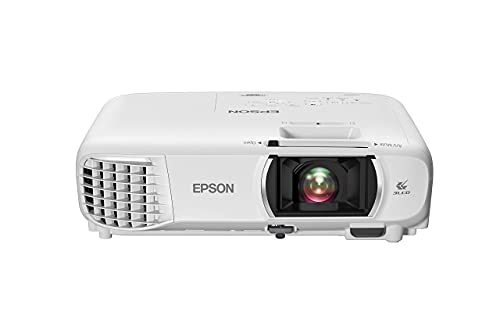
Epson Home Cinema 1080 3-Chip 3LCD 1080p Home Theater Projector — A 3LCD model whose published figures state colour and white brightness together at a strong level, an example of honest brightness specification for lit living rooms. Check price on Amazon.
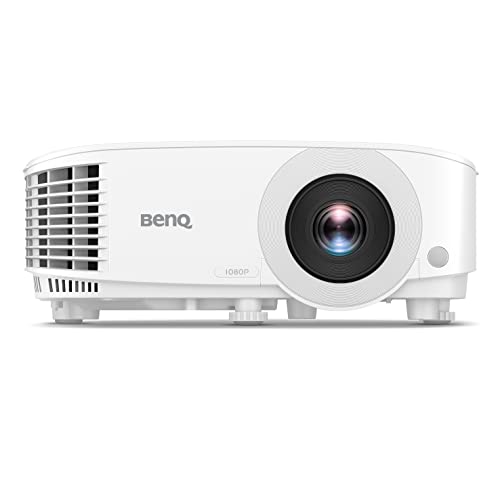
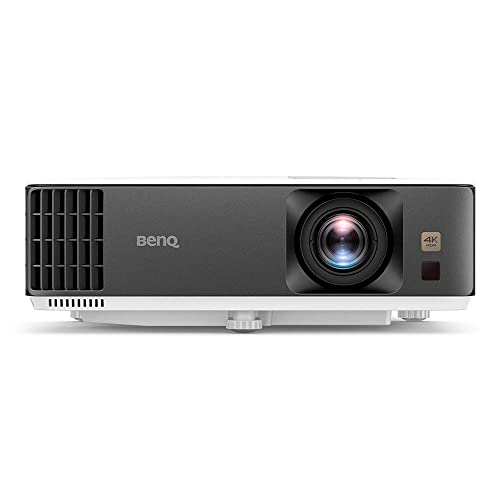
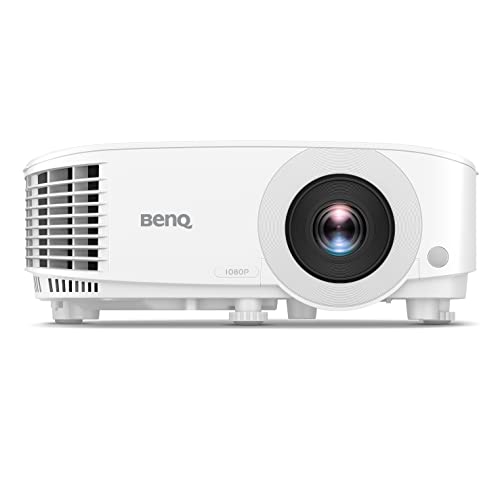
BenQ TH575 1080p 3800 Lumens Home Entertainment Projector 16ms Low Latency — A high brightness home entertainment model positioned for brighter rooms and gaming, showing the class of ANSI figure daytime rooms demand. Check price on Amazon.

Epson EpiqVision Flex CO-W01 Portable Projector 3-Chip 3LCD Technology — A portable 3LCD model with a clearly stated standardised brightness figure, useful as a reference for what portable class brightness really looks like on paper. Check price on Amazon.
Worked Examples: Sizing Brightness for Real Rooms
Abstract lumen numbers become useful when you run them through actual rooms. The examples below use the same simple logic throughout: picture brightness at the screen depends on the projector’s real output in the mode you will use, divided across the screen’s area, then judged against the light falling on that screen from the room.
A dark cinema room with a large screen
Take a dedicated room, fully darkened, with a screen around 120 inches diagonal in 16:9. That screen has an area of roughly 2.7 square metres. A projector delivering about 1,500 real lumens in its accurate cinema mode puts a comfortable amount of light on that area for film viewing in darkness — the picture looks rich rather than dazzling, blacks stay deep because the projector is not fighting the room, and HDR highlights still register because the overall level is controlled. Doubling the projector’s output in this room would not double the pleasure; it would raise the black floor on many models and make dark scenes greyer. In darkness, restraint is a picture-quality feature.
A living room with lamps and a modest screen
Now take a family living room, screen around 92 to 100 inches, with table lamps on and some light from a hallway. The screen area is roughly 1.9 square metres, but the ambient light falling on it is now the dominant problem: contrast, not raw brightness, is what the audience perceives. A projector in the 2,500 to 3,500 lumen class, used in a brighter but still reasonably accurate mode, keeps colours recognisable and text legible. Just as effective, and often cheaper, is attacking the ambient side: moving one lamp, adding a dimmer, or choosing a screen position away from the worst light can improve the picture as much as a large step up in projector output.
A bright room for daytime sport
Daytime sport in a room with uncovered windows is the hardest common case. The audience expects a television-like picture at midday, and projectors fight physics here: sunlight through glass can put more light on the screen than the projector does. Realistic answers combine a genuinely bright projector — the class sold for bright-room and commercial use — with a smaller screen than the evening cinema ideal, plus whatever shading the room allows. Shrinking the image concentrates the same lumens onto less area and is the single most effective free adjustment. If the room cannot be shaded at all and the screen must be huge, the honest conclusion may be that a large television serves this one job better, with the projector reserved for evening viewing.
Reading Brightness Specifications Without Being Misled
Peak lumens versus picture-mode lumens
The number on the box is measured in the projector’s brightest mode, which is typically its least accurate: colours skew, often toward green, and the picture looks harsh. The modes you will actually live with — cinema, film, or the accurate presets — may deliver substantially less, sometimes around half to two-thirds of the headline figure on lamp models, with laser models often holding a higher proportion. When comparing two projectors, compare them mode for mode using independent measurements where available, and treat any comparison of one model’s peak against another’s cinema mode as meaningless.
Colour brightness: the second number that matters
Some projectors produce white far more brightly than they produce colour, because of how their colour system works. A saturated red or blue scene can look dull even while a white test pattern measures impressively. This is why colour light output exists as a separate specification: it measures red, green and blue brightness individually. When a projector lists equal white and colour brightness, saturated content — animation, sport kits, nature documentaries — holds its punch. When colour brightness is much lower and undisclosed, bright-room performance on real content disappoints in a way the headline number never warned you about.
Screen gain changes the equation
A screen is not a neutral surface. A matte white screen with gain near 1.0 scatters the projector’s light evenly to all seats. Higher-gain screens concentrate light toward viewers on axis, effectively multiplying brightness for the centre seats at the cost of viewing angles and sometimes uniformity. Ambient-light-rejecting screens trade some of that for the ability to shrug off room light from certain directions. When you calculate whether a projector is bright enough, the screen’s gain belongs in the same sentence as the lumen figure — a modest projector on a suitable screen routinely outperforms a brighter projector on the wrong one.
Brightness, Contrast and HDR: The Relationship That Matters
Why more lumens can make films look worse
Contrast is a ratio between the brightest white and the darkest black a system shows, and in a real room the black level is set largely by ambient light bouncing off the screen plus the projector’s own floor. Raising projector output raises whites and, on many designs, raises the black floor too, while doing nothing about the room’s contribution. The result in a dark cinema room can be a brighter but flatter picture. This is why experienced installers sometimes run a powerful projector in a reduced mode for films: they are buying contrast and comfort, and using the spare output only for daytime or 3D content that genuinely needs it.
HDR needs headroom, not just brightness
High dynamic range content asks the projector to reserve brightness for highlights — sunlight glints, explosions, stadium floodlights — above its average picture level. A projector running flat-out for ordinary scenes has nothing left for those highlights, so HDR looks like ordinary content played loudly. Effective projector HDR therefore depends on tone mapping and on headroom: enough output that normal scenes sit comfortably below maximum, leaving room for highlights to stand out. When you shop for HDR, a model with somewhat lower peak output but good tone mapping often shows more convincing HDR than a brighter model that clips everything to the same glare.
The black floor test you can do anywhere
In any showroom or at home, display a completely black signal in your room’s real lighting and look at the screen. That grey rectangle is your true black for everything you watch — no film scene can be darker than it. If it is already light grey in your evening lighting, additional lumens will not fix your contrast problem; light control or a different screen will. This thirty-second test explains more about your room’s needs than any specification sheet, and it works before you have bought anything, using any projector you can borrow or a bright torch app comparison against the wall.
Brightness Decisions for Special Cases
- 3D viewing: glasses absorb a large share of the light, so 3D needs substantially more output than 2D in the same room; keen 3D viewers should size brightness for the glasses, not the naked eye.
- Gaming: games are bright, saturated and often played with some room light for comfort; favour colour brightness and a game mode that does not slash output.
- Presentations and teaching: legibility of small text under lights is the goal; brightness and colour brightness both matter, and screen size should stay modest relative to the room’s depth.
- Outdoor evenings: twilight is brighter than it looks; start after sunset where possible, and expect a mid-brightness projector to handle a moderate screen once true dark arrives.
- Ultra short throw living rooms: these pair with ambient-light-rejecting screens that demand a minimum projector brightness to work as designed; check the screen maker’s guidance before assuming a dimmer model will do.
The thread running through every case is the same: lumens are a budget to be spent against your room’s light, your screen’s size and surface, and your content’s demands. Spend the budget where your viewing actually happens, and distrust any single number that claims to settle the question on its own.
Lumens Across the Projector’s Life
The brightness you buy is not the brightness you keep, and the rate at which it fades differs by light source and by how the projector is used. Planning with the faded figure rather than the fresh one is the mark of an experienced buyer.
Lamp fade and the mid-life habit
A lamp’s output declines from its first hours, steeply at first and then more gradually, so a projector that was exactly bright enough when new becomes marginal long before the lamp actually fails. Experienced lamp owners size brightness with the mid-life lamp in mind — choosing a model with headroom, or planning the lamp change when the picture stops satisfying rather than when the lamp dies. The hour counter in the menu counts time, not brightness, and the two part company early; trust your eyes and the black-floor test over the counter.
Laser stability and its different end
Laser sources fade so slowly that most owners will replace the projector for other reasons first, and the brightness at year five is recognisably the brightness at installation. The practical consequence is calibration stability: settings dialled in at setup stay dialled in. The different end to plan for is that there is no user renewal — no lamp swap that restores youth — so the laser purchase should be made at the brightness the room needs for the projector’s whole life, with no expectation of a cheap refresh later.
Modes change the fade as well as the brightness
Running a lamp in its eco mode extends its life and slows its fade, at the cost of output today; running any projector at maximum in a hot, dusty room ages everything faster. The brightness decision is therefore partly a mode decision: a model whose eco mode still lights your screen adequately will age gracefully in it, while a model that only satisfies at full power will spend its life at the setting that consumes it fastest. When you test or read measurements, note the mode beside every figure — a brightness number without a mode is only half a fact.
Measuring Brightness Yourself, Approximately but Honestly
The phone-app estimate
A light-meter app on a phone, held at the screen facing the projector while it displays a full white image, gives a rough illuminance reading that can be turned into an approximate lumen estimate by multiplying by the screen’s area in square metres. It will not match laboratory instruments — phone sensors are uncalibrated and the method ignores screen gain subtleties — but it is easily accurate enough to answer the questions owners actually have: is this mode roughly twice that one, has my lamp faded noticeably since spring, does the new screen deliver what it promised. Relative measurements are honest measurements, and they catch the changes that matter.
Comparing modes on your own projector
Run the white image through each picture mode in turn, in your room’s real lighting, and note both the reading and how the picture looks — because the brightest mode by the meter is often the ugliest by the eye, with colours skewed for the sake of the number. This ten-minute exercise recalibrates owners who have been running maximum mode by default: many discover a cinema mode at two-thirds the output that looks twice as good in their darkened room, and their lamp, fans and electricity all benefit from the discovery.
Checking uniformity
Measure or simply look at the white image’s corners versus its centre. Short-throw optics and high-gain screens can concentrate brightness centrally, and a projector whose average output is adequate can still disappoint with dim corners on subtitles and interfaces. Uniformity rarely appears in specifications at all, which makes your own white-field check — before the return window closes — one of the highest-value tests a new owner can run. A projector can pass every headline specification and fail this one, and only your eyes at your screen will ever know.
Brightness for Content Types, Revisited in Practice
Films: protect the blacks
Film viewing in a dark room is a contrast exercise disguised as a brightness one. Set brightness by the black-floor test: display black, and if the screen glows obviously in your dark room, you have output to spare and should spend it down through mode choice, gaining contrast and comfort. Subtitles are the practical gauge during real viewing — they should be clearly readable without being the brightest, most fatiguing element of every dark scene, and on many setups a subtitle brightness or colour option in the player is the refined fix.
Sport: protect the colour
Sport in lit rooms fails by washed-out colour before it fails by darkness, which is why colour brightness and screen choice dominate this case. A pitch should be unmistakably green at midday in your room; if it is grey-green, more white lumens alone will not rescue it, while shading the worst window or choosing a screen that rejects the room’s light will. Judge sport setups at the time of day you actually watch, because a room that is a cave at eight in the evening can be a greenhouse at three in the afternoon.
Games and presentations: protect the text
Interfaces live or die on legibility: fine text, maps and HUD elements need brightness evenness and enough output that small bright elements separate from their backgrounds under your room light. In these uses, a slightly smaller image is a legitimate brightness strategy — the same output concentrated — and presenters in particular should rehearse at the real screen size in the real room rather than trusting that a projector bright at home stays bright in a hall with the lights up.
The One-Paragraph Rule for Buying Brightness
Decide your screen size and your room’s real lighting first; choose a projector whose accurate picture modes — not its peak mode — deliver comfortable brightness for that screen in that light, with headroom for the light source’s fade; prefer equal colour brightness when the room is bright or your content is colourful; and treat the screen itself as part of the brightness budget, because gain and light rejection multiply or squander whatever the projector produces. Every lumen mistake in home projection comes from skipping one of those clauses — buying the number instead of the system — and every satisfying setup, whatever its headline figure, honoured all of them.
Brightness Myths That Refuse to Die
More lumens is always better
The most durable myth in projection, and the easiest to test: in a dark room, run a bright projector at full output and watch a dark film scene. The blacks glow, the contrast flattens, your eyes tire — the picture is worse than the same projector in its calmer mode. Brightness is a budget for fighting ambient light and filling screen area; spent beyond the need, it buys glare. The myth survives because brightness is the easiest specification to print largely, and because in bright showrooms the brightest projector genuinely does win the glance — a fact about showrooms, not about your evenings.
The lumen figure is a lie
The fashionable overcorrection. Lumen measurements follow real standards, and honest makers publish honest figures — for a specific mode, at a specific point in the product’s life, measured a specific way. The figure misleads not by being false but by being incomplete: wrong mode, wrong moment, no colour information. The buyer’s defence is literacy, not cynicism — read the mode, seek colour brightness, discount for fade, and the specification becomes the useful tool it was meant to be.
A brighter projector fixes a bright room
Half true, and the false half is expensive. Projector output fights ambient light only at the screen, and the screen also reflects the room’s light straight back at you; past a certain ambient level, the room wins regardless of lumens, and the effective fixes are shades, screen technology and a smaller image. Buyers who understand this spend on the window treatment first and sometimes discover the projector they already owned was bright enough all along.
Brightness Decisions When Money Is Finite
Budgets force orderings, so here is the honest one for brightness-related spending. First, light control: curtains, blinds, a door that closes — the cheapest contrast in the hobby. Second, the screen: size it to the room and the projector’s real output, and choose its surface for your light conditions. Third, the projector’s accurate-mode brightness, verified rather than headlined. Fourth, and only then, headline lumens as a tiebreaker between otherwise equal models. This ordering scandalises specification-led shopping, and it is simply the order in which the money changes the picture. A modest projector in a controlled room on the right screen will embarrass a flagship fighting a wall of glass, every evening, for years — and the owner of the modest setup will never understand why the flagship’s owner keeps upgrading. You will understand. That understanding is what this guide was for: lumens are a number, brightness is an experience, and the distance between them is filled with rooms, screens and modes — all of which you now know how to count.
Lumens and Screen Size: The Trade You Can Always Make
Brightness and image size are two ends of one seesaw, and understanding the exchange rate rescues many setups. Because the same light spread over a larger area dims by the square of the size change, modest size adjustments buy surprising brightness: reducing a screen’s diagonal by about a fifth concentrates the same output into roughly two-thirds of the area, a gain owners can see from their seats. This is why the honest answer to “is this projector bright enough” is always “for what size, in what light” — and why a buyer torn between a brighter projector and a bigger screen is really choosing one quantity twice. In bright rooms, let size be the flexible variable and brightness the fixed one; in dark cinema rooms, reverse it, and let the screen grow to the room’s ambition while the projector’s calmer modes protect the contrast that darkness makes possible. The seesaw also explains projector reviews that seem to contradict each other: the reviewer with the smaller screen and the reviewer with the larger one were, in brightness terms, testing different projectors.
A Buyer’s Worksheet, In Prose
Before any purchase, write five lines. Your screen’s width and height, or the size you intend. Your room’s lighting at the hours you actually watch, described honestly. The content that matters most, in hours per week. The picture mode you expect to live in, and its measured output for your candidate — from a review, not a box. And the light source’s fade behaviour across your expected years. Those five lines contain every variable in this guide, and a projector that satisfies them will satisfy you; a projector bought without them is a lottery ticket with a lens. Keep the worksheet with the receipt. In three years, when someone asks whether the projector was a good buy, you will have the rare pleasure of answering from evidence.
Brightness in the Age of Laser and LED
Newer light sources have changed the brightness conversation in one subtle way worth closing with: stability has become a specification in its own right. A lamp projector’s lumen figure describes a moment — new lamp, brightest mode — from which reality only retreats. A laser or LED model’s figure describes a plateau the machine will hold for most of its life, which makes its published number, in the accurate modes, a more honest promise. As these sources spread, expect the buying skill to shift from discounting claims to comparing plateaus: what output, in what mode, held for how long, with what colour performance alongside. The questions in this guide were built for that world as much as for the lamp era — mode, colour, fade, screen, room — because they were never really about lumens. They were about the discipline of asking what a number means before letting it spend your money, and that discipline does not age, whatever the light source of the next decade turns out to be.
Lumens for Outdoor and Occasional Projection
One environment deserves its own paragraph because its rules surprise indoor thinkers: outdoors, there is no room to control, only a time to choose. Twilight carries far more ambient light than it appears to while your eyes are adapted to the house, and a projector that seems adequate at dusk is revealed as marginal until true dark settles — after which even modest outputs look generous on a moderate screen. Plan outdoor brightness by the clock: the later the screening, the smaller the projector that suffices, and size the screen to the audience rather than to ambition, because every extra metre of width spends the same light thinner. Occasional indoor projection — the borrowed hall, the classroom, the office — follows the opposite logic: assume the lights stay partly on, keep the image modest, and let legibility, not cinema, set the target. In both cases the lumen number is the last thing to consult and the conditions are the first, which is the whole argument of this guide in miniature.
Related Guides
- best projectors for small rooms
- best projectors for outdoor movies
- best projectors under 300
- best projectors for presentations
- best portable projectors for movies
- how to clean the lens of a projector
- how to mount a projector
Frequently Asked Questions
How many lumens do I need for a living room projector?
A living room used mainly in the evening with curtains drawn typically needs a solid mid range ANSI lumen figure, with colour brightness equal to white brightness for rich images. Daylight use in a room that cannot be darkened demands substantially more, plus help from an ambient light rejecting screen and a moderate image size. A dedicated dark room needs the least. Always work from ANSI figures in the full specification, and be sceptical of any model whose brightness claim names no standard, whatever the number.
What is the difference between ANSI lumens and regular lumens?
ANSI lumens are measured to a defined standard from the projected white image at multiple points, making them comparable between projectors. A bare lumens claim may measure the light source inside the machine, use a different method, or describe a theoretical maximum, and such figures commonly run several times higher than the ANSI result for the same projector. Two projectors can only be compared on the same measure. If a maker does not publish an ANSI figure, treat the brightness claim as unverified marketing.
Why does my projector look dim even with high lumens?
Work through the system. The claim may not be ANSI lumens, so real brightness is lower than the box suggested. The image may be too large for the light available, spreading it thin. The lamp may be aged, because lamp output falls with hours. The room may be brighter than the setup allows, washing the image out, or the screen or wall may be grey, textured or off white. Check the hour counter, shrink the image as a test, darken the room and judge again; the pattern of improvement names the cause.
Does screen size affect how bright a projector looks?
Yes, directly. The projector delivers a fixed amount of light, and a larger image spreads that light over a larger area, so each part of the screen is dimmer. Doubling the image width quarters the brightness per unit area. This is why brightness advice is meaningless without a screen size, and why stepping down one size class can rescue a marginal projector in a bright room. Screen gain works in your favour, reflecting more of the available light towards the seats within its viewing cone.
What is colour brightness and why does it matter?
Colour brightness, or colour light output, measures how brightly a projector shows red, green and blue compared with white. Some designs boost white brightness beyond their colour capability, so colourful content looks muted despite an impressive headline figure. Three chip designs deliver equal colour and white brightness by construction. For films, sport, games and presentations, which are overwhelmingly colour, the colour figure predicts what you will see better than the white figure. Where both are published, compare both; where only white is published, view colourful content before buying.
Are LED lumens the same as ANSI lumens?
No. LED lumens is a marketing term sometimes used for LED light source projectors, based on the perception that saturated LED colour appears brighter, or on internal source output. It is not a measurement standard and cannot be compared with ANSI lumens or between brands. Some LED models are genuinely bright and excellent; judge them only by a published ANSI figure or by seeing them in your room conditions. Any brightness claim that will not name its standard should be assumed optimistic until proven otherwise.
How many lumens do I need for a 100-inch screen in a dark room?
Less than marketing suggests: a projector delivering around 1,000 to 1,500 real lumens in its accurate cinema mode lights a 100-inch screen richly in darkness, with headroom for HDR highlights. The figure that matters is the accurate-mode output, not the peak headline, which may describe a mode you would never watch a film in.
Why does my projector look dimmer than my friend’s with fewer lumens?
Screen size, screen gain, picture mode and room light differ between your setups, and each can outweigh a headline gap. Measure both in their accurate modes on the same screen if you can; most such puzzles resolve into a mode difference or a screen-size difference rather than a dishonest specification.
Do lumens matter for gaming?
Yes, differently: games are bright and saturated, often played with some room light, so colour brightness and evenness matter as much as the white figure, and a game mode that preserves output is worth checking — some projectors’ low-lag modes are also their dimmer ones.