Disclosure: As an Amazon Associate, kajuandouglas.com earns from qualifying purchases. Links on this page are affiliate links; they cost you nothing extra. Prices and availability change often, so check the current Amazon listing before you buy.
Ask about gpu fan type and you are really asking how a graphics card breathes. Every graphics card has to move heat off a chip that can draw as much power as a bright light bulb, inside a slot a few centimetres wide, without deafening the person sitting beside it. The industry has settled on a small family of answers to that problem, and each answer — the open axial cooler, the blower, the hybrid and liquid designs, and the passive outliers — behaves differently in a real case, suits a different kind of machine, and fails in its own characteristic way. Knowing which type your card uses, and which type your next card should use, explains everything from why one machine heats its room evenly and another blasts a jet of hot air out the back, to why a card that reviewed brilliantly runs hot in your particular case.
This is an explainer, and it links no products, for a straightforward reason: graphics card fans are not sold as standalone retail items by type. The fan is part of the cooler, the cooler is part of the card, and the buying decision is always about the whole card in the whole case. What this guide gives you instead is the taxonomy that makes card listings readable — the cooler architectures, the fan bearings and blade designs inside them, the airflow consequences of each, and the matching of type to machine, so that when a listing says blower or a review praises an axial design, you know what is being claimed and whether it is a virtue for you.
Key Takeaways
- The main GPU cooler types are open axial (two or three fans blowing down onto a fin stack), blower (a single centrifugal fan exhausting out the rear bracket), hybrid liquid, and passive.
- Axial coolers are quietest and coolest for a single card in a ventilated case, but they dump their heat inside the case for the case fans to remove.
- Blowers run hotter and louder but exhaust heat directly outside, which still suits very small cases and tightly packed multi-card machines.
- Inside every type, fan bearing choice — sleeve, ball, fluid dynamic and relatives — decides lifespan and noise character more than blade shape does.
- Choose the type for your case’s airflow and size first; the specific model second.
What are the main GPU fan and cooler types?
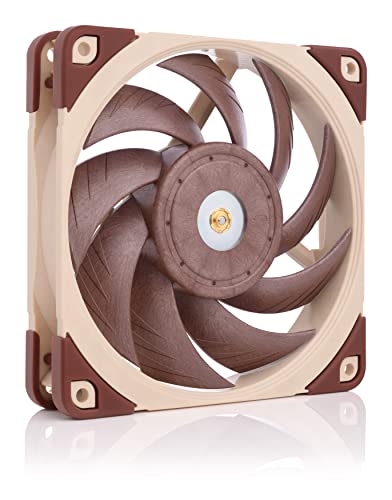
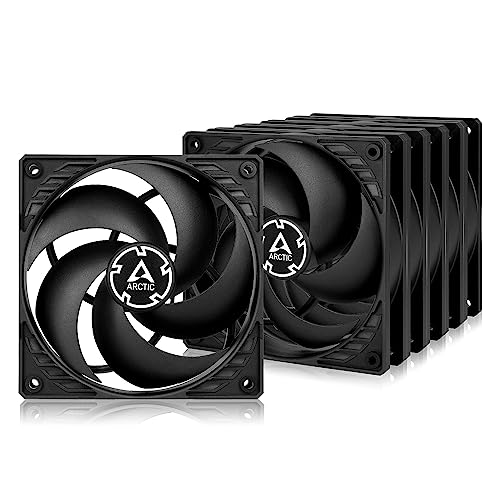
The open axial cooler is the default design of the modern era and the one in most machines reading this page. One, two, or three fans with blades arranged around a hub — axial fans, moving air along their axis of rotation — blow air downward into a fin stack that sits over the chip, memory, and power components. The air spills out of the fin stack’s open sides, into the case interior, and the case’s own fans carry it away. The design’s virtues are scale and calm: large fans turning slowly move plenty of air, the fin stack can be as big as the card’s outline allows, and the whole assembly is as quiet as graphics cooling gets. Its condition is cooperation — it assumes the case will finish the job it starts.
The blower is the older, sterner design. A single centrifugal fan — a squirrel-cage wheel that draws air in at its centre and flings it outward — sits at one end of a card enclosed in a shroud, and drives the air along a fin stack and out through vents in the rear bracket, beyond the case entirely. A blower card is its own complete ventilation system: it breathes case air and exhausts heat outside, asking nothing of the case. The price is paid in noise and temperature, because one small wheel doing all the work must spin fast, and the fin stack inside a slim enclosed card is limited. Blowers survive where their self-sufficiency is decisive — very small cases with no airflow to cooperate with, and workstations stacking several cards where open coolers would choke on each other’s exhaust.
Hybrid and liquid designs move the fin stack off the card. A hybrid card keeps a small fan and blower-like assembly for its memory and power components while an all-in-one liquid loop carries the chip’s heat to a radiator mounted on the case, where case-sized fans shed it. Full water blocks go further, replacing the air cooler entirely for a custom loop. These are the coolest and, at the radiator, potentially the quietest arrangements of all, at the cost of money, complexity, and a pump as a new moving part. Passive cards, at the opposite pole, delete the fan entirely and rely on a large heatsink and case airflow; they exist only at low power draws, where their silence is total and their condition — a case that moves air past them — is absolute.
In this guide
How does the axial type behave in a real case?
An axial card’s temperatures in reviews are measured on open benches or in well-ventilated cases, and its behaviour in your case is a partnership. The fans draw from the space beneath the card, which in a standard build is the gap between card and power supply shroud, and exhaust in all directions from the fin stack’s sides: toward the motherboard, toward the side panel, up toward the CPU cooler, down toward the shroud. A case that feeds that under-card space with fresh air and extracts warm air from the top and rear keeps the partnership honest. A sealed, dusty, or cable-choked case starves the intake and recirculates the exhaust, and the same card runs dramatically hotter and louder, through no fault of its own design.
Axial subtypes matter within the family. Fan count and diameter set the character, as the wider comparison of dual and triple fan designs explores: more, larger fans generally mean slower, quieter operation over a longer or thicker fin stack. Fan quality varies too — ring-connected blades, well-shaped shrouds that seal the fan to the stack rather than leaking air around it, and honest fan-stop behaviour at idle separate the refined axial coolers from the merely adequate. When you read a card review, the axial section is where most of the thermal and acoustic story lives, because for this type the cooler is the product differentiation; the chip underneath is identical across brands.
The axial type’s one structural weakness is neighbours. A second card, a capture card, or even a bulky adapter in the slot directly below sits in the axial fans’ intake space and can strangle the lower fan entirely. Thick axial cards in compact cases meet the same problem at the shroud or side panel. The design assumes breathing room on its intake face, and a build that denies it that room has chosen the wrong type for its geometry, however good the card is.
laptop graphics cards — what to know
gaming PC or gaming laptop — the comparison
When does a blower still make sense?
The blower’s reputation suffers because it is judged in the axial design’s arena: a single card in a roomy case, where the blower’s self-sufficiency buys nothing and its noise and temperatures lose plainly. Change the arena and the verdict changes. In a very small case — a console-sized box where the graphics card sits in its own compartment with a vent and no real airflow path — a blower’s habit of exhausting directly outside is not a quirk but the only arrangement that works, because an axial card in that compartment would recirculate its own exhaust until it throttled. Case designers for such machines sometimes specify blower cards outright, and they are right to.
Multi-card workstations are the second arena. Stack three or four cards for rendering or compute and each axial card’s intake is the next card’s backplate; the stack’s temperatures climb card by card. Blowers in a stack each take air from the front and expel it at the rear in an orderly one-way flow, which is why professional lines kept the design long after gaming lines abandoned it. The third arena is the hostile environment: a machine in a hot, dusty, or oddly ventilated space, where a card that manages its own exhaust is insulated from the case’s failings. In all three arenas the blower’s noise is the accepted tax on a machine that works at all, and it is worth adding that a blower under a desk in a working room bothers fewer people than forum arguments suggest — its sound is a steady rush, more like a small fan heater than the wandering tones of a struggling axial cooler.
Reading blower specifications requires one adjustment: expect and accept higher operating temperatures. Blower cards are designed to run hot by axial standards, with their thermal targets set accordingly, and a blower sitting at a temperature that would alarm an axial owner may be exactly at its design point. Judge a blower by whether it holds its clocks without throttling and by its noise at your seat, not by comparing its temperature readout with a different type’s.
What fan bearings and blades will you meet inside these coolers?
Inside every fan of every type sits a bearing, and the bearing decides how long the fan stays quiet. Sleeve bearings are the economical classic: a shaft turning in an oil-impregnated sleeve, quiet and smooth when new, happiest mounted horizontally, and prone to drying out over years — the bearing behind most fans that develop a buzz late in life. Ball bearings trade a fraction of that early smoothness for durability and orientation freedom, lasting longer in the vertical, downward-facing mount that graphics cards impose, which is why they appear in cards built for longevity and in blower wheels that spin fast for a living.
Fluid dynamic bearings and their many branded relatives refine the sleeve idea: the shaft rides on a film of oil shaped by grooves in the bearing, giving smoothness that rivals or beats a sleeve with a lifespan approaching a ball bearing’s, and silence that makes them the choice of premium axial coolers. Magnetic levitation designs, rarer in graphics cards than in case fans, remove contact almost entirely. For the buyer, the practical reading is this: bearing type is a lifespan and noise-character specification, usually findable in the manufacturer’s detailed materials, and a card intended to serve for many years earns a preference for ball, fluid dynamic, or similarly durable bearings over plain sleeves.
Blades carry their own vocabulary. Axial cooler fans use broad, swept blades optimised for pressure against a fin stack; some join their blade tips with a ring to stop air leaking backward and to tame tip noise. Blower wheels are not bladed like fans at all but vaned like a turbine, and their condition is judged by the wheel’s balance and the housing’s fit. In both cases the honest summary is that blade design differentiates good samples of a type from poor ones at the margin, while bearing quality and sheer fan size set the broad character. Marketing draws your eye to blade sculpture; experience teaches you to ask about bearings and diameters.
How do you choose the right type for your machine?
Start with the case, because the case is the type’s working environment. A standard tower with intake and exhaust fans, a clear under-card space, and one graphics card is axial country, and the only remaining questions are size and quality within the type. A compact case with a compartmentalised card bay and little airflow argues for a blower if the card’s power is modest, or for rethinking the case if it is not, because a high-power axial card in a sealed compartment will not be saved by any fan curve. A multi-card workstation argues for blowers or liquid. A silence-first build argues for the largest, slowest axial cooler the case accepts, or a hybrid whose radiator fans can be chosen and placed for quiet.
Then consider the workload’s duration. Short gaming sessions forgive almost any type; the card heats, the session ends, the machine cools. Sustained loads — rendering, encoding, compute, marathon gaming in a warm room — punish marginal arrangements and reward the type with headroom in your specific case. Finally, consider your own maintenance temperament: axial coolers ask for a clean case and clear intakes, blowers ask for their single intake kept dust-free, liquid asks for an occasional eye on the pump and fittings. The right type is the one whose demands you will actually meet for the card’s whole life, which is a more personal calculation than any review can make for you.
Whatever type you choose, verify the partnership in the first week: load the machine as you really use it, watch the card’s temperature settle, and listen from your chair. A type mismatch announces itself early and can often still be corrected — a case fan added, an intake cleared, in the worst case a card exchanged — while the same mismatch discovered after a summer of throttling has already spent some of the card’s life.
How do you maintain each type?
Maintenance follows the airflow path. An axial card needs its fin stack blown clear from the sides, its fan blades wiped or brushed where dust cakes them, and — the step owners forget — the under-card intake space in the case kept empty and its filters cleaned, because the card breathes from there. A blower needs its intake grille and the leading edge of its fin stack kept clear, since its single path chokes at the first obstruction, and its exhaust vents at the bracket kept unobstructed by cables behind the machine. A hybrid needs its radiator treated like a case fan’s radiator — dust is its enemy in the same way — plus a glance at the tubing and fittings when the machine is open, and an ear for the pump, whose change of note is the loop’s way of asking for attention.
Across all types, the maintenance instrument that matters most is the baseline record: temperatures and fan speeds noted when the machine was new and clean, against which every later reading is compared. A card of any type that runs hotter this year than last, at the same load in the same room, is asking for cleaning first and diagnosis second, and the owner with notes knows the size of the change instead of debating whether there was one. Fan bearings announce their ageing audibly in every type, earliest in sleeve bearings under heavy use, and a new buzz in an old card is the bearing chapter of this guide arriving in your machine; the response — cleaning first, then the bearing diagnosis — is the same whatever shroud surrounds it.
fixing a keyboard that is not working
building your first custom keyboard
How did these types evolve, and why did axial win the mainstream?
The blower came first as the mainstream performance design, and for years it was simply what a powerful card looked like: a long, enclosed brick with a wheel at the end, built by the chip maker as a reference design that board partners resold. Its dominance rested on predictability — any case, any arrangement, the card managed itself. The axial design’s rise followed the gaming market’s growth and its priorities: quieter machines on desks beside players, glass side panels displaying interiors, and single-card builds in tower cases with real airflow. In that world the blower’s virtues were worthless and its noise was unforgivable, while the axial design’s one demand — a cooperative case — was already met by the enthusiast cases the market was buying.
Board partners drove the transition because the cooler was where they could differ. The chip, the memory, and the broad performance were fixed by the chip maker; the axial cooler — its size, its fans, its shroud, its lighting — was the partner’s own product, and a generation of competition made axial coolers larger, quieter, and more elaborate year by year. Reference axial designs from the chip makers themselves eventually appeared, conceding the argument. The blower retreated to its defensible niches — professional cards, small-form-factor specifications, and the cheapest reference models — where it remains the correct engineering answer to problems the mainstream no longer has.
The lesson in the history is that “best type” is a sentence that needs an object: best for this case, this workload, this owner. The axial design did not win by being universally superior; it won by fitting the machines most buyers were building. Owners with unusual machines should take the history as permission to choose unusually, because the types that lost the mainstream argument kept their niches for sound reasons.
How are GPU fans controlled, and does the control type matter?
Graphics card fans are controlled by the card itself, not by the motherboard, and the control is almost universally of the pulse-width type: the fan receives full power in rapid pulses, and the proportion of on-time sets its speed, with a fourth wire returning a tachometer signal so the card knows the fan’s true speed. This closed loop is why a card can promise a fan-stop threshold and a precise curve — it is measuring, not guessing. It is also why replacement fans must match more than diameter: the connector, the wiring order, and the tachometer behaviour are part of the specification, and a fan that spins but reports nonsense will have the card chasing phantom speeds.
Control architecture explains several behaviours owners puzzle over. Fans on one card may be grouped on a single control channel or split between two, one governing the fan over the chip and another the fan over the memory and power stages, which is why some cards idle with one fan turning and others wake all fans together. It explains why a failed tachometer signal can send fans to full speed as a fail-safe — the card, unable to verify a fan, assumes the worst and runs it flat out, so a card suddenly roaring at maximum from power-on is often reporting a sensing fault rather than a thermal one. And it explains why fan control software talks to the card’s firmware rather than to any motherboard header: the whole system, sensor to software, lives on the card.
For buyers, the control layer is mostly invisible until it is not, and the visible parts worth checking are the fan-stop threshold’s adjustability, whether the utility lets you set a minimum speed to avoid start-stop cycling, and whether the card holds your curve across reboots without the utility needing to run. Those are quality-of-life specifications that differentiate mature implementations from basic ones within every cooler type.
What should you know about replacement fans and cooler swaps?
Because fans are not sold by type, owners meeting the replacement market for the first time are often surprised by its model-specificity. A replacement fan is identified by the card’s exact model, the fan’s diameter, its mounting pattern, its connector, and sometimes its position on the card, since multi-fan coolers may use different fans in different slots. Sellers of these parts list the card models each fan fits, and that list — not the fan’s appearance in a photograph — is the specification to trust. Two fans that look identical can differ in wiring; two that look different can be the same part under different shrouds.
Beyond like-for-like fan replacement lies the cooler swap: aftermarket air coolers that bolt a large universal heatsink and standard fans to a bare card, and water blocks that convert a card to liquid cooling. Both are real options for owners whose cards run hot or loud by design — a blower card in a case that has since grown, for instance — and both carry the same cautions. The swap voids warranties, demands care with memory and power-component cooling, which the replacement must provide as faithfully as it cools the main chip, and rewards owners who verify their exact card’s board layout against the kit’s compatibility list. It is a satisfying project and a poor first response; case airflow, cleaning, and fan curves should all be exhausted before a card’s factory cooler is condemned.
What myths surround GPU fan types?
The first myth is that more fans always mean a better cooler, which the fan-count comparison dismantles in detail: fin volume, fan diameter, and the chip’s power class decide performance, with fan count as a weak clue. The second myth is that blower cards are simply defective axial cards — badly designed rather than differently designed — when in truth they optimise for a different constraint and win wherever that constraint binds. The third myth is that a card running at a high temperature is necessarily a card in trouble, when thermal targets are type- and model-specific and some designs are built to sit at temperatures that would indicate a fault in others. Judge by throttling and by deviation from the model’s own reviewed behaviour, never by a universal number.
The fourth myth is that fan specifications on a listing — blade counts, exotic bearing names, airflow figures — can be compared across brands like-for-like. Test conditions differ, names are marketing as much as engineering, and the only figures that travel reliably between products are measured temperatures and noise from independent reviewers using one methodology. The fifth myth, and the most expensive, is that cooler type can rescue a case that cannot breathe. Every type has a case it assumes; the owner who fixes the case usually discovers the card was fine all along.
How do reference designs and partner designs differ?
Every graphics chip begins life with a reference cooler designed by the chip maker — the design reviewers receive first and the one that defines the card’s launch-day reputation. Reference designs historically favoured blowers, for the predictability already discussed, and the modern reference axial designs that replaced them are exercises in competent neutrality: adequate fin volume, restrained acoustics, a cooler that does the chip no harm and gives it no gifts. Partner designs are where the type system flowers. A partner takes the same board and builds its own interpretation — a modest dual-fan axial for the value tier, a flagship triple-fan with a vapour chamber for the premium tier, occasionally a hybrid with a factory-fitted radiator for the halo tier — and the spread between the cheapest and finest interpretation of one chip can be larger, thermally and acoustically, than the spread between two different chips wearing the same cooler.
For the buyer, the practical consequence is that “which chip” and “which cooler type, executed how well” are separable decisions, and the second deserves as much research as the first. Two cards with identical chips and identical axial layouts can differ by a wide margin in noise because one maker spent on fan diameter, bearing quality, and fin density while the other spent on lighting and shroud sculpture. Reviews that test several partners’ versions of one chip are therefore among the most valuable documents in the ecosystem: they hold the silicon constant and let the coolers argue, which is the exact experiment a buyer within one chip tier needs.
What happens to each type in extreme environments?
Heat is the universal stress, and the types meet it with different margins. An axial cooler in a hot room loses performance in proportion to the room’s rise, because its whole partnership with the case is anchored to the air the room supplies; a blower loses the same proportion on its intake but keeps its exhaust advantage, so in a genuinely hot, poorly ventilated space the blower’s relative position improves even as both cards suffer absolutely. Dust is the second stress, and it discriminates by path: axial fin stacks present a broad face to dust and clog gradually and visibly, while a blower’s narrow, fast path compacts dust at its leading edge and can lose its temper quickly once the mat forms — a blower in a dusty environment needs its intake inspected more often than its owner expects, precisely because so much depends on one small doorway.
Altitude and orientation complete the tour. Air at altitude is thinner, every fan moves less mass per revolution, and the type with headroom — usually the larger axial or the liquid radiator — absorbs the loss most gracefully. Orientation matters to bearings more than to airflow: a card mounted vertically, as display builds increasingly mount them, turns its fans’ bearings to a different load than the horizontal mount they were characterised in, and sleeve-bearing fans in particular age differently when their shafts carry the rotor’s weight along the axis rather than across it. None of these extremes governs an ordinary purchase. All of them explain why a card that reviewed well in a temperate laboratory can disappoint in a hot, dusty, high, or vertically-mounted reality, and why the type’s match to the environment, not the type’s reputation, is the buyer’s true subject.
How do fan types behave under fan-stop and low-load conditions?
The modern expectation that a graphics card be silent at idle has quietly become a type discriminator. Axial coolers adopted fan stop wholesale, because their large heatsinks shed idle heat passively with ease and their fans, when they do start, can begin at low speeds without stalling. The result is that the axial type owns the silent desktop by default, and its low-load behaviour — fans waking gently for a light game, subsiding after — is the experience most owners now mean by normal. Blower cards can and do implement fan stop on recent designs, but the blower’s physics press against it: the enclosed fin stack sheds idle heat less freely, and the single wheel’s efficient range begins at speeds whose note is harder to ignore, so a blower’s low-load manners are a series of more noticeable entrances and exits. Owners for whom the machine’s idle and light-load character matters — which is to say, owners who sit beside it all day — should weight this section as heavily as the load results, because a card spends most of its life at the loads benchmarks ignore.
Hybrid designs split the difference in an instructive way: the liquid loop’s radiator fans can stop while the card’s small onboard fan, serving the memory and power components, may keep its own schedule, so a hybrid machine’s idle silence depends on the least silent of its two systems. The general lesson repeats the guide’s thesis at low volume: type is behaviour, across the whole load range, in a specific case — and the behaviour at the loads you live at most deserves a place in the decision equal to the behaviour at the loads you boast about.
What is the short version — matching type to owner?
For the owner of a standard tower with decent airflow and one card, the large axial cooler is the answer, and the remaining work is choosing well within it. For the owner of a tiny case with a compartment for the card, the blower is the honest candidate at modest power, and at high power the case, not the card, is the part to reconsider. For the workstation stacking cards, blowers or liquid, chosen by budget and by tolerance for plumbing. For the silence absolutist, the biggest axial that fits, with the finest bearings, in a case whose own fans are equally considered — because a silent card in a loud case is a soloist in a brass band. For the owner who moves the machine often, rents, or works in dust and heat, the blower’s self-sufficiency deserves a second look against its reputation. Five owners, five answers, one method: describe the machine and the life first, and let the type be the conclusion rather than the premise.
How do you read a review’s cooler coverage critically?
Reviews are the buyer’s laboratory, and like any laboratory their results depend on their apparatus, which the critical reader inspects before quoting the findings. Note the test environment first: an open bench flatters every type’s temperatures and tells you little about any type’s behaviour in a case, while a review conducted in a standard case with a stated ambient temperature is evidence you can almost take home. Note whether noise was measured at a fixed fan speed, at a fixed temperature, or at stock behaviour, because the three methods crown three different winners — the fixed-temperature method is the one that reveals a cooler’s true acoustic cost, and its absence from a review is the absence of the single most decision-relevant number. Note which temperatures are reported: a review that gives memory and power-stage temperatures alongside the main chip is reviewing the whole cooler, while one that gives the chip alone is reviewing its best behaviour.
Then translate, because the review’s machine is not yours. A cooler praised in a large, well-ventilated review case will behave worse in your compact one by an amount no table states; a blower criticised on an open bench may be the only type that survives your compartment case at all. The critical reader uses reviews the way this guide has used every generalisation — as priors to be corrected by the specifics of one machine, one room, and one owner’s ears. Read three reviews with different methodologies before believing any of them, and believe the disagreement between them most of all, because the disagreement is where the type’s real sensitivities live.
What will the next generation of GPU cooling probably look like?
The types in this guide are not standing still, and a buyer choosing for the long term benefits from knowing the directions of travel. Axial coolers continue to grow — thicker fin stacks, larger fans, vapour chambers spreading from flagships into the middle of ranges — because the chips’ power draws keep rising and air remains the medium every case already speaks. Liquid hybrids continue their march down from the halo tier as their costs fall, bringing radiator logic to owners who would never build a custom loop. Blowers persist in their professional niches, refined rather than reinvented. And beneath all three, the control layer keeps getting smarter: per-fan control, better stop behaviour, and curves that learn a case’s habits are worth more decibels in real rooms than another increment of blade sculpture.
The buyer’s takeaway is reassuring rather than urgent: no type in this guide is about to be orphaned, parts and knowledge for all of them will outlast any card bought today, and the correct decision procedure — case first, workload second, type third, model last — will still be correct when the next generation arrives wearing new names for old physics. Heat, air, and noise have not changed their relationship in a century of machinery. The types are just the current best answers, and they are good ones.
How do you compare two cards of the same type on a shop page?
Once the type is chosen, the shop page’s remaining cooler details sort into the few that matter and the many that decorate. Mattering: the cooler’s thickness in slots, because it is fin volume and clearance in one number; the fans’ diameter, stated or measurable from the card’s dimensions and photographs; the presence of a vapour chamber or the heat pipe count on high-power models; whether memory and power components are explicitly cooled; the fan-stop behaviour and its adjustability; and the card’s stated power limit, which tells you how much heat the whole apparatus is being asked to move. Decorating: blade counts, trademarked names for ordinary bearing refinements, and airflow figures measured under conditions no case reproduces. A buyer who reads the first list and ignores the second will choose between two axial cards — or two blowers — more wisely than a buyer who memorises the marketing, because the first list is the cooler’s physics and the second is its poetry, and graphics cards are cooled by physics.
How do you live well with the type you already own?
Most readers of a guide like this own a card already, and the useful question is not which type to buy but how to get the best from the type in the machine. The axial owner’s programme is partnership: feed the under-card space, exhaust the case’s top and rear, keep the filters on a rhythm, and let the fan curve loaf where the loads allow. The blower owner’s programme is the doorway: keep the single intake scrupulously clear, give the rear exhaust an unobstructed path out of the desk’s neighbourhood, and set expectations — and fan curves — for a card designed to run warm and be heard working. The hybrid owner’s programme is vigilance at low cost: radiator dusted, pump listened to, fittings glanced at whenever the case is open. Each programme is an hour a few times a year, and each converts its type’s known weaknesses from surprises into managed characteristics. Owners who run their type’s programme stop envying the other types, because a well-kept example of any of them is a pleasant machine — and an unkempt flagship is a louder, hotter one than a tended budget card, whatever the fan type in its listing said.
What is the one-sentence answer to take into the shop?
If this whole taxonomy must compress into the sentence to carry into a purchase, it is this: choose the cooler type your case can feed — axial for the ordinary tower that breathes, blower for the compartment that cannot, liquid for the flagship in a case with somewhere to put its radiator — and then, within the type, buy fin volume, fan diameter, and bearing quality rather than names. Every section of this guide is an expansion of that sentence: the behaviours, the bearings, the histories, and the myths all exist to keep a buyer from reversing its order, from falling for a type before interrogating a case, or for a name before interrogating a cooler. Ask the questions in the sentence’s order and the graphics card that comes home will be the one your machine would have chosen for itself.
What do you do when your case and your dream card disagree?
It is the commonest real-world collision in this whole subject: the card you want wears the type your case cannot feed. The honest options, in the order this guide’s logic ranks them, are to change the case’s contribution first — intakes cleared or added, a compartment vented, a radiator relocated — because cases are cheaper than cards and the improvement serves every future card as well. Next, to choose the same chip in the other type, accepting the blower’s voice or the axial’s demands as the price of the silicon you want, with your eyes open about which tax you are paying. Next, to let the card choose the case: owners building around a flagship sometimes correctly conclude that the case, not the card, is the component to upgrade, and a case bought for a cooler’s type serves for a decade of cards. Last, and rarely correctly, to force the pairing and manage the consequences with curves and hope. The ranking is not snobbery; it is the order in which the money actually solves the physics. Heat does not negotiate, but it does respond — to room, to path, and to a buyer who asks the case’s permission before the card is ordered rather than after it arrives.
What do you tell a friend choosing their first performance card?
The short version, as you would give it across a desk: tell me about your case before you tell me about the card. If it is an ordinary tower with fans that work and room under the card, buy the big axial version of the chip you want, from the maker whose measurements — temperature and noise together — you trust, and spend your remaining attention on the rest of the machine. If your case is a small box with the card in its own compartment, respect the blower or change the box, and do not let a forum talk you into cooking a flagship in a cupboard. Whatever arrives, spend its first week the way this guide prescribes: load it as you live, watch it settle, listen from your chair, and write the numbers down, because the card you have characterised is the card you actually own, and its type — axial, blower, or liquid — will from then on be not a line in a listing but a behaviour you know by name.
What is the guide’s last word on taste?
Beneath the physics, a residue of pure preference remains, and it is legitimate. Some owners love the sight of a long triple-fan card filling a case; some love a blower’s industrial honesty; some love a radiator’s plumbing like a visible circulatory system. Taste, consulted after the case, the workload, and the measurements have had their say, is not the enemy of a good purchase — it is its finishing touch, the reason one of two equally suitable cards gets chosen and then kept with pleasure for years. The order is everything: taste last, as the tiebreak between options the physics has already approved, and never first, as a substitute for asking whether the machine can feed what the eye desires. Owners who keep that order rarely regret a card. Owners who reverse it become, in time, the cautionary tales in guides like this one — well-meaning, well-read, and hot.
Gpu Fan Type — Frequently Asked Questions
Which GPU fan type is quietest?
For a single card in a normally ventilated case, a large open axial cooler with fluid dynamic or similarly refined bearings is the quietest arrangement, because its big fans turn slowly and stop at idle. A passive card is silent by definition but only exists at low power. Blowers are the loudest type in ordinary use, by design necessity.
Why do blower cards run so hot?
Because their fin stack is confined inside a slim, enclosed card and one wheel must move all the air. They are designed for those temperatures, with targets set higher than axial cards’, so judge a blower by whether it holds its clocks without throttling rather than by comparing its readout with an axial card’s.
Can I replace my GPU’s fan with a different type?
Not as a type conversion. Replacement fans are model-specific parts that restore the original cooler; you cannot turn a blower card into an axial one with a fan swap. Changing type means changing the whole cooler — aftermarket air coolers and water blocks exist for some models — or changing the card, and either is a project to undertake deliberately, not as a casual fix.
Does fan bearing type really matter?
Over a card’s life, yes. The bearing decides how long the fan stays quiet and how it ages: plain sleeves are smooth but dry out, ball bearings endure, fluid dynamic designs combine smoothness with longevity. For a card you intend to keep for many years, bearing quality is a legitimate reason to prefer one model over another with the same chip.
My axial card heats up my whole case. Is that a fault?
No — it is the design working as designed. Axial coolers hand their heat to the case air, and the case’s exhaust fans must carry it out. If the interior warms excessively, the answer is case airflow: clear intakes, working exhaust, and dust filters cleaned, so the partnership the card expects is the one it gets.
Are hybrid liquid-cooled cards worth it?
For high-power cards in cases with a good radiator position, they offer the lowest chip temperatures and can be very quiet, since the radiator’s large fans turn slowly. They cost more, add a pump as a moving part, and ask for occasional attention to the loop. For mid-range cards in ordinary cases, a good axial cooler delivers most of the benefit with none of the complexity.
Gpu fan type, understood properly, stops being a line in a specification table and becomes the story of how your card breathes: axial coolers sharing their heat with a cooperative case, blowers going it alone out the rear bracket, liquid carrying the heat away to a radiator, and bearings underneath it all deciding how gracefully the machinery ages. Match the type to the machine you actually have, and the card’s temperatures and noise stop being surprises and start being choices you made on purpose.