The best old cell phones as security camera apps start with a simple idea: a phone that is no longer used every day still has a camera, a screen, a battery, and a Wi-Fi connection, which is everything a basic security camera needs. With a free or low-cost security camera app installed, that spare phone becomes a camera that watches the front door, the garage, the baby's room, or the shop counter, and it costs nothing more than the phone that was already sitting in a drawer.
The honest way to frame this is that the phone is the hardware and the app is what turns it into a camera. The apps that do this job are well known: they stream the phone's camera to another device, send motion alerts, and record when something moves. The phone needs a decent camera, a battery that holds a charge, and a Wi-Fi connection that stays stable, and it needs to be cheap enough that dedicating it to one job does not feel like a waste.
The six phones below are affordable, currently listed models chosen for exactly that role. They are not the newest flagships, and they are not meant to be: a phone that watches a door all day does not need the fastest processor or the largest screen. It needs a capable camera, a reliable battery, and a price that makes sense for a second job. Each listing was checked in full before it earned a link, and any listing marked as renewed or used was set aside.
In this guide
Quick picks: best old cell phones as security camera apps
| # | Product | Where to buy |
|---|---|---|
| 1 | Motorola Moto G Power – 2025 | Check on Amazon |
| 2 | Moto G – 2025 | Check on Amazon |
| 3 | Samsung Galaxy A15 5G | Check on Amazon |
| 4 | Samsung Galaxy A16 5G | Check on Amazon |
| 5 | Unihertz Jelly 2E | Check on Amazon |
| 6 | Blackview Wave 2C | Check on Amazon |
How the picks were chosen
The picks were chosen for the repurposing job, not for flagship use. A phone earned a place here when its listing described an affordable, currently listed phone with a capable camera, a battery that supports long use, and a price class that makes dedicating it to one job sensible. Expensive flagships were not considered, because a phone that watches a door does not need flagship hardware.
Camera and battery came first. The phone's camera is what records, so a 50 MP camera like the ones on the Motorola and Samsung picks here is a real advantage, and a battery that holds a charge through a long day matters because a camera that dies at noon watches nothing in the afternoon. Wi-Fi stability and a durable design were weighed next.
Every listing was verified in full before linking. The brand and the complete model name in the listing had to match the phone described, including the storage size and the year where stated. Listings marked as renewed or used were dropped, and any listing whose title described a different model was set aside.
Quick comparison
| Product | Standout feature | Best for |
|---|---|---|
| Motorola Moto G Power – 2025 | 50 MP camera with battery-first design | a first repurposed security camera for a door or garage |
| Moto G – 2025 | Cheapest 50 MP camera for repurposing | several cheap cameras, one per room |
| Samsung Galaxy A15 5G | AMOLED display with expandable storage | a Samsung camera with expandable storage for long recording |
| Samsung Galaxy A16 5G | Durable design with a large AMOLED display | a durable camera phone left in place for months |
| Unihertz Jelly 2E | Tiny mini phone for hidden spots | a tiny discreet camera for a small or hidden spot |
| Blackview Wave 2C | Ultra-small phone with 1 TB card support | the cheapest camera phone with a 3-year warranty |

Motorola Moto G Power – 2025
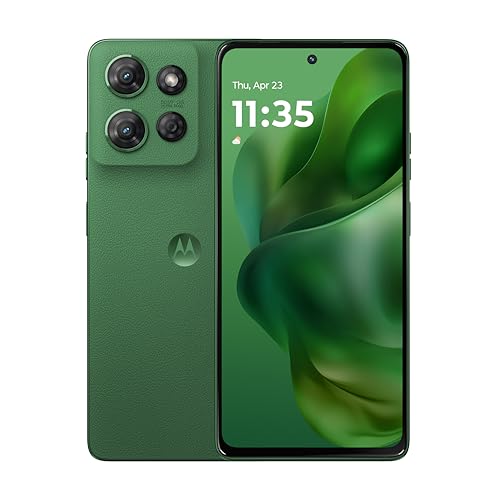
The Moto G Power 2025 is the workhorse pick for a repurposed security camera, and its listing states the reason plainly: an unlocked phone with 8 GB of RAM and 128 GB of storage, a 50 MP camera, in Leaf Green. The name says it: this is the Moto G built around battery power, and a phone that watches a room all day needs exactly that.
The 50 MP camera is the strongest camera on this list for the price, and it means the repurposed camera records clear detail rather than a soft, noisy image. The 128 GB of storage holds recorded clips locally, and the 8 GB of RAM keeps the security camera app running smoothly without the phone slowing down or closing the app in the background.
For a buyer who wants one spare phone to watch the front door or the garage, the Moto G Power 2025 is the natural first pick. It is affordable enough to dedicate to one job, capable enough to record clearly, and its battery-first design is exactly what a camera that runs all day needs.
Key specifications: Unlocked; 8 GB RAM; 128 GB storage; 50 MP camera; Leaf Green; 2025 model.
This phone fits a buyer who wants one affordable spare phone to watch a door, a garage, or a room, with a clear camera and storage for recordings.
Strengths
- The 50 MP camera records clear detail for a security camera.
- 128 GB of storage holds recorded clips locally.
- The battery-first design suits a camera that runs all day.
Trade-offs
- It is a budget phone, so its camera is not flagship quality.
- The large body needs a stable mount or stand to watch a room.
- It has no stated weather resistance for outdoor use.
The Moto G Power 2025 suits anyone setting up a first repurposed camera. It fits a homeowner, a renter, or a small shop owner who wants a door watched without buying a dedicated camera.
Best for: a first repurposed security camera for a door or garage / Not suited for: an outdoor camera in rain, or a buyer who needs flagship image quality
Check price on Amazon: Motorola Moto G Power – 2025

Moto G – 2025
The Moto G 2025 is the simplest phone on this list, and that simplicity is the point. Its listing describes an unlocked phone with 4 GB of RAM and 128 GB of storage, a 50 MP camera, in Forest Gray. It is the most basic model here, and for a camera that sits on a shelf and watches a room, basic is enough.
The 50 MP camera matches the more expensive Moto G Power above, which means the repurposed camera records the same detail for less money. The 128 GB of storage holds recordings, and the 4 GB of RAM is enough for a single security camera app running on its own. A phone that does one job does not need the memory of a phone that does everything.
For a buyer who wants the cheapest capable camera on this list, the Moto G 2025 is the pick. It is the phone to buy when several rooms need watching and the budget has to stretch across more than one camera.
Key specifications: Unlocked; 4 GB RAM; 128 GB storage; 50 MP camera; Forest Gray; 2025 model.
This phone fits a buyer who wants the cheapest capable phone to repurpose, especially when several rooms need a camera each.
Strengths
- The 50 MP camera matches the more expensive Moto G Power.
- 128 GB of storage holds recordings locally.
- It is the most affordable capable camera on this list.
Trade-offs
- 4 GB of RAM is modest if other apps run alongside the camera app.
- It is a budget phone, so its camera is not flagship quality.
- It has no stated weather resistance for outdoor use.
The Moto G 2025 suits buyers setting up more than one camera. It fits a homeowner covering several rooms, a landlord, or anyone who wants a spare phone per room without a large spend.
Best for: several cheap cameras, one per room / Not suited for: a single premium camera, or an outdoor camera in rain
Check price on Amazon: Moto G – 2025

Samsung Galaxy A15 5G
The Galaxy A15 5G is the Samsung pick for a repurposed camera, and its listing describes a 128 GB unlocked Android smartphone with an AMOLED display, expandable storage, Knox Security, super fast charging, and a high-resolution camera, in Blue Black as a 2024 US version. The AMOLED display is the detail that matters for setup: it makes the camera app easy to see and configure, even in a dim room.
Expandable storage is the practical advantage here. The 128 GB built in is already enough for recordings, and a memory card adds more when the camera runs for weeks without a clear-out. Knox Security, stated in the listing, adds a layer of protection to a device that stays connected to the home network all day, which is worth having on a camera that watches the home.
Super fast charging means the phone tops up quickly between shifts, which matters when the same phone is moved between rooms or charged overnight. For a buyer who wants a Samsung phone with a good display and expandable storage for the repurposing job, the Galaxy A15 5G is the pick.
Key specifications: 128 GB storage; AMOLED display; expandable storage; Knox Security; super fast charging; high-resolution camera; unlocked; US version; 2024; Blue Black.
This phone fits a buyer who wants a Samsung phone with a bright display, expandable storage, and security features for a repurposed home camera.
Strengths
- The AMOLED display makes the camera app easy to set up.
- Expandable storage adds room for weeks of recordings.
- Knox Security protects a device that stays on the home network.
Trade-offs
- The listing states no megapixel count for the camera.
- It is a budget phone, so its camera is not flagship quality.
- It has no stated weather resistance for outdoor use.
The Galaxy A15 5G suits buyers who value the display and the storage. It fits a homeowner, a parent watching a nursery, or anyone who wants a Samsung camera with room to grow.
Best for: a Samsung camera with expandable storage for long recording / Not suited for: an outdoor camera in rain, or a buyer who needs a stated megapixel count
Check price on Amazon: Samsung Galaxy A15 5G

Samsung Galaxy A16 5G
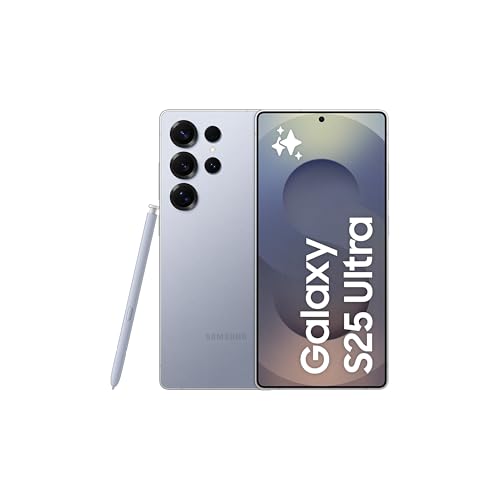
The Galaxy A16 5G is the newer Samsung pick on this list, and its listing describes an unlocked Android smartphone with a large AMOLED display, a durable design, super fast charging, expandable storage, and 5G connectivity, in Blue Black as a 2025 US version. The durable design stated in the listing is the detail that matters for a camera that sits on a shelf or a windowsill for months at a time.
A large AMOLED display makes the camera app easy to see and adjust, and the durable design means the phone survives being knocked, moved, and left in a warm room without complaint. Expandable storage adds room for recordings, and super fast charging tops the phone up quickly when it is taken down for a charge.
The 5G connectivity is a bonus rather than a requirement, because a security camera app works over Wi-Fi, but it means the phone can also send alerts over mobile data if the home Wi-Fi drops. For a buyer who wants the newest Samsung budget phone for the repurposing job, the Galaxy A16 5G is the pick.
Key specifications: Unlocked Android smartphone; large AMOLED display; durable design; super fast charging; expandable storage; 5G connectivity; US version; 2025; Blue Black.
This phone fits a buyer who wants a durable Samsung phone with a large display for a repurposed camera that stays in place for months.
Strengths
- The durable design suits a phone left in place for months.
- The large AMOLED display makes setup and checks easy.
- Expandable storage adds room for long recording runs.
Trade-offs
- The listing states no megapixel count for the camera.
- It is a budget phone, so its camera is not flagship quality.
- 5G adds little for a camera that works over Wi-Fi.
The Galaxy A16 5G suits buyers who want durability and a clear display. It fits a garage, a workshop, or a room where the camera phone will be left alone for long stretches.
Best for: a durable camera phone left in place for months / Not suited for: an outdoor camera in rain, or a buyer who needs a stated megapixel count
Check price on Amazon: Samsung Galaxy A16 5G

Unihertz Jelly 2E
The Unihertz Jelly 2E is the smallest phone on this list, and its size is the reason to choose it. Its listing describes a mini phone with Android 12 and 4G, unlocked, in silver, supporting T-Mobile and Verizon. A phone this small fits where no other camera fits: inside a bookshelf, behind a plant, on a narrow windowsill, or in a corner that a normal phone would crowd.
A tiny phone is also a discreet phone, and discretion is useful for a camera that watches a room without drawing attention. The Android 12 software runs the usual security camera apps, and the 4G connection means it can send alerts even where Wi-Fi is weak. The small size does mean a small battery and a small screen, so setup takes more patience than on a larger phone.
For a buyer who needs a camera in a tight or hidden spot, the Jelly 2E is the pick. It is not the phone for a large room or a long recording run, but for a small space where nothing else fits, it is the only phone on this list that will do the job.
Key specifications: Mini phone; Android 12; 4G unlocked; silver; supports T-Mobile and Verizon only.
This phone fits a buyer who needs a tiny, discreet camera for a small or hidden spot where a normal phone will not fit.
Strengths
- The tiny size fits where no normal phone can go.
- Android 12 runs the usual security camera apps.
- The discreet size keeps the camera unobtrusive.
Trade-offs
- The small battery needs charging more often than larger phones.
- The small screen makes setup fiddly.
- It supports T-Mobile and Verizon only, so check the carrier.
The Jelly 2E suits buyers with a tight spot to watch. It fits a bookshelf, a small office, or a corner where a normal phone would be too big or too obvious.
Best for: a tiny discreet camera for a small or hidden spot / Not suited for: a large room, a long recording run, or a buyer on another carrier
Check price on Amazon: Unihertz Jelly 2E

Blackview Wave 2C
The Blackview Wave 2C is the ultra-small budget phone on this list, and its listing describes an unlocked Android 16 smartphone with a 5.0-inch display, 3 GB of RAM and 32 GB of storage with room for a 1 TB memory card, a 3000 mAh battery, and 4G dual SIM, with a 3-year warranty, for elderly users and children. The 5.0-inch size is small enough to place discreetly, and the warranty is the longest on this list.
The 1 TB memory card support is the practical detail that matters for a camera: 32 GB built in is modest, but a large card turns the phone into a camera that records for weeks without a clear-out. The 3000 mAh battery is small, so this phone suits a camera that is kept plugged in, and the Android 16 software runs the current security camera apps.
For a buyer who wants the cheapest phone on this list with the longest warranty, the Wave 2C is the pick. It is a basic phone, and it should be bought with that in mind, but as a dedicated camera kept on a charger, it does the job for the least money.
Key specifications: Unlocked Android 16 smartphone; 5.0-inch display; 3 GB RAM; 32 GB storage; 1 TB memory card support; 3000 mAh battery; 4G dual SIM; 3-year warranty.
This phone fits a buyer who wants the cheapest dedicated camera phone with a long warranty, kept on a charger in one spot.
Strengths
- The 1 TB card support allows weeks of recording.
- The 3-year warranty is the longest on this list.
- The small 5.0-inch size places discreetly.
Trade-offs
- The 3000 mAh battery needs the phone kept on a charger.
- 32 GB of built-in storage is modest without a card.
- 3 GB of RAM is the least on this list.
The Blackview Wave 2C suits buyers who want the lowest cost and the longest warranty. It fits a single-room camera, a budget setup, or a first experiment with a repurposed phone camera.
Best for: the cheapest camera phone with a 3-year warranty / Not suited for: a camera that must run unplugged, or a buyer who needs large built-in storage
Check price on Amazon: Blackview Wave 2C
Best old cell phones as security camera apps: what matters most: what matters most
The camera is the first thing to judge, because it is what records. A 50 MP camera like the ones on the Motorola picks here records clear detail, while a lower-resolution camera may still be enough for a small room. The question is not how good the camera is in absolute terms, but whether the recording is clear enough to recognise a person or read what happened.
Battery life decides how the camera is used. A phone with a battery-first design, like the Moto G Power 2025, can run for a long stretch unplugged, while a small-battery phone like the Blackview Wave 2C needs to stay on a charger. Either arrangement works, but the buyer should decide which one fits the spot before the phone is placed.
Storage decides how long recordings are kept. A phone with 128 GB built in holds a good run of clips, and expandable storage or a large memory card, like the 1 TB support on the Wave 2C, extends that to weeks. A camera that deletes its oldest recordings too soon is a camera that misses the moment it was bought for.
The app is the last piece, and it is not bought with the phone. The well-known security camera apps stream the phone's camera to another device, send motion alerts, and record when something moves. The phone needs to run the app reliably, which is why a phone with enough RAM and a stable Wi-Fi connection matters more than a fast processor.
Buying guide: choosing old cell phones as security camera apps
Start by deciding where the camera will watch. An indoor spot needs only a basic phone and a stable mount, while an outdoor spot needs weather resistance that none of the phones here state in their listings. The phones on this list are indoor cameras, and they should be used as such.
Then decide whether the phone will stay plugged in. A camera that runs all day needs either a large battery or a permanent charger, and the honest answer for most setups is a charger: a phone that watches a room is a phone that does not move, so a cable is not a hardship. The Moto G Power 2025 is the pick for unplugged use; the Wave 2C is the pick for plugged-in use.
Check the carrier and the Wi-Fi before ordering. A repurposed camera works over Wi-Fi, so the phone needs a stable connection where it will sit, and the Jelly 2E supports T-Mobile and Verizon only. Test the Wi-Fi in the spot first, because a camera that drops its connection watches nothing.
Finally, think about how many rooms need watching. A single phone watches one spot, so a buyer who wants several rooms covered should buy several cheap phones rather than one expensive one. The Moto G 2025 is the pick for that plan, because it is the cheapest capable camera here.
Using and caring for your old cell phones as security camera apps
Mount the phone so the camera sees the room, not the ceiling. A small tripod, a phone stand, or a shelf at chest height works, and the phone should be angled slightly down so the camera covers the door and the floor. Test the view on another device before leaving the phone in place.
Keep the phone charged and the app running. A security camera app must stay open and the phone must stay awake, so set the screen to stay on or use the app's background mode, and check the phone daily at first until the routine is proven. A camera that closed its app overnight watched nothing.
Protect the phone from heat and direct sun. A phone left on a sunny windowsill will overheat and shut down, and a camera that shut down is a camera that missed the moment. Place the phone in shade, keep it ventilated, and check it on hot days.
Common mistakes to avoid
The most common mistake is using the phone outdoors when it is not built for it. None of the phones here state weather resistance in their listings, so they are indoor cameras. Rain or direct sun will damage a phone that was never meant to be outside, and the recording will be lost with it.
Another frequent error is letting the phone's battery die. A repurposed camera needs power every day, whether from a large battery or a permanent charger, and a phone that died at noon watched nothing in the afternoon. Check the charge daily until the routine is proven.
A third mistake is forgetting the app. The phone is only a camera when the security camera app is running, and a phone that closed the app or lost its Wi-Fi connection is just a phone on a shelf. Check the live view on another device regularly, and set the app to restart if the phone reboots.
Budget and value
A repurposed camera costs far less than a dedicated security camera, and that is the point of the whole idea. The phones here are affordable models, and the security camera apps that turn them into cameras are free or low-cost, so a whole home can be covered for the cost of a few spare phones and a few chargers.
Value here means matching the phone to the spot. A large room needs a clear camera like the Moto G Power 2025, a small spot needs a tiny phone like the Jelly 2E, and several rooms need several cheap phones like the Moto G 2025. Spending more than that buys hardware the job does not need.
Final recommendation
If one phone has to win, it is the Moto G Power 2025 for the best balance of a 50 MP camera, storage, and battery-first design. For several rooms, the Moto G 2025 is the cheapest capable camera per room, and for a tight or hidden spot, the Jelly 2E is the only phone here that fits. The Galaxy A16 5G is the pick for a durable camera that stays in place for months.
Whichever phone suits the spot, the rule is the same: keep it indoors, keep it charged, keep the app running, and check the live view regularly. Do that, and a spare phone becomes a security camera that watches the home for the cost of a handset that was already paid for.
Frequently asked questions
Can any old phone become a security camera?
Almost any phone with a working camera, battery, and Wi-Fi connection can, once a security camera app is installed. The phone needs a decent camera, enough storage for recordings, and a stable Wi-Fi connection where it will sit. The phones on this list were chosen because they meet those needs affordably.
Which security camera apps work with these phones?
The well-known apps in this category stream the phone's camera to another device, send motion alerts, and record when something moves. They run on Android, which all six phones here use, and they are free or low-cost to install.
Do I need to keep the phone plugged in?
It depends on the phone. A battery-first phone like the Moto G Power 2025 runs for a long stretch unplugged, while a small-battery phone like the Blackview Wave 2C needs to stay on a charger. For most setups, a permanent charger is the reliable answer.
Can I use these phones outdoors?
No, not as listed. None of the phones here state weather resistance in their listings, so they are indoor cameras. Rain or direct sun will damage a phone that was never meant to be outside, and the recording will be lost with it.
How much storage do recordings need?
It depends on how much is recorded. A phone with 128 GB built in holds a good run of clips, and expandable storage or a large memory card extends that to weeks. Set the app to record on motion only, rather than continuously, and the storage will last far longer.
Is it safe to leave a phone connected to my home network all day?
Yes, with the usual care. Keep the phone's software updated, use a strong Wi-Fi password, and use the security features the phone offers, such as the Knox Security stated in the listing for the Galaxy A15 5G. A camera phone deserves the same care as any device on the home network.
Choosing the right security camera app
The app is what turns a spare phone into a security camera, and the choice of app matters as much as the choice of phone. The well-known apps in this category stream the phone's camera to another device, send motion alerts, and record when something moves. Most offer a free tier that covers the basics and a paid tier that adds cloud storage or longer recording.
The buyer should try the free tier first, on the phone that will become the camera, before committing to a paid plan. Check that the app runs reliably in the background, that the alerts arrive promptly, and that the live view works from another device. An app that closes itself overnight is an app that leaves the home unwatched.
Where to place a repurposed camera
Placement decides whether a repurposed camera is useful. A camera watching a front door should see the approach and the door itself, not just the wall beside it, and a camera in a room should see the whole room from a corner, not a single chair. Mount the phone at chest height or higher, angled slightly down, and test the view on another device before leaving it in place.
Light matters too. A camera facing a bright window will struggle with the contrast, and a camera in a dark corner will record little. Place the camera where the light falls on the subject, not behind it, and the recordings will be far more useful.
Powering a camera phone all day
A phone that watches a room all day needs power all day, and there are two honest ways to provide it: a large battery or a permanent charger. The Moto G Power 2025, with its battery-first design, runs the longest unplugged, while the smaller-battery phones here need a charger to last the day.
For most setups, a permanent charger is the reliable answer. A camera phone does not move, so a cable is not a hardship, and a charger removes the daily worry about whether the phone will last until evening. Keep a spare cable and charger for the camera phone, separate from the ones used every day.
Keeping recordings safe
Recordings are only useful if they are kept, and a repurposed camera needs a plan for storage. The phones here offer 128 GB built in, with expandable storage on the Samsung models and 1 TB card support on the Blackview, and the security camera app should be set to record on motion only, rather than continuously, so the storage lasts far longer.
Back up the important clips. A motion alert that shows something worth keeping should be saved to another device promptly, because a camera that overwrites its oldest recordings will eventually delete the clip that mattered. A short weekly check of the recordings keeps the useful ones safe.
Privacy and the household
A security camera in a home raises questions that a camera outside does not. Everyone in the household should know where the cameras are and what they record, and a camera should never be placed in a bedroom or a bathroom. The point of a home camera is to watch the entrances and the shared rooms, not the private ones.
The phone's own security matters too. Keep the software updated, use a strong Wi-Fi password, and use the security features the phone offers, such as the Knox Security stated for the Galaxy A15 5G. A camera phone deserves the same care as any device on the home network.
When a dedicated camera is better
A repurposed phone is a good camera, but it is not always the best camera. A dedicated security camera offers weather resistance for outdoor use, a wider field of view, and a mount designed for the job, and a buyer who needs an outdoor camera should buy one rather than risking a phone outside.
The honest rule is simple: indoors, a spare phone does the job well and costs little. Outdoors, in rain and cold, a dedicated camera is the right tool. Use the phone where it is safe, and buy the dedicated camera where it is not.
Testing the setup before relying on it
A repurposed camera should be tested for a week before it is relied on. Check the live view daily, confirm that motion alerts arrive, and confirm that recordings are saved where expected. A setup that works for a day may fail on the third day, when the app closes itself or the Wi-Fi drops, and a week of testing catches those failures.
Test at night too, because a camera that works by day may struggle in the dark. Walk past the camera after dark, check the recording, and adjust the angle or the lighting until the recording is clear. A camera tested only in daylight is a camera that has not been tested.
Using more than one spare phone
A household often has more than one spare phone, and each one can become a camera. A phone by the front door, one by the back door, and one in the garage cover a home far better than a single camera, and the cost is only the phones that were already sitting in drawers.
Each phone needs its own charger and its own mount, and each one should be named in the app so the live views are easy to tell apart. A system of three cheap cameras watches a home better than one expensive camera ever could.
More guides from KajuanDouglas
app for using a phone for security cameras app security camera for phones camera app for Android phones outdoor wireless security cameras for home