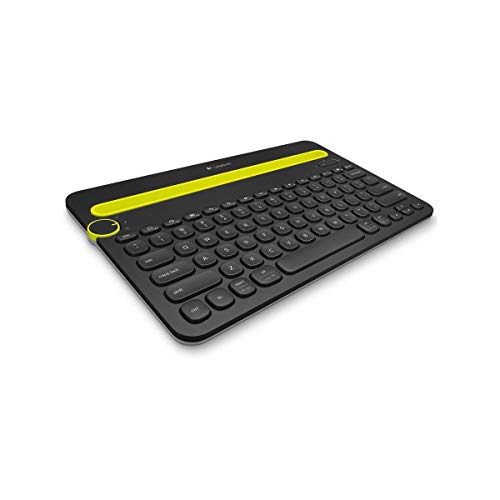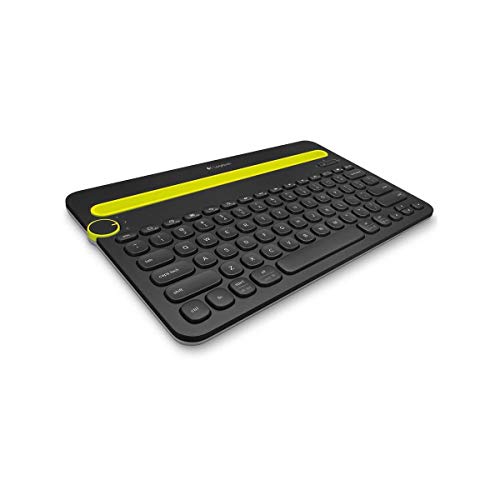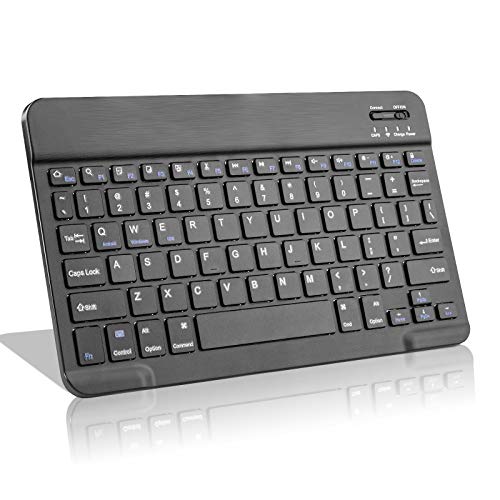
Finding the best keyboards for acer tablet that fits your setup is less about chasing the most expensive option and more about matching the right features to the way you actually use the device. A keyboard that looks strong on a spec sheet can still be the wrong choice if it is awkward to set up, hard to live with day to day, or missing the one feature you rely on most. That is why this guide focuses on practical fit: what each option does well, where it falls short, and who it suits best. An Acer tablet is a capable device for notes, documents, and email, but the on-screen keyboard is slow for anything longer than a message. The right physical keyboard changes that, turning the tablet into a small laptop for writing, study, and work. We reviewed the current listings for best keyboards for acer tablet and narrowed the field to six options that cover the main use cases, from a straightforward everyday choice to more capable models for heavier demands. Each product below is linked to its listing so you can verify the exact configuration, included accessories, and availability before you buy. Use the comparison table further down the page to line the six picks up side by side, then read the buying guide if you want help weighing the trade-offs. The goal is simple: help you choose once, with confidence, and avoid paying for features you will never use or settling for a model that leaves you wanting more within a few months. The sections that follow explain how the picks were chosen, walk through each product in detail, and finish with the questions readers ask most often about best keyboards for acer tablet. If you are short on time, the comparison table and the final recommendation give you the short version; if you want the reasoning, the buying guide and the per-product sections explain it.
In this guide
Quick picks: best keyboards for acer tablet
| # | Product | Where to buy |
|---|---|---|
| 1 | New Genuine Keyboard for Acer Switch 3 SW312-31 N17H1 Tablet | Check on Amazon |
| 2 | Acer Wireless Keyboard and Mouse Combo, Full Size with Wrist Rest | Check on Amazon |
| 3 | acer AKB910 Wired USB Keyboard, Compact Design, Full-Size Keys | Check on Amazon |
| 4 | Ultra-Slim Bluetooth Keyboard Portable Mini Wireless Keyboard Rechargeable | Check on Amazon |
| 5 | OMOTON Bluetooth Tablet Keyboard Rechargeable with Backlit, Oversize Keycap | Check on Amazon |
| 6 | Backlit Wireless Bluetooth Keyboard for iPad Samsung Tablet Phone iPhone | Check on Amazon |
How the picks were chosen
Every product in this guide was selected from current listings for best keyboards for acer tablet, and each one had to meet the same bar before it earned a place. First, the product had to be the right kind of device for the keyword — a genuine keyboard, not an accessory, a part, or a loosely related item that happens to share a word in its title. Second, it had to come from a listing with clear, verifiable specifications, so the strengths and trade-offs below are grounded in what the listing actually states rather than guesswork. Third, the shortlist had to cover a range of needs: different sizes, capacities, and feature sets, so that readers with different budgets and different daily routines can all find a fit. The factors weighed most heavily were Acer compatibility and fit, Bluetooth or USB connection, key feel and layout, and portability and battery life — the four things that most often decide whether a keyboard ends up used every day or left in a drawer. Ease of setup and everyday usability counted alongside raw capability, because a device that is frustrating to install or maintain rarely gets used to its full potential. Listings that were renewed or refurbished, or that lacked enough detail to verify what you actually receive, were left out. Where two listings described essentially the same product, only one was kept, so the six picks below are genuinely different options rather than variations on the same item. The result is a shortlist you can compare honestly: each product’s strengths are stated plainly, its trade-offs are stated just as plainly, and the recommendation at the end names the pick that suits most readers and the situations where a different option is the smarter buy. The shortlist is deliberately small: six options are enough to cover the real differences between models without turning the comparison into a catalogue, and every pick below earns its place on merit rather than on brand familiarity alone.
Top picks at a glance
Each pick below links to its listing so you can confirm the exact configuration and availability before ordering. The comparison table after the product sections lines all six up side by side.
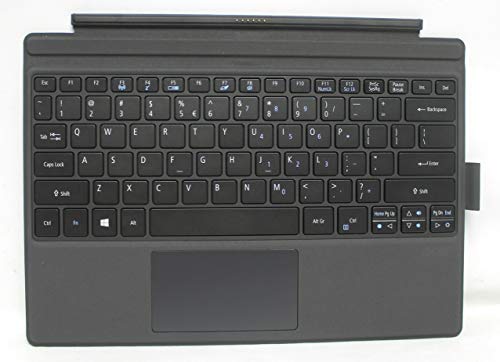
1. New Genuine Keyboard for Acer Switch 3 SW312-31 N17H1 Tablet

New Genuine Keyboard for Acer Switch 3 SW312-31 N17H1 Tablet earns its place in this roundup of best keyboards for acer tablet by covering the essentials well: it does the core job reliably, it is straightforward to set up, and it fits the everyday use case most readers have in mind. This is a new genuine keyboard for the Acer Switch 3 SW312-31 N17H1 tablet, model NK.I1213.07Y, made to fit the tablet as its detachable keyboard. Confirm the model number on the back of the tablet before ordering, since Switch models use different keyboards. Before ordering, check the listing for the exact configuration — model, size, and included accessories can vary between listings that look similar at a glance, and the model number is the surest way to confirm you are getting the version described here.
Strengths:
- A genuine Acer part, so the fit and connector match the tablet exactly.
- It turns the Switch 3 into a proper laptop-style device.
- No pairing or charging is needed, since it connects directly.
Trade-offs:
- It only fits the Acer Switch 3 SW312-31 model.
- It is a replacement part, so check the model number carefully.
- It has no backlight or extra features beyond the keyboard itself.
This keyboard fits Acer Switch 3 owners who need the original detachable keyboard, whether as a replacement or a spare.
Best for: Acer Switch 3 SW312-31 owners who need the genuine keyboard
Not suited for: owners of other Acer tablets, or any non-Switch tablet
2. Acer Wireless Keyboard and Mouse Combo, Full Size with Wrist Rest
Check price on Amazon: New Genuine Keyboard for Acer Switch 3 SW312-31 N17H1 Tablet

Acer Wireless Keyboard and Mouse Combo, Full Size with Wrist Rest earns its place in this roundup of best keyboards for acer tablet by covering the essentials well: it does the core job reliably, it is straightforward to set up, and it fits the everyday use case most readers have in mind. The Acer wireless keyboard and mouse combo is a full-size set with a wrist rest, using a 2.4G USB-A wireless connection, for use with computers and tablets that support USB receivers. Use it with a USB adapter or hub that fits the tablet's port, and keep the receiver plugged in so it is not lost. Before ordering, check the listing for the exact configuration — model, size, and included accessories can vary between listings that look similar at a glance, and the model number is the surest way to confirm you are getting the version described here.
Strengths:
- Full-size keys with a wrist rest suit long typing sessions.
- The included mouse completes a desktop setup in one box.
- Acer branding matches an Acer tablet setup.
Trade-offs:
- It needs a USB-A receiver, so the tablet must support USB input.
- It is a desktop-sized set, not a travel keyboard.
- It is a keyboard and mouse set, so it is more than a tablet-only buyer needs.
This combo fits Acer tablet owners who use the tablet at a desk and want a full-size keyboard and mouse setup.
Best for: Acer tablet owners who type at a desk and want a full-size set
Not suited for: travellers who need a compact keyboard in a bag
3. acer AKB910 Wired USB Keyboard, Compact Design, Full-Size Keys
Check price on Amazon: Acer Wireless Keyboard and Mouse Combo, Full Size with Wrist Rest

acer AKB910 Wired USB Keyboard, Compact Design, Full-Size Keys earns its place in this roundup of best keyboards for acer tablet by covering the essentials well: it does the core job reliably, it is straightforward to set up, and it fits the everyday use case most readers have in mind. The Acer AKB910 is a wired USB keyboard with a compact design, full-size keys, and Chrome OS compatibility, in black. Use a short USB adapter that fits the tablet's port, and route the cable so it does not pull on the tablet. Before ordering, check the listing for the exact configuration — model, size, and included accessories can vary between listings that look similar at a glance, and the model number is the surest way to confirm you are getting the version described here.
Strengths:
- Full-size keys in a compact body suit small desks.
- A wired connection means no batteries and no pairing.
- Chrome OS compatibility suits Acer Chromebooks and tablets.
Trade-offs:
- It needs a USB connection, so the tablet must support USB input.
- The cable limits how far the keyboard sits from the tablet.
- It has no backlight for typing in low light.
This keyboard fits Acer tablet owners who want a simple, reliable wired keyboard for desk use.
Best for: Acer tablet owners who want a simple wired keyboard
Not suited for: travellers who need a wireless keyboard, or typists who need a backlight
4. Ultra-Slim Bluetooth Keyboard Portable Mini Wireless Keyboard Rechargeable
Check price on Amazon: acer AKB910 Wired USB Keyboard, Compact Design, Full-Size Keys
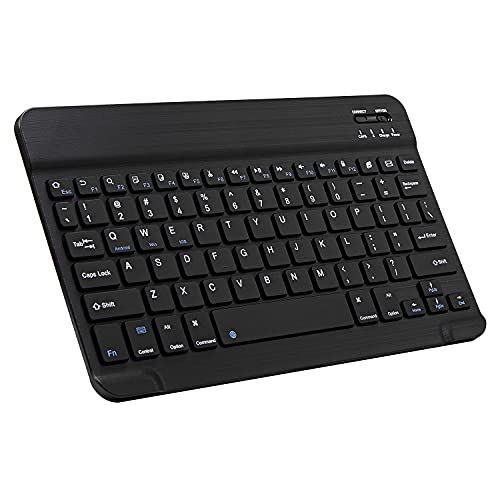
Ultra-Slim Bluetooth Keyboard Portable Mini Wireless Keyboard Rechargeable earns its place in this roundup of best keyboards for acer tablet by covering the essentials well: it does the core job reliably, it is straightforward to set up, and it fits the everyday use case most readers have in mind. This ultra-slim Bluetooth keyboard is a portable, mini, rechargeable wireless keyboard for Apple iPad, iPhone, Samsung tablets, phones, and smartphones, and it pairs with Acer tablets over Bluetooth as well. Charge it fully before a trip and pair it once at home, so it connects automatically when switched on. Before ordering, check the listing for the exact configuration — model, size, and included accessories can vary between listings that look similar at a glance, and the model number is the surest way to confirm you are getting the version described here.
Strengths:
- The ultra-slim design slips into a bag with the tablet.
- Bluetooth pairing works with Acer tablets and other devices.
- A rechargeable battery means no disposable batteries to buy.
Trade-offs:
- The mini layout means smaller keys than a full-size keyboard.
- It has no tablet stand, so the tablet needs its own support.
- Bluetooth pairing adds a step that a wired keyboard avoids.
This keyboard fits travellers and students who want the smallest keyboard that still types well with an Acer tablet.
Best for: travellers and students who want a slim portable keyboard
Not suited for: typists who need full-size keys, or a keyboard with a built-in stand
5. OMOTON Bluetooth Tablet Keyboard Rechargeable with Backlit, Oversize Keycap
Check price on Amazon: Ultra-Slim Bluetooth Keyboard Portable Mini Wireless Keyboard Rechargeable

OMOTON Bluetooth Tablet Keyboard Rechargeable with Backlit, Oversize Keycap earns its place in this roundup of best keyboards for acer tablet by covering the essentials well: it does the core job reliably, it is straightforward to set up, and it fits the everyday use case most readers have in mind. The OMOTON Bluetooth tablet keyboard is a rechargeable, ultra-slim wireless keyboard with a backlight and oversize keycaps, for Samsung tablets and other Bluetooth tablets including Acer models. Turn the backlight off when it is not needed to stretch the battery between charges. Before ordering, check the listing for the exact configuration — model, size, and included accessories can vary between listings that look similar at a glance, and the model number is the surest way to confirm you are getting the version described here.
Strengths:
- Oversize keycaps make typing more comfortable than a mini keyboard.
- The backlight helps when typing in low light.
- The rechargeable battery keeps it going without disposable batteries.
Trade-offs:
- It is a universal keyboard, not an Acer-specific model.
- It has no built-in tablet stand.
- The backlight uses battery faster when left on.
This keyboard fits Acer tablet owners who want a comfortable, backlit keyboard for evening typing and study.
Best for: Acer tablet owners who want a backlit keyboard for low-light typing
Not suited for: buyers who need a keyboard with a built-in stand
6. Backlit Wireless Bluetooth Keyboard for iPad Samsung Tablet Phone iPhone
Check price on Amazon: OMOTON Bluetooth Tablet Keyboard Rechargeable with Backlit, Oversize Keycap
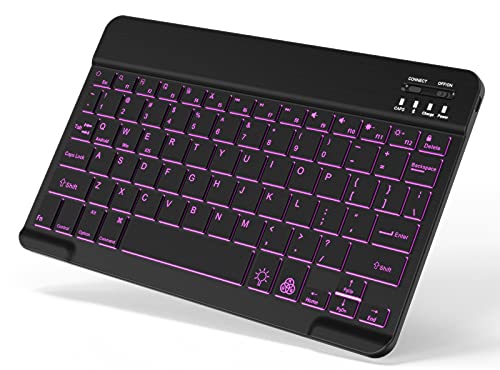
Backlit Wireless Bluetooth Keyboard for iPad Samsung Tablet Phone iPhone earns its place in this roundup of best keyboards for acer tablet by covering the essentials well: it does the core job reliably, it is straightforward to set up, and it fits the everyday use case most readers have in mind. This backlit wireless Bluetooth keyboard is made for iPad, Samsung tablets, phones, and iPhone, and pairs with Acer tablets over Bluetooth as a universal wireless keyboard. Pair it with the tablet first, then with the phone, so switching between devices takes only a tap. Before ordering, check the listing for the exact configuration — model, size, and included accessories can vary between listings that look similar at a glance, and the model number is the surest way to confirm you are getting the version described here.
Strengths:
- The backlight makes it usable in dim rooms and at night.
- Bluetooth works across tablets, phones, and computers.
- The wireless design keeps the desk clear of cables.
Trade-offs:
- It is a universal keyboard, so the layout is not Acer-specific.
- It has no tablet stand or case included.
- Battery life depends on backlight use.
This keyboard fits Acer tablet owners who want a backlit wireless keyboard that also works with their other devices.
Best for: Acer tablet owners who want one backlit keyboard for tablet and phone
Not suited for: buyers who want an Acer-specific keyboard with a stand
Comparison table
| # | Product | Key detail |
|---|---|---|
| 1 | New Genuine Keyboard for Acer Switch 3 SW312-31 N17H1 Tablet | Genuine Acer, Switch 3 SW312-31, detachable |
| 2 | Acer Wireless Keyboard and Mouse Combo, Full Size with Wrist Rest | Full-size, wireless 2.4G, wrist rest, mouse included |
| 3 | acer AKB910 Wired USB Keyboard, Compact Design, Full-Size Keys | Wired USB, compact, full-size keys |
| 4 | Ultra-Slim Bluetooth Keyboard Portable Mini Wireless Keyboard Rechargeable | Ultra-slim, Bluetooth, rechargeable, portable |
| 5 | OMOTON Bluetooth Tablet Keyboard Rechargeable with Backlit, Oversize Keycap | Bluetooth, backlit, oversize keycaps, rechargeable |
| 6 | Backlit Wireless Bluetooth Keyboard for iPad Samsung Tablet Phone iPhone | Backlit, wireless Bluetooth, universal |
Check price on Amazon: Backlit Wireless Bluetooth Keyboard for iPad Samsung Tablet Phone iPhone
Bluetooth vs USB: connecting a keyboard to an Acer tablet
The first choice when buying a keyboard for an Acer tablet is the connection, and it depends on the tablet. Bluetooth keyboards pair wirelessly, work with almost any modern tablet, and keep the desk clear of cables; they need charging and a short pairing step the first time. USB keyboards connect through a cable or a small wireless receiver, need no charging or pairing, and suit desk setups where the keyboard stays in one place. Some Acer tablets have a USB-C port that works with a wired keyboard through an adapter, while others support a keyboard dock or a detachable keyboard, such as the genuine Switch 3 keyboard in this guide. The practical rule is to check the tablet's ports and Bluetooth support before ordering: a Bluetooth keyboard is the safest choice for most Acer tablets, a USB keyboard suits a desk setup, and the genuine detachable keyboard is the right choice only for the exact Switch model it was made for.
Keyboard cases vs standalone keyboards
A tablet keyboard comes in two forms, and they suit different habits. A keyboard case wraps the tablet and the keyboard together, protecting the screen and keeping the pair as one unit in a bag; it suits students and travellers who carry the tablet everywhere. A standalone keyboard is separate, so it can be larger and more comfortable to type on, and it can be left at the desk while the tablet travels light; it suits owners who type mostly in one place. The keyboards in this guide are mostly standalone, which is why they type better than the thin keyboards built into cases, but they need a separate stand or case to hold the tablet upright. If the tablet will be carried daily, a case with a built-in stand is worth having alongside the keyboard. If the tablet lives on a desk, a standalone keyboard with full-size keys is the better typing experience, and the difference shows after an hour of writing.
What to check before ordering
A few checks before ordering prevent the common mistakes with tablet keyboards. First, confirm the tablet model: the genuine Acer keyboard in this guide fits only the Switch 3 SW312-31, and ordering it for another model wastes a return. Second, confirm the connection: Bluetooth works with most tablets, while USB needs a compatible port or adapter. Third, check the layout: a keyboard with a familiar layout and full-size keys types far better than a cramped mini layout, and the difference matters for long documents. Fourth, check the battery: a rechargeable keyboard needs charging, and a keyboard with a backlight uses its battery faster. Finally, think about the stand: a keyboard without a built-in stand needs a separate tablet stand or case, so budget for one if the tablet does not already have it. With those checks done, the keyboard that arrives will be the one that actually fits the tablet and the way it is used.
Typing comfortably on a tablet
A tablet with a keyboard can be a genuine writing machine, but comfort depends on the setup. Put the tablet on a stand at eye level rather than flat on the desk, since looking down at a flat screen strains the neck within an hour. Keep the keyboard at a comfortable distance with the wrists straight, and use a wrist rest for long sessions. Take a short break every half hour to stretch the hands and shoulders, which matters more with a compact keyboard than with a full-size one. Learn the tablet's keyboard shortcuts, since switching between apps and selecting text is faster with keys than with touch. And keep the keyboard charged or the cable handy: a keyboard that dies halfway through a document is a frustration that a glance at the battery indicator prevents. With a good keyboard and a sensible setup, an Acer tablet handles essays, emails, and notes as well as a small laptop.
Mechanical vs membrane keyboards for tablets
Tablet keyboards use two kinds of switches, and the difference is in the feel. Membrane keyboards use a rubber layer under the keys, which makes them thin, quiet, and cheap — the right choice for a portable tablet keyboard that must be slim and light. Mechanical keyboards use individual switches under each key, which gives a firmer, more precise feel and lasts longer, but they are thicker, heavier, and louder. For a tablet, the membrane design in most of the keyboards in this guide is the practical choice, since a mechanical keyboard would double the thickness of the setup. The exception is owners who type for hours every day and already prefer mechanical switches; for them, a compact mechanical keyboard paired with a tablet stand is a better typing experience, though it is a desk setup rather than a travel one. Try both if possible before committing, since key feel is personal and a keyboard that feels wrong will not be used.
Keeping the keyboard charged and connected
A Bluetooth keyboard is only useful when it is charged and paired, and a small routine keeps it that way. Charge the keyboard once a week, or when the battery indicator shows low, rather than waiting for it to die mid-sentence. Most rechargeable keyboards charge over USB-C in an hour or two, so plugging it in overnight once a week is enough. Keep the keyboard paired to the tablet and switch it off when not in use, since a keyboard left on in a bag can drain its battery and can also wake the tablet. If the keyboard stops responding, the usual fix is to switch it off and on again, then re-pair it from the tablet's Bluetooth settings — a full reset is rarely needed. For wired keyboards, the routine is simpler: keep the cable undamaged, coil it loosely rather than wrapping it tightly, and keep the adapter with the keyboard so it is not left behind. A keyboard that is charged, paired, and ready is one that gets used every day.
When a keyboard is not enough
A keyboard turns a tablet into a writing machine, but some jobs still need more. Long documents with heavy formatting, spreadsheets with many formulas, and multitasking across several apps are all easier on a laptop with a full operating system. If the tablet is the only computer available, a keyboard, a stand, and a mouse together cover most of the gap, and the setup in this guide does exactly that. But if the work regularly involves those heavier tasks, the honest answer is that a small laptop may be the better buy than a tablet plus accessories. The keyboards here are for the large middle ground — notes, essays, emails, and study — where a tablet with a good keyboard is genuinely enough, and the money saved against a laptop can go elsewhere.
Buying guide
Start by defining the job the keyboard has to do. For best keyboards for acer tablet, the right choice depends on where it will live, how often it will be used, and which features you will actually notice day to day. Measure the space first: a keyboard that is too large for its spot ends up moved, stored, or returned, while one that is too small for the task leaves you working around its limits. Next, list the features that matter to you and rank them. Acer compatibility and fit, Bluetooth or USB connection, key feel and layout, and portability and battery life are the usual decision points, and different readers rank them very differently — there is no single right order. Check compatibility with what you already own: the devices, apps, and accessories it needs to work with. A pick that needs an adapter, a hub, or an extra purchase you did not expect is a worse deal than a slightly more expensive option that works out of the box. Read the listing carefully for what is included in the box and what is sold separately, and confirm the model number matches the one described here, since similar names can hide different configurations. Think about upkeep as well: consumables, batteries, cables, and software updates all add up over the life of a device. Finally, buy from a listing with a clear return policy, keep the packaging until you have used the device for a few days, and test the features you care about most during that window. If it does not fit your routine, exchanging it early is far easier than living with a compromise for years. A careful first week with the device tells you more than any amount of pre-purchase reading. It is also worth deciding in advance how much setup effort you are willing to accept: some readers enjoy configuring an app and linking devices, while others want something that works the moment it is unboxed. Neither preference is wrong, but it changes which pick is right for you, and it is better to know it before ordering than to discover it while staring at a setup screen.
How to use and care for your pick
Getting the most from your best keyboards for acer tablet starts with setup. Unbox it somewhere with good light, lay out everything included, and read the quick-start guide before plugging anything in — ten minutes here saves a support call later. Place the keyboard where it has room to work: clear space around vents and sensors, a stable surface, and easy access to power. Run any firmware or software update the listing or companion app offers, then walk through the settings once, turning off features you do not need and enabling the ones you do. For day-to-day care, keep the device clean and dry, wipe surfaces with a soft cloth, and keep cables routed so they are not pulled or pinched. If the keyboard uses a battery, avoid leaving it fully drained for long stretches; if it uses a filter or a consumable part, note the replacement interval on a calendar so performance does not quietly degrade. Store accessories together in one place so they are easy to find. If something stops working, restart the device, check connections, and confirm the app or software is up to date before assuming a fault — most day-to-day problems trace back to one of those three. Keep the manual or a bookmark to the support page; the answer to an unusual question is usually there, and the manufacturer’s guidance is the authority for anything involving safety, power, or warranty. A short routine beats a long repair: a quick check every month or two catches most problems while they are still trivial, and it keeps the device performing the way it did on the day you bought it.
Common mistakes to avoid
The most common mistake when shopping for best keyboards for acer tablet is choosing on a single headline feature and ignoring everything else. A big number on the box — capacity, resolution, range — tells you very little about whether the keyboard fits your space or your routine. The second mistake is skipping the compatibility check: assuming it will work with your existing devices, apps, or accessories without confirming. The third is ignoring size and placement, then discovering the device blocks a vent, crowds a desk, or needs an outlet that is not nearby. A fourth is buying the cheapest listing of a lookalike model and discovering it is a different configuration, a renewed unit, or missing an accessory the full version includes. A fifth is overlooking running costs — replacement parts, batteries, or a companion subscription — that change the real cost over a year or two. And a sixth is rushing the return window: using the device once, deciding it is fine, and only discovering its weak point after the exchange period has closed. Avoid all six by measuring first, reading the listing in full, confirming compatibility, and testing the features you care about within the first few days. A short checklist made before ordering — size, compatibility, included accessories, return policy — prevents most of these mistakes before they happen. The thread running through all six is the same: the purchase decision deserves the same care as the device itself. A few minutes spent measuring, reading, and confirming compatibility saves the time, cost, and frustration of a return.
Our final recommendation
If you want a single answer, start with the first pick in this guide — the New Genuine Keyboard for Acer Switch 3 SW312-31 N17H1 Tablet — and check whether it covers your main use case. It represents the best balance of capability, ease of use, and everyday practicality for most readers shopping for best keyboards for acer tablet. If your needs are more specific, the other five picks each serve a clear purpose: one leans toward a larger capacity or display, another toward a simpler setup, and the rest toward particular features or budgets. Match the pick to the job, not to the ranking. Re-read the comparison table, confirm the listing matches the model described here, and order the one whose strengths line up with what you will actually use. Whichever you choose, the buying guide above will help you set it up well and avoid the mistakes that lead to returns. And if you are still torn between two picks, choose the one whose strengths match the feature you will use every day, not the one with the longest feature list — the device you reach for daily is the one that was worth buying.
Frequently asked questions
What should I look for first when choosing best keyboards for acer tablet?
Start with fit: the size, capacity, and core features that match how you will use it every day. Compatibility with your existing devices comes next, followed by ease of setup and upkeep. The buying guide above walks through each factor in order.
Are the best keyboards for acer tablet in this guide suitable for everyday use?
Yes. All six picks were chosen for regular, everyday use rather than occasional or specialist scenarios, and each section notes who the product fits best so you can judge the match for your own routine.
How do I know which model to order?
Use the product links in each section to open the listing and confirm the exact model, configuration, and included accessories. Similar names can hide different versions, so matching the model number to the one described here is the safest check.
Which pick is the best starting point?
For most readers, the New Genuine Keyboard for Acer Switch 3 SW312-31 N17H1 Tablet is the best place to start because it balances capability and ease of use. If you have a specific need — a larger space, a particular feature, or a tighter budget — one of the other five picks may suit you better.
Do I need one unit or several?
That depends on the size of your home and how many rooms need coverage. A single unit covers only its own area, so most homes need several — at least one per floor and one near each sleeping area. The kits in this guide are a practical way to cover a whole home at once.
What if the product I choose does not fit my setup?
Test it within the return window: check the features you care about most in the first few days, keep the packaging, and exchange it if it does not fit. The common-mistakes section above lists the checks that catch most mismatches early.
Related reading on Kajuandouglas: Best Reviewed Wireless Tablet Keyboards and Best Keyboards for Tablet Kindle Fire and Best Keyboards for 30 Dollars.