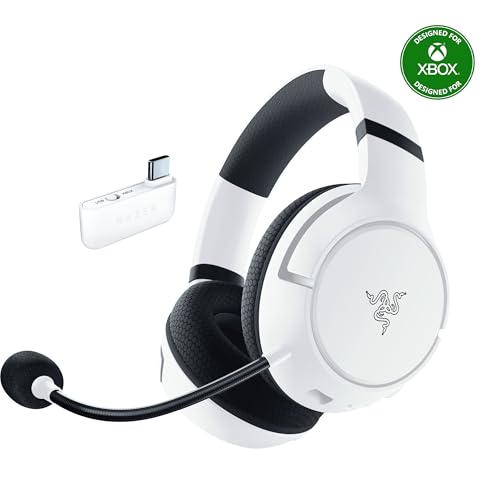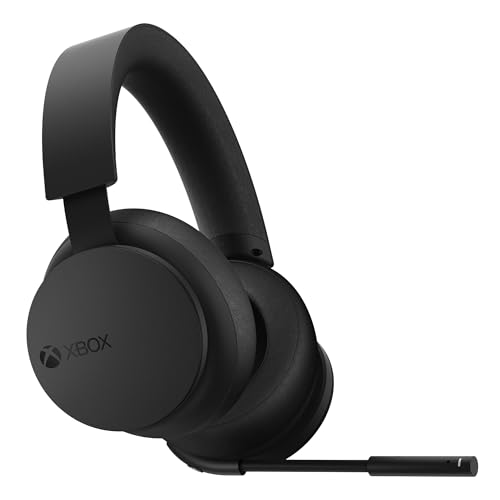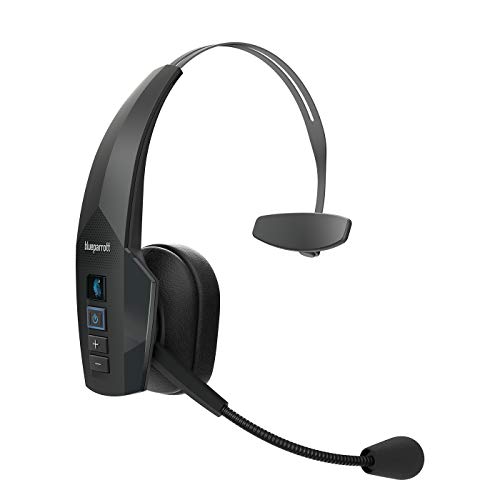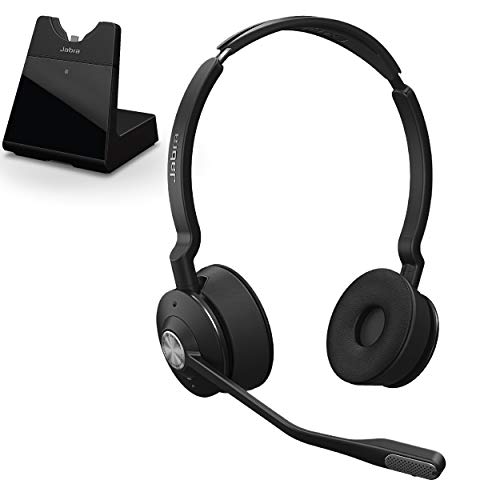
Anyone who has taken a long call on a sealed wireless headset knows the strange side effect: your own voice arrives muffled and distant, as if you were speaking from inside a cupboard, and within minutes you are talking louder than the room requires. That is not a microphone fault. It is the absence of sidetone — the small, deliberate feed of your own voice back into your earpieces while you speak. Landline telephones built sidetone into their circuits for a century, because people regulate their volume against what they hear of themselves. Modern headsets that block the ear also block that feedback loop, and sidetone is the feature that restores it. This guide is about headsets whose manufacturers document sidetone for the exact model — in the manual, the setup guide or the support pages — and about how each one lets you control it.
Kaju and Douglas may earn an affiliate commission when you buy through links on this page. That commission funds the research behind guides like this one and never changes the price you pay. Every pick below was admitted on documentary evidence: the maker’s own manual or support documentation for that specific model names sidetone, or the maker’s own name for the same mechanism, and describes how it is adjusted. Models whose documentation stayed silent on the feature were left out, however good their microphones or noise cancelling might be, because a feature that cannot be confirmed in the maker’s own paperwork cannot be promised to a reader.
The six picks split along three lines, and those lines are the real buying decision. The first is how the level is adjusted: two Jabra models expose a sidetone volume setting in desktop software, Logitech and EPOS do the same in their companion apps, Poly offers three fixed steps and nothing finer, and Razer hides the feature under a gaming name, Mic Monitoring. The second line is whether sidetone can be switched off entirely — most of these allow it, one does not, and that exception is flagged in plain language in its review. The third line is the connection underneath: a DECT office system with a desk base, Bluetooth headsets built for unified communications, and one gaming headset that treats sidetone as part of its streaming toolkit. Choose by the desk or the sofa the headset will live on, then by how much control over your own voice you actually want.
In this guide
Quick picks: best headsets with sidetone
| # | Product | Where to buy |
|---|---|---|
| 1 | Jabra Engage 75 Stereo | Check on Amazon |
| 2 | Jabra Evolve2 65 | Check on Amazon |
| 3 | Logitech Zone Wireless 2 ES | Check on Amazon |
| 4 | EPOS IMPACT 1061 | Check on Amazon |
| 5 | Poly Voyager Focus 2 | Check on Amazon |
| 6 | Razer BlackShark V2 Pro | Check on Amazon |
What sidetone is, and what it is not
Sidetone is a copy of your own voice, picked up by the headset’s microphone and played back into your ears at a controlled level while a call is live. It exists because the human voice is a feedback system: speakers unconsciously set their volume by listening to themselves, and when that channel is removed — by earcups that seal, by noise cancelling that swallows the room — the calibration drifts. People shout into quiet rooms, or trail off because they cannot tell whether they are audible. A well-set sidetone level makes a sealed headset feel acoustically transparent for your own speech. You hear yourself at roughly the loudness you would expect with nothing on your head, and your speaking volume settles back to normal without conscious effort.
Two boundaries matter, and this guide holds both firmly. First, sidetone changes only what the wearer hears. It does not clean up the signal sent down the line, it does not add noise suppression for the person at the other end, and a headset with excellent sidetone can still carry a mediocre microphone. Claims that sidetone helps the other party hear you better misunderstand the mechanism, and no pick below is credited with any such effect. Second, sidetone is not the same thing as a transparency or hear-through mode, and the two are routinely confused in product marketing. Sidetone carries your voice, captured by the microphone a few centimetres from your mouth, and it is active while you talk on a call. Transparency modes carry the room — traffic, colleagues, a doorbell — captured by outward-facing microphones, usually while no call is running. A headset may offer both, either, or neither. Every pick in this guide earned its place on sidetone evidence alone; where a model also has a hear-through feature, that feature is mentioned as a separate fact and never counted as sidetone.
One behaviour of sidetone is worth knowing before it surprises you on a call: on most designs the feed follows the microphone. When the mic is live, you hear yourself; mute the microphone — by the boom, the button or the software — and the feed falls silent with it, because there is no longer a voice signal to feed back. Far from being a flaw, that coupling is a quiet confirmation system: the sudden absence of your own voice is an unmistakable sign that the mute has engaged, more reliable than hunting for a small icon while speaking. Wearers who mute often, to cough, confer or answer a door, come to rely on the silence as much as on the sound. It is one more reason the level deserves setting with care — the feed is not decoration but the wearer’s primary evidence that the microphone, and the call, are in the state they believe.
The feature is older than the headset industry by most of a century. Early telephone engineers discovered that a handset which returned none of the speaker’s voice felt dead and provoked shouting, while a handset that returned too much produced a booming, echoing instrument nobody enjoyed; telephone sidetone was the engineered middle, set deliberately in the network’s hybrid circuits. Desk phones carried that settlement forward for generations, and most users never knew it existed because it simply felt like talking. The cordless and mobile eras weakened the convention, and the sealed wireless headset finished the job of removing it — which is why a feature your grandparents’ telephone had by default is now a specification a buyer must hunt through manuals to confirm. That history explains the shape of this guide: sidetone today is present exactly where a manufacturer chose to engineer and document it, model by model, and absent wherever nobody bothered.
The level itself deserves a sentence of arithmetic. Sidetone that is too quiet fails at its one job: the wearer still feels sealed off and still raises their voice. Sidetone that is too loud is worse — it feeds room noise and microphone handling sounds back at the wearer, and because it is the wearer’s own voice arriving with a slight electronic edge, an overcooked level is fatiguing in a way that is hard to name but easy to abandon a headset over. This is why adjustability is the spine of this guide rather than a footnote. A headset whose sidetone level matches its owner disappears into the call. A headset locked at the wrong level, for that owner, is a daily irritation with no remedy, which is why the one pick that cannot be switched off, and offers only three steps, is described here with its limitation stated as plainly as its virtues.
What to look for in a headset with sidetone
The entry ticket for this guide was documentation, but documentation alone does not make a headset right for a particular desk. Read the six picks against the five considerations below, in this order: the adjustment mechanism first, because it decides whether the feature will fit your ears at all; the off switch second; then the connection platform, the microphone, and the wearing style that has to survive a full working day or a long gaming session.
How the sidetone level is adjusted
Three adjustment styles appear in this guide, and they suit different temperaments. Desktop software with a level setting — expressed in decibel steps by Jabra, as a percentage slider by Logitech — gives the finest control and remembers the setting between calls; it suits people who will set the level once, carefully, and expect it to stay set. A companion phone app does the same job with slightly less precision and slightly more convenience. Fixed steps, as on the Poly pick, trade precision for simplicity: Low, Medium or High, chosen in the management app, with no possibility of landing between steps. None of these is objectively best. What matters is that the adjustment exists, is documented, and is fine-grained enough to find the narrow band where your own voice sounds natural to you.
Whether sidetone can be switched off completely
Most wearers want sidetone on every call, but there are legitimate reasons to silence it: recording work where the feed distracts, shared quiet rooms where any extra sound in the ear feels intrusive, or simple personal preference formed over years of open-back headphones. Five of the six picks here allow the feature to be turned off entirely through their software. The Poly Voyager Focus 2 does not — its documentation describes level adjustment only, across three steps, with no off position. That is not a defect in the headset; it is a fact about it, and it disqualifies the model for anyone who knows in advance that an always-present voice feed will bother them. Check this single point before falling for any headset’s other virtues.
DECT, Bluetooth UC, or gaming wireless
The platform decides range, pairing behaviour and what the headset can talk to. DECT, the cordless-phone technology inside the Jabra Engage 75, reaches far beyond Bluetooth — the maker rates the Stereo version at up to 150 metres from its base — and it anchors the headset to one desk through that base, which also handles desk-phone and softphone connections together. Bluetooth UC headsets pair with a computer through a USB dongle and with a phone directly, travel between home and office in a case, and are the natural choice for hybrid work. The gaming pick uses a low-latency wireless dongle built for a PC or console and treats sidetone as one control among many in its gaming software. Range figures are maker figures under open conditions; walls and floors divide them, but the ordering between platforms survives real buildings.
The microphone the other end actually hears
Because sidetone is so easily mistaken for a microphone feature, this guide separates the two deliberately. Your callers hear the microphone: its position, its noise handling, its tuning. Boom microphones held near the mouth — the folding boom on the Evolve2 65, the Acoustic Fence array on the Poly pick — reject room noise far better than microphones buried in an earcup. If your calls happen in a kitchen, a shared office or a gaming room with other voices in it, weight the microphone heavily and treat sidetone as the comfort feature it is. The two judgements are independent, and a pick below can be the right answer on one axis and the wrong answer on the other for a given reader.
Fit, weight and the length of a working day
A headset worn for six hours of calls is furniture, and furniture is judged on comfort before features. Over-ear cups distribute pressure and seal better, which makes sidetone more necessary and more effective; on-ear designs run cooler and feel lighter but leak more of the room in, which changes how much sidetone a wearer wants. Headband padding, clamp force and total weight are maker-published figures for every pick here, and the honest advice is to match them to your history: if headsets have given you a headache by mid-afternoon before, prioritise the lighter on-ear and convertible designs, and remember that the DECT pick is offered in mono and convertible variants precisely because wearing style is personal — though its sidetone behaviour is documented for the line, the Stereo variant is the one reviewed here.
Whether the setting persists and where it lives
A sidetone level is only useful if it is still there next week. Settings held in desktop software are generally stored against the headset and survive restarts and reconnections, but they are set from one computer; a headset that migrates between a work laptop and a home machine may need its level confirmed on each, depending on how the maker’s software treats profiles. Settings reachable from a base station, like the Engage 75’s, live with the desk hardware and are the most stable of all. Before buying, decide which pattern matches your habits: a single workstation forgives any arrangement, while a headset that travels between machines rewards software that follows the device. This is a small point on day one and a daily one by month six.
How the documentation gate worked
Because sidetone is invisible in photographs and absent from most retail listings, this guide admitted headsets on paperwork alone. For each candidate, the manufacturer’s own manual, setup guide, datasheet or support pages for that exact model had to name sidetone — or, in the Razer case, the maker’s own dual naming of Mic Monitoring (Sidetone) — and describe its adjustment. Six models cleared that bar, and their evidence is quoted in their reviews: dedicated manual sections at Jabra, Logitech and EPOS, a support-documented three-level setting at Poly, and the Master Guide section at Razer. Two near misses deserve naming because readers will wonder about them. The Yealink WH64, a plausible candidate on paper, was excluded: a full read of its quick start guide, user guide and datasheet found no sidetone section at all, and this guide does not infer features from the existence of management software. A feature that cannot be confirmed for the exact model cannot be recommended, however likely it seems. The same discipline governs the reserves named in the buying notes — models held back because their sidetone evidence is thinner than the six above, not because the headsets are poor.
That gate also explains what this guide is not. It is not a ranking of the six best headsets in any general sense; a superb headset with undocumented sidetone is simply outside the question being asked. Readers who do not care about hearing their own voice should choose on microphone, comfort and platform alone, and will find wider fields elsewhere on this site. Readers who do care — who end calls hoarse, or apologising for shouting, or unsure whether they were heard — should treat documented sidetone the way this guide does: as a feature with an evidence trail, or as no feature at all.
The six picks at a glance
All six headsets carry manufacturer-documented sidetone for the exact model. The table compares the qualities that separate them — adjustment style, the off question, platform and call endurance — without prices or scores, because the right choice here is a fit judgement, not a ranking.
| Headset | Sidetone adjustment | Can it switch off? | Connection | Talk time (maker figure) |
|---|---|---|---|---|
| Jabra Engage 75 Stereo | Level setting in base menu and Jabra Direct | Yes | DECT via desk base | Up to 13 hours |
| Jabra Evolve2 65 | Level setting in Jabra Sound+ and Jabra Direct | Yes | Bluetooth UC with dongle | Up to 37 hours of music; long call days |
| Logitech Zone Wireless 2 ES | Slider in Logi Tune, default 50% | Yes | Bluetooth UC with receiver | Up to 20 hours with ANC on |
| EPOS IMPACT 1061 | Intensity setting in EPOS Connect | Yes | Bluetooth 5.3 with dongle | Up to 20 hours |
| Poly Voyager Focus 2 | Three steps: Low, Medium, High in Poly Lens | No — level only | Bluetooth UC with dongle | Up to 19 hours with ANC off |
| Razer BlackShark V2 Pro (2023) | Mic Monitoring level in Razer Synapse | Yes | Low-latency gaming wireless and Bluetooth | Up to 70 hours |
Read the table as a filter, not a verdict. If the off switch is non-negotiable, five rows survive. If the headset must roam a warehouse floor or a large house from one desk, only the DECT row reaches. If the sidetone control must live inside gaming software alongside equalisers and microphone effects, only the Razer row applies. The reviews below take each headset in turn and argue its case on its own terms.
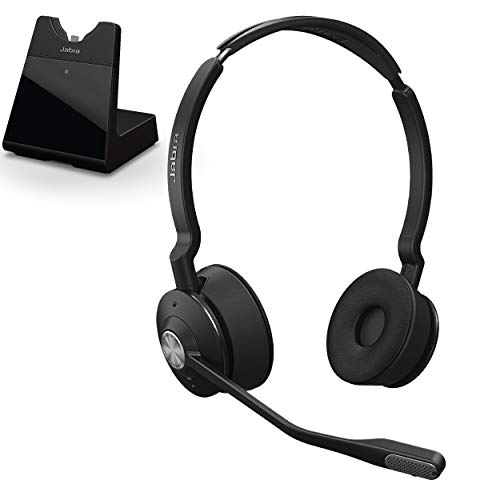
Jabra Engage 75 Stereo
The Engage 75 is the office traditionalist of this guide: a DECT headset that lives on a desk base, connects that base to a desk phone and a computer at once, and treats sidetone as a first-class setting rather than a buried option. Jabra’s manual for the Engage 75 gives sidetone its own section. The setting adjusts the volume of your own voice in your ears during a call, it can be reached through the base station’s menu and through the Jabra Direct desktop software, and the manual makes the point that matters most to confused buyers: the sidetone level affects only what you hear, never the volume your caller receives. That single documented sentence is the cleanest statement of the mechanism in any of the six manuals surveyed for this guide, and it is why this headset opens the list.
The DECT platform is the other half of its identity. Jabra rates the Stereo version for a range of up to 150 metres from the base and up to 13 hours of talk time, figures that belong to the Stereo variant specifically — the Convertible version of the same system is rated lower on both counts, and its specifications must not be borrowed. In practice the range means the headset stays connected through a house, a workshop floor or a long office while its owner makes tea, files paper or walks to a printer mid-call, a freedom no Bluetooth pick here matches. The base carries a small touchscreen for call handling and settings, and the headset pairs its sidetone setting with the rest of a mature call-centre feature set: busy lights, call merging between the connected phone lines, and a microphone built for all-day voice work rather than occasional meetings.
Who it suits is therefore narrow and clear. This is the headset for a fixed desk that still matters — a home office with a landline or desk phone in the mix, a reception or dispatch role, a professional whose calls are the job rather than an interruption to it. The sidetone control being reachable from the base itself, without opening software, suits wearers who adjust by feel during a call. The compromises are the mirror image of the strengths: the base ties the system to one desk, the price of entry reflects a professional DECT system rather than a personal accessory, and the design is a working tool, not something to wear on a train. Within its intended room, though, it offers the most completely documented sidetone implementation in this guide, on the platform with the longest reach.
Strengths
- Sidetone has its own section in the manufacturer’s manual, adjustable from the base menu or Jabra Direct, with the manual explicitly separating it from the caller’s received volume.
- DECT range rated up to 150 metres for the Stereo version — far beyond any Bluetooth pick here — with up to 13 hours of talk time.
- The desk base unites desk phone and softphone connections, with touchscreen call handling on the base itself.
Trade-offs
- The base anchors the system to one desk; this is not a travel or hybrid-working headset.
- Variant discipline matters: the Mono and Convertible versions carry different range and talk-time figures, and only the Stereo is reviewed here.
- It is priced and styled as professional desk equipment, which will be more than a casual caller needs.
Who it suits: the Engage 75 Stereo suits the desk-bound professional whose calls run all day from one place — and who wants sidetone documented, adjustable at the base, and backed by DECT range. Confirm the listing is the Stereo version rather than the Mono or Convertible, and check price on Amazon.
Check price on Amazon: Jabra Engage 75 Stereo
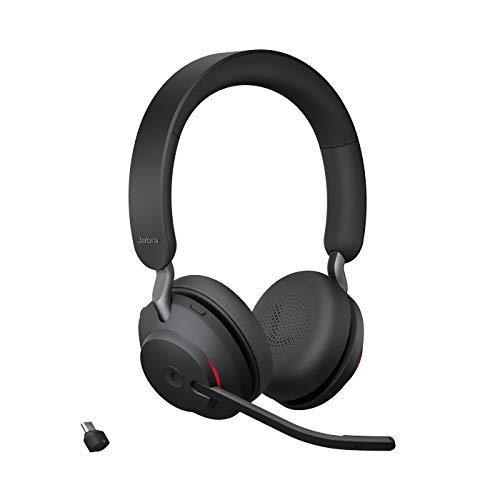
Jabra Evolve2 65
If the Engage 75 is the desk traditionalist, the Evolve2 65 is the hybrid worker’s answer from the same house. Jabra’s manual for the Evolve2 65 also gives sidetone its own section: the feature lets you hear your own voice clearly during a call, and the level is adjusted through the Jabra Sound+ phone app or the Jabra Direct desktop software. That dual route matters in daily life. The desktop app suits the careful one-time setup at a work computer; the phone app suits the moment, mid-week and away from the desk, when a wearer realises the level wants nudging. The documentation is equally clear that the setting is a level, adjustable across a range, and that the feature can be turned off — the two facts this guide asks of every pick.
The headset around that setting is a Bluetooth UC design with a folding boom microphone. The boom is the social contract of the model: folded away, the headset reads as ordinary headphones for music and focus; swung down, it becomes a call instrument whose microphone sits where microphones work best. Jabra builds the Evolve2 65 in UC and Microsoft Teams variants and with USB-A or USB-C dongles, and the variant discipline in the buying notes is real — the Evolve2 65 Flex is a different product with a different folding boom and must not be substituted, and the older Evolve 65 is a previous generation entirely. Battery endurance is generous by the maker’s figures, the ear cushions are memory foam, and a busylight on the cup signals to a household or an office that a call is live. Readers whose work is organised around larger call-centre fleets rather than personal hybrid kit will find this site’s guide to wireless headsets for call centres a useful neighbouring read, since the models there are chosen for shared-desk deployment rather than for a documented sidetone setting .
As a sidetone purchase, the Evolve2 65’s case is balance. It does not reach like DECT, and its sidetone adjustment lives in software rather than on a base screen, but it asks the fewest compromises of a person who works from two or three places in a week. The sidetone is documented for the exact model, the level is adjustable in two different apps, the off switch exists, and the headset doubles as respectable music headphones between calls. For the largest group of readers — hybrid workers on laptops, with calls scattered through the day — that combination is the centre of this guide’s gravity, and the Evolve2 65 sits on it.
Strengths
- Sidetone documented in the manufacturer’s own manual for this model, adjustable in both Jabra Sound+ and Jabra Direct, and switchable off.
- Folding boom microphone: discreet headphones between calls, a proper call instrument during them.
- Bluetooth UC design with dongle and direct pairing, in UC and Teams variants, built for hybrid work across locations.
Trade-offs
- Bluetooth range is room-to-room, not building-wide; the DECT pick walks much further from its base.
- No desk-phone connection and no base — softphone and mobile are its whole world.
- Variant traps are numerous: Flex, Teams versus UC, USB-A versus USB-C, and the previous-generation Evolve 65 all sit near this listing.
Who it suits: the Evolve2 65 suits the hybrid worker who wants documented, adjustable sidetone in a headset that travels between home and office and folds its microphone away between calls. Match the listing to the exact variant your laptop needs, and check price on Amazon.
Check price on Amazon: Jabra Evolve2 65

Logitech Zone Wireless 2 ES
Logitech’s entry is the most explicit about numbers. The setup guide for the Zone Wireless 2 ES contains a section headed Adjusting Sidetone, inside the Logi Tune software walkthrough, and it states the factory default plainly: the sidetone level starts at 50 percent. That default is a small gift to buyers, because it tells you where the manufacturer believes the middle of the road lies — a wearer who finds their own voice too present slides below it, a wearer who still feels sealed slides above it, and both start from a documented reference point rather than from a mystery. The slider itself lives in Logi Tune alongside the equaliser and microphone settings, and the setting can be taken to zero, which is this guide’s off-switch requirement satisfied in the most literal way a slider allows.
The ES suffix marks the current version of the model, and it matters: the earlier Zone Wireless 2 also documents sidetone in Logi Tune, but its battery and frame specifications differ, and only the ES is reviewed here. Around the sidetone control, the ES is a hybrid-ANC office headset — the maker rates talk time at up to 20 hours with noise cancelling on — with a microphone boom that hides away when flipped up, and a design aimed at open offices where the cancelling earns its keep. Logitech positions the headset for certified UC use, and its sidetone behaviour benefits from the same software discipline: Logi Tune is where firmware, settings and the sidetone slider all live, so the feature is maintained rather than frozen at whatever the factory shipped.
The honest limitation is ecosystem gravity. The sidetone slider exists only inside Logi Tune, so a wearer who refuses companion software on principle should look at the Jabra Engage 75, whose base carries the setting in hardware. And the Zone Vibe Wireless, a lighter and cheaper Logitech stablemate, is a different line that must not be confused with this one at the listing stage. For a reader already content to run Logi Tune — and most owners of Logitech mice and webcams already do — the Zone Wireless 2 ES offers the most transparently documented sidetone adjustment in this guide: a named section, a stated default, and a slider with a genuine zero.
Strengths
- The setup guide names an Adjusting Sidetone section in Logi Tune and states the 50 percent factory default — the clearest documented starting point here.
- The slider reaches zero, so sidetone can be fully silenced without workarounds.
- Hybrid noise cancelling with maker-rated talk time up to 20 hours with ANC on, in the current ES version of the model.
Trade-offs
- Sidetone adjustment exists only inside the Logi Tune app; there is no on-headset or base control for it.
- The earlier Zone Wireless 2 shares the name and much of the software story but not the specifications — listings must be matched to the ES.
- ANC and the UC feature set price it above headsets bought for occasional calls.
Who it suits: the Zone Wireless 2 ES suits the open-office or home-office worker who likes settings stated in numbers and already lives in Logitech’s software. Confirm the listing names the ES version specifically, and check price on Amazon.
Check price on Amazon: Logitech Zone Wireless 2 ES
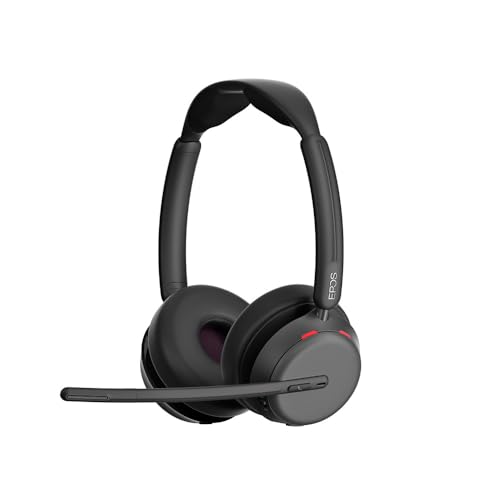
EPOS IMPACT 1061
EPOS writes its documentation like an engineer rather than a marketer, and the IMPACT 1000 series user guide rewards that style. Its section on adjusting the sidetone defines the feature in one sentence — sidetone is the audible feedback of your own voice during a call — and then explains that its intensity is set in the EPOS Connect software. That definition matters more than it might appear to: several headsets in the wider market bury sidetone inside a menu labelled with a brand coinage, leaving buyers to guess whether the control does what they hope. EPOS names the mechanism, defines it correctly, and gives it an intensity control. The IMPACT 1061, the double-sided Bluetooth model in that line, is admitted to this guide on exactly that documentation.
The headset itself is built for the open office, the environment where sidetone earns its keep hardest. It connects over Bluetooth 5.3, with a USB dongle in the box for computers, and the maker rates talk time at up to 20 hours. Its noise cancelling is adaptive — the headset listens to the room and adjusts — which creates precisely the sealed, floating sensation that makes wearers shout without sidetone to anchor them. EPOS pairs that with a microphone system tuned for speech in noisy spaces, and the combination is coherent: cancel the room for the wearer, clean the voice for the caller, and feed the wearer’s own voice back at a chosen intensity so the whole arrangement still feels natural. Readers shopping for children rather than colleagues should note how completely the priorities invert — this site’s guide to children’s headsets chooses models by a documented volume ceiling that protects young ears, a safety axis that has nothing to do with hearing your own voice on a call .
Variant discipline is the one chore this pick demands. The IMPACT 1000 line contains near-identical names: the 1061T is the Microsoft Teams variant, an ANC-designated sibling exists, and the 1030 and 1031 are mono versions of the same family. Sidetone is a line-wide behaviour through EPOS Connect, but the specifications — and the sidetone experience on one ear rather than two — differ, and only the double-sided 1061 is reviewed here. For the open-office professional who wants the mechanism defined in the manual, an intensity control in maintained software, and adaptive cancelling to go quiet against, the IMPACT 1061 is the most literate pick in this guide: it is the one whose paperwork teaches the concept while it sells the headset.
Strengths
- The user guide defines sidetone correctly in its own section and places an intensity control in EPOS Connect — documentation of unusual clarity.
- Adaptive noise cancelling aimed at open offices, with Bluetooth 5.3, a computer dongle included, and talk time rated up to 20 hours.
- Double-sided wearing style with a microphone system tuned for speech in noisy rooms.
Trade-offs
- The model line is a thicket of near-identical codes — 1061T, ANC variants, mono 1030 and 1031 — and the listing must be matched to the plain double-sided 1061.
- Sidetone adjustment requires the EPOS Connect software; there is no on-headset control.
- Its open-office tuning and price aim it at full-time call work rather than occasional meetings.
Who it suits: the IMPACT 1061 suits the open-office professional who wants sidetone defined and documented by the maker, with an intensity control and adaptive cancelling for loud rooms. Verify the listing is the 1061 itself and not a Teams or mono sibling, and check price on Amazon.
Check price on Amazon: EPOS IMPACT 1061

Poly Voyager Focus 2
Every guide needs one pick whose limitation is the headline, and here it is stated before any praise: on the Voyager Focus 2, sidetone cannot be switched off. HP and Poly’s support documentation describes the setting as three levels — Low, Medium and High — adjusted in the Poly Lens app, and no off position appears in that documentation. A wearer who sets it to Low still hears their own voice on every call, always. For many people that is exactly what they want and the question never arises; sidetone is, after all, the subject of this guide. But a buyer who knows from experience that any permanent voice feed irritates them should stop reading this review here and choose among the other five, all of which can go silent. Honesty about this single fact is worth more than anything else in the section.
For everyone still reading, the Voyager Focus 2 has a genuine case. Its three steps are coarse but they are honest: there is no slider pretending to a precision the wearer cannot hear, and the middle step will satisfy most people without further thought. The headset around the setting is a strong hybrid-work instrument — hybrid noise cancelling with three levels of its own, a boom carrying Poly’s Acoustic Fence technology, which uses multiple microphones to draw a boundary around the wearer’s voice and keep colleagues’ conversations out of the call, and maker-rated talk time of up to 19 hours with cancelling off. It is offered with USB-A or USB-C receivers and with or without a charging stand, and those four combinations are the variant discipline this pick requires; the headset’s sidetone behaviour is the same across them, but the listing must still be the combination the buyer’s desk actually needs.
The judgement, then, is conditional in a way the other five are not. As a headset — microphone, cancelling, comfort, call quality features — the Voyager Focus 2 stands comfortably in this company. As a sidetone purchase, it is the right answer only for a wearer who wants the feature permanently present and prefers choosing among three plain steps to fine-tuning a level. Poly’s documentation never pretends otherwise, and neither does this guide: the limitation is printed in the review’s first paragraph, in the comparison table, and here again in the verdict, because a feature that cannot be turned off should never be discovered after the box is opened.
Strengths
- Three plainly documented sidetone levels — Low, Medium, High — set in Poly Lens, with no fiddly slider to manage.
- Acoustic Fence microphone technology that fences the wearer’s voice off from surrounding conversations for the caller’s benefit.
- Hybrid noise cancelling with three levels and maker-rated talk time up to 19 hours with cancelling off.
Trade-offs
- Sidetone cannot be switched off entirely — the documented settings adjust its level only. This is the decisive fact about this pick.
- Three fixed steps cannot land between levels; a wearer whose ideal sits between Low and Medium has no remedy.
- USB-A versus USB-C and stand versus no-stand combinations multiply the listing traps.
Who it suits: the Voyager Focus 2 suits the hybrid worker who wants sidetone always present, prefers three plain steps to a slider, and values its microphone fencing for shared spaces. Choose the receiver and stand combination your desk needs, and check price on Amazon.
Check price on Amazon: Poly Voyager Focus 2

Razer BlackShark V2 Pro (2023)
The gaming pick arrives under an alias, and the alias is the first thing its review must teach. Razer’s Master Guide for the BlackShark V2 Pro (2023) documents the feature as Mic Monitoring (Sidetone) inside the Razer Synapse software: the setting plays the raw sound of your own microphone back through the headset, and its level is adjustable. That parenthetical in the maker’s own guide is doing important work — it confirms that Mic Monitoring and sidetone are the same mechanism wearing two names, one from the telephone world and one from the gaming world. Buyers searching gaming headsets for the word sidetone will miss most of the market; buyers searching for mic monitoring will find it. This guide admits the BlackShark on the strength of that documented equivalence, and it is the only gaming headset here.
Why a gamer wants the feed is slightly different from why an office worker does. In a game, your voice competes with explosions in your own ears, and without monitoring there is no way to know whether you are whispering or bellowing at your squad; streamers, additionally, need to hear what their microphone is doing — its proximity effects, its clipping, its background intrusions — in real time rather than in a recording reviewed afterwards. Raw microphone monitoring serves both. The headset around it is Razer’s flagship wireless design: a low-latency wireless connection for play, Bluetooth alongside it, a detachable broadcast-grade microphone, and maker-rated battery life of up to 70 hours, which changes the sidetone question from a daily concern to a set-and-forget setting inside Synapse beside the equaliser and microphone effects.
The variant trap here is generational. The BlackShark V2 Pro name covers a 2020 model and this 2023 model, and they are different headsets with different documentation; the Master Guide section relied on for this guide belongs to the 2023 version, identified by its product code, and a listing for the earlier model must not be taken as this pick. Console-specific editions also exist under the same family name. Within those cautions, the BlackShark V2 Pro (2023) is the natural close to the list: the one pick where sidetone is not an office comfort but a performance tool, documented by the maker under its gaming name, with a level control in the software its owners already run.
Strengths
- The maker’s Master Guide documents Mic Monitoring (Sidetone) in Razer Synapse — the same mechanism, named and level-adjustable, for the exact 2023 model.
- Raw microphone feed serves gamers and streamers who need to hear their own mic behaviour live, not afterwards.
- Low-latency wireless plus Bluetooth, a detachable broadcast-grade microphone, and maker-rated battery life up to 70 hours.
Trade-offs
- The 2020 model shares the name; only the 2023 version carries this documentation, and listings must be matched by version and product code.
- Sidetone lives inside gaming software among gaming controls — office buyers wanting a UC-certified tool should choose above.
- No desk base, no DECT, no call-centre feature set; it is a gaming instrument first.
Who it suits: the BlackShark V2 Pro (2023) suits the gamer or streamer who wants to hear their own microphone live and already lives in Razer Synapse. Confirm the listing is the 2023 model rather than the 2020 original, and check price on Amazon.
Check price on Amazon: Razer BlackShark V2 Pro
Where sidetone matters most
The open office and the call floor
The louder and more shared the room, the harder sidetone works. Noise cancelling in a busy office seals the wearer away from colleagues and from their own voice alike, and the predictable result — documented in every call-centre manager’s folklore — is a floor full of people talking over one another without realising it. Sidetone returns each speaker’s volume to their own ears, which lowers the whole room. This is the environment the EPOS and Logitech picks are tuned for, and the one where the DECT pick’s all-day design makes sense: eight hours of calls is a different physical demand from two meetings, and the anchor of your own voice at a natural level is a large part of what makes the eighth hour bearable.
The home desk and the household audience
At home the problem inverts. The wearer is often the loudest thing in the house, unaware that a sealed headset has turned a normal speaking voice into a performance audible through two doors. Partners, children and sleeping babies all vote for sidetone even though they will never wear the headset. The Bluetooth UC picks suit this pattern best — they pair with the work laptop by day and the phone in the evening, and their sidetone settings keep the wearer’s volume honest in both. If your household has opinions about your call volume, they are, without knowing the word, asking you to buy sidetone.
The gaming desk and the stream
In games the voice channel carries tactics, and the wearer’s own monitoring carries confidence: knowing you were heard, at the level you intended, without breaking attention to check. For streamers the same feed is quality control, catching a microphone drifting too far away, a fan creeping into the recording, a voice clipping on a shout. The Razer pick’s raw microphone monitoring serves both purposes, and its placement inside the gaming software — beside the equaliser and the microphone’s own effects — reflects how its owners actually work: one panel, every voice control, set before the session and forgotten during it.
Setting your sidetone level well
Whatever pick you choose, the setting deserves five deliberate minutes rather than a shrug at the default. Start where the maker starts: Logitech states a 50 percent default, Jabra’s default level sits mid-range in its software, and defaults exist because they suit the median ear. Then make a real call to a patient person, or to your own voicemail, and speak at the volume you would use across a desk. If your voice in your ears sounds quieter than your voice in a bare room feels, raise the level a step; if you can hear microphone rustle, breath and room tone riding along with your speech, lower it. The target sensation is unremarkable: you should forget the mechanism exists. Revisit the setting after a week, because ears adapt and a level chosen on day one is often a notch too high. And if your headset is the Poly, accept the three-step grid for what it is — choose the lowest step at which your speaking volume still feels anchored, since its sidetone will be with you on every call you ever make on it.
One refinement separates a good setting from a merely adequate one: set the level for your longest calls, not your shortest. A level that feels lively and present across a five-minute check-in can feel relentless across a two-hour workshop, because the feed never pauses while you speak. If in doubt, err a step low — a slightly quiet sidetone still anchors your volume, while a slightly loud one adds a layer of self-consciousness to every sentence. Wearers who split their week between a quiet home and a loud office may legitimately keep two habits: the documented default for the quiet room, a step up where the cancelling works hardest. The headsets above all remember their settings, so the adjustment is a thirty-second errand, not a ritual.
Frequently asked questions
Is sidetone the same as transparency or hear-through mode?
No, and the difference is the microphone’s subject. Sidetone plays back your own voice, captured by the headset’s microphone, while you are speaking on a call. Transparency or hear-through modes play back the room around you — colleagues, traffic, announcements — through outward-facing microphones, usually outside calls. A headset can offer both features, and several in this guide do, but they are separate mechanisms with separate controls, and this guide admitted every pick on sidetone documentation alone.
Does sidetone make me sound better to the people I call?
No. Sidetone changes only what the wearer hears; the signal sent to your caller is untouched by it, as Jabra’s Engage documentation states outright. It can improve your caller’s experience indirectly — a wearer who can hear themselves stops shouting — but microphone quality, position and noise handling are what actually decide how you sound down the line, and they are judged separately in every review above.
Can sidetone be turned off on all of these headsets?
On five of the six, yes — through the maker’s software, or by taking a slider to zero. The exception is the Poly Voyager Focus 2, whose documentation describes three sidetone levels, Low, Medium and High, with no off position. That fact is stated in its review, in the comparison table and here, because it should be known before purchase rather than discovered after.
Why does the Razer headset call it Mic Monitoring instead?
Gaming manufacturers grew up separately from telephony and named the same mechanism after what it does for their buyers: monitoring your microphone. Razer’s own Master Guide for the BlackShark V2 Pro (2023) writes the feature as Mic Monitoring (Sidetone), confirming the two terms describe one feature — your voice, from your microphone, played into your ears at an adjustable level. When shopping gaming headsets, search both terms.
Which connection type is best for sidetone: DECT or Bluetooth?
The connection does not change the sidetone mechanism; it changes everything around it. DECT, in the Jabra Engage 75, gives building-scale range from a desk base and suits a fixed workstation with all-day calls. Bluetooth UC headsets trade that range for portability between home, office and phone. Choose the platform your working pattern needs, then set the sidetone level within it — the feature behaves the same once the call is live.
Sidetone is a century-old courtesy of the telephone network that sealed modern headsets accidentally abolished, and the six models above restore it with paperwork to prove it. Choose the one whose adjustment style matches your patience and whose platform matches your rooms, set the level once with care — and from then on, the truest sign the feature is working is that your own voice simply sounds like yours again.