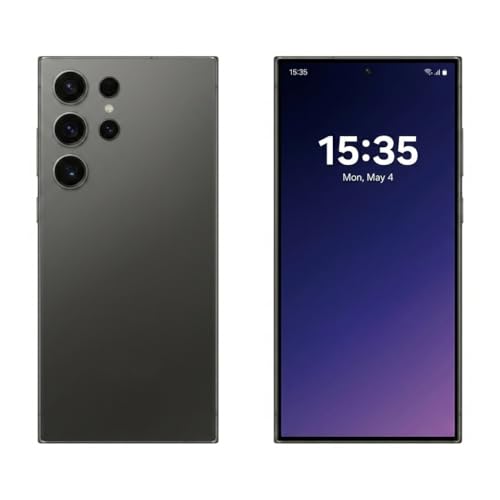
The best camera phones 400 500 range buyers look for prove that a great phone camera does not need a flagship budget. Between four and five hundred dollars, phones now ship with 50-megapixel main cameras, optical image stabilization, night modes, and the processing that turns a quick snapshot into a keeper. The six phones in this guide cover Google Pixel, Samsung Galaxy, OnePlus, Nothing, and Motorola, checked against current listings with verified product details.
This guide covers six camera phones with exact model names and specifications from their listings: the Google Pixel 8a, the Samsung Galaxy A56 5G, the OnePlus 11, the Nothing Phone (2), the Motorola Moto G Stylus 5G 2024, and the Motorola Moto G Power 2025. Each section names the storage, the memory, and the camera, so you can match the phone to how you shoot. Every pick below is an unlocked phone with a strong camera, not a carrier-locked model and not a refurbished unit.
In this guide
Quick picks: best camera phones 400 500 range
| # | Product | Where to buy |
|---|---|---|
| 1 | Google Pixel 8a | Check on Amazon |
| 2 | Samsung Galaxy A56 5G | Check on Amazon |
| 3 | OnePlus 11 | Check on Amazon |
| 4 | Nothing Phone (2) | Check on Amazon |
| 5 | Moto G Stylus 5G 2024 | Check on Amazon |
| 6 | Moto G Power 2025 | Check on Amazon |
How the picks were chosen
We started with the camera, since that is what this guide is about. Every pick has a 50-megapixel main camera or an equivalent high-resolution sensor with optical image stabilization, which is the combination that keeps photos sharp in low light and steady in video. A phone without stabilization did not make the list, no matter how good its other specs looked.
Day-to-day usability came next. A camera phone is still a phone, so we favored models with enough storage for a photo library, enough memory to keep the camera app fast, and a battery that lasts through a day of shooting. All six picks are unlocked, so they work on the carrier you already use without a contract change.
Finally, we balanced brands and styles. Google Pixel brings computational photography, Samsung brings a bright AMOLED screen, OnePlus brings speed, Nothing brings a distinctive design, and Motorola brings value with a stylus and a big battery. The six picks cover all of them, with the exact model numbers named in each section.
Video capability also shaped the list. A camera phone that shoots good video as well as photos is worth more, since most people shoot both. We favored phones with stabilization for video, which keeps clips smooth, and we checked that each pick lists video support in its camera system.
Quick comparison
| Product | Key detail | Best for |
|---|---|---|
| Google Pixel 8a | 128GB, 8GB RAM, unlocked, dual SIM | effortless photos with no editing needed |
| Samsung Galaxy A56 5G | 256GB, 8GB RAM, 6.7-inch 120Hz AMOLED | viewing photos on a big bright screen |
| OnePlus 11 | 256GB, unlocked, Black | fast camera response and smooth daily use |
| Nothing Phone (2) | 256GB, 12GB RAM, 50MP dual camera, OIS | distinctive design with strong low-light photos |
| Moto G Stylus 5G 2024 | 128GB, 8GB RAM, 50MP camera, stylus | notes, sketches, and precise photo editing with a stylus |
| Moto G Power 2025 | 128GB, 8GB RAM, 50MP camera | all-day battery life for long days of shooting |

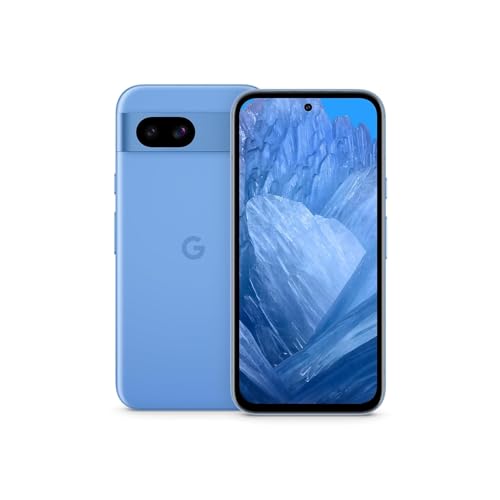
Google Pixel 8a Dual SIM Smartphone
The Google Pixel 8a is the photography pick in this guide, and the phone most camera lovers in this range end up buying. It is an unlocked Android phone with 128GB of storage and 8GB of memory, in Blue, with dual SIM support. The Pixel camera system pairs a strong main sensor with Google computational photography, which is the software that turns ordinary shots into good ones.
Computational photography is what sets the Pixel 8a apart. The phone takes several exposures for every shot and blends them, which pulls detail out of shadows, keeps bright skies from blowing out, and steadies night shots without a tripod. The result is a photo that looks good straight from the camera, with no editing needed, which is what most people actually want from a phone camera.
As an unlocked phone with dual SIM, the 8a works on the carrier you already use and can hold a second SIM for travel or work. The 128GB of storage holds a large photo library, and the 8GB of memory keeps the camera app fast when you open it for a quick shot. It is the pick for people who care about the photo more than the spec sheet.
Key specs: Unlocked Android phone; 128GB storage; 8GB RAM; dual SIM; Blue.
Strengths:
- Computational photography gives great photos with no editing needed.
- Unlocked with dual SIM, so it works on your carrier and travels well.
- 128GB of storage holds a large photo library.
Trade-offs:
- 128GB is less storage than the 256GB picks in this guide.
- Charging speed is slower than the OnePlus and Motorola picks.
- No expandable storage, so the 128GB is all there is.
This phone fits people who want the best photos in this range with the least effort. It also fits travelers who value dual SIM and an unlocked phone.
Best for: effortless photos with no editing needed
Not suited for: heavy video shooters who need 256GB or more
Check price on Amazon: Google Pixel 8a

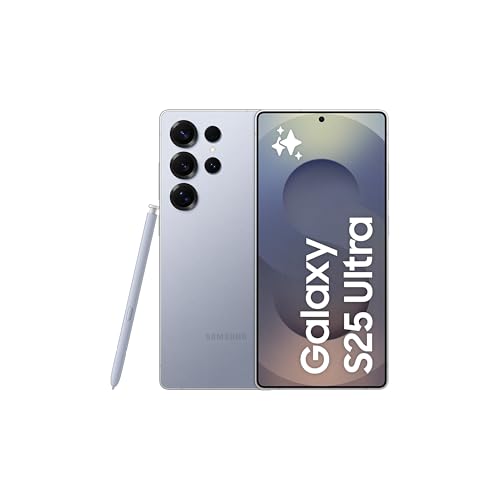
Samsung Galaxy A56 5G Smartphone
The Samsung Galaxy A56 5G is the screen pick in this guide, with a 6.7-inch 120Hz AMOLED display that makes photos and videos look their best. It is an unlocked phone with 8GB of memory and 256GB of storage, in Graphite, with dual SIM, water resistance, and Android 15. The big bright screen is what you notice first, and the camera is what keeps you happy.
A 120Hz AMOLED display changes how photos look on the phone itself. Scrolling is smooth, colors are rich, and the high refresh rate makes the camera viewfinder feel responsive when you frame a shot. The 6.7-inch size is large, but it suits viewing photos and videos, and the 256GB of storage holds a big library without needing to delete old shots.
Water resistance is a practical extra for a camera phone, since the best photos often happen near water, in rain, or at the beach. Android 15 brings the current Samsung software with its photo editing tools, and the dual SIM support covers travel. The A56 is the pick for people who look at their photos as much as they take them.
Key specs: Unlocked Android phone; 8GB RAM; 256GB storage; 6.7-inch 120Hz AMOLED; water resistant; Android 15; dual SIM.
Strengths:
- 6.7-inch 120Hz AMOLED display makes photos look their best.
- 256GB of storage holds a large photo and video library.
- Water resistance protects the phone near water and in rain.
Trade-offs:
- Large 6.7-inch body is harder to use one-handed.
- International model, so check band support for your carrier.
- Camera processing is less automatic than the Pixel.
This phone fits people who view and share photos constantly and want the best screen in this range. It also fits anyone who wants 256GB of storage and water resistance.
Best for: viewing photos on a big bright screen
Not suited for: one-handed use and small pockets
Check price on Amazon: Samsung Galaxy A56 5G
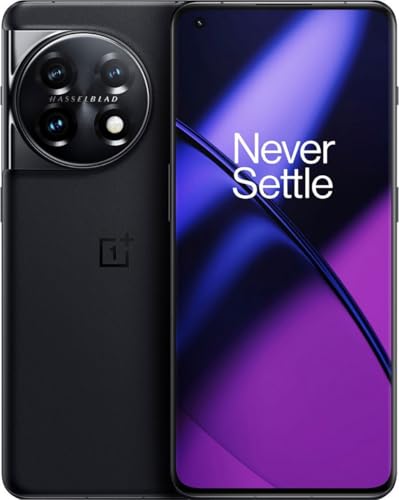
OnePlus 11 Smartphone
The OnePlus 11 is the speed pick in this guide, an unlocked phone with 256GB of storage in Black. OnePlus built its name on fast, smooth software, and the 11 keeps that tradition: the camera opens quickly, the phone stays responsive with many apps open, and the whole experience feels immediate. It is the pick for people who hate waiting on their phone.
Speed matters for a camera phone because the best shots are often the quick ones. A camera app that opens in a second catches the moment, while one that takes three seconds misses it. The OnePlus 11 opens fast, focuses fast, and saves fast, so it is ready whenever the scene is. The 256GB of storage means the photo library never forces a cleanup at a bad moment.
As an unlocked phone, the 11 works on your carrier without a contract change, and the Black finish is understated enough for any setting. The camera system covers the standard wide, ultrawide, and telephoto range, so it handles landscapes, groups, and distant subjects without swapping lenses.
Key specs: Unlocked Android phone; 256GB storage; Black.
Strengths:
- Fast camera app opens quickly and catches fleeting moments.
- 256GB of storage holds a large photo library.
- Smooth, responsive software suits heavy daily use.
Trade-offs:
- No memory size is listed, so heavy multitasking is less certain.
- No water resistance rating is listed.
- Camera tuning favors speed over automatic photo polish.
This phone fits people who value speed above all and want a fast camera that is always ready. It also fits anyone coming from an older phone who wants a big step up in responsiveness.
Best for: fast camera response and smooth daily use
Not suited for: photographers who want the most automatic photo processing
Check price on Amazon: OnePlus 11

Nothing Phone (2) Smartphone
The Nothing Phone (2) is the distinctive pick in this guide, with a transparent back, a Glyph Interface of lights, and a 50-megapixel dual camera with optical image stabilization. It has 256GB of storage and 12GB of memory, a 6.7-inch LTPO OLED display, a 4700mAh battery, and IP54 water resistance, in White. It is the phone for people who want their phone to look as good as its photos.
The Glyph Interface is more than a decoration: the lights on the back show notifications, charging, and a timer without turning the phone over, which is genuinely useful when the phone sits face-down on a table. The 50-megapixel dual camera with optical stabilization keeps photos sharp in low light, and the LTPO OLED display adjusts its refresh rate to save battery.
Twelve gigabytes of memory is the most in this guide, and it keeps the camera app and a dozen other apps open without reloading. The 4700mAh battery lasts through a day of shooting, and IP54 resistance covers rain and splashes. The White finish shows off the transparent back, which is the whole point of the design.
Key specs: Unlocked Android phone; 256GB storage; 12GB RAM; 50MP dual camera with OIS; 6.7-inch LTPO OLED; 4700mAh battery; IP54; White.
Strengths:
- 12GB of memory is the most in this guide for fast multitasking.
- Glyph Interface shows notifications without turning the phone over.
- 50MP dual camera with stabilization suits low-light shooting.
Trade-offs:
- Distinctive design is not for everyone.
- IP54 is splash resistance, not full water resistance.
- Smaller brand means fewer repair shops and accessories.
This phone fits people who want a phone that stands out and a camera that performs. It also fits heavy multitaskers who benefit from 12GB of memory.
Best for: distinctive design with strong low-light photos
Not suited for: buyers who want the most common brand with the widest support
Check price on Amazon: Nothing Phone (2)

Motorola Moto G Stylus 5G 2024 Smartphone
The Motorola Moto G Stylus 5G 2024 is the creative pick in this guide, an unlocked phone with 8GB of memory and 128GB of storage, a 50-megapixel camera, and a built-in stylus. The stylus is the difference: it lets you jot notes, sketch, and edit photos precisely, which no other phone in this guide can do. It comes in Caramel Latte.
A stylus changes how you use a camera phone. You can tap precisely to focus, draw on a photo to mark it up, and write a quick note on a screenshot, all without fumbling with a fingertip. The 50-megapixel camera gives the detail to work with, and the 5G connection uploads and shares photos quickly.
As an unlocked phone made for the US market, the Moto G Stylus 5G works on your carrier without a contract change. The 8GB of memory and 128GB of storage cover everyday use and a solid photo library, and the Caramel Latte finish is warm and understated. It is the pick for note-takers, sketchers, and photo editors.
Key specs: Unlocked Android phone; 8GB RAM; 128GB storage; 50MP camera; built-in stylus; 5G; Caramel Latte.
Strengths:
- Built-in stylus suits notes, sketches, and precise photo edits.
- 50MP camera gives detailed photos to work with.
- Unlocked for the US market, so it works on your carrier.
Trade-offs:
- 128GB is less storage than the 256GB picks.
- Stylus features need learning to use well.
- Camera processing is simpler than the Pixel.
This phone fits note-takers, students, and anyone who edits photos on the phone. It also fits buyers who want a stylus without paying flagship prices.
Best for: notes, sketches, and precise photo editing with a stylus
Not suited for: heavy video shooters who need 256GB or more
Check price on Amazon: Moto G Stylus 5G 2024

Motorola Moto G Power 2025 Smartphone
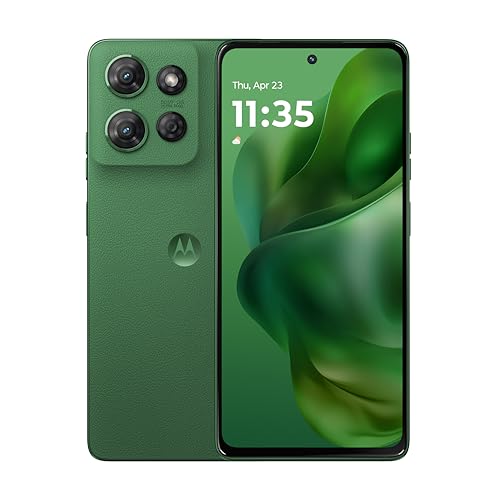
The Motorola Moto G Power 2025 is the battery pick in this guide, an unlocked phone with 8GB of memory and 128GB of storage, a 50-megapixel camera, and a battery built to last through long days of shooting. It comes in Leaf Green, made for the US market. The name says it all: this is the phone that keeps going when others need a charger.
Battery life is the most practical camera spec, because a dead phone takes no photos. The Moto G Power line is built around a large battery and efficient software, so it lasts through a day of photos, maps, and messages without a top-up. The 50-megapixel camera gives detailed shots, and the 8GB of memory keeps the camera app responsive.
As an unlocked phone, the Moto G Power 2025 works on your carrier and is easy to set up. The Leaf Green finish is distinctive without being loud, and the 128GB of storage holds a solid photo library. It is the pick for long days out, travel, and anyone who forgets to charge overnight.
Key specs: Unlocked Android phone; 8GB RAM; 128GB storage; 50MP camera; Leaf Green.
Strengths:
- Long battery life keeps the camera going all day.
- 50MP camera gives detailed photos for the cost.
- Unlocked for the US market, so setup is simple.
Trade-offs:
- 128GB is less storage than the 256GB picks.
- Screen and camera are good, not class-leading.
- No stylus, unlike its Moto G Stylus sibling.
This phone fits travelers, outdoor photographers, and anyone whose phone regularly dies before dinner. It also fits buyers who want the longest battery life in this range.
Best for: all-day battery life for long days of shooting
Not suited for: heavy video shooters who need 256GB or more
Check price on Amazon: Moto G Power 2025
Best camera phones 400 500 range: what matters most
Sensor size and stabilization matter more than megapixels alone. A 50-megapixel camera with optical image stabilization takes sharper low-light photos than a higher-megapixel camera without it, because stabilization lets the shutter stay open longer without blur. Check for OIS in the listing before comparing megapixel counts.
Processing is the hidden camera spec. Google computational photography, Samsung scene optimization, and Motorola clean software all change how the same sensor performs. A phone with great processing takes good photos with no effort, while a phone with weak processing needs editing to shine.
Storage decides how many photos you keep. A photo library grows fast, especially with video, and 128GB fills up sooner than most buyers expect. If you shoot a lot of video, favor the 256GB picks; if you back up to the cloud regularly, 128GB is workable.
Battery life is a camera feature. A phone that dies at dinner takes no evening photos, and a camera app is one of the hungriest apps on a phone. Favor phones with large batteries and efficient processors, and carry a small power bank on long shooting days.
Selfie camera quality matters for video calls as much as for selfies. A good front camera with a wide angle keeps you framed well on calls, and the Pixel 8a and Galaxy A56 5G both have strong front cameras for calls and video.
Software updates decide how long a phone stays good. A phone that receives updates for years stays secure and gains camera features, while one that stops updating becomes a risk. Pixel phones get the longest update support in this range, which is part of their value.
The front camera matters for video calls and selfies, and it is easy to overlook when comparing rear cameras. A good front camera with a wide angle keeps you framed well on calls, and the Pixel 8a and Galaxy A56 5G both have strong front cameras.
Buying guide: choosing camera phones 400 500 range
Start with your carrier. All six picks are unlocked, but check that the model supports your carrier bands, especially for international models like the Galaxy A56 5G in this guide. An unlocked phone that lacks your carrier bands is a bad buy no matter how good its camera is.
Check the storage before you buy, because most phones in this range cannot add a memory card. One hundred twenty-eight gigabytes suits casual shooters who back up to the cloud, while 256 gigabytes suits anyone who shoots video or keeps years of photos on the phone.
Look at the screen as well as the camera. You judge every photo on the screen, so a bright AMOLED display with a high refresh rate makes the whole experience better. The Galaxy A56 5G and the Nothing Phone (2) have the best screens in this guide.
Think about the software you will live with. Pixel software is clean and simple, Samsung software is rich with features, and Motorola software is close to stock Android. Try the software in a store if you can, since you will use it every day for years.
Check the return policy before you buy a phone online. Camera quality is personal, and the only way to know if a phone suits you is to use it for a few days. A good return policy lets you test the camera in your light, on your subjects, before committing.
Compare the camera in low light, not just in the store. Store lighting is bright and flattering, and every phone looks good there. Take a test shot in a dim corner or at dusk, and the difference between good and great cameras will show.
Using and caring for your camera phones 400 500 range
Back up your photos. A phone holds memories that cannot be retaken, and a lost or broken phone should not mean lost photos. Turn on cloud backup and check that it actually runs, or copy photos to a computer regularly.
Keep the lens clean. A phone camera lens picks up fingerprints and pocket lint, which softens every photo. Wipe it with a soft cloth before an important shot, and use a case that protects the lens without covering it.
Manage storage before it fills up. A full phone slows down and the camera app may refuse to save new photos. Delete blurry shots and duplicates regularly, and move old videos to cloud storage or a computer.
Protect the phone from drops and water. A case and a screen protector cost little and save the phone from the accidents that happen to camera phones, which get carried everywhere and used with one hand. Check the water resistance rating and do not exceed it.
Use a case that protects the camera bump. The camera lenses stick out from the back of most phones, and a case with a raised edge around the lenses keeps them off the table and out of scratches. A scratched lens softens every photo.
Clean the charging port occasionally. Pocket lint in the port stops the cable from seating fully, which causes slow charging and connection problems. A wooden toothpick, used gently, clears the lint without damaging the port.
Common mistakes to avoid
A common mistake is buying for megapixels alone. A 50-megapixel camera without stabilization takes worse low-light photos than a 12-megapixel camera with it. Look at stabilization, sensor size, and processing together, not just the megapixel number.
Another mistake is buying a carrier-locked phone by accident. Locked phones only work on one carrier and cost money to unlock. All six picks here are unlocked, and you should check that any phone you buy says unlocked in the listing.
A third mistake is ignoring storage. A 128GB phone fills up fast with photos and video, and a full phone stops saving new shots. Buy 256GB if you shoot video, or plan to back up to the cloud every week.
A fourth mistake is judging a camera by daylight shots alone. Every modern phone takes good photos in bright light, and the difference shows at dusk, indoors, and at night. Test the camera in low light before you decide, since that is where good cameras earn their keep.
A fifth mistake is buying a phone for the camera and forgetting the network. A phone that lacks your carrier bands will drop calls and lose data, no matter how good its camera is. Check the band support, especially for international models, before you buy.
Budget and value
Budget picks start with the Motorola Moto G Power 2025 and the Moto G Stylus 5G 2024, which give 50-megapixel cameras and unlocked 5G at the lowest cost in this guide. The Power suits long battery life, while the Stylus suits notes and photo editing.
Mid-range picks balance camera and screen with the Samsung Galaxy A56 5G and the OnePlus 11. The Galaxy has the best screen and 256GB of storage, while the OnePlus is the fastest phone here. Either one covers daily shooting comfortably.
Top-end picks go for the best photos with the Google Pixel 8a and the Nothing Phone (2). The Pixel takes the most effortless photos in this range, while the Nothing Phone (2) pairs a strong camera with 12GB of memory and a distinctive design.
Whatever the budget, add a case and a screen protector to the purchase. A camera phone gets carried everywhere and used with one hand, which is exactly how phones get dropped. A case costs little and saves the phone.
Why optical stabilization matters
Optical image stabilization moves the lens or the sensor to cancel hand shake, which lets the shutter stay open longer without blur. That is how phones take sharp photos in dim restaurants and at dusk, where a phone without stabilization would smear the shot.
Stabilization also steadies video, which is why the Nothing Phone (2) and other OIS picks in this guide shoot smoother clips. If you shoot video as well as photos, OIS is worth more than extra megapixels.
Night mode and computational photography
Night mode takes several exposures and blends them into one bright, sharp photo, which is how modern phones shoot in the dark. The Pixel 8a does this best in this guide, and the difference is obvious in a dim room or a night street.
Computational photography also improves portraits and landscapes in daylight, by blending exposures for better dynamic range. It works automatically, so the photographer does not need to learn anything new, and the photo simply looks better.
How much storage do photos need
A single photo takes a few megabytes, so 128GB holds tens of thousands of photos. Video is the storage hog: a minute of high-quality video can take hundreds of megabytes, and a day of video fills a phone fast.
If you shoot mostly photos, 128GB with cloud backup is enough. If you shoot video regularly, buy 256GB or back up every week. A full phone stops saving photos, which is the worst time to discover the storage is gone.
Shooting better photos with any phone
Clean the lens before an important shot, since a fingerprint softens the whole image. Tap the screen to focus on the subject, and slide the brightness down a little for portraits, which keeps skin tones natural.
Use the grid lines to compose. The rule of thirds, placing the subject off-center, makes photos more interesting than a centered subject, and the grid in the camera app makes it easy. Turn the grid on once and leave it on.
Portrait mode and night mode
Portrait mode blurs the background to make the subject stand out, which suits people and pets. It works best in good light with a clear subject, and it struggles with busy backgrounds or moving subjects, so use it when the scene is simple.
Night mode takes several exposures and blends them, which is how phones shoot in the dark. Hold the phone steady for a few seconds while it works, and the result will be far brighter and sharper than a single exposure.
Editing photos on the phone
Most phones in this guide have built-in editing tools that cover the basics: crop, brightness, and color. The Pixel photo editor is the strongest, with tools that remove objects and fix lighting automatically, while Samsung editor is close behind.
For more control, a free editing app adds curves, selective adjustments, and filters. Edit a copy, not the original, so you can always go back. A good edit takes a minute and makes a good photo great.
Final recommendation
For most buyers, the Google Pixel 8a is the safest buy, with the most effortless photos in this range and an unlocked dual-SIM design. Viewers who want the best screen should choose the Samsung Galaxy A56 5G, and buyers who want the most memory should choose the Nothing Phone (2).
Whichever phone you choose, check that it is unlocked, buy the storage your shooting needs, and back up your photos. The camera is only as good as the photos you keep.
Match the phone to how you shoot. Quick snapshots favor the Pixel, screen viewing favors the Galaxy, speed favors the OnePlus, and long days favor the Moto G Power. The best camera phone is the one that is in your hand when the moment happens.
Take a test photo in your light before you commit. Every phone in this guide takes good photos, but the one that suits your light, your subjects, and your hands is the one to buy. The best camera phone is the one you enjoy using every day.
Frequently asked questions
Can a phone in this range take good night photos?
Yes. Phones with optical stabilization and night mode, like the Pixel 8a and the Nothing Phone (2), take sharp photos in low light by blending several exposures.
Is 128GB enough for a camera phone?
For photos with regular cloud backup, yes. For frequent video shooting, 256GB is better, since video fills storage much faster than photos.
Should I buy an unlocked phone?
Yes, if you want to keep your carrier and avoid a contract. All six picks in this guide are unlocked, so they work on the carrier you already use.
What is optical image stabilization?
It moves the lens or sensor to cancel hand shake, letting the shutter stay open longer without blur. It improves low-light photos and steadies video.
Do I need 5G in a camera phone?
5G speeds up photo uploads and cloud backup, but it is not essential for the camera itself. All six picks here support 5G, so you are covered either way.
Which phone has the best screen in this range?
The Samsung Galaxy A56 5G has a 6.7-inch 120Hz AMOLED display, and the Nothing Phone (2) has a 6.7-inch LTPO OLED display. Both make photos look their best.
Do I need a tripod for phone photography?
No, for most shots. Optical stabilization and night mode handle handheld shooting well. A small tripod helps for long exposures and group photos where you want to be in the shot.
What is the best way to back up phone photos?
Turn on cloud backup and check that it runs, or copy photos to a computer regularly. A phone holds memories that cannot be retaken, so a backup you never test is not a backup.
Can I print photos from a phone camera?
Yes. A 50-megapixel phone camera prints well up to large sizes, and even a 12-megapixel shot prints nicely at standard photo sizes. The key is a sharp, well-lit original.
What is the best camera phone for video?
Phones with optical stabilization shoot the smoothest video. The Nothing Phone (2) and Pixel 8a in this guide both have stabilization, which keeps clips steady while walking.
Do camera phones need a memory card?
Most phones in this range have no memory card slot, so the built-in storage is all there is. Buy 256GB if you shoot a lot of video, and back up to the cloud regularly.
Which phone is best for video calls?
Phones with a good front camera and a bright screen suit video calls best. The Pixel 8a and Galaxy A56 5G in this guide both have strong front cameras and clear displays for calls.
Do these phones support wireless charging?
Some do and some do not, so check the listing for your model. Wireless charging is a convenience, not a camera feature, and a cable charges faster in any case.
Should I buy a phone with more storage or a better camera?
Buy the camera first, since storage can be managed with cloud backup, while a weak camera cannot be fixed. If you shoot a lot of video, favor 256GB, and back up regularly so the storage never fills up.